



Community hub
Recent from talks
Knowledge base stats:
Talk channels stats:
Members stats:
Pop-up ad
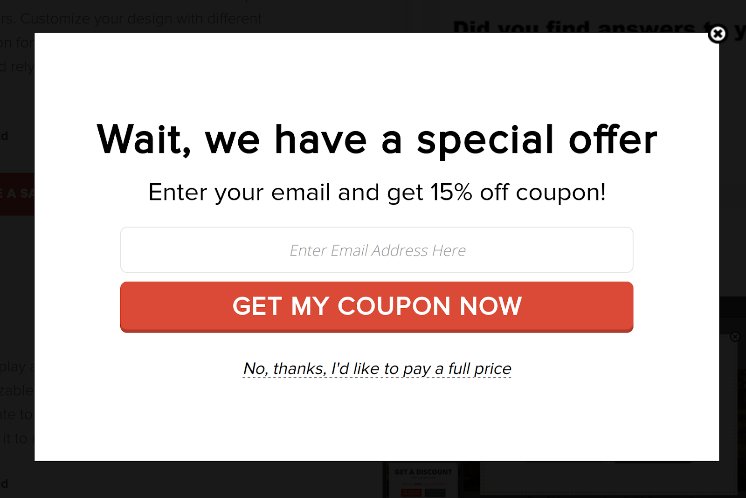
Pop-up ads or pop-ups are forms of online advertising on the World Wide Web. A pop-up is a graphical user interface (GUI) display area, usually a small window, that suddenly appears ("pops up") in the foreground of the visual interface. The pop-up window containing an advertisement is usually generated by JavaScript that uses cross-site scripting (XSS), sometimes with a secondary payload that uses Adobe Flash. They can also be generated by other vulnerabilities/security holes in browser security.
A variation on the pop-up window, the pop-under advertisement, opens a new browser window under the active window. Pop-unders do not interrupt the user immediately but appear when the user closes the covering window, making it more challenging to determine which website created them.
Pop-up ads originated on the Tripod.com webpage hosting site in the late 1990s. JavaScript provided the capability for a web page to open another window. Ethan Zuckerman claims he used that capability to launch advertisements in separate windows as a response to complaints from advertisers about their ads appearing on pages with sexual content. Zuckerman later apologized for the unforeseen nuisance pop-up ads had evolved into.
Web development and design technologies allow an author to associate any item on a pop-up with any action, including with a cancel or innocent-looking button. Because of bad experiences and apprehensive of possible damage that they may cause, some users do not click on or interact with any item inside a pop-up window whatsoever, and may leave the site that generated them or block all pop-ups.
Opera was the first major browser to incorporate tools to block pop-up ads; the Mozilla browser later improved on this by blocking only pop-ups generated as the page loads.[citation needed] In the early 2000s, all major web browsers except Internet Explorer let users block unwanted pop-ups almost completely. In 2004, Microsoft released Windows XP SP2, which added pop-up blocking to Internet Explorer. Most modern browsers provide pop-up blocking tools; third-party tools add other features, such as ad filtering.
Users of websites and web applications continuously experience unwanted pop-up ads throughout the course of their normal interaction with a web browser. Ordinarily, users respond by dismissing the pop-up through the "close" or "cancel" feature of the window hosting the pop-up. Because this is a typical response, some authors of pop-up advertising depend on this and create on-screen buttons or controls that look similar to a "close" or "cancel" option. When the user chooses one of these "simulated cancel" options, the button performs an unexpected or unauthorized action (such as opening a new pop-up or downloading an unwanted file on the user's system).
A hover ad or in-page pop-up uses JavaScript to combine a banner ad, and a pop-up window that appears in front of the browser screen. JavaScript imposes an advertisement over a webpage in a transparent layer. This advertisement can appear in a variety of forms. For example, an advertisement can contain an animation that links to the advertiser's site. An advertisement can also look like a normal window. Pop-up blockers cannot block the ad because it is a part of the webpage, but it can be blocked with third-party ad blockers such as AdBlock and Adblock Plus, or by using custom style sheets.
URLs are sometimes redirected to advertisement pages by URL redirection.
Hub AI
Pop-up ad AI simulator
(@Pop-up ad_simulator)
Pop-up ad
Pop-up ads or pop-ups are forms of online advertising on the World Wide Web. A pop-up is a graphical user interface (GUI) display area, usually a small window, that suddenly appears ("pops up") in the foreground of the visual interface. The pop-up window containing an advertisement is usually generated by JavaScript that uses cross-site scripting (XSS), sometimes with a secondary payload that uses Adobe Flash. They can also be generated by other vulnerabilities/security holes in browser security.
A variation on the pop-up window, the pop-under advertisement, opens a new browser window under the active window. Pop-unders do not interrupt the user immediately but appear when the user closes the covering window, making it more challenging to determine which website created them.
Pop-up ads originated on the Tripod.com webpage hosting site in the late 1990s. JavaScript provided the capability for a web page to open another window. Ethan Zuckerman claims he used that capability to launch advertisements in separate windows as a response to complaints from advertisers about their ads appearing on pages with sexual content. Zuckerman later apologized for the unforeseen nuisance pop-up ads had evolved into.
Web development and design technologies allow an author to associate any item on a pop-up with any action, including with a cancel or innocent-looking button. Because of bad experiences and apprehensive of possible damage that they may cause, some users do not click on or interact with any item inside a pop-up window whatsoever, and may leave the site that generated them or block all pop-ups.
Opera was the first major browser to incorporate tools to block pop-up ads; the Mozilla browser later improved on this by blocking only pop-ups generated as the page loads.[citation needed] In the early 2000s, all major web browsers except Internet Explorer let users block unwanted pop-ups almost completely. In 2004, Microsoft released Windows XP SP2, which added pop-up blocking to Internet Explorer. Most modern browsers provide pop-up blocking tools; third-party tools add other features, such as ad filtering.
Users of websites and web applications continuously experience unwanted pop-up ads throughout the course of their normal interaction with a web browser. Ordinarily, users respond by dismissing the pop-up through the "close" or "cancel" feature of the window hosting the pop-up. Because this is a typical response, some authors of pop-up advertising depend on this and create on-screen buttons or controls that look similar to a "close" or "cancel" option. When the user chooses one of these "simulated cancel" options, the button performs an unexpected or unauthorized action (such as opening a new pop-up or downloading an unwanted file on the user's system).
A hover ad or in-page pop-up uses JavaScript to combine a banner ad, and a pop-up window that appears in front of the browser screen. JavaScript imposes an advertisement over a webpage in a transparent layer. This advertisement can appear in a variety of forms. For example, an advertisement can contain an animation that links to the advertiser's site. An advertisement can also look like a normal window. Pop-up blockers cannot block the ad because it is a part of the webpage, but it can be blocked with third-party ad blockers such as AdBlock and Adblock Plus, or by using custom style sheets.
URLs are sometimes redirected to advertisement pages by URL redirection.