In a world dominated by mobile apps and high-speed internet, it’s easy to forget that millions of people still rely on basic mobile phones. That’s where USSD applications come in. USSD (Unstructured Supplementary Service Data) allows users to interact with a service by dialing a short code like *123#. No internet required. No app download needed. Just simple, real-time communication.
What is a USSD Application?
A USSD application is a session-based mobile service that allows users to interact with a menu in real time. It’s widely used for:
Mobile banking
Balance inquiries
Airtime recharge
Voting systems
Surveys
Service registrations
Unlike SMS, USSD creates an instant interactive session between the user and the service provider.
How USSD Works (Simple Flow)
Here’s what happens when someone dials a USSD code:
The user dials a short code (e.g., *123#).
The request goes to the telecom operator.
The telecom operator forwards it to your USSD Server.
Your server processes the request and sends a response.
The response appears instantly on the user’s screen.
The session stays active until the user exits or the session times out.
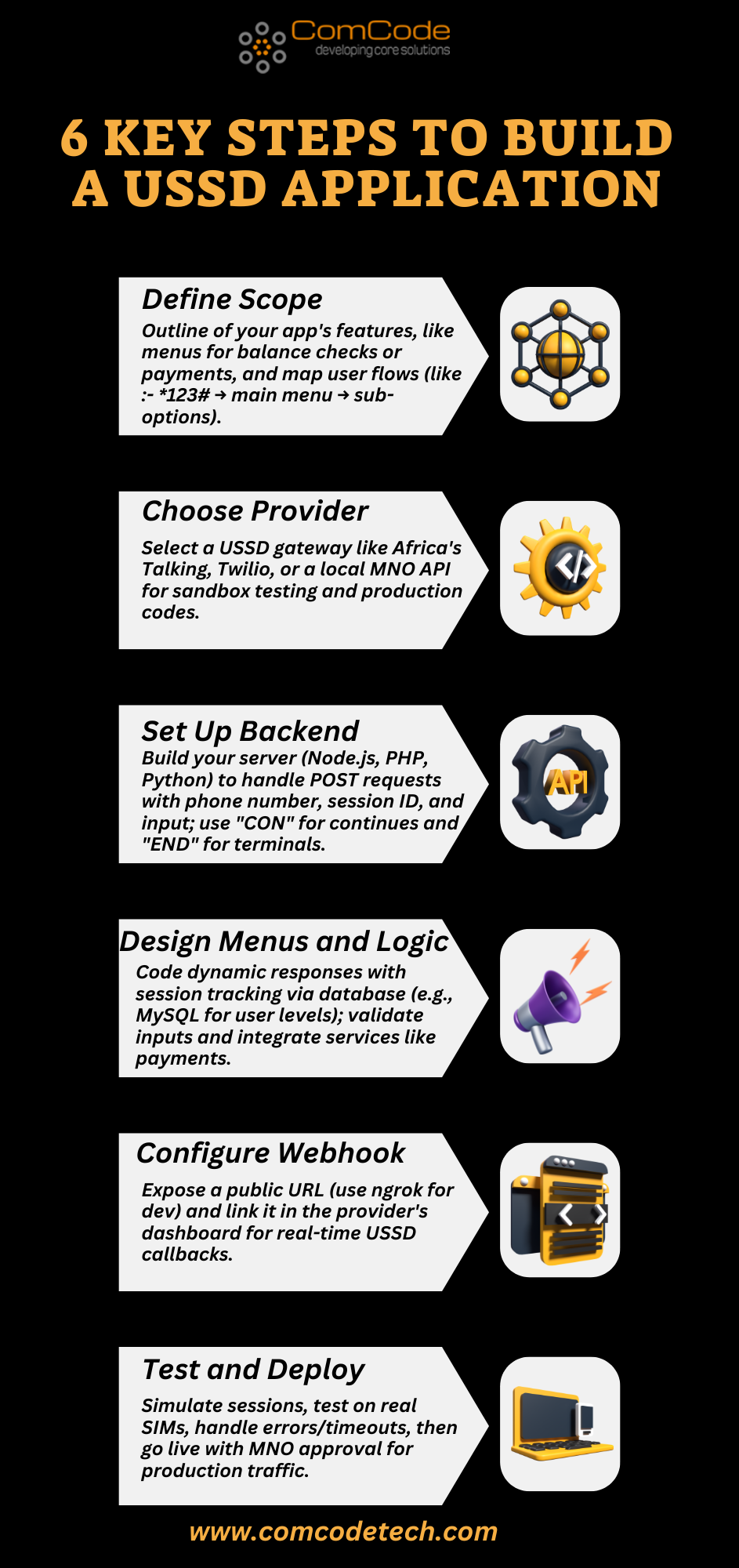
Step 1: Define Your Use Case
Before writing a single line of code, ask:
What problem does this USSD app solve?
Who is the target audience?
What actions should users be able to perform?
For example, if you’re building a microfinance service, your menu may include:
Check balance
Apply for a loan
Repay loan
Account details
Keep menus short and easy to navigate. USSD works best when it’s simple.
Step 2: Get a USSD Code from a Telecom Provider
To launch a live USSD service, you must partner with a telecom operator. They will provide:
Some providers also offer aggregator services that simplify the integration process.
Step 3: Set Up a USSD Server
Your USSD Server is the heart of your application.It handles:
Incoming requests
Session management
Menu logic
User responses
Database interactions
You can build your server using technologies like:
The telecom operator will connect their USSD gateway to your server via HTTP or SMPP connections, depending on their infrastructure.
Step 4: Design the Menu Logic
USSD applications are session-based. This means you must manage user inputs step-by-step.
For example:
Welcome to ABC Finance
1. Check Balance
2. Apply for a Loan
If the user selects (1), your server should fetch and display their balance.
Each response must clearly indicate whether:
Keeping the flow intuitive is critical. Ignore deep menu structures. The simpler is the better.
Step 5: Understand SMPP Integration
In some cases, your USSD application may also need SMS functionality for confirmations or alerts.
This is where:
come into play.
The SMPP protocol (Short Message Peer-to-Peer) is used for sending and receiving SMS messages between servers and telecom networks. For example:
After a loan request via USSD, you may send a confirmation using smpp sms.
Your application connects to an smpp gateway to deliver that message.
While USSD is session-based and real-time, SMS works as a store-and-forward system. Using both together creates a powerful communication system.
Step 6: Connect to Database
Your USSD application will likely need to:
Make sure your database is secure and optimized for fast queries since USSD sessions have short time limits.
Step 7: Test Thoroughly
USSD sessions usually expire within 20–180 seconds, depending on the telecom provider. That means your application must respond quickly.
You can test for:
Always simulate real user behavior before going live.
Step 8:- Deploy and Monitor
Once your telecom partner connects your USSD Server to their network:
Monitor session logs.
Track usage patterns.
Fix drop-offs.
Optimize user flow.
Continuous improvement is key to building a successful USSD service.
Best Practices for a Successful USSD Application
Keep menus short and simple
Limit steps to 3–4 levels deep
Use clear instructions
Provide error handling
Offer SMS confirmation when needed
Secure user data
Remember: USSD users often use basic phones. Design for clarity, not complexity.
Final Thoughts
Creating a USSD application is not just about coding — it’s about designing a fast, strong, reliable, and user-friendly experience that works on any mobile phone. With the right USSD Server setup, proper telecom integration, and optional smpp protocol support for messaging, you can build a service that reaches millions — even without internet access. USSD remains one of the most powerful tools for financial inclusion, customer engagement, and real-time mobile interaction.