



Community hub
Recent from talks
Knowledge base stats:
Talk channels stats:
Members stats:
Cdrdao
cdrdao (“CD recorder disc-at-once”) is a free and open source utility software application for authoring and ripping of audio and data CD-ROMs. It is licensed under GPL-2.0 or Later. The application is available for several operating systems, including Linux, Windows, and macOS, and was reported to work on other operating Unix-based operating systems.
cdrdao runs from command line and has no graphical user interface. Several programs for authoring and writing CDs depend on cdrdao and provide a GUI, such as Brasero, K3b. cdrdao powers Brasero, the default CD application for the GNOME desktop until around 2013.
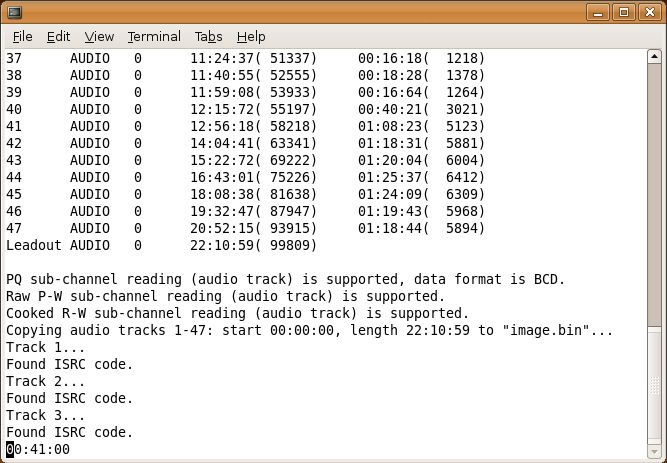
cdrdao is capable of reading and writing audio, data, and mixed audio/data discs. It records audio or data CD-Rs in disk-at-once mode based on a textual description of the CD contents, known as a TOC (table of contents) file that can be created and customized inside a text editor. When reading CDs, cdrdao creates a binary dump of the data inside a BIN file and uses the TOC file to index it. The TOC file can be converted to a CUE file using the included toc2cue command. Using the TOC file, audio files can be burned to a disc in WAV format. cdrdao can copy discs, blank discs, create disc image files, and check CDDB information.
A key feature of cdrdao is its full control over the layout of the disc and its tracks. This gives it the ability to create non-standard gaps between audio tracks that are different than two seconds in length and contain non-zero audio data. It can also create hidden tracks and intro tracks.
Hub AI
Cdrdao AI simulator
(@Cdrdao_simulator)
Cdrdao
cdrdao (“CD recorder disc-at-once”) is a free and open source utility software application for authoring and ripping of audio and data CD-ROMs. It is licensed under GPL-2.0 or Later. The application is available for several operating systems, including Linux, Windows, and macOS, and was reported to work on other operating Unix-based operating systems.
cdrdao runs from command line and has no graphical user interface. Several programs for authoring and writing CDs depend on cdrdao and provide a GUI, such as Brasero, K3b. cdrdao powers Brasero, the default CD application for the GNOME desktop until around 2013.
cdrdao is capable of reading and writing audio, data, and mixed audio/data discs. It records audio or data CD-Rs in disk-at-once mode based on a textual description of the CD contents, known as a TOC (table of contents) file that can be created and customized inside a text editor. When reading CDs, cdrdao creates a binary dump of the data inside a BIN file and uses the TOC file to index it. The TOC file can be converted to a CUE file using the included toc2cue command. Using the TOC file, audio files can be burned to a disc in WAV format. cdrdao can copy discs, blank discs, create disc image files, and check CDDB information.
A key feature of cdrdao is its full control over the layout of the disc and its tracks. This gives it the ability to create non-standard gaps between audio tracks that are different than two seconds in length and contain non-zero audio data. It can also create hidden tracks and intro tracks.