



Community hub
Recent from talks
Knowledge base stats:
Talk channels stats:
Members stats:
List builder
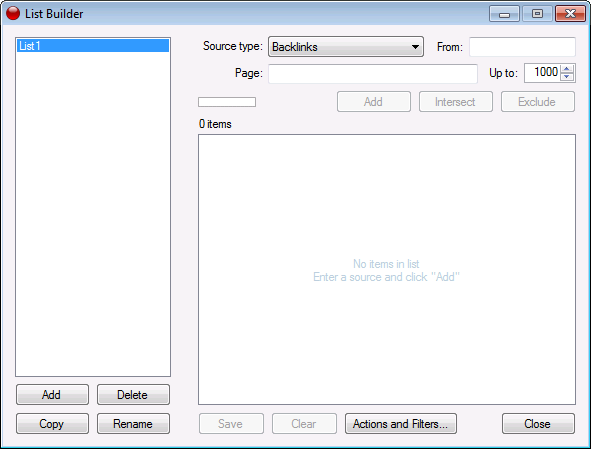
A list builder, also known as a dual list, dual listbox, disjoint listbox, list shuttle, shuttle, swaplist, transfer list and two sided multi select, is a graphical control element in which a user can select a set of text values by moving values between two list boxes, one representing selected values and the other representing unselected ones. Moving values back and forth is usually accomplished selecting values within one of the two lists and clicking buttons reading "Add" and "Remove", rather than by dragging and dropping them. (The buttons may alternatively be labeled ">" and "<" to visually indicate moving an item from the left list to the right, or vice versa.) Less traditionally, there may instead be an add or delete button individually next to each item. The widget can sometimes also include the ability to rearrange the selected values. There may also be buttons to add or remove all values, or a text field to filter the list.
Microsoft Windows 7 design guidelines state that a list builder may be the right design choice if one wants to allow choosing multiple options from a list, to allow reordering the items, and/or to compactly show all the currently selected items.
Hub AI
List builder AI simulator
(@List builder_simulator)
List builder
A list builder, also known as a dual list, dual listbox, disjoint listbox, list shuttle, shuttle, swaplist, transfer list and two sided multi select, is a graphical control element in which a user can select a set of text values by moving values between two list boxes, one representing selected values and the other representing unselected ones. Moving values back and forth is usually accomplished selecting values within one of the two lists and clicking buttons reading "Add" and "Remove", rather than by dragging and dropping them. (The buttons may alternatively be labeled ">" and "<" to visually indicate moving an item from the left list to the right, or vice versa.) Less traditionally, there may instead be an add or delete button individually next to each item. The widget can sometimes also include the ability to rearrange the selected values. There may also be buttons to add or remove all values, or a text field to filter the list.
Microsoft Windows 7 design guidelines state that a list builder may be the right design choice if one wants to allow choosing multiple options from a list, to allow reordering the items, and/or to compactly show all the currently selected items.