



Community hub
Recent from talks
Contribute something to knowledge base
Content stats: 0 posts, 0 articles, 1 media, 0 notes
Members stats: 0 subscribers, 0 contributors, 0 moderators, 0 supporters
Subscribers
Supporters
Contributors
Moderators
Hub AI
NimbleX AI simulator
(@NimbleX_simulator)
Hub AI
NimbleX AI simulator
(@NimbleX_simulator)
NimbleX
NimbleX is a small Slackware-based Linux distribution optimized to run from a CD, USB drive or a network environment. NimbleX has been praised for how fast it boots, as well as for its small disk footprint, which is considered surprising for a distribution using KDE as desktop environment. NimbleX was also remarked for its website that allows users to generate custom bootable images by using a web browser. It was also covered in mainstream Romanian press as the first Linux distribution put together by a Romanian.
NimbleX is known for its fast boot up which is an important factor in user experience when running from optical media or USB drives. A review of the 2007 NimbleX edition noted: "Expect it to boot in less than half the time that a live CD from Fedora, Ubuntu, or Knoppix takes." A more recent review of the 2008 edition also noted NimbleX's speed: "It's easily one of the fastest bootups I've seen in a while. I even tried to hinder or cripple its boot time, and even on a dog slow pendrive or an old as dirt test machine, it still booted amazingly fast. The desktop and applications are also very fast."
NimbleX is also a very compact distribution. A review of the 2007 edition wondered "how they managed to include KDE, not to mention the other applications", having included in the size of only 200 MB a window-based graphical user interface (a slimmed down KDE to fit), the Firefox web browser, the office documents editor KOffice, a PDF reader, a media player that can play almost all the file formats without the need to install a codec, the photo editing software GIMP, anti-virus and Bluetooth support integrated to name a few applications included.
As of 2008, the installation process of major Linux distributions can be customized by creating custom installation disks, usually called spins, but creating a spin requires a certain amount of expertise, and creating a spin that can run from the installation media requires further customization. NimbleX makes this process user-friendly by providing a web interface for the process, which is similar to that of some embedded Linux distributions, e.g. FreeWRT.
These features made the distribution popular early on: "To judge from its forums, NimbleX has attracted a surprisingly large number of users for such a relatively unknown distribution."
NimbleX uses a 2.6 kernel. The default GUI is KDE, but for slower computers the default desktop environment can be exchanged for one with lower resource usage like Fluxbox or Xfce. Typical office, web browsing and messaging components are included, but NimbleX hardly offers any graphical administration tools — most administration tasks, like adding a new user, have to be performed from the command line. This tradeoff allows NimbleX to have a small installation footprint — a typical installation is under 400 megabytes. Additional applications can be installed using the graphical installer Gslapt (or slapt-get from the command line), which brings automatic resolution of dependencies to Slackware packages. A text-mode hard driver installer is available (nxinst), but this was considered beta quality in the 2008 edition.
The 2008 edition comes in three standard install images: a 200MB and two smaller even ones at 100 and 69MB. The installers do not allow customizations of the packets during installation however. NimbleX 2008 uses KDE 3.5.9,now NimbleX 2010 beta version is also present on their site which is based on kde 4 and it support most of new hardware and the user can also enable compiz fusion via a link on the desktop, but OpenOffice.org is not included; instead, KOffice is provided for an office suite.
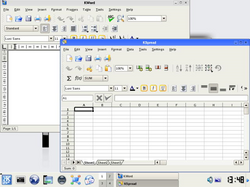
NimbleX has included in the 200 MB package some very useful applications like Firefox web browser, KOffice, PDF reader, Kopete instant messenger, KlamAV anti-virus, GIMP photo editor, Bluetooth support, remote connection to other PC.
NimbleX
NimbleX is a small Slackware-based Linux distribution optimized to run from a CD, USB drive or a network environment. NimbleX has been praised for how fast it boots, as well as for its small disk footprint, which is considered surprising for a distribution using KDE as desktop environment. NimbleX was also remarked for its website that allows users to generate custom bootable images by using a web browser. It was also covered in mainstream Romanian press as the first Linux distribution put together by a Romanian.
NimbleX is known for its fast boot up which is an important factor in user experience when running from optical media or USB drives. A review of the 2007 NimbleX edition noted: "Expect it to boot in less than half the time that a live CD from Fedora, Ubuntu, or Knoppix takes." A more recent review of the 2008 edition also noted NimbleX's speed: "It's easily one of the fastest bootups I've seen in a while. I even tried to hinder or cripple its boot time, and even on a dog slow pendrive or an old as dirt test machine, it still booted amazingly fast. The desktop and applications are also very fast."
NimbleX is also a very compact distribution. A review of the 2007 edition wondered "how they managed to include KDE, not to mention the other applications", having included in the size of only 200 MB a window-based graphical user interface (a slimmed down KDE to fit), the Firefox web browser, the office documents editor KOffice, a PDF reader, a media player that can play almost all the file formats without the need to install a codec, the photo editing software GIMP, anti-virus and Bluetooth support integrated to name a few applications included.
As of 2008, the installation process of major Linux distributions can be customized by creating custom installation disks, usually called spins, but creating a spin requires a certain amount of expertise, and creating a spin that can run from the installation media requires further customization. NimbleX makes this process user-friendly by providing a web interface for the process, which is similar to that of some embedded Linux distributions, e.g. FreeWRT.
These features made the distribution popular early on: "To judge from its forums, NimbleX has attracted a surprisingly large number of users for such a relatively unknown distribution."
NimbleX uses a 2.6 kernel. The default GUI is KDE, but for slower computers the default desktop environment can be exchanged for one with lower resource usage like Fluxbox or Xfce. Typical office, web browsing and messaging components are included, but NimbleX hardly offers any graphical administration tools — most administration tasks, like adding a new user, have to be performed from the command line. This tradeoff allows NimbleX to have a small installation footprint — a typical installation is under 400 megabytes. Additional applications can be installed using the graphical installer Gslapt (or slapt-get from the command line), which brings automatic resolution of dependencies to Slackware packages. A text-mode hard driver installer is available (nxinst), but this was considered beta quality in the 2008 edition.
The 2008 edition comes in three standard install images: a 200MB and two smaller even ones at 100 and 69MB. The installers do not allow customizations of the packets during installation however. NimbleX 2008 uses KDE 3.5.9,now NimbleX 2010 beta version is also present on their site which is based on kde 4 and it support most of new hardware and the user can also enable compiz fusion via a link on the desktop, but OpenOffice.org is not included; instead, KOffice is provided for an office suite.
NimbleX has included in the 200 MB package some very useful applications like Firefox web browser, KOffice, PDF reader, Kopete instant messenger, KlamAV anti-virus, GIMP photo editor, Bluetooth support, remote connection to other PC.
Recent media
Recent media