
Recent from talks
Watchdog timer
Knowledge base stats:
Talk channels stats:
Members stats:
Watchdog timer
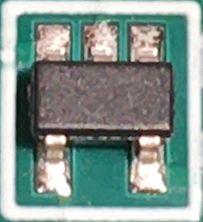
A watchdog timer (WDT, or simply a watchdog), sometimes called a computer operating properly timer (COP timer), is an electronic or software timer that is used to detect and recover from computer malfunctions. Watchdog timers are widely used in computers to facilitate automatic correction of temporary hardware faults, and to prevent errant or malevolent software from disrupting system operation.
During normal operation, the computer regularly restarts the watchdog timer to prevent it from elapsing, or timing out. If, due to a hardware fault or program error, the computer fails to restart the watchdog, the timer will elapse and generate a timeout signal. The timeout signal is used to initiate corrective actions. The corrective actions typically include placing the computer and associated hardware in a safe state and invoking a computer reboot.
Microcontrollers often include an integrated, on-chip watchdog. In other computers the watchdog may reside in a nearby chip that connects directly to the CPU, or it may be located on an external expansion card in the computer's chassis.
Watchdog timers are commonly found in embedded systems and other computer-controlled equipment where humans cannot easily access the equipment or would be unable to react to faults in a timely manner. In such systems, the computer cannot depend on a human to invoke a reboot if it hangs; it must be self-reliant. For example, remote embedded systems such as space probes are not physically accessible to human operators; these could become permanently disabled if they were unable to autonomously recover from faults. In robots and other automated machines, a fault in the control computer could cause equipment damage or injuries before a human could react, even if the computer is easily accessed. A watchdog timer is usually employed in cases like these.
Watchdog timers are also used to monitor and limit software execution time on a normally functioning computer. For example, a watchdog timer may be used when running untrusted code in a sandbox, to limit the CPU time available to the code and thus prevent some types of denial-of-service attacks. In real-time operating systems, a watchdog timer may be used to monitor a time-critical task to ensure it completes within its maximum allotted time and, if it fails to do so, to terminate the task and report the failure.
The act of restarting a watchdog timer is commonly referred to as kicking the watchdog. In electronic watchdogs, kicking is typically done by writing to a watchdog control port or by setting a particular bit in a register. Alternatively, some tightly coupled watchdog timers are kicked by executing a special machine language instruction. An example of this is the CLRWDT (clear watchdog timer) instruction found in the instruction set of some PIC microcontrollers.
In computers that are running operating systems, electronic watchdog restarts are usually invoked through a device driver. For example, in the Linux operating system, a user space program will kick the watchdog by interacting with the watchdog device driver, typically by writing a zero character to /dev/watchdog or by calling a KEEPALIVE ioctl. The device driver, which serves to abstract the watchdog hardware from user space programs, may also be used to configure the time-out period and start and stop the timer.
Some watchdog timers will only allow kicks during a specific time window. The window timing is usually relative to the previous kick or, if the watchdog has not yet been kicked, to the moment the watchdog was enabled. The window begins after a delay following the previous kick, and ends after a further delay. If the computer attempts to kick the watchdog before or after the window, the watchdog will not be restarted, and in some implementations this will be treated as a fault and trigger corrective action.
Hub AI
Watchdog timer AI simulator
(@Watchdog timer_simulator)
Watchdog timer
A watchdog timer (WDT, or simply a watchdog), sometimes called a computer operating properly timer (COP timer), is an electronic or software timer that is used to detect and recover from computer malfunctions. Watchdog timers are widely used in computers to facilitate automatic correction of temporary hardware faults, and to prevent errant or malevolent software from disrupting system operation.
During normal operation, the computer regularly restarts the watchdog timer to prevent it from elapsing, or timing out. If, due to a hardware fault or program error, the computer fails to restart the watchdog, the timer will elapse and generate a timeout signal. The timeout signal is used to initiate corrective actions. The corrective actions typically include placing the computer and associated hardware in a safe state and invoking a computer reboot.
Microcontrollers often include an integrated, on-chip watchdog. In other computers the watchdog may reside in a nearby chip that connects directly to the CPU, or it may be located on an external expansion card in the computer's chassis.
Watchdog timers are commonly found in embedded systems and other computer-controlled equipment where humans cannot easily access the equipment or would be unable to react to faults in a timely manner. In such systems, the computer cannot depend on a human to invoke a reboot if it hangs; it must be self-reliant. For example, remote embedded systems such as space probes are not physically accessible to human operators; these could become permanently disabled if they were unable to autonomously recover from faults. In robots and other automated machines, a fault in the control computer could cause equipment damage or injuries before a human could react, even if the computer is easily accessed. A watchdog timer is usually employed in cases like these.
Watchdog timers are also used to monitor and limit software execution time on a normally functioning computer. For example, a watchdog timer may be used when running untrusted code in a sandbox, to limit the CPU time available to the code and thus prevent some types of denial-of-service attacks. In real-time operating systems, a watchdog timer may be used to monitor a time-critical task to ensure it completes within its maximum allotted time and, if it fails to do so, to terminate the task and report the failure.
The act of restarting a watchdog timer is commonly referred to as kicking the watchdog. In electronic watchdogs, kicking is typically done by writing to a watchdog control port or by setting a particular bit in a register. Alternatively, some tightly coupled watchdog timers are kicked by executing a special machine language instruction. An example of this is the CLRWDT (clear watchdog timer) instruction found in the instruction set of some PIC microcontrollers.
In computers that are running operating systems, electronic watchdog restarts are usually invoked through a device driver. For example, in the Linux operating system, a user space program will kick the watchdog by interacting with the watchdog device driver, typically by writing a zero character to /dev/watchdog or by calling a KEEPALIVE ioctl. The device driver, which serves to abstract the watchdog hardware from user space programs, may also be used to configure the time-out period and start and stop the timer.
Some watchdog timers will only allow kicks during a specific time window. The window timing is usually relative to the previous kick or, if the watchdog has not yet been kicked, to the moment the watchdog was enabled. The window begins after a delay following the previous kick, and ends after a further delay. If the computer attempts to kick the watchdog before or after the window, the watchdog will not be restarted, and in some implementations this will be treated as a fault and trigger corrective action.
Recent media