
.jpg/250px-ENIAC-changing_a_tube_(cropped).jpg)


.jpg)
Community hub
Recent from talks
Contribute something
Welcome to the community hub built to collect knowledge and have discussions about what is a computer and its uses.
Nothing was collected or created yet.
Computer
View on Wikipedia
.jpg)


.jpg)
- Early vacuum tube computer (ENIAC)
- Mainframe computer (IBM System/360)
- Smartphone (LYF Water 2)
- Desktop computer (IBM ThinkCentre S50 with monitor)
- Video game console (Nintendo GameCube)
- Supercomputer (IBM Summit)
A computer is a machine that can be programmed to automatically carry out sequences of arithmetic or logical operations (computation). Modern digital electronic computers can perform generic sets of operations known as programs, which enable computers to perform a wide range of tasks. The term computer system may refer to a nominally complete computer that includes the hardware, operating system, software, and peripheral equipment needed and used for full operation; or to a group of computers that are linked and function together, such as a computer network or computer cluster.
A broad range of industrial and consumer products use computers as control systems, including simple special-purpose devices like microwave ovens and remote controls, and factory devices like industrial robots. Computers are at the core of general-purpose devices such as personal computers and mobile devices such as smartphones. Computers power the Internet, which links billions of computers and users.
Early computers were meant to be used only for calculations. Simple manual instruments like the abacus have aided people in doing calculations since ancient times. Early in the Industrial Revolution, some mechanical devices were built to automate long, tedious tasks, such as guiding patterns for looms. More sophisticated electrical machines did specialized analog calculations in the early 20th century. The first digital electronic calculating machines were developed during World War II, both electromechanical and using thermionic valves. The first semiconductor transistors in the late 1940s were followed by the silicon-based MOSFET (MOS transistor) and monolithic integrated circuit chip technologies in the late 1950s, leading to the microprocessor and the microcomputer revolution in the 1970s. The speed, power, and versatility of computers have been increasing dramatically ever since then, with transistor counts increasing at a rapid pace (Moore's law noted that counts doubled every two years), leading to the Digital Revolution during the late 20th and early 21st centuries.
Conventionally, a modern computer consists of at least one processing element, typically a central processing unit (CPU) in the form of a microprocessor, together with some type of computer memory, typically semiconductor memory chips. The processing element carries out arithmetic and logical operations, and a sequencing and control unit can change the order of operations in response to stored information. Peripheral devices include input devices (keyboards, mice, joysticks, etc.), output devices (monitors, printers, etc.), and input/output devices that perform both functions (e.g. touchscreens). Peripheral devices allow information to be retrieved from an external source, and they enable the results of operations to be saved and retrieved.
Etymology
[edit]
It was not until the mid-20th century that the word acquired its modern definition; according to the Oxford English Dictionary, the first known use of the word computer was in a different sense, in a 1613 book called The Yong Mans Gleanings by the English writer Richard Brathwait: "I haue [sic] read the truest computer of Times, and the best Arithmetician that euer [sic] breathed, and he reduceth thy dayes into a short number." This usage of the term referred to a human computer, a person who carried out calculations or computations. The word continued to have the same meaning until the middle of the 20th century. During the latter part of this period, women were often hired as computers because they could be paid less than their male counterparts.[1] By 1943, most human computers were women.[2]
The Online Etymology Dictionary gives the first attested use of computer in the 1640s, meaning 'one who calculates'; this is an "agent noun from compute (v.)". The Online Etymology Dictionary states that the use of the term to mean "'calculating machine' (of any type) is from 1897." The Online Etymology Dictionary indicates that the "modern use" of the term, to mean 'programmable digital electronic computer' dates from "1945 under this name; [in a] theoretical [sense] from 1937, as Turing machine".[3] The name has remained, although modern computers are capable of many higher-level functions.
History
[edit]Pre-20th century
[edit]
Devices have been used to aid computation for thousands of years, mostly using one-to-one correspondence with fingers. The earliest counting device was most likely a form of tally stick. Later record keeping aids throughout the Fertile Crescent included calculi (clay spheres, cones, etc.) which represented counts of items, likely livestock or grains, sealed in hollow unbaked clay containers.[a][4] The use of counting rods is one example.

The abacus was initially used for arithmetic tasks. The Roman abacus was developed from devices used in Babylonia as early as 2400 BCE. Since then, many other forms of reckoning boards or tables have been invented. In a medieval European counting house, a checkered cloth would be placed on a table, and markers moved around on it according to certain rules, as an aid to calculating sums of money.[5]
.webp)
The Antikythera mechanism is believed to be the earliest known mechanical analog computer, according to Derek J. de Solla Price.[6] It was designed to calculate astronomical positions. It was discovered in 1901 in the Antikythera wreck off the Greek island of Antikythera, between Kythera and Crete, and has been dated to approximately c. 100 BCE. Devices of comparable complexity to the Antikythera mechanism would not reappear until the fourteenth century.[7]
Many mechanical aids to calculation and measurement were constructed for astronomical and navigation use. The planisphere was a star chart invented by Abū Rayhān al-Bīrūnī in the early 11th century.[8] The astrolabe was invented in the Hellenistic world in either the 1st or 2nd centuries BCE and is often attributed to Hipparchus. A combination of the planisphere and dioptra, the astrolabe was effectively an analog computer capable of working out several different kinds of problems in spherical astronomy. An astrolabe incorporating a mechanical calendar computer[9][10] and gear-wheels was invented by Abi Bakr of Isfahan, Persia in 1235.[11] Abū Rayhān al-Bīrūnī invented the first mechanical geared lunisolar calendar astrolabe,[12] an early fixed-wired knowledge processing machine[13] with a gear train and gear-wheels,[14] c. 1000 AD.
The sector, a calculating instrument used for solving problems in proportion, trigonometry, multiplication and division, and for various functions, such as squares and cube roots, was developed in the late 16th century and found application in gunnery, surveying and navigation.
The planimeter was a manual instrument to calculate the area of a closed figure by tracing over it with a mechanical linkage.

The slide rule was invented around 1620–1630, by the English clergyman William Oughtred, shortly after the publication of the concept of the logarithm. It is a hand-operated analog computer for doing multiplication and division. As slide rule development progressed, added scales provided reciprocals, squares and square roots, cubes and cube roots, as well as transcendental functions such as logarithms and exponentials, circular and hyperbolic trigonometry and other functions. Slide rules with special scales are still used for quick performance of routine calculations, such as the E6B circular slide rule used for time and distance calculations on light aircraft.
In the 1770s, Pierre Jaquet-Droz, a Swiss watchmaker, built a mechanical doll (automaton) that could write holding a quill pen. By switching the number and order of its internal wheels different letters, and hence different messages, could be produced. In effect, it could be mechanically "programmed" to read instructions. Along with two other complex machines, the doll is at the Musée d'Art et d'Histoire of Neuchâtel, Switzerland, and still operates.[15]
In 1831–1835, mathematician and engineer Giovanni Plana devised a Perpetual Calendar machine, which through a system of pulleys and cylinders could predict the perpetual calendar for every year from 0 CE (that is, 1 BCE) to 4000 CE, keeping track of leap years and varying day length. The tide-predicting machine invented by the Scottish scientist Sir William Thomson in 1872 was of great utility to navigation in shallow waters. It used a system of pulleys and wires to automatically calculate predicted tide levels for a set period at a particular location.
The differential analyser, a mechanical analog computer designed to solve differential equations by integration, used wheel-and-disc mechanisms to perform the integration. In 1876, Sir William Thomson had already discussed the possible construction of such calculators, but he had been stymied by the limited output torque of the ball-and-disk integrators.[16] In a differential analyzer, the output of one integrator drove the input of the next integrator, or a graphing output. The torque amplifier was the advance that allowed these machines to work. Starting in the 1920s, Vannevar Bush and others developed mechanical differential analyzers.
In the 1890s, the Spanish engineer Leonardo Torres Quevedo began to develop a series of advanced analog machines that could solve real and complex roots of polynomials,[17][18][19][20] which were published in 1901 by the Paris Academy of Sciences.[21]
First computer
[edit]


Charles Babbage, an English mechanical engineer and polymath, originated the concept of a programmable computer. Considered the "father of the computer",[22] he conceptualized and invented the first mechanical computer in the early 19th century.
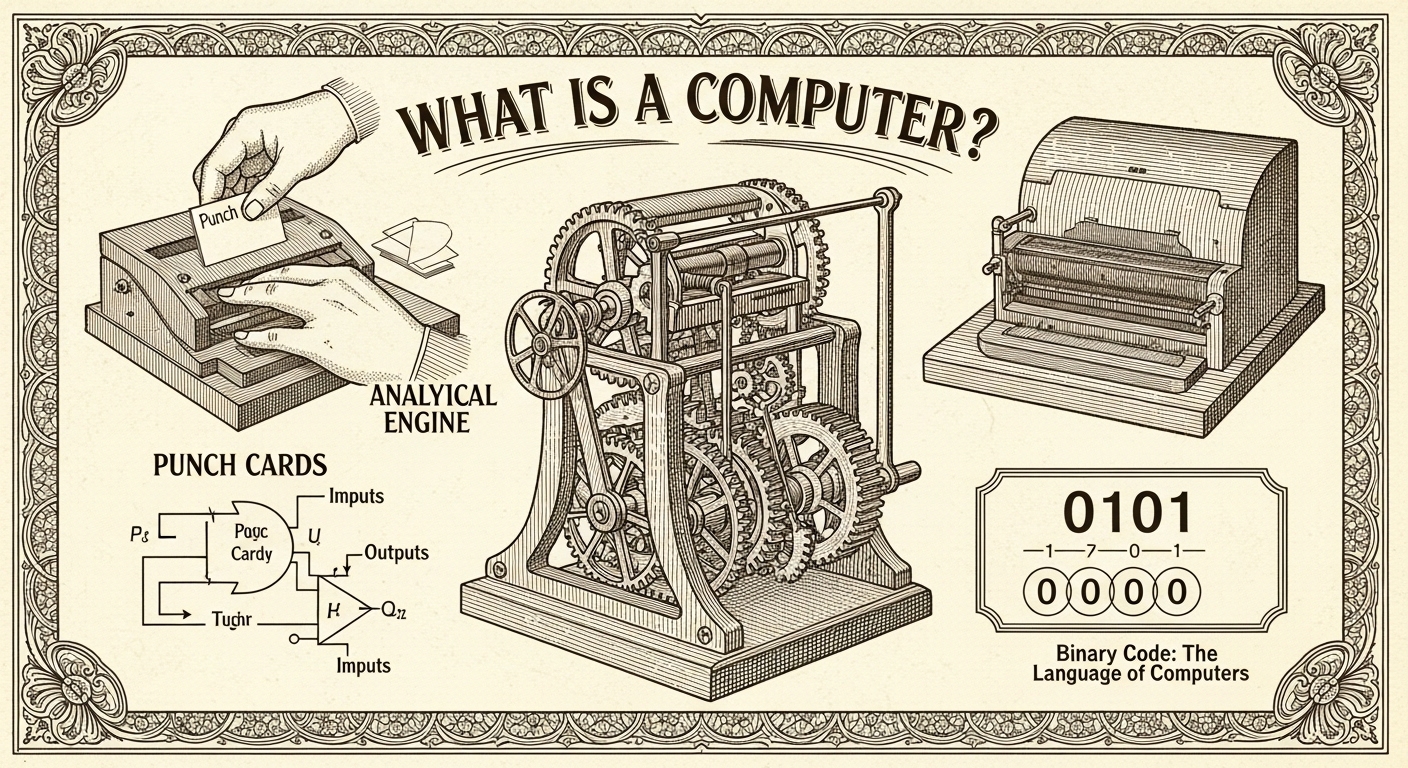
After working on his difference engine he announced his invention in 1822, in a paper to the Royal Astronomical Society, titled "Note on the application of machinery to the computation of astronomical and mathematical tables".[23] He also designed to aid in navigational calculations, in 1833 he realized that a much more general design, an analytical engine, was possible. The input of programs and data was to be provided to the machine via punched cards, a method being used at the time to direct mechanical looms such as the Jacquard loom. For output, the machine would have a printer, a curve plotter and a bell. The machine would also be able to punch numbers onto cards to be read in later. The engine would incorporate an arithmetic logic unit, control flow in the form of conditional branching and loops, and integrated memory, making it the first design for a general-purpose computer that could be described in modern terms as Turing-complete.[24][25]
The machine was about a century ahead of its time. All the parts for his machine had to be made by hand – this was a major problem for a device with thousands of parts. Eventually, the project was dissolved with the decision of the British Government to cease funding. Babbage's failure to complete the analytical engine can be chiefly attributed to political and financial difficulties as well as his desire to develop an increasingly sophisticated computer and to move ahead faster than anyone else could follow. Nevertheless, his son, Henry Babbage, completed a simplified version of the analytical engine's computing unit (the mill) in 1888. He gave a successful demonstration of its use in computing tables in 1906.
Electromechanical calculating machine
[edit]
In his work Essays on Automatics published in 1914, Leonardo Torres Quevedo wrote a brief history of Babbage's efforts at constructing a mechanical Difference Engine and Analytical Engine. The paper contains a design of a machine capable to calculate formulas like , for a sequence of sets of values. The whole machine was to be controlled by a read-only program, which was complete with provisions for conditional branching. He also introduced the idea of floating-point arithmetic.[26][27][28] In 1920, to celebrate the 100th anniversary of the invention of the arithmometer, Torres presented in Paris the Electromechanical Arithmometer, which allowed a user to input arithmetic problems through a keyboard, and computed and printed the results,[29][30][31][32] demonstrating the feasibility of an electromechanical analytical engine.[33]

Analog computers
[edit]
During the first half of the 20th century, many scientific computing needs were met by increasingly sophisticated analog computers, which used a direct mechanical or electrical model of the problem as a basis for computation. However, these were not programmable and generally lacked the versatility and accuracy of modern digital computers.[34] The first modern analog computer was a tide-predicting machine, invented by Sir William Thomson (later to become Lord Kelvin) in 1872. The differential analyser, a mechanical analog computer designed to solve differential equations by integration using wheel-and-disc mechanisms, was conceptualized in 1876 by James Thomson, the elder brother of the more famous Sir William Thomson.[16]
The art of mechanical analog computing reached its zenith with the differential analyzer, completed in 1931 by Vannevar Bush at MIT.[35] By the 1950s, the success of digital electronic computers had spelled the end for most analog computing machines, but analog computers remained in use during the 1950s in some specialized applications such as education (slide rule) and aircraft (control systems).[citation needed]
Digital computers
[edit]Electromechanical
[edit]Claude Shannon's 1937 master's thesis laid the foundations of digital computing, with his insight of applying Boolean algebra to the analysis and synthesis of switching circuits being the basic concept which underlies all electronic digital computers.[36][37]
By 1938, the United States Navy had developed the Torpedo Data Computer, an electromechanical analog computer for submarines that used trigonometry to solve the problem of firing a torpedo at a moving target. During World War II, similar devices were developed in other countries.[38]

Early digital computers were electromechanical; electric switches drove mechanical relays to perform the calculation. These devices had a low operating speed and were eventually superseded by much faster all-electric computers, originally using vacuum tubes. The Z2, created by German engineer Konrad Zuse in 1939 in Berlin, was one of the earliest examples of an electromechanical relay computer.[39]
.jpg)
In 1941, Zuse followed his earlier machine up with the Z3, the world's first working electromechanical programmable, fully automatic digital computer.[42][43] The Z3 was built with 2000 relays, implementing a 22 bit word length that operated at a clock frequency of about 5–10 Hz.[44] Program code was supplied on punched film while data could be stored in 64 words of memory or supplied from the keyboard. It was quite similar to modern machines in some respects, pioneering numerous advances such as floating-point numbers. Rather than the harder-to-implement decimal system (used in Charles Babbage's earlier design), using a binary system meant that Zuse's machines were easier to build and potentially more reliable, given the technologies available at that time.[45] The Z3 was not itself a universal computer but could be extended to be Turing complete.[46][47]
Zuse's next computer, the Z4, became the world's first commercial computer; after initial delay due to the Second World War, it was completed in 1950 and delivered to the ETH Zurich.[48] The computer was manufactured by Zuse's own company, Zuse KG, which was founded in 1941 as the first company with the sole purpose of developing computers in Berlin.[48] The Z4 served as the inspiration for the construction of the ERMETH, the first Swiss computer and one of the first in Europe.[49]
Vacuum tubes and digital electronic circuits
[edit]Purely electronic circuit elements soon replaced their mechanical and electromechanical equivalents, at the same time that digital calculation replaced analog. The engineer Tommy Flowers, working at the Post Office Research Station in London in the 1930s, began to explore the possible use of electronics for the telephone exchange. Experimental equipment that he built in 1934 went into operation five years later, converting a portion of the telephone exchange network into an electronic data processing system, using thousands of vacuum tubes.[34] In the US, John Vincent Atanasoff and Clifford E. Berry of Iowa State University developed and tested the Atanasoff–Berry Computer (ABC) in 1942,[50] the first "automatic electronic digital computer".[51] This design was also all-electronic and used about 300 vacuum tubes, with capacitors fixed in a mechanically rotating drum for memory.[52]

During World War II, the British code-breakers at Bletchley Park achieved a number of successes at breaking encrypted German military communications. The German encryption machine, Enigma, was first attacked with the help of the electro-mechanical bombes which were often run by women.[53][54] To crack the more sophisticated German Lorenz SZ 40/42 machine, used for high-level Army communications, Max Newman and his colleagues commissioned Flowers to build the Colossus.[52] He spent eleven months from early February 1943 designing and building the first Colossus.[55] After a functional test in December 1943, Colossus was shipped to Bletchley Park, where it was delivered on 18 January 1944[56] and attacked its first message on 5 February.[52]
Colossus was the world's first electronic digital programmable computer.[34] It used a large number of valves (vacuum tubes). It had paper-tape input and was capable of being configured to perform a variety of boolean logical operations on its data, but it was not Turing-complete. Nine Mk II Colossi were built (The Mk I was converted to a Mk II making ten machines in total). Colossus Mark I contained 1,500 thermionic valves (tubes), but Mark II with 2,400 valves, was both five times faster and simpler to operate than Mark I, greatly speeding the decoding process.[57][58]

The ENIAC[59] (Electronic Numerical Integrator and Computer) was the first electronic programmable computer built in the U.S. Although the ENIAC was similar to the Colossus, it was much faster, more flexible, and it was Turing-complete. Like the Colossus, a "program" on the ENIAC was defined by the states of its patch cables and switches, a far cry from the stored program electronic machines that came later. Once a program was written, it had to be mechanically set into the machine with manual resetting of plugs and switches. The programmers of the ENIAC were six women, often known collectively as the "ENIAC girls".[60][61]
It combined the high speed of electronics with the ability to be programmed for many complex problems. It could add or subtract 5000 times a second, a thousand times faster than any other machine. It also had modules to multiply, divide, and square root. High speed memory was limited to 20 words (about 80 bytes). Built under the direction of John Mauchly and J. Presper Eckert at the University of Pennsylvania, ENIAC's development and construction lasted from 1943 to full operation at the end of 1945. The machine was huge, weighing 30 tons, using 200 kilowatts of electric power and contained over 18,000 vacuum tubes, 1,500 relays, and hundreds of thousands of resistors, capacitors, and inductors.[62]
Modern computers
[edit]Concept of modern computer
[edit]The principle of the modern computer was proposed by Alan Turing in his seminal 1936 paper,[63] On Computable Numbers. Turing proposed a simple device that he called "Universal Computing machine" and that is now known as a universal Turing machine. He proved that such a machine is capable of computing anything that is computable by executing instructions (program) stored on tape, allowing the machine to be programmable. The fundamental concept of Turing's design is the stored program, where all the instructions for computing are stored in memory. Von Neumann acknowledged that the central concept of the modern computer was due to this paper.[64] Turing machines are to this day a central object of study in theory of computation. Except for the limitations imposed by their finite memory stores, modern computers are said to be Turing-complete, which is to say, they have algorithm execution capability equivalent to a universal Turing machine.
Stored programs
[edit]
Early computing machines had fixed programs. Changing its function required the re-wiring and re-structuring of the machine.[52] With the proposal of the stored-program computer this changed. A stored-program computer includes by design an instruction set and can store in memory a set of instructions (a program) that details the computation. The theoretical basis for the stored-program computer was laid out by Alan Turing in his 1936 paper. In 1945, Turing joined the National Physical Laboratory and began work on developing an electronic stored-program digital computer. His 1945 report "Proposed Electronic Calculator" was the first specification for such a device. John von Neumann at the University of Pennsylvania also circulated his First Draft of a Report on the EDVAC in 1945.[34]
The Manchester Baby was the world's first stored-program computer. It was built at the University of Manchester in England by Frederic C. Williams, Tom Kilburn and Geoff Tootill, and ran its first program on 21 June 1948.[65] It was designed as a testbed for the Williams tube, the first random-access digital storage device.[66] Although the computer was described as "small and primitive" by a 1998 retrospective, it was the first working machine to contain all of the elements essential to a modern electronic computer.[67] As soon as the Baby had demonstrated the feasibility of its design, a project began at the university to develop it into a practically useful computer, the Manchester Mark 1.
The Mark 1 in turn quickly became the prototype for the Ferranti Mark 1, the world's first commercially available general-purpose computer.[68] Built by Ferranti, it was delivered to the University of Manchester in February 1951. At least seven of these later machines were delivered between 1953 and 1957, one of them to Shell labs in Amsterdam.[69] In October 1947 the directors of British catering company J. Lyons & Company decided to take an active role in promoting the commercial development of computers. Lyons's LEO I computer, modelled closely on the Cambridge EDSAC of 1949, became operational in April 1951[70] and ran the world's first routine office computer job.
Transistors
[edit]
The concept of a field-effect transistor was proposed by Julius Edgar Lilienfeld in 1925. John Bardeen and Walter Brattain, while working under William Shockley at Bell Labs, built the first working transistor, the point-contact transistor, in 1947, which was followed by Shockley's bipolar junction transistor in 1948.[71][72] From 1955 onwards, transistors replaced vacuum tubes in computer designs, giving rise to the "second generation" of computers. Compared to vacuum tubes, transistors have many advantages: they are smaller, and require less power than vacuum tubes, so give off less heat. Junction transistors were much more reliable than vacuum tubes and had longer, indefinite, service life. Transistorized computers could contain tens of thousands of binary logic circuits in a relatively compact space. However, early junction transistors were relatively bulky devices that were difficult to manufacture on a mass-production basis, which limited them to a number of specialized applications.[73]
At the University of Manchester, a team under the leadership of Tom Kilburn designed and built a machine using the newly developed transistors instead of valves.[74] Their first transistorized computer and the first in the world, was operational by 1953, and a second version was completed there in April 1955. However, the machine did make use of valves to generate its 125 kHz clock waveforms and in the circuitry to read and write on its magnetic drum memory, so it was not the first completely transistorized computer. That distinction goes to the Harwell CADET of 1955,[75] built by the electronics division of the Atomic Energy Research Establishment at Harwell.[75][76]

The metal–oxide–silicon field-effect transistor (MOSFET), also known as the MOS transistor, was invented at Bell Labs between 1955 and 1960[77][78][79][80][81][82] and was the first truly compact transistor that could be miniaturized and mass-produced for a wide range of uses.[73] With its high scalability,[83] and much lower power consumption and higher density than bipolar junction transistors,[84] the MOSFET made it possible to build high-density integrated circuits.[85][86] In addition to data processing, it also enabled the practical use of MOS transistors as memory cell storage elements, leading to the development of MOS semiconductor memory, which replaced earlier magnetic-core memory in computers. The MOSFET led to the microcomputer revolution,[87] and became the driving force behind the computer revolution.[88][89] The MOSFET is the most widely used transistor in computers,[90][91] and is the fundamental building block of digital electronics.[92]
Integrated circuits
[edit]
The next great advance in computing power came with the advent of the integrated circuit (IC). The idea of the integrated circuit was first conceived by a radar scientist working for the Royal Radar Establishment of the Ministry of Defence, Geoffrey W.A. Dummer. Dummer presented the first public description of an integrated circuit at the Symposium on Progress in Quality Electronic Components in Washington, D.C., on 7 May 1952.[93]
The first working ICs were invented by Jack Kilby at Texas Instruments and Robert Noyce at Fairchild Semiconductor.[94] Kilby recorded his initial ideas concerning the integrated circuit in July 1958, successfully demonstrating the first working integrated example on 12 September 1958.[95] In his patent application of 6 February 1959, Kilby described his new device as "a body of semiconductor material ... wherein all the components of the electronic circuit are completely integrated".[96][97] However, Kilby's invention was a hybrid integrated circuit (hybrid IC), rather than a monolithic integrated circuit (IC) chip.[98] Kilby's IC had external wire connections, which made it difficult to mass-produce.[99]
Noyce also came up with his own idea of an integrated circuit half a year later than Kilby.[100] Noyce's invention was the first true monolithic IC chip.[101][99] His chip solved many practical problems that Kilby's had not. Produced at Fairchild Semiconductor, it was made of silicon, whereas Kilby's chip was made of germanium. Noyce's monolithic IC was fabricated using the planar process, developed by his colleague Jean Hoerni in early 1959. In turn, the planar process was based on Carl Frosch and Lincoln Derick work on semiconductor surface passivation by silicon dioxide.[102][103][104][105][106][107]
Modern monolithic ICs are predominantly MOS (metal–oxide–semiconductor) integrated circuits, built from MOSFETs (MOS transistors).[108] The earliest experimental MOS IC to be fabricated was a 16-transistor chip built by Fred Heiman and Steven Hofstein at RCA in 1962.[109] General Microelectronics later introduced the first commercial MOS IC in 1964,[110] developed by Robert Norman.[109] Following the development of the self-aligned gate (silicon-gate) MOS transistor by Robert Kerwin, Donald Klein and John Sarace at Bell Labs in 1967, the first silicon-gate MOS IC with self-aligned gates was developed by Federico Faggin at Fairchild Semiconductor in 1968.[111] The MOSFET has since become the most critical device component in modern ICs.[108]

The development of the MOS integrated circuit led to the invention of the microprocessor,[112][113] and heralded an explosion in the commercial and personal use of computers. While the subject of exactly which device was the first microprocessor is contentious, partly due to lack of agreement on the exact definition of the term "microprocessor", it is largely undisputed that the first single-chip microprocessor was the Intel 4004,[114] designed and realized by Federico Faggin with his silicon-gate MOS IC technology,[112] along with Ted Hoff, Masatoshi Shima and Stanley Mazor at Intel.[b][116] In the early 1970s, MOS IC technology enabled the integration of more than 10,000 transistors on a single chip.[86]
System on a Chip (SoCs) are complete computers on a microchip (or chip) the size of a coin.[117] They may or may not have integrated RAM and flash memory. If not integrated, the RAM is usually placed directly above (known as Package on package) or below (on the opposite side of the circuit board) the SoC, and the flash memory is usually placed right next to the SoC. This is done to improve data transfer speeds, as the data signals do not have to travel long distances. Since ENIAC in 1945, computers have advanced enormously, with modern SoCs (such as the Snapdragon 865) being the size of a coin while also being hundreds of thousands of times more powerful than ENIAC, integrating billions of transistors, and consuming only a few watts of power.
Mobile computers
[edit]The first mobile computers were heavy and ran from mains power. The 50 lb (23 kg) IBM 5100 was an early example. Later portables such as the Osborne 1 and Compaq Portable were considerably lighter but still needed to be plugged in. The first laptops, such as the Grid Compass, removed this requirement by incorporating batteries – and with the continued miniaturization of computing resources and advancements in portable battery life, portable computers grew in popularity in the 2000s.[118] The same developments allowed manufacturers to integrate computing resources into cellular mobile phones by the early 2000s.
These smartphones and tablets run on a variety of operating systems and recently became the dominant computing device on the market.[119] These are powered by System on a Chip (SoCs), which are complete computers on a microchip the size of a coin.[117]
Types
[edit]Computers can be classified in a number of different ways, including:
By architecture
[edit]- Analog computer
- Digital computer
- Hybrid computer
- Harvard architecture
- Von Neumann architecture
- Complex instruction set computer
- Reduced instruction set computer
By size, form-factor and purpose
[edit]- Supercomputer
- Mainframe computer
- Minicomputer (term no longer used),[120] Midrange computer
- Server
- Personal computer
- Workstation
- Microcomputer (term no longer used)[121]
- Home computer (term fallen into disuse)[122]
- Desktop computer
- Tower desktop
- Slimline desktop
- Multimedia computer (non-linear editing system computers, video editing PCs and the like, this term is no longer used)[123]
- Gaming computer
- All-in-one PC
- Nettop (Small form factor PCs, Mini PCs)
- Home theater PC
- Keyboard computer
- Portable computer
- Thin client
- Internet appliance
- Laptop computer
- Mobile computer
- Wearable computer
- Single-board computer
- Plug computer
- Stick PC
- Programmable logic controller
- Computer-on-module
- System on module
- System in a package
- System-on-chip (Also known as an Application Processor or AP if it lacks circuitry such as radio circuitry)
- Microcontroller
Unconventional computers
[edit]A computer does not need to be electronic, nor even have a processor, nor RAM, nor even a hard disk. While popular usage of the word "computer" is synonymous with a personal electronic computer,[c] a typical modern definition of a computer is: "A device that computes, especially a programmable [usually] electronic machine that performs high-speed mathematical or logical operations or that assembles, stores, correlates, or otherwise processes information."[124] According to this definition, any device that processes information qualifies as a computer.
Hardware
[edit]The term hardware covers all of those parts of a computer that are tangible physical objects. Circuits, computer chips, graphic cards, sound cards, memory (RAM), motherboard, displays, power supplies, cables, keyboards, printers and "mice" input devices are all hardware.
History of computing hardware
[edit]Other hardware topics
[edit]| Peripheral device (input/output) | Input | Mouse, keyboard, joystick, image scanner, webcam, graphics tablet, microphone |
| Output | Monitor, printer, loudspeaker | |
| Both | Floppy disk drive, hard disk drive, optical disc drive, teleprinter | |
| Computer buses | Short range | RS-232, SCSI, PCI, USB |
| Long range (computer networking) | Ethernet, ATM, FDDI |
A general-purpose computer has four main components: the arithmetic logic unit (ALU), the control unit, the memory, and the input and output devices (collectively termed I/O). These parts are interconnected by buses, often made of groups of wires. Inside each of these parts are thousands to trillions of small electrical circuits which can be turned off or on by means of an electronic switch. Each circuit represents a bit (binary digit) of information so that when the circuit is on it represents a "1", and when off it represents a "0" (in positive logic representation). The circuits are arranged in logic gates so that one or more of the circuits may control the state of one or more of the other circuits.
Input devices
[edit]Input devices are the means by which the operations of a computer are controlled and it is provided with data. Examples include:
- Computer keyboard
- Digital camera
- Graphics tablet
- Image scanner
- Joystick
- Microphone
- Mouse
- Overlay keyboard
- Real-time clock
- Trackball
- Touchscreen
- Light pen
Output devices
[edit]Output devices are the means by which a computer provides the results of its calculations in a human-accessible form. Examples include:
Control unit
[edit]
The control unit (often called a control system or central controller) manages the computer's various components; it reads and interprets (decodes) the program instructions, transforming them into control signals that activate other parts of the computer.[e] Control systems in advanced computers may change the order of execution of some instructions to improve performance.
A key component common to all CPUs is the program counter, a special memory cell (a register) that keeps track of which location in memory the next instruction is to be read from.[f]
The control system's function is as follows— this is a simplified description, and some of these steps may be performed concurrently or in a different order depending on the type of CPU:
- Read the code for the next instruction from the cell indicated by the program counter.
- Decode the numerical code for the instruction into a set of commands or signals for each of the other systems.
- Increment the program counter so it points to the next instruction.
- Read whatever data the instruction requires from cells in memory (or perhaps from an input device). The location of this required data is typically stored within the instruction code.
- Provide the necessary data to an ALU or register.
- If the instruction requires an ALU or specialized hardware to complete, instruct the hardware to perform the requested operation.
- Write the result from the ALU back to a memory location or to a register or perhaps an output device.
- Jump back to step (1).
Since the program counter is (conceptually) just another set of memory cells, it can be changed by calculations done in the ALU. Adding 100 to the program counter would cause the next instruction to be read from a place 100 locations further down the program. Instructions that modify the program counter are often known as "jumps" and allow for loops (instructions that are repeated by the computer) and often conditional instruction execution (both examples of control flow).
The sequence of operations that the control unit goes through to process an instruction is in itself like a short computer program, and indeed, in some more complex CPU designs, there is another yet smaller computer called a microsequencer, which runs a microcode program that causes all of these events to happen.
Central processing unit (CPU)
[edit]The control unit, ALU, and registers are collectively known as a central processing unit (CPU). Early CPUs were composed of many separate components. Since the 1970s, CPUs have typically been constructed on a single MOS integrated circuit chip called a microprocessor.
Arithmetic logic unit (ALU)
[edit]The ALU is capable of performing two classes of operations: arithmetic and logic.[125] The set of arithmetic operations that a particular ALU supports may be limited to addition and subtraction, or might include multiplication, division, trigonometry functions such as sine, cosine, etc., and square roots. Some can operate only on whole numbers (integers) while others use floating point to represent real numbers, albeit with limited precision. However, any computer that is capable of performing just the simplest operations can be programmed to break down the more complex operations into simple steps that it can perform. Therefore, any computer can be programmed to perform any arithmetic operation—although it will take more time to do so if its ALU does not directly support the operation. An ALU may also compare numbers and return Boolean truth values (true or false) depending on whether one is equal to, greater than or less than the other ("is 64 greater than 65?"). Logic operations involve Boolean logic: AND, OR, XOR, and NOT. These can be useful for creating complicated conditional statements and processing Boolean logic.
Superscalar computers may contain multiple ALUs, allowing them to process several instructions simultaneously.[126] Graphics processors and computers with SIMD and MIMD features often contain ALUs that can perform arithmetic on vectors and matrices.
Memory
[edit]
A computer's memory can be viewed as a list of cells into which numbers can be placed or read. Each cell has a numbered "address" and can store a single number. The computer can be instructed to "put the number 123 into the cell numbered 1357" or to "add the number that is in cell 1357 to the number that is in cell 2468 and put the answer into cell 1595." The information stored in memory may represent practically anything. Letters, numbers, even computer instructions can be placed into memory with equal ease. Since the CPU does not differentiate between different types of information, it is the software's responsibility to give significance to what the memory sees as nothing but a series of numbers.
In almost all modern computers, each memory cell is set up to store binary numbers in groups of eight bits (called a byte). Each byte is able to represent 256 different numbers (28 = 256); either from 0 to 255 or −128 to +127. To store larger numbers, several consecutive bytes may be used (typically, two, four or eight). When negative numbers are required, they are usually stored in two's complement notation. Other arrangements are possible, but are usually not seen outside of specialized applications or historical contexts. A computer can store any kind of information in memory if it can be represented numerically. Modern computers have billions or even trillions of bytes of memory.
The CPU contains a special set of memory cells called registers that can be read and written to much more rapidly than the main memory area. There are typically between two and one hundred registers depending on the type of CPU. Registers are used for the most frequently needed data items to avoid having to access main memory every time data is needed. As data is constantly being worked on, reducing the need to access main memory (which is often slow compared to the ALU and control units) greatly increases the computer's speed.
Computer main memory comes in two principal varieties:
- random-access memory or RAM
- read-only memory or ROM
RAM can be read and written to anytime the CPU commands it, but ROM is preloaded with data and software that never changes, therefore the CPU can only read from it. ROM is typically used to store the computer's initial start-up instructions. In general, the contents of RAM are erased when the power to the computer is turned off, but ROM retains its data indefinitely. In a PC, the ROM contains a specialized program called the BIOS that orchestrates loading the computer's operating system from the hard disk drive into RAM whenever the computer is turned on or reset. In embedded computers, which frequently do not have disk drives, all of the required software may be stored in ROM. Software stored in ROM is often called firmware, because it is notionally more like hardware than software. Flash memory blurs the distinction between ROM and RAM, as it retains its data when turned off but is also rewritable. It is typically much slower than conventional ROM and RAM however, so its use is restricted to applications where high speed is unnecessary.[g]
In more sophisticated computers there may be one or more RAM cache memories, which are slower than registers but faster than main memory. Generally computers with this sort of cache are designed to move frequently needed data into the cache automatically, often without the need for any intervention on the programmer's part.
Input/output (I/O)
[edit]
I/O is the means by which a computer exchanges information with the outside world.[128] Devices that provide input or output to the computer are called peripherals.[129] On a typical personal computer, peripherals include input devices like the keyboard and mouse, and output devices such as the display and printer. Hard disk drives, floppy disk drives and optical disc drives serve as both input and output devices. Computer networking is another form of I/O. I/O devices are often complex computers in their own right, with their own CPU and memory. A graphics processing unit might contain fifty or more tiny computers that perform the calculations necessary to display 3D graphics.[citation needed] Modern desktop computers contain many smaller computers that assist the main CPU in performing I/O. A 2016-era flat screen display contains its own computer circuitry.
Multitasking
[edit]While a computer may be viewed as running one gigantic program stored in its main memory, in some systems it is necessary to give the appearance of running several programs simultaneously. This is achieved by multitasking, i.e. having the computer switch rapidly between running each program in turn.[130] One means by which this is done is with a special signal called an interrupt, which can periodically cause the computer to stop executing instructions where it was and do something else instead. By remembering where it was executing prior to the interrupt, the computer can return to that task later. If several programs are running "at the same time". Then the interrupt generator might be causing several hundred interrupts per second, causing a program switch each time. Since modern computers typically execute instructions several orders of magnitude faster than human perception, it may appear that many programs are running at the same time, even though only one is ever executing in any given instant. This method of multitasking is sometimes termed "time-sharing" since each program is allocated a "slice" of time in turn.[131]
Before the era of inexpensive computers, the principal use for multitasking was to allow many people to share the same computer. Seemingly, multitasking would cause a computer that is switching between several programs to run more slowly, in direct proportion to the number of programs it is running, but most programs spend much of their time waiting for slow input/output devices to complete their tasks. If a program is waiting for the user to click on the mouse or press a key on the keyboard, then it will not take a "time slice" until the event it is waiting for has occurred. This frees up time for other programs to execute so that many programs may be run simultaneously without unacceptable speed loss.
Multiprocessing
[edit]
Some computers are designed to distribute their work across several CPUs in a multiprocessing configuration, a technique once employed in only large and powerful machines such as supercomputers, mainframe computers and servers. Multiprocessor and multi-core (multiple CPUs on a single integrated circuit) personal and laptop computers are now widely available, and are being increasingly used in lower-end markets as a result.
Supercomputers in particular often have highly unique architectures that differ significantly from the basic stored-program architecture and from general-purpose computers.[h] They often feature thousands of CPUs, customized high-speed interconnects, and specialized computing hardware. Such designs tend to be useful for only specialized tasks due to the large scale of program organization required to use most of the available resources at once. Supercomputers usually see usage in large-scale simulation, graphics rendering, and cryptography applications, as well as with other so-called "embarrassingly parallel" tasks.
Software
[edit]Software is the part of a computer system that consists of the encoded information that determines the computer's operation, such as data or instructions on how to process the data. In contrast to the physical hardware from which the system is built, software is immaterial. Software includes computer programs, libraries and related non-executable data, such as online documentation or digital media. It is often divided into system software and application software. Computer hardware and software require each other and neither is useful on its own. When software is stored in hardware that cannot easily be modified, such as with BIOS ROM in an IBM PC compatible computer, it is sometimes called "firmware".
Programs
[edit]The defining feature of modern computers which distinguishes them from all other machines is that they can be programmed. That is to say that some type of instructions (the program) can be given to the computer, and it will process them. Modern computers based on the von Neumann architecture often have machine code in the form of an imperative programming language. In practical terms, a computer program may be just a few instructions or extend to many millions of instructions, as do the programs for word processors and web browsers for example. A typical modern computer can execute billions of instructions per second (gigaflops) and rarely makes a mistake over many years of operation. Large computer programs consisting of several million instructions may take teams of programmers years to write, and due to the complexity of the task almost certainly contain errors.
Stored program architecture
[edit]
This section applies to most common RAM machine–based computers.
In most cases, computer instructions are simple: add one number to another, move some data from one location to another, send a message to some external device, etc. These instructions are read from the computer's memory and are generally carried out (executed) in the order they were given. However, there are usually specialized instructions to tell the computer to jump ahead or backwards to some other place in the program and to carry on executing from there. These are called "jump" instructions (or branches). Furthermore, jump instructions may be made to happen conditionally so that different sequences of instructions may be used depending on the result of some previous calculation or some external event. Many computers directly support subroutines by providing a type of jump that "remembers" the location it jumped from and another instruction to return to the instruction following that jump instruction.
Program execution might be likened to reading a book. While a person will normally read each word and line in sequence, they may at times jump back to an earlier place in the text or skip sections that are not of interest. Similarly, a computer may sometimes go back and repeat the instructions in some section of the program over and over again until some internal condition is met. This is called the flow of control within the program and it is what allows the computer to perform tasks repeatedly without human intervention.
Comparatively, a person using a pocket calculator can perform a basic arithmetic operation such as adding two numbers with just a few button presses. But to add together all of the numbers from 1 to 1,000 would take thousands of button presses and a lot of time, with a near certainty of making a mistake. On the other hand, a computer may be programmed to do this with just a few simple instructions. The following example is written in the MIPS assembly language:
  begin:
  addi $8, $0, 0           # initialize sum to 0
  addi $9, $0, 1           # set first number to add = 1
  loop:
  slti $10, $9, 1000       # check if the number is less than 1000
  beq $10, $0, finish      # if odd number is greater than n then exit
  add $8, $8, $9           # update sum
  addi $9, $9, 1           # get next number
  j loop                   # repeat the summing process
  finish:
  add $2, $8, $0           # put sum in output register
Once told to run this program, the computer will perform the repetitive addition task without further human intervention. It will almost never make a mistake and a modern PC can complete the task in a fraction of a second.
Machine code
[edit]In most computers, individual instructions are stored as machine code with each instruction being given a unique number (its operation code or opcode for short). The command to add two numbers together would have one opcode; the command to multiply them would have a different opcode, and so on. The simplest computers are able to perform any of a handful of different instructions; the more complex computers have several hundred to choose from, each with a unique numerical code. Since the computer's memory is able to store numbers, it can also store the instruction codes. This leads to the important fact that entire programs (which are just lists of these instructions) can be represented as lists of numbers and can themselves be manipulated inside the computer in the same way as numeric data. The fundamental concept of storing programs in the computer's memory alongside the data they operate on is the crux of the von Neumann, or stored program, architecture.[133][134] In some cases, a computer might store some or all of its program in memory that is kept separate from the data it operates on. This is called the Harvard architecture after the Harvard Mark I computer. Modern von Neumann computers display some traits of the Harvard architecture in their designs, such as in CPU caches.
While it is possible to write computer programs as long lists of numbers (machine language) and while this technique was used with many early computers,[i] it is extremely tedious and potentially error-prone to do so in practice, especially for complicated programs. Instead, each basic instruction can be given a short name that is indicative of its function and easy to remember – a mnemonic such as ADD, SUB, MULT or JUMP. These mnemonics are collectively known as a computer's assembly language. Converting programs written in assembly language into something the computer can actually understand (machine language) is usually done by a computer program called an assembler.

Programming language
[edit]A programming language is a notation system for writing the source code from which a computer program is produced. Programming languages provide various ways of specifying programs for computers to run. Unlike natural languages, programming languages are designed to permit no ambiguity and to be concise. They are purely written languages and are often difficult to read aloud. They are generally either translated into machine code by a compiler or an assembler before being run, or translated directly at run time by an interpreter. Sometimes programs are executed by a hybrid method of the two techniques.
There are thousands of programming languages—some intended for general purpose programming, others useful for only highly specialized applications.
| Lists of programming languages | Timeline of programming languages, List of programming languages by category, Generational list of programming languages, List of programming languages, Non-English-based programming languages |
| Commonly used assembly languages | ARM, MIPS, x86 |
| Commonly used high-level programming languages | Ada, BASIC, C, C++, C#, COBOL, Fortran, PL/I, REXX, Java, Lisp, Pascal, Object Pascal |
| Commonly used scripting languages | Bourne script, JavaScript, Python, Ruby, PHP, Perl |
Low-level languages
[edit]Machine languages and the assembly languages that represent them (collectively termed low-level programming languages) are generally unique to the particular architecture of a computer's central processing unit (CPU). For instance, an ARM architecture CPU (such as may be found in a smartphone or a hand-held videogame) cannot understand the machine language of an x86 CPU that might be in a PC.[j] Historically a significant number of other CPU architectures were created and saw extensive use, notably including the MOS Technology 6502 and 6510 in addition to the Zilog Z80.
High-level languages
[edit]Although considerably easier than in machine language, writing long programs in assembly language is often difficult and is also error prone. Therefore, most practical programs are written in more abstract high-level programming languages that are able to express the needs of the programmer more conveniently (and thereby help reduce programmer error). High level languages are usually "compiled" into machine language (or sometimes into assembly language and then into machine language) using another computer program called a compiler.[k] High level languages are less related to the workings of the target computer than assembly language, and more related to the language and structure of the problem(s) to be solved by the final program. It is therefore often possible to use different compilers to translate the same high level language program into the machine language of many different types of computer. This is part of the means by which software like video games may be made available for different computer architectures such as personal computers and various video game consoles.
Program design
[edit]Program design of small programs is relatively simple and involves the analysis of the problem, collection of inputs, using the programming constructs within languages, devising or using established procedures and algorithms, providing data for output devices and solutions to the problem as applicable.[135] As problems become larger and more complex, features such as subprograms, modules, formal documentation, and new paradigms such as object-oriented programming are encountered.[136] Large programs involving thousands of line of code and more require formal software methodologies.[137] The task of developing large software systems presents a significant intellectual challenge.[138] Producing software with an acceptably high reliability within a predictable schedule and budget has historically been difficult;[139] the academic and professional discipline of software engineering concentrates specifically on this challenge.[140]
Bugs
[edit]
Errors in computer programs are called "bugs". They may be benign and not affect the usefulness of the program, or have only subtle effects. However, in some cases they may cause the program or the entire system to "hang", becoming unresponsive to input such as mouse clicks or keystrokes, to completely fail, or to crash.[141] Otherwise benign bugs may sometimes be harnessed for malicious intent by an unscrupulous user writing an exploit, code designed to take advantage of a bug and disrupt a computer's proper execution. Bugs are usually not the fault of the computer. Since computers merely execute the instructions they are given, bugs are nearly always the result of programmer error or an oversight made in the program's design.[l] Admiral Grace Hopper, an American computer scientist and developer of the first compiler, is credited for having first used the term "bugs" in computing after a dead moth was found shorting a relay in the Harvard Mark II computer in September 1947.[142]
Networking and the Internet
[edit]
Computers have been used to coordinate information between multiple physical locations since the 1950s. The U.S. military's SAGE system was the first large-scale example of such a system, which led to a number of special-purpose commercial systems such as Sabre.[143]
In the 1970s, computer engineers at research institutions throughout the United States began to link their computers together using telecommunications technology. The effort was funded by ARPA (now DARPA), and the computer network that resulted was called the ARPANET.[144] Logic gates are a common abstraction which can apply to most of the above digital or analog paradigms. The ability to store and execute lists of instructions called programs makes computers extremely versatile, distinguishing them from calculators. The Church–Turing thesis is a mathematical statement of this versatility: any computer with a minimum capability (being Turing-complete) is, in principle, capable of performing the same tasks that any other computer can perform. Therefore, any type of computer (netbook, supercomputer, cellular automaton, etc.) is able to perform the same computational tasks, given enough time and storage capacity.
Artificial intelligence
[edit]In the 20th century, artificial intelligence systems were predominantly symbolic: they executed code that was explicitly programmed by software developers.[145] Machine learning models, however, have a set parameters that are adjusted throughout training, so that the model learns to accomplish a task based on the provided data. The efficiency of machine learning (and in particular of neural networks) has rapidly improved with progress in hardware for parallel computing, mainly graphics processing units (GPUs).[146] Some large language models are able to control computers or robots.[147][148] AI progress may lead to the creation of artificial general intelligence (AGI), a type of AI that could accomplish virtually any intellectual task at least as well as humans.[149]
Professions and organizations
[edit]As the use of computers has spread throughout society, there are an increasing number of careers involving computers.
| Hardware-related | Electrical engineering, Electronic engineering, Computer engineering, Telecommunications engineering, Optical engineering, Nanoengineering |
| Software-related | Computer science, Computer engineering, Desktop publishing, Human–computer interaction, Information technology, Information systems, Computational science, Software engineering, Video game industry, Web design |
The need for computers to work well together and to be able to exchange information has spawned the need for many standards organizations, clubs and societies of both a formal and informal nature.
| Standards groups | ANSI, IEC, IEEE, IETF, ISO, W3C |
| Professional societies | ACM, AIS, IET, IFIP, BCS |
| Free/open source software groups | Free Software Foundation, Mozilla Foundation, Apache Software Foundation |
See also
[edit]- Computability theory
- Computer security
- Glossary of computer hardware terms
- History of computer science
- List of computer term etymologies
- List of computer system manufacturers
- List of fictional computers
- List of films about computers
- List of pioneers in computer science
- Outline of computers
- Pulse computation
- TOP500 (list of most powerful computers)
- Unconventional computing
Notes
[edit]- ^ According to Schmandt-Besserat 1981, these clay containers contained tokens, the total of which were the count of objects being transferred. The containers thus served as something of a bill of lading or an accounts book. In order to avoid breaking open the containers, first, clay impressions of the tokens were placed on the outside of the containers, for the count; the shapes of the impressions were abstracted into stylized marks; finally, the abstract marks were systematically used as numerals; these numerals were finally formalized as numbers.
Eventually the marks on the outside of the containers were all that were needed to convey the count, and the clay containers evolved into clay tablets with marks for the count. Schmandt-Besserat 1999 estimates it took 4000 years. - ^ The Intel 4004 (1971) die was 12 mm2, composed of 2300 transistors; by comparison, the Pentium Pro was 306 mm2, composed of 5.5 million transistors.[115]
- ^ According to the Shorter Oxford English Dictionary (6th ed, 2007), the word computer dates back to the mid 17th century, when it referred to "A person who makes calculations; specifically a person employed for this in an observatory etc."
- ^ Most major 64-bit instruction set architectures are extensions of earlier designs. All of the architectures listed in this table, except for Alpha, existed in 32-bit forms before their 64-bit incarnations were introduced.
- ^ The control unit's role in interpreting instructions has varied somewhat in the past. Although the control unit is solely responsible for instruction interpretation in most modern computers, this is not always the case. Some computers have instructions that are partially interpreted by the control unit with further interpretation performed by another device. For example, EDVAC, one of the earliest stored-program computers, used a central control unit that interpreted only four instructions. All of the arithmetic-related instructions were passed on to its arithmetic unit and further decoded there.
- ^ Instructions often occupy more than one memory address, therefore the program counter usually increases by the number of memory locations required to store one instruction.
- ^ Flash memory also may only be rewritten a limited number of times before wearing out, making it less useful for heavy random access usage.[127]
- ^ However, it is also very common to construct supercomputers out of many pieces of cheap commodity hardware; usually individual computers connected by networks. These so-called computer clusters can often provide supercomputer performance at a much lower cost than customized designs. While custom architectures are still used for most of the most powerful supercomputers, there has been a proliferation of cluster computers in recent years.[132]
- ^ Even some later computers were commonly programmed directly in machine code. Some minicomputers like the DEC PDP-8 could be programmed directly from a panel of switches. However, this method was usually used only as part of the booting process. Most modern computers boot entirely automatically by reading a boot program from some non-volatile memory.
- ^ However, there is sometimes some form of machine language compatibility between different computers. An x86-64 compatible microprocessor like the AMD Athlon 64 is able to run most of the same programs that an Intel Core 2 microprocessor can, as well as programs designed for earlier microprocessors like the Intel Pentiums and Intel 80486. This contrasts with very early commercial computers, which were often one-of-a-kind and totally incompatible with other computers.
- ^ High level languages are also often interpreted rather than compiled. Interpreted languages are translated into machine code on the fly, while running, by another program called an interpreter.
- ^ It is not universally true that bugs are solely due to programmer oversight. Computer hardware may fail or may itself have a fundamental problem that produces unexpected results in certain situations. For instance, the Pentium FDIV bug caused some Intel microprocessors in the early 1990s to produce inaccurate results for certain floating point division operations. This was caused by a flaw in the microprocessor design and resulted in a partial recall of the affected devices.
References
[edit]- ^ Evans 2018, p. 23.
- ^ Smith 2013, p. 6.
- ^ "computer (n.)". Online Etymology Dictionary. Archived from the original on 16 November 2016. Retrieved 19 August 2021.
- ^ Robson, Eleanor (2008). Mathematics in Ancient Iraq. Princeton University Press. p. 5. ISBN 978-0-691-09182-2.: calculi were in use in Iraq for primitive accounting systems as early as 3200–3000 BCE, with commodity-specific counting representation systems. Balanced accounting was in use by 3000–2350 BCE, and a sexagesimal number system was in use 2350–2000 BCE.
- ^ Flegg, Graham. (1989). Numbers through the ages. Houndmills, Basingstoke, Hampshire: Macmillan Education. ISBN 0-333-49130-0. OCLC 24660570.
- ^ The Antikythera Mechanism Research Project Archived 28 April 2008 at the Wayback Machine, The Antikythera Mechanism Research Project. Retrieved 1 July 2007.
- ^ Marchant, Jo (1 November 2006). "In search of lost time". Nature. 444 (7119): 534–538. Bibcode:2006Natur.444..534M. doi:10.1038/444534a. ISSN 0028-0836. PMID 17136067. S2CID 4305761.
- ^ G. Wiet, V. Elisseeff, P. Wolff, J. Naudu (1975). History of Mankind, Vol 3: The Great medieval Civilisations, p. 649. George Allen & Unwin Limited, UNESCO.
- ^ Fuat Sezgin. "Catalogue of the Exhibition of the Institute for the History of Arabic-Islamic Science (at the Johann Wolfgang Goethe University", Frankfurt, Germany), Frankfurt Book Fair 2004, pp. 35 & 38.
- ^ Charette, François (2006). "Archaeology: High tech from Ancient Greece". Nature. 444 (7119): 551–552. Bibcode:2006Natur.444..551C. doi:10.1038/444551a. PMID 17136077. S2CID 33513516.
- ^ Bedini, Silvio A.; Maddison, Francis R. (1966). "Mechanical Universe: The Astrarium of Giovanni de' Dondi". Transactions of the American Philosophical Society. 56 (5): 1–69. doi:10.2307/1006002. JSTOR 1006002.
- ^ Price, Derek de S. (1984). "A History of Calculating Machines". IEEE Micro. 4 (1): 22–52. doi:10.1109/MM.1984.291305.
- ^ Őren, Tuncer (2001). "Advances in Computer and Information Sciences: From Abacus to Holonic Agents" (PDF). Turk J Elec Engin. 9 (1): 63–70. Archived (PDF) from the original on 15 September 2009. Retrieved 21 April 2016.
- ^ Donald Routledge Hill (1985). "Al-Biruni's mechanical calendar", Annals of Science 42, pp. 139–163.
- ^ "The Writer Automaton, Switzerland". chonday.com. 11 July 2013. Archived from the original on 20 February 2015. Retrieved 28 January 2015.
- ^ a b Ray Girvan, "The revealed grace of the mechanism: computing after Babbage", Archived 3 November 2012 at the Wayback Machine, Scientific Computing World, May/June 2003.
- ^ Torres, Leonardo (10 October 1895). "Memória sobre las Máquinas Algébricas" (PDF). Revista de Obras Públicas (in Spanish) (28): 217–222.
- ^ Leonardo Torres. Memoria sobre las máquinas algébricas: con un informe de la Real academia de ciencias exactas, fisicas y naturales, Misericordia, 1895.
- ^ Thomas, Federico (1 August 2008). "A short account on Leonardo Torres' endless spindle". Mechanism and Machine Theory. 43 (8). IFToMM: 1055–1063. doi:10.1016/j.mechmachtheory.2007.07.003. hdl:10261/30460. ISSN 0094-114X.
- ^ Gomez-Jauregui, Valentin; Gutierrez-Garcia, Andres; González-Redondo, Francisco A.; Iglesias, Miguel; Manchado, Cristina; Otero, Cesar (1 June 2022). "Torres Quevedo's mechanical calculator for second-degree equations with complex coefficients". Mechanism and Machine Theory. 172 (8) 104830. IFToMM. doi:10.1016/j.mechmachtheory.2022.104830. hdl:10902/24391. S2CID 247503677.
- ^ Torres Quevedo, Leonardo (1901). "Machines á calculer". Mémoires Présentés par Divers Savants à l'Académie des Scienes de l'Institut de France (in French). XXXII. Impr. nationale (París).
- ^ Halacy, Daniel Stephen (1970). Charles Babbage, Father of the Computer. Crowell-Collier Press. ISBN 978-0-02-741370-0.
- ^ O'Connor, John J.; Robertson, Edmund F. (1998). "Charles Babbage". MacTutor History of Mathematics archive. School of Mathematics and Statistics, University of St Andrews, Scotland. Archived from the original on 16 June 2006. Retrieved 14 June 2006.
- ^ "Babbage". Online stuff. Science Museum. 19 January 2007. Archived from the original on 7 August 2012. Retrieved 1 August 2012.
- ^ Graham-Cumming, John (23 December 2010). "Let's build Babbage's ultimate mechanical computer". opinion. New Scientist. Archived from the original on 5 August 2012. Retrieved 1 August 2012.
- ^ L. Torres Quevedo. Ensayos sobre Automática – Su definicion. Extension teórica de sus aplicaciones, Revista de la Academia de Ciencias Exacta, Revista 12, pp. 391–418, 1914.
- ^ Torres Quevedo, Leonardo. Automática: Complemento de la Teoría de las Máquinas, (pdf), pp. 575–583, Revista de Obras Públicas, 19 November 1914.
- ^ Ronald T. Kneusel. Numbers and Computers, Springer, pp. 84–85, 2017. ISBN 978-3-319-50508-4
- ^ Randell 1982, p. 6, 11–13.
- ^ B. Randell. Electromechanical Calculating Machine, The Origins of Digital Computers, pp.109–120, 1982.
- ^ Bromley 1990.
- ^ Cristopher Moore, Stephan Mertens. The Nature of Computation, Oxford, England: Oxford University Press, p. 291, 2011. ISBN 978-0-199-23321-2.
- ^ Randell, Brian. Digital Computers, History of Origins, (pdf), p. 545, Digital Computers: Origins, Encyclopedia of Computer Science, January 2003.
- ^ a b c d The Modern History of Computing. Stanford Encyclopedia of Philosophy. 2017. Archived from the original on 12 July 2010. Retrieved 7 January 2014.
- ^ "Computing Before Silicon". MIT Technology Review. 1 May 2000. Retrieved 18 May 2025.
- ^ O'Regan, Gerard, ed. (2008). A Brief History of Computing. London: Springer London. p. 28. doi:10.1007/978-1-84800-084-1. ISBN 978-1-84800-083-4.
- ^ Tse, David (22 December 2020). "How Claude Shannon Invented the Future". Quanta Magazine. Retrieved 5 November 2024.
- ^ Parmar, Sunil (23 September 2021). "Restoration of the TDC MARK III aboard USS PAMPANITO". NSL Archive. Retrieved 17 May 2025.
- ^ Zuse, Horst. "Part 4: Konrad Zuse's Z1 and Z3 Computers". The Life and Work of Konrad Zuse. EPE Online. Archived from the original on 1 June 2008. Retrieved 17 June 2008.
- ^ Bellis, Mary (15 May 2019) [First published 2006 at inventors.about.com/library/weekly/aa050298.htm]. "Biography of Konrad Zuse, Inventor and Programmer of Early Computers". thoughtco.com. Dotdash Meredith. Archived from the original on 13 December 2020. Retrieved 3 February 2021.
Konrad Zuse earned the semiofficial title of 'inventor of the modern computer'[who?].
- ^ "Who is the Father of the Computer?". ComputerHope.
- ^ Zuse, Konrad (2010) [1984]. The Computer – My Life Translated by McKenna, Patricia and Ross, J. Andrew from: Der Computer, mein Lebenswerk (1984). Berlin/Heidelberg: Springer-Verlag. ISBN 978-3-642-08151-4.
- ^ Salz Trautman, Peggy (20 April 1994). "A Computer Pioneer Rediscovered, 50 Years On". The New York Times. Archived from the original on 4 November 2016. Retrieved 15 February 2017.
- ^ Zuse, Konrad (1993). Der Computer. Mein Lebenswerk (in German) (3rd ed.). Berlin: Springer-Verlag. p. 55. ISBN 978-3-540-56292-4.
- ^ "Crash! The Story of IT: Zuse". Archived from the original on 18 September 2016. Retrieved 1 June 2016.
- ^ Rojas, R. (1998). "How to make Zuse's Z3 a universal computer". IEEE Annals of the History of Computing. 20 (3): 51–54. Bibcode:1998IAHC...20c..51R. doi:10.1109/85.707574. S2CID 14606587.
- ^ Rojas, Raúl. "How to Make Zuse's Z3 a Universal Computer" (PDF). fu-berlin.de. Archived (PDF) from the original on 9 August 2017. Retrieved 28 September 2015.
- ^ a b O'Regan, Gerard (2010). A Brief History of Computing. Springer Nature. p. 65. ISBN 978-3-030-66599-9.
- ^ Bruderer, Herbert (2021). Milestones in Analog and Digital Computing (3rd ed.). Springer. pp. 1009, 1087. ISBN 978-3-03040973-9.
- ^ "notice". Des Moines Register. 15 January 1941.
- ^ Arthur W. Burks (1989). The First Electronic Computer. University of Michigan Press. ISBN 0-472-08104-7. Retrieved 1 June 2019.
- ^ a b c d Copeland, Jack (2006). Colossus: The Secrets of Bletchley Park's Codebreaking Computers. Oxford: Oxford University Press. pp. 101–115. ISBN 978-0-19-284055-4.
- ^ Miller, Joe (10 November 2014). "The woman who cracked Enigma cyphers". BBC News. Archived from the original on 10 November 2014. Retrieved 14 October 2018.
- ^ Bearne, Suzanne (24 July 2018). "Meet the female codebreakers of Bletchley Park". The Guardian. Archived from the original on 7 February 2019. Retrieved 14 October 2018.
- ^ "Bletchley's code-cracking Colossus". BBC. Archived from the original on 4 February 2010. Retrieved 24 November 2021.
- ^ "Colossus – The Rebuild Story". The National Museum of Computing. Archived from the original on 18 April 2015. Retrieved 7 January 2014.
- ^ Randell, Brian; Fensom, Harry; Milne, Frank A. (15 March 1995). "Obituary: Allen Coombs". The Independent. Archived from the original on 3 February 2012. Retrieved 18 October 2012.
- ^ Fensom, Jim (8 November 2010). "Harry Fensom obituary". The Guardian. Archived from the original on 17 September 2013. Retrieved 17 October 2012.
- ^ John Presper Eckert Jr. and John W. Mauchly, Electronic Numerical Integrator and Computer, United States Patent Office, US Patent 3,120,606, filed 26 June 1947, issued 4 February 1964, and invalidated 19 October 1973 after court ruling on Honeywell v. Sperry Rand.
- ^ Evans 2018, p. 39.
- ^ Light 1999, p. 459.
- ^ "Generations of Computer". techiwarehouse.com. Archived from the original on 2 July 2015. Retrieved 7 January 2014.
- ^ Turing, A. M. (1937). "On Computable Numbers, with an Application to the Entscheidungsproblem". Proceedings of the London Mathematical Society. 2. 42 (1): 230–265. doi:10.1112/plms/s2-42.1.230. S2CID 73712.
- ^ Copeland, Jack (2004). The Essential Turing. p. 22:
von Neumann ... firmly emphasized to me, and to others I am sure, that the fundamental conception is owing to Turing—insofar as not anticipated by Babbage, Lovelace and others.
Letter by Stanley Frankel to Brian Randell, 1972. - ^ Enticknap, Nicholas (Summer 1998). "Computing's Golden Jubilee". Resurrection (20). ISSN 0958-7403. Archived from the original on 9 January 2012. Retrieved 19 April 2008.
- ^ "Early computers at Manchester University". Resurrection. 1 (4). Summer 1992. ISSN 0958-7403. Archived from the original on 28 August 2017. Retrieved 7 July 2010.
- ^ "Early Electronic Computers (1946–51)". University of Manchester. Archived from the original on 5 January 2009. Retrieved 16 November 2008.
- ^ Napper, R. B. E. "Introduction to the Mark 1". The University of Manchester. Archived from the original on 26 October 2008. Retrieved 4 November 2008.
- ^ "Our Computer Heritage Pilot Study: Deliveries of Ferranti Mark I and Mark I Star computers". Computer Conservation Society. Archived from the original on 11 December 2016. Retrieved 9 January 2010.
- ^ Lavington, Simon. "A brief history of British computers: the first 25 years (1948–1973)". British Computer Society. Archived from the original on 5 July 2010. Retrieved 10 January 2010.
- ^ Lee, Thomas H. (2003). The Design of CMOS Radio-Frequency Integrated Circuits (PDF). Cambridge University Press. ISBN 978-1-139-64377-1. Archived from the original (PDF) on 9 December 2019. Retrieved 31 July 2019.
- ^ Puers, Robert; Baldi, Livio; Voorde, Marcel Van de; Nooten, Sebastiaan E. van (2017). Nanoelectronics: Materials, Devices, Applications, 2 Volumes. John Wiley & Sons. p. 14. ISBN 978-3-527-34053-8. Retrieved 31 July 2019.
- ^ a b Moskowitz, Sanford L. (2016). Advanced Materials Innovation: Managing Global Technology in the 21st century. John Wiley & Sons. pp. 165–167. ISBN 978-0-470-50892-3. Retrieved 28 August 2019.
- ^ Lavington 1998, pp. 34–35.
- ^ a b Cooke-Yarborough, E. H. (June 1998). "Some early transistor applications in the UK". Engineering Science & Education Journal. 7 (3): 100–106. doi:10.1049/esej:19980301 (inactive 11 July 2025). ISSN 0963-7346. Archived from the original on 8 November 2020. Retrieved 7 June 2009.
{{cite journal}}: CS1 maint: DOI inactive as of July 2025 (link) (subscription required). - ^ Cooke-Yarborough, E. H. (1957). Introduction to Transistor Circuits. Edinburgh, Scotland: Oliver and Boyd. p. 139.
- ^ Huff, Howard; Riordan, Michael (1 September 2007). "Frosch and Derick: Fifty Years Later (Foreword)". The Electrochemical Society Interface. 16 (3): 29. doi:10.1149/2.F02073IF. ISSN 1064-8208.
- ^ Frosch, C. J.; Derick, L (1957). "Surface Protection and Selective Masking during Diffusion in Silicon". Journal of the Electrochemical Society. 104 (9): 547. doi:10.1149/1.2428650.
- ^ Kahng, D. (1961). "Silicon-Silicon Dioxide Surface Device". Technical Memorandum of Bell Laboratories: 583–596. doi:10.1142/9789814503464_0076. ISBN 978-981-02-0209-5.
{{cite journal}}: ISBN / Date incompatibility (help) - ^ Lojek, Bo (2007). History of Semiconductor Engineering. Berlin, Heidelberg: Springer-Verlag Berlin Heidelberg. p. 321. ISBN 978-3-540-34258-8.
- ^ Ligenza, J. R.; Spitzer, W. G. (1960). "The mechanisms for silicon oxidation in steam and oxygen". Journal of Physics and Chemistry of Solids. 14: 131–136. Bibcode:1960JPCS...14..131L. doi:10.1016/0022-3697(60)90219-5.
- ^ Lojek, Bo (2007). History of Semiconductor Engineering. Springer Science & Business Media. p. 120. ISBN 978-3-540-34258-8.
- ^ Motoyoshi, M. (2009). "Through-Silicon Via (TSV)". Proceedings of the IEEE. 97 (1): 43–48. doi:10.1109/JPROC.2008.2007462. ISSN 0018-9219. S2CID 29105721.
- ^ Young, Ian (12 December 2018). "Transistors Keep Moore's Law Alive". EETimes. Archived from the original on 24 September 2019. Retrieved 18 July 2019.
- ^ Laws, David (4 December 2013). "Who Invented the Transistor?". Computer History Museum. Archived from the original on 13 December 2013. Retrieved 20 July 2019.
- ^ a b Hittinger, William C. (1973). "Metal-Oxide-Semiconductor Technology". Scientific American. 229 (2): 48–59. Bibcode:1973SciAm.229b..48H. doi:10.1038/scientificamerican0873-48. ISSN 0036-8733. JSTOR 24923169.
- ^ Malmstadt, Howard V.; Enke, Christie G.; Crouch, Stanley R. (1994). Making the Right Connections: Microcomputers and Electronic Instrumentation. American Chemical Society. p. 389. ISBN 978-0-8412-2861-0. Retrieved 28 August 2019.
The relative simplicity and low power requirements of MOSFETs have fostered today's microcomputer revolution.
- ^ Fossum, Jerry G.; Trivedi, Vishal P. (2013). Fundamentals of Ultra-Thin-Body MOSFETs and FinFETs. Cambridge University Press. p. vii. ISBN 978-1-107-43449-3. Retrieved 28 August 2019.
- ^ Marriott, J. W. (10 June 2019). "Remarks by Director Iancu at the 2019 International Intellectual Property Conference". United States Patent and Trademark Office. Archived from the original on 17 December 2019. Retrieved 20 July 2019.
- ^ "Dawon Kahng". National Inventors Hall of Fame. Archived from the original on 27 October 2019. Retrieved 27 June 2019.
- ^ "Martin Atalla in Inventors Hall of Fame, 2009". Archived from the original on 19 September 2019. Retrieved 21 June 2013.
- ^ Triumph of the MOS Transistor. Computer History Museum. 6 August 2010. Archived from the original on 18 August 2021. Retrieved 21 July 2019 – via YouTube.
- ^ "The Hapless Tale of Geoffrey Dummer" Archived 11 May 2013 at the Wayback Machine, (n.d.), (HTML), Electronic Product News, accessed 8 July 2008.
- ^ Kilby, Jack (2000). "Nobel lecture" (PDF). Stockholm: Nobel Foundation. Archived (PDF) from the original on 29 May 2008. Retrieved 15 May 2008.
- ^ The Chip that Jack Built Archived 1 May 2015 at the Wayback Machine, (c. 2008), (HTML), Texas Instruments, Retrieved 29 May 2008.
- ^ Jack S. Kilby, Miniaturized Electronic Circuits, United States Patent Office, US Patent 3,138,743, filed 6 February 1959, issued 23 June 1964.
- ^ Winston, Brian (1998). Media Technology and Society: A History: From the Telegraph to the Internet. Routledge. p. 221. ISBN 978-0-415-14230-4. Retrieved 6 June 2020.
- ^ Saxena, Arjun N. (2009). Invention of Integrated Circuits: Untold Important Facts. World Scientific. p. 140. ISBN 978-981-281-445-6. Retrieved 28 August 2019.
- ^ a b "Integrated circuits". NASA. Archived from the original on 21 July 2019. Retrieved 13 August 2019.
- ^ Robert Noyce's Unitary circuit, US patent 2981877, "Semiconductor device-and-lead structure", issued 25 April 1961, assigned to Fairchild Semiconductor Corporation.
- ^ "1959: Practical Monolithic Integrated Circuit Concept Patented". Computer History Museum. Archived from the original on 24 October 2019. Retrieved 13 August 2019.
- ^ Frosch, C. J.; Derick, L. (1957). "Surface Protection and Selective Masking during Diffusion in Silicon". Journal of the Electrochemical Society. 104 (9): 547. doi:10.1149/1.2428650.
- ^ US2802760A, Lincoln, Derick & Frosch, Carl J., "Oxidation of semiconductive surfaces for controlled diffusion", issued 13 August 1957.
- ^ Moskowitz, Sanford L. (2016). Advanced Materials Innovation: Managing Global Technology in the 21st century. John Wiley & Sons. p. 168. ISBN 978-0-470-50892-3.
- ^ Lécuyer, Christophe; Brook, David C.; Last, Jay (2010). Makers of the Microchip: A Documentary History of Fairchild Semiconductor. MIT Press. pp. 62–63. ISBN 978-0-262-01424-3.
- ^ Claeys, Cor L. (2003). ULSI Process Integration III: Proceedings of the International Symposium. The Electrochemical Society. pp. 27–30. ISBN 978-1-56677-376-8.
- ^ Lojek, Bo (2007). History of Semiconductor Engineering. Springer Science & Business Media. p. 120. ISBN 978-3-540-34258-8.
- ^ a b Kuo, Yue (1 January 2013). "Thin Film Transistor Technology—Past, Present, and Future" (PDF). The Electrochemical Society Interface. 22 (1): 55–61. Bibcode:2013ECSIn..22a..55K. doi:10.1149/2.F06131if. ISSN 1064-8208. Archived (PDF) from the original on 29 August 2017. Retrieved 31 July 2019.
- ^ a b "Tortoise of Transistors Wins the Race – CHM Revolution". Computer History Museum. Archived from the original on 10 March 2020. Retrieved 22 July 2019.
- ^ "1964 – First Commercial MOS IC Introduced". Computer History Museum. Archived from the original on 22 December 2015. Retrieved 31 July 2019.
- ^ "1968: Silicon Gate Technology Developed for ICs". Computer History Museum. Archived from the original on 29 July 2020. Retrieved 22 July 2019.
- ^ a b "1971: Microprocessor Integrates CPU Function onto a Single Chip". Computer History Museum. Archived from the original on 12 August 2021. Retrieved 22 July 2019.
- ^ Colinge, Jean-Pierre; Greer, James C. (2016). Nanowire Transistors: Physics of Devices and Materials in One Dimension. Cambridge University Press. p. 2. ISBN 978-1-107-05240-6. Retrieved 31 July 2019.
- ^ "Intel's First Microprocessor—the Intel 4004". Intel Corp. November 1971. Archived from the original on 13 May 2008. Retrieved 17 May 2008.
- ^ Patterson, David; Hennessy, John (1998). Computer Organization and Design. San Francisco: Morgan Kaufmann. pp. 27–39. ISBN 978-1-55860-428-5.
- ^ Federico Faggin, The Making of the First Microprocessor, IEEE Solid-State Circuits Magazine, Winter 2009, IEEE Xplore.
- ^ a b "7 dazzling smartphone improvements with Qualcomm's Snapdragon 835 chip". 3 January 2017. Archived from the original on 30 September 2019. Retrieved 5 April 2019.
- ^ Chartier, David (23 December 2008). "Global notebook shipments finally overtake desktops". Ars Technica. Archived from the original on 4 July 2017. Retrieved 14 June 2017.
- ^ IDC (25 July 2013). "Growth Accelerates in the Worldwide Mobile Phone and Smartphone Markets in the Second Quarter, According to IDC". Archived from the original on 26 June 2014.
- ^ "Google Books Ngram Viewer". books.google.com.
- ^ "Google Books Ngram Viewer". books.google.com.
- ^ "Google Books Ngram Viewer". books.google.com.
- ^ "Google Books Ngram Viewer". books.google.com.
- ^ "Definition of computer". Thefreedictionary.com. Archived from the original on 26 December 2009. Retrieved 29 January 2012.
- ^ Eck, David J. (2000). The Most Complex Machine: A Survey of Computers and Computing. A K Peters, Ltd. p. 54. ISBN 978-1-56881-128-4.
- ^ Kontoghiorghes, Erricos John (2006). Handbook of Parallel Computing and Statistics. CRC Press. p. 45. ISBN 978-0-8247-4067-2.
- ^ Verma & Mielke 1988.
- ^ Eadie, Donald (1968). Introduction to the Basic Computer. Prentice-Hall. p. 12.
- ^ Barna, Arpad; Porat, Dan I. (1976). Introduction to Microcomputers and the Microprocessors. Wiley. p. 85. ISBN 978-0-471-05051-3.
- ^ Peek, Jerry; Todino, Grace; Strang, John (2002). Learning the UNIX Operating System: A Concise Guide for the New User. O'Reilly. p. 130. ISBN 978-0-596-00261-9.
- ^ Davis, Gillian M. (2002). Noise Reduction in Speech Applications. CRC Press. p. 111. ISBN 978-0-8493-0949-6.
- ^ TOP500 2006, p. [page needed].
- ^ Cragon, Harvey (2000). Computer Architecture and Implementation. Cambridge University Press. p. 5. ISBN 978-0-521-65168-4. Archived from the original on 30 July 2022. Retrieved 10 June 2022.
- ^ Xu, Zhiwei; Zhang, Jialin (2021). Computational Thinking: A Perspective on Computer Science. Singapore: Springer. p. 60. ISBN 978-981-16-3848-0. Archived from the original on 30 July 2022. Retrieved 10 June 2022.
It is called the stored program architecture or stored program model, also known as the von Neumann architecture. We will use these terms interchangeably.
- ^ Leach, Ronald J. (27 January 2016). Introduction to Software Engineering. CRC Press. p. 11. ISBN 978-1-4987-0528-8. Retrieved 26 November 2022.
- ^ Zhu, Hong (22 March 2005). Software Design Methodology: From Principles to Architectural Styles. Elsevier. pp. 47–72. ISBN 978-0-08-045496-2. Retrieved 26 November 2022.
- ^ Leach, Ronald J. (27 January 2016). Introduction to Software Engineering. CRC Press. p. 56. ISBN 978-1-4987-0528-8. Retrieved 26 November 2022.
- ^ Knight, John (12 January 2012). Fundamentals of Dependable Computing for Software Engineers. CRC Press. p. 186. ISBN 978-1-4665-1821-6. Retrieved 26 November 2022.
- ^ Brooks (Jr.), Frederick P. (1975). The Mythical Man-month: Essays on Software Engineering. Addison-Wesley Publishing Company. ISBN 978-0-201-00650-6. Retrieved 26 November 2022.
- ^ Sommerville, Ian (2007). Software Engineering. Pearson Education. pp. 4–17. ISBN 978-0-321-31379-9. Retrieved 26 November 2022.
- ^ "Why do computers crash?". Scientific American. Archived from the original on 1 May 2018. Retrieved 3 March 2022.
- ^ Taylor, Alexander L. III (16 April 1984). "The Wizard Inside the Machine". Time. Archived from the original on 16 March 2007. Retrieved 17 February 2007.
- ^ Hughes, Agatha C. (2000). Systems, Experts, and Computers. MIT Press. p. 161. ISBN 978-0-262-08285-3.
The experience of SAGE helped make possible the first truly large-scale commercial real-time network: the SABRE computerized airline reservations system.
- ^ Leiner, Barry M.; Cerf, Vinton G.; Clark, David D.; Kahn, Robert E.; Kleinrock, Leonard; Lynch, Daniel C.; Postel, Jon; Roberts, Larry G.; Wolf, Stephen (1999). "A Brief History of the Internet". arXiv:cs/9901011.
- ^ "A Gentle Introduction to Symbolic AI". KDnuggets. Retrieved 17 May 2025.
- ^ "Nvidia: The chip maker that became an AI superpower". BBC. 25 May 2023. Retrieved 17 May 2025.
- ^ Jindal, Siddharth (22 October 2024). "Anthropic's Claude 3.5 Now Controls Your Computer Like You Do". Analytics India Magazine. Retrieved 17 May 2025.
- ^ Edwards, Benj (20 February 2025). "Microsoft's new AI agent can control software and robots". Ars Technica. Retrieved 17 May 2025.
- ^ "The Definition of Artificial General Intelligence (AGI)". TIME. 3 April 2025. Retrieved 17 May 2025.
Sources
[edit]- Bowden, B. V. (1953). Faster than thought. New York, Toronto, London: Pitman publishing corporation.
- Berkeley, Edmund (1949). Giant Brains, or Machines That Think. John Wiley & Sons.
- Bromley, Allan G. (1990). "Difference and Analytical Engines". In Aspray, William (ed.). Computing Before Computers (PDF). Ames: Iowa State University Press. pp. 59–98. ISBN 978-0-8138-0047-9. Archived (PDF) from the original on 9 October 2022.
- Cohen, Bernard (2000). "Howard Aiken, Portrait of a computer pioneer". Physics Today. 53 (3). Cambridge, Massachusetts: The MIT Press: 74–75. Bibcode:2000PhT....53c..74C. doi:10.1063/1.883007. ISBN 978-0-262-53179-5.
- Collier, Bruce (1970). The little engine that could've: The calculating machines of Charles Babbage. Garland Publishing. ISBN 978-0-8240-0043-1. Archived from the original on 20 January 2007. Retrieved 24 October 2013.
- Couffignal, Louis (1933). Les machines à calculer; leurs principes, leur évolution. Paris: Gauthier-Villars.
- Digital Equipment Corporation (1972). PDP-11/40 Processor Handbook (PDF). Maynard, MA: Digital Equipment Corporation. Archived (PDF) from the original on 1 December 2017. Retrieved 27 November 2017.
- Swade, Doron D. (February 1993). "Redeeming Charles Babbage's Mechanical Computer". Scientific American. 268 (2): 86–91. Bibcode:1993SciAm.268b..86S. doi:10.1038/scientificamerican0293-86. JSTOR 24941379.
- Essinger, James (2004). Jacquard's Web, How a hand loom led to the birth of the information age. Oxford University Press. ISBN 978-0-19-280577-5.
- Evans, Claire L. (2018). Broad Band: The Untold Story of the Women Who Made the Internet. New York: Portfolio/Penguin. ISBN 978-0-7352-1175-9. Retrieved 9 November 2020.
- Felt, Dorr E. (1916). Mechanical arithmetic, or The history of the counting machine. Chicago: Washington Institute.
- Ifrah, Georges (2001). The Universal History of Computing: From the Abacus to the Quantum Computer. New York: John Wiley & Sons. ISBN 978-0-471-39671-0.
- Lavington, Simon (1998). A History of Manchester Computers (2nd ed.). Swindon: The British Computer Society. ISBN 978-0-902505-01-8.
- Ligonnière, Robert (1987). Préhistoire et Histoire des ordinateurs. Paris: Robert Laffont. ISBN 978-2-221-05261-7.
- Light, Jennifer S. (1999). "When Computers Were Women". Technology and Culture. 40 (3): 455–483. doi:10.1353/tech.1999.0128. JSTOR 25147356. S2CID 108407884.
- Meuer, Hans; Strohmaier, Erich; Simon, Horst; Dongarra, Jack (13 November 2006). "Architectures Share Over Time". TOP500. Archived from the original on 20 February 2007. Retrieved 27 November 2006.
- Moseley, Maboth (1964). Irascible Genius, Charles Babbage, inventor. London: Hutchinson.
- Randell, Brian (1982). "From Analytical Engine to Electronic Digital Computer: The Contributions of Ludgate, Torres, and Bush" (PDF). Archived from the original (PDF) on 21 September 2013. Retrieved 29 October 2013.
- Schmandt-Besserat, Denise (1999). "Tokens: The Cognitive Significance". Documenta Praehistorica. XXVI. Archived from the original on 30 January 2012.
- Schmandt-Besserat, Denise (1981). "Decipherment of the earliest tablets". Science. 211 (4479): 283–285. Bibcode:1981Sci...211..283S. doi:10.1126/science.211.4479.283. PMID 17748027.
- Smith, Erika E. (2013). "Recognizing a Collective Inheritance through the History of Women in Computing". CLCWeb: Comparative Literature and Culture. 15 (1): 1–9. doi:10.7771/1481-4374.1972.
- Verma, G.; Mielke, N. (1988). Reliability performance of ETOX based flash memories. IEEE International Reliability Physics Symposium.
- Zuse, Konrad (1993). The Computer – My life. Berlin: Pringler-Verlag. ISBN 978-0-387-56453-1.
External links
[edit] Media related to Computers at Wikimedia Commons
 Wikiversity has a quiz on this article


Computer
View on GrokipediaEtymology and History
Etymology
The word "computer" originates from the Latin verb computare, meaning "to calculate together" or "to reckon," derived from the prefix com- (together) and putare (to think, clean, or count). This etymological root reflects the act of reckoning or accounting, as seen in ancient Roman texts where it involved balancing ledgers or performing arithmetic.[6][7] The term entered the English language in the early 17th century to describe a human performer of calculations. Its first recorded use appears in 1613 in Richard Brathwaite's The Yong Mans Gleanings, where it denotes a person skilled in reckoning or computing figures, such as in navigation or finance.[8] By the 18th and 19th centuries, "computer" commonly referred to individuals—often women employed in "computing rooms"—who manually executed repetitive mathematical tasks, including the preparation of logarithmic and astronomical tables for scientific and engineering purposes.[9] During the 19th century, as mechanical calculating devices proliferated, the terminology began evolving to encompass machines that automated human computation. Early references applied "computer" to such devices, distinguishing them from manual labor; for instance, tide-predicting mechanisms and difference engines were precursors that highlighted the potential for mechanized reckoning. This shift accelerated with the advent of electromechanical systems in the early 20th century, fully redefining "computer" by the 1940s to denote electronic programmable apparatus rather than solely human operators.[10][11] A key terminological distinction arose between "calculator" and "computer," emphasizing programmability. Calculators, like 19th-century mechanical aids such as the arithmometer, performed fixed arithmetic operations without alteration. In contrast, computers enable general-purpose computation through stored instructions, a concept advanced by Charles Babbage's 1837 Analytical Engine design, which introduced punched cards for sequencing operations and profoundly shaped modern usage of the term.[12][13]Early Concepts and Mechanical Devices
The abacus, recognized as one of the earliest mechanical aids for arithmetic calculations, emerged around 2400 BCE in ancient Mesopotamia, where it facilitated addition, subtraction, multiplication, and division through sliding beads on rods or wires.[14] This device represented numerical values in a positional system and remained in use across various cultures, evolving into forms like the Chinese suanpan by the 2nd century BCE.[15] Similarly, the Antikythera mechanism, an intricate bronze gearwork device dated to approximately 100 BCE, served as an analog computer for predicting astronomical positions, including the movements of the sun, moon, and planets, as well as eclipses, demonstrating early mechanical simulation of complex cycles.[16] Discovered in 1901 from a shipwreck off the Greek island of Antikythera, it utilized at least 30 meshing bronze gears to model celestial phenomena with remarkable precision for its era.[17] In the 17th century, advancements in mechanical calculation addressed the tedium of manual arithmetic, particularly for taxation and scientific work. Blaise Pascal invented the Pascaline in 1642, a compact brass box with interlocking dials and gears that performed addition and subtraction on multi-digit numbers up to eight figures, driven by a hand crank to carry over values automatically.[18] Approximately 50 units were produced, though its fragility limited widespread adoption.[19] Building on this, Gottfried Wilhelm Leibniz developed the Stepped Reckoner in 1673, an ambitious cylindrical gear-based machine capable of all four basic arithmetic operations—addition, subtraction, multiplication, and division—using a stepped drum mechanism to select digit values in a single revolution.[20] Despite mechanical unreliability, such as jamming gears, it introduced key principles of positional notation and automated carrying that influenced later designs.[21] The 19th century marked a shift toward programmable machinery, inspired by industrial automation. Joseph Marie Jacquard patented his loom in 1804, incorporating punched cards strung together to control the raising of warp threads, enabling the automated weaving of intricate patterns without manual intervention and serving as a direct precursor to stored-program concepts in computing.[22] This innovation reduced labor and error in textile production, influencing data encoding methods. Charles Babbage proposed the Difference Engine in 1822 to automate the computation and printing of mathematical tables, using finite differences and mechanical levers to calculate polynomials without multiplication or division, though only a partial prototype was built due to funding issues.[23] Evolving this idea, Babbage conceptualized the Analytical Engine in 1837, a general-purpose device with a central processing unit-like mill, memory store, and conditional branching, programmable via sequences of punched cards borrowed from the Jacquard loom to execute arbitrary instructions.[12] In her extensive notes accompanying a translation of an 1842 memoir on the engine, Ada Lovelace detailed its potential in 1843, including the first published algorithm—a step-by-step plan for computing Bernoulli numbers using loops and subroutines—highlighting its capacity beyond mere calculation to manipulate symbols like music or graphics.[24]Electromechanical and Analog Era
The electromechanical era of computing emerged in the late 19th and early 20th centuries, bridging mechanical devices with electrical components to automate data processing and numerical calculations. A pivotal development was Herman Hollerith's electric tabulating machine, introduced in 1890 for the U.S. Census. This system used punched cards to represent demographic data, with electrically operated components that read the holes via conductive brushes, enabling rapid tabulation and sorting of over 62 million cards in under three years—far faster than manual methods. Hollerith's invention, patented in 1889, not only accelerated census processing but also laid the groundwork for data processing industries; his Tabulating Machine Company, founded in 1896, merged in 1911 to form the Computing-Tabulating-Recording Company, which was renamed International Business Machines (IBM) in 1924. These machines represented an early fusion of electromechanical relays and mechanical counters, influencing subsequent punched-card systems for business and scientific applications. Advancing beyond tabulation, electromechanical devices tackled complex mathematical problems through analog simulation. In 1927, Vannevar Bush at MIT initiated the design of the first large-scale differential analyzer, completed between 1930 and 1931, which mechanically solved ordinary differential equations up to sixth order or three simultaneous second-order equations. The machine integrated mechanical integrators—disk-and-ball mechanisms that computed integrals by friction-driven rotation—linked via shafts and gears to model dynamic systems like ballistic trajectories and structural vibrations. Operational until the 1940s, it processed inputs via hand-cranked wheels and output continuous curves on graphical plotters, demonstrating the potential of interconnected mechanical elements for engineering simulations. This analyzer, comprising over 100 components and weighing several tons, highlighted the era's shift toward programmable analog computation, though its setup time limited it to specialized tasks. Analog computers, relying on continuous physical phenomena to model mathematical relationships, further exemplified this period's innovations. One early example was the tide-predicting machine invented by William Thomson (later Lord Kelvin) in 1872, which synthesized tidal patterns by summing up to ten harmonic components using mechanical linkages, pulleys, and rotating shafts to drive a pen across graph paper. Although designed in the 19th century, improved versions operated into the 20th century, including U.S. Coast and Geodetic Survey models from 1883 to 1910 that predicted tides for navigation with accuracies sufficient for coastal charting. In the 1940s, electronic analog computing advanced with George A. Philbrick's development of vacuum-tube operational amplifiers, first commercialized as the Model K2-W in 1952 but prototyped earlier for wartime applications. These amplifiers, using feedback circuits to perform summation, integration, and multiplication on continuous voltage signals, formed the building blocks of general-purpose analog computers, enabling simulations of control systems and electrical networks with real-time responsiveness. A notable application of analog principles in non-electronic form was the Monetary National Income Analogue Computer (MONIAC), built in 1949 by economist Bill Phillips to model Keynesian economic flows. This hydraulic device used transparent tanks, pipes, and valves to represent money circulation: water levels symbolized stock variables like savings and income, while flows mimicked expenditures and investments, allowing visual demonstration of fiscal policy effects on a national economy. Demonstrated at the London School of Economics, the MONIAC illustrated macroeconomic dynamics through fluid mechanics, processing inputs like government spending to predict outputs such as GDP changes, though it required manual adjustments for different scenarios. Despite their ingenuity, electromechanical and analog systems had inherent limitations compared to emerging digital technologies, primarily due to their reliance on continuous signals versus discrete representations. Analog devices modeled problems using proportional physical quantities—such as voltages or fluid flows—that inherently introduced noise, drift, and scaling errors, reducing precision over time and making exact reproducibility challenging. In contrast, digital systems process discrete binary states, enabling error correction and arbitrary precision without physical degradation, which ultimately favored scalability and reliability in general-purpose computing. These constraints confined analog machines to specific, real-time simulations, paving the way for digital paradigms in the mid-20th century.Birth of Digital Computing
The birth of digital computing marked a pivotal shift from the limitations of analog and electromechanical systems, which struggled with precision and scalability in handling discrete binary data, toward electronic machines capable of rapid, programmable calculations. This era, spanning the early 1940s during World War II, saw the development of pioneering devices that laid the foundation for modern computing by employing binary representation and electronic components for arithmetic operations.[10] In 1941, German engineer Konrad Zuse completed the Z3, recognized as the first functional program-controlled digital computer. Built using electromechanical relays for logic operations and binary encoding for data, the Z3 performed floating-point arithmetic and was programmable via punched film strips, enabling it to solve complex engineering equations automatically. Zuse's design emphasized reliability through binary logic, distinguishing it from earlier decimal-based mechanical calculators, though its relay-based construction limited its clock speed to about 5-10 Hz.[25][10][26] The following year, in 1942, American physicists John Vincent Atanasoff and Clifford Berry constructed the Atanasoff-Berry Computer (ABC) at Iowa State College, which is credited as the first electronic digital computer. Utilizing approximately 300 vacuum tubes for binary arithmetic and logic, the ABC solved systems of up to 29 linear equations by employing electronic switching for addition and subtraction, with rotating drums serving as memory. Unlike the Z3, it relied entirely on electronics rather than relays, achieving speeds of 30 additions per second, but it was not programmable in the general sense and focused solely on specific linear algebra problems.[27][10] By 1943–1944, British engineer Tommy Flowers developed Colossus at Bletchley Park for wartime code-breaking efforts against German Lorenz ciphers. The initial Colossus machine incorporated 1,500–1,800 vacuum tubes (valves) for electronic processing, with later versions using up to 2,500, enabling programmable reconfiguration via switches and plugs to analyze encrypted teleprinter traffic at speeds of 5,000 characters per second. While highly influential in cryptanalysis—contributing to shortening the war by an estimated two years—Colossus was specialized for pattern-matching tasks and lacked general-purpose capabilities.[4][28] Culminating this formative period, the ENIAC (Electronic Numerical Integrator and Computer), designed by John Mauchly and J. Presper Eckert at the University of Pennsylvania, became operational in 1945 as the first general-purpose electronic digital computer. Funded by the U.S. Army Ordnance Department, it used 18,000 vacuum tubes to compute artillery firing tables for ballistic trajectories, performing 5,000 additions per second across 40 panels occupying 1,800 square feet. Programming required manual rewiring of patch cords and switches, a labor-intensive process that took days, yet ENIAC's versatility extended to nuclear and wind tunnel simulations, demonstrating the potential of electronic digital systems for diverse applications.[29][30][31]Post-War Developments and Transistors
Following World War II, the development of stored-program computers marked a pivotal shift in computing design, enabling greater flexibility and efficiency. In 1945, John von Neumann drafted a report on the proposed EDVAC computer while at the University of Pennsylvania, outlining a architecture where both data and instructions were stored in the same memory, facilitating the fetch-execute cycle—a process in which the central processing unit retrieves an instruction from memory, decodes it, and executes it before incrementing the program counter for the next step.[32] This concept addressed the limitations of prior machines like ENIAC, which relied on fixed wiring for programs and required physical reconfiguration for new tasks.[33] The EDVAC report, circulated informally in 1945 and published in 1946, became foundational for modern computer design, influencing subsequent systems by separating hardware from specific programming tasks.[34] The first practical implementation of a stored-program computer occurred in 1948 with the Manchester Small-Scale Experimental Machine, known as the "Baby," developed at the University of Manchester by Frederic C. Williams, Tom Kilburn, and Geoffrey Tootill. On June 21, 1948, the Baby successfully executed its inaugural program—a 17-instruction routine to find the highest factor of a number—using a Williams-Kilburn tube for 32 words of memory, demonstrating the viability of electronic random-access storage for both instructions and data.[35] This prototype, operational for research purposes, paved the way for more advanced machines like the Manchester Mark 1, confirming the stored-program paradigm's potential for general-purpose computing without mechanical reconfiguration.[36] Commercial adoption of stored-program principles accelerated with the UNIVAC I, delivered to the U.S. Census Bureau in 1951 as the first general-purpose electronic digital computer available for purchase. Designed by J. Presper Eckert and John Mauchly, the UNIVAC I processed data for the 1950 U.S. Census, completing tabulations that would have taken years manually in just months, and featured magnetic tape drives for input, output, and auxiliary storage, holding up to 1,000 characters per reel at speeds of 12,000 characters per second.[37] With a main memory of 1,000 words using mercury delay lines, it performed approximately 1,905 additions per second and represented a milestone in transitioning computing from military to civilian applications.[38] Parallel to these advances, the invention of the transistor in 1947 revolutionized computer hardware by replacing fragile vacuum tubes. At Bell Laboratories, physicists John Bardeen and Walter Brattain, under William Shockley's direction, demonstrated the first point-contact transistor on December 23, 1947, using germanium to amplify signals with a three-electrode structure that controlled current flow more efficiently than tubes.[39] This solid-state device, awarded the Nobel Prize in Physics in 1956 to Bardeen, Brattain, and Shockley, enabled the construction of fully transistorized computers, beginning with the TRADIC (Transistorized Airborne Digital Computer) in 1954. Developed by Bell Labs for the U.S. Air Force, TRADIC used 800 point-contact transistors and 2,500 diodes for logic, core memory for 256 words, and consumed only 100 watts—far less than vacuum-tube equivalents—while fitting into a compact airborne system for navigation and bombing calculations.[33] By the late 1950s, transistors had become standard in commercial systems, as seen in the IBM 7090, introduced in 1959 as a high-performance scientific computer. The 7090 employed over 19,500 alloy-junction transistors for logic circuits, delivering up to 229,000 instructions per second—about six times faster than its vacuum-tube predecessor, the IBM 709—and supported magnetic core memory of 32,768 words, making it suitable for applications like weather forecasting and nuclear simulations at sites such as General Electric and NASA.[40] The transistor's adoption dramatically reduced computer size, from room-filling cabinets to more desk-compatible units; lowered power consumption from kilowatts to hundreds of watts, minimizing heat and cooling needs; cut costs through mass production and simpler manufacturing; and boosted reliability, with mean time between failures extending from hours to thousands of hours due to fewer failure-prone components.[33] These improvements spurred the proliferation of second-generation computers, transforming computing from specialized tools to accessible technologies.[41]Integrated Circuits and Microprocessors
The invention of the integrated circuit (IC) marked a pivotal advancement in computer miniaturization during the late 1950s. In September 1958, Jack Kilby, an engineer at Texas Instruments, demonstrated the first working IC, a monolithic device that integrated multiple transistors, resistors, and capacitors on a single germanium substrate, addressing the challenge of interconnecting discrete components.[42] This breakthrough was followed in 1959 by Robert Noyce at Fairchild Semiconductor, who developed and patented the first practical monolithic IC using silicon and the planar process, enabling reliable mass production through diffused junctions and metal interconnects.[43] These innovations built on the reliability gains of post-war transistors, reducing size and cost while increasing circuit density. In 1965, Gordon Moore, then at Fairchild, observed in his seminal paper that the number of transistors on an IC would double approximately every year, a prediction later revised to every two years, which became known as Moore's Law and guided the semiconductor industry's scaling for decades.[44] The adoption of ICs transformed mainframe computing in the 1960s, enabling more powerful and compatible systems. IBM's System/360, announced in April 1964, was the first commercial computer family to incorporate IC technology extensively, using hybrid-integrated circuits to achieve a unified architecture across models ranging from small-scale to large-scale processors.[45] This design allowed software compatibility and scalability, replacing IBM's disparate product lines and establishing a standard for enterprise computing that supported business applications and scientific calculations with improved performance and reduced manufacturing costs.[46] The microprocessor emerged in the early 1970s as a single-chip CPU, further accelerating miniaturization. In 1971, Intel introduced the 4004, a 4-bit microprocessor designed by Marcian "Ted" Hoff, Federico Faggin, and Stanley Mazor, containing 2,300 transistors and operating at 740 kHz, initially developed for a Japanese calculator manufacturer (Busicom).[47] This device integrated the core functions of a central processing unit—arithmetic logic, control, and registers—onto one chip, reducing the complexity of building computers from multiple ICs and paving the way for embedded systems and programmable logic.[48] The microprocessor's impact extended to personal computing by the mid-1970s, igniting a hobbyist revolution. The Altair 8800, released in 1975 by Micro Instrumentation and Telemetry Systems (MITS), was the first commercially successful personal computer kit, powered by the Intel 8080 microprocessor (an 8-bit evolution of the 4004 with 6,000 transistors) and sold for $397 in kit form.[49] Its appearance in Popular Electronics magazine inspired entrepreneurs Bill Gates and Paul Allen to develop and license a BASIC interpreter for the Altair, enabling user-friendly programming and founding Microsoft, which fueled the home computer movement and software ecosystem.[50]Types and Architectures
By Data Processing Method
Computers are classified by their data processing methods, which determine how information is represented, manipulated, and computed. The primary categories include digital, analog, hybrid, and quantum systems, each leveraging distinct physical principles to handle data. This classification emphasizes the underlying computational paradigm rather than physical size or application, influencing their suitability for various tasks from general-purpose calculation to specialized simulations. Digital computers process data in discrete binary states, typically represented as 0s and 1s, using electronic circuits that operate on binary logic to perform arithmetic, logical, and control operations. This discrete approach enables precise, programmable computation and forms the basis for nearly all modern general-purpose computing, from personal devices to supercomputers. A key subtype is the von Neumann architecture, which uses a single shared memory bus for both instructions and data, facilitating sequential processing but potentially introducing bottlenecks during simultaneous access. In contrast, the Harvard architecture employs separate memory spaces and pathways for instructions and data, allowing parallel fetching and execution for improved performance in embedded systems and digital signal processors.[51][52][53] Analog computers, by contrast, operate on continuous physical quantities such as voltage levels, mechanical motion, or fluid flow to model and solve problems, particularly those involving differential equations and real-time simulations. These systems excel in approximating dynamic processes like electrical circuits or fluid dynamics, where outputs directly correspond to input variations without discretization. Historically prominent in engineering and scientific applications, analog computers have persisted in niche modern roles, such as operational amplifier (op-amp) circuits for signal processing in audio equipment and control systems, offering high-speed computation at the cost of lower precision compared to digital methods.[54][55][56] Hybrid computers integrate digital and analog components to leverage the precision and programmability of digital processing with the speed and continuity of analog simulation, making them ideal for complex, real-time modeling. The digital subsystem typically handles control, logic, and data conversion, while the analog portion performs continuous computations. A seminal example is the HYDAC 2400, developed by Electronic Associates in 1963, which combined a general-purpose analog computer with a digital processor for applications like aerospace simulations of re-entry vehicle flight control systems. These systems were particularly valuable in mid-20th-century engineering for tasks requiring both iterative digital optimization and analog differential equation solving.[57][58][59] Quantum computers represent an emerging paradigm that processes information using quantum bits (qubits) governed by principles of quantum mechanics, including superposition—where qubits exist in multiple states simultaneously—and entanglement, which correlates qubit states for parallel operations across vast possibility spaces. Unlike classical systems, this enables exponential computational advantages for specific problems, such as factoring large numbers or simulating molecular interactions. As of 2025, quantum computers operate primarily in the Noisy Intermediate-Scale Quantum (NISQ) era, characterized by 50–1000 qubits with limited error correction, as exemplified by IBM's Quantum systems like the Nighthawk processor announced in November 2025, which supports hybrid quantum-classical algorithms for research in optimization and chemistry. Full fault-tolerant quantum computing remains a future goal, with ongoing advancements in error mitigation extending NISQ utility, including IBM's roadmap targeting quantum advantage by the end of 2026.[60][61][62][63][64]By Size and Purpose
Computers are categorized by their physical scale and primary intended applications, ranging from massive systems designed for extreme computational demands to compact, specialized units integrated into everyday devices. This classification emphasizes the trade-offs between processing power, reliability, and efficiency tailored to specific use cases, such as scientific simulations or industrial automation.[65] Supercomputers represent the largest scale of computing systems, engineered for high-performance parallel processing to tackle complex simulations that exceed the capabilities of conventional machines. As of November 2025, the El Capitan supercomputer at Lawrence Livermore National Laboratory holds the top position on the TOP500 list, achieving a measured performance of 1.809 exaFLOPS on the HPL benchmark (theoretical peak of 2.821 exaFLOPS), enabling breakthroughs in fields like nuclear stockpile stewardship and climate modeling.[66] These systems, often comprising thousands of interconnected nodes, are primarily used for weather forecasting, astrophysics research, and drug discovery, where their ability to perform trillions of floating-point operations per second provides critical insights into large-scale phenomena. Mainframes are enterprise-scale computers optimized for high-volume transaction processing and data management in mission-critical environments, prioritizing reliability and input/output throughput over raw speed. IBM's zSystems, for instance, feature specialized architectures with massive caching and instruction sets designed to handle workloads like banking transactions and airline reservations, supporting up to 64 terabytes of memory per system.[67] These machines emphasize fault tolerance through redundant components and virtualization, allowing a single mainframe to replace clusters of smaller servers while maintaining 99.999% uptime for global financial operations. Servers form the backbone of modern data centers, scaled for hosting web services, cloud computing, and distributed applications, with designs focused on modularity and energy efficiency in rack-mounted configurations. Hyperscale servers operated by providers like Amazon Web Services (AWS) and Google Cloud, which by 2025 account for nearly half of global data center capacity, enable virtualized environments that support millions of users through technologies like containerization and load balancing.[68] These systems facilitate services such as streaming media, e-commerce, and AI training, with AWS's EC2 instances exemplifying scalable compute resources that dynamically allocate processing based on demand. Purpose-specific computers, including embedded systems, are compact and tailored for integration into devices or machinery, performing dedicated tasks with minimal user interaction and high efficiency. In consumer appliances, embedded controllers manage functions like temperature regulation in refrigerators or cycle optimization in washing machines, using microprocessors to ensure reliable operation within power constraints.[69] Automotive electronic control units (ECUs) exemplify this category, processing sensor data in real-time to control engine performance, braking systems, and advanced driver-assistance features, often comprising networks of 50 to 100 ECUs per vehicle for enhanced safety and efficiency.[70] Industrial programmable logic controllers (PLCs) serve as ruggedized computers for factory automation, executing ladder logic programs to monitor inputs from sensors and control outputs to motors or valves, thereby streamlining manufacturing processes with deterministic response times under harsh conditions.[71]By Form Factor and Mobility
Personal computers encompass a range of form factors designed for individual use, primarily desktops and all-in-one systems that prioritize stationary setups with modular components for upgrades and maintenance. Desktop computers, introduced in the early 1980s, typically feature a tower case housing the motherboard, power supply, and peripherals, allowing for easy expansion such as additional storage or graphics cards. The IBM Personal Computer (PC), released in 1981, popularized this design with its open architecture, enabling third-party compatibility and widespread adoption in homes and offices.[72] By the mid-1980s, tower configurations became standard for their vertical orientation, improving space efficiency and airflow in professional environments. All-in-one computers integrate the display and processing unit into a single chassis, reducing desk clutter while maintaining desktop-level performance. Apple's iMac, launched in 1998, exemplified this form factor with its translucent, colorful design and built-in components, reviving consumer interest in personal computing by emphasizing aesthetics and simplicity.[73] Laptops and notebooks represent a shift toward portable computing, balancing power with mobility for on-the-go productivity. The Osborne 1, released in 1981 by Osborne Computer Corporation, was the first commercially successful portable computer, weighing 24 pounds and including a keyboard, monochrome display, and floppy drives in a luggable case, though its small 5-inch screen limited practicality.[72] Advancements in microprocessors, starting with the Intel 4004 in 1971, dramatically reduced size and power consumption, enabling the evolution from bulky portables to slim laptops. By the 2020s, ultrabooks—thin, lightweight laptops defined by Intel's standards—incorporate solid-state drives (SSDs) for faster boot times and storage, along with touchscreen interfaces for intuitive interaction, often featuring processors like Intel Core Ultra series for extended battery life up to 18 hours.[74] Mobile devices extend computing into pocket-sized form factors, transforming smartphones and tablets into versatile personal tools. The IBM Simon Personal Communicator, introduced in 1994, is recognized as the first smartphone, combining cellular telephony with PDA features like email, calendar, and a touchscreen interface in a brick-like device weighing about 1 pound.[75] Apple's iPhone, unveiled in 2007, revolutionized the category with its multi-touch capacitive screen, app ecosystem, and integration of phone, music player, and internet device, setting the standard for modern smartphones.[76] Tablets, such as the iPad released in 2010, offer larger touchscreens for media consumption and light productivity, with the original model featuring a 9.7-inch display and up to 64 GB storage, bridging the gap between smartphones and laptops.[77] Wearables push mobility further by integrating computing into body-worn devices for health monitoring, notifications, and augmented interactions. The Apple Watch, first available in 2015, functions as a wrist-worn computer with a square OLED display, heart rate sensor, and Siri integration, syncing with smartphones for calls, apps, and fitness tracking.[78] Augmented reality (AR) glasses, such as Meta's Ray-Ban Meta smart glasses with display announced in 2025, incorporate heads-up displays and AI-driven interfaces for overlaying digital information onto the real world, with integrations allowing wireless connection to computers for virtual desktops and mixed-reality experiences.[79]Specialized and Unconventional Designs
Neuromorphic computing draws inspiration from the structure and function of biological neural networks to create energy-efficient processors that mimic brain-like processing. These systems employ spiking neural networks, where information is encoded in discrete spikes rather than continuous values, enabling low-power operation for tasks like pattern recognition and sensory processing. A seminal example is IBM's TrueNorth chip, unveiled in 2014, which integrates 1 million neurons and 256 million synapses on a single 28nm CMOS die, consuming just 70 mW while supporting asynchronous, event-driven computation.[80] Similarly, Intel's Loihi chip, introduced in 2017, features 128 neuromorphic cores with on-chip learning capabilities, fabricated in a 14nm process to model up to 130,000 neurons, emphasizing adaptability for real-time AI applications through local synaptic plasticity.[81] Optical computing represents a paradigm shift by leveraging photons instead of electrons for data processing, potentially offering higher speeds and lower heat dissipation due to light's massless nature and minimal interference in transmission. In this approach, optical components like waveguides, modulators, and photodetectors perform logic operations, addressing limitations of electron-based systems such as bandwidth constraints and energy loss. Prototypes in the 2020s include photonic integrated circuits developed by Xanadu, which demonstrate scalable light-based computation using squeezed light states on silicon chips to achieve fault-tolerant operations, paving the way for modular quantum-enhanced systems.[82] Another advancement is MIT's Lightning system from 2023, which hybridizes photonic and electronic elements to execute complex algorithms at speeds comparable to electronic processors while reducing power by integrating light for analog computations.[83] DNA and molecular computing exploit the massive parallelism inherent in biochemical reactions to solve computationally intensive problems, using strands of DNA or other molecules as storage and processing media. In a groundbreaking 1994 experiment, Leonard Adleman encoded a seven-vertex directed graph into DNA molecules and used polymerase chain reactions to generate all possible paths, selectively amplifying those satisfying the Hamiltonian path problem—a NP-complete challenge—demonstrating molecular-scale computation in a test tube.[84] Contemporary lab-scale implementations build on this by harnessing DNA's ability to perform billions of operations simultaneously through hybridization and enzymatic processes, though scalability remains limited by error rates in synthesis and readout, confining applications to optimization and cryptography proofs-of-concept.[85] Memristor-based designs incorporate resistive memory elements that retain conductance states analogous to synaptic weights, enabling compact, non-volatile hardware for neuromorphic and analog computing. Hewlett-Packard Labs pioneered practical memristors in the late 2000s, fabricating nanoscale devices from titanium dioxide that exhibit hysteresis in current-voltage characteristics, allowing persistent memory without power.[86] In the 2010s, HP integrated these into crossbar arrays for brain-inspired systems, where memristors simulate analog neural dynamics with low overhead, as shown in prototypes supporting in-memory computation to reduce data movement bottlenecks in traditional von Neumann architectures.[87] This approach enhances efficiency in edge AI by mimicking biological plasticity, with devices switching resistance states to store and process weights locally.[88]Hardware Components
Central Processing and Control Units
The central processing unit (CPU), often regarded as the brain of a computer, is the primary component responsible for executing instructions from programs by performing the basic operations of fetch, decode, and execute. This architecture fundamentally follows the von Neumann model, where instructions and data share a common memory bus, leading to the Von Neumann bottleneck that limits performance due to sequential access constraints. In this design, the CPU interacts with memory to retrieve instructions, processes them through its internal units, and stores results, enabling the stored-program concept where both code and data reside in the same addressable space. At the heart of the CPU lies the control unit, which orchestrates the execution of instructions by managing the fetch-decode-execute cycle. It fetches the next instruction from memory using the program counter, decodes it to determine the required operation—often via microcode that translates high-level instructions into simpler control signals—and then directs the appropriate hardware components to execute it, followed by writing back results if needed. This process typically involves a pipelined structure with stages such as instruction fetch, decode, execute, memory access, and write-back, allowing overlapping operations to improve throughput, as pioneered in designs like the IBM System/360. Microcode, implemented as firmware in read-only memory, provides flexibility for handling complex instructions without altering hardware, a technique refined in modern processors like those from Intel. The arithmetic logic unit (ALU) serves as the computational core within the CPU, executing arithmetic and logical operations on binary data. For arithmetic tasks, it performs operations such as addition, where two operands A and B yield sum S via binary addition with carry propagation, or subtraction using two's complement representation. Logical operations include bitwise AND, OR, and XOR, which manipulate bits for tasks like masking or conditional branching, while status flags (e.g., zero, carry, overflow) are set based on results to influence control flow decisions. These units operate on fixed-width data paths, typically 32 or 64 bits in contemporary designs, ensuring efficient handling of integer and floating-point computations through dedicated circuits. Supporting these operations are key internal components like registers and cache hierarchies, which enhance speed and efficiency. Registers, such as the accumulator, index registers, and program counter, provide ultra-fast, on-chip storage for immediate data access during execution, holding operands and intermediate results. Cache memory, organized in levels—L1 for smallest and fastest access (typically 32-64 KB per core), L2 for moderate capacity (256 KB to 1 MB), and L3 for shared larger pools (up to 128 MB across cores)—stores frequently used data closer to the CPU to mitigate latency from main memory, reducing average access times from hundreds of cycles to just a few. This hierarchy, informed by principles of locality of reference, significantly boosts performance in real-world workloads. Modern CPUs incorporate advanced enhancements to overcome classical limitations, including multi-core designs and out-of-order execution. Multi-core processors, such as AMD's Ryzen series, integrate multiple independent processing cores on a single chip—by 2025 models like the Ryzen 9 featuring 16 or more cores—to enable parallel execution of threads, dramatically improving multitasking and compute-intensive applications like machine learning. Out-of-order execution allows the CPU to dynamically reorder instructions for completion as soon as dependencies are resolved, bypassing stalls from data hazards and increasing instruction-level parallelism, a technique central to high-performance architectures since its implementation in the IBM POWER series. These innovations, combined with superscalar designs that issue multiple instructions per cycle, have driven exponential performance gains, with clock speeds stabilizing around 3-5 GHz while core counts and efficiency metrics advance.Memory and Storage Systems
Memory and storage systems in computers form a hierarchy designed to balance speed, capacity, and cost, enabling efficient data access during processing. At the top of this hierarchy are CPU registers, which provide the fastest access times—typically in the range of 0.5 to 1 nanosecond—and store immediate data for the central processing unit (CPU), such as operands for arithmetic operations.[89] Below registers lies primary memory, primarily implemented as random access memory (RAM), which serves as the main working storage for active programs and data.[90] Primary memory, or RAM, is volatile, meaning it loses all stored data when power is removed, unlike non-volatile secondary storage.[91] It consists mainly of dynamic RAM (DRAM) for bulk storage and static RAM (SRAM) for smaller, faster components. DRAM uses capacitors to store bits, requiring periodic refreshing to maintain data integrity, with typical access times of 50-60 nanoseconds.[92] In contrast, SRAM employs flip-flop circuits that do not need refreshing, achieving faster access times of about 10 nanoseconds, though at higher cost and lower density, making it suitable for limited high-speed applications.[93] To bridge the significant speed gap between the CPU's nanosecond-scale requirements and DRAM's slower access, computers employ multi-level cache memory, typically organized into L1, L2, and L3 caches. L1 cache, closest to the CPU cores, offers the fastest access (around 1-4 nanoseconds) but smallest capacity (e.g., 32-64 KB per core); L2 provides larger size (256 KB to a few MB) with slightly higher latency (4-10 nanoseconds); and L3 serves multiple cores with even greater capacity (several MB to tens of MB) but access times of 10-20 nanoseconds or more.[94] Cache organization uses mapping techniques like direct-mapped, where each memory block maps to exactly one cache line for simplicity and speed; fully associative, allowing any block to map anywhere but requiring complex searches; and set-associative, a compromise dividing the cache into sets of lines (e.g., 2-way or 4-way) to balance performance and hardware overhead.[95] For persistent data storage beyond volatile primary memory, secondary storage devices retain information without power. Hard disk drives (HDDs) use rotating magnetic platters coated with ferromagnetic material, where read/write heads access data sectors; platters typically spin at 5,400 to 15,000 RPM, resulting in seek times of several milliseconds (e.g., average 4-9 ms) due to mechanical movement.[96] Solid-state drives (SSDs) have become dominant in consumer applications since the 2010s and are increasingly adopted in enterprise for performance-critical tasks, comprising a significant portion of shipments by 2025; they employ NAND flash memory cells that store charge in floating-gate transistors for non-volatile operation, offering much faster random access (tens of microseconds) without moving parts.[97] Emerging technologies, such as Compute Express Link (CXL) memory, continue to explore ways to enhance persistent memory performance and coherence in disaggregated systems as of 2025.[98]Input and Output Devices
Input and output devices, often referred to as peripherals, enable users to interact with computers by entering data and commands or receiving feedback through visual, auditory, or tactile means. These devices bridge the gap between human users and digital systems, facilitating tasks from text entry to multimedia presentation. Early computers relied on punched cards or switches for input and teletypewriters for output, but modern peripherals have evolved into intuitive, high-speed interfaces that support diverse applications.Input Devices
Keyboards remain the primary input method for text and command entry, with the QWERTY layout originating in the 1870s as a mechanical design by Christopher Latham Sholes to prevent typewriter key jams by separating common letter pairs.[99] Modern computer keyboards adapt this layout with ergonomic features, membrane or mechanical switches, and programmable keys for enhanced productivity. The computer mouse, invented by Douglas Engelbart in 1964 at Stanford Research Institute, introduced pointing and clicking as a graphical user interface paradigm, using a wooden prototype with perpendicular wheels to track movement on a desk surface.[100] This device revolutionized navigation, evolving from mechanical rollers to optical sensors by the 1990s for precise cursor control. Touchscreens provide direct interaction via finger or stylus gestures. Capacitive touch technology was first developed in 1965 by E.A. Johnson, with an early transparent capacitive touchscreen created in 1973 by engineers Frank Beck and Bent Stumpe at CERN for controlling particle accelerator interfaces.[101] Capacitive touch detects electrical changes from skin contact, enabling multi-touch capabilities like pinch-to-zoom, which became widespread in smartphones and tablets after Apple's 2007 iPhone integration. Sensors such as cameras capture visual input for applications like facial recognition or video conferencing, while microphones convert sound waves into digital signals for voice commands and audio recording, supporting real-time processing in virtual assistants.Output Devices
Displays output visual information, transitioning from cathode-ray tube (CRT) technology in the mid-20th century—which used electron beams to illuminate phosphors for monochrome or color images—to liquid crystal displays (LCDs) in the 1980s for thinner, energy-efficient panels.[102] Organic light-emitting diode (OLED) displays, emerging in the 2000s, offer superior contrast and flexibility by self-emitting light from organic compounds, with resolutions reaching 8K (7680×4320 pixels) by 2025 for immersive experiences in professional and consumer monitors.[103] Printers produce hard copies, with inkjet models tracing back to continuous inkjet experiments in the 1950s and becoming consumer viable in the 1980s through thermal bubble-jet mechanisms that eject precise ink droplets for color printing. Laser printers, introduced commercially by Hewlett-Packard in 1984, use electrophotographic processes to fuse toner onto paper, achieving high-speed, high-resolution output suitable for office documents.[104] Speakers deliver audio output, building on dynamic driver principles from the 1920s where voice coils in magnetic fields vibrate diaphragms to produce sound waves; computer-specific speakers integrated with PCs since the 1980s via sound cards for stereo playback in multimedia applications.[105]I/O Interfaces
Standardized interfaces ensure reliable data exchange between peripherals and computers. The Universal Serial Bus (USB), introduced in 1996 by a consortium including Intel and Microsoft, unified connections for keyboards, mice, and storage with plug-and-play functionality, evolving from USB 1.1's 12 Mbps speeds to USB 4.0's 40 Gbps by 2019, supporting video and power delivery up to 100W in 2025 implementations.[106] HDMI (High-Definition Multimedia Interface), launched in 2002 by promoters like Sony and Philips, transmits uncompressed audio and video over a single cable, succeeding analog standards with support for up to 8K resolutions and features like Ethernet and 3D in later versions.[107]Accessibility Features
Accessibility-focused devices enhance usability for users with disabilities. Braille displays convert digital text into tactile output using piezoelectric pins that form refreshable Braille cells, typically 20 to 80 characters wide, syncing with screen readers for real-time navigation on computers and smartphones.[108] Voice recognition systems, such as Apple's Siri introduced in 2011, integrate with iOS devices to interpret spoken commands for hands-free operation, supporting tasks like dictation and app control while adapting to accents and integrating with accessibility tools like VoiceOver for blind users.[109] These peripherals, often controlled via the CPU's interrupt-driven I/O mechanisms, ensure inclusive interaction without altering core system architecture.Interconnects and Expansion
Interconnects in computers facilitate the transfer of data, addresses, and control signals between components such as the CPU, memory, and peripherals, enabling seamless hardware communication within the system.[110] These connections are primarily handled through buses, which consist of parallel lines divided into address buses for specifying memory locations, data buses for carrying actual information, and control buses for managing timing and operations.[110] Address buses are unidirectional, directing data to or from specific locations, while data buses are bidirectional to support both reading and writing.[111] Modern buses have evolved to support high-speed data transfer, with PCI Express (PCIe) serving as a dominant standard for internal connectivity. The PCIe 5.0 specification, finalized in May 2019, achieves data rates of 32 GT/s per lane, doubling the bandwidth of its predecessor and enabling faster communication for demanding applications. By 2025, PCIe 5.0 has become widely adopted in high-performance systems, supporting configurations up to 128 lanes for enhanced throughput. For universal peripheral connections, USB-C provides a versatile port standard, allowing simultaneous data transfer, video output, and power delivery through a single reversible connector.[112] Expansion slots allow users to add or upgrade hardware components, evolving from earlier standards like the Accelerated Graphics Port (AGP), introduced in 1996 specifically for graphics cards to accelerate direct memory access.[113] AGP offered higher bandwidth than PCI but was superseded by PCIe around 2004, which provides scalable lanes and greater flexibility for modern GPUs and other add-in cards.[113] Motherboards integrate these slots via chipsets, such as Intel's Z-series (e.g., Z790 and Z890), which manage PCIe lanes, overclocking, and I/O routing to support high-end configurations.[114] Wireless interconnects complement wired buses by enabling cable-free connections for peripherals and short-range networking. Bluetooth, first specified in 1999, operates on the 2.4 GHz band for low-power, short-range data exchange between devices like keyboards and headphones.[115] Wi-Fi, based on IEEE 802.11ax (Wi-Fi 6), ratified in 2021, delivers up to 9.6 Gbit/s throughput with improved efficiency in dense environments, making it a standard for intra-system wireless expansion by 2025.[116] Power delivery through interconnects has scaled with component demands, adhering to the ATX standard established in the mid-1990s for desktop power supplies, which provides regulated DC voltages via a 24-pin connector.[117] The rise of AI accelerators, such as NVIDIA's H100 GPU requiring up to 700W per unit, has driven PSU capacities beyond 1000W to handle multi-GPU setups and transient power spikes.[118] These mechanisms connect input/output devices like displays and storage, ensuring reliable system operation.[112]Software Fundamentals
Operating Systems and Firmware
An operating system (OS) is system software that manages hardware resources and provides services for computer programs, acting as an intermediary to abstract hardware complexities and enable efficient resource allocation. Core functions include process management, where the OS schedules multiple processes to share the CPU; common algorithms include round-robin scheduling, which allocates fixed time slices to processes in a cyclic manner to ensure fairness in time-sharing environments, and priority scheduling, which assigns higher priority to critical processes to meet deadlines or user needs. Memory management is another key function, implementing virtual memory through paging, which divides physical memory into fixed-size pages and maps virtual addresses to physical ones, allowing processes to use more memory than physically available by swapping pages to disk. Major types of operating systems include Unix-like systems, which originated from the 1970s but saw significant evolution with the Linux kernel, first released by Linus Torvalds in 1991 as a free, open-source alternative inspired by Minix.[119] Linux powers numerous distributions, such as Ubuntu, launched in 2004 by Canonical Ltd. and widely adopted by 2025 for desktops, servers, and cloud environments due to its stability and community support.[120] Microsoft's Windows family relies on the NT kernel, introduced with Windows NT 3.1 in 1993, featuring a hybrid architecture that supports multitasking, security, and compatibility across consumer and enterprise versions.[121] Apple's macOS is built on the Darwin operating system, released open-source in 2000, with its XNU hybrid kernel combining Mach microkernel, BSD components, and Apple extensions for performance and security on Apple hardware.[122] Firmware, such as BIOS (Basic Input/Output System) and its successor UEFI (Unified Extensible Firmware Interface), consists of low-level software embedded in hardware to initialize components and facilitate the boot process by loading the OS from storage. BIOS, developed in the 1970s and standardized by IBM for PCs, performs power-on self-tests and basic hardware setup before handing control to the bootloader. UEFI, specified by the UEFI Forum starting in 2005, extends BIOS capabilities with support for larger disk partitions, faster boot times, and modular drivers, while introducing Secure Boot in the 2.3.1 specification of 2011 to cryptographically verify the integrity of bootloaders and OS images, preventing malware from loading during startup.[123] Real-time operating systems (RTOS) are specialized OS variants designed for embedded systems requiring predictable, deterministic responses to events within strict time constraints, unlike general-purpose OS that prioritize throughput. FreeRTOS, an open-source RTOS kernel first released in 2003, is widely used in IoT devices and microcontrollers for its small footprint, support for over 40 architectures, and features like preemptive multitasking, making it suitable for applications in consumer electronics, automotive controls, and industrial automation.[124]Programming Languages and Paradigms
Programming languages serve as formalized means for humans to express computations and instructions that computers can execute, evolving from low-level representations tied closely to hardware to high-level abstractions that prioritize readability and productivity. These languages enable the stored-program concept, where instructions and data reside in memory and are processed uniformly by the central processing unit. The design of a programming language influences its suitability for specific domains, such as scientific computation, systems programming, or web development, while paradigms define the underlying approach to structuring code and managing program state. At the lowest level, machine code consists of binary instructions—sequences of 0s and 1s—that directly control the computer's hardware, typically comprising an opcode specifying the operation and operands providing data or addresses. Assembly languages offer a symbolic, human-readable alternative to pure machine code, using mnemonics (e.g.,MOV for move in x86 assembly) that assemblers translate into binary equivalents, facilitating direct hardware manipulation while remaining architecture-specific. For instance, x86 assembly, developed by Intel in the 1970s, remains influential in low-level systems programming due to its fine-grained control over processor resources.
High-level programming languages abstract away hardware details, allowing developers to write code closer to natural language or mathematical notation, which compilers or interpreters then translate into machine code. Fortran, introduced in 1957 by John Backus and a team at IBM, was the first widely adopted high-level language, optimized for scientific and engineering computations with features like array operations and loop constructs. COBOL, specified in 1960 through the Conference on Data Systems Languages (CODASYL) under the influence of Grace Hopper, targeted business data processing with English-like syntax for records and reports, enabling non-technical users to contribute to programming efforts. C, developed by Dennis Ritchie at Bell Labs in 1972, became a cornerstone for systems and embedded programming due to its efficiency and portability, influencing countless subsequent languages through its procedural style and memory management primitives. In modern contexts, Python, created by Guido van Rossum in 1991 at Centrum Wiskunde & Informatica, exemplifies versatility across scripting, data analysis, and web development, owing to its simple syntax and extensive libraries.
Programming paradigms represent distinct methodologies for organizing code and solving problems, each emphasizing different principles of computation. The imperative paradigm, foundational to many languages, focuses on explicitly describing sequences of commands that modify program state, often through procedural constructs like loops and conditionals, as seen in C's step-by-step execution model. The object-oriented paradigm structures software around objects that encapsulate data and behavior, supporting concepts like classes, inheritance, and polymorphism; Java, designed by James Gosling at Sun Microsystems in 1995, popularized this approach for platform-independent applications via its "write once, run anywhere" bytecode model. The functional paradigm treats computation as the evaluation of mathematical functions, emphasizing immutability, pure functions without side effects, and higher-order functions; Haskell, standardized in 1990 by a committee including Simon Peyton Jones, exemplifies this by enforcing referential transparency and lazy evaluation, aiding in concurrent and reliable software design.
Languages are executed through two primary mechanisms: compilation, where source code is translated entirely into machine code prior to runtime for efficient execution, as in C compilers producing native binaries; or interpretation, where code is read and executed line-by-line at runtime, offering flexibility but potentially slower performance, as in Python's bytecode interpreter. Many contemporary languages blend these via just-in-time (JIT) compilation, dynamically optimizing code during execution; Google's V8 engine, released in 2008 for Chrome and later powering Node.js, employs JIT to compile JavaScript to native code on-the-fly, dramatically improving web application speeds by adapting to runtime patterns.