Recent from talks
All channels
Be the first to start a discussion here.
Welcome to the community hub built to collect knowledge and have discussions related to Hackintosh.
Nothing was collected or created yet.
Hackintosh
View on Wikipediafrom Wikipedia
Not found
Hackintosh
View on Grokipediafrom Grokipedia
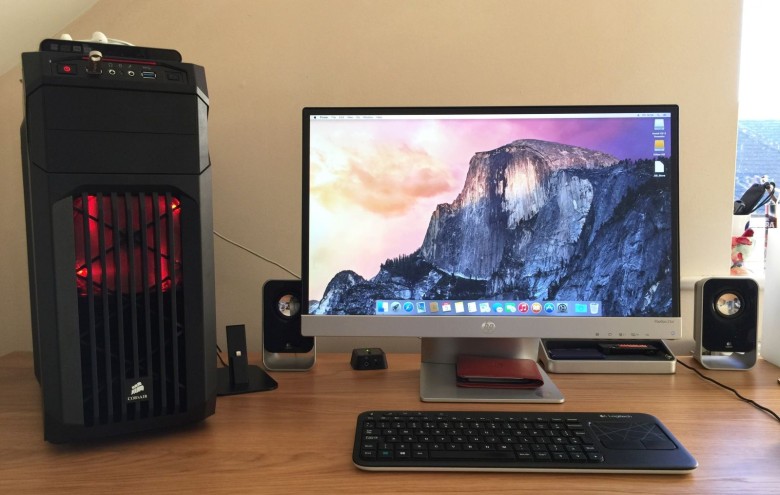
A Hackintosh is a non-Apple-branded personal computer configured to run Apple's macOS operating system on standard x86-based hardware, typically through software modifications such as custom bootloaders and kernel patches that bypass Apple's hardware restrictions.[1]
This practice emerged in the mid-2000s following Apple's 2005 announcement of its transition from PowerPC to Intel processors, which made macOS compatible with commodity PC components and sparked a community-driven effort to adapt the OS for non-Apple systems.[2] Early Hackintosh projects involved distributing modified macOS installers, but the modern approach relies on open-source tools like the OpenCore bootloader to create "vanilla" installations that mimic Apple hardware signatures for stability and compatibility.[1]
Despite its popularity among enthusiasts seeking customizable, cost-effective alternatives to official Macs—often for creative workloads like video editing or software development—Hackintosh violates Apple's End User License Agreement (EULA), which explicitly limits macOS installation and use to Apple-branded computers only.[3] Apple has enforced this through legal action, most notably suing Psystar Corporation in 2008 for selling commercial Hackintosh clones, resulting in a 2009 federal court ruling that found Psystar guilty of copyright infringement and Digital Millennium Copyright Act (DMCA) violations, leading to the company's closure by 2010.[4] While personal, non-commercial Hackintosh builds are generally tolerated by Apple without individual lawsuits, they remain a breach of contract and can face compatibility issues with OS updates, requiring ongoing community patches.[5]
The viability of Hackintosh has declined since Apple's 2020 shift to Apple Silicon (ARM-based) processors, as subsequent macOS versions like Sequoia (2024) and Tahoe (2025) are increasingly optimized for ARM architecture, rendering x86 Hackintosh support obsolete for future releases.[6] As of November 2025, Intel-based Hackintosh systems can still run macOS up to Tahoe (the final Intel-supported version) with tools like the OpenCore bootloader, but lack official support, security patches tailored for non-Apple hardware, and full hardware acceleration, prompting many users to migrate to virtual machines or abandon the platform altogether.[7]
Overview
Definition and Concept
A Hackintosh is a non-Apple personal computer assembled from standard PC components that have been modified to run Apple's macOS operating system, circumventing Apple's hardware restrictions through custom software and configuration adjustments.[1][8] This setup enables users to experience macOS on commodity hardware, typically Intel-based x86 systems, without purchasing official Apple products.[9] At its core, the Hackintosh concept relies on emulating Apple hardware characteristics to deceive macOS into activating and operating as if on legitimate Macintosh equipment. This involves injecting specific identifiers, such as SMBIOS (System Management BIOS) data, which mimics the firmware and hardware profiles of real Macs, including serial numbers, model details, and board identifiers.[10] Firmware emulation, often via third-party bootloaders, further simulates Apple's proprietary EFI (Extensible Firmware Interface) environment to facilitate booting.[11] Technically, macOS's kernel and drivers are tailored for Apple's integrated ecosystem, including custom boot ROM and EFI implementations on official hardware, which necessitates patches for non-Apple x86 PCs to achieve compatibility. These modifications address differences in CPU instruction sets, graphics acceleration, and peripheral support, ensuring the system recognizes and utilizes the hardware effectively.[11][12] In contrast to official Macs, which boot natively without alterations, Hackintosh setups require ongoing tweaks to maintain stability across macOS updates.[1] The term "Hackintosh" originated around 2005, blending "hack" with "Macintosh" to describe the practice of adapting macOS for unauthorized hardware following Apple's shift to Intel processors.[11] It distinctly differs from legal options like Boot Camp, Apple's utility for installing Windows on Intel-based Macs to enable dual-booting.[13]Motivations and Historical Popularity
Users have been motivated to build Hackintoshes primarily for economic reasons, as standard PC components are generally cheaper than Apple's proprietary hardware, allowing individuals to assemble high-performance systems at a fraction of the cost of comparable Macs.[14] This cost savings is particularly appealing for creative professionals and hobbyists who seek access to macOS-exclusive applications such as Final Cut Pro and Logic Pro without purchasing overpriced Apple machines. Additionally, Hackintoshes offer greater customization options, including upgradeable components like RAM, storage, and graphics cards, in contrast to Apple's increasingly soldered designs that limit user modifications.[14] Performance incentives further drive adoption, with high-end PC builds often surpassing entry-level or mid-range Macs in demanding tasks like video editing, 3D rendering, and even gaming emulation through macOS.[15] For instance, enthusiasts can select cutting-edge Intel processors and discrete GPUs to achieve superior benchmark results in creative workflows compared to base-model iMacs or Mac minis during the Intel era.[15] The popularity of Hackintoshes surged following Apple's transition to Intel processors in 2006, which eliminated previous architectural barriers and made macOS installation on x86 hardware far more feasible, leading to widespread experimentation among PC users.[15] By the 2010s, the practice had grown into a substantial phenomenon, supported by vibrant online communities; for example, tonymacx86.com, a key forum for Hackintosh guidance, grew to over 100,000 members during the 2010s and reached approximately 149,000 members by 2025. These forums, along with others like InsanelyMac, fostered knowledge sharing and troubleshooting, contributing to an estimated large user base in the hundreds of thousands globally.[16] Culturally, Hackintoshes embody a DIY ethos in computing, attracting tinkerers, developers, and Apple enthusiasts who value the challenge of subverting proprietary systems to create personalized machines.[17] This subculture emerged from the intersection of Apple fandom and PC hardware hacking, promoting innovation through community-driven solutions and leveraging open-source elements like the Darwin kernel—the BSD-based foundation of macOS—to extend functionality on non-Apple hardware.[17] Such efforts not only democratized access to macOS but also influenced broader discussions on hardware openness and software portability in the tech community.[2] Hackintosh represents a prominent example within a broader hacking culture of porting operating systems to incompatible third-party hardware, driven by technical curiosity, economic constraints, and a spirit of rebellion against proprietary restrictions. Other attempts, such as porting iOS to Android devices, have not achieved practical success as of 2026, remaining at prototype levels with severe limitations in functionality like camera, audio, and connectivity due to iOS's secure boot chain, chipset dependencies, and strict signature verification.[18] In contrast, Project Sandcastle, a 2020 proof-of-concept project by Corellium, enabled native booting of Android 10 (AOSP-based) or Linux on iPhone 7, iPhone 7 Plus, and iPod touch (7th generation) using the checkm8/checkra1n exploit, though it suffered from restrictions such as unsupported camera and LTE features, and required rebooting to iOS; development ceased shortly after release.[19] Historical cases include the HTC HD2 smartphone, which gained legendary status in hacking communities for successfully running Windows Phone 7, 7.5, 8, and even Windows RT through community ports, despite ongoing issues with stability and incomplete feature support.[20] The exceptional success of Hackintosh compared to these efforts stems from key factors including the alignment of x86 architecture between Intel-based PCs and Macs post-2005, clear economic incentives from assembling cost-effective high-performance systems, and Apple's relatively permissive security measures during the Intel era, which allowed for the proliferation of community tools like bootloaders and kernel patches.[15][11]History
Origins in PowerPC and Early Intel Eras
In the early 1990s, Apple experimented with licensing its Macintosh operating system to third-party manufacturers, leading to the creation of legal Mac clones starting in 1995. Under pressure from declining market share, Apple opened its hardware architecture, allowing companies like Power Computing to release the first authorized clone, the Power 80, in May 1995, which ran standard Mac OS on non-Apple PowerPC-based systems. This initiative enabled widespread experimentation with Mac OS on clone hardware until 1997, when Apple terminated the program amid financial struggles and regained exclusive control through buybacks of cloning licenses, effectively ending legal non-Apple Macintosh systems. Early efforts like the NetBSD/macppc port, which adapted the open-source NetBSD operating system to Apple's PowerPC Macintosh hardware starting in the late 1990s, served as a technical precursor by demonstrating the potential for running Unix-like systems on Macintosh platforms despite proprietary constraints. During the PowerPC era prior to 2006, Hackintosh-like hacks focused on extending OS X compatibility to older or non-standard PowerPC hardware, though efforts were constrained by Apple's proprietary firmware and the architecture's limited availability outside official Macintosh systems. Tools such as XPostFacto, developed by Ryan Rempel and released around 2001, allowed installation of early OS X versions like 10.0 (Cheetah) through 10.3 (Panther) on unsupported IBM PowerPC-based Apple Macintosh models, such as beige G3 desktops, by applying kernel patches and bypassing hardware checks during setup. These modifications highlighted the feasibility of overriding Apple's support restrictions but were largely limited to Apple hardware variants due to the PowerPC platform's ecosystem lock-in and lack of widespread non-Apple alternatives. Apple's announcement at the Worldwide Developers Conference (WWDC) in June 2005 to transition Macintosh computers from PowerPC to Intel x86 processors fundamentally enabled the modern Hackintosh by aligning OS X with commodity PC architecture. The shift, which began shipping in January 2006 with the iMac G5 replacement, opened OS X binaries to x86 compatibility, prompting immediate community efforts to run the operating system on generic PCs. The OSx86 project emerged in mid-2005 as a collaborative initiative to patch OS X Tiger (10.4) for non-Apple x86 hardware, achieving the first full installations by August 2005 through modifications to the kernel and boot loader to handle PC BIOS and drivers. Key milestones in this period included the launch of osx86.org in April 2005 as a central repository for patches, installation guides, and developer collaboration, which rapidly grew into a hub for x86 porting resources. By late 2006, early developer betas of OS X Leopard (10.5) were successfully installed on Hackintosh systems, facilitated by pioneering bootloaders like PC_EFI, released in 2007 but prototyped earlier to emulate Apple's Extensible Firmware Interface (EFI) on legacy BIOS PCs. Community pioneers, including developers under the pseudonym Navi who contributed to the initial Chameleon bootloader project starting around 2007, and early forums like insanelymac.com founded in 2006, fostered the exchange of tools and knowledge that solidified these foundational Hackintosh achievements up to macOS 10.6 (Snow Leopard).Expansion and Maturation During Intel Dominance
During the period from macOS Lion (10.7) in 2011 to Mojave (10.14) in 2018, the Hackintosh ecosystem experienced substantial growth through refined bootloader technologies that enhanced compatibility and ease of use. Chameleon, an open-source EFI bootloader project initiated around 2009, was pivotal in supporting Lion by enabling booting of the operating system on non-Apple x86 hardware, building on its prior Snow Leopard compatibility with updates like RC3 that addressed kernel loading and hardware recognition.[21][22] This bootloader's modular design allowed community developers to patch for Lion's new features, such as full disk encryption and Launchpad, fostering initial standardization in installation processes.[23] Clover, derived from Chameleon and released on April 4, 2011, marked a major evolution by introducing native UEFI support alongside legacy BIOS modes, which was essential for modern motherboards. Its Graphics Enabler feature automatically injected framebuffers for improved GPU acceleration without manual configuration, significantly simplifying setups. By the release of macOS Mountain Lion (10.8) in 2012, Clover had achieved widespread adoption in the community due to its customizable GUI, theme support, and robust handling of multi-boot environments with Windows and Linux.[24][25] This bootloader's flexibility contributed to the maturation of Hackintosh as a viable alternative, with forums like InsanelyMac reporting thousands of successful builds during this era.[26] As macOS versions advanced, bootloader and kernel modifications evolved to address hardware-specific challenges. For macOS Mavericks (10.9) in 2013, the shift to Haswell-generation Intel CPUs required community-developed kext patching techniques to resolve CPU power management and native instruction set incompatibilities, often implemented via tools integrated with Clover. El Capitan (10.11) in 2015 introduced System Integrity Protection (SIP), a security feature that blocked unsigned kernel extensions; Hackintosh users bypassed it using Clover's boot arguments likecsr-active-config to enable essential drivers while maintaining system stability. By macOS High Sierra (10.13) in 2017, APFS file system adoption demanded specific hacks, including Clover's APFS driver injections and partition conversion scripts, to ensure seamless upgrades from HFS+ without data loss.[27][28]
Hardware compatibility also matured, enabling more reliable builds. Support for discrete GPUs expanded with Apple's official Web Drivers for NVIDIA Kepler and AMD Polaris architectures, providing accelerated graphics for video editing and gaming comparable to official Macs. Common configurations featured Gigabyte motherboards, such as the Z170 and Z270 series, paired with Intel Core i7 processors like the 6700K or 8700K, offering cost-effective performance for creative workflows. From 2015 to 2018, these advancements led to near-full feature parity in areas like Metal API support and Thunderbolt passthrough, with many users reporting stable daily drivers.[29][30]
The community's growth was bolstered by accessible tools and the emergence of sophisticated bootloaders. MultiBeast, developed by tonymacx86.com starting around 2010, automated kext installation and system configuration post-install, reducing setup time from hours to minutes for beginners. In 2019, OpenCore emerged as a next-generation bootloader initially supporting Mojave (10.14), emphasizing security through features like file vault encryption without legacy hacks required by predecessors; its modular EFI structure supported broader OS X versions natively, driving further standardization. This era saw significant community expansion via dedicated forums and guides, solidifying Hackintosh as a mainstream hobbyist pursuit among developers and power users.[31][32][33]
Decline and End with Apple Silicon Transition
The introduction of macOS Catalina in 2019 marked the beginning of significant hurdles for Hackintosh users, primarily due to the removal of support for 32-bit applications, which affected legacy software commonly relied upon in custom builds.[34] This change required users to either abandon incompatible apps or seek alternatives, fragmenting the community and complicating upgrades. Additionally, Catalina enforced stricter code signing requirements through enhanced Gatekeeper and notarization policies, increasing the complexity of bootloader configurations like OpenCore, though partial success was achieved with community-developed patches that provided fragmented hardware support.[35] Subsequent releases exacerbated these issues, starting with macOS Big Sur in 2020, which incorporated ARM preview kernels designed for Apple's impending Silicon transition, effectively blocking many Intel-based Hackintosh attempts without advanced kernel modifications.[33] From macOS Monterey (2021) through Ventura (2022), users faced escalating demands for sophisticated patches to maintain functionality, including workarounds for deprecated kernel extensions and USB port limitations. By macOS Sonoma (2023) and Sequoia (2024), support for certain GPUs, particularly NVIDIA cards, was further diminished, with Monterey having already dropped native NVIDIA compatibility, forcing reliance on legacy patching that became increasingly unreliable.[36] The shift to Apple Silicon in 2020 accelerated the decline, as M-series chips integrate a custom Secure Enclave for hardware-secured operations and rely on proprietary boot ROM code that is not publicly accessible, rendering direct emulation or booting of macOS on non-Apple ARM hardware infeasible without reverse-engineered firmware, which remains unavailable.[37][38] Rosetta 2, Apple's x86-to-ARM translation layer, provided temporary compatibility for Intel software on Silicon Macs but is scheduled for full discontinuation after macOS 27 in late 2027, eliminating a key bridge for hybrid setups.[39] The transition culminated with macOS Tahoe (version 26), released in fall 2025, announced as the final release supporting Intel-based systems, delivering no further major updates beyond security patches into 2026.[40] While OpenCore Legacy Patcher allows installation of newer macOS versions on older unsupported Apple Intel hardware, Hackintosh users can perform fresh installations of Tahoe using the standard OpenCore bootloader on compatible x86 systems. However, by 2026, Tahoe is the final macOS version supporting Intel, making traditional Hackintosh nearly impossible and confining future development to maintenance mode.[41][40] Despite the impending end of Intel support, dual-booting macOS and Windows on Intel-based Hackintosh systems remained possible in 2025 using the OpenCore bootloader. This setup typically involved installing Windows first on a dedicated partition in UEFI mode, followed by macOS on a separate partition, and configuring OpenCore's config.plist to detect and present boot options for both operating systems (with NTFS support enabled if necessary). However, the process grew increasingly difficult due to deprecated kernel extensions, enhanced security features in macOS Sequoia and later versions, and ongoing hardware compatibility challenges. By 2026, with no further Intel support expected, such dual-boot configurations may become impractical or impossible, requiring users to monitor community developments closely or migrate to alternatives such as virtualization.[42] The Hackintosh community has shifted toward using OpenCore Legacy Patcher to extend the life of older Intel Macs, as well as exploring virtualization alternatives such as Parallels and UTM for running macOS in virtual machines. The broader hacking spirit continues in other areas, including Android custom ROM development and efforts to run Linux on ARM devices. This reflects a broad consensus on the practice's effective end, with reports indicating a sharp reduction in active participation by 2023 amid the Silicon era's challenges, further pronounced by 2026.[40][43][44]Technical Implementation
Hardware Selection and Compatibility
Selecting compatible hardware is crucial for a successful Hackintosh build, as macOS is optimized for Apple's x86 architecture during the Intel era, requiring components that mimic official Mac configurations for native support without extensive modifications.[45] Prior to Apple's transition to Apple Silicon in 2020, Hackintosh systems relied on Intel processors and compatible chipsets to ensure bootability, power management, and feature parity, such as hardware acceleration for graphics and storage.[46] The emphasis was on "vanilla" installations—minimal patching to emulate genuine Apple hardware identifiers (SMBIOS)—to achieve stability across macOS versions up to Ventura, with patches extending support to Sequoia (2024) and Tahoe (2025) as of November 2025.[10] Central Processing Unit (CPU) selection centers on Intel Core series for optimal compatibility, with 6th to 10th generation (Skylake to Comet Lake) processors like the i3-10100, i5-10600K, i7-10700K, or i9-10850K preferred due to their integrated UHD Graphics 630 (iGPU) and full support for macOS power management without additional kernel extensions.[47] These generations align with Apple's Mac hardware from 2015 to 2020, enabling features like Quick Sync Video encoding. Older generations, such as 3rd generation Ivy Bridge processors (e.g., Core i5-3xxx series), are also viable through community adaptations using tools like OpenCore Legacy Patcher (OCLP) versions 2.x, allowing installations up to macOS Sequoia with functional integrated graphics.[48] AMD CPUs are limited to pre-Ryzen architectures (e.g., Bulldozer or Piledriver series) via community patches, but post-Ryzen support requires complex OpenCore configurations and lacks native iGPU acceleration, making Intel the standard choice; as of 2025, AMD Ryzen support has improved through community efforts but still necessitates discrete GPUs.[46] Apple Silicon (M-series) chips are incompatible, as macOS versions for ARM architecture are firmware-locked to Apple hardware and do not support x86 emulation in non-virtualized environments.[45] For users intending to dual-boot macOS and Windows on the same Hackintosh PC, hardware compatibility considerations remain closely aligned with single-OS requirements, but certain preferences and challenges become more prominent. Intel CPUs from the 8th generation (Coffee Lake) and later are strongly recommended, as they provide superior compatibility, fewer patching requirements, and more reliable operation in dual-boot environments. AMD processors are supported but significantly more challenging to configure, often requiring advanced OpenCore tweaks and potentially lacking features such as native power management or integrated graphics acceleration. It is essential to verify hardware compatibility using the official Dortania OpenCore guide before proceeding. Potential component-specific issues in dual-boot setups can include sleep/wake inconsistencies, time synchronization differences between operating systems, and varying behavior of peripherals or graphics across macOS and Windows.[45] Motherboards must feature EFI/UEFI firmware for proper booting via OpenCore or Clover, with Z-series chipsets like Z390 or Z490 from ASUS (e.g., Prime Z490-A) or Gigabyte (e.g., Z490 Aorus Ultra) recommended for their native USB and audio controllers that avoid injection issues.[47] These boards provide stable PCIe lanes and NVMe support, essential for high-performance builds. Form factors range from mini-ITX to ATX, but compatibility testing via community databases ensures no conflicts with macOS's ACPI tables.[47] Graphics processing demands native Metal API support, favoring AMD Polaris and RX series cards such as the RX 580 or RX 5700 XT, which offer out-of-the-box acceleration for video editing and gaming without patches.[47] Intel's integrated UHD 630 iGPU suffices for basic desktop use and Quick Sync, integrated in 8th-10th gen CPUs. For older Ivy Bridge systems, the HD 4000 iGPU can achieve graphics acceleration on macOS Sequoia via OCLP root patches.[48] NVIDIA options are restricted to Kepler (e.g., GTX 680) and Maxwell (e.g., GTX 900 series) architectures, supported via web drivers up to macOS Mojave (10.14), but dropped thereafter due to Apple's shift away from NVIDIA. Peripherals require careful selection to enable macOS-exclusive features like AirDrop and Continuity. Broadcom-based Wi-Fi/Bluetooth cards, such as the BCM94360 in Fenvi T919 adapters, enable Continuity features like Handoff and AirDrop when patched via OCLP root patches, which restore the AWDL protocol; Bluetooth works natively, and WiFi legacy kexts enable full support, outperforming Intel alternatives that need kext injections.[47][49][50] Storage uses SSDs like the Samsung 860 EVO, with TRIM enabled via OpenCore patches for optimal performance and longevity; NVMe drives are preferred for boot volumes. Power supplies (e.g., Corsair RM 650x, 550-750W 80+ Gold) and cases (e.g., Cooler Master Elite 130 or Corsair Carbide 275R) focus on thermal management, ensuring adequate airflow for high-TDP CPUs and GPUs to prevent throttling under macOS workloads. Build guides emphasize pre-2020 vanilla setups using SMBIOS profiles like MacPro5,1 (Westmere-era) or iMac19,1 to spoof hardware identity, allowing seamless updates and App Store access while mimicking a Mac Pro for multi-core tasks.[10] Typical high-end configurations, including an i7 CPU, 32GB RAM, RX 580 GPU, and 1TB SSD, cost $800-1500, significantly undercutting equivalent Apple hardware like the 2019 Mac Pro at $2000+, offering similar performance for creative professionals at reduced expense.[51]| Component Category | Recommended Examples | Key Compatibility Notes |
|---|---|---|
| CPU | Intel Core i5-10600K, i7-10700K | 6th-10th gen for native iGPU and power management; 3rd gen Ivy Bridge viable with OCLP patches up to Sequoia[48] |
| Motherboard | ASUS Prime Z490-A, Gigabyte Z490 Aorus Ultra | Z-series with UEFI; native USB/audio[46] |
| GPU | AMD RX 580, Intel UHD 630 iGPU | Native Metal; NVIDIA limited to Mojave; HD 4000 viable with OCLP on Sequoia[48] |
| Peripherals | Broadcom BCM94360NG Wi-Fi/BT, Samsung 860 EVO SSD | Continuity features like Handoff and AirDrop with OCLP root patches for AWDL; TRIM enabled |
Bootloaders, Kernel Modifications, and Patching
Bootloaders play a crucial role in Hackintosh systems by chaining the loading of the macOS kernel and emulating Apple's EFI firmware environment through the manipulation of ACPI tables and DSDT overrides, allowing non-Apple hardware to boot macOS as if it were genuine Apple silicon.[32] These tools inject necessary system identifiers, such as SMBIOS data, to trick macOS into recognizing the PC as compatible hardware. Early efforts in this area began with PC_EFI around 2006, which provided basic EFI emulation for Intel-based PCs shortly after Apple's transition to Intel processors.[11] Chameleon, released around 2008, emerged as one of the first widely adopted bootloaders, featuring SMBIOS injection to spoof Mac model identities and basic support for OS X versions up to 10.6, though it required extensive hacks for later releases.[32] It laid the groundwork for bootloader functionality but suffered from limited native compatibility and stability issues with evolving macOS versions.[32] It also enabled broader multiboot capabilities. Clover, introduced in 2011 and derived from Chameleon, advanced this with a graphical user interface supporting theming, a plugin architecture for extensibility, and improved handling of DSDT overrides for hardware-specific ACPI emulation.[32][24] Clover enabled broader multiboot capabilities and SIP bypass for older systems, but its XML-based configuration often led to inconsistencies in secure boot emulation.[32] OpenCore, developed by the Acidanthera team and first released in April 2019, represents the modern standard, offering a modular configuration via a plist file that facilitates precise SIP and secure boot bypass without legacy hacks.[33] It natively supports macOS from 10.4 to the latest versions, including faster boot times and vaulting for FileVault 2 encryption, while emulating Apple EFI through refined ACPI table management and avoiding macOS-specific patching that could conflict with other operating systems.[32] Unlike Clover's plugin system, OpenCore's architecture emphasizes security and precision, making it the preferred choice for contemporary Hackintosh builds.[32] By 2020, OpenCore had largely supplanted Clover due to its superior handling of Big Sur's kernel changes and ongoing updates for subsequent macOS releases.[33] OpenCore also provides robust support for multibooting, including dual-booting macOS and Windows on Hackintosh hardware. As of 2024-2025, dual-booting macOS and Windows on non-Apple hardware remains possible using OpenCore, though it is increasingly difficult and may become impractical or impossible by 2026 due to Apple's shift to Apple Silicon, deprecated kernel extensions, and enhanced security features in macOS Sequoia and future versions. The recommended method involves: verifying hardware compatibility (primarily Intel 8th gen+ CPUs, with limited AMD support) via community guides; installing Windows first on a dedicated partition in UEFI mode; creating a macOS installer USB with OpenCore (using official macOS downloads or tools like gibMacOS); installing macOS on a separate partition; and configuring OpenCore's config.plist to detect and boot Windows (enabling NTFS support if needed and adding boot entries via Misc > Entries or using OpenCore's scan for external bootloaders). Alternative boot managers such as rEFInd can be used, but OpenCore is preferred for Hackintosh due to its integration with necessary patches and kexts. Users should always back up data and expect troubleshooting for issues including sleep/wake functionality, graphics acceleration, and overall stability. Community resources should be monitored closely for updates on compatibility.[45] Kernel modifications in Hackintosh setups primarily involve kernel extensions (kexts) that patch the macOS kernel to enable hardware functionality not natively supported on PCs. Lilu.kext serves as a foundational patching engine, allowing on-the-fly modifications to the kernel, system extensions, and applications, and is a dependency for many other kexts.[52] WhateverGreen.kext, built on Lilu, provides GPU acceleration by injecting device properties and patching graphics drivers for AMD, NVIDIA, and Intel hardware, ensuring proper framebuffers and backlight control.[52] For sensor emulation, FakeSMC.kext historically mimicked Apple's System Management Controller to report thermal and power data, though it has been largely replaced by the more secure VirtualSMC.kext in modern configurations.[52] USB mapping is handled by USBInjectAll.kext, which injects USB port descriptors to overcome Apple's USB port limits and ensure proper device recognition during boot and runtime.[52] Patching processes extend beyond bootloaders to include root-level modifications for core system compatibility, often automated through community guides. For CPU power management, SSDT patches like SSDT-PLUG or SSDT-PR.aml are compiled and loaded to enable XCPM (XNU CPU Power Management) on Intel Haswell and newer processors, connecting to the CPU's first logical thread (e.g., CP00) to allow native frequency scaling and thermal throttling.[53] Older Sandy and Ivy Bridge CPUs require the ssdtPRgen method to generate custom SSDT-PR.aml files for power state transitions.[53] These ACPI patches, along with kext loading orders defined in the bootloader's config.plist, are typically configured following Dortania's OpenCore Install Guide, which provides scripts and tools for validation.[54] The evolution of these techniques culminated in tools like OpenCore Legacy Patcher (OCLP), released in 2021 and updated through 2025, which automates root patches for running unsupported macOS versions on older hardware by applying volume-specific fixes post-installation.[48] OCLP, while primarily designed for real Macs, has been adapted for Hackintosh use to maintain compatibility with macOS Sequoia and beyond via in-memory protocol upgrades and kext injections; versions 2.x enable macOS Sequoia on Ivy Bridge-based systems, with community-reported successes on compatible laptops and desktops, including functional Intel HD 4000 graphics acceleration through required root volume patches.[55][48] This progression from rudimentary EFI emulators in 2006 to OCLP's automated patching reflects the community's shift toward modular, secure, and maintainable solutions.[32]Virtualization and Emulation Alternatives
Virtualization offers a non-invasive alternative to bare-metal Hackintosh installations by running macOS as a guest operating system within a virtual machine (VM) on non-Apple hardware, isolating it from the host system and avoiding direct hardware modifications. Popular tools include VMware Workstation or Fusion and Oracle's VirtualBox, which support macOS guests on x86-based PCs, though setup often requires patches to unlock macOS support in the hypervisor and compatible installation media. These approaches provide easier experimentation and rollback compared to physical installations, but they incur a performance overhead of approximately 20-30% due to resource sharing and emulation layers, making them suitable for development or light use rather than demanding workloads.[56][57][58] Hypervisors like KVM combined with QEMU on Linux hosts enable running macOS VMs, including emulation of Apple Silicon (ARM-based) systems on x86 hardware, though ARM emulation remains computationally intensive and slower than native execution. For users on Intel-based Macs seeking to test Apple Silicon macOS versions, the UTM application leverages QEMU for full-system emulation of ARM architectures, allowing installation of recent macOS releases like Ventura or later without physical Apple Silicon hardware. These methods bypass the need for custom bootloaders by abstracting hardware through software, but they demand significant host resources for acceptable responsiveness.[59][60] In the early days of Hackintosh experimentation, live DVDs and CDs served as bootable installers that allowed users to run and install modified macOS distributions without repartitioning drives, providing a temporary testing environment. Notable examples include the Kalyway distribution for Mac OS X Leopard (10.5) released around 2007 and iDeneb variants up to 10.5.8 in 2009-2010, which bundled patches and drivers for broad hardware compatibility. These media have since become obsolete with the evolution of more stable bootloaders and official installers, but they represent a foundational, low-commitment entry point for the community.[61] Pure emulation tools extend these alternatives further by simulating macOS environments without virtualization overhead in some cases. QEMU supports full-system emulation of macOS across architectures, enabling x86 macOS on ARM hosts or vice versa, though it requires detailed configuration for bootable images and performs best with hardware acceleration. The Darling project, conversely, focuses on compatibility layers rather than full OS emulation, allowing individual macOS applications to run on Linux hosts by translating Mach-O binaries and frameworks, but it does not support booting the entire macOS kernel.[62][63] Following Apple's transition to Apple Silicon in 2020, virtualization and emulation have gained prominence as viable alternatives for software testing and development on legacy Intel PCs or Linux systems, avoiding the complexities of bare-metal adaptations for ARM-native macOS. While permissible for personal, non-commercial use under Apple's End-User License Agreement (EULA) only on Apple-branded hardware—specifically, Sections 2B(iii) and 2J of the EULA prohibit running macOS on non-Apple computers, including in virtual environments, rendering PC-based VMs a violation of terms but rarely enforced against individuals—these methods often encounter limitations with Apple services, such as incomplete support for iMessage and FaceTime due to hardware authentication checks.[3][64]Challenges and Limitations
Software and Feature Incompatibilities
One of the most prominent software incompatibilities in Hackintosh systems involves Apple's iServices, including iMessage and FaceTime, which are designed to activate only on hardware with valid serial numbers issued by Apple. Without these authentic identifiers—such as SystemSerialNumber, MLB (Board Serial Number), and ROM—activation attempts fail, rendering these services inaccessible. Handoff and Continuity features, which enable seamless device integration like clipboard sharing or call handover, function partially through Bluetooth configuration tweaks but remain unreliable due to the absence of certified hardware UUIDs and NVRAM emulation issues. However, with compatible hardware such as the Broadcom BCM94360 WiFi/Bluetooth card and OpenCore Legacy Patcher (OCLP) root patches, which restore the AWDL (Apple Wireless Direct Link) protocol, full support for these features, including Handoff and AirDrop, can be achieved; Bluetooth operates natively, while WiFi requires legacy kexts for complete functionality.[65][66][50] Driver gaps further exacerbate incompatibilities, as macOS provides native support only for select Apple-approved components. Realtek Wi-Fi chipsets, commonly found in consumer hardware, lack built-in drivers, leading to complete absence of wireless connectivity unless third-party kexts like RTL88xxAU are employed, which often interfere with iServices activation. Audio subsystems using Realtek ALC codecs (e.g., ALC1220) are unrecognized by the AppleHDA driver, resulting in no sound output; the AppleALC kext injects codec-specific layout IDs to enable functionality, but microphone support is absent on AMD platforms. Sleep and wake cycles are inherently unstable on non-Apple EFI firmware, frequently causing failures to resume from low-power states or kernel panics due to improper power management handling.[67][68][69] File system and security features present additional hurdles tied to Hackintosh modifications. APFS volume conversion during macOS installation or upgrades can fail with errors if the target disk uses incompatible partitioning or lacks proper pre-installation formatting, necessitating manual intervention via Disk Utility in recovery mode. Enabling System Integrity Protection (SIP) and Apple Mobile File Integrity (AMFI) requires partial or full disablement to load unsigned kexts, thereby exposing the system to malware and unauthorized modifications that bypass code-signing enforcement. Full FileVault disk encryption is constrained without T2 chip emulation, as it depends on hardware-secured key storage for secure boot and recovery; while basic encryption can be activated, authenticated restarts and escrow key handling remain limited.[70][71] Within the macOS app ecosystem, Hackintosh users encounter disruptions from architectural shifts. Starting with macOS Catalina, Apple discontinued support for 32-bit applications, preventing execution of legacy software that has not been updated to 64-bit binaries and forcing reliance on virtualization or older macOS versions. The Metal graphics API, essential for modern rendering and compute tasks, produces glitches like visual artifacts or incomplete acceleration on unsupported GPUs, as drivers fail to fully implement required extensions. Thunderbolt connectivity is restricted to controllers certified by Apple, with non-certified implementations (e.g., Intel Alpine Ridge) offering only partial bandwidth or hot-plug support through custom SSDTs and kext injections.[72] Community-developed workarounds mitigate some gaps, though they introduce complexity. FakePCIID spoofs PCI device IDs to trick macOS into recognizing incompatible hardware as supported equivalents, enabling driver loading for components like integrated GPUs or audio controllers. For NVIDIA Kepler-series GPUs on macOS Big Sur, spoofing via WhateverGreen.kext or legacy web drivers provides partial compatibility, while AMD Vega iGPUs benefit from NootedRed.kext for acceleration on newer releases. These solutions, however, demand precise configuration and may conflict with security policies.[73][74][75]Performance and Stability Issues
Hackintosh systems often experience performance overhead due to incompatibilities in power management and hardware emulation. Mismatched ACPI tables can trigger kernel panics, where the system abruptly halts and restarts to prevent data corruption, stemming from the kernel's inability to properly interpret non-Apple hardware configurations. Without accurate implementation of CPU C-states—low-power idle modes—processors may suffer from throttling, reducing clock speeds under load to manage heat and power draw, as the operating system fails to optimize idle states effectively. Similarly, non-native graphics cards, such as certain AMD Radeon models, exhibit reduced GPU acceleration, leading to lower frame rates in graphics-intensive tasks due to incomplete driver support and patching inefficiencies. Stability issues further compound these drawbacks, manifesting as unpredictable system behavior. Random reboots frequently occur during macOS updates, often linked to incomplete kernel patches or USB configuration errors that overload the system bus. Wi-Fi connectivity drops are common after sleep cycles, caused by improper wake handling in network kexts, requiring manual reconfiguration to restore service. On laptops, battery life is notably diminished without embedded controller (EC) emulation, as the system misreads power states and fails to enter efficient sleep modes, resulting in notably diminished battery life compared to Windows on equivalent hardware. Benchmark comparisons highlight these gaps; for instance, Cinebench R23 multi-core scores on identical Intel hardware often show performance lags behind native Macs, attributable to suboptimal power management and thermal constraints. Custom cases can exacerbate thermal throttling due to inadequate airflow, leading to high CPU temperatures under sustained loads and forcing frequency reductions and inconsistent performance. Users mitigate these problems through targeted adjustments, such as undervolting CPUs via tools like VoltageShift to lower heat output and extend turbo boost durations, potentially improving stability and battery efficiency. Custom BIOS modifications, including voltage tweaks, can resolve some panic triggers, while careful kext management helps. However, reliance on unsigned kernel extensions introduces inherent risks, including bluescreens (kernel panics) from failed loads or security vulnerabilities, as they bypass Apple's signing enforcement and may conflict during system events. These challenges intensified after macOS Big Sur in 2020, with subsequent releases like Ventura, Sonoma, Sequoia, and the 2025 Tahoe update frequently breaking existing patches due to stricter hardware checks and driver removals. As of November 2025, OpenCore Legacy Patcher supports macOS Tahoe on Hackintosh systems, but with caveats including no support for certain security features and potential instability in graphics acceleration. Tahoe, released in 2025 as the final Intel-supported macOS, presents significant challenges for Hackintosh configurations, with community patches via OpenCore Legacy Patcher enabling installation but often resulting in disabled features, instability, and lack of official security updates, sometimes necessitating rollbacks to earlier versions for full compatibility.[66] The use of OpenCore Legacy Patcher (OCLP) to install newer macOS versions on older hardware in Hackintosh builds carries several risks and considerations. As an unofficial tool with no support from Apple, it lacks official troubleshooting or repair assistance, leaving users reliant on community resources. Potential bugs include Wi-Fi and Bluetooth quirks, sleep and wake issues, kernel panics, login loops, and system instability, particularly when bridging large gaps between supported and target OS versions. Updates to macOS often break existing patches, requiring users to re-apply OCLP patches manually, which can introduce further complications like application incompatibilities or boot failures. Security trade-offs arise from disabling features such as System Integrity Protection (SIP) and missing tailored security updates, including Rapid Security Responses, potentially exposing the system to vulnerabilities not addressed in patched environments. Overall, OCLP involves moderate technical risk and is not recommended for beginners due to the need for advanced configuration and the potential for rendering hardware inoperable.[76][77][78]Time Synchronization Issues
Hackintosh configurations running macOS Sonoma frequently encounter incorrect system time (often referred to in communities as "ora sbagliata") or failures in automatic time synchronization ("ora sincronizzata"). This issue primarily results from differences in real-time clock (RTC) handling, particularly in dual-boot setups with Windows, where macOS expects the hardware clock to be in Coordinated Universal Time (UTC), while Windows defaults to local time. Switching between operating systems can cause time offsets corresponding to the time zone difference. NTP synchronization may also fail occasionally, especially if the time is significantly incorrect, preventing proper validation of SSL certificates for time servers such as time.apple.com. Common resolutions include:-
In dual-boot configurations with Windows, configure Windows to use UTC for the hardware clock by running the following command as administrator in Command Prompt:
reg add "HKEY_LOCAL_MACHINE\System\CurrentControlSet\Control\TimeZoneInformation" /v RealTimeIsUniversal /d 1 /t REG_DWORD /f
Reboot both operating systems afterward. - In macOS, manually adjust the date, time, and time zone in System Settings > General > Date & Time, then re-enable "Set time and date automatically" to trigger NTP synchronization via time.apple.com.
-
If the time offset is too large for automatic sync (due to certificate validation failures), set an approximate correct time manually first, or use the Terminal command
sudo sntp -sS time.apple.com. - Ensure the BIOS hardware clock is set to the current time and that stable internet connectivity is available for NTP.
- In some instances, incorporate OpenCore ACPI SSDT patches, such as SSDT-RTC0-RANGE.aml, to preserve RTC memory and prevent the operating system from resetting certain RTC registers.
