


Community hub
Recent from talks
Contribute something
Nothing was collected or created yet.
PackageKit
View on Wikipedia| PackageKit | |
|---|---|
 | |
 PackageKit is a system daemon, various graphical front-ends are available | |
| Original author | Richard Hughes |
| Initial release | 2007 |
| Stable release | 1.3.2[1]
/ 2 October 2025 |
| Repository | |
| Written in | C, C++, Python |
| Operating system | Linux |
| Type | Package management system |
| License | GNU General Public License |
| Website | www |

PackageKit is a free and open-source suite of software applications designed to provide a consistent and high-level abstraction layer for a number of different package management systems. PackageKit was created by Richard Hughes in 2007,[2][3] and first introduced into an operating system as a default application in May 2008 with the release of Fedora 9.[4]
The suite is cross-platform, though it is primarily targeted at Linux distributions which follow the interoperability standards set out by the freedesktop.org group. It uses the software libraries provided by the D-Bus and Polkit projects to handle inter-process communication and privilege negotiation respectively.
PackageKit seeks to introduce automatic updates without having to authenticate as root, fast-user-switching, warnings translated into the correct locale, common upstream GNOME and KDE tools and one software over multiple Linux distributions.[5]
Although PackageKit is still maintained, no major features have been developed since around 2014, and the package's maintainer suggested that it could be replaced by plugins for other tools, such as Flatpak and Snap as they become more popular. However, a D-Bus interface would still be needed to support managing packages on mutable file systems.[6]
Software architecture
[edit]PackageKit runs as a system-activated daemon, named packagekitd, which abstracts out differences between the different systems. A library called libpackagekit allows other programs to interact with PackageKit.[7]
Features include:
- installing local files, ServicePack media and packages from remote sources
- authorization using Polkit
- the use of existing packaging tools
- multi-user system awareness – it will not allow shutdown in critical parts of the transaction
- a system-activated daemon which exits when not in use
Front-ends
[edit]_%2B_GNOME_PackageKit_Update_Viewer_(gpk-update-viewer)_%2B_GNOME_PackageKit_Software_Log_Viewer_(gpk-log)_all_in_version_3.32_released_2019-03.png)
pkconis the official front-end of PackageKit, it operates from the command line.[8]
GTK-based:
- gnome-packagekit is an official GNOME front-end for PackageKit. Unlike GNOME Software, gnome-packagekit can handle all packages, not just applications, and has advanced features that are missing in GNOME Software as of June 2020.
- GNOME Software is a utility for installing the applications and updates on Linux. It is part of the GNOME Core Applications and was introduced in GNOME 3.10.
Qt-based:
-
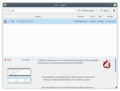 Apper
Apper -


Back-ends
[edit]A number of different package management systems (known as back-ends) support different abstract methods and signals used by the front-end tools.[9] Supported back-ends include:
See also
[edit]

References
[edit]- ^ "Release 1.3.2". 2 October 2025. Retrieved 20 October 2025.
- ^ "Installing and Updating Software Blows Goats". Richard Hughes. 27 July 2007. Retrieved 18 January 2011.
- ^ "Richard Hughes' blog posts about PackageKit". Richard Hughes. Retrieved 18 January 2011.
- ^ "Releases/9/FeatureList". Fedora Project Wiki. Fedora Project. 28 May 2008. Retrieved 7 July 2015.
- ^ "Introduction to PackageKit, a Package Abstraction Framework" (PDF). Richard Hughes. 2008-02-24. Retrieved 2014-04-11.
- ^ "PackageKit is dead, long live, well, something else". Richard Hughes. 2019-02-15. Retrieved 2019-06-18.
- ^ "PackageKit Reference Manual". packagekit.org. Archived from the original on 16 July 2009. Retrieved 10 July 2009.
- ^ "HowTo use pkon".
- ^ "Frequently asked questions". packagekit.org. Archived from the original on 19 March 2008. Retrieved 10 July 2009.
- ^ "libdnf on github". GitHub.
- ^ "librepo on github". GitHub.
External links
[edit]
| dpkg | |
|---|---|
| RPM | |
| Embedded systems |
|
| Distribution-agnostic | |
| Others (binary) | |
| Others (source) | |
| Front-ends | |
| Related topics | |
Italics = inactive or discontinued
| |


Free and open-source software projects hosted by freedesktop.org | ||||||||
|---|---|---|---|---|---|---|---|---|
| OS components |
|  | ||||||
| Libraries | ||||||||
| Frameworks | ||||||||
| Meetings | ||||||||
PackageKit
View on Grokipediapackagekitd, is system-activated to minimize resource usage, activating only when package management is needed.[2]
PackageKit was developed starting in 2007 by Richard Hughes and first presented at FOSDEM in 2008,[2] with its initial integration as a default component in Fedora 9 that same year,[3] aiming to address the fragmentation in Linux package management by providing a vendor-neutral API. Over time, it has supported backends for major package managers like DNF, APT, Pacman, and Zypper, facilitating integration with desktop environments such as GNOME Software and KDE Discover.[4]
As of 2025, PackageKit remains in active maintenance across major distributions, with recent updates addressing security vulnerabilities and compatibility improvements, though its role has evolved alongside containerized formats like Flatpak and Snap, which offer additional cross-distribution deployment options.[5][6][7]
Overview
Purpose and Goals
PackageKit is an open-source, D-Bus-based system that provides an abstraction layer for package installation, updates, and removals, enabling consistent operations across diverse Linux distributions and architectures.[2] This design allows software management tools to interact with underlying package managers without direct exposure to their specifics, such as the differences between apt on Debian-based systems and yum or dnf on Red Hat-based ones.[2] The primary goals of PackageKit are to simplify software management for both end-users and developers by hiding backend complexities, while supporting secure session-based operations through integration with PolicyKit for authentication and access control.[2] It promotes uniformity in graphical user interface (GUI) tools, ensuring that applications like software centers can offer a standardized experience regardless of the host distribution.[2] By leveraging D-Bus as its communication protocol, PackageKit facilitates efficient, on-demand interactions between clients and the package management backend.[2] Developed in response to the fragmentation of Linux package managers in the late 2000s, PackageKit was motivated by the need for a unified approach that empowers non-root users to handle common tasks via controlled, policy-enforced interfaces, thereby reducing administrative barriers in desktop environments.[8] This initiative, spearheaded by Richard Hughes and presented at FOSDEM 2008, aimed to streamline the often inconsistent and complex process of software handling across distributions.[8] Among its key benefits, PackageKit offers cross-distribution portability by abstracting distribution-specific package formats.[2] It also enhances integration with desktop environments, such as GNOME and KDE, to deliver seamless background updates and notifications without disrupting user workflows.[2]Core Components
PackageKit's core components form a modular system that abstracts package management operations across different Linux distributions. The primary elements include thepackagekitd daemon, D-Bus interfaces, backend plugins, and frontend applications. This architecture enables standardized interactions while allowing adaptation to various underlying package managers.[9][10]
The packagekitd daemon serves as the central service, operating as a system-wide process that manages and executes package transactions asynchronously. It handles queuing of operations to prevent conflicts, coordinates with other components, and ensures secure execution outside the user session to avoid disruptions from graphical interface issues.[11][12]
D-Bus interfaces provide the standardized communication protocol, exposing a cross-distro API for package management tasks. This allows components to interact reliably over the system message bus, with methods for initiating transactions and signals for progress updates.[9][13]
Backend plugins act as adapters that translate PackageKit's abstract commands into calls for distribution-specific tools, such as APT for Debian-based systems or dnf for Red Hat-based systems (and its predecessor yum for older versions). Loaded at runtime as shared objects, these plugins enable extensibility without modifying the core codebase.[14][12][15]
Frontend applications offer user-facing interfaces for initiating and monitoring package operations, leveraging the D-Bus API to send requests to the daemon. Examples include graphical tools like GNOME Software and command-line utilities like pkcon, which simplify interactions for end users.[13][12]
The modular design principle emphasizes runtime selection and pluggability, permitting multiple backends to coexist for hybrid environments where systems might use different package managers. This approach supports extensibility, as new backends can be added to handle emerging tools without altering the daemon or interfaces.[14][9]
In a typical interaction, a frontend application sends a D-Bus request to the packagekitd daemon to perform an action like installing a package; the daemon then delegates the task to the appropriate backend plugin, which executes the native commands and reports results back through D-Bus signals.[11][12]
History
Origins and Development
PackageKit was created in 2007 by Richard Hughes, a developer at Red Hat, as part of initiatives to standardize software management across Linux distributions, with initial focus on integration within Fedora.[16] The project emerged from observations that distributions like Fedora, Ubuntu, and openSUSE often reinvented package management tools inefficiently, leading to inconsistent user experiences in areas such as localization, translation, and graphical interfaces.[16] Hughes, drawing from his experience in open source development, aimed to provide a unified abstraction layer to improve usability and compete with proprietary systems like Windows and macOS.[16] Early development centered on prototyping PackageKit as a D-Bus abstraction layer wrapping package managers like yum, with an emphasis on enabling seamless GUI integrations for desktop environments.[17] The initial public announcement occurred on August 1, 2007, via a GNOME blog post by Hughes, describing the daemon's core functionality as approximately 80% complete and including placeholder backends for yum and APT.[17] The first releases followed shortly thereafter under the GNU General Public License version 2 or later, establishing PackageKit as free and open-source software from inception. Key milestones included the release of version 0.1.1 on October 23, 2007, marking the start of the initial development series with basic transaction handling and signal emissions. By late 2007, subsequent 0.1.x updates added features like package name, version, and architecture signaling, while early 2008 saw version 0.1.9 integrated into Fedora's rawhide development tree, paving the way for its default inclusion in the Fedora 9 beta.[18] Community contributions began emerging around this time, with developers like Ken VanDine (Conary backend) and Boyd Timothy (Zypp backend) extending support for multiple package formats beyond yum.[19] The project was hosted on the freedesktop.org Git repository from its outset, utilizing the C programming language with GObject for object-oriented extensions to ensure cross-platform compatibility and integration with GNOME and other toolkits.[20] Maintenance has continued through this infrastructure, with a mirror established on GitHub in the 2010s to facilitate broader collaboration and issue tracking.[4]Early Adoption and Milestones
PackageKit's first major adoption occurred with the release of Fedora 9 in May 2008, where it became the default graphical package management tool for both GNOME and KDE environments, replacing the previous Pirut tool and serving as a front-end to the Yum backend.[21] This integration marked PackageKit's debut as a core component for handling software updates and installations in a major Linux distribution, providing a standardized DBus interface to abstract underlying package managers.[22] Later in 2008, PackageKit was integrated into openSUSE 11.1, released in December, featuring an updated version (0.3.9) and serving as the backend for new update applets in both KDE and GNOME.[23] This adoption extended PackageKit's reach to the RPM-based ecosystem beyond Fedora, with enhancements like improved Smolt hardware profiling integration.[24] In 2009, Debian incorporated PackageKit starting with version 0.4, enabling support for features like CD-ROM/DVD installation sources in the APT backend by May's 0.4.7 release.[25] This inclusion facilitated easier software management in the Debian ecosystem, with packages available in sid repositories and later stable branches.[26] By November 2010, Red Hat Enterprise Linux 6 adopted PackageKit as part of its deployment tools, leveraging an enhanced Yum backend for viewing, updating, and managing RPM-compatible packages via graphical interfaces.[10] Key release milestones advanced PackageKit's stability and capabilities. Version 1.0.0, released on September 12, 2014, achieved API stabilization after seven years of development, reaching 99% coverage of planned features and enabling more reliable cross-distro use.[27] Version 1.2.0 followed on May 4, 2020, introducing improvements like plural signals for better performance and refactoring of the APT backend.[28] As of 2025, the latest stable release is version 1.3.2 from October 2, emphasizing backward compatibility and minor enhancements to existing backends.[5] Early versions of PackageKit faced criticisms regarding performance, particularly in Fedora 9 and subsequent releases, where slow cache refreshes and high resource usage during updates were noted due to initial backend integration challenges.[29] These issues prompted optimizations, such as the dispatcher functionality introduced in version 0.2 (September 2008), which enabled backend reuse to accelerate operations like package searches and installations.[30] Over time, PackageKit evolved to support additional formats beyond RPM and DEB, with a cleaned-up Pacman backend for Arch Linux distributions becoming viable by 2014, allowing integration with libalpm for native package handling.[31]Features
Package Management Capabilities
PackageKit provides a standardized set of operations for managing software packages through its D-Bus API, abstracting the underlying package management systems such as APT, YUM, or Pacman. Core functionalities include searching for packages by name using theSearchNames method, which performs case-insensitive searches across package names with AND logic on provided values and optional filters like installed or development packages.[32] Similarly, the SearchDetails method enables searches within package summaries and descriptions, while SearchFiles maps local files to owning packages for troubleshooting purposes, such as identifying which package provides a specific executable.[32]
Installation capabilities allow users to install packages from repositories via InstallPackageNames, which resolves and installs specified package names with flags for trusted sources only, or from local files using InstallFiles for deb or rpm files directly.[32] Updates are handled by GetUpdates to retrieve a list of available upgrades filtered by category like security, followed by UpdatePackages to apply them selectively or system-wide.[32] Removal operations through RemovePackages support dependency resolution, with options to allow dependent packages or automatically remove unused ones.[32]
Advanced features encompass dependency handling, where backends translate abstract requests into native commands; for instance, DependsOn and RequiredBy methods query dependencies recursively if specified.[32] Repository management is abstracted via EnableRepository, permitting enablement or disablement of repositories by ID without backend-specific knowledge.[32] The Resolve method standardizes package identification by converting names to full PackageIds (format: name;version;arch;repo), ensuring consistency across systems.[32]
All operations follow an asynchronous transaction model initiated via the org.freedesktop.PackageKit.Transaction interface, where requests are queued by the backend daemon and executed non-blockingly.[1] Progress is reported through signals such as Percentage for overall status, ItemProgress for per-package details, and StatusChanged for phase updates like downloading or committing.[32] This model supports offline updates by downloading packages to cache with DownloadPackages and store-in-cache flags, as well as media-based installations through the MediaChangeRequired signal for handling removable media like CDs.[32] Transactions include brief security checks to validate permissions before execution.[1] The API's independence from specific package managers is achieved by backend plugins that map these methods—such as Resolve(PackageId), InstallPackageNames, and GetUpdates—to native tools, promoting cross-distribution compatibility.[1]
Security and User Permissions
PackageKit employs a security model centered on the Polkit authorization framework (formerly PolicyKit), which enables non-privileged users to initiate package management tasks while enforcing strict controls on system modifications. This approach allows session users to perform read-only operations, such as searching for packages, without requiring administrative privileges, as these actions do not alter the system state. In contrast, potentially disruptive operations like installing or removing packages necessitate authentication from an administrator, typically via a password prompt, to prevent unauthorized changes. Repository modifications, such as adding or configuring sources, also demand admin-level approval to mitigate risks from untrusted external repositories.[2][33] The granular permission rules are defined in the Polkit policy file (org.freedesktop.packagekit.policy), which specifies defaults for different user contexts. For instance, active local users can refresh repositories or perform system updates without authentication in many cases, facilitating seamless maintenance, while inactive or remote users require admin authentication for these actions to ensure oversight in multi-user environments. Install and remove operations consistently require auth_admin across all user types, and untrusted local file installations demand even stricter verification. These rules prevent escalation of privileges and allow system administrators to customize policies for specific needs, such as enabling automatic security updates for trusted users.[33][10]
To enhance isolation, PackageKit executes transactions through a dedicated, system-activated daemon process (packagekitd), which activates only on demand via D-Bus and handles privileged operations separately from user sessions, reducing the attack surface. Package integrity is maintained by delegating signature validation to the underlying backend package managers, ensuring only verified packages are processed. Additionally, the framework supports audit logging of transactions, providing trails for security reviews and compliance. DBus serves as the secure inter-process communication channel between frontends and the daemon.[2][10]
PackageKit's security has evolved since its inception around 2007, with early versions (pre-2010) integrating Polkit from the outset to replace coarser mechanisms like full sudo sessions for package tasks. Post-1.0 releases (starting 2014) refined these integrations, improving authentication flows and daemon efficiency while maintaining compatibility with system-level mandatory access controls, though specific confinement via AppArmor or SELinux is handled at the distribution level rather than natively within PackageKit.[2][27]
Architecture
Daemon and DBus Abstraction
The PackageKit daemon, known as packagekitd, operates as a system service that runs independently of user sessions and listens on the D-Bus system message bus to handle package management requests.[12] It manages the full lifecycle of transactions, starting from queuing high-level operations initiated by clients, executing them through backend adapters, and emitting completion signals upon resolution.[15] This daemon ensures that operations such as package installation or updates are processed in a centralized manner, preventing direct access to underlying package managers by front-end applications.[32] The D-Bus interface for PackageKit is defined under the org.freedesktop.PackageKit namespace, which includes the root interface for daemon interactions and a dedicated transaction interface for ongoing operations.[34] Key methods on the root interface includeCreateTransaction to initiate a new operation (returning an object path like /org/freedesktop/PackageKit/transaction/abc123), GetDaemonState to query the current system state, and properties such as BackendName to identify the active backend (e.g., "dnf" or "apt").[15] The transaction interface supports methods like InstallPackages, RemovePackages, and UpdatePackages, while signals such as Finished, ErrorCode, and Package notify clients of progress, errors, or events like package installation (e.g., emitting details on a newly installed package).[32] These signals enable real-time updates without blocking the calling application.
PackageKit's abstraction layers translate abstract, distribution-agnostic requests—such as "install foo"—into specific calls to the underlying backend via standardized methods like InstallPackages with package IDs and filters (e.g., installed;~devel to exclude development packages).[32] Errors, including dependency conflicts, are handled uniformly through the ErrorCode signal, which uses enumerated values (e.g., internal-error for backend-reported issues like unmet dependencies or depobproblem for repository conflicts) accompanied by descriptive text.[32] This approach ensures consistent error reporting across different backends, with additional methods like DependsOn allowing clients to query and resolve dependencies recursively if needed.[32]
For performance, the daemon implements caching of repository metadata in directories like /var/cache/PackageKit/metadata to accelerate queries and reduce network usage during operations such as SearchNames or GetUpdates.[35] Transactions are designed to be non-blocking, with progress tracked asynchronously via signals like StatusChanged and PercentageChanged, allowing the daemon to handle multiple requests concurrently without stalling the system bus.[32] Configuration is managed through the file /etc/PackageKit/PackageKit.conf, which allows administrators to set options such as proxy settings (e.g., ProxyHttp) or cache behavior, ensuring the daemon adapts to system requirements without requiring restarts for most changes.[36]
Front-ends
PackageKit provides several user-facing front-ends that enable graphical and command-line interactions with its package management services, abstracting the underlying daemon via the D-Bus interface.[37] Among graphical front-ends, GNOME Software serves as the primary interface for the GNOME desktop environment, having become its default software manager since 2015 to handle application installations, updates, and integration with app stores like Flathub.[38] Similarly, KDE Discover functions as the integrated software center for the KDE Plasma desktop, allowing users to browse, install, and update packages through a unified interface that leverages PackageKit for distribution-specific operations.[39] For command-line interactions, the pkcon tool acts as PackageKit's official console client, supporting scripting for package installations, updates, and queries such as searching for available software or listing updates.[37] Examples include commands likepkcon get-updates to retrieve update information or pkcon search name <keyword> to find packages, making it suitable for automated tasks across supported distributions.[40]
Other notable front-ends include the Elementary AppCenter, a GTK+-based app store for the elementary OS that uses PackageKit as its backend for managing flatpak and native packages in a pay-what-you-want model.[41] Additionally, the Cockpit web console incorporates a software updates module powered by PackageKit, enabling remote administration of package installations and upgrades via a browser-based interface on RPM and DEB systems.[42]
Front-ends can be customized by extending features like search filters or applying UI themes, provided they adhere to PackageKit's D-Bus API for compatibility and secure transaction handling.[43] This API allows synchronous calls for session-based operations, ensuring front-ends like update icons or software centers can prompt users for authentication without direct backend access.[34]
Back-ends
PackageKit's backends serve as plugins that interface the core daemon with underlying native package management systems, enabling cross-distribution compatibility by implementing a standardized abstract API. These backends translate high-level PackageKit operations, such as installing or updating packages, into specific commands for the host system's package manager, while handling distribution-specific tasks like dependency resolution and package format verification.[14][1] The plugin architecture allows backends to be loaded dynamically at runtime by the PackageKit daemon as shared object files (.so), facilitating support for multiple package formats on the same system without recompiling the core. This modularity supports both compiled backends, written in C or C++ for efficiency and direct integration with package system libraries, and spawned backends, which execute external helper scripts in languages like Python to interface via stdin/stdout communication. Compiled backends, for instance, must use threading to avoid blocking the daemon during long-running operations.[14][44][45] Specific backend implementations vary by package format. For RPM-based distributions like Fedora and RHEL, the DNF/YUM backend converts PackageKit API calls, such asInstallFiles, into equivalent dnf or yum commands, managing RPM-specific processes including GPG signature verification. DEB-based systems like Debian and Ubuntu utilize the APT backend, available in both Python-based (APT) and C++-based (APTcc) variants, which map operations to apt-get equivalents and handle DEB package dependencies. The Zypp backend supports openSUSE by interfacing with the libzypp library underlying Zypper, enabling solver-based resolutions for RPM packages. Similarly, the Pacman backend for Arch Linux translates API requests to pacman commands, accommodating Arch's rolling-release model and binary package handling.[25]
Not all backends support the full range of PackageKit features uniformly, as each must advertise its capabilities to the daemon, potentially limiting UI options in front-ends for unsupported actions. For example, support for offline updates—allowing package installations during system boot via systemd integration—was introduced in PackageKit around 2012 but required backend-specific adaptations, with some like the early APT implementation lagging until subsequent updates. Backends also perform security validations, such as verifying package signatures before installation, in line with the system's permission model.[14][46][1]
Adoption and Integrations
Supported Distributions
PackageKit has been a standard component in several major Linux distributions since its early releases, serving as the backend for graphical software management tools in desktop environments like GNOME and KDE. Fedora adopted it as the default package management interface starting with Fedora 9 in 2008, where it remains integral to the DNF package manager for handling installations, updates, and queries across RPM-based systems.[21] openSUSE integrated PackageKit from version 11.1 in 2008, utilizing the Zypper backend to provide a unified abstraction for software operations within its YaST framework and desktop environments.[47] Similarly, Debian and Ubuntu have included PackageKit since Ubuntu 8.04 (Hardy Heron) in 2008 and Debian's experimental repositories around 2009, employing the APT backend to support GNOME Software and KDE Discover for deb package management.[48][25] In enterprise environments, PackageKit facilitates secure and centralized package handling. Red Hat Enterprise Linux has incorporated it since RHEL 6 in 2010, enabling administrators to manage updates and installations through graphical tools while enforcing security policies for server and workstation deployments.[10] SUSE Linux Enterprise integrates PackageKit for server management tasks, with ongoing maintenance updates ensuring compatibility with Zypper and support for automated patching in production systems.[49] Niche distributions offer partial or community-driven support for PackageKit. Arch Linux provides it through official repositories with a Pacman backend developed by the community, allowing optional use in desktop setups like GNOME or KDE, though it is not enabled by default due to preferences for direct Pacman commands.[50] FreeBSD includes PackageKit in its ports collection with an experimental backend for the pkg tool, primarily for testing graphical package management in Linux compatibility layers.[51] In Linux Mint, PackageKit is available but sees limited adoption, as the distribution favors native tools like the Update Manager and Software Manager, leading users to often disable or remove it to avoid conflicts.[52] As of 2025, PackageKit continues to be maintained and packaged in most major Linux distributions, providing essential backend support for desktop software centers and ensuring broad accessibility for users in GNOME and KDE environments across Fedora, openSUSE, Debian derivatives, and enterprise variants.[53][54]Third-Party Tools and Extensions
PackageKit's ecosystem includes several third-party tools and extensions that enhance its utility for software management, particularly in server environments and scripting scenarios. One prominent integration is with Cockpit, a web-based server administration console developed by the Cockpit Project. Cockpit leverages PackageKit through the dedicatedcockpit-packagekit module to provide a user-friendly interface for viewing, applying, and scheduling software updates across RPM- and DEB-based systems, enabling remote management without requiring direct command-line access.[55][42] This integration supports operating system-independent package operations, making it suitable for enterprise deployments on distributions like Fedora and Red Hat Enterprise Linux.[56]
Another key extension is the support for firmware updates via fwupd, the Linux firmware update daemon, which interacts with PackageKit to handle dependency resolution during installations. The GNOME Firmware Updater, integrated into GNOME Software, utilizes this synergy to deliver updates from the Linux Vendor Firmware Service (LVFS), ensuring secure firmware provisioning for hardware components like BIOS and SSDs.[57] This allows users to manage both software packages and device firmware through a unified workflow, with fwupd reporting update telemetry back to LVFS for improved reliability.[58]
Community-driven projects further extend PackageKit's reach, notably through access to its D-Bus interface using Python libraries such as python-dbus or GObject Introspection bindings for libpackagekit-glib. These enable developers to script package management tasks, such as querying repositories, installing software, and monitoring transactions, via a DBus interface in a cross-distribution manner.[15] Available in distributions like Ubuntu, this facilitates automation in custom applications and system administration scripts.
Experimental efforts have explored broader compatibility, including partial integrations for containerized formats like Flatpak and Snap through frontend plugins, though these primarily rely on direct library calls rather than native PackageKit backends.[59] These developments underscore PackageKit's role as a flexible abstraction layer adaptable via third-party contributions.