


Community hub
Recent from talks
Contribute something
Nothing was collected or created yet.
Webmail
View on Wikipedia

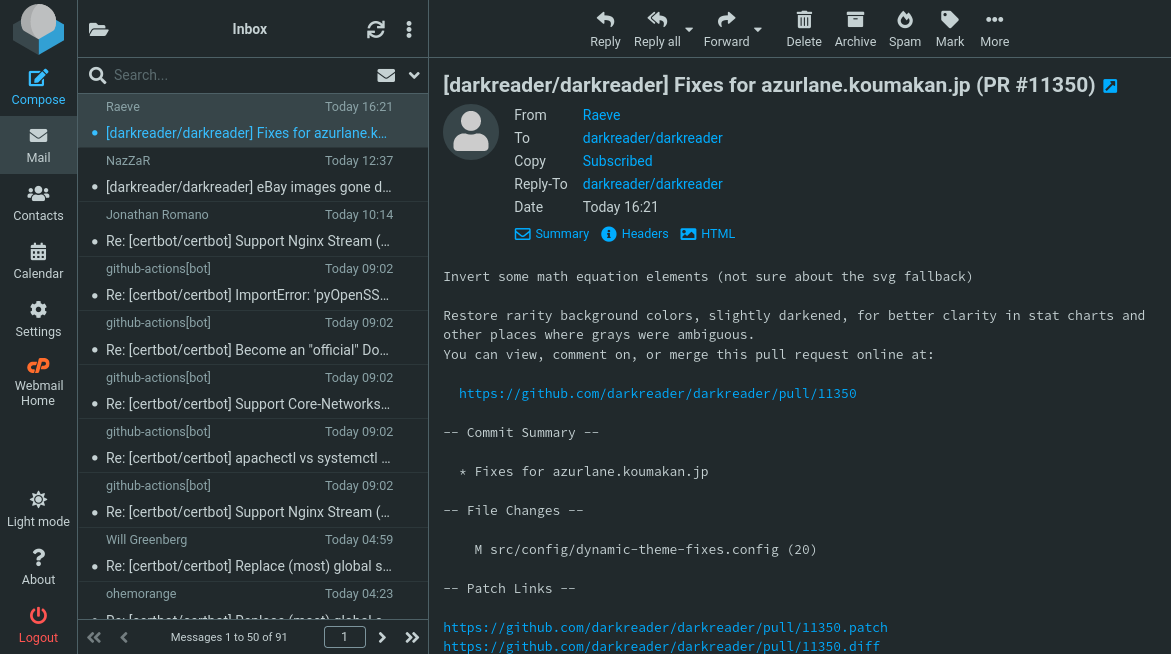
Webmail (or web-based email) is an email service that can be accessed using a standard web browser. It contrasts with email service accessible through a specialised email client software. Additionally, many internet service providers (ISP) provide webmail as part of their internet service package. Similarly, some web hosting providers also provide webmail as a part of their hosting package.
As with any web application, webmail's main advantage over the use of a desktop email client is the ability to send and receive email anywhere from a web browser.
History
[edit]Early implementations
[edit]The first Web Mail implementation was developed at CERN in 1993 by Phillip Hallam-Baker[1] as a test of the HTTP protocol stack, but was not developed further. In the next two years, however, several people produced working webmail applications.
In Europe, there were three implementations, Søren Vejrum's "WWW Mail",[2] Luca Manunza's "WebMail",[3][4] and Remy Wetzels' "WebMail".[5] Søren Vejrum's "WWW Mail" was written when he was studying and working at the Copenhagen Business School in Denmark, and was released on February 28, 1995.[6] Luca Manunza's "WebMail" was written while he was working at CRS4 in Sardinia, from an idea of Gianluigi Zanetti, with the first source release on March 30, 1995.[7] Remy Wetzels' "WebMail" was written while he was studying at the Eindhoven University of Technology in the Netherlands for the DSE[8][9] and was released early January 1995.
In the United States, Matt Mankins wrote "Webex",[10][Note 1] and Bill Fitler, while at Lotus cc:Mail, began working on an implementation which he demonstrated publicly at Lotusphere on January 24, 1995.[11][12][13] Matt Mankins, under the supervision of Dr. Burt Rosenberg at the University of Miami,[14] released his "Webex" application source code in a post to comp.mail.misc on August 8, 1995,[10] although it had been in use as the primary email application at the School of Architecture where Mankins worked for some months prior.
Bill Fitler's webmail implementation was further developed as a commercial product, which Lotus announced and released in the fall of 1995 as cc:Mail for the World Wide Web 1.0; thereby providing an alternative means of accessing a cc:Mail message store (the usual means being a cc:Mail desktop application that operated either via dialup or within the confines of a local area network).[15][16][17]
Early commercialization of webmail was also achieved when "Webex" began to be sold by Mankins' company, DotShop, Inc., at the end of 1995. Within DotShop, "Webex" changed its name to "EMUmail"; which would be sold to companies like UPS and Rackspace until its sale to Accurev in 2001.[18] EMUmail was one of the first applications to feature a free version that included embedded advertising, as well as a licensed version that did not.
Hotmail and Four11's RocketMail both launched in 1996 as free services and immediately became very popular.[19]
Widespread deployment
[edit]As the 1990s progressed, and into the 2000s, it became more common for the general public to have access to webmail because:
- many Internet service providers (such as EarthLink) and web hosting providers (such as Verio) began bundling webmail into their service offerings (often in parallel with POP/SMTP services);
- many other enterprises (such as universities and large corporations) also started offering webmail as a way for their user communities to access their email (either locally managed or outsourced);
- webmail service providers (such as Hotmail and RocketMail) emerged in 1996 as a free service to the general public, and rapidly gained in popularity.
In some cases, webmail application software is developed in-house by the organizations running and managing the application, and in some cases it is obtained from software companies that develop and sell such applications, usually as part of an integrated mail server package (an early example being Netscape Messaging Server[20][21]). The market for webmail application software has continued into the 2010s.
Rendering and compatibility
[edit]Email users may find the use of both a webmail client and a desktop client using the POP3 protocol presents some difficulties. For example, email messages that are downloaded by the desktop client and are removed from the server will no longer be available on the webmail client. The user is limited to previewing messages using the web client before they are downloaded by the desktop email client. However, one may choose to leave the emails on the server, in which case this problem does not occur. The use of both a webmail client and a desktop client using the IMAP4 protocol allows the contents of the mailbox to be consistently displayed in both the webmail and desktop clients and any action the user performs on messages in one interface will be reflected when the email is accessed via the other interface. There are significant differences in rendering capabilities for many popular webmail services such as Gmail, Outlook.com and Yahoo! Mail. Due to the varying treatment of HTML tags, such as <style> and <head>, as well as CSS rendering inconsistencies, email marketing companies rely on older web development techniques to send cross-platform mail. This usually means a greater reliance on tables and inline stylesheets.
Microsoft Windows applications by default create email messages via MAPI. Several vendors produce tools to provide a MAPI interface to webmail.[22][23]
Privacy concerns
[edit]Although emails stored unencrypted on any service provider's servers can be read by that service provider, specific concerns have been raised regarding webmail services that automatically analyze the contents of users' emails for the purpose of targeted advertising.[24][25][26] At least two such services, Gmail and Yahoo! Mail, give users the option to opt out of targeted advertising.[27]
Webmail that is accessed over unsecured HTTP may be readable by a third party who has access to the data transmission, such as over an unsecured Wi-Fi connection. This may be avoided by connecting to the webmail service via HTTPS, which encrypts the connection.[28] Gmail has supported HTTPS since launch[28] and in 2014 began requiring it for all webmail connections.[29] Yahoo! Mail added the option to connect over HTTPS in 2013[30] and made HTTPS required in 2014.[31][32]
See also
[edit]Notes
[edit]- ^ No relation to Cisco Webex.
References
[edit]- ^ Hallam-Baker, Phillip (March 9, 1994). "Announcing alpha test of PTG MAIL-DAEMON server". Google Groups. Newsgroup: comp.archives. Retrieved 2022-03-22.
- ^ "www-mail page frame-placeholder for www_mail.htm".
- ^ Pinna, Alberto, "Soru: un incontro con Rubbia, così nacque il web in Sardegna", Corriere della Sera, December 28, 1999 (in Italian).
- ^ Ferrucci, Luca, "The ICT in Sardinia: Startup and evolution" Archived October 29, 2008, at the Wayback Machine
- ^ Internet Archive, "DSE Webmail"
- ^ comp.internet.net-happenings, "ANNOUNCE: WWW Mail Client 1.00", February 28, 1995.
- ^ comp.internet.net-happenings, WebMail – Source code release, March 30, 1995.
- ^ Digitale Stad Eindhoven "Digitale Stad Eindhoven"
- ^ De Digitale Stad on Wikipedia De Digitale Stad (in Dutch)
- ^ a b comp.mail.misc, Webex Announcement, August 8, 1995.
- ^ Lotusphere 95 Presentation, "cc:Mail Mobile's Next Generation", January 24, 1995.
- ^ Barney, Doug (February 6, 1995). "Lotus cc:Mail to get better server, mobile access". InfoWorld. Vol. 17, no. 6. p. 8. ISSN 0199-6649. Retrieved April 20, 2024.
- ^ "InformationWeek, serving the information needs of the Business Technology Community". InformationWeek. Retrieved August 12, 2022.
- ^ Miami.edu, CV, Dr. Burton Rosenberg Archived June 15, 2010, at the Wayback Machine
- ^ Network World, "Lotus readies cc:Mail-Web hooks", (part 2), September 4, 1995, pp. 1, 55.
- ^ Davis, Jessica (October 2, 1995). "cc:Mail users will get E-mail through Web". InfoWorld. Vol. 17, no. 40. p. 12. ISSN 0199-6649. Retrieved April 20, 2024.
- ^ Network World. IDG Network World Inc. October 2, 1995.
- ^ "EMUmail website". Archived from the original on September 24, 2009. Retrieved June 29, 2010.
- ^ "Sabeer Bhatiya : The founder of "Hotmail.com"". 4to40.com. Archived from the original on February 10, 2007. Retrieved November 19, 2009.
- ^ Oracle, Cnet Archive - Release Notes: Netscape Messaging Server 4.15
- ^ "Netscape Messaging Server Corporate Edition ( v. 4.15 ) - media and documentation set Overview".
- ^ "MAPI Extension for Webmail accounts - joonis.de". Archived from the original on August 26, 2021. Retrieved January 1, 2012.
- ^ Affixa (Creating messages directly from Windows applications via MAPI)
- ^ "Google's Gmail sparks privacy row". BBC News. April 5, 2004. Retrieved July 6, 2011.
- ^ "Hotmail Advertising". Microsoft. Archived from the original on October 2, 2011. Retrieved July 6, 2011.
- ^ "How Gmail Ads work". Google. Retrieved July 6, 2011.
- ^ "Yahoo forces mail update (but you can opt out of ad targeting) - NBC News". NBC News. Retrieved January 4, 2017.
- ^ a b "Making security easier". Official Gmail Blog. Retrieved January 4, 2017.
- ^ "Staying at the forefront of email security and reliability: HTTPS-only and 99.978 percent availability". Official Google Blog. March 20, 2014. Retrieved January 4, 2017.
- ^ "Using Yahoo Mail? You should turn on this privacy option as soon as possible". Naked Security. January 8, 2013. Archived from the original on January 5, 2017. Retrieved January 4, 2017.
- ^ "Yahoo enables default HTTPS encryption for Yahoo Mail". CNET. Retrieved January 4, 2017.
- ^ "HTTPS Now Default in Yahoo Mail". Yahoo Mail. Retrieved January 4, 2017.
External links
[edit] Media related to Webmail at Wikimedia Commons

Webmail
View on GrokipediaOverview
Definition and Core Characteristics
Webmail refers to an email service that provides users with the ability to send, receive, and manage electronic messages via a web browser interface, eliminating the need for standalone client software on the user's device.[13] This service processes and stores email data on remote servers, with the browser serving as the primary interaction point through HTML, JavaScript, and related web technologies.[14] Unlike proprietary desktop applications, webmail abstracts underlying email protocols—such as SMTP for outgoing messages and IMAP or POP3 for incoming retrieval—into a unified, browser-rendered environment accessible over HTTP or HTTPS.[15] Key characteristics of webmail include its device-agnostic accessibility, enabling use across operating systems like Windows, macOS, Linux, or mobile platforms, as long as a compatible browser such as Google Chrome or Mozilla Firefox is available.[16] Email storage and operations occur server-side, which supports seamless synchronization across multiple devices but requires a persistent internet connection for functionality.[17] Security is typically enforced through web standards like TLS encryption for data transmission, though vulnerabilities such as cross-site scripting can arise due to the client-side rendering of dynamic content.[1] Webmail systems often integrate core email management tools directly into the interface, including composing messages with attachments, organizing via folders or labels, and basic search over stored messages, all without local caching dependencies.[14] This architecture promotes scalability for providers, as updates and features can be deployed centrally without user intervention, contrasting with the periodic installations required for traditional clients.[15] Adoption has been driven by its convenience for transient access, such as in shared computing environments, though it may introduce latency compared to locally optimized applications.[13]Distinctions from Traditional Email Clients
Webmail interfaces differ fundamentally from traditional email clients in architecture, as they operate through a web browser using HTTP or HTTPS protocols to render the user interface server-side, whereas traditional clients are standalone applications that connect directly to email servers via protocols such as IMAP, POP3, or SMTP.[18][19] This server-centric model for webmail eliminates the need for local software installation, enabling immediate access without configuration on the user's device.[20] In contrast, traditional clients require downloading and installing dedicated software, such as Microsoft Outlook or Mozilla Thunderbird, which must be set up with server credentials for each account.[21] A primary distinction lies in accessibility and platform independence: webmail requires only an internet connection and a compatible browser, allowing use across any operating system or device without compatibility issues tied to local hardware or software ecosystems.[20][22] Traditional clients, however, are often optimized for specific platforms—e.g., Outlook for Windows or Apple Mail for macOS—and may demand resources like sufficient local storage or processing power, limiting portability.[23] Data storage further diverges, with webmail maintaining emails and attachments primarily on the provider's servers for centralized backup and recovery, reducing risks from local device failure but introducing dependency on the provider's infrastructure uptime.[20] Traditional clients, particularly those using POP3, download messages to the local device for storage, enabling offline access but exposing data to hardware loss or corruption unless manually backed up; IMAP-based clients mitigate this by syncing server copies but still cache data locally.[24][25] Performance and functionality also vary: webmail's reliance on network latency can slow operations like searching large inboxes or loading attachments, especially on slower connections, while traditional clients offer faster local processing and broader offline capabilities for reading, composing, and queuing messages.[21][22] Security models differ as well, with webmail leveraging HTTPS encryption and provider-managed updates but vulnerable to browser-based exploits or account compromises if multi-factor authentication is weak; traditional clients provide greater user control over local encryption and antivirus integration but inherit risks from the host device's overall security posture.[26][27] Maintenance for webmail is handled automatically by the service provider through seamless updates, contrasting with traditional clients that necessitate user-initiated patches, which, if neglected, can leave vulnerabilities exposed—e.g., unpatched Thunderbird versions prior to 2024 releases were susceptible to specific remote code execution flaws.[28]Historical Development
Pioneering Implementations (1990s)
The earliest experimental webmail implementation emerged at CERN, where software engineer Phillip Hallam-Baker developed a prototype in 1994 to evaluate the viability of the HTTP protocol stack for email access via web browsers. This system enabled basic retrieval and composition of messages through HTML forms but remained a proof-of-concept, unexpanded due to its primary focus on protocol testing rather than user-facing deployment.[29] Independent efforts followed in Europe during 1995, as web technologies matured. Søren Vejrum, a student and developer at the Copenhagen Business School in Denmark, released "WWW Mail" on February 28, 1995, providing a rudimentary browser-based interface for sending and receiving email over the internet. Similarly, Luca Manunza created "WebMail" while working at the CRS4 research center in Sardinia, Italy, around the same period, emphasizing integration with existing Unix mail systems like Pine. These implementations demonstrated feasibility for non-proprietary, browser-dependent email but lacked scalability and widespread adoption, serving mainly academic or institutional users.[30] Commercial viability arrived in mid-1996 with the debut of free, publicly accessible webmail services, decoupling email from ISP dependencies and desktop software. Hotmail launched on July 4, 1996, founded by Sabeer Bhatia and Jack Smith in Mountain View, California; it offered 2 MB of storage initially, with users accessing accounts via any web browser worldwide, achieving 1 million users within six months through viral marketing and partnerships like those with Internet Explorer. Concurrently, Rocketmail emerged in 1996 under Four11 Corporation, providing comparable features including POP3 compatibility and 2 MB storage, before its acquisition by Yahoo in 1997, which rebranded it as Yahoo Mail. These services utilized server-side scripting (e.g., Perl and CGI) on Unix-like systems, interfacing with SMTP for delivery, and marked the transition to mass-market webmail by prioritizing accessibility over advanced features.[31][32][6] By late 1997, these pioneers had spurred global growth, with approximately 10 million free webmail accounts active, as ISPs began integrating similar offerings. Limitations persisted, including rudimentary interfaces prone to security vulnerabilities like cross-site scripting and attachment handling issues, yet they established webmail's core architecture of stateless HTTP sessions and backend mail servers.[6][9]Mainstream Adoption and Key Launches (2000s)
The 2000s saw webmail evolve from an emerging convenience to a dominant communication paradigm, propelled by broader broadband access and refinements in user interfaces that emphasized accessibility over desktop clients. Established providers like Hotmail, following its 1997 acquisition by Microsoft, expanded features including larger storage capacities, enhanced attachment handling, and improved address books to accommodate growing user bases in the early decade. A 2001 upgrade introduced an interface akin to MSN Explorer, alongside initial integrations with Microsoft's .NET framework, facilitating smoother web-based interactions and signaling deeper ecosystem convergence.[33] Google's launch of Gmail on April 1, 2004, catalyzed mainstream adoption by redefining expectations for webmail capabilities. Offering 1 GB of free storage—approximately 500 times the 2-6 MB limits of contemporaries like Hotmail and Yahoo Mail—Gmail incorporated Google's search algorithms for rapid email retrieval, threaded messaging, and a clean interface, initially distributed via exclusive invitations that fueled viral demand.[34][35] Though dismissed by some as an April Fool's prank, its innovations compelled competitors to rapidly upscale storage and add search functionalities, underscoring webmail's shift toward data-intensive, user-centric models.[36] By mid-decade, these advancements entrenched webmail's portability advantages, enabling access from any browser-equipped device amid rising global internet usage, with Gmail's influence extending to enterprise adaptations and prompting sustained interface overhauls across the sector.[37]Evolution and Innovations (2010s–Present)
In the early 2010s, major webmail providers focused on interface enhancements and integration with broader ecosystems. Microsoft launched the preview of Outlook.com in August 2012 as a rebranding and modernization of Hotmail, emphasizing cleaner design, deeper integration with Skype and Office tools, and improved spam filtering; the service fully replaced Hotmail by 2013.[38][39] Google introduced tabbed inboxes in Gmail in May 2013, categorizing emails into Primary, Social, Promotions, Updates, and Forums to reduce clutter and improve prioritization through machine learning.[40] These changes reflected a shift toward algorithmic sorting and cross-service connectivity, driven by growing inbox volumes exceeding billions of daily messages across platforms.[41] Privacy concerns, amplified by revelations of mass surveillance in 2013, spurred innovations in secure webmail. ProtonMail, founded in May 2014 by CERN scientists in Switzerland, pioneered end-to-end encryption for web-based email, using zero-access architecture where even providers cannot access user content, alongside features like self-destructing messages.[42][43] This contrasted with mainstream services reliant on server-side scanning for ads or moderation, addressing empirical risks of data breaches and government access; by 2024, ProtonMail expanded to include on-device AI writing tools preserving encryption.[44] Adoption grew amid regulatory pushes like GDPR in 2018, though encrypted services captured under 5% market share due to usability trade-offs.[45] Machine learning advanced composition and management tools mid-decade onward. Gmail's Smart Compose, launched in May 2018, used AI to suggest full sentences or phrases in real-time, reducing typing by up to 25% in tests by predicting based on context and user history.[46] Expanded to mobile in 2019, it exemplified causal improvements in efficiency without compromising core protocols like IMAP/SMTP.[47] By the 2020s, generative AI integrated further: Gmail's "Help me write" (2023) drafts responses from prompts, while Outlook and ProtonMail added similar on-device or privacy-preserving variants in 2024–2025, prioritizing local processing to mitigate data leakage risks inherent in cloud AI.[48][44] Security protocols evolved with widespread two-factor authentication adoption by 2015 across Gmail, Outlook.com, and Yahoo Mail, alongside OAuth 2.0 for app integrations reducing password exposures.[9] Mobile webmail matured with responsive designs and offline caching, as seen in Gmail's 2013 Android updates and ProtonMail's 2025 app revamps enabling partial access without connectivity.[49] Open-source clients like Roundcube iterated on extensibility, with version 1.6 in 2023 adding plugin-based AI hooks and improved rendering for modern browsers.[45] These developments sustained webmail's dominance, handling over 300 billion daily emails by 2025, though challenges persist in balancing innovation with verifiable privacy amid biased institutional reporting favoring surveillance-tolerant models.[50]Technical Implementation
Underlying Protocols and Architecture
Webmail systems rely on a combination of standard email protocols and web technologies to enable browser-based access to email services. The core communication between the user's web browser and the webmail server occurs over HTTP or HTTPS, with HTTPS providing encrypted transport via TLS to secure data in transit, as specified in RFC 2818 for HTTP over TLS. This web layer abstracts the underlying email protocols, allowing the server-side application to handle email operations transparently to the client. For outgoing mail, webmail interfaces the Simple Mail Transfer Protocol (SMTP), defined in RFC 5321, which facilitates message submission from the webmail application to a Mail Transfer Agent (MTA) for relay to recipient servers, often using port 587 for submission with authentication as per RFC 6409.[51][52] Incoming email retrieval in webmail predominantly uses the Internet Message Access Protocol (IMAP), outlined in RFC 3501, which enables server-side storage and synchronization of messages, folders, and flags across sessions without downloading entire contents to the client unless requested.[53] IMAP supports real-time updates and multi-device access by maintaining message state on the server, contrasting with POP3 (Post Office Protocol version 3, RFC 1939), which downloads messages to a local store and typically removes them from the server, making it less suitable for webmail's stateless browser model. Many webmail implementations, such as those integrating with servers like Dovecot, leverage IMAP for efficient querying and partial fetching of message headers or bodies to minimize bandwidth.[54] Architecturally, webmail operates as a multi-tier system: the presentation tier consists of the browser rendering dynamic content via HTML, CSS, and JavaScript, often using AJAX for asynchronous updates without full page reloads.[55] The application tier, hosted on a web server (e.g., Apache or Nginx), runs server-side scripts—commonly in PHP, Python, or Node.js—to process user requests, authenticate sessions via databases like MySQL, and interface with email backend components.[56] This tier integrates with an MTA for SMTP handling and an IMAP/POP3 server for mail storage and retrieval, where emails are stored in formats like Maildir or mbox on the filesystem or in databases. The overall design follows the Internet Mail Architecture in RFC 5598, emphasizing modular roles for message submission, transfer, and access while incorporating security extensions like STARTTLS for protocol-level encryption. Scalability is achieved through load balancers and clustered mail stores, as seen in large-scale deployments handling millions of users.[57]Rendering, Compatibility, and Interface Design
Webmail services render incoming emails by parsing MIME multipart structures and displaying HTML content within sanitized environments, often using iframes or content security policies to isolate potentially malicious code. This process introduces rendering inconsistencies due to varying support for HTML and CSS features across providers' engines; for instance, Gmail's Blink-based renderer blocks external stylesheets and JavaScript while permitting inline CSS, but struggles with properties like CSS filters or certain animations, leading to visual discrepancies in complex newsletters.[58] Similarly, Outlook Web employs Microsoft's Word engine for desktop versions, which defaults to quirks mode and mishandles modern layouts, causing issues like unapplied floats or excessive spacing in table-based designs.[59] These limitations stem from security imperatives, as unrestricted rendering could enable exploits like cross-site scripting, prompting providers to prioritize safe defaults over full fidelity.[60] Compatibility challenges in webmail arise from the need to support diverse browser engines and devices, with services testing against major vendors like Chromium, Gecko, and WebKit to ensure uniform interface behavior. Open-source clients like Roundcube specify minimum versions such as Firefox 52 or Chrome 60, relying on progressive enhancement to degrade gracefully in older environments, while proprietary platforms like Gmail optimize primarily for recent Chrome iterations but maintain fallback rendering for Edge and Safari.[61] Mobile compatibility demands responsive design, incorporating media queries and fluid grids to adapt inbox views and email previews to varying screen resolutions; failure to do so results in truncated content or zoom issues on devices representing over 50% of email access by 2023.[62] Cross-client email rendering further complicates matters, as webmail must handle artifacts from desktop senders—such as Outlook's VML for backgrounds—that browsers interpret inconsistently, often necessitating provider-specific hybrid approaches like embedded CSS resets.[63] Interface design in webmail prioritizes intuitive navigation, minimal cognitive load, and rapid interactivity through asynchronous JavaScript and XML (AJAX) for real-time updates without full page reloads, enabling features like infinite scrolling and inline threading. Core principles include hierarchical organization—placing search and compose tools prominently—and consistency in element placement across views, as deviations increase user error rates in tasks like attachment handling.[64] Responsive frameworks ensure scalability, with touch-friendly controls for mobile users, while accessibility standards like WCAG 2.1 guide implementations such as keyboard navigation and high-contrast modes to accommodate diverse users.[62] Providers mitigate rendering variances by previewing emails in simulated clients during composition, though persistent gaps in CSS Grid or Flexbox support in email bodies underscore the trade-off between visual polish and cross-compatibility reliability.[65]Providers and Market Landscape
Dominant Services and Their Origins
Hotmail, the foundational service behind Microsoft's Outlook.com, originated as one of the earliest webmail offerings, launched on July 4, 1996, by entrepreneurs Sabeer Bhatia and Jack Smith to provide free, browser-accessible email without requiring software downloads. Microsoft acquired Hotmail in December 1997 for approximately $400 million, integrating it into its MSN ecosystem and later rebranding it as Windows Live Hotmail in 2005 before transitioning to Outlook.com on February 19, 2013, which retained backward compatibility for Hotmail users while introducing enhanced integration with Microsoft services like Office and OneDrive.[66] As of 2025, Outlook.com maintains a significant user base, though exact webmail-specific market share varies; it ranks among the top providers alongside competitors, with Microsoft reporting over 400 million active accounts in prior years.[67] Yahoo Mail debuted on October 8, 1997, as an extension of Yahoo!'s burgeoning portal, founded in 1994 by Stanford graduates Jerry Yang and David Filo, initially to offer 4 MB of free storage—four times the capacity of contemporaries like Hotmail—at a time when webmail was rapidly gaining traction amid the dot-com boom.[68] The service emphasized integration with Yahoo's search and directory features, evolving through multiple interface overhauls, including a major redesign in 2013 under Marissa Mayer's leadership to compete with Gmail's search capabilities. By 2025, Yahoo Mail holds about 2.2% of email client opens globally, per analytics, but sustains relevance through its legacy user base exceeding 225 million accounts.[69] Gmail, developed internally at Google by engineer Paul Buchheit starting around 2001, revolutionized webmail upon its invitation-only launch on April 1, 2004, introducing 1 GB of free storage—vastly exceeding rivals' offerings—and innovative threaded conversations, powerful search functionality powered by Google's algorithms, and contextual advertising scanned from email content.[34] This approach addressed core limitations in prior services, such as storage constraints and poor organization, propelling Gmail to dominance; by 2025, it commands approximately 25.9% of email opens worldwide and over 75% in the U.S. consumer market, with more than 1.8 billion active users.[70][71] Google's emphasis on scalability and data-driven features, including later additions like priority inbox in 2009, cemented its position, though it drew early privacy concerns over ad scanning discontinued in 2017 for personal accounts.[36]Market Share, Competition, and Economic Factors
Gmail holds the largest market share among webmail providers globally, with approximately 24.17% of email client usage as measured by email opens in September 2025, trailing only Apple's Mail app but surpassing competitors like Outlook at 3.52% and Yahoo Mail at 2.22%.[69] In the United States, Gmail commands around 75% of email provider usage according to consumer surveys, reflecting its integration with Android devices and Google's ecosystem dominance.[71] These figures underscore Gmail's position as the leading webmail service, supported by over 1.8 billion active users worldwide in 2025, driven by free access, generous storage, and seamless synchronization across devices.[72] Microsoft's Outlook.com (formerly Hotmail) maintains a secondary position with roughly 10% global email client market share, bolstered by enterprise tie-ins via Microsoft 365 subscriptions, while Yahoo Mail has eroded to under 3% amid declining innovation and user migration to more feature-rich alternatives.[69][73] Niche providers like ProtonMail capture minimal shares—under 1%—appealing to privacy-focused users but lacking the scale for broad competition. Competition centers on differentiation through storage quotas (Gmail's 15 GB free tier versus Outlook's 15 GB), AI-driven features like smart replies and spam detection, and ecosystem lock-in, with Google leveraging search data and Microsoft emphasizing productivity suites.[70] Barriers to entry remain high due to network effects, where user bases amplify value through contact interoperability and shared standards like IMAP, favoring incumbents.[74] Economically, consumer webmail operates on a freemium model, where free tiers generate revenue primarily through targeted advertising—Google derives billions annually from Gmail-integrated ads informed by scan-derived user profiles—while premium upgrades and enterprise licensing (e.g., Google Workspace at $6–18 per user monthly) target businesses seeking ad-free access and administrative controls.[75] Operational costs, including data center infrastructure and compliance with regulations like GDPR, are substantial, with global email traffic exceeding 300 billion messages daily straining scalability; providers offset this via economies of scale and cross-subsidization from parent companies' broader revenues (e.g., Microsoft's cloud services).[76] Economic downturns amplify competition for ad dollars, as inflation and reduced spending pressure free services to intensify data monetization, though antitrust scrutiny on data practices has prompted shifts toward opt-in models without materially altering dominance.[75] Overall, the sector's low marginal cost for additional users sustains near-zero pricing for individuals, perpetuating oligopolistic structures where innovation lags behind infrastructure investments.Features and Capabilities
Essential Functions
Webmail delivers the foundational capabilities of email systems through a browser interface, allowing users to send, receive, and manage messages without installing separate software.[17] These functions rely on server-side protocols for retrieval and transmission, ensuring accessibility from any internet-connected device.[77] Core operations begin with user authentication, where individuals log in using credentials to access their remote mailbox.[77] Upon login, the inbox displays incoming emails fetched via protocols like IMAP or POP3, typically arranged chronologically or by sender for quick review.[77] Users can view message details, including headers, body content, and any embedded attachments. Composing new messages involves selecting a compose option, inputting recipient addresses, subject lines, and text body, followed by transmission through SMTP to the recipient's server.[77] Replying or forwarding extends this by pre-populating fields with original content, maintaining conversation threads.[17] Attachments are handled by uploading files from local storage or cloud services, enabling inclusion of documents or media up to provider limits.[77] Message management includes actions like deletion, archiving, and organization into folders or labels to categorize correspondence.[77] Basic search functionality allows retrieval of specific emails using keywords, dates, or senders, facilitating efficient navigation through accumulated messages.[1] These elements form the baseline for email utility, distinguishing webmail from desktop clients by prioritizing universal browser compatibility.[17]Advanced and Specialized Tools
Advanced webmail interfaces incorporate rule-based automation and advanced search capabilities to enhance user efficiency beyond basic composition and retrieval. Gmail supports customizable filters that automatically apply actions such as labeling, archiving, starring, or forwarding messages based on predefined criteria like keywords, senders, or recipients, processing millions of emails daily through these mechanisms. Similarly, Outlook on the web enables users to create server-side rules for organizing incoming mail, including conditional forwarding, deletion, or categorization, which operate continuously without client-side dependencies. These tools reduce manual intervention, with Gmail's filters handling pattern matching via regular expressions in advanced setups. Sophisticated search functionalities further distinguish advanced webmail, employing operators for granular querying. In Gmail, over two dozen operators allow filtering by sender (from:), subject (subject:), date (after:YYYY/MM/DD), size (larger:5M), labels (label:work), and attachments (has:attachment), enabling rapid location of specific content across vast inboxes.[78] Outlook web search integrates semantic understanding with filters for unread status, importance, or attachments, supporting Boolean combinations like AND/OR for complex queries. Such features, refined through machine learning, index metadata and content for near-instant results, as evidenced by Gmail's processing of petabytes of user data.[78]
AI-driven tools have emerged as specialized enhancements, automating drafting and analysis. Google's Gemini integration in Gmail, rolled out progressively from late 2023, generates email drafts, suggests replies, and summarizes threads using large language models trained on anonymized data.[79] Microsoft's Copilot in Outlook web, available to Microsoft 365 subscribers since 2023, drafts messages from prompts, coaches tone adjustments, and condenses long conversations into key points, leveraging Azure AI for contextual understanding.[80][81] These capabilities, while improving productivity—such as reducing composition time by up to 30% in user studies—rely on provider-hosted models, raising data processing transparency concerns.[79]
Specialized security tools focus on encryption and compliance, integral to privacy-oriented webmail. Proton Mail employs end-to-end encryption using OpenPGP standards, where keys remain client-side, preventing server access to plaintext content even under legal compulsion, as implemented since its 2014 launch.[82] Outlook web supports S/MIME for digitally signed and encrypted messages, alongside Office Message Encryption (OME) for external recipients, enforcing policies via Microsoft Purview with AES-256 standards.[83] These mechanisms, verified through independent audits like those for Proton Mail's zero-access architecture, mitigate interception risks but require user key management for full efficacy.[82][83]
Security Frameworks
Protective Mechanisms and Standards
Webmail services implement standardized protocols to authenticate email senders and prevent spoofing, a primary vector for phishing attacks targeting users. The Sender Policy Framework (SPF), specified in RFC 7208 published in April 2014, enables domain administrators to publish DNS records listing authorized IP addresses or hostnames for sending mail on their behalf, allowing receiving servers to validate the envelope sender against these records.[84] DomainKeys Identified Mail (DKIM), defined in RFC 6376 from September 2011, adds a cryptographic signature to email headers and body, verifiable via public keys in DNS to confirm message integrity and domain responsibility without relying solely on transport paths.[85] These mechanisms address limitations in basic SMTP, which lacks built-in sender verification, by providing independent checks that webmail providers like Gmail and Outlook integrate into inbound filtering.[86] Building on SPF and DKIM, Domain-based Message Authentication, Reporting, and Conformance (DMARC), introduced in RFC 7489 in March 2015, allows domain owners to set policies (none, quarantine, or reject) for messages failing authentication, along with aggregate and forensic reporting to monitor compliance and abuse.[87] DMARC adoption has grown among major webmail operators, with providers enforcing stricter policies to block unauthenticated mail, though incomplete implementation across senders limits universal efficacy.[88] For transport-layer protection, STARTTLS—detailed in RFC 3207 from February 2002—upgrades SMTP connections to TLS opportunistically, encrypting data between mail transfer agents; updated guidance in RFC 8314 from January 2018 recommends TLS 1.2 or higher for email submission and retrieval to mitigate eavesdropping.[89][90] Webmail access itself relies on HTTPS, enforcing TLS for browser-server communication to safeguard login credentials and session data against man-in-the-middle attacks.[91] Additional standards enhance user authentication and session security in webmail environments. OAuth 2.0, an authorization framework outlined in RFC 6749 from October 2012, enables token-based access without sharing passwords, commonly used by providers for third-party app integrations and API calls to reduce credential exposure.[92] Multi-factor authentication (MFA), while not a single protocol, aligns with guidelines from bodies like NIST, requiring additional verification factors beyond passwords to counter account compromise, with widespread enforcement by services such as Google Workspace since 2021.[93] Providers also apply S/MIME or PGP for optional end-to-end message encryption, though these remain non-default due to key management complexities and limited interoperability.[94] Overall, these mechanisms form a layered defense, but their effectiveness depends on consistent deployment and monitoring, as partial adoption can leave gaps exploitable by sophisticated actors.[95]Common Vulnerabilities and Responses
Webmail systems are susceptible to server-side vulnerabilities such as remote code execution (RCE) and cross-site scripting (XSS), often stemming from flaws in underlying software like Roundcube or Zimbra. For instance, CVE-2024-42009, an XSS vulnerability in Roundcube Webmail versions through 1.6.7, enables attackers to steal and send victim emails, and was added to the U.S. Cybersecurity and Infrastructure Security Agency's (CISA) Known Exploited Vulnerabilities catalog due to active exploitation.[96] [97] Similarly, CVE-2025-49113 allows post-authentication RCE via PHP object deserialization in affected Roundcube versions, prompting urgent patching advisories.[98] These issues exploit unpatched installations, particularly in self-hosted environments, where delayed updates expose users to unauthorized access or data exfiltration.[99] Phishing remains a pervasive threat, leveraging webmail interfaces to deliver deceptive content that prompts credential theft or malware downloads. Approximately 3.4 billion phishing emails are sent daily, with phishing implicated in 36% of data breaches and average costs reaching $4.88 million per incident.[100] [101] One in four emails processed by webmail services in 2025 qualifies as malicious or unwanted spam, often bypassing basic filters through social engineering tactics.[102] Spoofing vulnerabilities, where attackers forge sender domains, further amplify risks by evading authentication checks, leading to business email compromise or ransomware delivery.[103] Mitigations emphasize layered defenses, starting with rapid patching of known exploits; CISA recommends federal agencies apply updates for cataloged vulnerabilities like those in Roundcube within strict timelines to curb exploitation.[104] Email authentication protocols—Sender Policy Framework (SPF), DomainKeys Identified Mail (DKIM), and Domain-based Message Authentication, Reporting, and Conformance (DMARC)—counter spoofing by verifying sender legitimacy and instructing receivers to quarantine or reject failing messages.[105] [86] Implementing DMARC in policy mode, for example, reduces spoofing success rates by providing failure reporting and enforcement.[106] Additional responses include mandatory multi-factor authentication (MFA) to thwart credential stuffing, enforcement of Transport Layer Security (TLS) for transit encryption to prevent man-in-the-middle interception, and advanced filtering via machine learning-based anomaly detection in major providers.[107] [108] User training addresses human factors, as errors contribute significantly to phishing success, while regular security audits ensure compliance with standards like OWASP guidelines for injection and broken authentication prevention.[109] Despite these measures, incomplete adoption—such as lax DMARC policies—persists, underscoring the need for domain owners to monitor and tighten configurations proactively.[110]Privacy Dynamics
Data Collection and Usage Practices
Webmail providers collect a variety of data from users' email interactions, including the content of messages, metadata such as sender and recipient addresses, timestamps, IP addresses, and device information, as well as broader usage patterns like search queries within the service and linked account activity.[111][112] This data is primarily gathered to deliver core functionalities such as spam filtering, malware detection, and reply suggestions, while also enabling service improvements through automated analysis.[111] Retention periods vary but generally align with user deletion actions or legal requirements, with some anonymized data preserved longer for aggregate analytics or compliance.[111] For Gmail, operated by Google, email content and metadata are scanned by automated systems for security purposes, including abuse detection and feature enhancements like smart replies, but not for personalized advertising based on message content—a practice discontinued in 2017.[113] Advertising personalization draws instead from other signed-in Google activities, such as search history or YouTube views, unless users opt out via activity controls.[111] Data may be shared with domain administrators in enterprise settings or for legal obligations, but not in personally identifiable form with third-party advertisers without consent.[111] Microsoft's Outlook.com collects communication contents, credentials, and interaction data from webmail usage, applying it to personalized ads (with opt-out options) and AI model training for features like Copilot, where users in supported regions can disable data use for such purposes.[112] Sharing occurs with affiliates and service vendors to maintain operations, though restrictions apply to sensitive accounts like those for K-12 students.[112] Diagnostic data from email handling supports threat detection and product diagnostics. Yahoo Mail, under Verizon Media, collects user-provided data including email contents and logs, retaining it as needed for service provision and using it for targeted ads via aggregated profiles, with policies emphasizing de-identification for certain analytics within 18 months.[114][115] Practices include sharing non-personally identifiable data with advertising partners, though users can manage preferences through privacy dashboards; recent updates have expanded consent for data sharing across Yahoo services.[114] Across providers, free webmail tiers fund operations through data-driven advertising, contrasting with paid alternatives that often limit collection to essentials like security scans, highlighting a causal link between ad-supported models and extensive profiling for revenue generation.[111][112] Compliance with regulations like GDPR influences practices, requiring explicit consents for non-essential uses, though enforcement varies by jurisdiction.[114]Major Controversies and Empirical Evidence
One prominent controversy involves webmail providers scanning user email content for commercial purposes. Google, operator of Gmail, admitted to automated scanning of emails to generate targeted advertisements from 2004 until June 2017, when it ceased the practice following public backlash and legal challenges alleging violations of federal wiretap laws.[116][117] A 2014 class-action lawsuit in California claimed Google's scanning of student Gmail accounts breached privacy statutes, leading Google to halt ad-related scanning for educational accounts in April 2014.[118][119] Despite these changes, scanning persists for non-advertising functions such as spam detection and security, raising ongoing concerns about the extent of content analysis without explicit user consent.[120] Government-mandated surveillance has fueled another major dispute. Revelations from Edward Snowden's 2013 leaks exposed the NSA's PRISM program, which compelled webmail providers including Microsoft (Outlook/Hotmail) and Yahoo to grant access to user data without individualized warrants.[121] Yahoo, in particular, was ordered in 2015 to secretly scan all incoming emails for NSA-specified indicators, a program unknown to users until disclosed in 2016.[122] The NSA admitted in August 2013 to illegally collecting thousands of Americans' emails annually under Section 702 of the FISA Amendments Act, prompting reforms but persistent loopholes allowing warrantless queries of U.S. persons' communications.[123] Encrypted webmail service Lavabit suspended operations in August 2013 rather than comply with a court order to decrypt user emails for an NSA investigation targeting specific individuals. These incidents highlight causal risks where legal frameworks enable bulk access, undermining end-to-end privacy assurances. Third-party data access has also sparked contention. A 2018 Wall Street Journal investigation revealed that Google permitted thousands of third-party apps to scan Gmail inboxes for purposes like lead generation, with minimal oversight, affecting millions of users post-ad-scanning halt.[124] Empirical analysis of email tracking prevalence, based on a 2018 study examining daily email flows, found tracking pixels and scripts embedded in up to 45% of marketing emails, enabling providers and affiliates to monitor opens, locations, and behaviors without disclosure.[125] Data breaches provide stark empirical evidence of webmail vulnerabilities. Yahoo's 2013-2014 breaches exposed 3 billion accounts, including encrypted email metadata, leading to a $35 million SEC fine in 2018 for misleading investors about the incidents' scope.[126] A broader review of cybersecurity incidents from 2005-2017 documented over 1,000 email-related breaches, correlating with phishing susceptibility factors like low detection self-efficacy, though individual demographics showed no predictive power.[127][128] These events underscore systemic risks, where centralized storage facilitates mass compromise, with post-breach studies indicating elevated identity theft rates but limited quantifiable emotional harms absent direct causation.[129] Providers' responses, often delayed disclosures, amplify distrust, as evidenced by user migration to privacy-focused alternatives following high-profile leaks.[130]Trade-offs Between Privacy and Practical Benefits
Webmail services provide users with significant practical advantages, such as device-agnostic accessibility via web browsers, eliminating the need for software installation or synchronization across clients.[22] This convenience enables seamless access from any internet-connected device, facilitating productivity for mobile professionals and reducing barriers to email management compared to traditional desktop clients.[22] Integrated features like advanced spam filtering, which employs machine learning to detect and quarantine unwanted messages, further enhance usability by minimizing inbox clutter and mitigating phishing risks, with effective filters reportedly reducing spam volume by up to 99% in enterprise settings.[131] [132] However, these benefits arise from centralized data processing by providers, who must scan email content to deliver functionalities such as intelligent categorization, predictive replies, and threat detection.[133] For instance, while Google ceased scanning personal Gmail accounts for advertising purposes in 2017, it continues automated analysis for security, spam prevention, and feature enhancements, including recent AI integrations like Gemini that process email data to generate summaries or responses.[133] [134] This scanning enables powerful search capabilities and personalization but exposes user communications to potential provider access, third-party compliance demands, or algorithmic errors, contrasting with end-to-end encrypted alternatives that limit such visibility at the cost of reduced interoperability.[135] [136] Empirical studies reveal a persistent "privacy paradox," where users express heightened concerns—such as 95% worrying about AI's privacy impacts in a 2023 survey—yet prioritize convenience, evidenced by the dominance of feature-rich services like Gmail over privacy-centric options requiring manual encryption or key management.[137] [138] Over 60% of email users remain unaware of encryption tools, and usability tests show that secure email interfaces often deter adoption due to complexity in key handling, leading most to favor webmail's streamlined experience despite inherent data exposure risks.[138] [136] This pattern underscores how practical gains in efficiency and integration causally outweigh abstract privacy preferences in user behavior, as centralized scanning not only powers anti-spam defenses but also supports ecosystem features like calendar syncing, though it amplifies vulnerabilities to surveillance or breaches when provider safeguards falter.[139] [140]Broader Impacts
Usage Patterns and Global Adoption
Webmail services have achieved near-universal adoption among internet users, with global email accounts exceeding 4.8 billion in 2025, the majority accessed through browser-based interfaces rather than standalone desktop applications.[141] This shift reflects webmail's advantages in cross-device compatibility and minimal setup requirements, enabling usage on shared or low-resource devices prevalent in emerging markets. Leading providers dominate: Gmail serves over 2.5 billion accounts worldwide, Outlook.com maintains 400 million active personal users, and Yahoo Mail reaches 225 million active users, collectively handling a substantial portion of the 347 billion daily emails exchanged globally.[70][142][143][144] Usage patterns emphasize convenience and integration, with webmail comprising 40.6% of email client interactions compared to 16.2% for traditional desktop clients, as users prioritize browser access for quick checks without software installation.[145] In professional contexts, webmail facilitates productivity by syncing with cloud storage and calendars, while personal users engage in high-frequency, short-session access—averaging multiple daily logins for communication and notifications. Mobile browsers contribute to this, though dedicated apps often proxy webmail backends; overall, webmail opens occur across 47% mobile, 29% desktop, and 24% pure webmail channels.[146] Regional variations show higher adoption in Asia and Africa, where internet penetration favors lightweight web interfaces over resource-intensive desktop alternatives, driving growth amid 136 million new users in 2024 alone.[147]| Provider | Estimated Active Users (2025) | Market Share in Email Clients |
|---|---|---|
| Gmail | 1.8–2.5 billion | 25.89% |
| Outlook.com | 400 million | ~10% |
| Yahoo Mail | 225 million | ~2–3% |