Hubbry Logo
TinyMCETinyMCEMain
Open search
TinyMCE
Community hub
TinyMCE
logo
8 pages, 0 posts
0 subscribers
Be the first to start a discussion here.
TinyMCE
TinyMCE
from Wikipedia
TinyMCE
DeveloperTiny Technologies Inc.
Initial release1.0 / 11 March 2004; 21 years ago (2004-03-11)[1]
Stable release
8.2 / October 23, 2025; 3 months ago (2025-10-23)
Repository
Written inTypeScript
Operating systemCross-platform
TypeHTML editor
LicenseGPL-2.0-or-later and commercial[i][3]
Websitewww.tiny.cloud

TinyMCE is an online rich-text editor released as open-source software under the GNU General Public License version 2 or later.[4] TinyMCE uses a freemium business model that includes a free core editor and paid plans with advanced features.[5] It converts HTML textarea fields, or other designated HTML elements, into editor instances.

TinyMCE is designed to integrate with JavaScript libraries such as React, Vue.js, Angular, and Stencil.js, as well as content management systems such as Joomla! and WordPress.[6]

Browser compatibility

[edit]

TinyMCE is compatible with the following browsers

It is compatible with these browsers on any operating system that officially supports them.[7]

As of version 6.0, released 2022-03-03, support for Internet Explorer was dropped.[7]

API

[edit]

TinyMCE includes an extensive API for custom integration.[8]

Plugins

[edit]

TinyMCE uses plugins extensively.

Free and open source plugins

[edit]

TinyMCE 7 shipped with 28 open source plugins[9] including:

  • List Styles
  • Character Map
  • Code
  • Code Sample
  • Directionality
  • Preview
  • Save
  • Search and Replace
  • Table
  • Visual Blocks

Proprietary plugins

[edit]

There are 30 proprietary plugins, only available from Tiny with a paid subscription for TinyMCE 7[10] including:

  • Accessibility Checker
  • AI Assistant
  • Enhanced Code Editor
  • Enhanced Tables
  • Export to PDF
  • Export to Word
  • Import from Word
  • Link Checker
  • Math Equations
  • Markdown
  • PowerPaste
  • Revision History
  • Spell Checker
  • Templates

File management

[edit]

TinyMCE is primarily a client-side application. It, consequently, does not include native file managers for various server technologies.

Multiple file manager solutions have been produced, including several open source file manager solutions, and at least two proprietary projects, developed by Tiny Technologies and EdSDK.

None of the open source file managers are still being developed or maintained and they are all incompatible with currently supported versions of TinyMCE.

Free and open source file managers

[edit]
Open source file managers for use with TinyMCE
Project Description Compatibility Notes
Open Manager An Ajax file uploader and image gallery plugin TinyMCE 3.x The original developer closed this project some years ago and does not recommend it be used in production.[11] No others have forked and updated the code-base.
TinyBrowser File manager featuring multiple file upload support. TinyMCE 3.x The uploader requires the, now deprecated, Adobe Flash.[12] Also, this project has not been updated since 2011.[13]
TinyCIMM TinyMCE CodeIgniter Media Manager: a plugin for both TinyMCE and CodeIgniter, which allows image and media file management from within TinyMCE. TinyMCE 3.x The announcement page for this project is a, now-archived, ExpressionEngine CMS forum page.[14] Also, the demo and download page, as of 2023-02-02, returns a 404 error.[15]
IMCE An image and file uploader and browser for rich text editors that supports personal directories and quotas. TinyMCE 3.x Being actively developed as of 2023-02 but no further updates to TinyMCE support and no support for versions of TinyMCE beyond 3.x.[16]
PDW Media Browser A media browser with a Windows 7-style user interface. TinyMCE 3.x No longer being actively developed[17] and no longer available from the original developer's site because 'it isn't safe to use anymore.'[18]
Responsive File Manager A file manager and image manager made with the jQuery library, CSS3, PHP and HTML5. TinyMCE 5.x,[19] TinyMCE 4.x, and TinyMCE 3.x Released under a Creative Commons Attribution-NonCommercial 3.0 Unported License which requires a payment to the author for use in a commercial project or setting.[20]

Proprietary file managers

[edit]
Proprietary file managers for use with TinyMCE
Project Description Compatibility Notes
Flmngr PHP File Manager with Image Editor and Amazon S3 and Azure Blob support. TinyMCE 6.x, TinyMCE 5.x, and TinyMCE 4.x.[21] Free for one website with up to 15 end-users. Requires a paid subscription or paid license for more features or more sites and users.[22]
MoxieManager File and image management for TinyMCE. TinyMCE 6.x[23] and TinyMCE 5.x.[24] Requires a commercial TinyMCE subscription.[23] Only provided for self-hosted TinyMCE instances.[23]

Third-party TinyMCE plugins

[edit]
Third-party TinyMCE plugins
Name Description Compatibility Notes
After the deadline A spelling, style, and grammar checking software service with a TinyMCE plugin. TinyMCE 3.x.[25] After the Deadline (AtD) is no longer actively maintained and the hosted service has shut down. The source code is available to self-host an AtD server.[26]
Bootstrap plugin for TinyMCE Use Bootstrap components and CSS in TinyMCE[27] TinyMCE 5.x (using Bootstrap 4) and TinyMCE 6.x (using Bootstrap 5)[28] Requires a paid license for use.[29]
CodeMirror A code editor web component,[30] available as (among other things) a TinyMCE plugin.[31] TinyMCE 4.x, TinyMCE 5.x, and TinyMCE 6.x.[31] Released under the open source MIT License.[32]
N1ED Visual editor for block-by-block content creation.[33] TinyMCE 4.x, TinyMCE 5.x, and TinyMCE 6.x.[34] Base editor is free for one site and up to five users. Requires a paid subscription for premium features, multiple sites, and more users.[35]
PDW Toggle Toolbars Shows and hides TinyMCE toolbars.[36] TinyMCE 4.x.[37] No specific licence. The source includes boilerplate permissions copied from the MIT Licence.[38]
TextareaAI ChatGPT plugin ChatGPT copywriting plugin

for TinyMCE.[39]

TinyMCE 4.x, TinyMCE 5.x, and TinyMCE 6.x.[40] Free for the first 2,500 words generated by a query to the ChatGPT API. Requires a paid subscription or paid license for more words and users.[41]
TinyMCE 6.x ChatGPT Plugin Integrates ChatGPT into TinyMCE.[42] TinyMCE 6.x[42] Released under the open source MIT License.[43]

Language support

[edit]
  • 65 different community-contributed language packs, including right-to-left support, are available for TinyMCE 7.[44]
  • 38 different professionally localized language packs, including right-to-left support, are provided to paid Tiny Cloud and self-hosted deployments of TinyMCE 7.[45]

Product support

[edit]

Community peer-to-peer support for TinyMCE is available on platforms such as GitHub and Stack Overflow. Product support is available when purchasing any subscription with TinyMCE.

Official support for TinyMCE 5.10 (the last version 5 release) ended on 2023-04-20.[46]

Themes and skins

[edit]

In TinyMCE, themes and skins refer to different aspects of the editor. A theme relates to the editor's construction, while a skin makes changes to the appearance of the editor.

In TinyMCE 5.x, the default theme is called Silver,[47] and the default skin is called Oxide.[48]

In TinyMCE 6.x the default theme is also called Silver,[49] and the default skin is also called Oxide.[50]

Skins for TinyMCE 5 or 6 can be created and customized with TinyMCE's interactive skin tool.[51]

In Version 4 of TinyMCE, the first skin tool was created and more skins were made available in the skin/plugin repository.

TinyMCE 2.x→3.x offered various ways to customize the look and feel of the editor. TinyMCE 3.x came packaged with two themes, simple and advanced, as well as two skins for each theme, default and o2k7.

Compressor

[edit]

TinyMCE also has an optional compressor pack to reduce the overall script download footprint, in the time it takes the script to initialize. The compressor pack is available for PHP, ASPX, JSP, and CFML. A third-party Ruby on Rails compressor pack is also available.[52]

History

[edit]

TinyMCE was spun out of a content management system developed by Johan “Spocke” Sorlin and Joakim Lindkvist from their original content management system, Moxiecode Content Editor, [53] in 2004.

Release history

[edit]
Legend:
Unsupported
Supported
Latest version
Preview version
Version Release date Notes
Unsupported: 1.0 March 11, 2004[1]
Unsupported: 1.1 May 26, 2004[54]
Unsupported: 1.2 July 5, 2004[55]
Unsupported: 1.3 September 10, 2004[56]
Unsupported: 1.4 January 9, 2005[57]
Unsupported: 2.0 December 1, 2005[58]
Unsupported: 2.1 February 13, 2007[59]
Unsupported: 3.0 January 30, 2008[60]
Unsupported: 3.1 June 17, 2008[61]
Unsupported: 3.2 September 11, 2008[62]
Unsupported: 3.3 March 10, 2010[63]
Unsupported: 3.4 March 10, 2011[64]
Unsupported: 3.5 May 5, 2012[65]
Unsupported: 4.0 June 16, 2013[66] Rewrite of UI layer and editor core APIs
Unsupported: 4.1 June 18, 2014[67] HTML5 Scheme support
Unsupported: 4.2 June 25, 2015[68] Flat skin. Image tools for crop, resize and filters
Unsupported: 4.3 November 25, 2015[69] Table column/row resize support and inline table toolbar, notifications API, APIs for creating non-editable widgets
Unsupported: 4.4 June 30, 2016[70] Medium-style theme, improved image editor
Unsupported: 4.5 November 30, 2016[71] Sidebar panel and insert menu UI, enhanced anchor linking, table of contents plugin
Unsupported: 4.6 May 4, 2017[72] Enhanced link editing, new help plugin, dropped support for IE 8/9/10
Unsupported: 4.7 October 3, 2017[73] Enhanced modern theme, new mobile theme
Unsupported: 4.8 July 11, 2018[74]
Unsupported: 4.9 November 7, 2018[75]
Unsupported: 5.0 February 4, 2019[76] Completely new UI layer
Unsupported: 5.1 October 17, 2019[77] All default UI components now work on mobile natively
Unsupported: 5.2 February 3, 2020[78] Placeholder. New toolbar options. Accessibility enhancements.
Unsupported: 5.3 June 11, 2020[79] New toolbar location default settings, moved the enabled checkmark on toggle menu items
Unsupported: 5.4 July 23, 2020[80] Updates and additions to the Table plugin
Unsupported: 5.5 October 20, 2020[81] TinyMCE core TypeScript types are now public
Unsupported: 5.6 December 8, 2020[82] New images_file_types option for customizing recognized image file extensions
Unsupported: 5.7 February 24, 2021[83] Added support for table_column_resizing when inserting and deleting table columns
Unsupported: 5.8 May 5, 2021[84] TinyMCE core editor update, additional changes to premium plugins, editor resize handle now controllable using the keyboard.
Unsupported: 5.9 August 25, 2021[85] TinyMCE core editor update, improved table management, announces deprecation of various plugins.
Unsupported: 5.10 October 10, 2021[86] TinyMCE core editor update, new API checks if a URI is safe to insert into the DOM, additional deprecation announcements.
Unsupported: 6.0 March 3, 2022[87] Multiple new and changed APIs, support for Microsoft Internet Explorer 11 dropped, licence change: TinyMCE now released under the MIT License.
Unsupported: 6.1 June 6, 2022[88] New event log API, new option to show a specified sidebar on editor launch, multiple added options and functions.
Unsupported: 6.2 September 8, 2022[89] New option for specifying which non-editable elements can be format-wrapped, new option for adding search fields to toolbar menu buttons, new commercial plugins for footnotes, mail-merge fields, and typo autocorrection.
Unsupported: 6.3.1 December 6, 2022[90] New option in the commercial Advanced Code editor plugin for opening said source-code editor in the edit window rather than a nested dialog box, two new API functions for selecting words from the insertion point location, new commercial plugins for generating inline css, and for formatting a document with so-called 'smart' typography. Also includes a fix for a cross-site scripting vulnerability, CVE-2022-23494.[91]
Unsupported: 6.4.0 March 16, 2023[92] New tree component for use in custom dialogs; new commercial Advanced Templates plugin; new API methods; new xss_sanitization option to disable XSS sanitization; and new UI objects and options.
Unsupported: 6.5 June 13, 2023[93] New open source plugin, Accordion, creates expandable and collapsable document sections; updates to a dozen commercial plugins; in-application help text re-written and translated.
Unsupported: 6.6 July 12, 2023[94] New commercial plugin, AI Assistant, which can query OpenAI's ChatGPT chatbot (requires an OpenAI API key); new properties for controlling dialog box presentation, appearance, and behaviour.
Unsupported: 6.7.0 August 30, 2023[95] Updates to several proprietary plugins, including Accessibility Checker, Advanced Code, Advanced Templates, AI Assistant, and Table of Contents; two new commands: InsertNewBlockBefore and InsertNewBlockAfter; UI and UX improvements; and two dozen bug fixes and changes.
Unsupported: 6.8 November 22, 2023[96] Enhancements to Advanced Templates, improved bundling support, several accessibility improvements, as well as 24 bug fixes.
Unsupported: 7.0 March 20, 2024[97] New features that increase user-satisfaction and workflow efficiency: Markdown, Revision History, and Document Converters. License changed from MIT to GPL-2.0-only.

TinyMCE 7.0 also carries 17 bug fixes.

Supported: 7.1 May 8, 2024 Introduced Math Equation feature, new integrations for the AI Assistant and 22 bug fixes and minor enhancements.
Supported: 7.3 August 7, 2024 Includes an accompanying release of the AI Assistant premium plugin that has Add "Translate" options .
Supported: 7.4 October 9, 2024 Introduced a new context property for all ui components and a new option allow_mathml_annotation_encodings to opt-in to keep math annotations with specific encodings.
Supported: 7.5 November 6, 2024 Improved color picker aria support
Latest version: 8.2 October 23, 2025 Improved color picker aria support

Notes

[edit]

References

[edit]
[edit]
Revisions and contributorsEdit on WikipediaRead on Wikipedia
from Grokipedia
TinyMCE is an open-source JavaScript library serving as a WYSIWYG rich text editor, enabling developers to integrate feature-rich, intuitive content editing capabilities into web applications with minimal code. Developed and maintained by Tiny, the editor was first released in 2004 as TinyMCE 1.0, quickly gaining adoption in open-source content management systems such as Joomla (then Mambo) in the same year and becoming the core editor in WordPress 2.0 in 2005, contributing to its early growth. As of 2025, WordPress powers over 43% of the world's websites. Over the years, TinyMCE has evolved significantly, transitioning to a monorepo structure in 2019 and launching its first native mobile editing experience that same year, while accumulating over 26,000 GitHub commits from 194 contributors. Key to its popularity are its extensive customization options, including more than 50 plugins (such as a11ychecker for accessibility, image tools, link management, and table editing), over 29 integrations with frameworks like React, Vue, and Angular, and more than 400 APIs for advanced functionality. The editor supports seamless copy-paste from sources like , Excel, and with 99.9% accuracy, and enhancements as of 2024 include AI-powered tools and revision history features for tracking document changes across workflows. Licensed under the GNU General Public License version 2 or later, TinyMCE is freely available for community use, with premium features accessible via paid plans starting from a free tier supporting 1,000 editor loads per month. It is trusted by over 1.5 million developers, boasts 350 million downloads annually as of 2025, and powers more than 100 million products globally, including those from major brands like and . This widespread adoption has reduced support tickets by up to 40% for some users by streamlining processes.

Overview

Description and Purpose

TinyMCE is an open-source (What You See Is What You Get) rich designed for web browsers, allowing users to create and edit HTML-formatted content directly within web applications without requiring knowledge of underlying code. Developed as a , it provides a user-friendly interface for formatting text, inserting media, and structuring content, making it a staple for enhancing text input fields in various digital platforms. The primary purposes of TinyMCE include facilitating content editing in content management systems (CMS) such as and , where it serves as the default editor for posts and pages; powering email composers in applications; and enabling rich text input in custom web forms for sites, forums, and collaborative tools. Its versatility supports seamless content creation across diverse environments, from blogging platforms to . Initially released in by Moxiecode, TinyMCE has evolved into a widely adopted tool powering over 100 million products globally. Key high-level benefits of TinyMCE encompass easy integration into existing web projects via simple script inclusion, a highly customizable that adapts to specific user needs, and robust support for modern web standards including , ensuring compatibility with contemporary browsers and accessibility features. Currently maintained by Tiny Technologies, Inc., the editor continues to receive updates focused on performance, security, and extensibility.

Development and Licensing

TinyMCE was originally developed by Moxiecode Systems AB, a software company based in , , and first released as in 2004. In June 2015, Ephox, an online editing software company, acquired Moxiecode Systems AB, integrating TinyMCE, MoxieManager, and Plupload into its product portfolio to enhance development resources and support. In 2018, Ephox rebranded to Tiny Technologies Inc., shifting its primary focus to TinyMCE while maintaining the project's open-source foundation. In March 2023, Tiny Technologies was acquired by Tiugo Technologies, a developer platforms company, to expand content creation tools and accelerate digital transformation initiatives. The editor's codebase originated in JavaScript but underwent a major refactoring in 2018, transitioning to modern JavaScript with TypeScript for improved type safety and maintainability, culminating in the release of version 5.0 in early 2019. TinyMCE's licensing has evolved to balance community accessibility and commercial sustainability. It was initially released under the GNU Lesser General Public License (LGPL) version 2.1, which allowed flexible integration while requiring derivative works to remain open source. This remained in place through versions 4 and 5. In 2022, with version 6.0, the license shifted to the more permissive MIT License to broaden adoption in both open-source and commercial projects. However, starting with version 7.0 in March 2024, TinyMCE adopted the GNU General Public License version 2.0 or later (GPL-2.0-or-later) to better align with open-source community standards, emphasizing copyleft protections for collaborative development. Version 8.0 was released on July 23, 2025, continuing under the GPLv2+ license, with updates through November 2025. For users seeking alternatives to the GPL requirements, Tiny Technologies offers commercial licensing through TinyMCE Enterprise, which provides self-hosted deployment with premium plugins, advanced support, and unrestricted usage rights, as well as Tiny Cloud, a SaaS-hosted solution with scalable editor loads and integrated features like AI-powered tools. The project's source code is maintained on under the tinymce organization, fostering community contributions while Tiny Technologies oversees core development and releases.

Core Features

Browser Compatibility

TinyMCE provides full support for modern desktop browsers, including the current and penultimate versions of Chrome, , , and Edge, on Windows, macOS, and , as of version 8.2 released in October 2025. This compatibility ensures robust performance across evergreen browsers that receive regular updates, leveraging native and APIs for optimal rendering and editing functionality. On mobile devices, TinyMCE maintains compatibility with the current and penultimate versions of Safari on and Android Chrome on Android, enabling consistent rich text editing experiences on touch-enabled platforms. These versions align with the adoption of modern web standards, allowing developers to deploy the editor in responsive web applications without significant degradation in usability or features. Support for legacy browsers has been progressively deprecated to focus on contemporary environments. was fully dropped starting with TinyMCE version 6.0 on March 3, 2022, due to limitations in supporting advanced editor capabilities and increasing maintenance costs. Support for the legacy version of (based on EdgeHTML) has also ended, shifting emphasis to the Chromium-based for better alignment with cross-browser standards. Performance is optimized for evergreen browsers, maintaining efficiency by relying on native support in modern rendering engines.

User Interface Elements

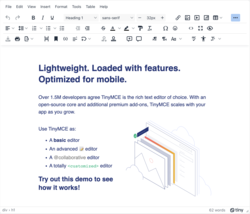
TinyMCE's user interface consists of several core components designed to provide an intuitive editing experience. The primary elements include the toolbar, editable area, and status bar. The toolbar is positioned at the top of the editor and is highly customizable, featuring buttons for common formatting actions such as , underline, and styles. It is organized into default groups, including formatting (e.g., ), alignment (e.g., align left, , right, justify), lists (e.g., bullet and numbered lists), and media insertion (e.g., link, , quick table). These groups allow users to apply styles and insert elements efficiently within the environment. The editable area serves as the main content workspace, where users input and manipulate text. In classic editing mode, this area is rendered as an iframe to create a sandboxed environment that isolates the editor's content and styles from the host page, ensuring consistent rendering across browsers. Alternatively, in inline mode, the editable area uses a div element, enabling direct integration with the page's existing scripts and styles without isolation. At the bottom of the editor lies the , which displays contextual information such as the element path (showing the hierarchy of the selected element), word or character count (when the wordcount plugin is enabled), and a resize handle for adjusting the editor's height. The also includes attribution for the open-source version of TinyMCE by default. TinyMCE supports multiple editing modes to accommodate different workflows. The default design mode operates in a (What You See Is What You Get) fashion, allowing real-time visual editing of content. Users can switch to view through the Code plugin, which opens a dialog for direct HTML editing, revealing the underlying markup hidden in the visual mode. Additionally, preview mode, enabled via the Preview plugin, displays the content in a dialog without the editor's UI elements, simulating how it will appear on the final page. Accessibility is integrated into these UI elements to ensure compliance with web standards. ARIA labels are applied, such as the customizable iframe_aria_text option for announcing the editor's purpose to screen readers (default: "Rich Text Area. Press ALT-0 for help"). Keyboard navigation is supported through configurable tabindex for tab order and built-in shortcuts for toolbar and menu access, compatible with screen readers like JAWS and NVDA. TinyMCE has conformed to WCAG 2.1 standards since version 5.0, with ongoing refinements in later versions for enhanced ARIA support and focus indicators. Basic customization of the UI is achieved through initialization options. For instance, the toolbar_mode option controls overflow handling for buttons on smaller screens: 'wrap' stacks additional buttons on secondary toolbars below the main one, while 'sliding' reveals them in a fixed toolbar under the first one. These settings allow the interface to adapt to various device sizes without altering core functionality.

Technical Implementation

API Structure

TinyMCE provides a JavaScript-based with support through provided interfaces, designed as a modular system that centers on editor instance methods for core functionality. The primary entry point for setting up the editor is the tinymce.init() method, which configures and initializes editor instances based on an options object. This method targets elements via a CSS selector and enables plugins or other extensions as needed. For example:

javascript

tinymce.init({ selector: '#mytextarea', plugins: 'advlist [code](/page/Code)' });

tinymce.init({ selector: '#mytextarea', plugins: 'advlist [code](/page/Code)' });

This asynchronous call returns a , allowing developers to handle initialization completion programmatically. Once initialized, each editor instance exposes core methods for content manipulation and command execution. The getContent() method retrieves the editor's or text content, optionally formatted, as in editor.getContent({ format: 'text' }). The setContent(content) method replaces the editor's content with the provided string, applying any configured cleanup rules. For dynamic insertions, insertContent(content) adds material at the current position. Additionally, execCommand(cmd, ui, value) executes built-in or custom commands, such as formatting operations, returning a to indicate success. These methods form the foundation for programmatic interaction with the editor's content. TinyMCE includes a robust event system for responding to editor states and user actions, using the on(event, callback) method on editor instances. Key events include 'init', fired upon successful initialization, and 'change', triggered by content modifications. Bindings can occur during setup, for instance:

javascript

tinymce.init({ selector: 'textarea', setup: (editor) => { editor.on('init', () => console.log('Editor initialized')); editor.on('change', () => console.log('Content changed')); } });

tinymce.init({ selector: 'textarea', setup: (editor) => { editor.on('init', () => console.log('Editor initialized')); editor.on('change', () => console.log('Content changed')); } });

This allows for custom logic integration without altering the core . At the global level, the tinymce serves as the central object, managing multiple instances through like activeEditor (the currently focused editor) and editors (an array of all loaded instances). Methods such as tinymce.get(id) retrieve specific instances, supporting multi-editor scenarios in applications. Starting with version 6.0, the incorporates enhanced asynchronous handling, where methods like init() and various managers (e.g., PluginManager) return Promises instead of relying on callbacks, improving performance by enabling parallel loading of resources such as themes, icons, and plugins.

Integration Methods

TinyMCE integration begins with basic embedding, where a standard <textarea> element is replaced by including the TinyMCE script from the Tiny Cloud CDN and initializing the editor via . Developers first register for a free on the Tiny Cloud platform, then insert the script tag into the head or body. The initialization uses the tinymce.init() method with a minimal configuration targeting the textarea's selector. For example:

html

<!DOCTYPE html> <html lang="en"> <head> <script src="https://cdn.tiny.cloud/1/YOUR_API_KEY/tinymce/8/tinymce.min.js" referrerpolicy="origin" crossorigin="anonymous"></script> </head> <body> <textarea id="mytextarea">Initial content</textarea> <script> tinymce.init({ selector: '#mytextarea', plugins: 'lists link [image](/page/Image)', toolbar: 'undo redo | bold italic | alignleft aligncenter alignright | bullist numlist outdent indent | link [image](/page/Image)' }); </script> </body> </html>

<!DOCTYPE html> <html lang="en"> <head> <script src="https://cdn.tiny.cloud/1/YOUR_API_KEY/tinymce/8/tinymce.min.js" referrerpolicy="origin" crossorigin="anonymous"></script> </head> <body> <textarea id="mytextarea">Initial content</textarea> <script> tinymce.init({ selector: '#mytextarea', plugins: 'lists link [image](/page/Image)', toolbar: 'undo redo | bold italic | alignleft aligncenter alignright | bullist numlist outdent indent | link [image](/page/Image)' }); </script> </body> </html>

This setup transforms the textarea into a rich text editor, with the API key ensuring access to hosted resources. For modern JavaScript frameworks, TinyMCE provides official wrapper components to simplify integration. The React wrapper, @tinymce/tinymce-react, is installed via npm install @tinymce/tinymce-react and used as a <Editor> component within React applications, passing configuration props for customization. Similarly, the Vue wrapper @tinymce/tinymce-vue is installed with npm install @tinymce/tinymce-vue and integrated as a <Editor> tag in Vue templates. For Angular, the @tinymce/tinymce-angular package, installed via npm install @tinymce/tinymce-angular, enables the editor through an <editor> directive in Angular components. These wrappers handle lifecycle events, such as mounting and unmounting, to prevent memory leaks in single-page applications. Integration with content management systems (CMS) often leverages dedicated plugins for seamless embedding. In WordPress, the Advanced Editor Tools plugin (formerly TinyMCE Advanced), developed by Andrew Ozz, enhances the core editor by allowing customization of toolbars, buttons, and settings without altering theme files. For Joomla, TinyMCE serves as the default WYSIWYG editor for both frontend and backend users, configurable through global settings in the Joomla administrator panel for features like spellchecking and media embedding. Drupal users integrate TinyMCE via the official TinyMCE module on Drupal.org, which supports versions 8 and above, enabling rich text editing in content types while adhering to Drupal's Wysiwyg API for toolbar and plugin management. Many CMS platforms also feature auto-detection of TinyMCE scripts, automatically applying the editor to form textareas without additional configuration. Deployment options include Tiny Cloud for hosted delivery or self-hosting for on-premise control. With Tiny Cloud, developers obtain an to load the editor and plugins directly from the CDN, reducing setup time and ensuring automatic updates, though it requires connectivity and domain whitelisting for premium features. Self-hosting involves downloading the TinyMCE package from the official site, either the community edition for open-source use or premium bundles, then serving the files from a local server or bundler like , which allows full customization of the build and offline functionality. Best practices for integration emphasize performance and reliability. Scripts should load asynchronously using the async or defer attributes on the <script> tag to avoid blocking page rendering, especially in large applications; for instance, <script src="..." defer></script> ensures the DOM is parsed before initialization. Additionally, developers should consider TinyMCE's bundle size, which is approximately 466 kB minified and 163 kB gzipped for version 8.3.2, making it relatively large compared to lighter WYSIWYG alternatives but suitable for applications requiring extensive features. When handling multiple editor instances on a single page, the selector option targets multiple elements (e.g., all <textarea> tags via selector: 'textarea'), allowing shared or unique configurations per instance to optimize resource usage and prevent conflicts. Developers should also listen for the init event to confirm loading before interacting with instances, aiding in dynamic content scenarios.

Extensibility

Built-in Plugins

TinyMCE includes 28 built-in open-source plugins as part of its core distribution in version 8.2, providing essential functionality for rich text editing without additional cost. These plugins extend the editor's capabilities by adding specific features such as content manipulation, formatting, and enhancements, all integrated seamlessly into the TinyMCE framework. Plugins are activated during editor initialization by specifying their names in the plugins configuration array, for example: plugins: 'image link table'. Once enabled, each plugin typically contributes toolbar buttons, menu items, and contextual dialogs to the editor interface, allowing users to interact with the added features directly. For instance, the Image plugin enables insertion and editing of images, including options for resizing, adding alternative text, and configuring upload stubs for server-side processing. Key examples of built-in plugins illustrate their diverse roles in enhancing usability:
  • AdvList: Extends basic list functionality with advanced styles, such as alpha-numeric numbering and custom bullet types, for more sophisticated document structuring.
  • Autolink: Automatically detects and converts plain URLs or addresses in the content into clickable s.
  • Code: Provides a view and editing mode for the underlying , useful for developers fine-tuning markup.
  • Link: Manages creation and editing, including target settings and title attributes for .
  • Lists: Standardizes bulleted and numbered list creation across browsers, ensuring consistent rendering.
  • Media: Supports embedding and editing of video and audio elements, with preview and dimension controls.
  • Table: Facilitates table insertion, editing, and cell manipulation, including row/column adjustments and style applications.
All built-in plugins are released under the GNU General Public License version 2 or later (GPLv2+), making them freely available for modification and distribution in open-source projects. Their source code is hosted on , where developers can customize or contribute improvements directly to the TinyMCE repository. This open-source foundation ensures broad accessibility while allowing integration into various web applications without proprietary restrictions.

Premium Plugins

TinyMCE offers 34 premium plugins as part of its Enterprise and Cloud subscription tiers, providing advanced functionality for professional content creation and management. These plugins extend the core editor capabilities with enterprise-grade features, such as enhanced collaboration, accessibility, and export options, and are exclusively available to subscribers. Access to premium plugins requires a paid TinyMCE subscription, with activation achieved by including an API key in the editor initialization configuration, such as via the apiKey option in tinymce.init(). Key examples include the AI Assistant plugin, which integrates with AI APIs like ChatGPT for generating and editing content directly within the editor; the Comments plugin, enabling inline collaboration by allowing users to annotate and discuss content; the Export to PDF plugin, which converts editor content into printable PDF documents while preserving formatting; the PowerPaste plugin, offering advanced handling of pasted content from sources like Microsoft Word or Google Docs to clean and format it appropriately; and the Spell Checker Pro plugin, providing server-side spell checking for real-time corrections. Unique features among these plugins include the Revision History plugin, which tracks document versions over time, displays changes in a diff view, and allows restoration of previous states; and the Suggested Edits plugin, which supports collaborative reviews by enabling users to propose modifications that can be accepted, rejected, or discussed. In 2025, the Enhanced User Lookup API was introduced in version 8.0 and later, improving user identity management in collaboration tools like Comments, Revision History, and Suggested Edits by providing consistent fetching and caching of user details to reduce network requests and enhance performance.

Third-party Plugins

Third-party plugins for TinyMCE are community-developed extensions created by independent developers to add specialized functionality not available in the core or premium offerings. These plugins leverage TinyMCE's extensible to integrate features like custom file handling, insertion, and mathematical rendering, often hosted on platforms such as or . One prominent example is the FileManager4TinyMCE plugin, which enables file uploads and management directly within the editor for TinyMCE version 4.x, using for a user-friendly interface to insert images, videos, and other media. Similarly, the ResponsiveFilemanager provides an open-source solution for browsing, uploading, and organizing files as a standalone tool or TinyMCE 4.x integration, supporting and for cross-browser compatibility. For legacy support, MCFileManager served as an early third-party file browser but is now outdated and incompatible with modern TinyMCE versions beyond 4.x. Other notable plugins include the tinyMCE-Placeholder extension, which allows users to insert editable placeholders from a customizable select list into the editor content, useful for templating in systems. The tinymce-emoji plugin adds a simple dialog for inserting native browser emojis, enhancing without relying on external libraries. For mathematical content, the tinymce-mathjax plugin integrates MathJax to render LaTeX-based equations in real-time, compatible with TinyMCE 5 and MathJax 3 for precise formula display. Installation of third-party plugins typically involves manual placement in the TinyMCE plugins directory or loading via external scripts, with configuration added to the editor's initialization options like plugins: 'customplugin'. Compatibility with TinyMCE 6+ is recommended, though many plugins remain tailored to versions 4.x or 5.x, requiring custom adaptations for newer releases. These plugins carry potential risks due to unvetted , such as vulnerabilities in file handlers, and lack official support from Tiny Technologies, meaning developers must handle maintenance and updates independently. Many become outdated post-TinyMCE 5.0, leading to compatibility issues with modern browser standards or changes. Community resources for discovering and sharing third-party plugins include repositories under the "tinymce-plugin" topic and discussions on , where developers exchange integration tips and troubleshooting advice.

Advanced Functionality

Themes and Skins

TinyMCE provides visual customization through themes and skins, allowing developers to tailor the editor's appearance to match application designs or user preferences. The default theme, Silver, was introduced in version 5.0 and features a modern, responsive interface built with contemporary CSS techniques such as flexbox for improved layout flexibility across devices. This theme handles the structural UI components, including buttons, menus, and dialogs, and serves as the foundation for all skin applications. Skins in TinyMCE are CSS-based overlays that modify the visual styling of the Silver theme, such as colors, fonts, margins, padding, and icons, without altering the underlying functionality. The default skin, Oxide, provides a clean, light-mode appearance and can be specified via the skin configuration option, with skin_url enabling the loading of external or custom skins from a specified directory or CDN. For example, developers can load pre-made skins like Bootstrap-inspired variants to align with popular design systems. Customization of skins is achieved through the TinyMCE Skin SDK, which involves duplicating the default folder, editing Less variables in skin.less for UI elements (e.g., changing @background-color), and rebuilding the skin using build tools like . Alternatively, the online TinyMCE Skin Tool allows for interactive customization by adjusting variables and previewing changes before exporting the CSS. Direct CSS overrides are possible but less recommended, as they bypass the modular Less system and may complicate maintenance. Dark mode support was added in version 5.8 via the oxide-dark , which applies inverted color schemes for the editor UI and can be combined with content_css: "dark" for content area styling, often using CSS to respect operating system preferences. Legacy themes, such as the Modern theme from version 4.x, were deprecated and removed in version 5.0 to streamline development around the Silver theme and skin. Premium subscriptions offer enhanced skins and icon packs, providing additional pre-built options for design systems like or Fluent, which can improve through better focus indicators and color contrasts. As of TinyMCE 7.7 (March 2025), enhanced skins include updates for better performance and . For instance, the skin variants include white outlines for focus states to ensure visibility for users relying on keyboard navigation.

File Management Systems

TinyMCE's core functionality for file management primarily revolves around the and Media plugins, which provide basic support for handling uploads through dialog interfaces but rely on developer-provided stubs for actual file processing, as there is no built-in file browser included in the editor. These plugins allow users to select and insert images or media files, but the upload process requires custom server-side handlers to store files and return URLs for embedding. Earlier versions of TinyMCE used the file_browser_callback option for integrating external file browsers, which was deprecated in version 4.1.0 released in , prompting developers to adopt more flexible, custom solutions for enhanced and integration. Modern implementations recommend using the Upload API, which automates file uploads upon insertion and supports options like automatic_uploads (enabled by default) for seamless handling without manual intervention. File management in TinyMCE is typically implemented via the file_picker_callback option in the editor's initialization configuration, which allows developers to define custom handlers for opening file dialogs, processing selections, and integrating with external services. This callback receives parameters such as the callback function, selected value, and metadata (e.g., for images or files), enabling integration with server-side scripts like upload handlers that validate and store files. For open-source options, third-party alternatives such as Responsive Filemanager provide a standalone -based file browser compatible with TinyMCE through custom callback configurations. For proprietary solutions, TinyMCE offers premium plugins that extend file capabilities. Tiny Drive is a cloud-based premium plugin that integrates directly with (AWS) S3 for secure storage and retrieval of images, videos, and other assets, with optimized delivery via infrastructure and (JWT) authentication for . Similarly, MoxieManager serves as a self-hosted premium option, requiring .NET or server components to enable file browsing and uploads from external sources like user desktops, with tight integration into TinyMCE's toolbar and settings. These enterprise tools address limitations in core uploads by providing full-featured interfaces, though they require a paid subscription or custom plan. Third-party file tools can also be referenced briefly for additional custom integrations, as detailed in the relevant plugins section.

Compressor Tool

The TinyMCE Compressor is a PHP-based utility that optimizes the delivery of TinyMCE's and CSS assets by minifying and gzipping them into consolidated streams for faster page loading times. Developed originally by Moxiecode, the tool processes files server-side to remove unnecessary whitespace, comments, and shorten variable names where possible, while supporting the bundling of selected plugins and themes to include only required components. This results in substantial performance gains through reduced download size and fewer HTTP requests during editor initialization. Usage involves deploying the Compressor.php script (or tiny_mce_gzip.php in earlier distributions) on a PHP-enabled web server, such as those running Apache or Nginx, and configuring the TinyMCE initialization to reference the compressed endpoint. For example, the client-side script tag points to the compressor URL with query parameters specifying files to include, like tiny_mce_gzip.php?js=true&plugins=table,image&theme=modern, which dynamically generates and serves the optimized bundle. Cache busting can be achieved by appending version query parameters, such as ?v=6.0, to prevent stale caching issues across updates. The tool remains available in TinyMCE distributions for legacy self-hosted environments but has become less essential since version 6, where modern module bundlers like or are recommended for asset optimization in new projects. For contemporary setups, npm-based minification tools such as Terser, combined with server-side , provide equivalent or superior compression without relying on the legacy PHP script.

Collaboration and Support

Collaboration Features

TinyMCE provides several tools to facilitate multi-user editing and review, enabling teams to annotate, track, and collaborate on content efficiently. The Comments plugin serves as a core feature for adding annotations directly within the editor, allowing users to initiate discussions on specific text selections or elements without altering the underlying content. This plugin supports threaded replies, resolution of comments, and integration with user identities for contextual feedback. The Mentions plugin, available as a premium option, enhances this by enabling @user tagging, which triggers a of users as the "@" symbol is typed, facilitating notifications and direct involvement in reviews. Revision History, introduced as a premium plugin in TinyMCE 7.0 in March 2024 and enhanced in subsequent releases including version 8 in 2025, tracks document changes over time by storing snapshots of content at key points such as saves or manual checkpoints. Users can view a timeline of revisions, compare differences using a diff view that highlights additions, deletions, and modifications, and restore previous versions as needed. This feature maintains an , including author attribution when configured, to support accountability in collaborative workflows. Suggested Edits, a premium capability debuting in TinyMCE 8.0 in July 2025, allows users to propose inline changes to the document, which appear as tracked suggestions with options for reviewers to accept, reject, or comment on them individually. Operating in a dedicated review mode, it stores edit metadata separately to preserve the original content until approved, streamlining approval processes and reducing conflicts in multi-author environments. The User Lookup , newly available in TinyMCE 8.0, centralizes the management of user identities across plugins by providing a promise-based interface to fetch and cache details like names, avatars, and metadata from external sources. This ensures consistent user representation in features such as comments, mentions, and revision tracking, simplifying integration with systems and reducing redundant queries. For real-time interaction, TinyMCE offers partial support through WebSocket-based synchronization in its hosting, enabling near-instant updates for comments and presence indicators in shared sessions, while full real-time co-editing is available exclusively in the Enterprise edition via dedicated server configurations. Note that the legacy Real-Time Collaboration plugin was retired at the end of 2023.

Language Support

TinyMCE provides extensive support through a combination of community-contributed packs and premium professionally translated packs, enabling the editor's to be displayed in over 70 s via community efforts. These translations are primarily developed and maintained by the global developer using platforms like Crowdin, where contributors can submit and refine translations for UI elements such as menus, toolbars, and dialogs. Premium plans offer high-quality, professionally translated packs for key s, ensuring consistency and accuracy for enterprise use. 67 community-contributed packs are available for download as of 2025. To implement language support, developers configure the language option during editor initialization, for example, language: 'fr' to load French translations. When using bundled distributions, TinyMCE automatically loads the corresponding files from the langs directory for the 39 supported languages in version 8, such as English (en), German (de), and Japanese (ja). For custom or community packs not included in the bundle, the language_url option specifies the path to an external or file, like language_url: '/path/to/langs/fr.js', paired with the language setting to ensure proper loading. Custom translations can also be provided directly as inline JavaScript objects within the initialization configuration, allowing developers to override or add specific strings without external files, such as defining a partial object for unique terms. This flexibility supports or application-specific adaptations while maintaining compatibility with official packs. Right-to-left (RTL) language support is available for scripts like (ar) and Hebrew (he-IL), particularly through premium language packs that include directionality adjustments for the editor interface and content. Enhanced RTL handling, including support, was introduced in TinyMCE version 4 and later, facilitated by the Directionality plugin which adds controls for toggling LTR/RTL modes. This ensures proper rendering and editing for RTL languages, with automatic direction detection based on the selected language code. Ongoing updates to language support occur through community contributions, with Ukrainian (uk) among the bundled languages in TinyMCE 8, reflecting improvements from collaborative efforts. In version 8, language codes standardized to the RFC5646 format (e.g., sv-SE) for better , while maintaining with legacy underscore formats.

Product and Community Support

TinyMCE provides extensive official documentation through its dedicated site at www.tiny.cloud/docs, which includes comprehensive tutorials, an reference, and configuration guides tailored for developers integrating the editor into web applications. The documentation has been regularly updated to reflect the latest features, with significant revisions accompanying the release of version 8.2 in October 2025, ensuring users have access to current best practices for setup, customization, and troubleshooting. Support for TinyMCE is structured into tiered options to accommodate different user needs. Free community support is available via public forums on , where users can report issues and seek peer assistance, and the dedicated "tinymce" tag on for Q&A discussions. Premium support, including priority ticket-based assistance and dedicated case management, is offered exclusively to subscribers of TinyMCE Enterprise and Tiny Cloud plans, providing faster resolution for production environments. The TinyMCE community is active and collaborative, centered around its repository, which has garnered over 15,000 stars as of 2025, reflecting widespread adoption among developers. Users frequently engage through GitHub issues for bug reports and feature requests, while the tag serves as a primary venue for technical queries and solutions shared by the global user base. Tiny also hosts regular webinars and participates in industry events to foster knowledge sharing, though it does not maintain a dedicated annual conference. Security is a core aspect of TinyMCE's support ecosystem, with regular advisories published on the project's Security page to address vulnerabilities promptly. For instance, (XSS) issues have been actively patched in recent releases, including fixes for content insertion flaws in versions leading up to 8.1, ensuring robust protection against malicious inputs. Users are encouraged to keep their installations updated to benefit from these ongoing security enhancements. Additional resources enhance user accessibility, such as the interactive demo playground on the official site, which allows experimentation with editor configurations, plugins, and themes in a live environment. Migration guides are also provided for upgrading from previous versions like 5.x, 6.x, or 7.x to 8.x, detailing breaking changes, configuration updates, and step-by-step instructions to minimize disruptions during transitions. These tools collectively support a smooth experience for both new and existing users.

History

Development Milestones

TinyMCE was initially released as in 2004 by Moxiecode, marking the debut of a lightweight JavaScript-based rich designed for web applications. It quickly gained adoption in systems, including (then Mambo) in 2004 and as the core editor in 2.0 in 2005. A significant milestone occurred in June 2015 when Moxiecode merged with Ephox, an online editing software company, integrating TinyMCE into Ephox's portfolio alongside projects like MoxieManager and Plupload to expand its enterprise capabilities. In 2009, TinyMCE introduced official jQuery integration through version 3.2.5, enabling easier embedding and interaction within jQuery-based projects via a dedicated plugin. Support for AngularJS emerged around 2013, facilitated by community-driven wrappers like angular-ui-tinymce, which allowed seamless incorporation into AngularJS applications. In August 2018, Ephox rebranded to Tiny Technologies Inc., reflecting a sharpened focus on TinyMCE as the core product for rich text editing solutions. That same year, the project underwent a major technical overhaul, migrating to TypeScript, ES6 modules, and functional programming paradigms to modernize the codebase and improve maintainability. In 2019, TinyMCE transitioned to a structure and launched its first native mobile editing experience with version 5.1, enhancing touch-friendly interfaces. The project has since accumulated over 23,000 GitHub commits from 194 contributors. In July 2023, TinyMCE launched its first official AI plugin, enabling integration with large language models for enhanced content generation and editing within the editor. By early 2024, TinyMCE 7 adopted the GNU General Public License version 2 or later (GPLv2+), promoting greater openness while requiring derivative works to adhere to the same terms. Looking ahead, TinyMCE's 2025 development agenda emphasizes collective creation, incorporating advanced AI assistance, enhanced collaboration tools, and revived classic features to support team-based content workflows.

Release History

TinyMCE's release history reflects its evolution from a basic open-source editor to a feature-rich, enterprise-grade tool, with major versions introducing key architectural and functionality improvements. The initial version 1.0 was released in 2004 by Moxiecode, establishing TinyMCE as an open-source JavaScript-based rich text editor focused on core capabilities for web applications. Version 4.0, launched in 2013, marked a significant advancement with enhanced modular plugin architecture allowing greater customization and the introduction of mobile support starting from version 4.7 onward. In 2022, version 6.0 was released on April 7 for TinyMCE Enterprise and Tiny Cloud, featuring the adoption of the , removal of Internet Explorer support, and changes to plugin loading for asynchronous initialization to improve . Version 7.0 arrived on March 20, 2024, bringing dark mode support via skin configurations and substantial enhancements, including improved labels, tooltips, and UI contrast. As of November 2025, the latest major version is 8.0, issued on July 23, 2025, introducing the Suggested Edits premium plugin for collaborative editing and requiring a new license key prefix for commercial self-hosted deployments. Subsequent minor releases in 2025 include: version 8.1 on September 17, which included enhancements to the AI Assistant premium plugin for better integration with APIs; version 8.2 on October 22, featuring accessibility improvements such as updated grids for compatibility; version 8.2.1 on November 6, with bug fixes; and version 8.2.2 on November 17, including additional improvements and fixes. Detailed changelogs for all versions are maintained on the official documentation site.
VersionRelease DateKey Changes
1.02004Initial open-source editor release.
4.02013Modular plugins and mobile support introduction.
6.0April 7, 2022IE support dropped, async plugin loading, .
7.0March 20, 2024Dark mode, accessibility improvements.
8.0July 23, 2025Suggested Edits plugin, license key updates.
8.1September 17, 2025AI Assistant enhancements.
8.2October 22, 2025Color picker accessibility updates.
8.2.1November 6, 2025Bug fixes.
8.2.2November 17, 2025Additional improvements and fixes.

References

Add your contribution
Related Hubs
User Avatar
No comments yet.