Hubbry Logo
Windows SpotlightWindows SpotlightMain
Open search
Windows Spotlight
Community hub
Windows Spotlight
logo
8 pages, 0 posts
0 subscribers
Be the first to start a discussion here.
Windows Spotlight
Windows Spotlight
from Wikipedia

Windows Spotlight
DeveloperMicrosoft
Operating systemWindows 10, Windows 11 by Microsoft
PredecessorWindows 8 metro style lock screen
TypeLock screen slideshow service

Windows Spotlight is a feature included with Windows 10 and Windows 11 which downloads images and advertisements from Bing and displays them as background wallpapers on the lock screen. In 2017, Microsoft began adding location information for many of the photographs.

Technical details

[edit]

Windows Spotlight images are provided by Windows' Content Delivery Manager. New ones are shown every 1–2 days. Downloaded images are stored in JPEG format on the computer.[1] If the Content Delivery Manager has no new picture to display, a default image is used. This default fallback image can be changed.[2]

References

[edit]
[edit]
Revisions and contributorsEdit on WikipediaRead on Wikipedia
from Grokipedia
Windows Spotlight is a feature in Windows that automatically downloads and displays curated, high-resolution images as the background, accompanied by dynamic text overlays including tips, fun facts, suggestions for products, and occasional organizational messages or advertisements. Introduced with in November 2015, it sources images from Bing's licensed collection, primarily featuring scenic landscapes and from around the world, and allows users to provide feedback via a "Like what you see?" prompt to refine future image selections. Initially limited to the in versions starting from build 1511, Windows Spotlight expanded to the desktop background in with the 22H2 update in 2022, and later became available on desktops via preview updates in 2024. The feature requires an internet connection for content delivery and can be configured through settings or in Enterprise and Education editions, with options to customize or replace images while retaining tips and messages. In updates from 2024 to 2025, such as KB5035941 in March 2024, KB5046633 in October 2024, and KB5052093 in February 2025, has promoted Spotlight as a default background option, enhancing its visibility with updated icons, icon positioning at the top, color and background changes, and integration for weather, sports scores, traffic, and finance information on the .

Overview

Description

Windows Spotlight is a dynamic feature in the Windows operating system that automatically downloads and displays high-quality, curated images sourced from Bing on the , accompanied by educational tips, facts, or trivia to inform and engage users. It serves as a core option, rotating these visuals with each lock screen activation to provide a fresh, visually appealing experience that integrates subtle learning elements, such as "Did you know?" prompts overlaid on the images. The primary purpose of Windows Spotlight is to enhance user engagement by transforming the into an interactive showcase of global imagery and bite-sized , drawing from Bing's vast collection to promote discovery without requiring manual intervention. This approach not only beautifies the interface but also encourages brief interactions, like rating images to refine future selections, fostering a more personalized computing environment. Debuting with Windows 10 version 1511 in November 2015, Windows Spotlight quickly became a signature element of Microsoft's consumer-focused personalization strategy. The images typically highlight stunning landscapes, natural wonders, or cultural landmarks, with overlaid text providing contextual facts—such as geographic details or historical trivia—to enrich the user's momentary pause at the . It remains compatible with both and editions.

Availability and compatibility

Windows Spotlight is natively supported on Windows 10 starting from version 1511 (released in November 2015) and all subsequent versions, as well as on Windows 11 across its releases. It is not available on Windows 8.1 or earlier operating systems, which lack the necessary lock screen personalization framework. The feature is included in the Home, Pro, Education, and Enterprise editions of both Windows 10 and Windows 11, enabling users to select it as a lock screen option without additional licensing. However, it is excluded from restricted variants such as Windows 10 in S mode, where lock screen customization is limited to prevent unauthorized app installations and downloads; switching to a non-S mode edition is required to access it. In Education and Enterprise editions, while fully functional, it may be disabled by default in managed environments via Group Policy or MDM for compliance reasons, but can be enabled manually. Since the 22H2 update in 2022, it is also available as a desktop background option in , with support extended to via preview updates in 2024. Initially launched with primary support for English-language content, Windows Spotlight expanded to multiple languages by 2016, allowing localized images, tips, and facts based on the user's region and display language settings in Windows. Content localization occurs automatically through Bing-sourced assets tailored to the system's region configuration, supporting dozens of languages including Spanish, French, German, and Chinese, though occasional bugs may cause mismatches that require resetting language preferences. To enable Windows Spotlight, users navigate to Settings > > , select Background from the options, and choose Windows Spotlight from the dropdown menu; an active connection is required for the and ongoing updates of images and metadata. As of November 2025, it receives full support in version 24H2 and later updates, with ongoing enhancements such as improved image interaction, and no deprecation has been announced by .

History

Introduction in Windows 10

Windows Spotlight was developed by as part of the broader design overhaul for , aiming to enhance the 's visual appeal and integrate more deeply with Microsoft's ecosystem services, particularly Bing. This feature sought to move beyond static wallpapers by introducing dynamic, high-quality imagery sourced from Bing's curated image collection, thereby encouraging users to interact more frequently with the and promoting Bing's capabilities. The initiative aligned with Microsoft's strategy to foster a more personalized and engaging across its platforms, drawing inspiration from the dynamic backgrounds already popular on Bing's homepage and devices. The feature was publicly announced during Microsoft's Build 2015 developer conference on April 29, 2015, where it was demonstrated as an optional lock screen option. Windows Spotlight officially launched alongside Windows 10 on July 29, 2015, and was included in the initial release-to-manufacturing (RTM) build, version 1507 (build 10240). At launch, Windows Spotlight provided basic functionality centered on automatic image rotation from a pool of curated Bing photographs, typically updating daily or weekly to display scenic or thematic visuals on the lock screen. It included simple overlays such as fun facts, tips for using Windows features, or occasional suggestions tied to Microsoft services, but offered no advanced user interaction beyond viewing and providing basic feedback on images. This initial implementation focused on aesthetic enhancement and subtle ecosystem promotion without requiring user configuration beyond enabling the option in lock screen settings.

Evolution in Windows 11 and later

Windows Spotlight was retained and refined upon the launch of in version 21H2 in October 2021, maintaining its core lock screen functionality while benefiting from the operating system's enhanced support for high-DPI displays, which allowed for higher resolution images to appear sharper on modern hardware. In the subsequent version 22H2 update released in September 2022, Windows Spotlight expanded beyond the with the introduction of desktop integration, enabling users to apply dynamic images as their desktop background for a more immersive experience. The 24H2 update in October 2024 further evolved the feature by introducing contextual menu options like "Learn more about this background" to facilitate quicker access to image-related information. In February 2024, extended desktop Spotlight functionality to via preview updates for versions 22H2 and later. As of November 2025, version 25H2 includes a "Learn about this picture" icon with improved visibility for easier interaction. User reports indicate occasional use of AI-generated images in Spotlight backgrounds. Broader ties to the ecosystem have strengthened, with Spotlight increasingly prompting related content through services like Microsoft Edge, such as suggestions to explore image details via web searches integrated into the browser.

Features

Lock screen functionality

Windows Spotlight functions by automatically downloading high-quality images from Microsoft's Bing service in the background while the device is connected to the . When the activates—such as upon locking the device or waking from sleep—it displays one of these images as the background. The feature rotates through available images, typically presenting a fresh selection each day to keep the visual experience dynamic. The displayed images are optimized for high resolutions, including up to 4K, ensuring clarity across various display types. Transitions between images include subtle animations for a smooth effect, and each image is overlaid with semi-transparent fact cards providing contextual information, such as trivia about the depicted location or related tips. These elements enhance engagement without obstructing the core security function of the . By default, Windows Spotlight operates independently of a , though signing in enables personalized content recommendations based on user feedback. In the absence of an connection, after the initial , the falls back to a selection of cached images to maintain functionality. New images, drawn from a global pool of thousands curated for diversity and appeal, are refreshed daily. Users may briefly reference customization options, such as rating images to refine future selections, through on-screen prompts.

Image interaction and customization

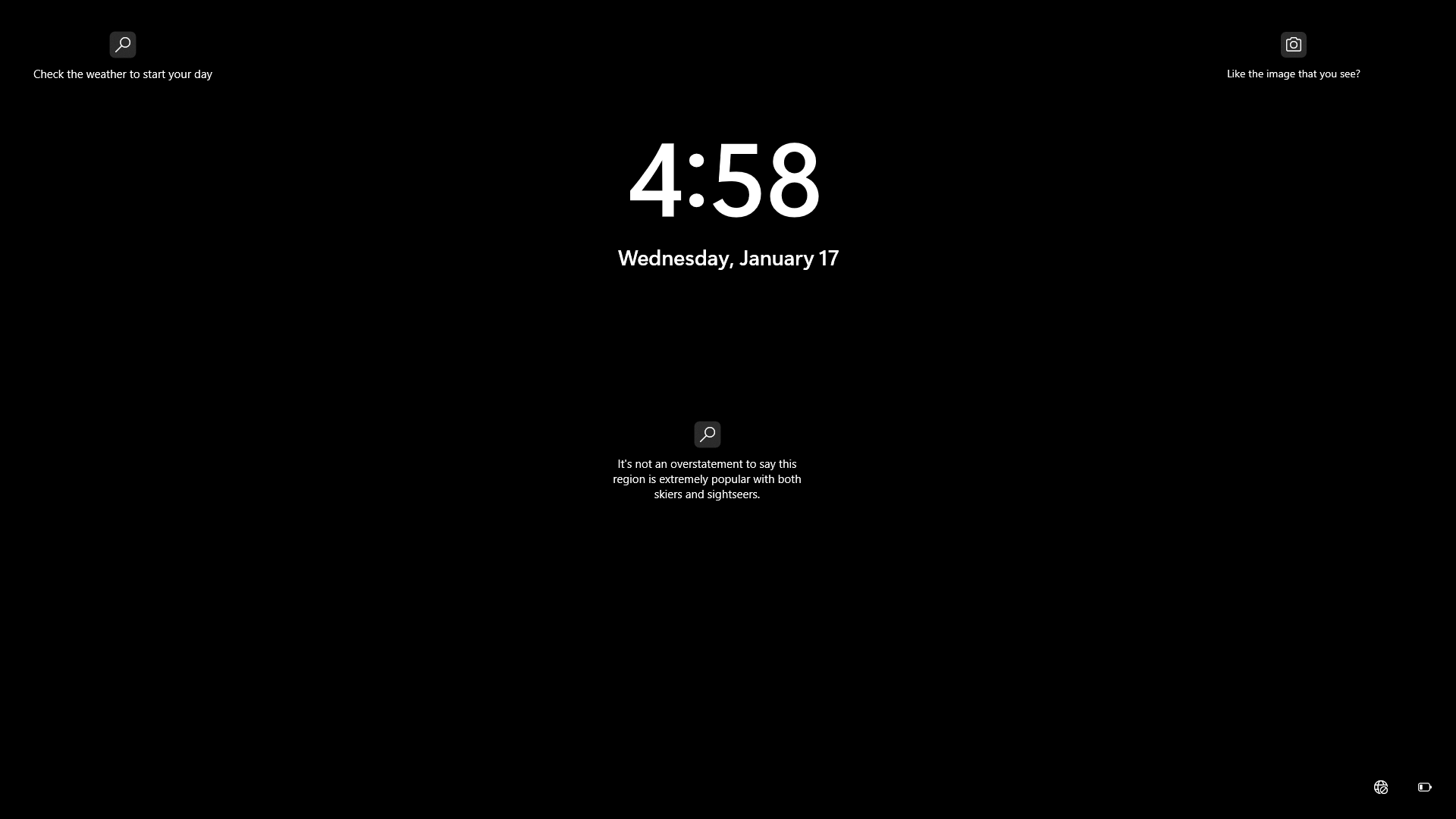
Users can interact with Windows Spotlight images directly on the by selecting the "Like what you see?" option to express approval or "Not interested" to indicate disinterest, which influences the selection of subsequent images to better align with individual preferences. This feedback mechanism allows the system to learn from user input, adjusting the rotation of images over time to prioritize those likely to appeal based on past responses. Customization of Windows Spotlight occurs primarily through the Settings app under > , where users select Windows Spotlight as the background type to enable the feature. Additional toggles include the option to display "Get fun facts, tips, tricks, and more on your lock screen," which overlays informational content on the images and can be disabled for a cleaner view. The feature also supports personalization tied to the user's and region settings, delivering content such as tips or image themes adapted to and preferences, while images are cached locally for viewing during offline periods. To save favorite Spotlight images, users access the cached files in the %localappdata%\Packages\Microsoft.Windows.ContentDeliveryManager_cw5n1h2txyewy\LocalState\Assets folder via , copying them to a new location and renaming with a .jpg extension to view and save them properly; these can then be organized in the Pictures\Spotlight subfolder for easy access. This capability was enhanced in Windows 10 version 1607 (Anniversary Update) with improved image metadata, including location details revealed upon hovering over the feedback prompt. aggregates anonymized user feedback from likes and dislikes across devices to refine its image curation , favoring themes like natural landscapes that receive higher engagement over less popular categories such as urban settings.

Desktop integration

Windows Spotlight's desktop integration extends the feature beyond the , allowing users to apply rotating high-quality images as desktop wallpapers in . This mode was first introduced as an experimental feature in Insider Preview Build 23511 in July 2023, accessible via right-clicking the desktop, selecting Personalize, and choosing the new Spotlight theme. It became an optional setting in the stable version 24H2 release on October 1, 2024, available through Settings > Personalization > Background > Personalize your background, where users select Windows Spotlight. In desktop mode, downloads and cycles through curated images from Microsoft's Bing servers, typically changing every 30 minutes to a few hours depending on user activity and network conditions, providing a dynamic background experience similar to the but optimized for the . To enhance usability, the feature applies a subtle blur effect to the , ensuring desktop icons and elements remain legible against the vibrant imagery without overwhelming the interface. This integration maintains the educational overlays, such as "Learn about this image" prompts, directly on the desktop for quick access to facts or related content. Despite its appeal, desktop Spotlight has limitations tied to hardware and performance. It requires DirectX 12 compatibility, a standard for , meaning older systems without supported graphics hardware cannot enable it, potentially excluding users on legacy PCs. On laptops, the frequent image downloads and processing contribute to higher battery consumption compared to static wallpapers, as the feature pulls new content over even when idle. As of 2025, the implementation remains somewhat beta-like, with users reporting occasional glitches such as images failing to load, rotation stopping, or compatibility issues in enterprise editions like Pro for Workstations. Adoption has grown with version 24H2, where Spotlight is set as the default desktop background for clean installations and certain updates, simplifying setup for new users. In beta updates as of 2025, such as KB5052084, a right-click context menu on the Spotlight icon includes an "Ask Copilot" option to query information about the displayed image.

Technical aspects

Implementation and data sourcing

Windows Spotlight relies on the Universal Windows Platform (UWP) app package named Microsoft.Windows.ContentDeliveryManager to manage its core functionality for the , including the selection and display of dynamic content. Desktop integration, available in version 22H2 and later as well as Windows 10 preview updates from 2024, uses the separate UWP package MicrosoftWindows.Client.CBS_cw5n1h2txyewy for handling images and metadata on the desktop background. These components ensure seamless operation within the Windows ecosystem without requiring user intervention for basic setup. Images and related content for Windows Spotlight are sourced from Microsoft's content delivery infrastructure, primarily through endpoints associated with services. Downloads occur over secure connections to domains such as assets.msn.com, arc.msn.com, and api.msn.com, which provide access to high-quality wallpapers curated daily by . These endpoints deliver not only the image files but also JSON-formatted metadata containing details like fun facts, tips, and suggestions tied to each image, enabling interactive elements on the . The update process operates in the background to minimize user disruption, fetching new content daily while respecting network conditions. This is facilitated through Windows' built-in mechanisms for low-impact transfers, ensuring that fresh images replace older ones automatically on compatible devices. Personalization of content selection draws from user-specific factors, including system region and language settings, to tailor images and metadata accordingly; additionally, user interactions such as liking or disliking displayed images influence future recommendations by adjusting the algorithm's preferences over time.

Storage and caching mechanisms

Windows Spotlight stores its downloaded images and related data in designated local caches to support offline functionality and seamless background on the and desktop. For the , the core storage location is the Assets subfolder of the .Windows.ContentDeliveryManager package, accessible via the path %localappdata%\Packages\Microsoft.Windows.ContentDeliveryManager_cw5n1h2txyewy\LocalState\Assets. Desktop images are stored separately in the WPImages subfolder under %LocalAppData%\Packages\MicrosoftWindows.Client.CBS_cw5n1h2txyewy\LocalCache\Microsoft\IrisService\WPImages. Files in these directories lack extensions and consist of raw image data along with thumbnails, preventing direct viewing without extraction. For user access, these can be copied to a custom folder like Pictures\Spotlight, renamed with a .jpg extension, and sorted by (typically retaining those over 300 KB as viable full-resolution images). The caching mechanism prioritizes efficiency by maintaining a limited collection of images locally for offline availability, downloading new content from as needed during active periods. Accompanying metadata—such as unique image identifiers, creator attributions, and overlaid fact text—is embedded directly within the image files, allowing the system to retrieve details for display without separate storage overhead. Image files are predominantly in format, with individual sizes ranging from about 400 KB for auxiliary elements to 1-2 MB for primary backgrounds, optimizing for quality while constraining overall cache footprint. Automatic management occurs through integration with Storage Sense, which periodically scans and removes unused cache files as part of temporary data cleanup when storage thresholds are approached. For manual intervention, users can access Settings > System > Storage > Temporary files to select and delete Spotlight-related entries, or directly clear the Assets or WPImages folder contents via to refresh the cache and prompt redownloads. This approach keeps local storage modest, typically under a few hundred MB, by limiting retention and enforcing cleanup to prevent accumulation.

Privacy and reception

Privacy implications

Windows Spotlight collects anonymized on user interactions, such as image views, likes, and dislikes, along with device information like region and operating system version, which is sent to to enable of future image selections. This feedback mechanism helps refine content delivery based on user preferences without requiring a for basic operation. The telemetry associated with Spotlight falls under Windows' optional diagnostic data, which users can configure as opt-in through the Privacy Settings > Diagnostics & feedback section. It incorporates IP-based location data for localizing content, such as region-specific images or facts, but does not include personal identifiers unless a Microsoft account is linked for enhanced personalization. Potential privacy risks include the integration of promotional elements resembling advertisements, such as links to the within accompanying facts or tips displayed on the . Early reviews from 2015 and 2016 highlighted broader concerns about data tracking and bandwidth consumption tied to features like Spotlight, amid criticisms of default that enabled extensive collection. Users can mitigate these implications by fully disabling Spotlight through Settings > Personalization > Lock screen, which prevents all image downloads and associated data transmissions from occurring. In enterprise environments, administrators can enforce blocks via Group Policy settings, such as "Turn off all Windows Spotlight features," to eliminate any telemetry related to the service.

User feedback and criticisms

Users have praised Windows Spotlight for its aesthetic appeal, delivering high-quality, curated images that enhance the visual experience of the and desktop. The feature's integration of fun facts, tips, and alongside imagery provides educational value, turning routine interactions into opportunities for learning about diverse topics like , , and culture. However, criticisms have centered on subtle advertising embedded within the feature, such as promotions for browser and other services appearing in tips or overlays on images. Performance issues have also been reported, particularly slow or failed image downloads over metered connections, where Spotlight restricts data usage to prevent unexpected charges, leading to static or outdated content. Privacy concerns peaked around 2016 when French authorities, via the CNIL data protection agency, ordered to halt excessive data collection in , including telemetry related to features like Spotlight that track user interactions and preferences for personalization. EU privacy watchdogs reiterated these worries in 2017, emphasizing inadequate mechanisms for with Microsoft services. By 2025, feedback on Spotlight's desktop extension remains mixed, with users appreciating the added dynamism of rotating backgrounds but criticizing frequent glitches, such as images failing to update or conflicting with other settings, which disrupt . Limitations in customization have drawn expert , as users cannot select specific sources or regions beyond basic like/dislike feedback, restricting control over content and frequency.

References

Add your contribution
Related Hubs
User Avatar
No comments yet.