


Community hub
Recent from talks
Contribute something
Nothing was collected or created yet.
CEGUI
View on Wikipedia | The topic of this article may not meet Wikipedia's notability guidelines for products and services. (November 2018) |
| CEGUI | |
|---|---|
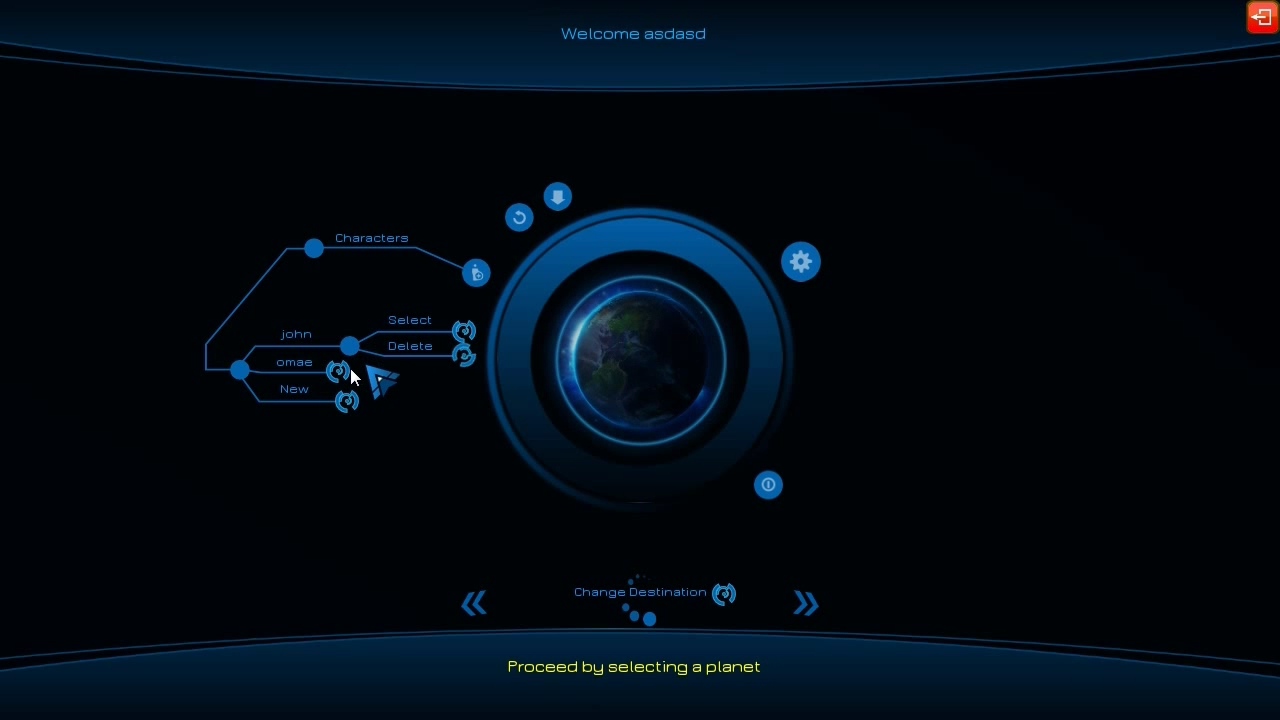
 An example game menu using CEGUI | |
| Original author | Paul D Turner |
| Developer | CEGUI Team |
| Initial release | December 2004 |
| Stable release | 0.8.7 (April 28, 2016) [±][1] |
| Repository | |
| Written in | C++ |
| Operating system | Linux, OS X, Windows |
| Type | Widget toolkit |
| License | MIT Before version 0.5.0: GNU LGPL[2] |
| Website | cegui |

Crazy Eddie's GUI (CEGUI) is a graphical user interface (GUI) library for the programming language C++. It was designed for the needs of video games, but is usable for non-game tasks, such as applications and tools. It is designed for user flexibility in look-and-feel, and to be adaptable to the user's choice in tools and operating systems.
Configurability
[edit]The strengths CEGUI are its robustness[3] and its configurability. The system does not directly load files, render windows, directly display text, or even fetch input from the system. CEGUI interfaces with these through user-defined code, though its source code package comes with a number of modules for using certain components and libraries.
This freedom allows using CEGUI in any kind of resource management system or operating environment. Input is expected to be gathered by the user's code, possibly filtered as the user sees fit, and then passed to CEGUI for window processing.
CEGUI comes with a reasonable set of widgets, comparable to those of the average widget toolkit.
Tools
[edit]CEGUI can be fully customized using standard image, xml, and/or code editing tools. However, CEGUI also provides tools designed to aid in designing and developing CEGUI based interfaces.
Older CEGUI versions, before 0.8, provided separate tools to edit different aspects of the interface. The most notable of those being the Imageset and Layout editors.
Since CEGUI 0.8, there exists a new unified editing tool called CEGUI unified editor (CEED) which is being actively developed.[4] It incorporates all aspects of GUI development into one tool.
Rendering
[edit]Rendering is performed by a back-end Rendering Module. CEGUI provides modules for Direct3D, OpenGL, the OGRE 3D engine, and the Irrlicht Engine. Other modules can be written for custom engines.
CEGUI's GUI components are organized in a tree (graph)[5] and are rendered in the order of the tree traversal.
Resource management
[edit]File loading and resource management are handled through a back-end "Resource Provider Module". Users can create custom modules to define how resources are accessed. This allows the library to be used in virtually any operating environment. The default resource provider is cross-platform and provides standard file-access mechanics for loading resources. An optional minizip module enables resource-loading from zip-archives.
Memory management
[edit]CEGUI has a flexible Memory Management system. This system was based on OGRE and allows clients to map different types of allocators to different types of objects. By default all objects use the operating system's default allocator. CEGUI provides support for OGRE and nedmalloc allocators.
Scripting
[edit]CEGUI has an optional back-end Scripting Module. Lua and Python scripting modules are provided by CEGUI. The full CEGUI application programming interface (API) is available via script so that clients can create windows, define relationships, and handle events all within a scripted environment.
Look and feel
[edit]CEGUI has a powerful system for defining the look and feel of various widgets. The system, named Falagard, allows defining the look of a widget via XML files, or C++ code, if the user prefers. It can also change the layout behavior of any widgets.
Animation
[edit]CEGUI has a built-in animation system. This system allows many standard transitional effects from moving and resizing windows to color transforms and image sequencing. Animations can be defined in XML and triggered by any event. The client can specify window-properties as key-frames, how to transition between frames, and the transition-time between frames.
Unicode
[edit]CEGUI is Unicode-aware and has support for bi-directional languages via an optional back-end Bidi Module. This support is provided by MiniBidi or FriBidi.
Library dependencies
[edit]CEGUI can be built with no dependencies to outside libraries. However, typical configurations require FreeType, a rendering module, an XML parser module, and an image codec module. CEGUI already provides support for several external libraries thanks to its modular design:
| Type | Name | Additional information |
|---|---|---|
| Rendering Module | OpenGL 3.2+ Core Profile | Uses the programmable rendering pipeline and only non-deprecated functionality and is therefore compatible with OpenGL Core Profile contexts (available since OpenGL 3.2). It can also be used with older OpenGL versions and/or Compatibility Profile, as long as the needed functions are available. |
| OpenGL | Uses the fixed-function rendering pipeline. It is designed to be compatible with very early OpenGL versions, as early as OpenGL 1.2, using some OpenGL extensions. | |
| Microsoft Direct3D | Microsoft Direct3D 9, 10, and 11 are supported using separate modules. | |
| OGRE | The latest stable Ogre version is supported in the releases. | |
| Irrlicht Engine | The latest stable Irrlicht version is supported in the releases. | |
| Image Codec Module | Simple Image Loading LibrarY (SILLY) | Default image codec, which is based on the SILLY library. Supports many formats.[6] |
| DevIL | Image codec based on the DevIL library. | |
| FreeImage | Image codec based on the FreeImage library. | |
| OGRE | Image codec that loads data via image loading facilities of OGRE. | |
| Resource Provider Module | Default | The internal resource provider of CEGUI can be used without requiring an extra module. It uses standard cross-platform file-access. |
| OGRE | Ogre users can use CEGUI's Ogre ResourceManager. This way the resource locations of CEGUI can be specified in the same way as it is done for the Ogre resources already. | |
| minizip | CEGUI's MinizipResourceProvider allows providing the ability to load resource files from locations within .zip files. | |
| XML Parser Module | Expat | Default XML parser of CEGUI. Uses the Expat library for XML parsing. |
| LibXML2 | Uses the LibXML2 library for XML parsing. | |
| RapidXml | Uses the RapidXml library for XML parsing. | |
| TinyXML | Uses the TinyXML library for XML parsing. | |
| Xerces-C++ | Uses the Xerces-C++ library for XML parsing. It can validate schemas using the .xsd files provided in CEGUI's resources. | |
| Font Module | FreeType | FreeType is the default font library of CEGUI and currently the only officially supported one. |
| Regular Expression Module | Perl Compatible Regular Expressions (PCRE) | Default regular expression library and currently the only officially supported one. Uses PCRE. |
| Scripting Module | Lua | Provides lua bindings using tolua++. |
| Python | Official Python bindings are available using PyCEGUI[7] | |
| Memory Management | OGRE | Ogre's memory allocator can optionally be used for CEGUI's memory management. |
| nedmalloc | nedmalloc can optionally be used as memory allocator. | |
| Bi-Directional Language Module | MiniBIDI | MiniBIDI based implementation of CEGUI's Bidi visual mapping. |
| FriBIDI[8] | FriBIDI based implementation of CEGUI's Bidi visual mapping. |
The Ogre3D library used to depend on the CEGUI library for its UI[9] but Ogre3D has since changed to include its own UI solution, which is slimmer but also provides less functionality.
Release history
[edit]| Version | Release date |
|---|---|
| 0.1.0 | 2004-12-19[10] |
| 0.1.1 | 2005-01-23 |
| 0.2.0 | 2005-02-17 |
| 0.2.1 | 2005-05-30 |
| 0.3.0 | 2005-06-30 |
| 0.4.0 | 2005-09-07 |
| 0.4.1 | 2005-11-26 |
| 0.5.0 | 2006-11-06 |
| 0.6.0 | 2008-03-27 |
| 0.6.2 | 2008-12-03 |
| 0.7.0 | 2009-09-20 |
| 0.7.1 | 2009-10-26 |
| 0.7.2 | 2010-08-29 |
| 0.7.3 | 2010-10-08 |
| 0.7.4 | 2010-10-11 |
| 0.7.5 | 2010-11-20 |
| 0.7.6 | 2012-01-22 |
| 0.7.7 | 2012-06-23 |
| 0.7.8 | 2013-01-08 |
| 0.7.9 | 2013-01-13 |
| 0.8.0 | 2013-05-26 |
| 0.8.1 | 2013-06-05 |
| 0.8.2 | 2013-06-12 |
| 0.8.3 | 2013-12-07 |
| 0.8.4 | 2014-07-07 |
| 0.8.5 | 2016-03-12 |
See also
[edit]References
[edit]- ^ https://github.com/cegui/cegui/releases/tag/v0-8-7
- ^ "Simple DirectMedia Layer - License".
- ^ MacDonald, Mickey (29 January 2018). Mastering C++ game development : create professional and realistic 3D games using C++ 17. Birmingham, UK. ISBN 978-1-78862-983-6. OCLC 1023864109.
{{cite book}}: CS1 maint: location missing publisher (link) - ^ CEED
- ^ Pervasive computing and the networked world : Joint International Conference, ICPCA/SWS 2012, Istanbul, Turkey, November 28-30, 2012, Revised selected papers. Zu, Qiaohong., Hu, Bo., Elçi, Atilla., IEEE Symposium on Web Society (2012 : Istanbul, Turkey). Berlin: Springer. 2013. ISBN 978-3-642-37015-1. OCLC 830532405.
{{cite book}}: CS1 maint: others (link) - ^ "SILLY - CEGUI Wiki - Crazy Eddie's GUI System (Open Source)".
- ^ "PyCEGUI - CEGUI Wiki - Crazy Eddie's GUI System (Open Source)".
- ^ "Home". fribidi.org.
- ^ Thorn, Alan. (2008). Cross-platform game development. Plano, Tex.: Wordware Pub. ISBN 978-1-59822-056-8. OCLC 213408662.
- ^ "Crazy Eddies GUI System (CEGUI) - Browse /CEGUI Mk-2/0.1.0 at SourceForge.net".
External links
[edit]CEGUI
View on GrokipediaOverview and History
Overview
CEGUI, or Crazy Eddie's GUI System, is an open-source C++ library designed for creating graphical user interfaces in games and real-time rendering applications.[2] It was initiated in 2003 by Paul D. Turner to address the lack of native GUI support in many game development environments.[5] The library's primary design goals emphasize versatility, speed, adjustability, and multi-platform compatibility, including Windows, Linux, macOS, and support for both 32-bit and 64-bit architectures.[2] Key benefits include a data-driven approach using XML for defining layouts and properties, support for a wide range of widgets, and straightforward integration with graphics engines such as Ogre and Irrlicht.[2][6] CEGUI also provides rendering backends for OpenGL and Direct3D, along with optional scripting modules for Lua and Python to facilitate dynamic interface behavior.[7] The library has been utilized in commercial games like Torchlight for in-game menus, heads-up displays (HUDs), and tools.[4]Development History
CEGUI was founded in 2003 by Paul D. Turner to address the gaps in advanced graphical user interface subsystems available for game development and real-time 3D applications.[8] The library's first public release, version 0.1.0, occurred on December 19, 2004, initiating a period of rapid iteration and community-driven enhancements. Subsequent early versions built on this foundation, with growth fueled by contributions from an expanding user base, including seamless integrations with popular rendering engines such as Ogre, which helped solidify CEGUI's role as a de facto standard for in-game UIs.[9][8] By 2005, following a series of foundational releases like 0.4.0, CEGUI had achieved a mature codebase capable of supporting complex widget systems and event handling in production environments. In November 2006, the project transitioned to its Mk-2 architecture with the stable release of version 0.5.0, which involved a comprehensive rewrite to enhance modularity, introduce the WindowRenderer system, and improve overall C++ compatibility and performance.[10][11] Unicode support was added during this mid-2000s period, starting with UTF-8 string handling and font glyph management in the 0.5.0 release candidates.[10] The core development team expanded over time, evolving from Turner's solo efforts to include The CEGUI Development Team and numerous contributing authors, with active involvement documented through 2022.[2] Early platform support, initially focused on Windows, quickly extended to Linux and macOS via renderer backends and build system improvements.[10] Post-2016, following the 0.8.7 patch release in April 2016—which emphasized minor fixes and ABI stability—development pace slowed considerably, with efforts prioritizing maintenance, bug resolutions, and compatibility updates over major new features.[12]Core Design and Features
Widget System
The widget system in CEGUI forms the core foundation for constructing graphical user interfaces, with all elements derived from the baseCEGUI::Window class, which serves as the generic container for UI components.[13] Key core widget classes include FrameWindow for movable and sizable windows with title bars, PushButton for simple clickable controls, Checkbox and RadioButton for toggleable selections, Editbox and MultiLineEditbox for text input, Listbox and MultiColumnList for item selection, Menubar and PopupMenu for navigation structures, Tooltip for contextual hints, and ProgressBar for visual progress indicators.[13] These classes provide specialized functionality while inheriting common behaviors from the base, enabling developers to build complex interfaces from reusable building blocks.[14]
A central feature of the widget system is its generic property mechanism, implemented through CEGUI::PropertySet, which allows widgets to expose data-driven attributes such as position, size, color, visibility, and alpha blending.[15] Properties can be set dynamically via code using native types for efficiency (e.g., setProperty<URect>("Position", URect{0,0,100,50})) or through string-based access for scripting and XML integration, supporting seamless customization without recompilation.[15] This system ensures widgets remain flexible and configurable, with properties like AlwaysOnTop controlling layering and Enabled managing interaction states.
Widgets in CEGUI are organized in a hierarchical parent-child structure, where child widgets are nested within parents to form composable layouts, with automatic handling of clipping to parent bounds and z-order layering for depth management.[15] This tree-based organization facilitates efficient management of complex UIs, such as embedding buttons within frames or lists within scrollable panes, while propagating transformations like positioning relative to parents.[13]
Extensibility is achieved by inheriting from CEGUI::[Window](/page/Window) to create custom widgets, where developers implement logic for inputs and states in the derived class and define rendering via Falagard mappings in scheme files.[14] Registration occurs through the WindowFactoryManager, allowing new types to integrate seamlessly with the existing system, as seen in stock examples like deriving progress bars.[14]
The design emphasizes performance in real-time applications, supporting hundreds of simultaneous widgets through techniques like widget tree cloning to avoid redundant loading and caching via AutoRenderingSurface for static hierarchies, enabling frame rates exceeding 3000 FPS in optimized samples on modern hardware.[16][2]
Event Handling and Configurability
CEGUI utilizes an event system based on the observer pattern to handle user interactions and system notifications, allowing objects like windows to emit events that trigger subscribed callback functions. Developers can subscribe to specific events—such as mouse clicks, key presses, and window resizing—using thesubscribe method on event sources, which attaches a handler function; unsubscribing is similarly achieved via the unsubscribe method to remove handlers dynamically. This mechanism supports flexible response to interactions without tight coupling between components.[17][18]
Event propagation occurs hierarchically through the window tree, with the ability to filter or halt dissemination by setting the handled flag to true within an event's EventArgs object, signaling that the event has been processed and should not continue to parent or sibling windows. This filtering supports controlled flow of interactions, such as preventing redundant processing during mouse or keyboard events. Events are passed with argument classes like WindowEventArgs or MouseEventArgs, providing context such as the source window or input coordinates for precise handling in callbacks.[18][19]
Configurability in CEGUI is achieved through XML files that define initial properties, schemes, and fonts, enabling declarative setup of the interface without code modifications. For instance, layout XML files specify window hierarchies and bind properties or events, while scheme files configure look-and-feel associations; these are loaded at runtime via the API for initialization. Runtime adjustments are facilitated by the generic PropertySet system, where widgets expose properties accessible through string-based getProperty and setProperty methods, supporting diverse types including strings, integers, floats, and vectors for attributes like position, size, or color. This introspection allows uniform manipulation across all widgets, tying into attributes such as enabled state for event eligibility.[20][21][15]
Input handling in CEGUI is abstracted through injection functions that the host application calls to relay captured events, including mouse position updates, button presses/releases, keyboard key down/up, and character inputs, ensuring compatibility across platforms without built-in polling. For joystick or other devices, inputs can be mapped to equivalent key or mouse injections, maintaining the library's input-agnostic design where the application filters and forwards raw data as needed. This approach integrates seamlessly with rendering backends while allowing custom input processing.[22][23]
Appearance and Layout
Skinning and Look and Feel
The skinning system in CEGUI enables developers to customize the visual appearance of widgets through XML-defined files that map imagery to various widget states, such as normal, hovered, pressed, and disabled. These skins are primarily handled by the Falagard skinning subsystem, which separates visual styling from widget logic, allowing for flexible theme creation without modifying core code. Imagery is drawn from predefined sets, where each state can reference specific images or color overlays to reflect user interactions.[24] Imagery sets form the foundation of CEGUI's visual resources, consisting of sprite-based collections extracted from image files like PNGs, which support scalable and resolution-independent rendering. In XML, an imagery set is defined within a scheme file using the<ImagerySet> element, specifying image coordinates, names, and properties such as horizontal or vertical tiling for stretchable elements. For instance, a button might use separate sprites for its left, middle, and right sections in different states, enabling composite visuals that adapt to widget sizes. This approach promotes reusability, as one imageset can serve multiple widgets or themes.[24][25]
LookNFeel files, typically with a .looknfeel extension, provide detailed specifications for widget appearances, including metrics for sizing, color properties, and basic animations tied to state transitions. These files use <WidgetLook> elements to define how a widget type (e.g., CEGUI/[PushButton](/page/Push-button)) renders its imagery, with subsections for each state containing <ImageryComponent> tags that position and scale images relative to the widget's area. Colors are applied via <Colours> elements with ARGB values for top-left, top-right, bottom-left, and bottom-right corners, allowing gradients or uniform tints; for example, a disabled state might apply a semi-transparent gray overlay like FF7F7F7F to desaturate the base imagery. Metrics are handled through <Area> and <Dim> elements, supporting unified dimensions that scale proportionally across resolutions, mimicking vector graphics for crisp visuals at varying DPI levels. Animations in LookNFeel are limited to property interpolations, such as fading colors during hover transitions, defined via <Animation> blocks that reference state changes.[24][26][25]
CEGUI's multi-resolution support is achieved through unified dimension scaling in imagery and LookNFeel definitions, where dimensions can be specified as relative scales (e.g., scale="0.5" type="Relative") or absolute pixels, automatically adjusting based on the display resolution to maintain aspect ratios and prevent pixelation. This vector-like behavior relies on the imageset's auto-scaling features, which dynamically compute sizes from source image metrics during rendering, ensuring themes remain consistent across devices without manual DPI adjustments.[24][25]
A prominent example is the default TaharezLook skin, included in CEGUI distributions, which uses a single TaharezLook.imageset file to define sprites for common widgets like buttons and frames, leveraging auto-scaling for the button's middle section to stretch horizontally while keeping edges fixed. In its LookNFeel file (TaharezLook.looknfeel), the button definition maps states to imagery components: the normal state draws ButtonLeftNormal, ButtonMiddleNormal (tiled), and ButtonRightNormal, with hover applying brighter variants and colors like FFCCCCCC for subtle highlights. Disabled states combine imagery with a dark tint for accessibility.[25]
Creating a custom theme involves first building an imageset XML to extract and name sprites from a source image, then authoring a LookNFeel file to compose these into widget looks, and finally registering the theme in a scheme file via <FalagardMapping> elements that link widget types to the new look. For example, a developer might create MyTheme.imageset for unique button sprites, define MyTheme/Button in MyTheme.looknfeel with custom metrics (e.g., minimum width of 80 pixels via <UnifiedDim scale="0" type="Pixels" dimension="Width">80</UnifiedDim>), and map it to CEGUI/PushButton in MyScheme.scheme. This process allows full visual overhauls, such as adopting a minimalist flat design with solid colors and no borders, while reusing core widget functionality. Skins load from resource files during initialization, typically via the scheme manager.[24][26]
Layout System
The layout system in CEGUI enables declarative definition of user interfaces through XML files, allowing developers to specify the structure, positions, and sizes of widgets without runtime code. These files, typically with a .layout extension, use a hierarchical format rooted in the<GUILayout> element, which contains one or more <Window> elements representing the widget tree. Each <Window> defines a widget instance via its type attribute (e.g., "DefaultWindow" or "TaharezLook/Button"), an optional unique name, and sub-elements for properties, events, and child windows. This approach facilitates the creation of complex interfaces by nesting windows, where child widgets inherit positioning relative to their parents.[20]
Positions and sizes in layouts are specified using the Unified Dimension (UDim) system, which combines relative scaling and absolute offsets for resolution-independent designs. Properties such as UnifiedPosition and UnifiedSize accept values in the format {scale, offset}, where scale is a fraction of the parent widget's dimension (e.g., 0.5 for 50%) and offset is in pixels (e.g., {0.5, 25} positions a widget at 50% of the parent's width plus 25 pixels from the left). This unified system supports absolute pixel values (scale=0), purely relative percentages (offset=0), or hybrids, ensuring layouts adapt to varying screen resolutions. For example, a dialog window might use {{0.25, 0}, {0.25, 0}} for UnifiedPosition to center it at 25% from each edge of the parent.[27]
Constraints in the layout system control alignment, docking, and auto-sizing through window properties and specialized layout containers. Horizontal and vertical alignments are set via HorzAlign and VertAlign properties, using enum values like Left, Center, Right for horizontal and Top, Center, Bottom for vertical, to position widgets relative to their parent's edges. Docking-like behavior is achieved with layout containers such as VerticalLayoutContainer and HorizontalLayoutContainer, which automatically arrange and resize child windows in sequence along the specified axis, distributing available space proportionally or based on minimum/maximum size constraints. Auto-sizing is enabled by properties like AutoSize or container-specific rules, where widgets adjust dimensions to fit content (e.g., text labels expanding to match string length) while respecting MinSize and MaxSize bounds. GridLayoutContainer extends this by organizing children into rows and columns, requiring a GridDimensions property (e.g., rows=2, columns=3) for even distribution and auto-resizing. These elements are defined in XML as nested <Window> tags with the appropriate type, such as <Window type="VerticalLayoutContainer" name="vLayout"> containing child windows.[28][29]
The loading process integrates an XML parser to instantiate layouts at runtime via the WindowManager. Developers call WindowManager::getSingleton().loadLayoutFromFile("filename.layout") to parse the file, create the widget hierarchy, set properties, and return the root window, which is then attached to the GUI context using GUIContext::setRootWindow(root). Nested layouts are supported through recursive <Window> elements for inline hierarchies or <LayoutImport filename="sub.layout"/> to embed external files, enabling modular designs for complex UIs like multi-panel dialogs or menus. This parser-driven approach ensures efficient construction without manual widget creation in code.[30][20]
Best practices for layouts emphasize scalability by avoiding hard-coded pixel values in favor of unified dimensions and relative constraints, which maintain proportions across different resolutions and aspect ratios. Using layout containers for dynamic arrangements reduces manual positioning errors, while naming conventions and property validation in XML prevent runtime issues. For instance, defining positions with scales like {0.0, 10} for fixed insets combined with container auto-sizing ensures responsive interfaces without resolution-specific tweaks.[27][29]
Rendering and Graphics Integration
Rendering Backends
The rendering system in CEGUI is built around an abstractRenderer interface that decouples the core GUI logic from specific graphics APIs, allowing the library to draw quads, lines, and text components independently of the underlying rendering technology. This interface defines key methods such as createGeometryBuffer() for allocating buffers to hold vertex data and destroyGeometryBuffer() for cleanup, enabling the submission of geometry via CEGUI::Image objects that represent textured or colored elements. The renderer also manages CEGUI::Texture creation and handles the default render target, typically the full screen or window area, to facilitate 2D overlay rendering in applications.[31]
CEGUI supports a variety of rendering backends through modular implementations of this interface, each tailored to different graphics APIs and engines for cross-platform compatibility in game and real-time rendering environments. Officially supported options include OpenGL (via fixed-function OpenGLRenderer and modern OpenGL3Renderer for core profile 3+), Direct3D 9, 10, and 11, Ogre, Irrlicht, OpenSceneGraph, and an experimental DirectFB backend for embedded systems. A null renderer is also available for testing without graphics output. These modules focus on efficient geometry submission, with backends like Ogre and Irrlicht providing seamless integration into their respective 3D pipelines.[32][5]
Backend selection occurs at runtime by instantiating the desired renderer class and passing it to CEGUI::[System](/page/System)::create(), allowing applications to choose based on the active graphics context without recompilation, provided the module is built into the library. For example, an OpenGL 3 renderer can be created using CEGUI::OpenGL3Renderer::bootstrapSystem() for quick initialization in contexts supporting OpenGL 3.2 or ES 2.0, while manual creation like new CEGUI::OgreRenderer([window](/page/Window)) enables engine-specific setup. Compile-time decisions influence availability through CMake options such as CEGUI_BUILD_RENDERER_OPENGL3, ensuring only relevant modules are included to optimize build size.[33]
For integration with 3D scenes, backends expose methods to synchronize viewports, camera matrices, and clipping regions, ensuring GUI elements render correctly as overlays. Renderers like OgreRenderer provide setViewMatrix() and setProjectionMatrix() to align with the engine's camera transformations, typically using an orthographic projection for 2D UI while matching the scene's aspect ratio and field of view. Scissoring is managed via RenderTarget objects, where setArea() defines rectangular clipping bounds to restrict drawing to specific screen regions, preventing overlap with 3D geometry and supporting multi-viewport setups in VR or split-screen applications. The base Renderer interface sets the display size via setDisplaySize() to inform pixel-based coordinates.[34][35]
Performance in real-time applications is optimized through batch rendering in GeometryBuffer implementations, which accumulate quads and lines into large vertex buffer objects (VBOs) to minimize API draw calls—often reducing hundreds of individual submissions to a few batched ones per frame. This approach leverages texture atlasing for images, grouping geometry by material to avoid state changes, and is particularly effective in backends like OpenGL and Direct3D for high-frame-rate scenarios, though exact draw call counts depend on scene complexity and hardware.[36][37]
Resource and Image Management
CEGUI employs an abstract interface known as the ResourceProvider to handle the loading of XML documents, binary data, and other assets such as images and schemes from diverse external sources, including filesystems, ZIP archives, or directly from memory buffers.[38] This interface defines key methods likeloadRawDataContainer for acquiring data into a container object and unloadRawDataContainer for releasing it, enabling subclasses such as DefaultResourceProvider for standard file access or specialized ones for integration with engines like Ogre.[38] Resource groups facilitate organized loading by associating logical labels with directories or paths, allowing resources to be referenced without hardcoded locations and supporting collective management across the system.[39]
Image management in CEGUI centers on the Imageset XML format, which defines collections of named image regions—referred to as sprites—extracted from a source image file, specifying their coordinates, dimensions, and offsets for precise usage in widgets.[40] The XML structure includes a root <Imageset> element with attributes for the source file path (supporting formats like PNG and DDS), native resolution for scaling, and auto-scaling modes such as vertical or horizontal adjustment to adapt to different display resolutions.[40] Individual <Image> elements within the file detail sprite positions via xPos, yPos, width, and height, along with optional rendering offsets, enabling efficient atlas-based texture usage where loaded images are subsequently provided to rendering backends as textures.[40] The ImageManager oversees creation, storage in a name-indexed map, and retrieval of these images, ensuring they remain available for drawing operations.[41]
The font system supports both TrueType (via FreeType) and image-based (Pixmap) fonts, with dynamic glyph caching to optimize rendering performance by storing rendered characters in memory only as required.[42] Font XML files declare the type, source file (e.g., .ttf for FreeType or an imageset for Pixmap), point size, anti-aliasing, and auto-scaling parameters, while Pixmap fonts use <Mapping> elements to associate Unicode codepoints with specific image regions and horizontal advances.[42] FreeType fonts generate glyphs on-demand, caching them internally to avoid repeated rasterization, and the system adjusts line spacing and resolution scaling for consistent text display across varying screen sizes.[42] The FontManager acts as a central repository, loading fonts by name and handling their lifecycle to integrate seamlessly with text rendering components.[43]
Caching strategies in CEGUI leverage resource groups for automatic organization and selective unloading, mitigating memory usage by allowing entire sets of assets—such as imagesets or fonts—to be destroyed collectively when no longer needed, as facilitated by manager methods like destroyAll in ImageManager and FontManager.[39][41] This grouped approach prevents bloat from unused resources, with individual destruction options available for finer control, ensuring efficient memory turnover without manual tracking of every asset.[41][43]
The extensible nature of the ResourceProvider interface permits custom implementations for advanced scenarios, such as loading resources over networks via HTTP protocols or generating procedural assets dynamically without file dependencies, by overriding the core loading and enumeration methods to interface with external systems.[38][39]
Extensibility and Integration
Scripting Support
CEGUI provides an optional scripting subsystem that enables the integration of high-level scripting languages to control GUI elements dynamically, allowing developers to separate UI logic from core application code. This subsystem features an abstract interface for embedding scripting languages, with Lua serving as the primary supported option due to its lightweight nature and suitability for game environments. Python bindings are also available through the PyCEGUI module for versions including 0.7.x and 0.8.x, requiring additional setup such as Boost.Python.[44][45] The binding process exposes key CEGUI classes, such as Window and Event, to scripting languages via automated wrappers. For Lua, this is achieved using tolua++, a tool that generates bindings from C++ headers, enabling seamless access to CEGUI's API from Lua scripts.[46] In Python, PyCEGUI utilizes py++ and Boost.Python to create bindings that closely mirror the C++ interface, facilitating straightforward translation of GUI operations.[44] These bindings allow scripts to manipulate widgets, load resources, and interact with the GUI system without direct C++ intervention. Common use cases for scripting in CEGUI include runtime creation and modification of layouts, where scripts can dynamically load schemes, fonts, and windows—such as usingschememan:create("TaharezLook.scheme") in Lua to apply a visual theme.[46] Scripts can also define event handlers for GUI interactions, like button clicks, by subscribing to events through methods such as subscribeScriptedEvent("Clicked", "handler_function"), enabling modular UI logic that responds to user input without recompiling the application.[47] This approach is particularly valuable in games for prototyping interfaces or adjusting behaviors based on game state.
Integration involves several steps: first, enable the scripting module during build configuration, such as via CMake flags like -DCEGUI_BUILD_LUA_MODULES=ON for Lua.[48] Next, create and load the script module in C++ code using CEGUI::LuaScriptModule::create(), then execute initialization scripts with CEGUI::System::getSingleton().executeScriptFile("init.lua").[46] For Python, import PyCEGUI in a script and initialize the renderer, such as import PyCEGUIOpenGLRenderer; renderer = PyCEGUIOpenGLRenderer.OpenGLRenderer_create().[44] Developers can further extend bindings by registering custom C++ classes with tolua++ for Lua, allowing game-specific functions to be called from scripts.[49]
One key advantage of CEGUI's scripting support is hot-reloading, where UI scripts can be updated and reloaded at runtime without restarting the application, accelerating iteration in development cycles for interactive applications like games.[46] This feature, combined with the subsystem's modular design, promotes flexibility while maintaining performance through selective exposure of only necessary CEGUI components to scripts.[2]
Library Dependencies and Compatibility
CEGUI requires the GLM library for vector and matrix mathematics operations starting from version 0.8.x, alongside standard C++ libraries for core functionality.[2] FreeType2 serves as the default font rendering library, enabling glyph rendering and font management, though CEGUI can be compiled without external dependencies if minimal features are sufficient.[50] These required components ensure cross-platform portability and compatibility with common compilers. Optional dependencies enhance CEGUI's capabilities and are selected based on the target application's needs. For rendering, libraries such as OpenGL (supporting core profile 3.2 and legacy versions), Direct3D 9/10/11, OGRE, and Irrlicht provide backend integration.[48] Image codec support includes SILLY (default), DevIL, FreeImage, and OGRE's image handling for loading textures and assets.[48] XML parsing options encompass Expat (default), LibXML2, RapidXML, TinyXML, and Xerces-C++ for handling layout files and configurations.[48] Scripting integration is available via Lua (using tolua++) or Python (through PyCEGUI modules).[51] Additional optional libraries include nedmalloc or OGRE for custom memory allocation, PCRE for regular expressions, and bidirectional text support via MiniBIDI or FriBIDI.[48] CEGUI maintains broad compatibility across platforms, supporting Windows, Linux, macOS, and Android (in development branches) through CMake as the primary build system, with version 2.8.x recommended for stability.[2] The stable 0.8.x branch adheres to the C++03 standard, ensuring compatibility with compilers like Visual Studio 2008-2015 and GCC equivalents, while the master (default) branch requires C++11 and more recent toolchains such as Visual Studio 2013 or later.[2] Multi-platform builds are facilitated by CMake, allowing configuration of dependencies without mandatory external libraries for basic operation. Pre-built integration support is provided for game engines including OGRE and Irrlicht, with bootstrap functions to initialize the renderer and system objects seamlessly; other engines or direct APIs like OpenGL and Direct3D require custom renderer modules.[52] The 0.8.x series offers ABI stability, meaning binary compatibility across minor releases without recompilation needs for linked applications, whereas development branches may introduce breaking changes.[53] This design prioritizes reliability for production use in the stable branch while allowing experimental features in unstable versions.[2]Performance and Advanced Capabilities
Memory Management
CEGUI utilizes the standard C++ memory allocation mechanisms, relying onnew and delete operators for dynamic memory management when no custom allocator is specified. This approach ensures compatibility with general-purpose C++ environments while maintaining simplicity. In version 0.8.x, CEGUI introduced support for custom allocators to address performance needs in resource-constrained scenarios, such as games on consoles or older PCs. Among these, integration with nedmalloc was optional and demonstrated approximately 40% faster performance during layout loading in preliminary tests, although the impact on runtime operations was negligible on modern systems like Windows 7.[54] These custom allocator features, including the standard malloc/free-based implementation and Ogre allocator integration, have been removed in the development branch for the upcoming version 1.0 (still unreleased as of November 2025) to streamline the library and reduce maintenance overhead.[54] As of November 2025, version 1.0 remains in active development without a stable release.[2]
For optimization in memory-intensive applications, CEGUI recommends manual destruction of dynamically created windows and other objects once they are no longer required, especially in scenarios involving large numbers of UI elements. This practice helps prevent accumulation of unused allocations and reduces overall memory footprint. Similarly, unloading schemes explicitly destroys associated resources, allowing developers to manage asset lifecycles proactively and limit active windows to essential ones during runtime.[52][55]
CEGUI's memory management is tailored for low-overhead use in real-time rendering applications, such as video games, where efficient allocation is critical to avoid fragmentation and stalls. While no built-in pooling for widgets or geometry is provided, the system's design emphasizes minimal allocation during steady-state operation, with resource caching for images and fonts contributing to sustained performance by reducing repeated loads.[6]
Animation and Unicode Support
CEGUI's animation system enables dynamic visual effects through XML-defined definitions that can be applied to widgets and skins, allowing for smooth transitions and interactions. Animations are specified in dedicated XML files using the<Animations> root element, which contains one or more <AnimationDefinition> elements. Each definition includes a unique name, duration in seconds, replay mode (such as "loop", "once", or "bounce"), and an optional auto-start flag. These definitions support keyframes via <KeyFrame> elements within <Affector> tags, where affectors target specific widget properties like position, alpha, or color. Keyframes specify a time position (from 0 to the animation duration), an optional value, and a progression type for interpolation, including linear, discrete, quadratic accelerating, or quadratic decelerating easing functions.[56]
Blending and application of animations occur through affector attributes, such as the application method ("absolute", "relative", or "relative multiply") and the interpolator type (e.g., for floats or colors), enabling precise control over how property changes accumulate or override existing states. Animations can be triggered via event subscriptions, where <Subscription> elements link GUI events to actions like starting or stopping the animation. Once defined, animations are instantiated and targeted to specific elements, modifying skin states dynamically—for instance, animating opacity for fade-in effects or translating position for sliding menus. This property-based approach ensures animations integrate seamlessly with CEGUI's widget hierarchy without requiring custom rendering code.[56]
CEGUI provides robust Unicode support through its String class, which uses UTF-32 internally for code point representation while handling UTF-8 input and output for compatibility. This allows text to be processed as individual Unicode code points, supporting operations like appending, inserting, erasing, and searching across multilingual content. The system accommodates extended ASCII (0x00–0xFF) via standard strings but decodes UTF-8 for broader character sets, ensuring accurate manipulation in widgets such as labels and edit boxes.[57]
For bi-directional text and complex script rendering, CEGUI incorporates optional libraries like MiniBidi (embedded) or FriBidi during compilation, enabling right-to-left language handling for scripts such as Arabic or Hebrew. The Font class facilitates glyph rendering by checking code point availability with isCodepointAvailable and retrieving glyph data via getGlyphData, rasterizing ranges of Unicode characters (in 256-code-point pages) for efficient display. While automatic font fallbacks are not built-in, developers can manually select alternative fonts based on glyph availability to cover missing characters, integrating Unicode text into dynamic elements like animated labels for internationalized interfaces. Examples include rendering mixed left-to-right and right-to-left text in menu items or edit boxes, with animations applying fades or slides to ensure smooth transitions in multilingual UIs.[32][58][3]
Tools and Development
Editing Tools
The primary editing tool for CEGUI assets is the CEGUI Unified Editor (CEED), a cross-platform application designed for creating and modifying GUI layouts and imagesets in a visual environment.[59] CEED supports project-based workflows, allowing users to manage multiple resources such as schemes, layouts, and imagesets within a single file, with rendering powered by CEGUI's OpenGL backend for real-time previews.[60] The tool generates XML-based layout files compatible with CEGUI's resource system, facilitating integration into game engines without manual coding for basic designs.[59] The Layout Editor within CEED provides a multi-tab interface for designing window hierarchies, featuring drag-and-drop placement of widgets like buttons, frames, and menus directly onto a canvas.[60] Users can resize elements using resizable handles or keyboard shortcuts (e.g., Shift + WSAD for precise adjustments), edit properties such as position, size, colors, and fonts via a dedicated dockable panel, and delete items through context menus or the Delete key.[60] Real-time rendering previews enable interaction testing, with zooming (50% to 400%) via toolbar icons or Ctrl + mouse wheel, and undo/redo functionality ensures iterative design without data loss; layouts are exported as XML files upon saving.[60] The Imageset Editor, integrated into CEED, specializes in processing sprite sheets by allowing users to define image regions through visual selection tools, including rubber-band selection for multiple areas.[60] It supports dragging to reposition definitions, resizing via keyboard modifiers, and property adjustments for coordinates, scaling, and metadata in a property grid, with immediate visual feedback in the editing pane.[60] This tool slices textures into CEGUI-compatible imagesets, handling formats like PNG and outputting XML descriptions for resource loading.[60] The latest version of CEED, 1.1.2, was released in March 2022 as a C++ port using Qt 5, compatible with CEGUI 0.8.x and the master branch via OpenGL3Renderer.[61] While the original Python-based CEED (snapshot 11 from 2012) is no longer actively developed, the C++ version is community-maintained on GitHub, though it has seen no updates since 2022, prompting suggestions for alternative in-engine editing or custom scripts in active projects.[59]Build and Sample Integration
CEGUI employs a CMake-based build system to generate project files and makefiles compatible with various integrated development environments and compilers, including Visual Studio on Windows and GCC on Linux and macOS.[62] The configuration process involves creating a build directory, runningcmake with the source path, and specifying options via the CMake GUI or command line to enable or disable features such as rendering backends (e.g., OpenGL, Direct3D 9/10/11, Ogre, Irrlicht) and dependencies like FreeType for font rendering or XML parsers (Expat, LibXML2).[48] For Windows and macOS, a separate dependencies package provides source code for optional libraries, built using a custom CMake environment before compiling CEGUI itself.[63] On Linux, development packages for these dependencies can be installed via the system's package manager.[62] Compilation proceeds with native tools, such as make on Unix-like systems or Visual Studio solutions, followed by optional installation to a prefix directory like /usr/local.[48]
The build includes the CEGUISampleFramework, a modular application that demonstrates core functionality through various demos, such as the HelloWorld sample for basic window creation and event handling, the FontSample for loading and rendering TrueType fonts with FreeType integration, and the MultiWindow demo showcasing layered window hierarchies and input management.[2] These samples are activated via CMake options (e.g., CEGUI_BUILD_SAMPLES:BOOL=ON) and built into executables in the bin directory; running them requires setting the CEGUI_SAMPLE_DATAPATH environment variable to point to the datafiles directory containing layouts, images, and schemes.[48] For non-system-wide installations, samples can be executed directly from the build output with the datapath specified, e.g., ./CEGUISampleFramework-0 on Linux.[2]
Integrating CEGUI into an application typically involves dynamic linking to the library (recommended for flexibility) by including headers from the install path and linking against the core module (e.g., CEGUIBase-0.dll on Windows).[2] Initialization begins with creating a renderer instance, such as OpenGL3Renderer for OpenGL 3.2 or ES 2.0 contexts, which requires the Epoxy library for cross-platform OpenGL function loading.[64] A simplified setup uses the renderer's bootstrapSystem static function to automatically instantiate the CEGUI::System, resource provider, and image codec:
#include <CEGUI/RendererModules/OpenGL/GL3Renderer.h>
#include <CEGUI/System.h>

// In main initialization:
CEGUI::OpenGL3Renderer& myRenderer(CEGUI::OpenGL3Renderer::bootstrapSystem());
CEGUI::System& sys(CEGUI::System::getSingleton());
sys.getDefaultGUIContext().getMouseCursor().setDefaultImage("WindowsLook/MouseArrow");
#include <CEGUI/RendererModules/OpenGL/GL3Renderer.h>
#include <CEGUI/System.h>

// In main initialization:
CEGUI::OpenGL3Renderer& myRenderer(CEGUI::OpenGL3Renderer::bootstrapSystem());
CEGUI::System& sys(CEGUI::System::getSingleton());
sys.getDefaultGUIContext().getMouseCursor().setDefaultImage("WindowsLook/MouseArrow");
CEGUI::System::create(renderer).[64] The GUI context is initialized by loading a scheme (e.g., via Context::getSingleton().init()), and rendering occurs per frame with CEGUI::System::getSingleton().renderAllGUIContexts(). Deinitialization destroys the system before the renderer to avoid resource leaks.[64] Cross-compilation notes indicate standard support for 32-bit and 64-bit targets on Windows, Linux, and macOS without additional toolchains, though Windows builds may require MinGW for GCC compatibility.[62]
Common troubleshooting issues during builds include missing dependencies, which CMake detects but may require manual installation (e.g., FreeType dev packages on Linux or building from the dependencies repo on Windows/macOS).[48] API version mismatches, such as with TinyXML parsers, are handled by CMake conditionals that check and adapt to available versions, preventing compilation failures.[51] If linking errors occur, verify that the correct renderer module (e.g., CEGUIOpenGLRenderer-0) is included and that the C++ standard (C++03 for 0.8 branch, C++11 for default) matches the project's configuration.[2]
Release Timeline
Version History
CEGUI's version history reflects its evolution from a basic GUI library to a robust system with advanced rendering and scripting capabilities. The initial releases in 2004 and 2005 established core widgets and rendering improvements, while mid-series updates in 2006 and 2013 introduced animation support and enhanced Lua integration. The 0.8.x series, starting in 2013, represented a major architectural redesign known as Mk-2, focusing on stability, performance, and modern dependencies. Throughout its development, several deprecated features were removed, including support for outdated backends such as DirectX 8.1 in version 0.7.0 and further legacy renderers in the 0.8.x updates.[51][65] The following table summarizes major releases, their approximate or confirmed dates, and key changes, drawing from official changelogs and announcements:| Version | Release Date | Key Changes |
|---|---|---|
| 0.1.0 | December 2004 | Initial release with basic widgets including buttons, frames, edit boxes, and lists; core event system and initial Ogre renderer support.[51] |
| 0.4.0 | September 7, 2005 | Improved rendering capabilities, introduction of Falagard XML-based skinning system for customizable widget appearance, unified coordinate system, and modal window support.[51][66] |
| 0.5.0 | November 5, 2006 | Introduction of animation support, rewritten event and font systems, WindowRenderer abstraction for better widget rendering, Lua scripting enhancements with anonymous function support, and switch to MIT license.[51][11] |
| 0.7.9 | January 13, 2013 | Lua scripting improvements including better binding stability and event handling; minor bug fixes for clipping and frame windows; preparation for Mk-2 architecture transition.[51][65] |
| 0.8.0 | May 26, 2013 | Mk-2 architecture overhaul with complete renderer subsystem rewrite, enhanced string rendering, bi-directional text support, ABI versioning for binary compatibility, and removal of several legacy components.[51][53] |
| 0.8.7 | April 28, 2016 | Final stable release in the 0.8.x series; minor bug fixes, CMake enhancements for better integration (e.g., with OgreRenderer), 64-bit MSVC support; no major new features, focused on stability and deprecation cleanups including old OpenGL renderer fixes.[51][65][67] |