


| Portable Network Graphics | |
|---|---|
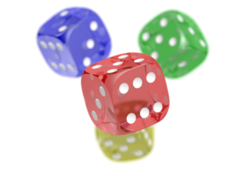
A PNG image of four differently colored dice with an 8-bit transparency channel, overlaid onto a checkered background, typically used in graphics software to indicate transparency | |
| Filename extension | .png |
| Internet media type | image/png |
| Type code |
|
| Uniform Type Identifier (UTI) | public.png |
| UTI conformation | public.image |
| Magic number | 89 50 4e 47 0d 0a 1a 0a (8 bytes Hexadecimal) |
| Developed by | PNG Development Group (donated to W3C) |
| Initial release | 1 October 1996 |
| Latest release | 3.0 24 June 2025 |
| Type of format | Lossless bitmap image format |
| Extended to | APNG, JNG, and MNG |
| Standard | ISO/IEC 15948,[1] IETF RFC 2083 |
| Open format? | Yes Zlib/libpng license[2] |
| Website |
|

Portable Network Graphics (PNG, officially pronounced /pɪŋ/ PING,[3][4] colloquially pronounced /ˌpiːɛnˈdʒiː/ PEE-en-JEE[5]) is a raster-graphics file format that supports lossless data compression.[6] PNG was developed as an improved, non-patented replacement for Graphics Interchange Format (GIF).
PNG supports palette-based images (with palettes of 24-bit RGB or 32-bit RGBA colors), grayscale images (with or without an alpha channel for transparency), and full-color non-palette-based RGB or RGBA images. The PNG working group designed the format for transferring images on the Internet, not for professional-quality print graphics; therefore, non-RGB color spaces such as CMYK are not supported. A PNG file contains a single image in an extensible structure of chunks, encoding the basic pixels and other information such as textual comments and integrity checks documented in RFC 2083.[7]
PNG files have the ".png" file extension and the "image/png" MIME media type.[8] PNG was published as an informational RFC 2083 in March 1997 and as an ISO/IEC 15948 standard in 2004.[1]
History and development
[edit]The motivation for creating the PNG format was the announcement on 28 December 1994 that implementations of the Graphics Interchange Format (GIF) format would have to pay royalties to Unisys due to their patent of the Lempel–Ziv–Welch (LZW) data compression algorithm used in GIF.[9] This led to a flurry of criticism from Usenet users. One of them was Thomas Boutell, who on 4 January 1995 posted a precursory discussion thread on the Usenet newsgroup "comp.graphics" in which he devised a plan for a free alternative to GIF. Other users in that thread put forth many propositions that would later be part of the final file format. Oliver Fromme, author of the popular JPEG viewer QPEG, proposed the PING name, eventually becoming PNG, a recursive acronym meaning PING is not GIF,[10] and also the .png extension. Other suggestions later implemented included the deflate compression algorithm and 24-bit color support, the lack of the latter in GIF also motivating the team to create their file format. The group would become known as the PNG Development Group, and as the discussion rapidly expanded, it later used a mailing list associated with a CompuServe forum.[3][11]
The full specification of PNG was released under the approval of World Wide Web Consortium (W3C) on 1 October 1996, and later as RFC 2083 on 15 January 1997. The specification was revised on 31 December 1998 as version 1.1, which addressed technical problems for gamma and color correction. Version 1.2, released on 11 August 1999, added the iTXt chunk as the specification's only change, and a reformatted version of 1.2 was released as a second edition of the W3C standard on 10 November 2003,[12] and as an International Standard (ISO/IEC 15948:2004) on 3 March 2004.[13][1]
Although GIF allows for animation, it was initially decided that PNG should be a single-image format.[14] In 2001, the developers of PNG published the Multiple-image Network Graphics (MNG) format, with support for animation. MNG achieved moderate application support, but not enough among mainstream web browsers and no usage among web site designers or publishers. In 2008, certain Mozilla developers published the Animated Portable Network Graphics (APNG) format with similar goals. APNG is a format that is natively supported by Gecko- and Presto-based web browsers and is also commonly used for thumbnails on Sony's PlayStation Portable system (using the normal PNG file extension). In 2017, Chromium based browsers adopted APNG support. In January 2020, Microsoft Edge became Chromium based, thus inheriting support for APNG. With this all major browsers now support APNG.
The PNG Working Group has been chartered by the W3C, since September 14, 2021, to maintain and develop for the PNG specification. The third edition of PNG specification, which adds the proper support of APNG, high dynamic range (HDR) and Exif data, was published as the first public working draft on October 25, 2022,[15] and ultimately as a W3C Recommendation on June 24, 2025.[16][17]
PNG Working Group
[edit]The original PNG specification was authored by an ad hoc group of computer graphics experts and enthusiasts. Discussions and decisions about the format were conducted by email. The original authors listed on RFC 2083 are:[18]
- Editor: Thomas Boutell
- Contributing Editor: Tom Lane
- Authors (in alphabetical order by last name): Mark Adler, Thomas Boutell, Christian Brunschen, Adam M. Costello, Lee Daniel Crocker, Andreas Dilger, Oliver Fromme, Jean-loup Gailly, Chris Herborth, Aleks Jakulin, Neal Kettler, Tom Lane, Alexander Lehmann, Chris Lilley, Dave Martindale, Owen Mortensen, Keith S. Pickens, Robert P. Poole, Glenn Randers-Pehrson, Greg Roelofs, Willem van Schaik, Guy Schalnat, Paul Schmidt, Tim Wegner, Jeremy Wohl
File format
[edit]
 viewed with a hex editor application for Ubuntu
File header
[edit]A PNG file starts with an eight-byte signature[19] (refer to hex editor image on the right):
| Values (hex) | Purpose |
|---|---|
89
|
Has the high bit set to detect transmission systems that do not support 8-bit data and to reduce the chance that a text file is mistakenly interpreted as a PNG, or vice versa. |
504E47
|
In ASCII, the letters PNG, allowing a person to identify the format easily if it is viewed in a text editor. |
0D 0A
|
A DOS-style line ending (CRLF) to detect DOS-Unix line ending conversion of the data. |
1A
|
A byte that stops display of the file under DOS when the command type has been used—the end-of-file character. |
0A
|
A Unix-style line ending (LF) to detect Unix-DOS line ending conversion. |
"Chunks" within the file
[edit]After the header, comes a series of chunks,[20] each of which conveys certain information about the image. Chunks declare themselves as critical or ancillary, and a program encountering an ancillary chunk that it does not understand can safely ignore it. This chunk-based storage layer structure, similar in concept to a container format or to Amiga's IFF, is designed to allow the PNG format to be extended while maintaining compatibility with older versions—it provides forward compatibility, and this same file structure (with different signature and chunks) is used in the associated MNG, JNG, and APNG formats.
A chunk consists of four parts: length (4 bytes,[21] big-endian), chunk type/name (4 bytes[22]), chunk data (length bytes) and CRC (cyclic redundancy code/checksum; 4 bytes[21]). The CRC is a network-byte-order CRC-32 computed over the chunk type and chunk data, but not the length.
| Length | Chunk type | Chunk data | CRC |
|---|---|---|---|
| 4 bytes | 4 bytes | Length bytes | 4 bytes |
Chunk types are given a four-letter case sensitive ASCII type/name; compare FourCC. The case of the different letters in the name (bit 5 of the numeric value of the character) is a bit field that provides the decoder with some information on the nature of chunks it does not recognize.
The case of the first letter indicates whether the chunk is critical or not. If the first letter is uppercase, the chunk is critical; if not, the chunk is ancillary. Critical chunks contain information that is necessary to read the file. If a decoder encounters a critical chunk it does not recognize, it must abort reading the file or supply the user with an appropriate warning.
The case of the second letter indicates whether the chunk is "public" (either in the specification or the registry of special-purpose public chunks) or "private" (not standardized). Uppercase is public and lowercase is private. This ensures that public and private chunk names can never conflict with each other (although two private chunk names could conflict).
The third letter must be uppercase to conform to the PNG specification. It is reserved for future expansion. Decoders should treat a chunk with a lower case third letter the same as any other unrecognized chunk.
The case of the fourth letter indicates whether the chunk is safe to copy by editors that do not recognize it. If lowercase, the chunk may be safely copied regardless of the extent of modifications to the file. If uppercase, it may only be copied if the modifications have not touched any critical chunks.
Critical chunks
[edit]A decoder must be able to interpret critical chunks to read and render a PNG file.
IHDRmust be the first chunk; it is 13 data bytes long and contains (in this order) the image's
As stated in the World Wide Web Consortium, bit depth is defined as "the number of bits per sample or per palette index (not per pixel)".[12]
PLTEcontains the palette: a list of colors.IDATcontains the image, which may be split among multiple IDAT chunks. Such splitting slightly increases the file size, but makes it possible to generate a PNG in a streaming manner. The IDAT chunk contains the actual image data, which is the output stream of the compression algorithm.[23]IENDmarks the image end; the data field of the IEND chunk has 0 bytes/is empty.[24]
The PLTE chunk is essential for color type 3 (indexed color). It is optional for color types two and six (truecolor and truecolor with alpha) and it must not appear for color types 0 and 4 (grayscale and grayscale with alpha).
Ancillary chunks
[edit]Other image attributes that can be stored in PNG files include gamma values, background color, and textual metadata information. PNG also supports color management through the inclusion of ICC color profiles.[25]
bKGDgives the default background color. It is intended for use when there is no better choice available, such as in standalone image viewers (but not web browsers; see below for more details).cHRMgives the chromaticity coordinates of the display primaries and white point.cICPspecifies the color space, transfer function and matrix coefficients as defined in ITU-T H.273.[26] It is intended for use with HDR imagery without requiring a color profile.[27]dSIGis for storing digital signatures.[28]eXIfstores Exif metadata.[29][30]gAMAspecifies gamma. The gAMA chunk contains only 4 bytes, and its value represents the gamma value multiplied by 100,000; for example, the gamma value 1/3.4 calculates to 29411.7647059 ((1/3.4)*(100,000)) and is converted to an integer (29412) for storage.[31]hISTcan store the histogram, or total amount of each color in the image.iCCPis an ICC color profile.iTXtcontains a keyword and UTF-8 text, with encodings for possible compression and translations marked with language tag. The Extensible Metadata Platform (XMP) uses this chunk with a keyword 'XML:com.adobe.xmp'pHYsholds the intended pixel size (or pixel aspect ratio); the pHYs contains "Pixels per unit, X axis" (4 bytes), "Pixels per unit, Y axis" (4 bytes), and "Unit specifier" (1 byte) for a total of 9 bytes.[32]sBIT(significant bits) indicates the color-accuracy of the source data; this chunk contains a total of between 1 and 5 bytes, depending on the color type.[33][34][35]sPLTsuggests a palette to use if the full range of colors is unavailable.sRGBindicates that the standard sRGB color space is used; the sRGB chunk contains only 1 byte, which is used for "rendering intent" (4 values—0, 1, 2, and 3—are defined for rendering intent).[36]sTERstereo-image indicator chunk for stereoscopic images.[37]tEXtcan store text that can be represented in ISO/IEC 8859-1, with one key-value pair for each chunk. The "key" must be between one and 79 characters long. Separator is a null character. The "value" can be any length, including zero up to the maximum permissible chunk size minus the length of the keyword and separator. Neither "key" nor "value" can contain null character. Leading or trailing spaces are also disallowed.tIMEstores the time that the image was last changed.tRNScontains transparency information. For indexed images, it stores alpha channel values for one or more palette entries. For truecolor and grayscale images, it stores a single pixel value that is to be regarded as fully transparent.zTXtcontains compressed text (and a compression method marker) with the same limits astEXt.
Pixel format
[edit]| Color type | Channels | Bits per channel | ||||
|---|---|---|---|---|---|---|
| 1 | 2 | 4 | 8 | 16 | ||
| Indexed | 1 | 1 | 2 | 4 | 8 | |
| Grayscale | 1 | 1 | 2 | 4 | 8 | 16 |
| Grayscale and alpha | 2 | 16 | 32 | |||
| Truecolor | 3 | 24 | 48 | |||
| Truecolor and alpha | 4 | 32 | 64 | |||
Pixels in PNG images are numbers that may be either indices of sample data in the palette or the sample data itself. The palette is a separate table contained in the PLTE chunk. Sample data for a single pixel consists of a tuple of between one and four numbers. Whether the pixel data represents palette indices or explicit sample values, the numbers are referred to as channels and every number in the image is encoded with an identical format.
The permitted formats encode each number as an unsigned integer value using a fixed number of bits, referred to in the PNG specification as the bit depth. Notice that this is not the same as color depth, which is commonly used to refer to the total number of bits in each pixel, not each channel. The permitted bit depths are summarized in the table along with the total number of bits used for each pixel.
The number of channels depends on whether the image is grayscale or color and whether it has an alpha channel. PNG allows the following combinations of channels, called the color type.

| 0 (0002) | grayscale |
| 2 (0102) | red, green and blue: rgb/truecolor |
| 3 (0112) | indexed: channel containing indices into a palette of colors |
| 4 (1002) | grayscale and alpha: level of opacity for each pixel |
| 6 (1102) | red, green, blue and alpha |
The color type is specified as an 8-bit value however only the low three bits are used and, even then, only the five combinations listed above are permitted. So long as the color type is valid it can be considered as a bit field as summarized in the adjacent table:
| Color type |
Name | Binary | Masks | |||
|---|---|---|---|---|---|---|
| A | C | P | ||||
| 0 | Grayscale | 0 | 0 | 0 | 0 | |
| 2 | Truecolor | 0 | 0 | 1 | 0 | color |
| 3 | Indexed | 0 | 0 | 1 | 1 | color, palette |
| 4 | Grayscale and alpha | 0 | 1 | 0 | 0 | alpha |
| 6 | Truecolor and alpha | 0 | 1 | 1 | 0 | alpha, color |
- bit value 1: the image data stores palette indices. This is only valid in combination with bit value 2;
- bit value 2: the image samples contain three channels of data encoding trichromatic colors, otherwise the image samples contain one channel of data encoding relative luminance,
- bit value 4: the image samples also contain an alpha channel expressed as a linear measure of the opacity of the pixel. This is not valid in combination with bit value 1.
With indexed color images, the palette always stores trichromatic colors at a depth of 8 bits per channel (24 bits per palette entry). Additionally, an optional list of 8-bit alpha values for the palette entries may be included; if not included, or if shorter than the palette, the remaining palette entries are assumed to be opaque. The palette must not have more entries than the image bit depth allows for, but it may have fewer (for example, if an image with 8-bit pixels only uses 90 colors then it does not need palette entries for all 256 colors). The palette must contain entries for all the pixel values present in the image.
The standard allows indexed color PNGs to have 1, 2, 4 or 8 bits per pixel; grayscale images with no alpha channel may have 1, 2, 4, 8 or 16 bits per pixel. Everything else uses a bit depth per channel of either 8 or 16. The combinations this allows are given in the table above. The standard requires that decoders can read all supported color formats, but many image editors can only produce a small subset of them.
Transparency of image
[edit]PNG offers a variety of transparency options. With true-color and grayscale images either a single pixel value can be declared as transparent or an alpha channel can be added (enabling any percentage of partial transparency to be used). For paletted images, alpha values can be added to palette entries. The number of such values stored may be less than the total number of palette entries, in which case the remaining entries are considered fully opaque.
The scanning of pixel values for binary transparency is supposed to be performed before any color reduction to avoid pixels becoming unintentionally transparent. This is most likely to pose an issue for systems that can decode 16-bits-per-channel images (as is required for compliance with the specification) but only output at 8 bits per channel (the norm for all but the highest end systems).
Alpha storage can be "associated" ("premultiplied") or "unassociated", but PNG standardized[38] on "unassociated" ("non-premultiplied") alpha, which means that imagery is not alpha encoded; the emissions represented in RGB are not the emissions at the pixel level. This means that the over operation will multiply the RGB emissions by the alpha, and cannot represent emission and occlusion properly.
Compression
[edit]PNG uses a two-stage compression process:
- pre-compression: filtering (prediction)
- compression: DEFLATE
PNG uses DEFLATE, a non-patented lossless data compression algorithm involving a combination of LZ77 and Huffman coding. Permissively licensed DEFLATE implementations, such as zlib, are widely available.
Compared to formats with lossy compression such as JPEG, choosing a compression setting higher than average delays processing, but often does not result in a significantly smaller file size.
Filtering
[edit]
Before DEFLATE is applied, the data is transformed via a prediction method: a single filter method is used for the entire image, while for each image line, a filter type is chosen to transform the data to make it more efficiently compressible.[39] The filter type used for a scanline is prepended to the scanline to enable inline decompression.
There is only one filter method in the current PNG specification (denoted method 0), and thus in practice the only choice is which filter type to apply to each line. For this method, the filter predicts the value of each pixel based on the values of previous neighboring pixels, and subtracts the predicted color of the pixel from the actual value, as in DPCM. An image line filtered in this way is often more compressible than the raw image line would be, especially if it is similar to the line above, since the differences from prediction will generally be clustered around 0, rather than spread over all possible image values. This is particularly important in relating separate rows, since DEFLATE has no understanding that an image is a 2D entity, and instead just sees the image data as a stream of bytes.
There are five filter types for filter method 0; each type predicts the value of each byte (of the image data before filtering) based on the corresponding byte of the pixel to the left (A), the pixel above (B), and the pixel above and to the left (C) or some combination thereof, and encodes the difference between the predicted value and the actual value. Filters are applied to byte values, not pixels; pixel values may be one or two bytes, or several values per byte, but never cross byte boundaries. The filter types are:[40]
| Type byte | Filter name | Predicted value |
|---|---|---|
| 0 | None | Zero (so that the raw byte value passes through unaltered) |
| 1 | Sub | Byte A (to the left) |
| 2 | Up | Byte B (above) |
| 3 | Average | Mean of bytes A and B, rounded down |
| 4 | Paeth | A, B, or C, whichever is closest to p = A + B − C |
The Paeth filter is based on an algorithm by Alan W. Paeth.[41] Compare to the version of DPCM used in lossless JPEG, and to the discrete wavelet transform using 1 × 2, 2 × 1, or (for the Paeth predictor) 2 × 2 windows and Haar wavelets.
Compression is further improved by choosing filter types adaptively on a line-by-line basis. This improvement, and a heuristic method of implementing it commonly used by PNG-writing software, were created by Lee Daniel Crocker, who tested the methods on many images during the creation of the format;[42] the choice of filter is a component of file size optimization, as discussed below.
If interlacing is used, each stage of the interlacing is filtered separately, meaning that the image can be progressively rendered as each stage is received; however, interlacing generally makes compression less effective.
Interlacing
[edit]
PNG offers an optional 2-dimensional, 7-pass interlacing scheme—the Adam7 algorithm. This is more sophisticated than GIF's 1-dimensional, 4-pass scheme, and allows a clearer low-resolution image to be visible earlier in the transfer, particularly if interpolation algorithms such as bicubic interpolation are used.[43]
However, the 7-pass scheme tends to reduce the data's compressibility more than simpler schemes.
Animation
[edit]
The core PNG format does not support animation. MNG is an extension to PNG that does; it was designed by members of the PNG Group. MNG shares PNG's basic structure and chunks, but it is significantly more complex and has a different file signature, which automatically renders it incompatible with standard PNG decoders. This means that most web browsers and applications either never supported MNG or dropped support for it.
The complexity of MNG led to the proposal of APNG by developers at the Mozilla Foundation. It is based on PNG, supports animation and is simpler than MNG. APNG offers fallback to single-image display for PNG decoders that do not support APNG. Today, the APNG format is supported by all major web browsers.[44] APNG is supported in Firefox 3.0 and up, Pale Moon (all versions), and Safari 8.0 and up.[45] Chromium 59.0 added APNG support,[46][47] followed by Google Chrome. Opera supported APNG in versions 10–12.1, but support lapsed in version 15 when it switched to the Blink rendering engine; support was re-added in Opera 46 (inherited from Chromium 59).[48] Microsoft Edge has supported APNG since version 79.0, when it switched to a Chromium-based engine.
The PNG Group decided in April 2007 not to embrace APNG.[49] Several alternatives were under discussion, including ANG, aNIM/mPNG, "PNG in GIF" and its subset "RGBA in GIF".[50] However, currently only APNG has widespread support.
With the release of the third edition of the PNG specification in June 2025, now maintained by the PNG working group,[15] APNG is finally incorporated into the specification as an extension.[51]
Examples
[edit]89 50 4E 47 0D 0A 1A 0APNG signature |
IHDRImage header |
IDATImage data |
IENDImage end |
| Hex | As characters |
|---|---|
|
89 50 4E 47 0D 0A 1A 0A 00 00 00 0D 49 48 44 52 |
.PNG........IHDR |
| Offset into chunk | Hex Value | Decimal Value | Text | Meaning |
|---|---|---|---|---|
| 0 | 0x0D | 13 | IHDR chunk has 13 bytes of content | |
| 4 | 0x49484452 | IHDR | Identifies a Header chunk | |
| 8 | 0x01 | 1 | Image is 1 pixel wide | |
| 12 | 0x01 | 1 | Image is 1 pixel high | |
| 16 | 0x08 | 8 | 8 bits per pixel (per channel) | |
| 17 | 0x02 | 2 | Color type 2 (RGB/truecolor) | |
| 18 | 0x00 | 0 | Compression method 0 (only accepted value) | |
| 19 | 0x00 | 0 | Filter method 0 (only accepted value) | |
| 20 | 0x00 | 0 | Not interlaced | |
| 21 | 0x907753DE | CRC of chunk's type and content (but not length) |
| Offset into chunk | Hex Value | Meaning |
|---|---|---|
| 0 | 0x0C | IDAT chunk has 12 bytes of content |
| 4 | 0x49444154 | Identifies a Data chunk |
| 8 | 0x08 | DEFLATE compression method using a 256-byte window[52] |
| 9 | 0xD7 | ZLIB FCHECK value, no dictionary used, maximum compression algorithm[52] |
| 10 | 0x63F8CFC00000 | A compressed DEFLATE block using the static Huffman code that decodes to 0x00 0xFF 0x00 0x00[53] |
| 16 | 0x03010100 | The ZLIB check value: the Adler-32 checksum of the uncompressed data[52] |
| 20 | 0x18DD8DB0 | CRC of chunk's type and content (but not length) |
Displayed in the fashion of hex editors, with on the left side byte values shown in hex format, and on the right side their equivalent characters from ISO-8859-1 with unrecognized and control characters replaced with periods. Additionally the PNG signature and individual chunks are marked with colors. Note they are easy to identify because of their human readable type names (in this example PNG, IHDR, IDAT, and IEND).
Advantages
[edit]Reasons to use PNG:
- Portability: Transmission is independent of the software and hardware platform.
- Completeness: it's possible to represent true color, indexed-color, and grayscale images.
- Coding and decoding in series: allows to generate and read data streams in series, that is, the format of the data stream is used for the generation and visualization of images at the moment through serial communication.
- Progressive presentation: to be able to transmit data flows that are initially an approximation of the entire image and progressively they improve as the data flow is received.
- Soundness to transmission errors: detects the transmission errors of the data stream correctly.
- Losslessness: No loss: filtering and compression preserve all information.
- Efficiency: any progressive image presentation, compression and filtering seeks efficient decoding and presentation.
- Compression: images can be compressed efficiently and consistently.
- Easiness: the implementation of the standard is easy.
- Interchangeability: any PNG decoder that follows the standards can read all PNG data streams.
- Flexibility: allows future extensions and private additions without affecting the previous point.
- Freedom of legal restrictions: the algorithms used are free and accessible.
Comparison with other file formats
[edit]Graphics Interchange Format (GIF)
[edit]- On small images, GIF can achieve greater compression than PNG (see the section on filesize, below).
- On most images, except for the above case, a GIF file has a larger size than an indexed PNG image.
- PNG gives a much wider range of transparency options than GIF, including alpha channel transparency.
- Whereas GIF is limited to 8-bit indexed color, PNG gives a much wider range of color depths, including 24-bit (8 bits per channel) and 48-bit (16 bits per channel) truecolor, allowing for greater color precision, smoother fades, etc.[54] When an alpha channel is added, up to 64 bits per pixel (before compression) are possible.
- When converting an image from the PNG format to GIF, the image quality may suffer due to posterization if the PNG image has more than 256 colors.
- GIF intrinsically supports animated images. PNG supports animation only via extensions (see the section on animation, above).
PNG images are less widely supported by older browsers. In particular, IE6 has limited support for PNG.[55]
JPEG
[edit]
The JPEG (Joint Photographic Experts Group) format can produce a smaller file than PNG for photographic (and photo-like) images, since JPEG uses a lossy encoding method specifically designed for photographic image data, which is typically dominated by soft, low-contrast transitions, and an amount of noise or similar irregular structures. Using PNG instead of a high-quality JPEG for such images would result in a large increase in file size with negligible gain in quality. In comparison, when storing images that contain text, line art, or graphics – images with sharp transitions and large areas of solid color – the PNG format can compress image data more than JPEG can. Additionally, PNG is lossless, while JPEG produces visual artifacts around high-contrast areas. (Such artifacts depend on the settings used in the JPG compression; they can be quite noticeable when a low-quality [high-compression] setting is used.) Where an image contains both sharp transitions and photographic parts, a choice must be made between the two effects. JPEG does not support transparency.
JPEG's lossy compression also suffers from generation loss, where repeatedly decoding and re-encoding an image to save it again causes a loss of information each time, degrading the image. Because PNG is lossless, it is suitable for storing images to be edited. While PNG is reasonably efficient when compressing photographic images, there are lossless compression formats designed specifically for photographic images, lossless WebP and Adobe DNG (digital negative) for example. However these formats are either not widely supported, or are proprietary. An image can be stored losslessly and converted to JPEG format only for distribution, so that there is no generation loss.
While the PNG specification does not explicitly include a standard for embedding Exif image data from sources such as digital cameras, the preferred method for embedding EXIF data in a PNG is to use the non-critical ancillary chunk label eXIf.[56]
Early web browsers did not support PNG images; JPEG and GIF were the main image formats. JPEG was commonly used when exporting images containing gradients for web pages, because of GIF's limited color depth. However, JPEG compression causes a gradient to blur slightly. A PNG format reproduces a gradient as accurately as possible for a given bit depth, while keeping the file size small. PNG became the optimal choice for small gradient images as web browser support for the format improved. No images at all are needed to display gradients in modern browsers, as gradients can be created using CSS.
JPEG-LS
[edit]JPEG-LS is an image format by the Joint Photographic Experts Group, though far less widely known and supported than the other lossy JPEG format discussed above. It is directly comparable with PNG,[clarification needed] and has a standard set of test images.[57] On the Waterloo Repertoire ColorSet, a standard set of test images (unrelated to the JPEG-LS conformance test set), JPEG-LS generally performs better than PNG, by 10–15%, but on some images PNG performs substantially better, on the order of 50–75%.[58] Thus, if both of these formats are options and file size is an important criterion, they should both be considered, depending on the image.
JPEG XL
[edit]JPEG XL is another, much improved, lossless or lossy format, that is unfortunately supported much less, developed to replace lossless formats like PNG.[59] JPEG XL is more than 50% smaller than JPEG, and that can happen while it's lossless, therefore making it even smaller than PNG.[60] It also supports high dynamic range, wide colour gamuts, and large colour depths.[61] JPEG XL is also very efficient at decoding, and provides smooth transitions from the formats it intends to replace, losslessly able to convert from JPEG. It also excels at compressing without compromising on fidelity.[62]
TIFF
[edit]Tag Image File Format (TIFF) is a format that incorporates an extremely wide range of options. While this makes TIFF useful as a generic format for interchange between professional image editing applications, it makes adding support for it to applications a much bigger task and so it has little support in applications not concerned with image manipulation (such as web browsers). The high level of extensibility also means that most applications provide only a subset of possible features, potentially creating user confusion and compatibility issues.
The most common general-purpose, lossless compression algorithm used with TIFF is Lempel–Ziv–Welch (LZW). This compression technique, also used in GIF, was covered by patents until 2003. TIFF also supports the compression algorithm PNG uses (i.e. Compression Tag 000816 'Adobe-style') with medium usage and support by applications. TIFF also offers special-purpose lossless compression algorithms like CCITT Group IV, which can compress bilevel images (e.g., faxes or black-and-white text) better than PNG's compression algorithm.
PNG supports non-premultiplied alpha only[38] whereas TIFF also supports "associated" (premultiplied) alpha.
WebP
[edit]WebP is a format invented by Google that was intended to replace PNG, JPEG, and GIF.[63] WebP files allow for both lossy and lossless compression, while PNG only allows for lossless compression. WebP also supports animation, something that only GIF files could previously accomplish.[64]
The main improvements of WebP over PNG, however, are the large reduction in file size and therefore faster loading times when embedded into websites. Google claims that lossless WebP images are 26% smaller than PNG files.[65]
WebP has received criticism for being incompatible with various image editing programs and social media websites, unlike PNG.[66] WebP is also not supported across all web browsers, which may require web image hosters to create a fallback image to display to the user, negating the potential storage savings of WebP.[64]
AVIF
[edit]AVIF is an image format developed by the Alliance for Open Media. AVIF was designed by the foundation to make up for the shortcomings of other image codecs, including PNG, GIF, and WebP.[67]
AVIF is generally smaller in size than both WebP and PNG.[68] AVIF supports animation while PNG does not.[69]
However, like WebP, AVIF is supported across fewer applications than PNG.[69]
Software support
[edit]The official reference implementation of the PNG format is the programming library libpng.[70] It is published as free software under the terms of a permissive free software license. Therefore, it is usually found as an important system library in free operating systems.
Bitmap graphics editor support for PNG
[edit]The PNG format is widely supported by graphics programs, including Adobe Photoshop, Corel's Photo-Paint and Paint Shop Pro, the GIMP, GraphicConverter, Helicon Filter, ImageMagick, Inkscape, IrfanView, Pixel image editor, Paint.NET and Xara Photo & Graphic Designer and many others (including online graphic design platforms such as Canva). Some programs bundled with popular operating systems which support PNG include Microsoft's Paint and Apple's Photos/iPhoto and Preview, with the GIMP also often being bundled with popular Linux distributions.
Adobe Fireworks (formerly by Macromedia) uses PNG as its native file format, allowing other image editors and preview utilities to view the flattened image. However, Fireworks by default also stores metadata for layers, animation, vector data, text and effects. Such files should not be distributed directly. Fireworks can instead export the image as an optimized PNG without the extra metadata for use on web pages, etc.[citation needed]
Web browser support for PNG
[edit]PNG support first appeared in 1997, in Internet Explorer 4.0b1 (32-bit only for NT), and in Netscape 4.04.[71]
Despite calls by the Free Software Foundation[72] and the World Wide Web Consortium (W3C),[73] tools such as gif2png,[74] and campaigns such as Burn All GIFs,[75] PNG adoption on websites was fairly slow due to late and buggy support in Internet Explorer, particularly regarding transparency.[76] PNG is the most used image file format on the web since 2018.[77]
PNG compatible browsers include: Apple Safari, Google Chrome, Mozilla Firefox, Opera, Camino, Internet Explorer, Microsoft Edge and many others. For the complete comparison, see Comparison of web browsers (Image format support).
Especially versions of Internet Explorer (Windows) below 9.0 (released 2011) had numerous problems which prevented it from correctly rendering PNG images.[78]
- 4.0 crashes on large PNG chunks.[79]
- 4.0 does not include the functionality to view .png files,[80] but there is a registry fix.[78]
- 5.0 and 5.01 have broken OBJECT support.[81]
- 5.01 prints palette images with black (or dark gray) backgrounds under Windows 98, sometimes with radically altered colors.[82]
- 6.0 fails to display PNG images of 4097 or 4098 bytes in size.[83]
- 6.0 cannot open a PNG file that contains one or more zero-length IDAT chunks. This issue was first fixed in security update 947864 (MS08-024). For more information, see this article in the Microsoft Knowledge Base: 947864 MS08-024: Cumulative Security Update for Internet Explorer.[84]
- 6.0 sometimes completely loses ability to display PNGs, but there are various fixes.[85]
- 6.0 and below have broken alpha-channel transparency support (will display the default background color instead).[86][87][88]
- 7.0 and below cannot combine 8-bit alpha transparency AND element opacity (CSS – filter: Alpha (opacity=xx)) without filling partially transparent sections with black.[89]
- 8.0 and below have inconsistent/broken gamma support.[78]
- 8.0 and below don't have color-correction support.[78]
Operating system support for PNG icons
[edit]PNG icons have been supported in most distributions of Linux since at least 1999, in desktop environments such as GNOME.[90] In 2006, Microsoft Windows support for PNG icons was introduced in Windows Vista.[91] PNG icons are supported in AmigaOS 4, AROS, macOS, iOS and MorphOS as well. In addition, Android makes extensive use of PNGs.
File size and optimization software
[edit]PNG file size can vary significantly depending on how it is encoded and compressed; this is discussed and a number of tips are given in PNG: The Definitive Guide.[58]
Compared to GIF
[edit]Compared to GIF files, a PNG file with the same information (256 colors, no ancillary chunks/metadata), compressed by an effective compressor is normally smaller than a GIF image. Depending on the file and the compressor, PNG may range from somewhat smaller (10%) to significantly smaller (50%) to somewhat larger (5%), but is rarely significantly larger[58] for large images. This is attributed to the performance of PNG's DEFLATE compared to GIF's LZW, and because the added precompression layer of PNG's predictive filters take account of the 2-dimensional image structure to further compress files; as filtered data encodes differences between pixels, they will tend to cluster closer to 0, rather than being spread across all possible values, and thus be more easily compressed by DEFLATE. However, some versions of Adobe Photoshop, CorelDRAW and MS Paint provide poor PNG compression, creating the impression that GIF is more efficient.[58]
File size factors
[edit]PNG files vary in size due to a number of factors:
- color depth
- Color depth can range from 1 to 64 bits per pixel.
- ancillary chunks
- PNG supports metadata—this may be useful for editing, but unnecessary for viewing, as on websites.
- interlacing
- As each pass of the Adam7 algorithm is separately filtered, this can increase file size.[58]
- filter
- As a precompression stage, each line is filtered by a predictive filter, which can change from line to line. As the ultimate DEFLATE step operates on the whole image's filtered data, one cannot optimize this row-by-row; the choice of filter for each row is thus potentially very variable, though heuristics exist.[note 1]
- compression
- With additional computation, DEFLATE compressors can produce smaller files.
There is thus a filesize trade-off between high color depth, maximal metadata (including color space information, together with information that does not affect display), interlacing, and speed of compression, which all yield large files, with lower color depth, fewer or no ancillary chunks, no interlacing, and tuned but computationally intensive filtering and compression. For different purposes, different trade-offs are chosen: a maximal file may be best for archiving and editing, while a stripped down file may be best for use on a website, and similarly fast but poor compression is preferred when repeatedly editing and saving a file, while slow but high compression is preferred when a file is stable: when archiving or posting. Interlacing is a trade-off: it dramatically speeds up early rendering of large files (improves latency), but may increase file size (decrease throughput) for little gain, particularly for small files.[58]
Lossy PNG compression
[edit]Although PNG is a lossless format, PNG encoders can preprocess image data in a lossy fashion to improve PNG compression. For example, quantizing a truecolor PNG to 256 colors allows the indexed color type to be used for a likely reduction in file size.[92]
Image editing software
[edit]Some programs are more efficient than others when saving PNG files, this relates to implementation of the PNG compression used by the program.
Many graphics programs (such as Apple's Preview software) save PNGs with large amounts of metadata and color-correction data that are generally unnecessary for Web viewing. Unoptimized PNG files from Adobe Fireworks are also notorious for this since they contain options to make the image editable in supported editors. Also CorelDRAW (at least version 11) sometimes produces PNGs which cannot be opened by Internet Explorer (versions 6–8).
Adobe Photoshop's performance on PNG files has improved in the CS Suite when using the Save For Web feature (which also allows explicit PNG/8 use).
Adobe's Fireworks saves larger PNG files than many programs by default. This stems from the mechanics of its Save format: the images produced by Fireworks' save function include large, private chunks, containing complete layer and vector information. This allows further lossless editing. When saved with the Export option, Fireworks' PNGs are competitive with those produced by other image editors, but are no longer editable as anything but flattened bitmaps. Fireworks is unable to save size-optimized vector-editable PNGs.
Other notable examples of poor PNG compressors include:
- Microsoft's Paint for Windows XP
- Microsoft Picture It! Photo Premium 9
Poor compression increases the PNG file size but does not affect the image quality or compatibility of the file with other programs.
When the color depth of a truecolor image is reduced to an 8-bit palette (as in GIF), the resulting image data is typically much smaller. Thus a truecolor PNG is typically larger than a color-reduced GIF, although PNG could store the color-reduced version as a palettized file of comparable size. Conversely, some tools, when saving images as PNGs, automatically save them as truecolor, even if the original data use only 8-bit color, thus bloating the file unnecessarily.[58] Both factors can lead to the misconception that PNG files are larger than equivalent GIF files.
Optimizing tools
[edit]Various tools are available for optimizing PNG files; they do this by:
- (optionally) removing ancillary chunks,
- reducing color depth, either:
- use a palette (instead of RGB) if the image has 256 or fewer colors,
- use a smaller palette, if the image has 2, 4, or 16 colors, or
- (optionally) lossily discard some of the data in the original image,
- optimizing line-by-line filter choice, and
- optimizing DEFLATE compression.
Tool list
[edit]- pngcrush is the oldest of the popular PNG optimizers. It allows for multiple trials on filter selection and compression arguments, and finally chooses the smallest one. This working model is used in almost every png optimizer.
- advpng and the similar advdef utility in the AdvanceCOMP package recompress the PNG IDAT. Different DEFLATE implementations are applied depending on the selected compression level, trading between speed and file size: zlib at level 1, libdeflate at level 2, 7-zip's LZMA DEFLATE at level 3, and zopfli at level 4.
- pngout was made with the author's own deflater (same to the author's zip utility, kzip), while keeping all facilities of color reduction / filtering. However, pngout doesn't allow for using several trials on filters in a single run. It's suggested to use its commercial GUI version, pngoutwin, or used with a wrapper to automate the trials or to recompress using its own deflater while keep the filter line by line.[note 2]
- zopflipng was also made with its own deflater, zopfli. It has all the optimizing features pngcrush has (including automating trials) while providing a very good, but slow deflater.
A simple comparison of their features is listed below.
| Optimizer | Chunk removal | Color reduction | Filtering | Filter reuse[note 3] | Multiple trials on filters in a single run | Deflater[note 4] |
|---|---|---|---|---|---|---|
advpng |
Yes | No[note 5] | 0 | No | N/A[note 6] | (multiple) |
advdef |
No | No | Reuses previous filter set | Always | N/A | (multiple) |
pngcrush |
Yes | Yes | 0–4 or adaptive | No | Yes | zlib |
pngout |
Yes | Yes | 0–4 or adaptive | Yes[note 2] | No | kzip |
zopflipng |
Yes | Yes | 0–4 or adaptive with 2 different algorithms, or with a brute way | Yes | Yes | zopfli |
Before zopflipng was available, a good way in practice to perform a png optimization is to use a combination of 2 tools in sequence for optimal compression: one which optimizes filters (and removes ancillary chunks), and one which optimizes DEFLATE. Although pngout offers both, only one type of filter can be specified in a single run, therefore it can be used with a wrapper tool or in combination with pngcrush,[note 2] acting as a re-deflater, like advdef.
Ancillary chunk removal
[edit]For removing ancillary chunks, most PNG optimization tools have the ability to remove all color correction data from PNG files (gamma, white balance, ICC color profile, standard RGB color profile). This often results in much smaller file sizes. For example, the following command line options achieve this with pngcrush:
pngcrush -rem gAMA -rem cHRM -rem iCCP -rem sRGB InputFile.png OutputFile.png
Filter optimization
[edit]pngcrush, pngout, and zopflipng all offer options applying one of the filter types 0–4 globally (using the same filter type for all lines) or with a "pseudo filter" (numbered 5), which for each line chooses one of the filter types 0–4 using an adaptive algorithm. zopflipng offers 3 different adaptive method, including a brute-force search that attempts to optimize the filtering.[note 7]
pngout and zopflipng provide an option to preserve/reuse[note 2][note 8] the line-by-line filter set present in the input image.
pngcrush and zopflipng provide options to try different filter strategies in a single run and choose the best. The freeware command line version of pngout doesn't offer this, but the commercial version, pngoutwin, does.[note 9]
DEFLATE optimization
[edit]Zopfli and the LZMA SDK provide DEFLATE implementations that can produce higher compression ratios than the zlib reference implementation at the cost of performance. AdvanceCOMP's advpng and advdef can use either of these libraries to re-compress PNG files. Additionally, PNGOUT contains its own proprietary DEFLATE implementation.
advpng doesn't have an option to apply filters and always uses filter 0 globally (leaving the image data unfiltered); therefore it should not be used where the image benefits significantly from filtering. By contrast, advdef from the same package doesn't deal with PNG structure and acts only as a re-deflater, retaining any existing filter settings.
Icon optimization
[edit]Since icons intended for Windows Vista and later versions may contain PNG subimages, the optimizations can be applied to them as well. At least one icon editor, Pixelformer, is able to perform a special optimization pass while saving ICO files, thereby reducing their sizes.
Icons for macOS may also contain PNG subimages, yet there isn't such tool available.[citation needed]
See also
[edit]- Computer graphics, including:
- Image editing
- Image file formats
- Related graphics file formats
- APNG Animated PNG
- JPEG Network Graphics (JNG)
- Multiple-image Network Graphics (MNG)
- Similar file formats
- X PixMap for portable icons
- Scalable Vector Graphics
- WebP
Explanatory notes
[edit]- ^ The filtering is used to increase the similarity to the data, hence increasing the compression ratio. However, there is theoretically no formula for similarity, nor absolute relationship between the similarity and compressor, thus unless the compression is done, one can't tell one filter set is better than another.
- ^ a b c d Use
pngout -f6to reuse previous filter set - ^ The tools offering such feature could act as a pure re-deflater to PNG files.
- ^ zlib, the reference deflate implementation, compression is suboptimal even at the maximum level. See Zopfli, zip format in 7-zip and pngout.
- ^ Not only does advpng not support color reduction, it also fails on images with a reduced colorspace.
- ^ Advpng can only apply filter 0 globally, thus it's neither yes or no, but N/A.
- ^
[pngcrush|pngout] -forzopflipng --filters - ^
zopflipng --filters=p - ^
pngoutwin's setting dialog for optimization offers the user a selection of filter strategies.
References
[edit]- ^ a b c "ISO/IEC 15948:2004 – Information technology – Computer graphics and image processing – Portable Network Graphics (PNG): Functional specification". International Organization for Standardization. 3 March 2004. Retrieved 19 February 2011.
- ^ "COPYRIGHT NOTICE, DISCLAIMER, and LICENSE - PNG Reference Library License version 2" (TXT). libpng.org. 1 July 2000.
- ^ a b Roelofs, Greg (29 May 2010). "History of PNG". libpng. Retrieved 20 October 2010.
- ^ W3C 2003, 1 Scope.
- ^ "Definition of PNG noun from the Oxford Advanced Learner's Dictionary". Oxford Learner's Dictionaries. Retrieved 21 January 2018.
- ^ "Portable Network Graphic .PNG File Description". surferhelp.goldensoftware.com. Retrieved 12 August 2022.
- ^ T. Boutell; et al. (March 1997). PNG (Portable Network Graphics) Specification Version 1.0. Network Working Group. doi:10.17487/RFC2083. RFC 2083. Informational. sec. 3.
- ^ "Registration of new Media Type image/png". IANA. 27 July 1996.
- ^ "Offical [sic] Compu$erve announcement about GIF licensing". groups.google.com. Retrieved 8 January 2025.
- ^ Limer, Eric (30 October 2019). "The GIF Is Dead. Long Live the GIF". Popular Mechanics. Retrieved 21 November 2022.
- ^ Roelofs 1999, Chapter 7. History of the Portable Network Graphics Format.
- ^ a b c d W3C 2003, 11.2.2
IHDRImage header - ^ Roelofs, Greg (29 September 2011). "Portable Network Graphics (PNG) Specification and Extensions". libpng. Retrieved 15 August 2021.
- ^ T. Boutell; et al. (March 1997). PNG (Portable Network Graphics) Specification Version 1.0. Network Working Group. doi:10.17487/RFC2083. RFC 2083. Informational. sec. 8.4.
PNG itself is strictly a single-image format. (...) In the future, a multiple-image format based on PNG may be defined. Such a format will be considered a separate file format
- ^ a b "PNG Third Edition, Explained". W3C GitHub. 26 February 2025. Retrieved 25 June 2025.
- ^ "Portable Network Graphics (PNG) Specification (Third Edition) is now a W3C Recommendation". World Wide Web Consortium. 24 June 2025. Archived from the original on 25 June 2025. Retrieved 25 June 2025.
- ^ Chris Blume (24 June 2025). "PNG is back!". ProgramMax. Archived from the original on 24 June 2025. Retrieved 25 June 2025.
- ^ T. Boutell; et al. (March 1997). PNG (Portable Network Graphics) Specification Version 1.0. Network Working Group. doi:10.17487/RFC2083. RFC 2083. Informational.
- ^ W3C 2003, 5.2 PNG signature.
- ^ W3C 2003, 5.3 Chunk layout.
- ^ a b Laphroaig, Manul (31 October 2017). PoC or GTFO. No Starch Press. ISBN 9781593278984.
Each chunk consists of four parts: Length, a Chunk Type, the Chunk Data, and a 32-bit CRC. The Length is a 32-bit unsigned integer indicating the size of only the Chunk Data field
- ^ Laphroaig, Manul (31 October 2017). PoC or GTFO. No Starch Press. ISBN 9781593278984.
Chunk Type is a 32-bit FourCC code such as IHDR, IDAT, or IEND.
- ^ W3C 2003, 11.2.4
IDATImage data. - ^ W3C 2003, 11.2.5
IENDImage trailer. - ^ W3C 2003, 11.3.3.3
iCCPEmbedded ICC profile. - ^ "PNG Specification (Third Edition), cICP Coding-independent code points for video signal type identification". w3.org. 21 September 2023.
- ^ "Adding support for HDR imagery to the PNG format". W3C Color on the Web Community Group. 3 May 2023.
- ^ Thomas Kopp (17 April 2008). "PNG Digital Signatures: Extension Specification".
- ^ "Portable Network Graphics (PNG) Specification (Third Edition)".
- ^ "Extensions to the PNG 1.2 Specification, version 1.5.0". ftp-osl.osuosl.org.
- ^ W3C 2003, 11.3.3.2
gAMAImage gamma. - ^ W3C 2003, 11.3.5.3
pHYsPhysical pixel dimensions. - ^ W3C 2003, 11.3.3.4
sBITSignificant bits. - ^ "PNG (Portable Network Graphics) Specification \ Version 1.0". w3.org. Retrieved 30 May 2022. 4.2.6. sBIT Significant bits, 13 bytes total - color type 2 and 3 totaled 6 bytes
- ^ Roelofs 2003, Significant Bits (sBIT)"Grayscale images are the simplest; sBIT then contains a single byte indicating the number of significant bits in the source data"
- ^ "PNG Specification: Chunk Specifications".
- ^ "PNG News from 2006". Libpng.org.
- ^ a b "PNG Specification: Rationale". w3.org.
- ^ W3C 2003, 9 Filtering.
- ^ "Filter Algorithms". PNG Specification.
- ^ Paeth, Alan W. (1991). Arvo, James (ed.). "Image File Compression Made Easy". Graphics Gems 2. Academic Press, San Diego: 93–100. doi:10.1016/B978-0-08-050754-5.50029-3. ISBN 0-12-064480-0.

- ^ Crocker, Lee Daniel (July 1995). "PNG: The Portable Network Graphic Format". Dr. Dobb's Journal. 20 (232): 36–44.
- ^ "Introduction to PNG". nuwen.net. Retrieved 20 October 2010.
- ^ "Can I use... Support tables for HTML5, CSS3, etc". caniuse.com. Retrieved 6 February 2021.
- ^ "iOS 8 and iPhone 6 for web developers and designers: next evolution for Safari and native webapps". mobilexweb.com. 17 September 2014. Retrieved 24 September 2014.
- ^ scroggo (14 March 2017). "chromium / chromium / src / 7d2b8c45afc9c0230410011293cc2e1dbb8943a7". chromium.googlesource.com. Retrieved 31 March 2017.
- ^ chrome-cron; et al. (27 March 2017). "chromium / chromium / src / 59.0.3047.0..59.0.3053.0". chromium.googlesource.com. Retrieved 31 March 2017.
- ^ "Dev.Opera — What's new in Chromium 59 and Opera 46". dev.opera.com. Retrieved 11 September 2022.
- ^ "Vote failed: APNG 20070405a". 20 April 2007. Archived from the original on 3 February 2008.
- ^ "PNG Group animation proposal comparison + test-software". xs4all.nl. Archived from the original on 24 January 2009.
- ^ "PNG Specification (Third Edition), APNG: frame-based animation". w3.org. 24 June 2025.
- ^ a b c P. Deutsch; J-L. Gailly (May 1996). ZLIB Compressed Data Format Specification version 3.3. Network Working Group. doi:10.17487/RFC1950. RFC 1950. Informational.
- ^ P. Deutsch (May 1996). DEFLATE Compressed Data Format Specification version 1.3. Network Working Group. doi:10.17487/RFC1951. RFC 1951. Informational.
- ^ "A Basic Introduction to PNG Features". Libpng.org. Retrieved 20 October 2010.
- ^ "GIF, PNG, JPG. Which One To Use?". Sitepoint.com. 3 August 2009. Retrieved 20 October 2010.
- ^ "Extensions to the PNG 1.2 Specification, Version 1.5.0". Retrieved 5 May 2020.
- ^ "T.87 : Lossless and near-lossless compression of continuous-tone still images – Baseline". International Telecommunication Union. Retrieved 20 March 2011.
- ^ a b c d e f g Roelofs 2003, Chapter 9. Compression and Filtering
- ^ "JPEG XL File Format". Library of Congress. Retrieved 1 January 2025.
- ^ "Why Apple uses JPEG XL, and what it means for your photos". Petapixel. 18 September 2024. Retrieved 1 January 2025.
- ^ "JPEG XL Image Encoding". Library of Congress. Retrieved 1 January 2025.
- ^ "How JPEG XL Compares to Other Image Codecs". Cloudinary. 26 May 2020. Retrieved 1 January 2025.
- ^ "WebP". www.loc.gov. 13 April 2023. Retrieved 22 August 2024.
- ^ a b Ellis, Matt (22 February 2021). "What is WebP? Pros and cons of this next-gen image format". 99designs. Retrieved 22 August 2024.
- ^ "An image format for the Web | WebP". Google for Developers. Retrieved 22 August 2024.
- ^ Wes Fenlon (28 April 2023). "Here's why you have to deal with so many annoying webPs now". PC Gamer. Retrieved 22 August 2024.
- ^ "AVIF: Meet the Next Level Image File Format". Alliance for Open Media. 8 November 2023. Retrieved 26 September 2024.
- ^ "PNG vs AVIF: The Ultimate Image Format Battle | Coconut©". www.coconut.co. Retrieved 26 September 2024.
- ^ a b "AVIF vs. WebP: 4 Key Differences and How to Choose". Cloudinary. Retrieved 26 September 2024.
- ^ "libpng". Retrieved 13 July 2013.
- ^ "Use of PNG Images to Display Data". Oregon Water Science Center. 16 February 2006. Archived from the original on 20 August 2008. Retrieved 21 October 2003.
- ^ "Why There Are No GIF files on GNU Web Pages". GNU Operating System. 16 December 2008.
- ^ "PNG Fact Sheet". World Wide Web Consortium. 7 October 1996.
- ^ "Resource page for gif2png 2.5.11". catb.org.
- ^ "Burn All GIFs". burnallgifs.org.
- ^ "PNG Transparency in Internet Explorer". PC Magazine. 5 October 2004.
- ^ "Historical yearly trends in the usage statistics of image file formats for websites". w3techs.com.
- ^ a b c d "Browsers with PNG Support". 14 March 2009.
- ^ "Windows Explorer Crashes When I Click on a Fireworks PNG File to View It". Adobe Systems. 5 June 2007.
- ^ "Unable to view .png images with Internet Explorer 4.0". Microsoft Knowledge Base.
- ^ "PNGs That Are Inside of an Object Tag Print as a Negative Image". Microsoft Knowledge Base.
- ^ "PNG Images Are Printed Improperly in Internet Explorer 5.01". Microsoft Knowledge Base.
- ^ "You cannot view some PNG images in Internet Explorer 6". Microsoft Knowledge Base.
- ^ "You cannot use Internet Explorer 6 to open a PNG file that contains one or more zero-length IDAT chunks". Microsoft Knowledge Base.
- ^ "PNG Frequently Asked Questions".
- ^ "PhD: Portable Network Graphics Lose Transparency in Web Browser". Microsoft Knowledge Base.
- ^ "PNG Files Do Not Show Transparency in Internet Explorer". Microsoft Knowledge Base.
- ^ Lovitt, Michael (21 December 2002). "Cross-Browser Variable Opacity with PNG: A Real Solution". A List Apart. Archived from the original on 18 August 2011. Retrieved 21 July 2009.
- ^ "IE7 alpha transparent PNG + opacity". Channel 9. Archived from the original on 27 August 2011. Retrieved 23 January 2009.
- ^ Fulbright, Michael (1999). "GNOME 1.0 Library Roadmap". Archived from the original on 30 January 2010. Retrieved 19 December 2007.
- ^ "Windows Vista – Icons". OOne. 2007. Archived from the original on 11 November 2007. Retrieved 12 November 2007.
- ^ "PNG can be a lossy format". Pngmini.com. Retrieved 1 February 2014.

Further reading
[edit]- Roelofs, Greg (April 1997). "Linux Gazette: History of the Portable Network Graphics (PNG) Format". Linux Journal. 1997 (36es). Specialized Systems Consultants, Inc. ISSN 1075-3583.
- Roelofs, Greg (2003). PNG: The Definitive Guide (2nd ed.). O'Reilly Media. ISBN 1-56592-542-4.
- "Portable Network Graphics (PNG) Specification" (Second ed.). W3C. 10 November 2003.
External links
[edit]- PNG Specification (Third Edition)
- PNG Home Site
- libpng Home Page
- The Story of PNG by Greg Roelofs
- Test inline PNG images
- RFC 2083
- More information about PNG color correction
- The GD-library to generate dynamic PNG-files with PHP
- PNG Adam7 interlacing
- Encoding Web Shells in PNG files: Encoding human readable data inside an IDAT block.
| Raster |
|
|---|---|
| Raw | |
| Vector | |
| Compound | |
| Metadata |
|


Developed in the mid-1990s by an independent group coordinated by Thomas Boutell as a free and open alternative to the proprietary Graphics Interchange Format (GIF), which used the patented Lempel–Ziv–Welch (LZW) compression algorithm, PNG addressed licensing concerns that arose when Unisys enforced its LZW patents.[2][3]
The format supports a wide range of features, including truecolor and indexed-color images with optional alpha channels for transparency, grayscale and RGB color spaces, bit depths from 1 to 16 bits per channel, gamma correction, and interlaced progressive display via the Adam7 algorithm.[4][5]
PNG's specification was first published as an Internet Engineering Task Force (IETF) informational RFC 2083 in March 1997 and later formalized as the international standard ISO/IEC 15948:2004, ensuring broad interoperability and adoption across platforms for web graphics, digital preservation, and technical imaging.[6][7]
While extensions like Animated Portable Network Graphics (APNG) have enabled basic animation support, PNG remains primarily static and has become a de facto standard for high-quality, patent-unencumbered raster images, supplanting GIF in most non-animated use cases due to superior compression efficiency for certain data types and full transparency capabilities.[3][8]
History
Origins and Motivation
The development of the Portable Network Graphics (PNG) format originated from concerns over patent restrictions on the Graphics Interchange Format (GIF), particularly Unisys Corporation's December 1994 announcement of intent to enforce royalties on the Lempel–Ziv–Welch (LZW) compression algorithm integral to GIF's lossless data compression.[8] This enforcement, stemming from a patent acquired through corporate mergers and upheld in U.S. courts despite prior open implementations by CompuServe in 1987, prompted the internet and graphics communities to seek a royalty-free alternative to avoid licensing fees that could hinder widespread adoption, especially for web graphics.[9] By early 1995, the potential for retroactive patent claims had escalated, with Unisys pursuing settlements from GIF software vendors, amplifying calls for an unencumbered successor format.[8] On January 4, 1995, software developer Thomas Boutell initiated public discussion on the Usenet newsgroup comp.graphics, proposing a new "Portable Bitmap Format" (PBF) as a patent-free raster image standard extensible via chunks for metadata and supporting lossless compression without LZW.[9] This evolved into the PNG Development Group, an ad hoc coalition of programmers, researchers, and volunteers coordinated via email and Usenet, who rapidly prototyped the format using the emerging DEFLATE compression algorithm (based on LZ77 variant and Huffman coding, standardized as RFC 1951 in 1996 without known patents).[2] The group's efforts culminated in the first PNG specification draft by mid-1995, prioritizing open-source implementation and cross-platform portability to supplant GIF in browsers and applications.[9] Beyond patent avoidance, PNG's design addressed GIF's technical limitations, including support for truecolor (24-bit RGB) and grayscale images up to 16 bits per channel, full alpha-channel transparency for semitransparent pixels (versus GIF's binary transparency), progressive interlacing via Adam7 (a seven-pass method dividing the image into 8x8 blocks for faster partial rendering), and ancillary chunks for embedded metadata like gamma correction to ensure consistent color across displays.[10] These features aimed to provide superior fidelity for web and print applications while maintaining file sizes competitive with GIF through efficient, adaptive compression, reflecting a commitment to extensibility without breaking backward compatibility in core structure.[8] The format's motivation emphasized empirical advantages in compression ratios for photographic and indexed-color content, validated through early benchmarks showing PNG outperforming GIF by 5-20% on average for equivalent images.[9]Development and Standardization
The development of the Portable Network Graphics (PNG) format originated in early 1995, prompted by Unisys Corporation's enforcement of royalties on the LZW compression algorithm patented for the Graphics Interchange Format (GIF).[11] An informal, volunteer-led working group coalesced via Usenet newsgroups, including comp.graphics and alt.graphics, to design a royalty-free alternative supporting lossless compression, truecolor, and alpha transparency.[8] Thomas Boutell coordinated the effort, assembling contributions from software engineers worldwide to produce an initial draft specification by June 1995.[12] The group prioritized deflate-based compression (LZ77 variant plus Huffman coding), ensuring patent unencumbered status through prior art and open licensing.[11] Iterative refinements followed public feedback and test implementations, with the PNG Development Group releasing version 0.9 in October 1995 and version 1.0 by mid-1996.[8] On October 1, 1996, the World Wide Web Consortium (W3C) endorsed PNG 1.0 as a Recommendation, formalizing it for web use after validation against browser prototypes from Netscape and Microsoft.[13] This milestone enabled widespread adoption, as early encoders like pngcrush and decoders emerged concurrently.[8] In March 1997, the specification appeared as Internet Engineering Task Force (IETF) RFC 2083, providing an informational reference for interoperability.[14] Standardization advanced with minor updates: PNG 1.1 on December 31, 1998, adding ancillary chunks for color correction (sRGB, iCCP).[3] By 2003, a second edition integrated W3C and International Organization for Standardization (ISO) harmonization, released November 10 as W3C Recommendation and codified as ISO/IEC 15948:2004, emphasizing extensible chunk structure for future-proofing.[15] This ISO adoption ensured global regulatory recognition, though core features remained stable to maintain backward compatibility.[7] Subsequent maintenance by the PNG Users Group focused on reference software like libpng, without altering the foundational spec.[8]Recent Updates and Extensions
The third edition of the PNG specification, released by the World Wide Web Consortium (W3C) on June 24, 2025, marks the first major revision to the format in over two decades, incorporating previously ancillary extensions into the core standard.[4] This update formalizes support for animated images via Animated Portable Network Graphics (APNG), originally proposed as an extension in 2004 to enable frame-based animations while maintaining backward compatibility with static PNG decoders.[4] [16] A key addition is native High Dynamic Range (HDR) support, allowing PNG files to encode images with expanded color depth, luminance ranges, and bit depths beyond the traditional 8-bit per channel limit, facilitating representation of perceptual color spaces closer to human vision.[4] [17] The specification now also standardizes embedding of EXIF metadata, including camera settings, GPS coordinates, and copyright information, through dedicated chunks that enhance interoperability without altering the lossless compression core.[4] [18] These extensions preserve PNG's extensible chunk-based architecture, ensuring older software renders valid static or low-dynamic-range subsets of new files, while enabling advanced applications in web graphics and professional imaging.[4] Future editions are anticipated to address compression enhancements, such as potential updates to DEFLATE algorithms, though the third edition focuses primarily on feature standardization rather than algorithmic changes.[17]Technical File Format
Overall Structure
A Portable Network Graphics (PNG) file consists of an 8-byte signature followed by a sequence of variable-length chunks that encode the image data, metadata, and structural information. The signature, with decimal values 137 80 78 71 13 10 26 10 (hexadecimal 89 50 4E 47 0D 0A 1A 0A), serves to identify the file as a PNG datastream and detect transmission errors, as these bytes are unlikely to occur randomly or in other formats.[15][19] Each chunk is a self-contained unit comprising four fields: a 4-byte length field indicating the size of the subsequent data (an unsigned 32-bit integer ranging from 0 to 2³¹−1 bytes), a 4-byte chunk type field using printable ASCII letters to denote its purpose (e.g., IHDR for image header), the variable-length data field specific to the chunk type, and a 4-byte CRC-32 checksum computed over the type and data fields for integrity verification.[15][19] Chunks are processed sequentially, with decoders required to validate the CRC for each to ensure data integrity; invalid CRCs render the file non-compliant.[15] Chunks divide into critical chunks, which decoders must recognize (prefixed with uppercase letters like IHDR, IDAT, IEND), and ancillary chunks (prefixed with lowercase letters like tEXt for text), which are optional and safely ignorable by non-supporting decoders.[19] The minimal valid PNG requires three critical chunks in fixed order: IHDR as the first chunk (defining dimensions, color type, and other basics in 13 data bytes), one or more consecutive IDAT chunks holding the compressed pixel data, and IEND as the final chunk (with zero-length data to signal end-of-file).[15][19] Optional chunks, such as PLTE for color palettes (required before IDAT in indexed-color images), may intersperse elsewhere, but ancillary chunks generally precede IDAT for metadata like gamma correction (gAMA) or transparency (tRNS), with decoders permitted to ignore unknown ancillary types without halting.[15] This chunk-based design enables extensibility, as new ancillary chunks can be added without invalidating existing parsers, while enforcing order constraints on critical ones prevents misinterpretation.[19]Header and Signature
The PNG file format commences with an 8-byte signature that serves to identify the file unequivocally as a PNG datastream and to facilitate early detection of transmission errors or file corruption. This signature comprises the specific byte sequence with decimal values 137, 80, 78, 71, 13, 10, 26, 10—or equivalently in hexadecimal, 89 50 4E 47 0D 0A 1A 0A.[20][21] The initial byte value of 137 (hex 89) exceeds the standard ASCII printable range, thereby distinguishing PNG files from plain text or other formats that might otherwise mimic the subsequent bytes; the inclusion of carriage return (13), line feed (10), and the end-of-file indicator (26) further enables robust validation against common data mangling, such as DOS-style end-of-line conversions.[20] Any PNG-compliant decoder must verify this exact sequence at the file's outset, rejecting the datastream if it deviates.[21] Immediately succeeding the signature, the PNG structure mandates the presence of one or more chunks, with the initial chunk invariably being the IHDR (Image Header) chunk, which encapsulates the fundamental parameters requisite for decoding the image raster data.[22][23] The IHDR chunk adheres to the canonical chunk format: a 4-byte length field (big-endian unsigned integer, fixed at 13 or 0x0000000D for IHDR), followed by the 4-byte ASCII type code 'IHDR' (hex 49 48 44 52), the 13-byte data payload, and concluding with a 4-byte cyclic redundancy check (CRC-32) computed over the type and data fields exclusively.[22] The data payload specifies: image width (4 bytes, unsigned integer from 0 to 2^31-1, denoting pixels per row); image height (4 bytes, analogous range, pixels per column); bit depth (1 byte, valid values 1, 2, 4, 8, or 16, governing bits per sample); color type (1 byte, enumerated as 0 for grayscale, 2 for RGB, 3 for paletted, 4 for grayscale+alpha, or 6 for RGBA, with constraints tying bit depth to type); compression method (1 byte, fixed at 0 for DEFLATE/inflate); filter method (1 byte, fixed at 0 for adaptive row filtering); and interlace method (1 byte, 0 for sequential display or 1 for Adam7 interlacing).[22][23] Non-conformant values in these fields render the IHDR—and thus the entire PNG—invalid, ensuring interoperability by prohibiting extensions within this critical chunk.[22] The CRC safeguards against data corruption specific to the chunk contents, distinct from the file signature's broader error detection.[22]Chunk-Based Organization
The PNG file format structures its content as a sequence of independently processable chunks following an initial 8-byte signature, enabling modular storage of image metadata, pixel data, and extensions.[21] Each chunk begins with a 4-byte length field in network byte order (big-endian), specifying the exact number of bytes in the subsequent data field, ranging from 0 to 2^31 - 1 bytes; this length excludes the length field itself, the chunk type, and the trailing checksum.[21] Immediately following is a 4-byte chunk type code composed of four printable ASCII characters (32-126 decimal), which identifies the chunk's purpose and semantics.[22] The data field contains chunk-specific information, such as image dimensions in the header or compressed pixel streams in data chunks, adhering to type-defined formats like fixed-point numbers or byte arrays.[22] Every chunk concludes with a 4-byte CRC-32 checksum, calculated using the ISO 3309 polynomial over the concatenation of the chunk type code and data field only, ensuring data integrity; decoders must validate this CRC and reject the chunk (and often the file) if it fails.[21] Chunks are stored contiguously without padding, and the total file size is the sum of the signature plus all chunk components.[21] Chunk types use case-sensitive conventions for categorization and handling: an uppercase first character (bit 5 clear) marks the chunk as critical, requiring all conforming decoders to recognize and process it for basic image rendering; a lowercase first character designates it ancillary, allowing decoders to ignore unknown types without affecting core display.[22] The second character's case indicates placement constraints relative to image data chunks: uppercase requires the chunk to precede the first IDAT if it influences pixel decoding, while lowercase permits flexible positioning.[22] The third character's case signals copy safety for unknown chunks (uppercase safe to copy unchanged, lowercase potentially unsafe due to interdependencies), and the fourth distinguishes public standard types (uppercase) from reserved private ones (lowercase).[22] These rules promote extensibility, as private or unknown ancillary chunks can be skipped, but critical chunks enforce baseline compatibility.[22] Decoders must process chunks strictly in order, as dependencies exist (e.g., header before data), and files may include multiple instances of certain chunks like IDAT for parallel compression or splitting large data streams.[22] Duplicate critical chunks are invalid except for IDAT, and ancillary chunks generally should not repeat unless specified, preventing redundancy while supporting incremental updates or annotations.[22] This chunk-based design facilitates error resilience, as corrupt chunks can sometimes be isolated, and supports future extensions without breaking legacy parsers.[22]Critical Chunks
The critical chunks in the PNG format are IHDR (image header), PLTE (palette, required only for indexed-color images), one or more IDAT (image data) chunks, and IEND (image trailer).[22] These chunks, identified by uppercase type codes, must be recognized and processed by all conforming PNG decoders; failure to understand an unknown critical chunk requires the decoder to treat the file as invalid.[19] They establish the core structure and data of the image, with IHDR first, PLTE (if present) before IDAT, IDAT chunks consecutive, and IEND last.[22] IHDR defines essential image properties and must be the first chunk in the file.[19] Its data field is 13 bytes long, comprising: width (4 bytes, unsigned integer, 0 to 2^31-1), height (4 bytes, same range), bit depth (1 byte: 1, 2, 4, 8, or 16), color type (1 byte: 0 for grayscale, 2 for truecolor, 3 for indexed, 4 for grayscale with alpha, 6 for truecolor with alpha), compression method (1 byte: must be 0 for DEFLATE/inflate), filter method (1 byte: must be 0 for adaptive filtering), and interlace method (1 byte: 0 for none, 1 for Adam7).[22] Invalid combinations, such as unsupported bit depths for certain color types, render the file non-conforming.[19] PLTE provides the color palette for color type 3 (indexed) images and must precede the first IDAT chunk if used.[22] Only one PLTE chunk is permitted per image, with length divisible by 3 and ranging from 1 to 256 entries (each entry 3 bytes: red, green, blue, 0-255).[19] The number of entries must not exceed 2^bit depth, and for grayscale or truecolor images with transparency, suggested grayscale or RGB values may be derived from it.[22] Absence of PLTE in indexed images invalidates the file.[19] IDAT holds the compressed, filtered image data and may consist of multiple consecutive chunks, whose contents are equivalent to a single concatenated datastream.[22] The data is the output of the DEFLATE compression algorithm applied to scanlines after per-row filtering, with no semantic boundaries between multiple IDAT chunks.[19] IDAT must follow IHDR (and PLTE if present) and precede IEND; decoders reconstruct the image by decompressing and reversing filters on the combined data.[22] IEND signals the end of the PNG datastream and contains no data (length 0).[19] It must be the final chunk, ensuring decoders process no further content.[22] Any data following IEND is ignored by compliant readers, but the chunk's CRC must validate.[19]Ancillary Chunks
Ancillary chunks in the PNG format provide optional metadata and supplementary information that decoders may ignore without affecting the core image rendering, unlike critical chunks which are mandatory for basic decoding. These chunks are identified by the ancillary bit (the highest bit of the chunk type code set to 0), allowing for extensibility while ensuring compatibility. The PNG specification defines several standard ancillary chunks, with private chunks possible for vendor-specific data, provided they follow naming conventions to avoid conflicts.[23] Key ancillary chunks include those for textual data, such as tEXt, which stores uncompressed UTF-8 keyword-text pairs for comments or descriptions; zTXt, which compresses the text using DEFLATE for efficiency; and iTXt, supporting international text with language tags, translated keywords, and compressed options per ISO/IEC 10646 standards. In recent years, these text chunks have been used by AI image generation software (e.g., Stable Diffusion interfaces) to embed generation parameters like prompts, seeds, and model details, enabling users to reproduce exact outputs from saved images. Physical pixel dimensions are handled by pHYs, specifying pixels per unit in X and Y directions with a unit specifier (0 for unknown, 1 for meter). Color management chunks like gAMA define gamma correction via a rendering intent value, cHRM sets chromaticities for primaries and white point using fixed-point values, and sRGB declares sRGB color space adherence with a rendering intent byte.[23][24] Transparency and background support come via tRNS, which provides alpha for palette images (up to 256 entries), single-channel grayscale (16-bit value), or truecolor (RGB triple), enabling simple transparency without full alpha channels; and bKGD, suggesting a background color index for palette, grayscale value, or RGB for truecolor images. The hIST chunk offers histogram data for palette entries (16-bit counts each), aiding in palette optimization or display. Modification timing is recorded in tIME, using UTC year-month-day hour:minute format. Suggested palettes are in sPLT, storing 16-bit palettes with frequency histograms for truecolor images. Ancillary chunks must appear in a defined order relative to critical ones, such as text chunks after IDAT but before IEND, to ensure proper processing.[23][24] For unknown ancillary chunks, decoders copy them to output files unchanged, preserving extensions; however, the safe/unsafe bit (second-highest bit of chunk type) advises whether modification might alter ancillary data—unsafe chunks like time or text should be preserved only if the decoder understands them. This design supports forward compatibility, as seen in extensions like APNG for animation, which uses ancillary acTL and fcTL chunks alongside IDAT for frame control. Empirical testing in libraries like libpng confirms that ignoring ancillary chunks yields identical pixel output to full parsing, validating their non-essential role.[23]Pixel Data Encoding
The pixel data in a PNG file is stored within one or more consecutive IDAT (Image Data) chunks, which contain a zlib-compressed datastream of the filtered image scanlines.[22] The IHDR chunk specifies the image dimensions, bit depth, and color type, which determine the raw byte representation of each pixel: color type 0 (grayscale) supports bit depths of 1, 2, 4, 8, or 16 bits per sample; type 2 (truecolor RGB) supports 8 or 16 bits per sample (24 or 48 bits per pixel); type 3 (indexed color) supports 1, 2, 4, or 8 bits per sample; type 4 (grayscale with alpha) and type 6 (truecolor with alpha) mirror types 0 and 2 but add an alpha channel sample per pixel.[4] Samples within a pixel are stored in order (e.g., red, green, blue for RGB), with bytes in big-endian order for bit depths greater than 8; for bit depths less than 8, pixels are packed into bytes with the most significant bit first.[6] Prior to compression, each scanline is transformed using one of five adaptive filters to enhance compressibility by exploiting local correlations: filter type 0 (none) transmits raw bytes; type 1 (sub) subtracts the left neighbor's value from each byte; type 2 (up) subtracts the byte directly above from the current byte; type 3 (average) subtracts the average of the left and upper neighbors; and type 4 (Paeth) subtracts the value from the neighbor (left, upper, or upper-left) most closely matching the predicted value via a heuristic minimizing error propagation.[25] The filter type is indicated by a single byte preceding each filtered scanline, and the encoder selects per-scanline the filter yielding the best compression, often type 4 for photographic images due to its directional prediction efficacy.[6] For the first scanline, only type 0 or 2 is applicable, as no prior scanline exists.[25] The concatenated sequence of filter-type bytes and filtered scanline data forms the input to the DEFLATE compressor (as wrapped in zlib format), producing a stream that may span multiple IDAT chunks for implementation convenience, such as limiting chunk size to 2^31 - 1 bytes.[22] Decoding reverses this: zlib decompression yields filtered scanlines, which are unfiltered using the specified types and neighboring data to reconstruct raw pixels, ensuring lossless fidelity regardless of color type or depth.[6] This encoding scheme supports progressive rendering in interlaced mode (via Adam7), but non-interlaced images process scanlines sequentially from top to bottom.[4]Transparency Mechanisms
PNG supports transparency through an integrated alpha channel for certain color types and the ancillary tRNS chunk for simple transparency in others.[1] The image header (IHDR) chunk defines the color type, which determines whether an alpha channel is present: color type 4 for grayscale with alpha and type 6 for RGB with alpha.[19] In these cases, each pixel includes color samples followed by an alpha sample of matching bit depth (1, 2, 4, 8, or 16 bits per sample), where zero represents full transparency and the maximum value full opacity, enabling per-pixel opacity levels for effects like semi-transparent overlays.[26] For images lacking an alpha channel—grayscale (type 0), truecolor (type 2), or indexed-color (type 3)—the optional tRNS chunk provides binary transparency.[27] In grayscale or truecolor images, tRNS specifies a single transparent key value: a grayscale intensity for type 0 or an RGB triplet for type 2, rendering matching pixels fully transparent while others remain opaque.[1] For indexed-color images, tRNS supplies up to 2^bitdepth alpha bytes (typically 0 or 255 for 8-bit), assigning binary transparency to specific palette entries without expanding pixel data.[1] This method reduces file size compared to a full alpha channel but supports only fully transparent or opaque pixels, not gradients of opacity. Absence of both alpha channel and tRNS chunk results in a fully opaque image.[26] Transparency data integrates into the filtered, DEFLATE-compressed pixel streams within IDAT chunks, preserving lossless quality during encoding and decoding.[27] Implementations must composite transparent pixels over backgrounds using standard alpha blending formulas, such as source alpha * source color + (1 - source alpha) * background color.[26]Compression Details
PNG compression is lossless and consists of two primary stages: byte-oriented filtering applied to each scanline followed by DEFLATE compression on the resulting data stream.[28] This approach exploits spatial redundancies within the image to reduce entropy before general-purpose compression, enabling ratios often exceeding 400:1 in favorable cases such as uniform gradients.[28] Filtering occurs independently per scanline, with a single-byte filter type (0-4) prefixed to the transformed bytes.[28] Type 0 (none) transmits bytes unchanged. Type 1 (sub) subtracts, for each byte at position , the value at where is the byte depth (e.g., 1 for 8-bit grayscale). Type 2 (up) subtracts the corresponding byte from the prior scanline. Type 3 (average) subtracts the floor of the average of the left and above predictors. Type 4 (Paeth) subtracts a predictor , selecting the direction (left, above, or diag) with the smallest absolute error to the actual value, favoring horizontal, vertical, or diagonal gradients respectively.[28] Reconstruction reverses these operations using the known filter type and neighboring bytes, ensuring bit-exact recovery.[28] Encoders adaptively select the filter per scanline, often by minimizing the sum of absolute differences or trial compression, particularly for bit depths of 8 or higher in grayscale or truecolor images.[28] Filtered scanlines are concatenated into a single stream, excluding the filter bytes during compression but including them for decoding.[28] The filtered stream is then compressed using DEFLATE (PNG method 0), which requires a zlib wrapper with compression sub-method 8 (deflate), no preset dictionary, and a 32,768-byte maximum sliding window.[29] DEFLATE combines LZ77 dictionary matching for redundancy reduction with Huffman coding for entropy encoding, producing variable-length codes for literals, match lengths, and distances.[29] The output forms a zlib datastream with an Adler-32 checksum on the uncompressed data, segmented arbitrarily across IDAT chunks whose contents concatenate seamlessly for decompression.[29] All conforming PNG decoders must support this method exclusively, with encoders free to vary effort levels (0-9) for trade-offs in speed versus size.[29]Pre-Compression Filtering
Pre-compression filtering in the PNG format transforms raw image scanline data into a form more amenable to DEFLATE compression by reducing byte-value redundancy through differential encoding based on neighboring bytes. This step exploits correlations between adjacent pixels or scanlines, typically yielding smaller compressed sizes, especially for images with smooth gradients or photographic content, where filtering can achieve compression ratios up to 434 times better than unfiltered data in extreme cases.[28][25] The process is lossless and reversible, with the encoder selecting one of five filter types per scanline to minimize the sum of absolute filtered values or trial-compress to optimize for DEFLATE.[28] Filtering operates byte-wise on scanlines, where each scanline is prefixed by a single byte indicating the filter type (0–4). For a byte at position in the current scanline, the filtered value replaces the raw byte , computed as , with as the predictor derived from prior bytes; reconstruction adds to . Bytes preceding the first in a pixel or scanline use a predictor of zero. The bytes per pixel (denoted , or "bpp" in the specification) equals the bit depth divided by 8, multiplied by color samples (1 for grayscale or indexed, 3 for RGB, 4 for RGBA).[25][28] The five adaptive filter types are:- None (type 0): , transmitting the scanline unchanged; suitable for already compressible data like palette images.[25]
- Sub (type 1): if , else 0; subtracts the left byte within the same pixel, effective for horizontal correlations.[25]
- Up (type 2): , subtracting the byte directly above in the prior scanline; useful for vertical redundancy.[25]
- Average (type 3): if , else ; averages the left and above predictors for balanced spatial prediction.[25]
- Paeth (type 4): , where the Paeth predictor selects the value among left (), above (), and upper-left () closest to via Manhattan distance; excels in images with diagonal correlations but computationally intensive.[25][28]
DEFLATE Algorithm Application
The DEFLATE algorithm in PNG is applied exclusively to the pre-filtered image data stream, following the per-scanline filtering step outlined in the PNG specification's compression method 0. Each filtered scanline—processed via one of five predictor types (none, sub, up, average, or Paeth)—produces a sequence of bytes that are concatenated without additional separators to form a continuous datastream. This stream is then compressed using DEFLATE, a lossless method combining LZ77 dictionary matching with Huffman entropy coding, to minimize redundancy in pixel differences.[4][30] DEFLATE operates with a sliding window of up to 32,768 bytes for LZ77 back-references, enabling efficient encoding of repeated byte patterns across the filtered data, which typically exhibits high local correlation due to spatial continuity in images. The algorithm divides the input into variable-length blocks: uncompressed (for literal data), fixed Huffman-coded (using predefined code tables), or dynamic Huffman-coded (with custom, compressed code tables prefixed to the block). Blocks conclude with a final-block marker (bit pattern 0001 for uncompressed or Huffman types), ensuring decoders can reconstruct the stream sequentially. Encoders select block types and Huffman strategies adaptively to optimize compression ratios, though PNG imposes no mandates on these choices beyond the overall lossless requirement.[29][30] The resulting DEFLATE-compressed bytes are encapsulated in the zlib format, which prepends a two-byte header—specifying compression method 8 (DEFLATE) and window size bits (CMF/FLG fields indicating a maximum 32K window and no preset dictionary)—followed by the block data and a trailing 32-bit Adler-32 checksum computed over the original uncompressed bytes. This zlib datastream is segmented arbitrarily into one or more IDAT chunks (each up to 2^31-1 bytes), with decoders required to concatenate all IDAT contents contiguously before inflation, disregarding chunk boundaries that bear no relation to DEFLATE blocks or scanline alignments. Other PNG chunks like zTXt or iCCP may use independent zlib/DEFLATE streams, but image pixel data remains confined to IDAT.[4][29] This application ensures lossless fidelity, as DEFLATE's reversible nature allows exact recovery of the filtered stream, which decoders then reverse-filter to yield the original pixels. The specification reserves other compression methods for future extensions but standardizes DEFLATE for interoperability, with implementations like libpng leveraging it for broad compatibility across grayscale, RGB, and indexed color images up to 16 bits per channel.[30][4]Interlacing for Progressive Loading
PNG files support an optional interlacing mode using the Adam7 algorithm, which enables progressive display by dividing the image into seven passes of increasing resolution. This method, specified in the IHDR chunk with interlace method value 1 (0 indicates sequential order), transmits pixels in a pattern that allows decoders to render a coarse approximation of the image after the first pass, gradually refining it with subsequent passes.[31] The approach contrasts with non-interlaced PNGs, where pixels are stored sequentially from left to right and top to bottom, requiring full data reception before display.[26] The Adam7 algorithm, named after its creator Adam M. Costello, replicates an 8x8 interlacing pattern across the entire image, selecting pixels for each pass based on predefined starting rows and columns with corresponding strides. In pass 1, for example, pixels are sampled every 8 rows and columns starting from position (0,0), yielding an 1/64th resolution image; later passes fill in denser grids, culminating in pass 7 which covers every pixel not yet transmitted. Each pass is encoded as a standalone reduced image, complete with independent filtering and DEFLATE compression, though some passes may be empty for images narrower than 5 pixels or shorter than 5 rows, omitting filter bytes in such cases.[31][26]| Pass | Starting Row | Row Stride | Starting Column | Column Stride |
|---|---|---|---|---|
| 1 | 0 | 8 | 0 | 8 |
| 2 | 0 | 8 | 4 | 8 |
| 3 | 4 | 8 | 0 | 8 |
| 4 | 0 | 4 | 2 | 4 |
| 5 | 2 | 4 | 0 | 4 |
| 6 | 0 | 2 | 1 | 2 |
| 7 | 1 | 1 | 0 | 1 |
Animation Extensions
Animated Portable Network Graphics (APNG) extends the PNG format to support frame-based animations while maintaining full backward compatibility with static PNG decoders, which display only the first frame.[4] Developed initially in 2004 by Mozilla developers Vladimir Vukicevic and Stuart Parmenter as a simpler alternative to the more complex Multiple-image Network Graphics (MNG) format, APNG adds specific ancillary chunks without altering the core PNG structure.[32] The format gained official standardization in the PNG Third Edition specification released by the W3C on June 24, 2025, incorporating APNG alongside other extensions like HDR support.[4] APNG files begin with a standard PNG header and the first frame encoded as a regular IDAT chunk, followed by animation-specific chunks: acTL for overall animation control (specifying frame count and loop iterations), fcTL for each subsequent frame's disposal method, width, height, x/y offsets, and delay, and fdAT for frame data payloads that replace IDAT in non-first frames to avoid breaking legacy parsers.[16] This design preserves PNG's lossless compression, 24-bit RGB color depth, and 8-bit alpha channel per frame, enabling smooth transparency and gradients in animations—capabilities absent in the 256-color-limited GIF format.[16] Frame delays are specified in centiseconds or milliseconds via fcTL, with sub-millisecond precision possible through fractional delays, supporting frame rates up to 60 fps or higher depending on encoder implementation.[16] Browser and platform adoption has grown steadily, with full support in Firefox since version 3.0 (2008), Safari and iOS since version 9.0 (2015), Chrome since version 69 (2018), and Edge since version 79 (2020), covering over 92% of tracked users as of 2025.[33] Apple's iMessage uses APNG for animated stickers, leveraging native OS-level decoding in iOS 9+, macOS 10.11+, and tvOS 9+.[34] Despite this, widespread authoring tool support remains limited compared to GIF, partly due to historical inertia favoring the simpler GIF ecosystem, though libraries like APNGKit facilitate integration in applications.[35] APNG's file sizes are typically larger than equivalent GIFs for palette-based animations but smaller for full-color content, as it avoids GIF's LZW compression limitations while retaining DEFLATE efficiency.[36]Core Features and Capabilities
Lossless Compression Strengths
PNG employs lossless compression through the DEFLATE algorithm, which combines LZ77 sliding window matching with Huffman coding to achieve exact reconstruction of the original pixel data without any information loss. This method ensures bit-for-bit fidelity, preserving every detail of the input image, including subtle gradients and sharp edges, which is critical for graphics, diagrams, and icons where even minor alterations would introduce visible artifacts.[28][37] Prior to DEFLATE application, PNG applies adaptive per-scanline filtering techniques, such as subtracting predicted pixel values from actual ones to decorrelate neighboring pixels and enhance compressibility. These filters—none, sub, up, average, and Paeth—exploit spatial redundancies common in raster graphics, yielding compression ratios superior to unfiltered data; for instance, the Paeth filter often performs best on images with linear gradients or repetitive patterns by predicting values based on the nearest unfiltered neighbors. This preprocessing step significantly boosts DEFLATE's efficiency for synthetic content like text overlays and vector-like illustrations, where pixel correlations are high, resulting in file sizes typically 20-50% smaller than equivalent uncompressed or simply zipped raster data.[28][38] In comparisons with other lossless formats, PNG's approach outperforms GIF's LZW compression for images supporting higher color depths, as DEFLATE handles variable-length matches more adaptively, often reducing file sizes by 10-30% for palette-based graphics while supporting up to 16 million colors without dithering artifacts. Independent benchmarks confirm PNG's edge in average lossless efficiency over alternatives like JPEG-LS for certain datasets, particularly those with blocky or low-entropy regions typical of web graphics. This combination of lossless integrity and optimized ratios makes PNG ideal for iterative editing workflows, where repeated saves incur no cumulative degradation.[39][28]Color and Bit Depth Support
The PNG format supports a range of color types and bit depths to represent images from binary monochrome to high-precision truecolor with transparency. It defines five color types—grayscale, RGB truecolor, indexed-color, grayscale with alpha, and RGBA truecolor—each with specific allowed bit depths per sample, ranging from 1 to 16 bits.[4] This flexibility accommodates applications from web graphics to scientific visualization requiring extended dynamic range.[5] Decoders must handle all valid combinations of color type and bit depth as mandated by the specification.[6] The table below summarizes these:| Color Type | Interpretation | Allowed Bit Depths |
|---|---|---|
| 0 | Grayscale | 1, 2, 4, 8, 16 |
| 2 | Truecolor (RGB) | 8, 16 |
| 3 | Indexed-color | 1, 2, 4, 8 |
| 4 | Grayscale with alpha | 8, 16 |
| 6 | Truecolor with alpha (RGBA) | 8, 16 |
Metadata and Extensibility
PNG files embed metadata primarily through ancillary chunks, which are optional and do not affect the core image rendering process. These include textual data chunks such as tEXt for uncompressed keyword-value pairs, zTXt for DEFLATE-compressed textual information to reduce file size, and iTXt for internationalized text supporting UTF-8 encoding, language tags, and translations.[19][41] Other ancillary chunks store image attributes like gAMA for gamma correction values, ensuring consistent display across devices with varying monitor characteristics, and cHRM for primary chromaticities defining the color space.[19] Standard keywords for text chunks, such as "Title", "Author", "Description", and "Software", facilitate interoperability, while Exif and IPTC data can be embedded in zTXt or iTXt formats.[41] The chunk-based structure enhances extensibility by allowing the addition of new ancillary chunks without invalidating existing decoders, as compliant readers must ignore unknown ancillary chunks while preserving them during file modifications.[4] Public ancillary chunks use uppercase initial letters (e.g., tEXt), reserving lowercase-initial private chunks for application-specific or vendor-defined data, preventing namespace conflicts.[6] Private critical chunks, which require uppercase letters and decoder understanding, are discouraged to maintain portability, as their presence can render files unreadable by standard software.[4] This design supports extensions like APNG for animation via additional chunks (acTL, fcTL, fdAT), demonstrating how the format accommodates specialized features while upholding lossless integrity and backward compatibility.[3]Advantages
Technical Superiorities
PNG employs the DEFLATE compression algorithm, a combination of LZ77 and Huffman coding, which achieves lossless data reduction without introducing artifacts or quality degradation, making it superior for images requiring pixel-accurate fidelity such as line art, diagrams, and icons.[10] This contrasts with JPEG's discrete cosine transform (DCT)-based lossy compression, which discards data to prioritize file size, resulting in visible blocking and blurring upon repeated saves or high compression ratios.[42] DEFLATE's adaptive filtering prior to compression—options including none, sub, up, average, Paeth, and adaptive—optimizes for spatial redundancies in raster data, often yielding smaller files than GIF's LZW compression for non-indexed color images while remaining patent-free.[10] PNG's integrated 8-bit alpha channel per pixel supports variable transparency levels from fully opaque to fully transparent, enabling smooth gradients and anti-aliased edges that integrate seamlessly with backgrounds, a capability absent in GIF's 1-bit transparency limited to binary on/off states.[10] This alpha compositing facilitates precise masking without color-keying workarounds, reducing edge artifacts common in GIFs where semi-transparent pixels default to opaque or fully transparent.[43] The format accommodates bit depths from 1 to 16 bits per channel, supporting up to 48-bit truecolor (16 bits each for red, green, blue) plus 16-bit alpha for 64-bit total depth, preserving high dynamic range and wide gamut data for professional workflows.[10] This exceeds GIF's 8-bit indexed palette capped at 256 colors, avoiding dithering-induced banding in gradients or photographs, and surpasses JPEG's typical 24-bit output by maintaining lossless precision for non-photographic content.[42] Optional Adam7 interlacing partitions the image into seven spatial passes, starting with a low-resolution preview (1/8 scale) and progressively refining to full detail, which enhances user experience on bandwidth-constrained networks by displaying usable approximations early.[10] Unlike sequential scanning in standard GIF or baseline JPEG, this 2D interlacing (dividing both width and height) minimizes initial blur, with pass resolutions scaling as 1/8, 1/8, 1/4, 1/4, 1/2, 1/2, and full, enabling incremental decoding without full file download.[44]Practical Benefits Over Legacy Formats
PNG offers a patent-free alternative to GIF, eliminating licensing fees associated with LZW compression patents enforced by Unisys in the 1990s, which enabled unrestricted implementation across software and platforms.[4] Unlike GIF's binary transparency limited to a single color index, PNG supports a full 8-bit alpha channel for variable transparency levels, allowing smooth blending in composite images such as web graphics and icons without edge artifacts from dithering.[45] This feature enhances composability in design workflows, where elements require precise opacity control over solid backgrounds. For images with sharp edges, text, or large uniform color areas—common in diagrams, logos, and interface elements—PNG's lossless DEFLATE compression preserves exact pixel data without introducing JPEG-style blocking or ringing artifacts, making it preferable for iterative editing cycles where quality degradation must be avoided.[4] Empirical comparisons show PNG files often achieve smaller sizes than equivalent GIFs for truecolor content due to superior entropy coding, though GIF may edge out for strictly 256-color palettes without transparency.[46] Relative to uncompressed legacy formats like BMP, PNG yields file sizes reduced by factors of 5-10 or more through effective prediction and Huffman coding, facilitating faster storage and transmission without data loss.[45] In web deployment, PNG's Adam7 interlacing enables progressive loading, displaying low-resolution previews before full refinement, improving perceived performance over non-interlaced legacy raster formats like early TIFF variants.[4] This, combined with broad browser support since Internet Explorer 4 and Netscape 4 in 1997-1998, positions PNG as a drop-in replacement for many GIF and TIFF uses in digital archiving and online media, balancing fidelity and efficiency where lossy alternatives compromise detail.[4]Criticisms and Limitations
Compression Efficiency Shortcomings
Despite employing predictive filtering to decorrelate pixel data prior to DEFLATE compression—a combination of LZ77 variant dictionary coding and Huffman entropy encoding—PNG achieves suboptimal compression ratios for many image types, particularly those with photographic content or complex gradients, resulting in file sizes significantly larger than those produced by specialized modern lossless formats.[47] For instance, DEFLATE's general-purpose design, not tailored specifically for raster image redundancies, limits its effectiveness on natural images where spatial correlations exceed the algorithm's fixed match length constraints of 3 to 258 symbols.[48] Empirical comparisons demonstrate PNG's inferiority in lossless scenarios: WebP lossless compression yields files approximately 26% smaller than equivalent PNGs across diverse datasets, with some analyses reporting average reductions up to 41% due to WebP's advanced predictive modeling and entropy coding.[49] [50] Similarly, formats like AVIF and JPEG XL further outperform PNG by incorporating modular extensions for better intra-frame prediction and arithmetic coding, often achieving 20-50% smaller sizes without quality loss, highlighting PNG's reliance on dated techniques that fail to exploit contemporary image statistics efficiently.[51] These shortcomings stem from PNG's specification, finalized in 1996, which prioritized patent-free lossless compression over ongoing algorithmic advancements; while filtering methods (e.g., Paeth or adaptive) mitigate some redundancy, they cannot compensate for DEFLATE's lack of context-adaptive refinements, leading to bloated files in bandwidth-constrained environments.[52] Consequently, PNG's compression efficiency remains a primary limitation, prompting recommendations to use it selectively for line art or icons rather than broadly for web delivery.[53]File Size and Performance Drawbacks
Portable Network Graphics (PNG) files typically exhibit larger sizes than lossy formats like JPEG when handling photographic or complex natural images, as PNG's deflate-based lossless compression preserves all data without discarding details, often resulting in files 5 to 10 times larger for equivalent visual quality.[54][55] This size disparity arises particularly from PNG's support for higher color depths up to 64 bits per pixel and full alpha transparency, which add overhead absent in JPEG's 8-bit-per-channel limitation and lack of native transparency.[56] For instance, compressing a detailed photograph in PNG yields files unsuitable for bandwidth-constrained environments, where JPEG's lossy artifacts enable reductions to approximately 10% of PNG's size.[54] These enlarged file sizes directly impair web performance by increasing download times and bandwidth consumption, potentially degrading page load speeds on mobile or low-connectivity networks.[57][55] Ancillary chunks for metadata, such as text or extensibility data, further inflate sizes without contributing to the core image, exacerbating storage and transmission costs in applications like web graphics or archiving.[58] Adam7 interlacing, while enabling progressive display, introduces a minor encoding overhead of about 10-20% compared to sequential scans, trading minor size penalty for perceived responsiveness during loading.[28] Encoding PNG images demands more computational resources than simpler formats, as the process involves evaluating multiple per-row filters (e.g., none, sub, average, Paeth) before applying deflate compression, which can extend processing times significantly for large or high-resolution images at higher compression levels.[59] Decoding, reliant on inflate decompression of filtered data, remains efficient in optimized libraries but scales poorly with file size, leading to higher memory usage and potential latency in resource-limited environments like embedded systems or browsers handling multiple images.[59] Overall, these factors position PNG as suboptimal for scenarios prioritizing minimal footprint over fidelity, such as real-time web delivery of photographic content.[57]Compatibility and Adoption Hurdles
Initial adoption of the Portable Network Graphics (PNG) format, specified in October 1996, encountered significant compatibility barriers in web browsers and software applications. While early implementations appeared in Netscape Navigator and Internet Explorer 4.0 beta in 1997, full cross-browser rendering, particularly for alpha transparency, remained inconsistent for years.[2] Internet Explorer versions through IE8 exhibited bugs in handling PNG's alpha channel, supporting only binary transparency (fully opaque or fully transparent pixels) rather than semi-transparency, which often resulted in visual artifacts or required proprietary workarounds like the AlphaImageLoader filter that impaired performance.[3] These issues persisted prominently in IE6, released in 2001 and dominant until around 2009, deterring widespread use of PNG for web graphics requiring smooth transparency effects.[60] Software support also lagged, with many image editors and viewers in the late 1990s lacking robust PNG decoding or optimization tools, leading to suboptimal file handling and compatibility errors across platforms. For instance, early versions of popular tools like Adobe Photoshop provided basic PNG export but insufficient compression optimization compared to GIF, exacerbating perceptions of PNG as less practical for web deployment.[2] This fragmented ecosystem slowed migration from the entrenched GIF format, despite PNG's patent-free status following Unisys's enforcement of LZW patents on GIF in 1994–1995. Adoption hurdles were compounded by network constraints of the era, where dial-up connections favored GIF's generally smaller files for palette-limited images, and PNG's lack of native animation support—requiring later extensions like APNG (proposed in 2004)—preserved GIF's niche for simple animations. Developers often retained GIF due to universal baseline compatibility and familiarity, even post-patent expiration in 2003–2004, as PNG's superior features were undermined by incomplete rendering in market-leading browsers like IE. Native alpha support in IE9 (2011) marked a turning point, but by then, legacy concerns had entrenched hybrid practices.[3] Today, PNG enjoys near-universal compatibility, yet historical frictions highlight how browser vendor delays and optimization gaps impeded its potential as a GIF successor.[2]Comparisons with Other Formats
Versus GIF
Portable Network Graphics (PNG) and Graphics Interchange Format (GIF) are both lossless raster image formats developed for web use, supporting transparency and animation, but PNG offers superior color fidelity and compression flexibility while GIF maintains broader legacy compatibility for simple animations.[61][2] PNG emerged in 1996 as a patent-free successor to GIF following enforcement of the LZW compression patent held by Unisys Corporation, which had licensed GIF's algorithm since its 1987 introduction by CompuServe.[2][62] In terms of color support, PNG accommodates up to 48-bit truecolor images (16 bits per channel for red, green, and blue) plus an 8-bit alpha channel, enabling millions of colors and smooth gradients, whereas GIF is restricted to an 8-bit palette of 256 colors maximum, limiting it to simpler graphics or dithered approximations of complex images.[61][46] PNG's compression employs the DEFLATE algorithm (a combination of LZ77 and Huffman coding), which generally yields smaller files for photographic or detailed content compared to GIF's LZW method, though GIF may compress flat-color logos more efficiently due to its palette optimization.[63][61] Transparency handling differs significantly: PNG provides per-pixel alpha transparency ranging from fully opaque to fully transparent, supporting variable opacity for seamless compositing, while GIF offers only binary transparency (fully opaque or fully transparent pixels), which can produce harsh edges without anti-aliasing.[46][43] For animation, GIF natively supports frame sequences with delays and looping, achieving near-universal browser compatibility since the 1990s, whereas PNG relies on the Animated PNG (APNG) extension introduced in 2004, which delivers higher-quality frames with full color and alpha but faces inconsistent adoption—supported in Firefox, Safari, and Chrome but absent in Internet Explorer and older Edge versions, often falling back to static PNG display.[64][65] APNG files can be smaller than equivalent GIFs for medium-to-large animations due to better compression, yet GIF persists for its simplicity and ecosystem entrenchment.[66]| Feature | PNG | GIF |
|---|---|---|
| Color Depth | Up to 48-bit RGB + 8-bit alpha | 8-bit palette (256 colors max) |
| Compression | DEFLATE (LZ77 + Huffman) | LZW |
| Transparency | Variable alpha channel | Binary (1-bit) |
| Animation Support | Via APNG extension (partial adoption) | Native, widely supported |
| Patent Status (1995) | Free from inception | LZW patented until 2004 |
Versus JPEG
PNG utilizes lossless compression via the DEFLATE algorithm, preserving all original pixel data without degradation, while JPEG employs lossy compression based on discrete cosine transform (DCT), discarding data to reduce file size and potentially introducing artifacts such as blocking or blurring upon repeated saves.[69][70] For photographic images featuring gradual color gradients and continuous tones, JPEG achieves significantly smaller file sizes—often 5-10 times smaller than equivalent PNG files—with minimal perceptible quality loss at moderate compression levels, making it suitable for web and storage optimization of such content.[70][71] In contrast, PNG excels for synthetic graphics, diagrams, and text-heavy images where sharp edges and exact fidelity are essential, as JPEG's lossy method can cause noticeable distortions like haloing around edges.[70][67] A key differentiator is transparency support: PNG includes an optional alpha channel for per-pixel transparency levels, enabling seamless compositing over backgrounds, whereas standard JPEG lacks native transparency, requiring workarounds like additional files or opaque backgrounds that increase complexity and size.[69][70] In empirical tests on photographic datasets, JPEG files averaged 200-500 KB for high-resolution images after compression, compared to PNG's 1-5 MB for lossless equivalents, though PNG file sizes shrink effectively for low-color or repetitive patterns in non-photographic content.[51][67] JPEG's artifacts become evident under enlargement or editing, underscoring PNG's advantage in workflows demanding iterative modifications without cumulative quality loss.[57][56]Versus TIFF
PNG and TIFF are both lossless raster image formats capable of preserving image data without degradation, but they differ significantly in design goals, compression efficiency, and application suitability. PNG, standardized in 1996 by the W3C, employs DEFLATE compression optimized for network transmission and supports truecolor images with alpha transparency channels, making it efficient for graphics with sharp edges and varying transparency levels.[72] In contrast, TIFF, originally developed in the late 1980s by Aldus Corporation (now part of Adobe), uses a tagged structure allowing extensive metadata, multiple compression schemes (such as LZW or ZIP), and support for high bit depths up to 32 bits per channel, which suits it for archival and professional printing workflows.[73] File sizes typically favor PNG for most scenarios due to its adaptive filtering and DEFLATE algorithm, which exploit spatial redundancies more effectively than TIFF's default uncompressed or less optimized modes, resulting in PNG files often 20-50% smaller for similar content like scanned documents or line art.[74] TIFF files, however, can achieve comparable compression with ZIP but remain bulkier overall because of their extensible structure, which includes optional headers for layers, paths, and multi-page documents—features PNG lacks entirely.[75] For photographic content with gradients, TIFF's flexibility in color spaces (including CMYK) provides an edge in print fidelity, whereas PNG is limited to RGB and indexed colors, potentially requiring conversion that introduces minor artifacts if not handled carefully.[67] Compatibility highlights PNG's web-centric design, with native support in all modern browsers since the late 1990s and progressive interlacing for faster partial rendering, whereas TIFF lacks browser support without plugins or conversion, rendering it impractical for online display.[72] TIFF excels in desktop applications like Adobe Photoshop, where its tags enable precise editing and round-trip workflows without data loss, but this comes at the cost of interoperability issues due to proprietary extensions by vendors.[73] PNG's open, patent-free specification avoids such encumbrances, promoting broader adoption in open-source tools, though it cannot match TIFF's capacity for embedded thumbnails or geospatial metadata used in scientific imaging.[10] In use cases, PNG is preferred for digital graphics, icons, and web assets requiring transparency and moderate color fidelity, while TIFF dominates in pre-press, scanning, and medical imaging where uncompressed fidelity and extensibility are paramount, despite larger storage demands.[76] Neither format supports animation natively—PNG via extensions like APNG, TIFF through multi-page sequences—but both prioritize data integrity over compactness in lossy alternatives like JPEG.[75]Versus WebP
WebP, developed by Google and released in 2010, supports both lossy and lossless compression alongside features like alpha transparency and animation, positioning it as a successor to formats including PNG.[77] In lossless mode, WebP typically produces files 26% to 35% smaller than equivalent PNG files, based on benchmarks across diverse image sets, due to advanced prediction and entropy coding techniques that outperform PNG's DEFLATE-based compression.[78][49] Independent tests on photographic content confirm WebP achieving up to 41% size reduction over PNG while preserving identical pixel data.[50] PNG maintains advantages in scenarios requiring pixel-perfect fidelity without recompression artifacts, as its simpler lossless algorithm avoids WebP's more complex decoding that can introduce minor computational overhead on resource-constrained devices.[51] WebP's dual-mode flexibility allows lossy compression for photographs—yielding 25-34% smaller sizes than JPEG equivalents at matching quality metrics—but PNG lacks this option, limiting it to graphics or diagrams where exact reproduction is prioritized over bandwidth savings.[79] Both formats handle 24-bit color and 8-bit alpha channels equivalently, though WebP's native animation support exceeds PNG's optional APNG extension, which remains inconsistently implemented.[80] Browser compatibility favors PNG's near-universal adoption since 1996, rendering it reliably across all platforms without fallbacks, whereas WebP, despite support in Chrome (2010), Firefox (2014), Edge (2016), and Safari (2020), requires polyfills for legacy environments like older iOS versions or non-web software.[81] As of 2025, WebP covers over 95% of global browsers, but PNG's entrenched status in tools like Adobe Photoshop and printing workflows ensures broader ecosystem integration without conversion risks.[82] For web optimization, WebP reduces latency via smaller payloads, yet PNG prevails in archival or cross-device applications where format stability trumps efficiency gains.[83]Versus AVIF
AVIF, the AOMedia Video 1 Image File Format, leverages the AV1 video codec for image compression, enabling both lossy and lossless modes with support for high dynamic range (HDR), up to 12-bit color depth, and wide color gamuts, contrasting with PNG's fixed lossless compression using DEFLATE and palette-based optimization for 8-bit or 16-bit depths. While PNG excels in preserving exact pixel data without generational loss—ideal for diagrams, icons, and screenshots—AVIF prioritizes efficiency for photographic content, often achieving file sizes 50-80% smaller than PNG at visually equivalent quality in lossy mode, as demonstrated in benchmarks across diverse image sets.[84][85] However, AVIF's lossless mode yields file sizes comparable to or slightly larger than PNG's for synthetic graphics, where PNG's simpler deflate-based approach avoids the computational overhead of AV1's intra-frame prediction.[51] Both formats support alpha transparency, but AVIF restricts it to lossless encoding, rendering lossy AVIF unsuitable for applications requiring variable opacity without quality trade-offs, whereas PNG handles transparency natively across all variants without such constraints.[85] AVIF also accommodates animation and HDR metadata, features partially mirrored in extensions like APNG but with PNG's core specification lacking native support for the former. Encoding AVIF demands significantly more processing power than PNG—up to 10-20 times slower on consumer hardware due to AV1's complexity—potentially impacting workflows in resource-limited environments, though decoding remains efficient in hardware-accelerated browsers.[86] Compatibility favors PNG, with near-universal adoption since its 1996 standardization, including legacy systems and non-web applications, while AVIF's support, introduced in major browsers around 2020-2022 (Chrome 85, Firefox 93, Safari 16.4), remains incomplete in older software and requires fallbacks for broad deployment as of 2025.[87] Empirical tests on web imagery show AVIF reducing bandwidth by 20-50% over PNG for lossy scenarios without perceptible artifacts at equivalent bitrates, but PNG retains preference for archival or editing pipelines where bit-for-bit fidelity and rapid processing outweigh size savings.[86][51] Thus, AVIF displaces PNG primarily in bandwidth-constrained web contexts amenable to lossy compression, while PNG persists for precision-critical uses.Versus JPEG XL
JPEG XL, standardized as ISO/IEC 18181 in 2022, offers lossless compression capabilities that generally outperform PNG in terms of file size reduction while maintaining identical image quality. Benchmarks indicate that lossless JPEG XL files are typically 35% smaller than equivalent PNG files across diverse image datasets, with gains ranging from 20% to 60% depending on content complexity and encoder settings.[88][89] This superiority stems from JPEG XL's advanced prediction models and entropy coding, which more effectively exploit spatial redundancies compared to PNG's DEFLATE-based approach.[90] In terms of encoding and decoding performance, JPEG XL encoders can achieve comparable or faster speeds than PNG for high-quality lossless outputs, particularly at lower effort levels, though high-effort modes may increase computation time. Decoding remains efficient but can be slower than PNG in some implementations due to JPEG XL's modular design supporting features like progressive loading and parallel processing. Both formats support transparency via alpha channels and animation (JPEG XL via frames akin to APNG), but JPEG XL additionally handles wide color gamuts, HDR, and lossless transcoding from legacy JPEGs without re-encoding, features absent or limited in PNG.[91][92] Despite these technical advantages, PNG retains dominance due to near-universal compatibility across browsers, operating systems, and software as of October 2025, with full support in all major platforms since the late 1990s. JPEG XL adoption lags significantly, with browser support at approximately 10% globally, hindering its use in web contexts despite endorsements from organizations like the JPEG Committee. This disparity arises from historical inertia and browser vendor reluctance, as PNG's simplicity ensures reliable rendering without proprietary or complex dependencies.[93][94] For applications prioritizing archival lossless storage or future-proofing, JPEG XL provides measurable efficiency gains, but PNG remains preferable for broad interoperability.[50]Adoption and Software Support
Bitmap Editors and Creation Tools
Adobe Photoshop, a leading commercial raster graphics editor developed by Adobe, supports the creation and editing of PNG files, including lossless compression, transparency via alpha channels, and various color modes such as RGB, grayscale, and indexed color.[95] It allows users to export images in PNG format while preserving image quality and metadata, though early versions prior to widespread adoption in the late 1990s had limited features compared to native PSD files.[95] The GNU Image Manipulation Program (GIMP), a free and open-source cross-platform bitmap editor, provides comprehensive PNG support for importing, editing, and exporting, including handling of transparency, layers, interlacing, and palette-based images.[96] GIMP's capabilities extend to advanced manipulations like compositing with alpha blending and optimization for web use, making it a popular choice for PNG workflows without licensing costs.[96] Paint.NET, a free raster graphics editor for Windows, natively supports PNG as a primary format for saving lossless images with full alpha transparency and multiple layers flattened upon export.[97] It handles PNG decoding and encoding efficiently, supporting features like interlacing and color profiles, and has included enhanced PNG codec improvements since version 3.5 in 2008 for better 8-bit and 24-bit handling.[98] Microsoft Paint, the basic image editor included in Windows operating systems, added PNG export capabilities with transparency support in Windows 10 and later versions, allowing simple creation of transparent PNGs via the "Save as" menu selecting 2D PNG format.[99] Prior versions were limited to BMP and JPEG, but updates enable basic editing and saving of PNG files for straightforward bitmap tasks.[100] ImageMagick, an open-source software suite for image processing, excels in command-line PNG creation and batch editing, supporting over 200 formats including PNG with options for compression levels, transparency, and interlacing via tools likeconvert and mogrify.[101] It is widely used for automated workflows, such as generating optimized PNGs from source images, though it lacks a graphical interface for interactive editing.[101]
Web Browser Rendering
All major web browsers have rendered PNG images since the late 1990s, with Internet Explorer introducing partial support in version 4.0 beta 1 in 1997, coinciding with the format's formal recognition as an official Internet media type on October 14, 1997.[62] Early implementations supported basic RGB and indexed-color PNGs but often struggled with advanced features like full alpha transparency; for instance, Internet Explorer 6 rendered 32-bit PNGs with alpha channels as having a gray background rather than true per-pixel transparency, necessitating CSS filters like AlphaImageLoader or JavaScript-based fixes such as SuperPNG or DD_belatedPNG to emulate correct display.[102] These issues stemmed from incomplete decoding of the tRNS or alpha chunks in the PNG structure, affecting web design workflows until Internet Explorer 7 provided native alpha support, though IE7 and IE8 still exhibited artifacts when combining PNG transparency with CSS opacity effects.[103] In contemporary browsers—Chrome (from version 1), Firefox (from version 1), Safari (from version 1.3), and Edge (from version 12)—PNG rendering achieves full compliance with the format's specification, accurately handling lossless compression, grayscale and truecolor modes, palette optimization, gamma correction via the gAMA chunk, and color profiles through iCCP or sRGB chunks for consistent cross-platform display.[82] Interlaced PNGs using the Adam7 algorithm enable progressive rendering, where browsers display low-resolution passes incrementally as data loads, improving perceived performance on slower connections, though non-interlaced (sequential) PNGs remain more common due to slightly smaller file sizes.[4] Animated PNG (APNG), an unofficial extension adding animation control chunks (acTL, fcTL) atop static PNG frames, renders natively in Firefox (since version 1.1), Chrome (since version 59), Safari (since version 11), and Edge (since version 79), allowing frame-by-frame playback similar to GIF but with full color depth and transparency.[33] Legacy browsers like Internet Explorer lack APNG support, falling back to displaying only the first frame, which limits its adoption despite advantages in quality over GIF for web animations.[104] Rendering performance in modern engines relies on hardware-accelerated decoding where possible, but PNG's deflate-based compression and potential for computationally intensive filters (e.g., Paeth) can increase CPU usage for large or high-bit-depth files compared to simpler formats, though browsers mitigate this via lazy loading and caching; file size remains the primary bottleneck rather than decode speed for typical web use.[105]Operating System Integration
Microsoft Windows includes native support for the PNG format through the Windows Imaging Component (WIC), which provides codecs for encoding and decoding PNG images, including alpha channel transparency, since Windows XP.[106] File Explorer generates thumbnail previews for PNG files by default, allowing users to view reduced-size representations in folders and the preview pane, though this can be toggled via Folder Options under the View tab.[107] PNG files can be set as desktop wallpapers starting with Windows 8, expanding from prior reliance on formats like JPEG and BMP.[108] The Photos app serves as the default viewer for PNG images in Windows 10 and later, supporting basic editing and metadata display.[109] Apple's macOS integrates PNG support directly into the Preview application, which handles viewing, annotating, resizing, and exporting PNG files alongside formats like JPEG and TIFF, with full preservation of transparency and color depth.[110] Users can convert PNG to other formats or adjust properties such as resolution without external software, as Preview employs Core Image for rendering.[111] Finder generates thumbnails for PNG files natively, enabling quick previews in list or icon views, and PNG serves as a standard for app icons and screenshots in macOS.[112] Linux distributions provide PNG handling via the libpng library, which is foundational for rendering in graphical toolkits like GTK (used in GNOME) and Qt (used in KDE Plasma), ensuring compatibility in file managers such as Nautilus and Dolphin.[113] Thumbnail generation for PNG occurs through services like GNOME's GVfs or KDE's thumbnailer protocols, displaying previews in file browsers with support for transparency previews.[114] Default image viewers like Eye of GNOME or Gwenview open PNG files seamlessly, though full functionality depends on the desktop environment's configuration. Mobile operating systems also feature robust PNG integration. Android supports PNG decoding and encoding natively across its media framework, compatible with API level 1 and used extensively for drawables, icons, and bitmaps in apps.[115] iOS recommends PNG for static images in development, with UIKit and Core Graphics providing built-in rendering that preserves lossless compression and alpha channels for app assets and user interfaces.[116] Both platforms generate thumbnails for PNG in gallery apps and file explorers, facilitating efficient storage and display on resource-constrained devices.Optimization and Implementation
Factors Influencing File Size
The file size of a PNG image is determined by the volume of raw pixel data, modulated by the efficiency of its lossless compression scheme. Raw data size scales directly with image dimensions (width × height in pixels) and bits per pixel, the latter governed by the color type and bit depth specified in the IHDR chunk.[4] PNG supports color types including grayscale (1 sample per pixel), truecolor RGB (3 samples), indexed-color (1 sample referencing a palette), and variants with an alpha channel for transparency (adding 1 sample). Bit depths range from 1 to 16 bits per sample, with common values of 8 bits yielding 8 bits per pixel (bpp) for grayscale, 24 bpp for RGB, and 32 bpp for RGBA; higher depths proportionally increase size before compression.[4]| Color Type | Samples per Pixel | Typical BPP (8-bit depth) | Notes |
|---|---|---|---|
| 0: Grayscale | 1 | 8 | Efficient for black-and-white or continuous tone images without color. |
| 2: Truecolor | 3 (RGB) | 24 | Suitable for full-color images; doubles to 48 bpp at 16-bit depth. |
| 3: Indexed | 1 (plus palette) | 1–8 | Optimal for images with ≤256 distinct colors; palette chunk adds fixed overhead. |
| 4: Grayscale + Alpha | 2 | 16 | Adds transparency; tRNS chunk alternative for simple cases saves space. |
| 6: Truecolor + Alpha | 4 (RGBA) | 32 | Full transparency support; increases size by 33% over RGB.[4][28] |