


Community hub
Recent from talks
Contribute something
Nothing was collected or created yet.
Mandriva Linux
View on Wikipedia
| Mandriva Linux | |
|---|---|
 | |
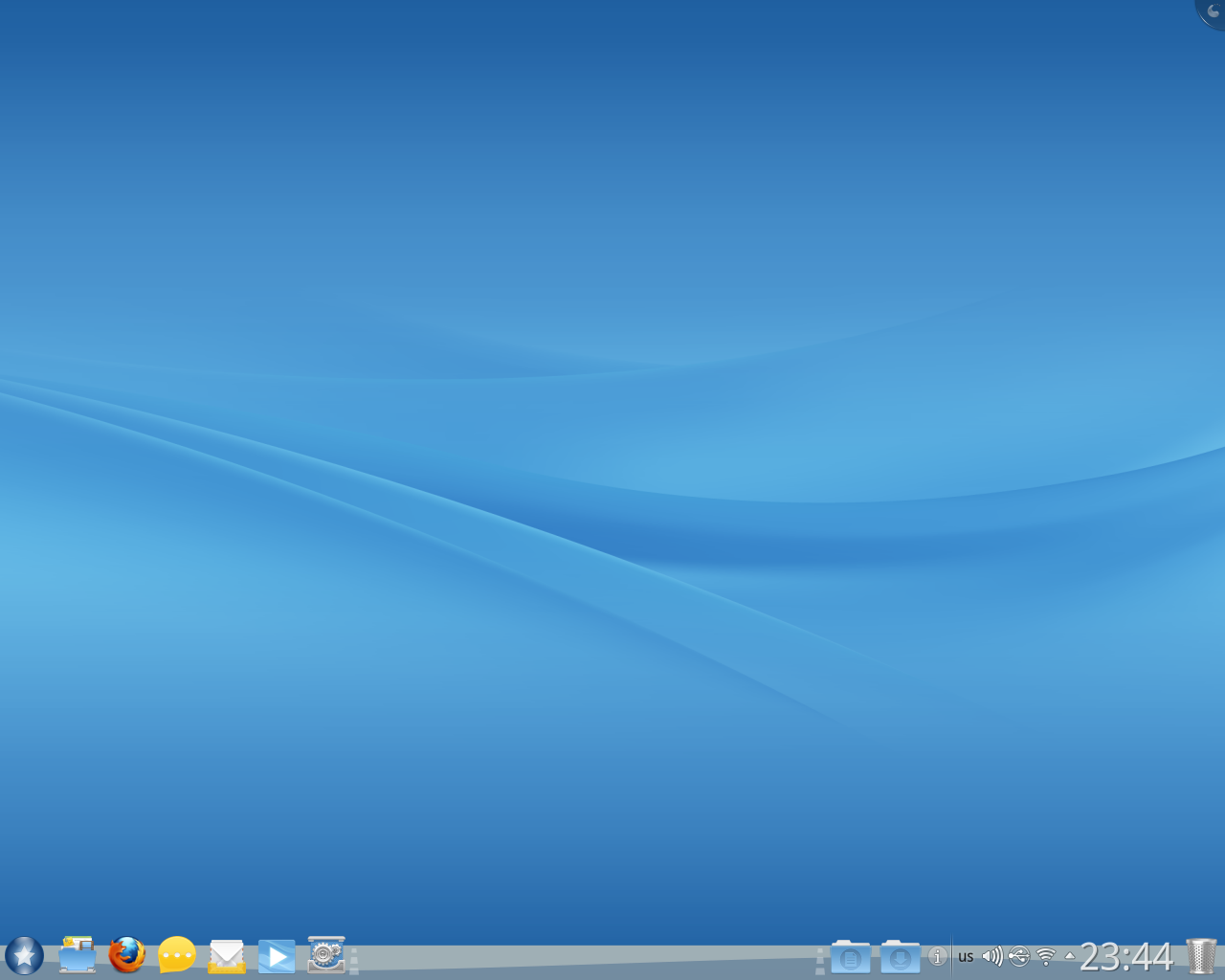
 Mandriva Linux 2011 | |
| Developer | Mandriva |
| OS family | Linux (Unix-like) |
| Working state | Discontinued |
| Source model | Open source (with exceptions)[1] |
| Initial release | 23 July 1998 |
| Latest release | 2011.0[2]  / 28 August 2011 / 28 August 2011 |
| Latest preview | 2011 rc2[3] / 27 July 2011 |
| Available in | Multilingual |
| Update method | Long-term support |
| Package manager | urpmi (command-line frontend) rpmdrake (GTK frontend) .rpm (package format) |
| Supported platforms | amd64, i686, i586, i486, i386, sparc64, ppc64, MIPS, arm, ia64, Xbox |
| Kernel type | Monolithic (Linux) |
| Userland | GNU |
| Default user interface | KDE Plasma Desktop (official) |
| License | Various free software licenses, plus proprietary binary blobs.[1] |
| Official website | Archived 23 May 2015 at the Wayback Machine |
Mandriva Linux, a fusion of the French distribution Mandrake Linux and the Brazilian distribution Conectiva Linux, is a discontinued Linux distribution developed by Mandriva S.A.
Each release lifetime was 18 months for base updates (Linux, system software, etc.) and 12 months for desktop updates (window managers, desktop environments, web browsers, etc.). Server products received full updates for at least five years after their release.[4]
The last release of Mandriva Linux was in August 2011. Most developers who were laid off went to Mageia.[5] Later on, the remaining developers teamed up with community members and formed OpenMandriva, a continuation of Mandriva.[6]
History
[edit]The first release of Mandrake was based on Red Hat Linux (version 5.1) and K Desktop Environment 1 in July 1998. After that, it moved away from the Red Hat standard and Red Hat inspiration and influence on its own design and implementation, and became a completely separate distribution. Mandrake included a number of original tools that make system configuration less difficult. It was the brainchild of Gaël Duval, who wanted to focus on ease of use for new users.
This goal was met as Mandrake Linux gained a reputation as "one of the easiest to install and user-friendly Linux distributions".[7] Mandrake Linux earned praise as a Linux distribution that users could use all the time, without dual booting into Microsoft Windows for compatibility with web sites or software unavailable under Linux.[8] CNET called the user experience of Mandrake Linux 8.0 the most polished available at that time.[9]
Duval became the co-founder of Mandrakesoft, but was laid off from the company in 2006 along with many other employees.
Name changes
[edit]
From its inception until the release of version 8.0, Mandrake named its flagship distribution Linux-Mandrake. From version 8.1 to 9.2 the distribution name was reversed and called Mandrake Linux.
In February 2004, MandrakeSoft lost a court case against Hearst Corporation, owners of King Features Syndicate. Hearst contended that MandrakeSoft infringed upon King Features' trademarked character Mandrake the Magician. As a precaution, MandrakeSoft renamed its products by removing the space between the brand name and the product name and changing the first letter of the product name to lower case, thus creating one word. Starting from version 10.0, Mandrake Linux became known as mandrakelinux, and its logo changed accordingly. Similarly, MandrakeMove (a Live CD version) became Mandrakemove.
In April 2005, Mandrakesoft announced the corporate acquisition of Conectiva, a Brazilian-based company that produced a Linux distribution for Portuguese-speaking (Brazil) and Spanish-speaking Latin America. As a result of this acquisition and the legal dispute with Hearst Corporation, Mandrakesoft announced that the company was changing its name to Mandriva, and that their Linux distribution Mandrake Linux would henceforward be known as Mandriva Linux.[10]
Forks
[edit]Mandriva has been forked many times.
| |||||||||||||||||||||||||||||||||||||||||||||||||||||||||||||
Features
[edit]Installation, control and administration
[edit]Mandriva Linux contained the Mandriva Control Center, which eases configuration of some settings. It has many programs known as Drakes or Draks, collectively named drakxtools, to configure many different settings. Examples include MouseDrake to set up a mouse, DiskDrake to set up disk partitions and drakconnect to set up a network connection. They are written using GTK+ and Perl, and most of them can run in both graphical and text mode using the ncurses interface.
Desktops
[edit]Mandriva Linux 2011 was released only with KDE Plasma Desktop, whereas other desktop environments were available but not officially supported.[11] Older Mandriva versions also used KDE as standard but others such as GNOME were also supported.
Package manager
[edit]
Mandriva Linux used a package manager called urpmi, which functions as a wrapper to the .rpm binaries. It is similar to apt from Debian & Ubuntu, pacman from Arch Linux, yum or dnf from Fedora in that it allows seamless installation of a given software package by automatically installing the other packages needed. It is also media-transparent due to its ability to retrieve packages from various media, including network/Internet, CD/DVD and local disk. Urpmi also has an easy-to-use graphical front-end called rpmdrake, which is integrated into the Mandriva Control Center.
Live USB
[edit]A Live USB of Mandriva Linux can be created manually or with UNetbootin.[12]
Versions
[edit]From 2007–2011, Mandriva was released on a 6-month fixed-release cycle, similar to Ubuntu and Fedora.
Latest version
[edit]The latest stable version is Mandriva Linux 2011 ("Hydrogen"), released on 28 August 2011.[13]
Development version
[edit]The development tree of Mandriva Linux has always been known as Cooker.[14] This tree is directly released as a new stable version.
Version history
[edit]This table shows how Mandriva developed over time.[15][16]
Mandrake releases
[edit]| Date | Number | Name | Major Features |
|---|---|---|---|
| 1998-07 | 5.1 | Venice | First release based on RedHat Linux; KDE 1.0 |
| 1998-12 | 5.2 | Leeloo | |
| 1999-02 | 5.3 | Festen | KDE 1.1; Last release with Kernel 2.0 series |
| 1999-05 | 6.0 | Venus | Kernel 2.2.9; GNOME 1.0.9 |
| 1999-09 | 6.1 | Helios | |
| 2000-01 | 7.0 | Air | Includes drakxtools 1.0 and urpmi 0.9, these packages later became most notable features among Mandrake/Mandriva based distributions. |
| 2000-05 | 7.1 | Helium | Last release with KDE 1.1.x series |
| 2000-09 | 7.2 | Odyssey (called Ulysses during beta) | KDE 2.0; Last release with Kernel 2.2 series |
| 2001-03 | 8.0 | Traktopel | Kernel 2.4.3; KDE 2.1.1 |
| 2001-09 | 8.1 | Vitamin | KDE 2.2.1 |
| 2002-03 | 8.2 | Bluebird | Last release with KDE 2.2 series |
| 2002-09 | 9.0[17] | Dolphin | KDE 3.0.3; OpenOffice.org 1.0.1; Gnome 2.0.2 |
| 2003-03 | 9.1[18][19][20] | Bamboo | Introduce "Galaxy" theme; KDE 3.1 |
| 2003-09 | 9.2 | FiveStar | Last release with Kernel 2.4 series |
| 2004-03 | 10.0[21][22][23][24] | Community and Official | Kernel 2.6.3; KDE 3.2.0; Last release with XFree86 4.3 |
| 2004-10 | 10.1[25] | X11 r6.7.0 replaced XFree86; Use scim as unified i18n input method platform | |
| 2005-04 | 10.2 / 2005 LE[26] | Limited Edition 2005 | KDE 3.3.2; "Mandrake" brand removed from artworks(wallpaper, splash, etc.) |
Mandriva releases
[edit]| Date | Number | Name | Major Features |
|---|---|---|---|
| 2005-10 | 2006.0[27][28][29][30] | Mandriva Linux 2006 | KDE 3.4.2; First release with Mandriva branding; Support upgrade from Conectiva; Last release with "Galaxy" theme |
| 2006-10 | 2007 | Mandriva Linux 2007 | KDE 3.5; New theme "la Ora"; Rpmdrake package manager ui redesign; X.org server 1.1.1 |
| 2007-04 | 2007.1[31][32] | Mandriva Linux 2007 Spring | |
| 2007-10 | 2008.0[33][34][35] | Mandriva Linux 2008 | |
| 2008-04-09[36] | 2008.1 | Mandriva Linux 2008 Spring | Last release with KDE 3.5 series |
| 2008-10 | 2009.0[37][38] | Mandriva Linux 2009 | DrakX installer redesign; KDE 4.1.2 |
| 2009-04-29[39] | 2009.1[40] | Mandriva Linux 2009 Spring | |
| 2009-11 | 2010.0[41][42][43] | Mandriva Linux 2010 | |
| 2010-07 | 2010.1 | Mandriva Linux 2010 Spring | |
| 2010-12 | 2010.2 | Mandriva Linux 2010.2 | Last release with Ia Ora theme |
| 2011-08-28[13] | 2011.0[44][45][46] | Hydrogen | use rpm5.org fork; KDE desktop customized by Rosalab |
Editions
[edit]Each release of Mandriva Linux was split into several different editions. Each edition is derived from the same master tree, most of which is available on the public mirrors: all free / open source software, and all non-free software which is under a license that allows unrestricted distribution to the general public, is available from the public mirrors. Only commercial software under a license that does not allow unrestricted distribution to the general public (but for which Mandriva has negotiated an agreement to distribute it with paid copies) is not available from public mirrors.
Mandriva Linux Free
[edit]Mandriva Linux Free was a 'traditional' distribution (i.e. one that comes with a dedicated installer,[47] to install the distribution to the computer before it is run). It was 'free' in both senses: it consists entirely of free and open-source software, and it was made available for public download at no charge. It was usually available in CD (three or four discs) and DVD editions for x86 32- and 64-bit CPU architectures. It was aimed at users to whom software freedom is important, and also at users who prefer a traditional installer to the installable live CD system used by One. The package selection was tailored towards regular desktop use. It consisted of a subset of packages from the 'main' and 'contrib' sections of the master tree. Mandriva Linux Free was phased in 2011 in favor of a single edition approach with Mandriva Desktop 2011.[11]
Mandriva Linux One
[edit]
Mandriva Linux One was a free to download hybrid distribution, being both a Live CD and an installer (with an installation wizard that includes disk partitioning tools).
Several Mandriva Linux One versions were provided for each Mandriva Linux release preceding Mandriva 2008. Users could choose between different languages, select either the KDE or GNOME desktops and include or exclude non-free software. The default version included the KDE desktop with non-free software included. The One images consist of a subset of packages from the 'main', 'contrib' and 'non-free' sections of the master tree, with the documentation files stripped from the packages to save space.
Mandriva Linux One 2008 has a smaller range of versions. There are KDE and GNOME versions with the default set of languages. There are also two KDE versions with alternative sets of languages. All versions include non-free software.
Mandriva Linux Powerpack
[edit]Mandriva Linux Powerpack was a 'traditional' distribution (in other words, one that comes with a dedicated installer, DrakX, which is first used to install the distribution to the hard disk of the computer before it is run). It is the main commercial edition of Mandriva Linux, and as such, requires payment for its use. It contains several non-free packages intended to add value for the end user, including non-free drivers like the NVIDIA and ATI graphics card drivers, non-free firmware for wireless chips and modems, some browser plugins such as Java and Flash, and some full applications such as Cedega, Adobe Reader and RealPlayer. It was sold directly from the Mandriva Store website and through authorized resellers. It was also made available via a subscription service, which allowed unlimited downloads of Powerpack editions for the last few Mandriva releases for a set yearly fee. It consisted of a subset of packages from the 'main', 'contrib', 'non-free' and 'restricted' sections of the master tree.
In Mandriva Linux 2008, the Discovery and Powerpack+ editions were merged into Powerpack, which became Mandriva's only commercial offering. Users were able to choose between a novice-friendly Discovery-like setup or an installation process and desktop aimed at power users.
Mandriva Linux Discovery
[edit]Mandriva Linux Discovery was a commercial distribution aimed at first-time and novice Linux users. It was sold via the Mandriva Store website and authorized resellers, or could be downloaded by some subscribers to the Mandriva Club. Mandriva Linux 2008 does not include a Discovery edition, having added optional novice-friendly features to the Powerpack edition.
In releases prior to Mandriva Linux 2007, Discovery was a 'traditional' distribution built on the DrakX installer. In Mandriva Linux 2007 and 2007 Spring, Discovery is a hybrid "Live DVD" which can be booted without installation or installed to hard disk in the traditional manner.
Discovery was a DVD rather than a CD, allowing all languages to be provided on one disc. It consisted of a subset of packages from the 'main', 'contrib', 'non-free' and 'non-free-restricted' sections of the master tree. The package selection was tailored towards novice desktop users. A theme chosen to be appealing to novice users was used, and the 'simplified' menu layout in which applications are described rather than named and not all applications are included was the default (for all other editions, the default menu layout was the 'traditional' layout, where all graphical applications installed on the system were included and were listed by name).
Mandriva Linux Powerpack+
[edit]Mandriva Linux Powerpack+ was a version of Powerpack with additional packages, mostly commercial software. Like Powerpack, it was sold directly from the Mandriva Store website and through authorized resellers; it was also a free download for Mandriva Club members of the Gold level and above. Powerpack+ was aimed at SOHO (small office / home office) users, with the expectation that it could be used to run a small home or office server machine as well as desktop and development workstations. The package selection was tailored with this in mind, including a wide range of server packages. It consisted of a subset of packages from the 'main', 'contrib', 'non-free' and 'restricted' sections of the master tree.
Mandriva 2008 no longer includes a Powerpack+ edition; instead, the Powerpack edition includes all the available packages.
Derivatives
[edit]Derivatives are distributions that are based on Mandriva Linux, some by Mandriva itself, others by independent projects. Some maintain compatibility with Mandriva Linux, so that installing a Mandriva Linux .rpm also works on the offspring.
- blackPanther OS - initially derived from Mandrake
- OpenMandriva Lx - a continuation of Mandriva by the community
- Mageia - a fork of Mandriva by the former laid off developers
- PCLinuxOS - initially derived from Mandrake
- ROSA Linux - a fork of Mandriva by the former laid off developers
References
[edit]- ^ a b "Explaining Why We Don't Endorse Other Systems". the Free Software Foundation. Archived from the original on 24 April 2011. Retrieved 3 March 2011.
- ^ "Mandriva 2011 "Hydrogen" is out!". 28 August 2011. Archived from the original on 23 June 2013. Retrieved 23 June 2013.
- ^ "Mandriva 2011 RC2 is out!". 27 July 2011. Archived from the original on 23 May 2015.
- ^ "Mandriva products lifetime policy". Mandriva. Archived from the original on 3 January 2013. Retrieved 1 March 2013.
- ^ "The Elegant Mageia Linux Prepares a New Release | Linux.com". Archived from the original on 17 October 2014. Retrieved 9 November 2014. The Elegant Mageia Linux Prepares a New Release
- ^ "Mandriva SA official blog: Mandriva Linux will return to the community". Mandriva. 17 May 2012. Archived from the original on 23 May 2015. Retrieved 13 December 2015.
- ^ Bmasinick (21 October 2002). "Review: Mandrake Linux 9.0". Extremetech. Archived from the original on 28 May 2014.
- ^ "Mandrake Linux 9.0, Desktop Magic You Can Use: A First Look". Archived from the original on 19 February 2014.
Many people have multi-boot boxes with both the Linux and Microsoft Windows operating systems installed on them. They do some tasks in Linux and some in MS Windows – from time to time rebooting into Linux from Windows, or from Windows to Linux. With Mandrake Linux 9.0, there is little need to boot into Microsoft Windows.
- ^ "Linux Mandrake 8.0 Standard". Archived from the original on 28 May 2014.
- ^ "Behind the New Mandriva". linuxplanet.com. Archived from the original on 1 June 2008. Retrieved 1 March 2008.
- ^ a b "2011.0 Tour - Mandriva Community Wiki". archive.openmandriva.org. Retrieved 20 November 2016.
Starting with Mandriva Desktop 2011 only KDE Plasma Desktop is officially supported. If you need Mandriva with another DE or WM you can use unofficial packages or distributions prepared by community members (which are described below).
- ^ "UNetbootin – Universal Netboot In". SourceForge.net. Archived from the original on 1 December 2012. Retrieved 1 March 2013.. Starting with Mandriva Linux 2009 Spring, all ISO images are "hybrid" and can be dumped directly on USB sticks, either manually or using MandrivaSeed program.
- ^ a b Mandriva Webteam (28 August 2011). "Mandriva 2011 "Hydrogen" is out!". blog.mandriva.com. Archived from the original on 4 February 2013. Retrieved 1 March 2013.
- ^ "Development – Mandriva Community Wiki". wiki.mandriva.com. Archived from the original on 7 March 2008. Retrieved 1 March 2008.
- ^ Karlsen, Per Øyvind. "Mandriva Release Overview – Mandriva Community Wiki". Archived from the original on 23 November 2012. Retrieved 25 November 2012.
- ^ "Releases - Mandriva Community Wiki". archive.openmandriva.org. Retrieved 4 May 2018.
- ^ Loli, Eugenia (17 October 2002). "Linux Mandrake 9.0-Dolphin: The Review". OSNews. Retrieved 19 November 2024.
- ^ Loli, Eugenia (25 March 2003). "World Exclusive: Mandrake Linux 9.1 Review". OSNews. Retrieved 1 November 2024.
- ^ Balsa, Andrew D. (30 March 2003). "Opinions and facts". DistroWatch Weekly. Retrieved 19 November 2024.
- ^ Balsa, Andrew D. (14 February 2003). "The Hardware". DistroWatch. Retrieved 19 November 2024.
- ^ Loli, Eugenia (12 March 2004). "Mandrake Linux 10 Community Edition: The Potential is Now Obvious". OSNews. Retrieved 19 November 2024.
- ^ Donley, David (9 June 2004). "Mandrake 10: A Long Time User's Experiences". OSNews. Retrieved 19 November 2024.
- ^ LaCroix, Jeremy (14 June 2004). "Quick Review: Mandrake 10.0 Official". OSNews. Retrieved 19 November 2024.
- ^ "OSNews is Exploring the Future of Computing". Archived from the original on 24 July 2017. Retrieved 28 July 2018.
- ^ Bodnar, Ladislav (5 January 2005). "Mandrakelinux 10.1 on AMD64". LWN.net.
- ^ srlinuxx (17 April 2005). "411 on 2005". Tux Machines.
- ^ srlinuxx (14 October 2005). "Mandriva 2006 Final Look". Tux Machines.
- ^ srlinuxx (28 December 2005). "Mandriva Linux 2006.1-0.3". Tux Machines.
- ^ srlinuxx (26 February 2006). "Mandriva One - a livecd attempt". Tux Machines.
- ^ srlinuxx (3 March 2006). "MandrivaOne - a livecd". Tux Machines.
- ^ srlinuxx (4 March 2007). "Kicking the tires of Mandriva 2007.1 beta 2". Tux Machines.
- ^ Linton, Susan (30 April 2007). "Mandriva Spring - Beautiful Change of Season". DistroWatch Weekly. No. 200.
- ^ Holwerda, Thom (11 October 2007). "Review: Mandriva Linux PowerPack 2008.0". OSNews.
- ^ Smart, Chris (22 October 2007). "A look at Mandriva Linux 2008". DistroWatch Weekly. No. 225.
- ^ Gilbertson, Scott (20 June 2008). "Mandriva's Linux on a stick will wow all the ladies this Summer". The Register.
- ^ Adam (9 April 2008). "Mandriva Linux 2008 Spring released". The Official Mandriva Blog. Archived from the original on 7 August 2008.
- ^ "Mandriva Linux Powerpack 2009 Review". LinuxBSDos.com. 4 November 2008. Archived from the original on 29 July 2018. Retrieved 28 July 2018.
- ^ "Mandriva 2009 - Quite all right, but could be better". Dedoimedo. 28 February 2009.
- ^ Ennael (29 April 2009). "Celebrate Spring with Mandriva Linux 2009 Spring". The Official Mandriva Blog. Archived from the original on 2 May 2009.
- ^ "First look at Mandriva Linux 2009.1". DistroWatch Weekly. No. 304. 25 May 2009.
- ^ Smith, Jesse (9 November 2009). "First look at Mandriva Linux 2010". DistroWatch Weekly. No. 328.
- ^ Jelic, Ivan (11 November 2009). "Mandriva 2010". LWN.net.
- ^ "Mandriva 2010 - I mean ... Wow!". Dedoimedo. 27 November 2009.
- ^ Bodnar, Ladislav (29 August 2011). "First look at Mandriva Linux 2011". DistroWatch Weekly. No. 420.
- ^ "Mandriva Desktop 2011 review". LinuxBSDos.com. 1 September 2011. Archived from the original on 29 July 2018. Retrieved 28 July 2018.
- ^ "Mandriva 2011.0 - Supreme start, unhappy ending". Dedoimedo. 19 October 2011.
- ^ "Free Software / Open Source Software". mandriva.com. Archived from the original on 17 October 2007. Retrieved 1 March 2008.
External links
[edit]


| International | |
|---|---|
| National | |
Mandriva Linux
View on GrokipediaHistory
Origins as Mandrake Linux
Mandrake Linux originated as a project initiated by French developer Gaël Duval in July 1998, aiming to create a more accessible Linux distribution for non-technical users by building upon Red Hat Linux 5.1 and fully integrating the newly released KDE 1.0 desktop environment.[1] This foundation emphasized ease of use from the outset, positioning Mandrake as one of the earliest distributions to prioritize a polished graphical interface over command-line complexity.[6] The initial preview release, version 5.1 codenamed "Venice," was made available for download in July 1998 via FTP servers, marking Mandrake's debut as a community-driven effort.[7] This was followed by the first official stable release, 5.2 "Leeloo," in December 1998, which incorporated performance optimizations and streamlined setup processes to simplify adoption for beginners.[8] A hallmark innovation was the introduction of the DrakX semi-graphical installer, which guided users through partitioning, package selection, and configuration via intuitive dialogs, significantly lowering the barrier for Linux newcomers compared to text-based alternatives of the era.[1] Throughout its early years, Mandrake Linux focused on user-friendliness by bundling leading-edge software, providing multilingual support, and maintaining an RPM-based package system inherited from Red Hat, which facilitated straightforward software management.[1] The distribution's releases continued this trajectory, with notable versions including 6.0 "Venus" in May 1999, introducing kernel 2.2 support; 7.0 "Air" in January 2000 and 7.1 "Official" in October 2000, enhancing hardware detection; 8.0 "Traktopel" in April 2001, featuring kernel 2.4; and 9.0 "Dolphin" in September 2002, bolstering multimedia capabilities—all while emphasizing KDE as the primary desktop for its visual appeal and configurability.[7] Subsequent iterations like 9.2 "FiveStar" in October 2003 and 10.0 "Official" in April 2004 further refined stability and security, culminating in Mandrake 10.2 "Official" released in April 2005, which added x86-64 architecture support and updated KDE to version 3.4.[7] In early 2004, MandrakeSoft faced a significant legal challenge when Hearst Corporation, owners of the "Mandrake the Magician" comic trademark, initiated a dispute over name similarity, resulting in a French court ruling in February 2004 that ordered the company to cease using the name and imposed a €70,000 fine.[9] This ongoing litigation influenced the distribution's future direction, paving the way for a rebranding later that year.[9]Merger and Rebranding to Mandriva
In early 2005, Mandrakesoft, a French Linux company, acquired the Brazilian distribution Conectiva, which specialized in Linux solutions for Portuguese-speaking markets in Latin America.[10] This merger, valued at approximately 1.79 million euros in stock, aimed to enhance research and development capabilities and establish a stronger international footprint by combining Mandrakesoft's European user base with Conectiva's regional expertise.[11] The resulting entity, Mandriva S.A., was headquartered in Paris and positioned itself as a global Linux provider.[3] Later that year, in June 2005, Mandriva acquired key assets from Lycoris, a U.S.-based company focused on user-friendly desktop Linux distributions.[12] This acquisition complemented the prior merger by integrating Lycoris's innovations in desktop technologies, such as its installation tools and graphical interfaces, while Lycoris CEO Joseph Cheek joined Mandriva to lead development of advanced desktop products.[13] Together, these moves created a multinational corporation with development resources spanning Europe, South America, and North America. The corporate evolution prompted a rebranding from Mandrakesoft and Mandrake Linux to Mandriva S.A. and Mandriva Linux, announced in April 2005.[14] The new name, a portmanteau of "Mandrake" and "Conectiva," resolved ongoing trademark disputes in France with Hearst Holdings over the "Mandrake" name, which was associated with the comic character Mandrake the Magician.[15] This change also facilitated international expansion by distancing the brand from legal entanglements and emphasizing the merged entity's global orientation.[16] Post-merger, Mandriva introduced enhanced multi-language support, particularly for Portuguese and other Latin American languages, drawing on Conectiva's established localization efforts.[17] The company assembled distributed development teams across its international offices, fostering collaborative innovation in areas like hardware compatibility and user interfaces tailored to diverse markets.[3] This global structure enabled Mandriva to address region-specific needs, such as optimizations for low-cost hardware prevalent in emerging economies. One of the initial major releases under the new branding was Mandriva Linux 2007.1 "Spring," launched in April 2007.[18] This version incorporated Conectiva's optimizations for Latin American users, including improved support for regional hardware and multilingual interfaces, while integrating Lycoris-derived desktop enhancements like advanced 3D effects via Compiz and Metisse.[19]Decline and Discontinuation
Mandriva S.A. began experiencing significant financial difficulties in 2009, culminating in cumulative losses of €8.156 million by the end of that year.[20] These challenges persisted into 2010, marked by ongoing restructuring efforts and the sale of a controlling stake to Russian investor NGI for €2 million to avert bankruptcy.[21] As part of this restructuring, the company liquidated its subsidiary Edge-IT, which employed most of the developers working on the Mandriva Linux distribution, resulting in widespread layoffs that reduced the core team to just 27 developers and 4 subcontractors.[21] Leadership underwent changes amid these troubles, with new management focusing on cost-cutting and shifting priorities away from consumer desktop development.[21] The final official release, Mandriva Linux 2011 (codenamed Hydrogen), arrived on August 28, 2011, emphasizing improved stability and a streamlined single-edition approach with KDE 4.6.5 as the default desktop environment.[2][22] This version dropped official support for other desktop environments like GNOME, prioritizing KDE to simplify development and enhance reliability for users.[23] Despite these efforts, no subsequent stable releases followed, with only alpha versions of a planned 2012 edition appearing briefly in late 2012.[2] In May 2012, Mandriva S.A. announced the suspension of its consumer Linux project, abandoning further development of Mandriva Linux to focus on enterprise solutions amid continued financial strain.[24] The company faced another near-bankruptcy in early 2012 but survived temporarily through additional investor support.[25] However, these measures proved insufficient, leading to the full liquidation of Mandriva S.A. on May 22, 2015, after generating just €553,000 in revenue the previous year with 10 to 19 employees remaining.[4] The decline had profound effects on the Mandriva community, particularly following the 2010 layoffs, which prompted many former employees and contributors to fork the distribution and form Mageia in September 2010.[26] This community-driven project attracted a large portion of the Mandriva user base and developers, who migrated to continue development independently under a not-for-profit structure, citing distrust in Mandriva S.A.'s future plans.[26] The shift underscored the distribution's transition from corporate backing to open-source community stewardship.[21]Features
Installation and Administration
The installation of Mandriva Linux was facilitated by the graphical installer known as DrakX in early versions, later rebranded as the Mandriva Installer, which provided a step-by-step process for system setup.[27] This tool supported installation from CD-ROM, network sources, or hard disk, with automated phases that included language selection, license agreement, and partitioning options such as using existing partitions, erasing the disk, resizing Windows partitions for dual-boot setups, or custom manual partitioning.[27][28] Hardware detection occurred automatically during the process, recognizing most devices like graphics cards, monitors, and peripherals, while multi-boot support was enabled through bootloader configuration (LILO or GRUB) installed to the master boot record (MBR) or a floppy disk, allowing coexistence with other operating systems like Windows.[27][29] Post-installation administration was centralized through the Mandriva Control Center (MCC), a graphical user interface that served as the primary tool for system configuration and management.[30] The MCC encompassed modules for network setup, enabling users to configure connections via DHCP or static IP, manage wireless networks, and handle firewall rules using Shorewall.[31] User management features allowed creation and modification of accounts, assignment of permissions, and autologin options, while security policies could be adjusted to levels ranging from "Very low" to "Paranoid," tailoring protections based on system use cases.[32][33] Additional administration tools included HardDrake, which simplified hardware configuration by detecting and setting up devices through a user-friendly interface integrated into the MCC.[32] Cryptographic support was provided via integrated tools like GnuPG for encryption and digital signatures, and OpenSSH for secure remote access and file transfers, configurable directly within the MCC's security and network sections.[32] These elements emphasized ease-of-use for beginners, with automatic driver installation during setup and intuitive GUIs reducing the need for command-line intervention.[28]Desktop Environments
Mandriva Linux has historically emphasized the KDE desktop environment as its primary interface, providing deep integration with distribution-specific tools for a seamless user experience. The inaugural release of its predecessor, Mandrake Linux 5.1, in July 1998, was the first Linux distribution to default to KDE 1.0, prioritizing ease of use and graphical accessibility for new users.[34] Subsequent iterations maintained KDE as the flagship environment, advancing through major versions such as KDE 3 in Mandrake 9.0 (2002) and KDE 4 starting with Mandriva 2008, which introduced enhanced visual effects and widget-based customization.[35][36] Support for alternative desktop environments expanded user choices, particularly through multi-edition installation ISOs that allowed selection during setup. GNOME was available as an option in releases like Mandriva 2008 and 2009, offering a more minimalist workflow compared to KDE's feature-rich design.[37] XFCE, valued for its lightweight performance, appeared in unofficial editions such as the 2008 Spring XFCE spin and could be installed alongside KDE or GNOME in standard packages.[38] These options catered to varied hardware needs and preferences without compromising core Mandriva functionalities. Desktop customization was a hallmark, enabling users to tailor appearances and behaviors extensively. Mandriva provided proprietary themes like Mandrivagalaxy II, which ensured visual consistency across KDE and GNOME applications, along with support for Plasma widgets in later KDE 4 iterations.[39] The Mandriva Control Center included a dedicated "Configure your Desktop" applet for managing themes, panels, and applets, integrating directly with KDE for streamlined adjustments.[32] By the final major release, Mandriva 2011 ("Hydrogen"), the distribution officially supported only the KDE Plasma desktop, refining its widget-centric interface for improved productivity and aesthetics while dropping official support for multi-desktop variants to focus development efforts.[22] This shift highlighted Plasma's maturity as a modern, customizable shell within the KDE ecosystem.[40]Package Management System
Mandriva Linux utilized the RPM (Red Hat Package Manager) format for software packaging, which encapsulates binaries, documentation, and resources to enable straightforward installation, updates, and removal of applications. The core command-line tool for managing these packages was urpmi, a customized extension of RPM that automatically resolves dependencies during installations, removals, and updates, ensuring all required libraries and components are handled seamlessly. Complementary tools included urpme for package removal and urpmq for querying installed software, making urpmi a comprehensive frontend to the underlying RPM system.[41][42] For users preferring a graphical interface, Mandriva provided Rpmdrake, a user-friendly frontend to urpmi that facilitated package selection, installation, and management through intuitive modes for adding, removing, or updating software. This tool integrated with the Mandriva Linux Control Center, allowing easy navigation of available packages without command-line interaction. Additionally, an urpmi graphical interface offered similar functionality for dependency-resolved operations directly from the desktop. Official repositories were structured into categories such as main (core system packages), contrib (additional community-contributed software), and backports (updated packages from newer releases adapted for stability), with corresponding updates media for security and bug fixes. The Software Media Manager, accessible via urpmi.setup or online tools like easyurpmi.zarb.org, enabled users to configure these repositories and media sources for automated synchronization.[41][43][44] Security was enhanced through urpmi's integration with automatic update mechanisms, which scanned for and applied patches addressing vulnerabilities via the software management system over the internet. This process prioritized security-related updates from official repositories, ensuring systems remained protected against known threats without manual intervention, often facilitated by tools like MandrivaUpdate for notifications and seamless deployment.[45][46]Live Media Support
Mandriva Linux provided robust live media support through its Mandriva One edition, first released in March 2006 as a bootable CD that enabled users to run a full desktop environment directly from optical media without requiring an immediate installation.[47] This live CD offered a complete, functional system for testing hardware compatibility and exploring the distribution's features in a non-destructive manner. The 2007 update to Mandriva One introduced enhanced persistence options, particularly for USB-based sessions, allowing users to save personal data, settings, and files across reboots on compatible flash drives.[48][49] USB booting support began with the launch of Mandriva Flash in December 2006, a commercial USB key product preloaded with a persistent live version of the distribution that stored user modifications directly on the device.[50] By 2008, Mandriva extended USB compatibility to its core releases, including hybrid ISO images for Mandriva One and other editions that could be burned to either CDs or USB drives for versatile booting across hardware without specialized tools.[51] These hybrid formats simplified media creation, supporting both BIOS and early UEFI systems while maintaining the live session's portability.[52] Live sessions in Mandriva Linux came preloaded with essential applications to ensure immediate productivity, including the OpenOffice.org suite for document editing, the Firefox web browser for internet access, and the GIMP for image manipulation, all integrated into a responsive desktop environment.[53] Users could seamlessly transition from testing to permanent setup, as the live environment included an integrated installer accessible via a graphical interface to copy the system to the hard disk while preserving session configurations.[54] The Mandriva One edition emphasized live usability as its core focus, delivering a lightweight yet feature-rich experience optimized for temporary or portable use on diverse hardware, without the need for disk installation or complex configuration.[48] This made it ideal for demonstrations, recovery tasks, or users hesitant about committing to a full OS change, with live mode supporting common desktop environments like KDE for familiar navigation.[53]Release History
Mandrake Linux Versions
Mandrake Linux, initially released as a fork of Red Hat Linux in 1998, followed a regular release cycle that emphasized ease of installation and desktop usability, particularly through integration with the KDE desktop environment. The distribution's development was driven by the French company Mandrakesoft, which aimed to make Linux accessible to non-expert users by incorporating tools like the graphical installer DrakX for improved hardware detection. Early versions focused on stabilizing the base system and updating core components, with subsequent releases introducing support for newer kernels and desktop enhancements.[2] The first preview release, Mandrake Linux 5.1 codenamed "Venice," arrived in July 1998, featuring kernel 2.0.35 and serving as an initial adaptation of Red Hat 5.1 with added RPM packaging optimizations. This was quickly followed by the stable 5.2 "Leeloo" in December 1998, which updated to kernel 2.0.36 and included initial KDE 1.0 support for a more intuitive graphical interface. By 1999, the cadence accelerated with 5.3 "Festen" in February (kernel 2.0.36) and 6.0 "Venus" in May (kernel 2.2.9), marking the shift to the 2.2 kernel series for better hardware compatibility, including early USB support.[2][7] Releases continued at intervals of 6 to 12 months, prioritizing KDE updates to deliver polished desktop experiences alongside hardware improvements such as enhanced graphics card drivers and networking tools. For instance, 6.1 "Helios" in September 1999 (kernel 2.2.13) refined multimedia capabilities, while 7.0 "Air" in January 2000 (kernel 2.2.14) introduced KDE 1.2 for better application integration. The 7.1 "Helium" update in June 2000 (kernel 2.2.15) and 7.2 "Odyssey" in October 2000 (kernel 2.2.17 with KDE 2.0) further emphasized stability and user-friendly configuration wizards.[2][55] In 2001, Mandrake Linux 8.0 "Traktopel" (April, kernel 2.4.3) adopted the new 2.4 kernel for advanced features like improved SMP support and ALSA audio, alongside KDE 2.2. Version 8.1 "Vitamin" followed in September (kernel 2.4.8), enhancing security tools and hardware autodetection. The 8.2 "Bluebird" release in March 2002 (kernel 2.4.18 with KDE 3.0) stood out for its focus on desktop performance and broad device support, including Wi-Fi configuration.[2][56] Subsequent versions in 2002–2003 maintained the momentum: 9.0 "Dolphin" in September 2002 (kernel 2.4.19, KDE 3.0.4) improved package management and live CD options, while 9.1 "Bamboo" in March 2003 (kernel 2.4.21) added better internationalization and hardware profiling for laptops. The 9.2 "FiveStar" edition, released in October 2003 (kernel 2.4.22), refined firewall integration and KDE 3.1 for enhanced multimedia handling. These updates consistently advanced hardware support, such as for NVIDIA and ATI graphics, through Mandrake's Cooker development repository.[2][57] By 2004, Mandrake Linux 10.0 (March, kernel 2.6.3) introduced the 2.6 kernel for superior performance in filesystems and networking, with KDE 3.2 and improved installer resilience. This version marked the debut of distinct "Community" and "Official" editions, where the free Community edition provided core packages for open-source enthusiasts, and the Official edition offered commercial support, proprietary drivers, and extended updates for enterprise users. The cycle concluded with 10.1 "Official" in September 2004 (kernel 2.6.8.1), bolstering security features and hardware compatibility for emerging 64-bit processors. Finally, 10.2 "Official" (also known as Limited Edition 2005) launched in April 2005 (kernel 2.6.11, KDE 3.3), focusing on refined desktop tools and broader device recognition before the merger leading to rebranding.[2][58][59]| Version | Codename | Release Date | Kernel | Key Focus |
|---|---|---|---|---|
| 5.1 | Venice | July 1998 | 2.0.35 | Preview, RPM optimizations |
| 5.2 | Leeloo | December 1998 | 2.0.36 | KDE 1.0 integration |
| 6.0 | Venus | May 1999 | 2.2.9 | Kernel 2.2, USB support |
| 7.0 | Air | January 2000 | 2.2.14 | KDE 1.2 stability |
| 8.0 | Traktopel | April 2001 | 2.4.3 | SMP, ALSA audio |
| 8.2 | Bluebird | March 2002 | 2.4.18 | KDE 3.0, Wi-Fi |
| 9.0 | Dolphin | September 2002 | 2.4.19 | Live CD, package mgmt. |
| 9.1 | Bamboo | March 2003 | 2.4.21 | Internationalization |
| 9.2 | FiveStar | October 2003 | 2.4.22 | Firewall, KDE 3.1 |
| 10.0 | - | March 2004 | 2.6.3 | Kernel 2.6, editions split |
| 10.1 | Official | September 2004 | 2.6.8.1 | Security, 64-bit prep |
| 10.2 | Official | April 2005 | 2.6.11 | KDE 3.3, device support |
Mandriva Linux Versions
Following the rebranding from Mandrake Linux after the merger with Conectiva, the Mandriva Linux versions from 2006 to 2011 incorporated enhancements such as improved internationalization and localization support for over 70 languages, drawing on Conectiva's expertise in Latin American and emerging markets.[60][61] The initial transitional release, Mandriva Linux 2007.0, arrived on October 3, 2006, serving as a bridge to fully integrate the merged technologies while maintaining compatibility with prior Mandrake systems.[2] This was quickly followed by Mandriva Linux 2007.1 on April 17, 2007, which marked a significant update with refined package management and desktop integration.[2][19] Subsequent releases adhered to a biannual pattern initially, evolving toward longer support periods. Key versions included 2008.0 on October 9, 2007, introducing advanced multimedia tools; 2008.1 on April 9, 2008, with enhanced security features; 2009.0 on October 9, 2008, focusing on performance optimizations; and 2009.1 on April 29, 2009, emphasizing energy efficiency and hardware compatibility.[2] Later releases comprised 2010.0 on November 3, 2009; 2010.1 on July 8, 2010, which shifted toward a more streamlined installer; 2010.2 on December 23, 2010, providing stability and security improvements; and the final official version, Mandriva Linux 2011 "Hydrogen", released on August 29, 2011, featuring updated kernel and desktop environments for better usability.[2][62][23]| Version | Release Date | Notes |
|---|---|---|
| 2007.0 | 2006-10-03 | Transitional release post-merger |
| 2007.1 | 2007-04-17 | Introduced new release lifecycle |
| 2008.0 | 2007-10-09 | Enhanced multimedia and networking |
| 2008.1 | 2008-04-09 | Improved security and localization |
| 2009.0 | 2008-10-09 | Performance and kernel updates |
| 2009.1 | 2009-04-29 | Focus on power management |
| 2010.0 | 2009-11-03 | Refined installer and drivers |
| 2010.1 | 2010-07-08 | Streamlined desktop experience |
| 2010.2 | 2010-12-23 | Stability and security improvements |
| 2011 "Hydrogen" | 2011-08-29 | Final official release with long-term updates |