Hubbry Logo
Magic TrackpadMagic TrackpadMain
Open search
Magic Trackpad
Community hub
Magic Trackpad
logo
8 pages, 0 posts
0 subscribers
Be the first to start a discussion here.
Magic Trackpad
Magic Trackpad
from Wikipedia

Magic Trackpad
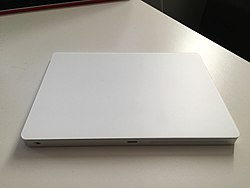
The second generation Magic Trackpad
ManufacturerApple Inc.
TypeMulti-touch trackpad[1]
Released
  • 1st generation: July 27, 2010 (2010-07-27)
  • 2nd generation: October 13, 2015 (2015-10-13)
Discontinued1st generation: October 13, 2015 (2015-10-13)
Operating system
Connectivity
Power
Dimensions
  • 1st generation: 5.1 in (13 cm) x 5.2 in (13.2 cm)[2]
  • 2nd generation: 0.19–0.43 inch (0.49–1.09 cm) x 6.3 inch (16.0 cm) x 4.52 inches (11.49 cm)
Weight
  • 1st generation: 0.31 pound (0.14 kg)
  • 2nd generation: 0.51 pound (0.231 kg)
RelatedMagic Mouse

The Magic Trackpad is a multi-touch and force touch trackpad produced by Apple Inc. The first generation version was released on July 27, 2010, and featured a trackpad 80% larger than the built-in trackpad found on the then-current MacBook family of laptops. A redesigned second generation version, initially marketed as Magic Trackpad 2, was released on October 13, 2015.

Models

[edit]

1st generation

[edit]
The first generation Magic Trackpad

The first generation Magic Trackpad was released on July 27, 2010. It is made of glass and aluminum in the same style as Apple's Wireless Keyboard and sits flush with it.[3][4] The entire trackpad can be used as a button, pressing down on the trackpad puts pressure on two circular feet below to register a click.[5] The trackpad connects via Bluetooth and is powered by two AA batteries.[6]

2nd generation

[edit]

The second generation Magic Trackpad, initially marketed as the Magic Trackpad 2, was released on October 13, 2015, alongside the Magic Keyboard and Magic Mouse 2.[7] It had 29% more surface area than the first generation model, features an enclosed wedge design, and adds support for Force Touch.[8][9][10] It also provides haptic feedback via Apple's built-in Taptic Engine that is also used in MacBook trackpads.[11] It includes a built-in rechargeable lithium-ion battery and uses the Lightning connector for charging and pairing.[12] Released in 2020, iPadOS 13.4 introduced mouse support to iPads for the first time, and supports all functionality of the second-generation Magic Trackpad.

It was originally released in white, and was followed by a space gray version that was introduced with the iMac Pro in 2017 alongside a color-matching Magic Keyboard; both were later made available as standalone purchases.[13] Seven pastel models (red, pink, orange, yellow, green, blue, and purple) were introduced in 2021 to match the colors of the M1 iMac. Additionally, standalone purchases included a USB-C to Lightning cable instead of a USB-A cable. In 2022, the space gray color was replaced by a black-and-silver version which was previously only available bundled with the third-generation Mac Pro.[14] On October 28, 2024, Apple released an updated Magic Trackpad that replaced the Lightning charging port with a USB-C port.[15]

Reception

[edit]

Reviews of the first generation Magic Trackpad lauded its design but criticized its price. Scott Stein of CNET wrote, "Apple's $69 Bluetooth device is minimalist and not particularly cheap"; "We're not sure we'd ditch our mouse and use the Magic Trackpad, but it's a compact solution for the touch-addicted."[3] Macworld also praised the trackpad's design similarity with the Apple Wireless Keyboard: "The Magic Trackpad is the same height and angle of inclination as the Apple Wireless Keyboard, making them a good fit, in terms of size and style."[5]

In reviews of the second-generation Magic Trackpad, reviewers praised the new Force Touch functionality, better ergonomics over the Magic Mouse, and full compatibility with macOS and iPadOS, but noted its high price tag.[16][17]

See also

[edit]

References

[edit]
[edit]
Revisions and contributorsEdit on WikipediaRead on Wikipedia
from Grokipedia
The Magic Trackpad is a multi-touch input device developed by Apple Inc., designed primarily for use with Mac computers as an alternative to a mouse, while also supporting and . It features a large edge-to-edge surface that enables intuitive gestures for scrolling, zooming, swiping, and rotating, along with technology that provides haptic feedback and pressure-sensitive interactions for precise control. The device measures 6.3 inches wide by 4.52 inches deep and weighs 0.51 pounds, with a offering up to a month of use on a single charge, and it pairs automatically via with compatible Apple hardware. Introduced on July 27, 2010, alongside updates to Apple's iMac lineup, the original Magic Trackpad was the first external Multi-Touch trackpad for desktop Macs, utilizing two AA batteries and an aluminum-and-glass design roughly 80% larger than built-in laptop trackpads, supporting gestures like inertial scrolling and pinching to zoom. On October 13, 2015, Apple launched the second-generation model, known as the Magic Trackpad 2, which replaced batteries with an internal rechargeable lithium-ion battery charged via Lightning connector, expanded the trackpad surface by 29% for broader gesture support, and integrated Force Touch for advanced features like customizable click sensitivity and contextual menus. A black multi-touch surface variant was released on March 8, 2022, expanding color options beyond the original silver/white while maintaining the same core design. In October , Apple updated the Magic Trackpad to a USB-C charging port model, aligning with broader ecosystem shifts away from connectors, while retaining all prior features including compatibility with macOS 15.1 or later, 18.1 or later, and the latest for spatial computing tasks like 3D app arrangement on . Available in or black, the device connects wirelessly via and supports a range of and creative workflows, from navigation to photo , making it a staple accessory for Apple desktop users seeking laptop-like gesture controls.

History

Development and Announcement

In 2010, Apple sought to extend the gesture capabilities familiar from trackpads to desktop Mac users, who previously relied on mice or keyboards for input. The Magic Trackpad was developed as a standalone, wireless peripheral to bridge this gap, allowing and owners to perform intuitive actions like scrolling, pinching to zoom, and swiping directly on a larger surface. This motivation stemmed from the success of interfaces in Apple's laptops, aiming to unify input experiences across its product lineup. Development of the Magic Trackpad built upon Apple's prior advancements in touch technology, evolving from earlier devices like the Mighty Mouse introduced in 2005. Internal efforts focused on adapting laptop-style to a dedicated desktop accessory, resulting in a design that matched the aesthetics of the wireless Apple Keyboard. While specific prototyping details remain limited, the project aligned with Apple's broader push toward gesture-based navigation in the lead-up to . Apple announced the Magic Trackpad on , 2010, through an official that also detailed updates to the and lines. Positioned as a companion to the 2009 Magic Mouse, it was unveiled not at WWDC but as part of mid-year hardware refreshes, complementing the multi-touch previews shown for at the June conference. The announcement highlighted its role in bringing notebook-like input to desktops without requiring new hardware enclosures. At launch, Apple set the manufacturer's suggested retail price (MSRP) at $69, with immediate availability for purchase through the , retail locations, and authorized resellers. Shipping began right away, emphasizing its quick integration into existing Mac setups powered by or later.

Release and Updates

The first-generation Magic Trackpad was released on July 27, 2010, coinciding with a software update that added support for it in Mac OS X 10.6.4 or later. It was offered as a standalone accessory but also available in bundles with Apple's for desktop setups. The second-generation Magic Trackpad launched on October 13, 2015, unveiled alongside updated models at an . This version introduced a built-in , replacing disposable AA batteries, and integrated technology for pressure-sensitive interactions. On October 28, 2024, Apple released a refreshed second-generation model featuring a port for charging, while preserving the overall design, surface, and capabilities; it is priced at $129. Firmware updates have periodically enhanced performance, including a mid-2024 release that improved connectivity stability to align with macOS Sequoia requirements. On November 18, 2025, Apple issued further firmware updates, bringing the Magic Trackpad 2 to version 3.1.8 and the model to 3.1.8, enhancing overall stability and compatibility.

Design

Physical Design

The Magic Trackpad embodies Apple's signature minimalist aesthetic, prioritizing a slim, portable form factor that integrates seamlessly into desktop workflows alongside devices like the Magic Keyboard. Its physical construction emphasizes durability, comfort, and visual harmony with Mac hardware, using high-quality materials to support extended use without compromising on lightness or stability. The first-generation model measures 5.17 by 5.12 inches and stands 0.3 inches thick, weighing approximately 5 ounces without batteries, making it compact and easy to position on any desk surface. The second-generation version adopts a rectangular shape at 6.3 by 4.52 inches, with a variable height of 0.19 to 0.43 inches depending on its tilt, and weighs 0.51 pounds, offering improved portability despite the slightly larger footprint. Both generations utilize a machined aluminum body finished in silver for a premium, anodized appearance that resists fingerprints and wear, complemented by a large edge-to-edge surface for precise, responsive input. The provides a smooth gliding experience, while subtle edge lighting indicates charging status on the second-generation model when connected. Ergonomically, the low-profile design minimizes wrist elevation to reduce strain during prolonged sessions, with the second generation's tiltable base allowing users to adjust the angle for optimal hand positioning and comfort. The first generation supports similar benefits through its flat layout, which encourages a neutral arm posture when paired with a keyboard. Both connect wirelessly via for clutter-free setups. Power sources differ by generation: the first uses two replaceable AA batteries for simplicity, while the second features a built-in rechargeable delivering up to 30 days of use on a single charge. A 2024 update to the second generation relocated the charging port to on the underside, aligning with broader Apple accessory standards. The Trackpad's build complements Apple's , enabling compatibility with third-party stands and protective cases that enhance tilt or portability, though no official Apple accessories are available for these purposes.

Input Technology

The Magic Trackpad employs a capacitive surface that detects finger contacts through changes in electrical across a grid of sensors beneath a smooth panel. This technology enables precise tracking and , supporting up to 10 simultaneous points of contact to facilitate complex interactions such as pinch-to-zoom for scaling content and three-finger swipes for navigating between full-screen apps or desktops. Introduced with the second-generation model, enhances input capabilities via a haptic integrated with sensors positioned under the trackpad's surface. These sensors measure applied pressure by detecting deflections in spring-loaded tabs, allowing the device to differentiate between light presses for standard clicks and firmer presses that trigger contextual actions like previewing files or accessing . The Taptic Engine provides tactile feedback through linear actuators that simulate physical clicks without mechanical movement, using electromagnetic coils to vibrate a component against the trackpad for a consistent haptic response. Connectivity relies on for wireless operation, utilizing Class 2 specifications with the first generation using Bluetooth 2.1+EDR, the initial using Bluetooth 4.0, and later models from 2021 upgrading to Bluetooth 5.0 for improved efficiency and range up to approximately 30 feet (10 meters). This low-latency pairing ensures seamless integration with compatible devices, with automatic connection to Macs upon proximity. Gesture mapping is highly customizable through macOS , where users can adjust sensitivities and assign actions to specific inputs, including inertial scrolling for smooth momentum-based navigation and app-specific behaviors like four-finger gestures for Mission Control. This flexibility allows tailoring interactions to individual workflows while maintaining core gesture support across supported applications.

Models

First Generation

The first generation Magic Trackpad was released on July 27, , marking Apple's initial foray into a standalone for desktop Macs. Priced at $69 and available immediately through the , it was designed to bring the gesture capabilities of trackpads to iMac and users, using connectivity for wireless operation. The device consisted of a sleek aluminum with a smooth glass multi-touch surface, measuring approximately 5.2 inches square overall, with an active input area of about 5 x 4.3 inches. Powered by two AA batteries, the Magic Trackpad offered extended usage without frequent replacements, aligning with Apple's emphasis on efficient peripherals at the time. It supported foundational gestures, including two-finger scrolling with inertial momentum, two-finger rotation for image manipulation, pinch-to-zoom, and three-finger swipes for navigation in applications like or . These features required macOS 10.6 or later for full functionality, and the trackpad could be configured for tap-to-click or physical button presses via System Preferences. However, it featured a fixed height with no adjustable tilt mechanism, resulting in a slight rear elevation due to the battery compartment, and lacked advanced sensitivity. The first generation model shared core design aesthetics, such as the aluminum and glass construction, with its successor. It was phased out following the introduction of the second generation in October 2015, and remains compatible with later versions of macOS.

Second Generation

The second-generation Magic Trackpad, introduced on October 13, 2015, marked a significant redesign with a built-in rechargeable battery that eliminated the need for disposable AA batteries used in the first generation, charged via a Lightning connector for convenient recharging. This model also incorporated Force Touch technology, enabling pressure-sensitive interactions such as firm presses for contextual menus and haptic feedback to simulate physical clicks, enhancing usability for tasks like editing and navigation. The device launched at a price of $129, positioning it as a premium input accessory. A key design improvement was the adjustable height mechanism, allowing the trackpad to tilt from 0.19 to 0.43 inches (0.49 to 1.09 cm) for better wrist ergonomics during extended use. The multi-touch surface was enlarged to 6.3 inches wide by 4.52 inches deep (16.0 cm by 11.49 cm), providing nearly 30% more area than the original for smoother gesture recognition and multi-finger inputs. Overall, the trackpad weighs 0.51 pounds (0.23 kg), maintaining a sleek, low-profile aluminum enclosure. A black multi-touch surface variant was released on March 8, 2022, expanding color options beyond the original silver/white while maintaining the same core design.

Third Generation

The third-generation Magic Trackpad, introduced on October 13, 2024, is a refresh of the second-generation model that replaces the port with for alignment with modern Mac connectivity while preserving the rechargeable battery's month-long usage between charges. It retains the same haptics and surface dimensions: width of 16.0 cm (6.3 inches), depth of 11.49 cm (4.52 inches), and thickness/height of 0.49–1.09 cm (0.19–0.43 inches, front thin to back thick due to the sloped adjustable design), with a weight of approximately 230 g (0.51 pounds). The update includes optimizations for improved performance with macOS Sequoia (version 15). This version is priced at $129 and available with white or black surface. It maintains backward compatibility with gestures from prior models, ensuring seamless integration across macOS versions.

Compatibility

Hardware Requirements

The Magic Trackpad requires a compatible Apple device with connectivity for wireless operation. The first-generation model, released in 2010, necessitates a Mac equipped with 2.1 + EDR or later, and is compatible with desktop models such as (Late 2009 or later), (Early 2009 or later), and (Early 2009 or later). The second-generation model, introduced in 2015, requires a -enabled Mac with OS X 10.11 El Capitan or later and is compatible with models including (Late 2008 or later), (Mid 2007 or later), (Mid 2007 or later), (Mid 2011 or later), (Mid 2010 or later), (2022 or later), and later models. The USB-C variant, updated in 2024, requires hardware compatible with macOS 15.1 or later, such as (2018 or later), (2018 or later), (2019 or later), M1 (2021 or later), (2018 or later), (2022 or later), and (2019 or later). The second-generation models are also compatible with iPad. The Lightning model works with iPad models supporting iPadOS 13.4 or later, including iPad Pro (all models from 2015), iPad Air (3rd generation or later), iPad (7th generation or later), and iPad mini (5th generation or later). The USB-C model requires iPad models supporting iPadOS 18.1 or later, such as iPad Pro (M4 or 6th generation and later), iPad Air (M2 or 5th generation or later), iPad (10th generation), and iPad mini (A17 Pro or 6th generation). Additionally, second-generation models are compatible with running the latest ; the first-generation model is not, due to its removable batteries. Power requirements differ between generations. The first-generation Magic Trackpad uses two AA batteries, which are user-replaceable and typically provide several months of usage depending on activity levels. In contrast, the second-generation model features a built-in rechargeable that lasts approximately one month or more per charge, requiring an initial charge via a cable (for the 2015 version) or cable (for the 2024 update); both cables are included with the device for pairing and charging when connected to a compatible Mac's USB port. Pairing the Magic Trackpad involves a one-time setup process on the host device. Users access (or System Preferences on older macOS versions), enable , and select the Trackpad when it appears in the list of available devices; the device pairs automatically upon confirmation and can store connections for up to three devices, though it remains actively connected to only one at a time. For , the Trackpad must be unpaired from any Mac before pairing. While designed exclusively for Apple ecosystems, the Magic Trackpad offers limited compatibility with non-Mac systems through third-party drivers. On Windows, software like Magic Utilities enables basic functionality including multi-touch gestures, but full feature support is inconsistent. For Linux, the 2024 USB-C model (A3120) pairs via Bluetooth as a standard HID device, supporting basic functions such as cursor movement, single-finger clicking, and two-finger scrolling through libinput. However, advanced multi-touch gestures (such as three- or four-finger swipes and pinch-to-zoom), Force Touch/force click, and haptic feedback are not supported natively in the Linux kernel or libinput. Partial gesture support may be possible through third-party tools like Touchegg or custom configurations, though results are inconsistent and limited compared to macOS. The USB-C port is for charging only, with no wired data transfer possible. Recent kernel patches have improved compatibility for this model. Apple does not provide official endorsement or support for use outside of its own hardware.

Software Support

The first-generation Magic Trackpad requires macOS 10.6 (version 10.6.4 or later) for basic compatibility and operation. It does not support or . The second-generation Lightning model requires macOS 10.11 or later to enable its full feature set, including capabilities for pressure-sensitive interactions and haptic feedback. The USB-C variant requires macOS Sequoia 15.1 or later. The Lightning model also supports 13.4 or later, while the USB-C model requires 18.1 or later. Both second-generation models support the latest on . The Magic Trackpad integrates seamlessly with macOS through native gesture support, allowing users to perform actions such as swiping with three or four fingers to access Mission Control for an overview of open windows and desktops, swiping between full-screen apps or desktops, and using a four-finger gesture for trackpad-specific Exposé to show all windows of the active application. These gestures extend to app switching via three-finger swipes and can be customized directly in the under the Trackpad pane, where users can enable, disable, or adjust sensitivity for options like pinch-to-zoom, rotate, and smart zoom. Additional customization for , such as enabling three-finger drag for easier window manipulation, is available in the settings within . On , the Magic Trackpad provides pointer control and basic gestures like scrolling and swiping, but advanced and features are limited compared to macOS. Customization is available in Settings under Trackpad. On , it enables precise cursor control for spatial interactions, such as arranging 3D apps. Apple maintains full software support for the Magic Trackpad across all generations through macOS Sequoia (version 15), with ongoing updates ensuring compatibility for gestures and connectivity in the latest releases. However, certain advanced gestures introduced in later macOS versions, such as those enhanced for in macOS 10.15 Catalina and beyond, are not available in pre-10.15 operating systems, leading to deprecated functionality on older installations. The 2024 USB-C variant of the second-generation model specifically requires macOS Sequoia 15.1 or later for complete feature support, including optimized charging and . While core functionality relies on Apple's built-in System Gestures preferences, third-party applications like BetterTouchTool provide advanced enhancements, enabling custom scripting for gestures, multi-device integration, and per-app actions on the Magic Trackpad. pairing serves as the initial entry point for connecting the device to a compatible Mac, after which software features activate automatically.

Reception

Critical Reviews

Upon its release in 2010, the Magic Trackpad received praise from reviewers for introducing precise gestures to desktop Mac users, enabling seamless navigation akin to laptop trackpads. awarded it an 8/10 rating, highlighting its superior gesture support for desktop usability, such as three- and four-finger swipes across large screens, though it noted the device was less precise and faster than a traditional mouse for detailed tasks. echoed this, commending the large surface—80% bigger than a trackpad—for intuitive scrolling and pinching, but criticized its overall precision as inferior to a mouse, potentially hindering productivity in applications like text editing. Critics also pointed to battery dependency as a drawback, with the device relying on two AA batteries that required separate replacement or an optional Apple charger, lacking built-in rechargeability. The second-generation Magic Trackpad, launched in 2015 with technology, garnered high marks for enhancing input innovation on Macs. The Verge described it as "quite good" in initial hands-on testing, a significant improvement over the original, with the ability to click anywhere on the surface and deliver haptic feedback for pressure-sensitive actions like previews and app switching, making it feel essential for gesture-heavy workflows. Macworld gave it a 4/5 rating, praising for adding depth to interactions but noting a where users might accidentally trigger gestures by resting palms on the surface. Reviewers frequently highlighted the price increase to $129 as a point of contention, positioning it as a premium accessory rather than a necessity for all Mac users. The 2024 USB-C update to the Magic Trackpad elicited mixed responses, viewed primarily as a minor convenience refresh rather than a substantive evolution. rated it 3.5/5, appreciating the shift to for easier charging compatibility with modern Macs but criticizing the lack of ergonomic or functional upgrades, calling it an expensive ($129–$149) holdover that doesn't justify replacement for existing owners. In contrast, Cult of Mac awarded 4.5/5 stars, lauding the enduring design and as timeless strengths that keep it the premier trackpad for Mac ecosystems, though it questioned the update's necessity given no changes beyond the port. Across reviews of all generations, emerged as a consistent strength, with the low-profile, wrist-friendly design praised for reducing strain during extended use, as noted by for accommodating larger hands comfortably. However, a for mastering gestures was a recurring critique, with Macworld and observing that transitioning from mice required adaptation to avoid unintended inputs, though this was offset by the device's intuitive long-term benefits for gesture-based navigation.

User Feedback

Users have praised the Magic Trackpad for its fluid gestures, which enhance in creative applications such as zooming and panning in Photoshop. These gestures provide a seamless experience that mimics interactions on touch-enabled devices, making it particularly appealing for designers and creative professionals. Following its release in late 2024, the transition to charging has been welcomed by users for its compatibility with modern Mac setups, eliminating the need for proprietary cables. Common complaints include variability in battery life for the first-generation model, which relies on AA batteries and may require replacements every few weeks under heavy use. Occasional dropouts have been reported since 2010, often attributed to interference, with issues continuing into recent years, though troubleshooting via Apple's support resolves most cases. Regarding , 2025 user reviews highlight the device's , with some units from 2015 remaining functional after a of use. The haptic feedback is frequently commended for providing immersive, precise tactile responses during interactions. In November 2025, Apple released a update for the Magic Trackpad, enhancing stability and support, which early users have noted improves reliability. The Magic Trackpad is especially popular among owners as a space-saving input alternative to traditional mice. Aggregated customer reviews indicate high satisfaction, with ratings averaging 4.7 out of 5 across thousands of responses on major retail sites.

References

Add your contribution
Related Hubs
User Avatar
No comments yet.