


Community hub
Recent from talks
Contribute something
Nothing was collected or created yet.
 |
 | |
| Year created | 2000 |
|---|---|
| Created by | Serial ATA Working Group |
| Supersedes | Parallel ATA (PATA) |
| Speed | Half-duplex 1.5, 3.0 and 6.0 Gbit/s |
| Style | Serial |
| Hotplugging interface | Optional[1] |
| External interface | Optional (eSATA) |
| Website | sata-io |
SATA (Serial AT Attachment)[a][2] is a computer bus interface that connects host bus adapters to mass storage devices such as hard disk drives, optical drives, and solid-state drives. Serial ATA succeeded the earlier Parallel ATA (PATA) standard to become the predominant interface for storage devices.
Serial ATA industry compatibility specifications originate from the Serial ATA International Organization (SATA-IO) which are then released by the INCITS Technical Committee T13, AT Attachment (INCITS T13).[3]
History
[edit]

SATA was announced in 2000[4][5] in order to provide several advantages over the earlier PATA interface such as reduced cable size and cost (seven conductors instead of 40 or 80), native hot swapping, faster data transfer through higher signaling rates, and more efficient transfer through an (optional) I/O queuing protocol. Revision 1.0 of the specification was released in January 2003.[2]
Serial ATA industry compatibility specifications originate from the Serial ATA International Organization (SATA-IO). The SATA-IO group collaboratively creates, reviews, ratifies, and publishes the interoperability specifications, the test cases and plugfests. As with many other industry compatibility standards, the SATA content ownership is transferred to other industry bodies: primarily INCITS T13[3] and an INCITS T10 subcommittee (SCSI), a subgroup of T10 responsible for Serial Attached SCSI (SAS). The remainder of this article strives to use the SATA-IO terminology and specifications.
Before SATA's introduction in 2000, PATA was simply known as ATA. The "AT Attachment" (ATA) name originated after the 1984 release of the IBM Personal Computer AT, more commonly known as the IBM AT.[6] The IBM AT's controller interface became a de facto industry interface for the inclusion of hard disks. "AT" was IBM's abbreviation for "Advanced Technology"; thus, many companies and organizations indicate SATA is an abbreviation of "Serial Advanced Technology Attachment". However, the ATA specifications simply use the name "AT Attachment", to avoid possible trademark issues with IBM.[7]
SATA host adapters and devices communicate via a high-speed serial cable over two pairs of conductors. In contrast, parallel ATA (the redesignation for the legacy ATA specifications) uses a 16-bit wide data bus with many additional support and control signals, all operating at a much lower frequency. To ensure backward compatibility with legacy ATA software and applications, SATA uses the same basic ATA and ATAPI command sets as legacy ATA devices.
The world's first SATA hard disk drive is the Seagate Barracuda SATA V, which was released in January 2003.[8]
SATA has replaced parallel ATA in consumer desktop and laptop computers; SATA's market share in the desktop PC market was 99% in 2008.[9] PATA has mostly been replaced by SATA for any use; with PATA in declining use in industrial and embedded applications that use CompactFlash (CF) storage, which was designed around the legacy PATA standard. A 2008 standard, CFast, to replace CompactFlash is based on SATA.[10][11]
Features
[edit]
Hot plug
[edit]The Serial ATA spec requires SATA devices be capable of hot plugging; that is, devices that meet the specification are capable of insertion or removal of a device into or from a backplane connector (combined signal and power) that has power on. After insertion, the device initializes and then operates normally. Depending upon the operating system, the host may also initialize, resulting in a hot swap. The powered host and device do not need to be in an idle state for safe insertion and removal, although unwritten data may be lost when power is removed.
Unlike PATA, both SATA and eSATA support hot plugging by design. However, this feature requires proper support at the host, device (drive), and operating-system levels. In general, SATA devices fulfill the device-side hot-plugging requirements, and most SATA host adapters support this function.[1]
For eSATA, hot plugging is supported in AHCI mode only. IDE mode does not support hot plugging.[12]
Advanced Host Controller Interface
[edit]Advanced Host Controller Interface (AHCI) is an open host controller interface published and used by Intel, which has become a de facto standard. It allows the use of advanced features of SATA such as hotplug and native command queuing (NCQ). If AHCI is not enabled by the motherboard and chipset, SATA controllers typically operate in "IDE[b] emulation" mode, which does not allow access to device features not supported by the ATA (also called IDE) standard.
Windows device drivers that are labeled as SATA are often running in IDE emulation mode unless they explicitly state that they are AHCI mode, in RAID mode, or a mode provided by a proprietary driver and command set that allowed access to SATA's advanced features before AHCI became popular. Modern versions of Microsoft Windows, Mac OS X, FreeBSD, Linux with version 2.6.19 onward,[13] as well as Solaris and OpenSolaris, include support for AHCI, but earlier operating systems such as Windows XP do not. Even in those instances, a proprietary driver may have been created for a specific chipset, such as Intel's.[14]
Revisions
[edit]SATA revisions are typically designated with a dash followed by Roman numerals, e.g. "SATA-III",[15] to avoid confusion with the speed, which is always displayed in Arabic numerals, e.g. "SATA 6 Gbit/s". The speeds given are the raw interface rate in Gbit/s including line code overhead, and the usable data rate in MB/s without overhead.
SATA revision 1.0 (1.5 Gbit/s, 150 MB/s, Serial ATA-150)
[edit]Revision 1.0a[2] was released on January 7, 2003. First-generation SATA interfaces, now known as SATA 1.5 Gbit/s, communicate at a rate of 1.5 Gbit/s, and do not support Native Command Queuing (NCQ). Taking 8b/10b encoding overhead into account, they have an actual uncoded transfer rate of 1.2 Gbit/s (150 MB/s). The theoretical burst throughput of SATA 1.5 Gbit/s is similar to that of PATA/133, but newer SATA devices offer enhancements such as NCQ, which improve performance in a multitasking environment.
During the initial period after SATA 1.5 Gbit/s finalization, adapter and drive manufacturers used a "bridge chip" to convert existing PATA designs for use with the SATA interface. Bridged drives have a SATA connector, may include either or both kinds of power connectors, and, in general, perform identically to their native-SATA equivalents.[16]
As of April 2010[update], the fastest 10,000 rpm SATA hard disk drives could transfer data at maximum (not average) rates of up to 157 MB/s,[17] which is beyond the capabilities of the older PATA/133 specification and also exceeds the capabilities of SATA 1.5 Gbit/s.
SATA revision 2.0 (3 Gbit/s, 300 MB/s, Serial ATA-300)
[edit]
SATA revision 2.0 was released in April 2004, introducing Native Command Queuing (NCQ). It is backward compatible with SATA 1.5 Gbit/s.[18]
Second-generation SATA interfaces run with a native transfer rate of 3.0 Gbit/s that, when accounted for the 8b/10b encoding scheme, equals to the maximum uncoded transfer rate of 2.4 Gbit/s (300 MB/s). The theoretical burst throughput of the SATA revision 2.0, which is also known as the SATA 3 Gbit/s, doubles the throughput of SATA revision 1.0.
All SATA data cables meeting the SATA spec are rated for 3.0 Gbit/s and handle modern mechanical drives without any loss of sustained and burst data transfer performance. However, high-performance flash-based drives can exceed the SATA 3 Gbit/s transfer rate; this is addressed with the SATA 6 Gbit/s interoperability standard.
SATA revision 2.5
[edit]Announced in August 2005, SATA revision 2.5 consolidated the specification to a single document.[19][20]
SATA revision 2.6
[edit]Announced in February 2007, SATA revision 2.6 introduced the following features:[21]
- Slimline connector
- Micro connector (initially for 1.8” HDD)
- Mini Internal Multilane cable and connector
- Mini External Multilane cable and connector
- NCQ Priority
- NCQ Unload
- Enhancements to the BIST Activate FIS
- Enhancements for robust reception of the Signature FIS
SATA revision 3.0 (6 Gbit/s, 600 MB/s, Serial ATA-600)
[edit]Serial ATA International Organization (SATA-IO) presented the draft specification of SATA 6 Gbit/s physical layer in July 2008,[22] and ratified its physical layer specification on August 18, 2008.[23] The full 3.0 standard was released on May 27, 2009.[24]
Third-generation SATA interfaces run with a native transfer rate of 6.0 Gbit/s; taking 8b/10b encoding into account, the maximum uncoded transfer rate is 4.8 Gbit/s (600 MB/s). The theoretical burst throughput of SATA 6.0 Gbit/s is double that of SATA revision 2.0. It is backward compatible with earlier SATA implementations.[22]
The SATA 3.0 specification contains the following changes:
- 6 Gbit/s for scalable performance.
- Continued compatibility with SAS, including SAS 6 Gbit/s, as per "a SAS domain may support attachment to and control of unmodified SATA devices connected directly into the SAS domain using the Serial ATA Tunneled Protocol (STP)" from the SATA Revision 3.0 Gold specification.
- Isochronous Native Command Queuing (NCQ) streaming command to enable isochronous quality of service data transfers for streaming digital content applications.
- An NCQ management feature that helps optimize performance by enabling host processing and management of outstanding NCQ commands.
- Improved power management capabilities.
- A small low insertion force (LIF) connector for more compact 1.8-inch storage devices.
- A 7 mm optical disk drive profile for the slimline SATA connector (in addition to the existing 12.7 mm and 9.5 mm profiles).
- Alignment with the INCITS ATA8-ACS standard.
In general, the enhancements are aimed at improving quality of service for video streaming and high-priority interrupts. In addition, the standard continues to support distances up to one meter. The newer speeds may require higher power consumption for supporting chips, though improved process technologies and power management techniques may mitigate this. The later specification can use existing SATA cables and connectors, though it was reported in 2008 that some OEMs were expected to upgrade host connectors for the higher speeds.[25]
SATA revision 3.1
[edit]Released in July 2011, SATA revision 3.1 introduced or changed the following features:[26][27]
- mSATA, for solid-state drives in mobile computing devices, a PCI Express Mini Card-like connector that is electrically SATA.[28] The connector was also used in some desktop computers, such as certain HP business PCs.[29]
- Zero-power optical disk drive, a SATA optical drive that draws no power when idle.
- Queued TRIM Command, improves solid-state drive performance.
- Required Link Power Management, reduces overall system power demand of several SATA devices.
- Hardware Control Features, enable host identification of device capabilities.
- Universal Storage Module (USM), a new standard for cableless plug-in (slot) powered storage for consumer electronics devices.[30][31]
SATA revision 3.2
[edit]Released in August 2013, SATA revision 3.2 introduced the following features:[32]
- The SATA Express specification defines an interface that combines both SATA and PCI Express buses, making it possible for both types of storage devices to coexist. By employing PCI Express, a much higher theoretical throughput of 1969 MB/s is possible.[33][34]
- The SATA M.2 standard is a small form factor implementation of the SATA Express interface, with the addition of an internal USB 3.0 port; see the M.2 (NGFF) section below for a more detailed summary.[35]
- microSSD introduces a ball grid array electrical interface for miniaturized, embedded SATA storage.[36]
- USM Slim reduces thickness of Universal Storage Module (USM) from 14.5 millimeters (0.57 inches) to 9 millimeters (0.35 inches).[37]
- DevSleep enables lower power consumption for always-on devices while they are in low-power modes such as InstantGo (which used to be known as Connected Standby).[38]
- Hybrid Information provides higher performance for solid-state hybrid drives.[39][40]
SATA revision 3.3
[edit]Released in February 2016, SATA revision 3.3 introduced the following features:[41][42]
- Shingled magnetic recording (SMR) host-control support (device-controlled SMR HDDs are the same as standard CMR HDDs with respect to SATA compatibility). SMR provides a 25 percent or greater increase in hard disk drive capacity by overlapping tracks on the media.
- Optional Zoned ATA Command Set (ZAC) feature.[43]
- Power Disable feature (see PWDIS pin) allows for remote power cycling of SATA drives and a Rebuild Assist function that speeds up the rebuild process to help ease maintenance in the data center.
- Transmitter Emphasis Specification increases interoperability and reliability between host and devices in electrically demanding environments.
- An activity indicator and staggered spin-up can be controlled by the same pin, adding flexibility and providing users with more choices.
The new Power Disable feature (similar to the SAS Power Disable feature) uses Pin 3 of the SATA power connector. Some legacy power supplies that provide 3.3 V power on Pin 3 would force drives with Power Disable feature to get stuck in a hard reset condition preventing them from spinning up. The problem can usually be eliminated by using a simple “Molex to SATA” power adaptor to supply power to these drives.[44]
SATA revision 3.4
[edit]Released in June 2018, SATA revision 3.4 introduced the following features that enable monitoring of device conditions and execution of housekeeping tasks, both with minimal impact on performance:[45]
- Durable/Ordered Write Notification: enables writing selected critical cache data to the media, minimizing impact on normal operations.
- Device Temperature Monitoring: allows for active monitoring of SATA device temperature and other conditions without impacting normal operation by utilizing the SFF-8609 standard for out-of-band (OOB) communications.
- Device Sleep Signal Timing: provides additional definition to enhance compatibility between manufacturers’ implementations.
SATA revision 3.5
[edit]Released in July 2020, SATA revision 3.5 introduces features that enable increased performance benefits and promote greater integration of SATA devices and products with other industry I/O standards:[46]
- Device Transmit Emphasis for Gen 3 PHY: aligns SATA with other characteristics of other I/O measurement solutions to help SATA-IO members with testing and integration.
- Defined Ordered NCQ Commands: allows the host to specify the processing relationships among queued commands and sets the order in which commands are processed in the queue.
- Command Duration Limit Features: reduces latency by allowing the host to define quality of service categories, giving the host more granularity in controlling command properties. The feature helps align SATA with the "Fast Fail" requirements established by the Open Compute Project (OCP) and specified in the INCITS T13 Technical Committee standard.
SATA revision 3.5a was released in March 2021.
Cables, connectors, and ports
[edit]Connectors and cables present the most visible differences between SATA and parallel ATA drives. Unlike PATA, the same connectors are used on 3.5-inch SATA hard disks (for desktop and server computers) and 2.5-inch disks (for portable or small computers).[47]
Standard SATA connectors for both data and power have a conductor pitch of 1.27 mm (0.050 inches). Low insertion force is required to mate a SATA connector. A smaller mini-SATA or mSATA connector is used by smaller devices such as 1.8-inch SATA drives, some DVD and Blu-ray drives, and mini SSDs.[48]
A special eSATA connector is specified for external devices, and an optionally implemented provision for clips to hold internal connectors firmly in place. SATA drives may be plugged into SAS controllers and communicate on the same physical cable as native SAS disks, but SATA controllers cannot handle SAS disks.
Female SATA ports (on motherboards for example) are for use with SATA data cables that have locks or clips to prevent accidental unplugging. Some SATA cables have right- or left-angled connectors to ease connection to circuit boards.
Data connector
[edit]| Pin # | Mating | Function | |
|---|---|---|---|
| 1 | 1st | Ground | |
| 2 | 2nd | A+ (transmit) | |
| 3 | 2nd | A− (transmit) | |
| 4 | 1st | Ground | |
| 5 | 2nd | B− (receive) | |
| 6 | 2nd | B+ (receive) | |
| 7 | 1st | Ground | |
| — | Coding notch | ||
The SATA standard defines a data cable with seven conductors (three grounds and four active data lines in two pairs) and 8 mm wide wafer connectors on each end. SATA cables can have lengths up to 1 meter (3.3 ft), and connect one motherboard socket to one hard drive. PATA ribbon cables, in comparison, connect one motherboard socket to one or two hard drives, carry either 40 or 80 wires, and are limited to 45 centimeters (18 in) in length by the PATA specification; however, cables up to 90 centimeters (35 in) are readily available. Thus, SATA connectors and cables are easier to fit in closed spaces and reduce obstructions to air cooling. Some cables even include a locking feature, whereby a small (usually metal) spring holds the plug in the socket.
SATA connectors may be straight, upward-angled, downward-angled, leftward-angled, or rightward-angled. Angled connectors allow lower-profile connections. Downward-angled connectors lead the cable immediately away from the drive, on the circuit-board side. Upward-angled connectors lead the cable across the drive towards its top.
One of the problems associated with the transmission of data at high speed over electrical connections is described as noise, which is due to electrical coupling between data circuits and other circuits. As a result, the data circuits can both affect other circuits and be affected by them. Designers use a number of techniques to reduce the undesirable effects of such unintentional coupling. One such technique used in SATA links is differential signaling. This is an enhancement over PATA, which uses single-ended signaling. The use of fully shielded, dual coax conductors, with multiple ground connections, for each differential pair[49] improves isolation between the channels and reduces the chances of lost data in difficult electrical environments.
-
 SATA data cable
 -
 SATA connectors on 2.5 and 3.5-inch hard drives, with data pins on the left and power pins on the right. The two different pin lengths ensure a specific mating order; the longer lengths are ground pins and make contact first. (The cable side has similar variations to achieve three levels of mating order.)
 -
 Cut-open SATA cable showing the two foil shielded differential pairs


SATA power connectors
[edit]Standard power connector (15 pins)
[edit]| Pin # | Mating | Function | |
|---|---|---|---|
| — | Coding notch | ||
| 1 | 3rd | 3.3 V power | |
| 2 | 3rd | ||
| 3 | 2nd | Enter/exit Power Disable (PWDIS) mode (3.3 V power, pre-charge prior to SATA 3.3) | |
| 4 | 1st | Ground | |
| 5 | 2nd | ||
| 6 | 2nd | ||
| 7 | 2nd | 5 V power, pre-charge | |
| 8 | 3rd | 5 V power | |
| 9 | 3rd | ||
| 10 | 2nd | Ground | |
| 11 | 3rd | Staggered spinup / activity signal / direct head unload / vendor specific | |
| 12 | 1st | Ground | |
| 13 | 2nd | 12 V power, pre-charge | |
| 14 | 3rd | 12 V power | |
| 15 | 3rd | ||

SATA specifies a different power connector than the four-pin Molex connector used on Parallel ATA (PATA) devices (and earlier small storage devices, going back to ST-506 hard disk drives and even to floppy disk drives that predated the IBM PC). It is a wafer-type connector, like the SATA data connector, but much wider (fifteen pins versus seven) to avoid confusion between the two. Some early SATA drives included the four-pin Molex power connector together with the new fifteen-pin connector, but most SATA drives now have only the latter.
The new SATA power connector contains many more pins for several reasons:[50]
- 3.3 V is supplied along with the traditional 5 V and 12 V supplies. However, very few drives actually use it.
- Pin 3 in SATA revision 3.3 has been redefined as PWDIS and is used to enter and exit the POWER DISABLE mode in line with SAS-3.[51] If Pin 3 is driven HIGH (2.1–3.6 V max), power to the drive circuitry is cut. Drives with this feature enabled do not power up in systems designed to SATA revision 3.1 or earlier, because Pin 3 driven HIGH prevents the drive from powering up.[44] Workarounds include using a Molex adapter without 3.3 V or putting insulating tape over the PWDIS pin.
- To reduce resistance and increase current capability, each voltage is supplied by three pins in parallel, though one pin in each group is intended for precharging (see below). Each pin should be able to carry 1.5 A.
- Five parallel pins provide a low-resistance ground connection.
- Two ground pins and one pin for each supplied voltage support hot-plug precharging. Ground pins 4 and 12 in a hot-swap cable are the longest, so they make contact first when the connectors are mated. Drive power connector pins 3, 7, and 13 are longer than the others, so they make contact next. The drive uses them to charge its internal bypass capacitors through current-limiting resistances. Finally, the remaining power pins make contact, bypassing the resistances and providing a low-resistance source of each voltage. This two-step mating process avoids glitches to other loads and possible arcing or erosion of the SATA power-connector contacts.
- Pin 11 might be used (often by chassis or backplane hardware independent from SATA host controller and its data connection) for staggered spinup, activity indication, emergency head parking, or other vendor defined functions in various combinations. It is an open-collector signal, which may be pulled down by the connector or the drive.
- Host signaling: If pulled down at the connector (as it is on most cable-style SATA power connectors), the drive spins up as soon as power is applied. If left floating, the drive waits until it is spoken to. This prevents many drives from spinning up simultaneously, which might draw too much power.
- Drive signaling: The pin is also pulled low by the drive to indicate drive activity. This may be used to give feedback to the user through an LED. Relevant definitions of pin operation have changed multiple times in published revisions of SATA standard, so the observed behavior may be dependent on device version, host version, firmware and software configuration.[52][53][54] There is also a specification for transmission of drive temperature and other status values with activity signal pulses routinely used to make LED blink.[55]
Passive adapters are available that convert a four-pin Molex connector to a SATA power connector, providing the 5 V and 12 V lines available on the Molex connector, but not 3.3 V. There are also four-pin Molex-to-SATA power adapters that include electronics to additionally provide the 3.3 V power supply.[56] However, most drives do not require the 3.3 V power line.[57]
Just like SATA data connectors, SATA power connectors may be straight, upward-angled, or downward-angled.
Slimline power connector (6 pins)
[edit]| Pin # | Mating | Function | |
|---|---|---|---|
| — | Coding notch | ||
| 1 | 3rd | Device presence | |
| 2 | 2nd | 5 V power | |
| 3 | 2nd | ||
| 4 | 2nd | Manufacturing diagnostic | |
| 5 | 1st | Ground | |
| 6 | 1st | ||
-
 A six-pin slimline SATA power connector
 -
 The back of a SATA-based slimline optical drive


The power connector is reduced to six pins so it supplies only +5 V (red wire), and not +12 V or +3.3 V.[21][58]
Pin 1 of the slimline power connector, denoting device presence, is shorter than the others to allow hot-swapping.
Note: The data connector used is the same as the non-slimline version.
Low-cost adapters exist to convert from standard SATA to slimline SATA.
SATA 2.6 is the first revision that defined the slimline power connector targeted for smaller form-factors drives, such as laptop optical drives.
Micro connector
[edit]| Pin # | Mating | Function | |
|---|---|---|---|
| 1 | 3rd | 3.3 V power | |
| 2 | 2nd | ||
| 3 | 1st | Ground | |
| 4 | 1st | ||
| 5 | 2nd | 5 V power | |
| 6 | 3rd | ||
| 7 | 3rd | Reserved | |
| — | Coding notch | ||
| 8 | 3rd | Vendor specific | |
| 9 | 2nd | ||
-
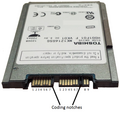 A 1.8-inch micro SATA hard drive with numbered data and power pins on the connector
 -
 Samsung 128 GB micro SATA solid-state drive


The micro SATA connector (sometimes called uSATA or μSATA[59]) originated with SATA 2.6, and is intended for 1.8-inch hard disk drives. There is also a micro data connector, similar in appearance but slightly thinner than the standard data connector.
Additional pins
[edit]Some SATA drives, in particular mechanical ones, come with an extra 4 or more jumper pin interface which isn't uniformly standardized but nevertheless serves similar purpose defined by each drive manufacturer. As IDE drives used those extra pins for setting up Master and Slave drives, on SATA drives, those pins are generally used to select different Power modes for use in USB-SATA bridges or enables additional features like Spread Spectrum Clocking, SATA Speed Limit or Factory Mode for Diagnostics and Recovery, by the use of a jumper.[60][61]
eSATA
[edit]


Standardized in 2004, eSATA (e standing for external) provides a variant of SATA meant for external connectivity. It uses a more robust connector, longer shielded cables, and stricter (but backward-compatible) electrical standards. The protocol and logical signaling (link/transport layers and above) are identical to internal SATA. The differences are:
- Minimum transmit amplitude increased: Range is 500–600 mV instead of 400–600 mV.
- Minimum receive amplitude decreased: Range is 240–600 mV instead of 325–600 mV.
- Maximum cable length increased to 2 meters (6.6 ft) from 1 meter (3.3 ft).
- The eSATA cable and connector is similar to the SATA 1.0a cable and connector, with these exceptions:
- The eSATA connector is mechanically different to prevent unshielded internal cables from being used externally. The eSATA connector discards the L-shaped key and changes the position and size of the guides.
- The eSATA insertion depth is deeper: 6.6 mm instead of 5 mm. The contact positions are also changed.
- The eSATA cable has an extra shield to reduce EMI to FCC and CE requirements. Internal cables do not need the extra shield to satisfy EMI requirements because they are inside a shielded case.
- The eSATA connector uses metal springs for shield contact and mechanical retention.
- The eSATA connector has a design-life of 5,000 matings; the ordinary SATA connector is only specified for 50.
Aimed at the consumer market, eSATA enters an external storage market served also by the USB and FireWire interfaces. The SATA interface has certain advantages. Most external hard-disk-drive cases with FireWire or USB interfaces use either PATA or SATA drives and "bridges" to translate between the drives' interfaces and the enclosures' external ports; this bridging incurs some inefficiency. Some single disks can transfer 157 MB/s during real use,[17] about four times the maximum transfer rate of USB 2.0 or FireWire 400 (IEEE 1394a) and almost twice as fast as the maximum transfer rate of FireWire 800. The S3200 FireWire 1394b specification reaches around 400 MB/s (3.2 Gbit/s), and USB 3.0 has a nominal speed of 5 Gbit/s. Some low-level drive features, such as S.M.A.R.T., may not operate through some USB[62] or FireWire or USB+FireWire bridges; eSATA does not suffer from these issues provided that the controller manufacturer (and its drivers) presents eSATA drives as ATA devices, rather than as SCSI devices, as has been common with Silicon Image, JMicron, and Nvidia nForce drivers for Windows Vista. In those cases SATA drives do not have low-level features accessible.
The eSATA version of SATA 6G operates at 6.0 Gbit/s (the term "SATA III" is avoided by the SATA-IO organization to prevent confusion with SATA II 3.0 Gbit/s, which was colloquially referred to as "SATA 3G" [bit/s] or "SATA 300" [MB/s] since the 1.5 Gbit/s SATA I and 1.5 Gbit/s SATA II were referred to as both "SATA 1.5G" [bit/s] or "SATA 150" [MB/s]). Therefore, eSATA connections operate with negligible differences between them.[63] Once an interface can transfer data as fast as a drive can handle them, increasing the interface speed does not improve data transfer.
There are some disadvantages, however, to the eSATA interface:
- Devices built before the eSATA interface became popular lack external SATA connectors.
- For small form-factor devices (such as external 2.5-inch disks), a PC-hosted USB or FireWire link can usually supply sufficient power to operate the device. However, eSATA connectors cannot supply power, and require a power supply for the external device. The related eSATAp (but mechanically incompatible, sometimes called eSATA/USB) connector adds power to an external SATA connection, so that an additional power supply is not needed.[64]
As of August 2017[update] few new computers have dedicated external SATA (eSATA) connectors, with USB3 dominating and USB3 Type C, often with the Thunderbolt alternate mode, starting to replace the earlier USB connectors. Still sometimes present are single ports supporting both USB3 and eSATA.
Desktop computers without a built-in eSATA interface can install an eSATA host bus adapter (HBA); if the motherboard supports SATA, an externally available eSATA connector can be added. Notebook computers with the now rare Cardbus[65] or ExpressCard[66] could add an eSATA HBA. With passive adapters, the maximum cable length is reduced to 1 meter (3.3 ft) due to the absence of compliant eSATA signal-levels.
eSATAp
[edit]
eSATAp stands for powered eSATA. It is also known as Power over eSATA, Power eSATA, eSATA/USB Combo, or eSATA USB Hybrid Port (EUHP). An eSATAp port combines the four pins of the USB 2.0 (or earlier) port, the seven pins of the eSATA port, and optionally two 12 V power pins.[67] Both SATA traffic and device power are integrated in a single cable, as is the case with USB but not eSATA. The 5 V power is provided through two USB pins, while the 12 V power may optionally be provided. Typically desktop, but not notebook, computers provide 12 V power, so can power devices requiring this voltage, typically 3.5-inch disk and CD/DVD drives, in addition to 5 V devices such as 2.5-inch drives.
Both USB and eSATA devices can be used with an eSATAp port, when plugged in with a USB or eSATA cable, respectively. An eSATA device cannot be powered via an eSATAp cable, but a special cable can make both SATA or eSATA and power connectors available from an eSATAp port.
An eSATAp connector can be built into a computer with internal SATA and USB, by fitting a bracket with connections for internal SATA, USB, and power connectors and an externally accessible eSATAp port. Though eSATAp connectors have been built into several devices, manufacturers do not refer to an official standard.
Pre-standard implementations
[edit]- Prior to the final eSATA 6 Gbit/s specification many add-on cards and some motherboards advertised eSATA 6 Gbit/s support because they had 6 Gbit/s SATA 3.0 controllers for internal-only solutions. Those implementations are non-standard, and eSATA 6 Gbit/s requirements were ratified in the July 18, 2011 SATA 3.1 specification.[68] Some products might not be fully eSATA 6 Gbit/s compliant.
Mini-SATA (mSATA)
[edit]
Mini-SATA (abbreviated as mSATA), which is distinct from the micro connector,[59] was announced by the Serial ATA International Organization on September 21, 2009.[69] Applications include netbooks, laptops and other devices that require a solid-state drive in a small footprint.
The physical dimensions of the mSATA connector are identical to those of the PCI Express Mini Card interface,[70] but the interfaces are electrically incompatible; the data signals (TX±/RX± SATA, PETn0 PETp0 PERn0 PERp0 PCI Express) need a connection to the SATA host controller instead of the PCI Express host controller.
The M.2 specification has superseded both mSATA and PCI Express Mini.[71]
SFF-8784 connector
[edit]| Bottom | Top | ||||||
|---|---|---|---|---|---|---|---|
| Pin | Function | Pin | Function | Pin | Function | Pin | Function |
| 1 | Ground | 6 | Unused | 11 | Ground | 16 | +5 V |
| 2 | Ground | 7 | +5 V | 12 | B+ (transmit) | 17 | Ground |
| 3 | Ground | 8 | Unused | 13 | B− (transmit) | 18 | A− (receive) |
| 4 | Ground[c] | 9 | Unused | 14 | Ground | 19 | A+ (receive) |
| 5 | LED | 10 | Ground | 15 | +5 V | 20 | Ground |
Slim 2.5-inch SATA devices, 5 mm (0.20 inches) in height, use the twenty-pin SFF-8784 edge connector to save space. By combining the data signals and power lines into a slim connector that effectively enables direct connection to the device's printed circuit board (PCB) without additional space-consuming connectors, SFF-8784 allows further internal layout compaction for portable devices such as ultrabooks.[72]
Pins 1 to 10 are on the connector's bottom side, while pins 11 to 20 are on the top side.[72]
SATA Express
[edit]
SATA Express, initially standardized in the SATA 3.2 specification,[73] is an interface that supports either SATA or PCI Express storage devices. The host connector is backward compatible with the standard 3.5-inch SATA data connector, allowing up to two legacy SATA devices to connect.[74] At the same time, the host connector provides up to two PCI Express 3.0 lanes as a pure PCI Express connection to the storage device, allowing bandwidths of up to 2 GB/s.[32][75]
Instead of the otherwise usual approach of doubling the native speed of the SATA interface, PCI Express was selected for achieving data transfer speeds greater than 6 Gbit/s. It was concluded that doubling the native SATA speed would take too much time, too many changes would be required to the SATA standard, and would result in a much greater power consumption when compared to the existing PCI Express bus.[76]
In addition to supporting legacy Advanced Host Controller Interface (AHCI), SATA Express also makes it possible for NVM Express (NVMe) to be used as the logical device interface for connected PCI Express storage devices.[77]
As M.2 form factor, described below, achieved much larger popularity, SATA Express is considered as a failed standard and dedicated ports quickly disappeared from motherboards.
M.2 (NGFF)
[edit]

M.2, formerly known as the Next Generation Form Factor (NGFF), is a specification for computer expansion cards and associated connectors. It replaces the mSATA standard, which uses the PCI Express Mini Card physical layout. Having a smaller and more flexible physical specification, together with more advanced features, the M.2 is more suitable for solid-state storage applications in general, especially when used in small devices such as ultrabooks or tablets.[78]
A M.2 SSD is "keyed" to prevent insertion of a card connector (male) to an incompatible socket (female) on the host. Typically, M.2 SSDs with a B key or B+M key are SATA, while M.2 SSDs with M key only are mostly NVMe only and incompatible with SATA.
The M.2 standard is designed as a revision and improvement to the mSATA standard, so that larger printed circuit boards (PCBs) can be manufactured. While mSATA took advantage of the existing PCI Express Mini Card form factor and connector, M.2 has been designed to maximize usage of the card space, while minimizing the footprint.[78][79][80]
Supported host controller interfaces and internally provided ports are a superset to those defined by the SATA Express interface. Essentially, the M.2 standard is a small form factor implementation of the SATA Express interface, with the addition of an internal USB 3.0 port.[78]
U.2 (SFF-8639)
[edit]U.2, formerly known as SFF-8639. Like M.2, it carries a PCI Express electrical signal, however U.2 uses a PCIe 3.0 ×4 link providing a higher bandwidth of 32 Gbit/s in each direction. In order to provide maximum backward compatibility the U.2 connector also supports SATA and multi-path SAS.[81]
Topology
[edit]
SATA uses a point-to-point architecture. The physical connection between a controller and a storage device is not shared among other controllers and storage devices. SATA defines multipliers, which allows a single SATA controller port to drive up to fifteen storage devices. The multiplier performs the function of a hub; the controller and each storage device is connected to the hub.[82] This is conceptually similar to SAS expanders.
Modern[update] PC systems have SATA controllers built into the motherboard, typically featuring two to eight ports. Additional ports can be installed through add-in SATA host adapters (available in variety of bus-interfaces: USB, PCI, PCIe).
Backward and forward compatibility
[edit]SATA and PATA
[edit]
At the hardware interface level, SATA and PATA (Parallel AT Attachment) devices are completely incompatible: they cannot be interconnected without an adapter.
At the application level, SATA devices can be specified to look and act like PATA devices.[83]
Many motherboards offer a "Legacy Mode" option, which makes SATA drives appear to the OS like PATA drives on a standard controller. This Legacy Mode eases OS installation by not requiring that a specific driver be loaded during setup, but sacrifices support for some (vendor specific) features of SATA. Legacy Mode often if not always disables some of the boards' PATA or SATA ports, since the standard PATA controller interface supports only four drives. (Often, which ports are disabled is configurable.)
The common heritage of the ATA command set has enabled the proliferation of low-cost PATA to SATA bridge chips. Bridge chips were widely used on PATA drives (before the completion of native SATA drives) as well in standalone converters. When attached to a PATA drive, a device-side converter allows the PATA drive to function as a SATA drive. Host-side converters allow a motherboard PATA port to connect to a SATA drive.
The market has produced powered enclosures for both PATA and SATA drives that interface to the PC through USB, Firewire or eSATA, with the restrictions noted above. PCI cards with a SATA connector exist that allow SATA drives to connect to legacy systems without SATA connectors.
SATA 1.5 Gbit/s and SATA 3 Gbit/s
[edit]The designers of SATA standard as an overall goal aimed for backward and forward compatibility with future revisions of the SATA standard. To prevent interoperability problems that could occur when next generation SATA drives are installed on motherboards with standard legacy SATA 1.5 Gbit/s host controllers, many manufacturers have made it easy to switch those newer drives to the previous standard's mode. Examples of such provisions include:
- Seagate/Maxtor has added a user-accessible jumper-switch, known as the "force 150", to enable the drive switch between forced 1.5 Gbit/s and 1.5/3 Gbit/s negotiated operation.
- Western Digital uses a jumper setting called OPT1 enabled to force 1.5 Gbit/s data transfer speed (OPT1 is enabled by putting the jumper on pins 5 and 6).[84]
- Samsung drives can be forced to 1.5 Gbit/s mode using software that may be downloaded from the manufacturer's website. Configuring some Samsung drives in this manner requires the temporary use of a SATA-2 (SATA 3.0 Gbit/s) controller while programming the drive.
The "force 150" switch (or equivalent) is also useful for attaching SATA 3 Gbit/s hard drives to SATA controllers on PCI cards, since many of these controllers (such as the Silicon Image chips) run at 3 Gbit/s, even though the PCI bus cannot reach 1.5 Gbit/s speeds. This can cause data corruption in operating systems that do not specifically test for this condition and limit the disk transfer speed.[citation needed]
SATA 3 Gbit/s and SATA 6 Gbit/s
[edit]![[icon]](https://en.wikipedia.org/wiki/File:Wiki_letter_w_cropped.svg) | This section needs expansion. You can help by adding to it. (October 2011) |
SATA 3 Gbit/s and SATA 6 Gbit/s are compatible with each other. Most devices that are only SATA 3 Gbit/s can connect with devices that are SATA 6 Gbit/s, and vice versa, though SATA 3 Gbit/s devices connect with SATA 6 Gbit/s devices only at the slower 3 Gbit/s speed.
SATA 1.5 Gbit/s and SATA 6 Gbit/s
[edit] | This section needs expansion. You can help by adding to it. (July 2013) |
SATA 1.5 Gbit/s and SATA 6 Gbit/s are compatible with each other. Most devices that are only SATA 1.5 Gbit/s can connect with devices that are SATA 6 Gbit/s, and vice versa, though SATA 1.5 Gbit/s devices only connect with SATA 6 Gbit/s devices at the slower 1.5 Gbit/s speed.
Comparison to other interfaces
[edit]SATA and SCSI
[edit]Parallel SCSI uses a more complex bus than SATA, usually resulting in higher manufacturing costs. SCSI buses also allow connection of several drives on one shared channel, whereas SATA allows one drive per channel, unless using a port multiplier. Serial Attached SCSI uses the same physical interconnects as SATA, and most SAS HBAs also support 3 and 6 Gbit/s SATA devices (an HBA requires support for Serial ATA Tunneling Protocol).
SATA 3 Gbit/s theoretically offers a maximum bandwidth of 300 MB/s per device, which is only slightly lower than the rated speed for SCSI Ultra 320 with a maximum of 320 MB/s total for all devices on a bus.[85] SCSI drives provide greater sustained throughput than multiple SATA drives connected via a simple (i.e., command-based) port multiplier because of disconnect-reconnect and aggregating performance.[86] In general, SATA devices link compatibly to SAS enclosures and adapters, whereas SCSI devices cannot be directly connected to a SATA bus.
SCSI, SAS[citation needed], and fibre-channel (FC) drives are more expensive than SATA, so they are used in servers and disk arrays where the better performance justifies the additional cost. Inexpensive ATA and SATA drives evolved in the home-computer market, hence there is a view that they are less reliable. As those two worlds overlapped, the subject of reliability became somewhat controversial. Note that, in general, the failure rate of a disk drive is related to the quality of its heads, platters and supporting manufacturing processes, not to its interface.
Use of serial ATA in the business market increased from 22% in 2006 to 28% in 2008.[9]
Comparison with other buses
[edit]SCSI-3 devices with SCA-2 connectors are designed for hot swapping. Many server and RAID systems provide hardware support for transparent hot swapping. The designers of the SCSI standard prior to SCA-2 connectors did not target hot swapping, but in practice, most RAID implementations support hot swapping of hard disks.
| Name | Raw data rate | Data rate | Maximum cable length | Power provided | Devices per channel |
|---|---|---|---|---|---|
| eSATA | 6 Gbit/s | 600 MB/s |
|
No | 1 (15 with a port multiplier) |
| eSATAp | 6 Gbit/s | 600 MB/s | 5 V, and, optionally, 12 V[87] | ||
| SATA Express | 16 Gbit/s | 1.97 GB/s[d] | 1 m | No | |
| SATA revision 3.0 | 6 Gbit/s | 600 MB/s[88] | |||
| SATA revision 2.0 | 3 Gbit/s | 300 MB/s | |||
| SATA revision 1.0 | 1.5 Gbit/s | 150 MB/s[89] | 1 | ||
| PATA (IDE) 133 | 1.064 Gbit/s | 133.3 MB/s[e] | 0.46 m (18 in) | 5 V (only 2.5-inch drive 44-pin connector) | 2 |
| SAS-4 | 22.5 Gbit/s | 2.25 GB/s | 10 m | Backplane connectors only | 1 (> 65k with expanders) |
| SAS-3 | 12 Gbit/s | 1.2 GB/s | |||
| SAS-2 | 6 Gbit/s | 600 MB/s | |||
| SAS-1 | 3 Gbit/s | 300 MB/s | |||
| IEEE 1394 (FireWire) 800 | 786 Mbit/s | 98.25 MB/s | 100 m[90] | 15 W, 12–25 V | 63 (with a hub) |
| IEEE 1394 (FireWire) 400 | 393 Mbit/s | 49.13 MB/s | 4.5 m[90][91] | ||
| USB 3.2 (Generation 2x2) | 20 Gbit/s | 2.44 GB/s[f] | 1 m (Passive cable USB-IF Standard) | Yes 100 W, 5, 12 or 20 V[92] | 127 (with a hub)[93] |
| USB 3.1 (Generation 2) | 10 Gbit/s | 1.22 GB/s[g] | 1 m (Passive cable USB-IF Standard) | 100 W, 5, 12 or 20 V[92] | 127 (with a hub)[93] |
| USB 3.0[h] (USB 3.2, Generation 1) | 5 Gbit/s | 610 MB/s or more (excl. protocol overhead, flow control, and framing)[94] |
2 m (Passive cable USB-IF Standard) | 4.5 W, 5 V | |
| USB 2.0 | 480 Mbit/s | 58 MB/s | 5 m[i] | 2.5 W, 5 V | |
| USB 1.1 | 12 Mbit/s | 1.5 MB/s | 3 m | Yes | |
| SCSI Ultra-320 | 2.56 Gbit/s | 320 MB/s | 12 m | Only with SCA Backplane | 15 excl. host bus adapter/host |
| 10GFC Fibre Channel | 10.52 Gbit/s | 1.195 GB/s | 2 m – 50 km | No | 126 (16,777,216 with switches) |
| 4GFC Fibre Channel | 4.25 Gbit/s | 398 MB/s | 12 m | ||
| InfiniBand Quad Rate |
10 Gbit/s | 0.98 GB/s | 1 with point-to-point, many with switched fabric | ||
| Thunderbolt | 10 Gbit/s | 1.22 GB/s |
|
10 W (only copper) | 7 |
| Thunderbolt 2 | 20 Gbit/s | 2.44 GB/s | |||
| Thunderbolt 3 | 40 Gbit/s | 4.88 GB/s | 100 W (only copper) |
See also
[edit]
Notes
[edit]- ^ "AT" is derived from the IBM Personal Computer/AT. IBM did not specify a meaning for AT and neither did the Serial ATA International Organization in the specification document. The standard is marketed as Serial ATA, but SATA is the most common name.
- ^ Integrated Drive Electronics
- ^ Drive present
- ^ 16 Gbit/s raw bit rate, with 128b/130b encoding
- ^ 15 ns cycles, 16-bit transfers
- ^ 20 Gbit/s raw bit rate, with 128b/132b encoding
- ^ 10 Gbit/s raw bit rate, with 128b/132b encoding
- ^ USB 3.0 specification was released to hardware vendors on 17 November 2008.
- ^ USB hubs can be daisy chained up to 25 m
References
[edit]- ^ a b "Software status - ata Wiki". ata.wiki.kernel.org. 2008-08-17. Archived from the original on 2009-01-24. Retrieved 2010-01-26.
- ^ a b c "Serial ATA: High Speed Serialized AT Attachment" (PDF). ece.umd.edu. Serial ATA Working Group. January 7, 2003. Archived from the original (PDF) on October 9, 2016. Retrieved 2016-02-21.
- ^ a b "Technical Committee T13, AT Attachment". Technical Committee T13 AT Attachment. March 1, 2011. Retrieved July 8, 2019.
- ^ "Seagate, APT and Vitesse Unveil the First Serial ATA Disc Drive at Intel Developer Forum", Seagate Technology, Aug. 22, 2000
- ^ Andrawes, Mike. "Intel IDF Report #2 - Serial ATA & USB 2.0". AnadTech. Future plc. Archived from the original on September 13, 2011. Retrieved 30 August 2020.
- ^ "Lamars, Lawrence J., Information technology - AT Attachment Interface for Disk Drives, Computer and Business Equipment Manufacturers Association, 1994, xi (introduction)" (PDF). Archived (PDF) from the original on 2016-06-17. Retrieved 2016-08-02.
- ^ Govindarajalu, B., IBM PC And Clones: Hardware, Troubleshooting And Maintenance. Tata McGraw-Hill Publishing Company. 2002. p. xxxi. ISBN 9780070483118. Retrieved 2016-08-02.
- ^ "Barracuda Serial ATA V Family" (PDF). Retrieved 2023-08-17.
- ^ a b "Serial ATA: Meeting Storage Needs Today and Tomorrow" (PDF). serialata.org. Archived from the original (PDF) on 2012-04-17. Retrieved 2011-10-30.
- ^ Donald Melanson (2008-02-25). "CFast CompactFlash cards now said to be coming in "18 to 24 months"". Engadget. Archived from the original on 2009-03-03. Retrieved 2009-03-19.
- ^ "Pretec release CFast card with SATA interface". DPReview. 8 January 2009. Archived from the original on 25 October 2012. Retrieved 19 March 2009.
- ^ "Specification for some motherboard with eSATA connector".
- ^ "Serial ATA (SATA) Linux hardware/driver status report". linux-ata.org. Archived from the original on 2007-03-12. Retrieved 2010-01-26.
- ^ "Intel® Matrix Storage Technology - Unattended Installation Instructions Under Windows* XP". Intel. 2 March 2007. Archived from the original on 2 March 2007.
- ^ "Difference between SATA I, SATA II and SATA III". www.sandisk.com. Archived from the original on 2021-11-29. Retrieved 2023-08-17.
- ^ Geoff Gasior (2004-03-08). "Western Digital's Raptor WD740GD SATA hard drive: Single-user performance, multi-user potential". techreport.com. Archived from the original on 2015-03-25. Retrieved 2015-06-16.
- ^ a b Patrick Schmid and Achim Roos (2010-04-06). "VelociRaptor Returns: 6Gbit/s, 600GB, And 10,000 RPM". tomshardware.com. Retrieved 2010-06-26.
- ^ "SATA-IO Specifications and Naming Conventions". sata-io.org. Archived from the original on 2012-08-29. Retrieved 2012-08-30.
- ^ "SATA-IO COMPLETES SATA REVISION 2.5 INTEGRATED SPEC" (PDF). Archived (PDF) from the original on 2015-03-16. Retrieved 2017-11-10.
- ^ "SATA-IO Completes SATA Revision 2.5 Integrated Spec; Slimline Connector Spec and Interoperability Program Plans Also Released". www.businesswire.com (Press release). Archived from the original on 2017-11-10.
- ^ a b "Serial ATA Revision 2.6" (PDF). Serial ATA International Organization. p. 115. Archived (PDF) from the original on 2014-10-06.
- ^ a b "New SATA Spec Will Double Data Transfer Rates to 6 Gbit/s" (PDF) (Press release). SATA-IO. 2008-08-18. Archived from the original (PDF) on 2010-09-23. Retrieved 2009-07-13.
- ^ "SATA Revision 3.0". SATA-IO. 27 May 2009. Archived from the original on 2 February 2013. Retrieved 4 December 2009.
- ^ "SATA-IO Releases SATA Revision 3.0 Specification" (PDF) (Press release). Serial ATA International Organization. May 27, 2009. Archived (PDF) from the original on 11 June 2009. Retrieved 3 July 2009.
- ^ Rick Merritt (2008-08-18). "Serial ATA doubles data rate to 6 Gbit/s (EETimes news report)". eetimes.com. Archived from the original on 2012-10-27. Retrieved 2010-01-26.
- ^ "SATA-IO Releases Revision 3.1 Specification" (PDF). SATA-IO. 2011-07-18. Archived (PDF) from the original on 2014-02-22. Retrieved 2013-07-22.
- ^ Hilbert Hagedoorn (2011-07-20). "SATA 3.1 specifications have been published". guru3d.com. Archived from the original on 2013-05-17. Retrieved 2012-09-26.
- ^ "Msata Faq". forum.notebookreview.com. 1 May 2011. Archived from the original on 2012-02-12.
- ^ "HP Compaq Elite 8300 PC Product Specifications". HP. Retrieved 7 August 2022.[permanent dead link]
- ^ "Serial ATA International Organization: SATA Universal Storage Module (USM)". sata-io.org. Archived from the original on 2011-11-01. Retrieved 2011-10-30.
- ^ Perenson, Melissa J. "New Universal Storage Module Promises to Evolve Portable Data". PCWorld. Archived from the original on 2014-02-21. Retrieved 2014-02-12.
- ^ a b "SATA-IO Unveils Revision 3.2 Specification" (PDF). SATA-IO. 2013-08-08. Archived (PDF) from the original on 2016-03-04. Retrieved 2015-09-11.
- ^ Enabling Higher Speed Storage Applications with SATA Express Archived 2012-11-27 at the Wayback Machine, Serial ATA International Organization.
- ^ SATA-IO announces 16Gb/s SATA 3.2 specification Archived 2014-03-30 at the Wayback Machine.
- ^ "SATA M.2 Card". SATA-IO. Archived from the original on 2013-10-03. Retrieved 2014-01-16.
- ^ SATA μSSD Archived 2013-05-08 at the Wayback Machine, Serial ATA International Organization.
- ^ "SATA-IO Rolls Out USM Slim Specification for Thinner, Lighter External Storage" (PDF). SATA-IO. Archived (PDF) from the original on 2014-02-22. Retrieved 2014-02-12.
- ^ "SATA Enables Life Unplugged". SATA-IO. Archived from the original on 2014-02-07. Retrieved 2014-01-16.
- ^ "SATA-IO FAQ" (PDF). What else is new in SATA specification v3.2?. SATA-IO. p. 2. Archived (PDF) from the original on 2013-10-04. Retrieved 2013-10-03.
- ^ First specifications leaked from SATA-IO Archived 2013-08-12 at the Wayback Machine, Serial ATA International Organization, GuruHT.com
- ^ "SATA-IO Expands Supported Features in Revision 3.3 Specification" (PDF). SATA-IO. 2016-02-16. Archived (PDF) from the original on 2017-07-03. Retrieved 2016-12-26.
- ^ "SATA-IO Frequently Asked Questions" (PDF). SATA-IO. 2016-11-11. Archived (PDF) from the original on 2016-12-26. Retrieved 2016-12-26.
- ^ ATA/ATAPI Command Set 4 (ACS-4)
- ^ a b "Power Disable Feature Tech Brief" (PDF). HGST. 2016-08-04. Archived (PDF) from the original on 2016-11-21. Retrieved 2016-12-26.
- ^ "SATA-IO Expands Supported Features in Revision 3.4 Specification" (PDF). SATA-IO. 2018-06-25. Archived (PDF) from the original on 2019-06-15. Retrieved 2019-06-15.
- ^ "SATA-IO Increases Interoperability Features with Revision 3.5 Specification" (PDF). SATA-IO. 2020-07-15. Archived (PDF) from the original on 2020-07-19. Retrieved 2020-11-28.
- ^ "Can I install a laptop 2.5" SATA drive on a desktop without any adapters?". superuser.com. 2009. Archived from the original on 2013-12-02. Retrieved 2013-12-04.
- ^ "Get ready for mini-SATA". The Tech Report. 2009-09-21. Archived from the original on 2009-09-25. Retrieved 2010-01-26.
- ^ Serial ATA Revision 3.0 6.1.8 Internal single-lane cable
- ^ "Serial ATA (SATA, Serial Advanced Technology Attachment)". allpinouts.org. Archived from the original on 2008-11-08. Retrieved 2016-07-05.
- ^ Chu, Frank (HGST); Frank, James (Seagate); Cox, Alvin (Seagate) (3 March 2014). "SATA3.2 TPR056 Enable new Power Disable feature on standard SATA connector P3" (PDF). Retrieved 17 June 2023.
- ^ Samsung Electronics (26 May 2014). "Device Activity Signal (DAS) Application Note" (PDF). Retrieved 27 April 2023.
- ^ SATA-IO (2 June 2014). "Serial ATA Revision 3.2 Technical Proposal #058: DAS/DSS/DHU Changes" (PDF). Retrieved 27 April 2023.
- ^ SATA-IO (11 August 2015). "Serial ATA Revision 3.2 Error Correction #089: DAS/DSS support clarifications" (PDF). Retrieved 27 April 2023.
- ^ SNIA SFF TWG (7 July 2017). "SFF-8609: Management Interface for Drive Conditions". Retrieved 27 April 2023.
- ^ Example of active power adapter Archived 2017-07-12 at the Wayback Machine.
- ^ "Serial ATA (SATA) power connector pinout and connections @". pinouts.ru. 2013-05-31. Archived from the original on 2013-06-28. Retrieved 2013-06-14.
- ^ "Press release: SATA-IO ADVANCES TECHNOLOGY WITH THE SATA REVISION 2.6 SPEC" (PDF). SATA. Archived (PDF) from the original on 2017-08-29. Retrieved 2017-11-10.
- ^ a b "Understand the difference: micro-SATA vs. mSATA". amazon.com. 2013-02-23. Archived from the original on 2013-08-02. Retrieved 2013-11-06.
- ^ "Seagate® Laptop HDD SATA 2.5" Product Manual" (PDF). seagate.com. January 2016. Archived from the original (PDF) on 2020-12-06.
- ^ "What Do The Jumper Pins On The Back Of Your Hard Drive Do?". howtogeek.com. 5 April 2018.
- ^ "USB – smartmontools". sourceforge.net. Archived from the original on 2012-02-07. Retrieved 2012-01-13.
- ^ "Questions about the indicators of health/performance (in percent)". hddlife.com. Archived from the original on 2007-09-24. Retrieved 2007-08-29.
- ^ "External Serial ATA" (PDF). Silicon Image, Inc. Archived from the original (PDF) on 13 June 2010. Retrieved 8 August 2009.
- ^ "CardBus SATA adapter". addonics.com. Archived from the original on 2011-11-04. Retrieved 2010-01-26.
- ^ "ExpressCard SATA adapter". addonics.com. Archived from the original on 2011-11-29. Retrieved 2010-01-26.
- ^ "Addonics Technology: Hybrid eSATA (eSATA USB hybrid) interface". addonics.com. Archived from the original on 2011-10-30. Retrieved 2011-10-30.
- ^ "Frequently Asked Questions About SATA 6 Gbit/s and the SATA Revision 3.0 Specification" (PDF). May–June 2009. Archived (PDF) from the original on 2014-02-22. Retrieved 2011-10-30.
- ^ "mSATA Press Release" (PDF). Archived from the original (PDF) on 26 July 2011. Retrieved 11 March 2011.
- ^ "Intel 310 SSD" (PDF). Intel. Archived from the original (PDF) on 12 January 2011. Retrieved 11 March 2011.
- ^ Jim Handy; Jon Tanguy; Jaren May; David Akerson; Eden Kim; Tom Coughlin (September 20, 2014). "SNIA Webcast: All About M.2 SSDs" (PDF). SNIA. Retrieved July 15, 2015.
- ^ a b c "SFF-8784 Edge Connector Pin Definitions: Information Sheet" (PDF). Western Digital. 2013. Archived (PDF) from the original on February 26, 2015. Retrieved February 26, 2015.
- ^ "SATA Revision 3.2". SATA-IO. Archived from the original on 2013-08-09. Retrieved 2013-10-02.
- ^ "Connector Mating Matrix" (PDF). SATA-IO. Archived (PDF) from the original on 2013-10-04. Retrieved 2013-10-02.
- ^ "Enabling Higher Speed Storage Applications with SATA Express". SATA-IO. 2013. Archived from the original on 2014-02-07. Retrieved 2013-10-02.
- ^ Paul Wassenberg (2013-06-25). "SATA Express: PCIe Client Storage" (PDF). SATA-IO. Archived (PDF) from the original on 2013-10-04. Retrieved 2013-10-02.
- ^ Dave Landsman. "AHCI and NVMe as Interfaces for SATA Express Devices – Overview" (PDF). SanDisk. Archived (PDF) from the original on 2013-10-05. Retrieved 2013-10-02.
- ^ a b c "SATA M.2 Card". SATA-IO. Archived from the original on 2013-10-03. Retrieved 2013-09-14.
- ^ "Intel SSD 530 Series Arriving Next Week – Feature NGFF M.2 Interface". WCCF Tech. 2 July 2013. Archived from the original on 2013-09-05. Retrieved 2013-09-14.
- ^ "M.2 (NGFF) Quick Reference Guide" (PDF). Tyco Electronics. Archived from the original on 2013-08-10. Retrieved 2013-11-16.
- ^ "U.2 connector SATA, SAS, PCI-e signals assignments". pinoutguide.com.
- ^ "Port Multipliers". SATA-IO. Archived from the original on 2014-08-25. Retrieved 2014-02-17.
- ^ "A comparison with Ultra ATA Technology" (PDF). SATA-IO. Archived from the original (PDF) on 2012-03-27. Retrieved 2014-08-15.
- ^ "Windows: Install Serial ATA, EIDE, SSD Drive and Set Jumper Settings". Western Digital. 20 August 2018. Archived from the original on 30 November 2022. Retrieved 30 November 2022.
- ^ Ultra-640 is specified, but devices do not exist
- ^ FIS-based switching is comparable to SCSI's tagged command queueing
- ^ "eSATAp Application". delock.de. Archived from the original on 2012-03-15. Retrieved 2010-01-26.
- ^ "Fast Just Got Faster: SATA 6Gbit/s" (PDF). sata-io.org. May 27, 2009. Archived from the original (PDF) on November 26, 2012. Retrieved 2011-10-25.
- ^ "Designing Serial ATA For Today's Applications and Tomorrow's Storage Needs" (PDF). sata-io.org. Archived (PDF) from the original on 2011-11-01. Retrieved 2011-10-25.
- ^ a b "FireWire Developer Note: FireWire Concepts". Apple Developer Connection. Archived from the original on 10 October 2008. Retrieved 2009-07-13.
- ^ 16 cables can be daisy chained up to 72 m
- ^ a b Howse, Brett (September 17, 2014). "USB Power Delivery v2.0 Specification Finalized - USB Gains Alternate Modes". AnandTech. Archived from the original on January 24, 2015. Retrieved 2015-01-15.
- ^ a b Frenzel, Louis E. (September 25, 2008). "USB 3.0 Protocol Analyzer Jumpstarts 4.8-Gbit/s I/O Projects". Electronic Design. Archived from the original on May 3, 2012. Retrieved 2009-07-03.
- ^ Universal Serial Bus Specification Revision 3.0. 20 December 2012. p. 75 (4–4.11). Archived from the original on 2011-05-14. Retrieved 14 April 2011.
- ^ Minich, Makia (25 June 2007). "Infiniband Based Cable Comparison" (PDF). Archived from the original (PDF) on 15 March 2008. Retrieved 11 February 2008.
- ^ Feldman, Michael (17 July 2007). "Optical Cables Light Up InfiniBand". HPCwire. Tabor Publications & Events. p. 1. Archived from the original on 29 March 2012. Retrieved 2008-02-11.
External links
[edit]
- Serial ATA International Organization (SATA-IO)
- EETimes Serial ATA and the evolution in data storage technology, Mohamed A. Salem
- "SATA-1" specification, as a zipped pdf; Serial ATA: High Speed Serialized AT Attachment, Revision 1.0a, 7-January-2003.
| General | |
|---|---|
| Standards |
|
| Storage |
|
| Peripheral | |
| Audio | |
| Portable | |
| Embedded | |
Interfaces are listed by their speed in the (roughly) ascending order, so the interface at the end of each section should be the fastest.  Category Category | |
| Key terminology | |||||
|---|---|---|---|---|---|
| Flash manufacturers | |||||
| Controllers |
| ||||
| SSD manufacturers | |||||
| Interfaces |
| ||||
| Configurations | |||||
| Related organizations | |||||
Overview
Definition and Purpose
Serial ATA (SATA), also known as Serial Advanced Technology Attachment, is a point-to-point serial protocol standard designed for high-speed data transfer between host bus adapters and mass storage devices, such as hard disk drives (HDDs) and solid-state drives (SSDs).[1] It defines a layered architecture encompassing Physical (Phy), Link, Transport, and Application layers to facilitate reliable communication in computer systems.[1] The primary purpose of SATA is to serve as a cost-effective, high-performance replacement for the older Parallel ATA (PATA) interface, addressing key limitations of PATA such as signal crosstalk, restrictive cable lengths (limited to about 18 inches), and bulky cabling that hindered airflow and installation ease.[1] By transitioning to a serial architecture with thinner, more flexible cables supporting lengths up to 1 meter internally, SATA simplifies cabling while enabling higher data transfer rates—up to 600 MB/s in later generations—and maintaining compatibility with the existing ATA command set to avoid requiring a full overhaul of software and drivers.[1] This evolution allows for seamless integration into desktop, mobile, and enterprise environments, where it has become the mainstream internal storage interconnect for connecting host systems to peripherals like HDDs, SSDs, and optical drives.[7] At its core, a SATA system comprises a host adapter (integrated into the motherboard or as a separate controller), the target storage device, and the interconnecting cables with standardized connectors.[1] These components work together to support features like hot-plugging, which permits device connection and disconnection without powering down the system, particularly beneficial in enterprise settings for maintenance and expansion.[1] Overall, SATA prioritizes scalability, power efficiency, and backward compatibility to meet the demands of evolving storage technologies without disrupting established ecosystems.[7]Key Specifications
SATA employs differential signaling over two pairs of wires—one for transmission (Tx+, Tx-) and one for reception (Rx+, Rx-)—utilizing high-speed differential signaling to transmit serial data streams.[1] This configuration supports raw bit rates of 1.5 Gbit/s (Generation 1), 3.0 Gbit/s (Generation 2), and 6.0 Gbit/s (Generation 3), enabling high-speed data transfer while maintaining compatibility across device generations through automatic speed negotiation.[1] The encoding scheme is 8b/10b, which maps 8-bit data words to 10-bit symbols to facilitate clock recovery, ensure DC balance, and provide error detection through invalid code words.[1] This introduces a 20% overhead, yielding effective payload data rates of 1.2 Gbit/s, 2.4 Gbit/s, and 4.8 Gbit/s for the respective generations.[1] At the baseline, SATA operates in full-duplex point-to-point mode, allowing simultaneous bidirectional communication between host and device without shared bus contention.[1] Error integrity is maintained via 32-bit cyclic redundancy check (CRC) per frame for detecting transmission errors, with retry mechanisms handled at higher protocol layers to retransmit corrupted data frames as needed.[1] Physical layer parameters include differential voltage levels ranging from 0.5 V to 1.2 V, depending on the generation and implementation, to optimize signal integrity over the medium.[1] Cable lengths are limited to a maximum of 1 meter for internal connections to preserve data integrity against attenuation and crosstalk.[1]| Generation | Raw Bit Rate (Gbit/s) | Effective Data Rate (Gbit/s) |
|---|---|---|
| 1 | 1.5 | 1.2 |
| 2 | 3.0 | 2.4 |
| 3 | 6.0 | 4.8 |
History
Origins and Development
The Serial ATA Working Group (SAWG) was formed in February 2000 by seven leading companies in the computing and storage industries: APT Technologies, Dell Computer Corporation, IBM Corporation, Intel Corporation, Maxtor Corporation, Quantum Corporation, and Seagate Technology.[8] This collaborative effort was announced at the Intel Developer Forum, marking the inception of a new storage interface standard aimed at evolving beyond the limitations of existing technologies.[9] The primary motivations for developing Serial ATA stemmed from the inherent challenges of Parallel ATA (PATA), which relied on a 40- or 80-pin parallel bus design that suffered from signal integrity issues such as crosstalk, skew, and electromagnetic interference as speeds approached and exceeded 100 MB/s.[10] These problems limited scalability, restricted cable lengths to short distances (typically under 18 inches), and complicated motherboard layouts due to the bulky ribbon cables.[9] In contrast, Serial ATA sought to introduce a serial architecture for greater simplicity, enabling thinner and longer cables (up to 1 meter), reduced pin counts, and easier integration while maintaining backward compatibility with ATA command sets to support existing software ecosystems.[11] Early prototypes of Serial ATA were developed using FPGA-based implementations, including Xilinx FPGAs paired with Fibre Channel physical layer (PHY) components to demonstrate parallel-to-serial conversion, often referred to as "dongle/anti-dongle" setups by Quantum engineers for initial interoperability testing.[3] These efforts culminated in the first draft of the Serial ATA 1.0 specification, released in November 2000 at the Intel Developer Forum, which targeted a data rate of 1.5 Gbit/s (equivalent to 150 MB/s after encoding overhead).[12] A key milestone in this transition was the architectural shift from PATA's 40-pin parallel interface to Serial ATA's streamlined 7-pin data cable (comprising differential pairs for transmit, receive, and ground), drastically simplifying connections and improving signal quality.[9]Standardization and Adoption
The Serial ATA International Organization (SATA-IO) was officially formed in July 2004 by incorporating the prior Serial ATA Working Group, with the primary goals of maintaining the integrity of SATA specifications, providing implementation guidance to the storage industry, and promoting widespread adoption of the technology.[13] SATA 1.0 was certified with the release of its specification in January 2003, marking the formal standardization of the interface.[3] Initial adoption accelerated rapidly in consumer markets, becoming widespread in personal computers by 2004–2005 as it replaced Parallel ATA (PATA) on motherboards due to its thinner cables, easier installation, and improved signal integrity.[14] In enterprise environments, SATA integration into servers began around 2006, particularly in entry-level and nearline storage systems where cost-effective capacity was prioritized over high-performance needs.[15] Support for solid-state drives (SSDs) over SATA grew significantly post-2008, coinciding with the commercialization of consumer-grade SSDs, and peaked during the 2010s alongside continued dominance in hard disk drive (HDD) applications.[16] By 2008, SATA had achieved a 99% market share in desktop PC storage, solidifying its position as the de facto standard for consumer and many enterprise storage solutions.[17] The release of SATA 3.0 in 2009 enhanced transfer rates to 6 Gbit/s, supporting further market penetration.[18] However, by the 2020s, new SSD designs increasingly shifted toward NVMe interfaces for higher performance, leading to stagnation in SATA SSD innovation.[19]Technical Features
Protocol and Encoding
The SATA protocol operates through a layered architecture that ensures efficient and reliable communication between host and device controllers, primarily comprising the physical, link, and transport layers. The transport layer manages the assembly and disassembly of Frame Information Structures (FIS), which serve as the fundamental units for exchanging commands, status updates, and data across the interface. FIS types include the Register FIS, which transfers register contents such as command issuance from host to device (type 27h) or status reporting from device to host (type 34h), and the Data FIS, which conveys payload data bidirectionally during operations like DMA transfers, with a typical maximum size of 2048 dwords. These structures enable the transport layer to interface with the higher application layer while providing flow control and retry mechanisms for transient errors.[18] The link layer oversees the lower-level framing and transmission of data, incorporating primitive sequences to maintain synchronization and alignment. Key primitives include SYNC, a repeating sequence of K28.5 control symbols used to establish and sustain clock and data recovery, and ALIGN, consisting of multiple ALIGN primitives (each a K28.3 followed by D10.2, D10.2, and D27.3 symbols) to ensure proper byte and word alignment after link initialization. The link layer also scrambles data to reduce electromagnetic interference and computes error-checking codes before passing primitives to the physical layer for serialization.[18] SATA utilizes 8b/10b encoding at the physical and link layers to convert 8-bit data bytes into 10-bit symbols, promoting DC balance for reliable serial transmission and embedded clock recovery without separate clock lines. This scheme distinguishes data symbols (D-codes) from control symbols (K-codes) and enforces running disparity control, where each symbol's disparity— the difference between the number of 1s and 0s—is either neutral (equal counts) or alternating positive/negative to prevent signal baseline wander; the encoder selects the appropriate 10-bit code based on the previous running disparity. Primitive encoding leverages K-codes for control, such as K28.5 for SYNC and HOLD primitives or K28.0 for start-of-frame (SOF) and end-of-frame (EOF) markers, ensuring robust detection of control sequences amid data streams. While related standards like SAS have adopted 128b/130b encoding for improved efficiency at higher speeds, core SATA specifications retain 8b/10b across all generations up to 6 Gbps.[18] Error handling in the protocol emphasizes data integrity through mechanisms integrated into the FIS and link layers. Each FIS incorporates a 32-bit CRC (CRC-32) field, computed using the polynomial and initialized to 0x52325032, covering all FIS contents except the CRC itself and EOF; the receiver recomputes and compares this value to detect bit errors, triggering retransmission or error primitives if mismatched. Out-of-band (OOB) signaling supports error detection during initialization and power transitions by using amplitude-modulated bursts at a lower frequency (below 100 MHz) than data signaling, allowing detection of link presence or failures without decoding the main serial stream.[18] Link initialization follows a precise OOB sequence to establish a functional connection. The process begins with the host transmitting a COMRESET primitive—a series of eight primitive alignment patterns (ALIGN) followed by repeated K28.5 symbols—to signal reset and request initialization. The device responds with a COMINIT primitive, mirroring the pattern to indicate readiness. The host then issues a COMWAKE primitive, comprising four ALIGN patterns followed by K28.5, to confirm link activation and transition to in-band signaling, after which SYNC and further ALIGN primitives calibrate the link for data exchange. This sequence ensures reliable startup while accommodating hot-plug scenarios and power-on detection.[18]Power Management
SATA power management is integral to the interface's design, enabling reduced energy use during periods of inactivity while supporting efficient operation in mobile, desktop, and enterprise environments. These features allow the physical layer (PHY) and link to enter low-power modes without compromising overall system responsiveness, particularly benefiting battery life in laptops and power efficiency in data centers.[1] The SATA specification defines three primary link power states: Active, Partial, and Slumber. The Active state represents full operational mode, where the link consumes normal power levels to support data transmission and reception. In contrast, the Partial state serves as a shallow idle mode, reducing PHY power while keeping the link ready for quick resumption; it typically consumes less than 5 mW and supports wake-up transitions within 10 µs. The Slumber state offers deeper savings for prolonged inactivity, typically under 2 mW, with a maximum exit latency of 10 ms to return to Active. Additionally, Device Sleep (DevSleep), introduced in SATA 3.0, provides an ultra-low power state (typically <5 mW) with an exit latency of up to 16 ms, further optimizing for battery-powered devices.[1][20] Entry into Partial or Slumber can be controlled through Host-Initiated Power Management (HIPM), where the host directs the transition after command completion, or Device-Initiated Power Management (DIPM), allowing the drive to request low-power entry during idle times; these mechanisms are enabled via ATA commands and ensure coordinated state changes. DevSleep entry is similarly managed but requires explicit support.[1][20] Hot plugging capability further supports power-efficient operations by permitting device connection or disconnection without system power cycling, achieved through Out-of-Band (OOB) signaling sequences like COMRESET, COMINIT, and COMWAKE, combined with dedicated power control primitives that manage link initialization and power sequencing.[1] Introduced in SATA 3.3, the Power Disable feature enables the host to fully cut power to an individual drive in multi-device setups, preventing residual consumption in unused slots and promoting greater overall system savings without affecting active components.[1] These power management elements yield substantial efficiency gains over Parallel ATA (PATA), with idle consumption reductions of up to 80% attributed to SATA's lower signaling voltages, streamlined cabling, and proactive link states.[20]Command Set Enhancements
The command set enhancements in SATA extend the foundational ATA/ATAPI commands to leverage the serial protocol's advantages, focusing on improved queuing, error handling, and device management for better performance in both hard disk drives (HDDs) and solid-state drives (SSDs). These features address limitations of the parallel ATA (PATA) era, such as inefficient command ordering and rigid error responses, by enabling more intelligent drive-level optimizations without requiring extensive host involvement. A key enhancement is Native Command Queuing (NCQ), introduced in the SATA 2.0 specification released in April 2004, which permits the host to issue up to 32 commands per port for queuing at the device level. This allows the drive firmware to reorder operations dynamically based on internal knowledge of data locations, significantly reducing seek times and head movement in HDDs during random access workloads, thereby improving overall I/O throughput and latency.[21][1] In contrast, SATA maintains backward compatibility with legacy Tagged Command Queuing (TCQ) from PATA, where the host tags and sequences commands, but NCQ enhances this by randomizing tag assignments and enabling device-side reordering for greater efficiency in multi-command scenarios, avoiding the bottlenecks of TCQ's host-dependent approach.[22] Error recovery mechanisms in SATA have been refined to support more resilient data transfers, including automatic partial transfers in DMA modes, where the device reports the amount of successfully transferred data upon encountering an error, allowing the host to resume from that point rather than aborting the entire operation. Retry policies are configurable via the Error Recovery Control feature, which sets time limits for read and write retries to prevent indefinite hangs while ensuring data integrity in noisy environments.[23] Complementing this, the command set includes full support for Self-Monitoring, Analysis, and Reporting Technology (SMART), using dedicated commands like SMART READ DATA (F4h) and SMART RETURN STATUS (DAh) to query drive health attributes such as reallocated sectors and temperature, aiding in predictive failure analysis.[24] Further optimizations for SSDs appear in later enhancements, notably the TRIM command within the Data Set Management (DSM) feature, specified in SATA Revision 2.6 from February 2007, which enables the operating system to mark deleted blocks as unused. This informs the SSD controller to perform garbage collection proactively, preventing write amplification and maintaining sustained performance by avoiding unnecessary data rewriting on worn pages.[25][26]Host Controller Interfaces
The Advanced Host Controller Interface (AHCI) serves as a standardized hardware and software interface for SATA host controllers, enabling efficient data transfer between system memory and SATA devices through PCI or PCIe buses. It acts as a data movement engine, supporting up to 32 ports and facilitating advanced SATA capabilities such as Native Command Queuing (NCQ), hot plugging, and port multipliers without requiring legacy Parallel ATA (PATA) emulation. AHCI defines a set of registers that allow software to manage command issuance and reception, including the Port x Command List Base Address (PxCLB/PxCLBU) registers for storing 1 KB command lists with up to 32 slots per port, and the Port x FIS Base Address (PxFB/PxFBU) registers for 256-byte Frame Information Structure (FIS) reception areas aligned to 4 KB boundaries.[27] AHCI incorporates several key features to enhance performance and manageability. It supports interrupt coalescing via Command Completion Coalescing (CCC), which aggregates multiple command completions to reduce interrupt overhead, configurable with timers and thresholds using registers like CCC_CTL and CCC_PORTS. Staggered spin-up allows sequential activation of multiple drives to limit inrush current, controlled by the CAP.SSS capability bit and PxCMD.SUD register. Enclosure management features enable LED signaling for drive activity, faults, or location, as well as support for protocols like SCSI Enclosure Services (SES-2) through registers such as EM_LOC and PxCMD.MPSP. These features, including NCQ which relies on AHCI for tag-based queuing, improve multitasking and power efficiency in multi-drive environments.[27] Alternatives to AHCI include legacy mode, which emulates PATA interfaces for compatibility with older operating systems or drivers, forgoing advanced features like NCQ and hot plugging in favor of generic IDE drivers. RAID configurations can be implemented via chipset extensions, such as Intel Matrix Storage Technology (now Intel Rapid Storage Technology), which operates in RAID BIOS mode to support levels like 0, 1, 5, and 10 on SATA drives while maintaining AHCI compatibility for non-RAID volumes.[28][29] AHCI implementation is essential for full OS integration, with native support in Windows starting from Vista, allowing autodetection and utilization of AHCI controllers without additional drivers during installation. In Linux, the libata subsystem provides open-source AHCI drivers through the ahci module, enabling broad hardware compatibility and features like NCQ across kernel versions.[30]Revisions
SATA 1.0 (including 1.0a)
SATA 1.0, released on August 29, 2001, introduced the foundational specification for the Serial ATA interface, operating at a raw signaling rate of 1.5 Gbit/s, which translates to an effective data transfer rate of 150 MB/s after accounting for overhead.[31] This speed was achieved using 8b/10b encoding to ensure reliable data transmission over differential serial links, with the encoding adding 25% overhead to maintain signal integrity and clock recovery.[31] The specification supported basic hot-plug capabilities through out-of-band (OOB) signaling, utilizing primitives such as COMINIT, COMRESET, and COMWAKE to establish and manage point-to-point connections without requiring system reboots.[1] Targeted primarily at replacing parallel ATA in hard disk drive (HDD) applications, SATA 1.0 emphasized simpler cabling, lower pin counts, and software compatibility with existing ATA command sets, while providing basic power management states like Partial and Slumber for energy efficiency.[31] SATA Revision 1.0a, ratified on January 7, 2003, incorporated errata and minor refinements to the 1.0 specification, focusing on enhanced reliability and operational efficiency without altering the core 1.5 Gbit/s speed or 8b/10b encoding.[3] Key updates included improvements to OOB signaling for more robust link initialization and detection, with refined timing parameters such as 480 UI OOB idle periods between COMRESET bursts to reduce alignment issues in multi-device environments.[18] Error handling was bolstered with better CRC verification and retry mechanisms at the link layer, though it remained basic compared to later revisions, lacking advanced queuing.[18] Despite these advancements, SATA 1.0 and 1.0a exhibited key limitations suited to their era's HDD-centric focus, including the absence of native command queuing (NCQ) and reliance on simpler first-party DMA for transfers, which could bottleneck performance in high-I/O scenarios.[18] Power management was rudimentary, prioritizing compatibility over aggressive low-power modes, and the interface did not yet support the doubled speeds that would emerge in subsequent revisions. Staggered spin-up, introduced in extensions to 1.0a (Revision 1.2, September 2004), allowed hosts to sequence the initialization of multiple drives via a dedicated pin (P11, active low) to mitigate peak power demands during system startup, particularly beneficial for HDD arrays.[32] The first SATA 1.0-certified devices, such as Maxtor hard drives, began shipping in the first quarter of 2003, marking the practical debut of the technology in consumer and enterprise storage systems.[33][34]SATA 2.0 to 2.6
SATA 2.0, released in April 2004, doubled the interface speed to 3 Gbit/s raw, providing an effective throughput of approximately 300 MB/s after 8b/10b encoding overhead. In practice, sequential transfer rates can reach up to approximately 270 MB/s with capable drives and controllers.[35] This revision introduced Native Command Queuing (NCQ), an extension allowing up to 32 commands to be queued and reordered by the drive for optimized execution, reducing head movement latency in multi-tasking scenarios.[21] Additionally, it defined support for port multipliers, enabling a single host port to connect up to 15 downstream SATA devices through a hub-like topology while maintaining individual addressing.[36] SATA 2.5, published in October 2005, served as a consolidated and integrated specification that incorporated the 3 Gbit/s signaling from SATA 2.0 along with prior features like NCQ into a single document for easier implementation.[37] This revision emphasized compatibility and errata corrections, facilitating broader adoption of second-generation SATA in enterprise and consumer storage systems. While not exclusively targeted at solid-state drives (SSDs), it laid groundwork for emerging SSD optimizations by standardizing higher-speed transfers suitable for flash-based devices, though specific sector alignment features like 4KiB support were addressed in later ATA command sets.[32] SATA 2.6, finalized in February 2007, built on the integrated framework of 2.5 by adding enhancements for compact form factors and management capabilities. It introduced the internal slimline cable and connector specification, enabling thinner SATA connections for optical drives and small-form-factor devices, as well as the micro-SATA connector for 1.8-inch hard disk drives (HDDs).[25] Key additions included enclosure services through the Serial ATA Enclosure Management Bridge (SEMB), allowing out-of-band communication for monitoring and controlling storage enclosures via protocols like SCSI Enclosure Services (SES) and SAF-TE. Power management was refined with support for Partial and Slumber link states, enabling devices to enter low-power modes with quick resumption (under 10 µs for Partial and 10 ms for Slumber), reducing overall system energy consumption.[25] These mid-generation revisions collectively accelerated the transition to higher-performance storage, particularly enabling the deployment of early SATA SSDs. The first SATA SSD was certified by SATA-IO in February 2009, with consumer models like the Crucial SSD appearing in 2008, leveraging the 3 Gbit/s speeds and queuing improvements for faster boot times and application loading compared to HDDs.[34][38] By standardizing features like NCQ and power-efficient modes, SATA 2.0 through 2.6 supported the initial wave of SSD adoption in laptops and desktops around 2008-2009.[39]SATA 3.0 to 3.5
The SATA 3.0 specification, released on May 27, 2009, by the Serial ATA International Organization (SATA-IO), doubled the interface bandwidth to a raw data rate of 6 Gbit/s, yielding an effective throughput of approximately 600 MB/s after accounting for 8b/10b encoding overhead.[40] This revision introduced Asynchronous Notification (ASYNCH), an optional feature enabling devices to alert the host of hot-plug events or status changes without polling, improving efficiency in dynamic storage environments.[41] These enhancements targeted higher-performance applications while maintaining backward compatibility with prior generations.[3] SATA 3.1, finalized in July 2011, refined hardware reset mechanisms to prevent devices from becoming stuck in a reset state, addressing reliability issues in high-availability systems.[18] It also provided initial design support for mSATA, a compact form factor for embedding SSDs in mobile devices like laptops, facilitating thinner profiles without sacrificing SATA connectivity.[42][3] In August 2013, SATA 3.2 extended power management with DevSleep, a new low-power state that reduces energy consumption to near-zero during idle periods, ideal for battery-powered portables. The revision standardized the Universal Storage Module (USM), a removable micro-SD-sized connector for portable storage, enabling easy data transfer between devices like phones and PCs.[3] SATA 3.3, published in February 2016, incorporated hardware-based security features compliant with TCG Opal standards, allowing self-encrypting drives to manage encryption keys and access controls directly in hardware for enhanced data protection.[43] It also added the Power Disable pin, enabling hosts to remotely cycle power to drives for troubleshooting or maintenance without physical intervention.[43][3] The June 2018 SATA 3.4 revision introduced the Zoned Device ATA Command Set (ZAC), supporting zone-based recording for shingled magnetic recording (SMR) hard disk drives, which overlap tracks to boost areal density by up to 25% while managing write operations in sequential zones to avoid overwrite issues. This facilitated higher-capacity HDDs in enterprise storage arrays.[3] SATA 3.5, released in July 2020, emphasized interoperability by adding features like Absentee Notification for efficient background operations and enhanced error recovery with XOR support, promoting tighter integration of SATA devices alongside PCIe and USB ecosystems in hybrid storage designs.[1][3] As of November 2025, no further major revisions have been announced by SATA-IO, reflecting SATA's maturation and gradual displacement by NVMe for high-speed SSD applications in consumer and enterprise markets.[4]Cables and Connectors
Data Cables and Connectors
The SATA data cable for internal connections features a 7-pin connector that includes two differential pairs—one for transmit (Tx+ and Tx-) and one for receive (Rx+ and Rx-)—along with three ground pins (S1, S4, and S7) to ensure signal integrity and reduce electromagnetic interference.[1] These cables are designed for point-to-point serial data transmission, replacing the parallel ATA ribbon cables with a thinner, more flexible structure that supports higher speeds and easier routing in systems.[1] Maximum cable lengths are specified at 1 meter to maintain signal quality without the need for active signal conditioning.[1] The connector employs a 1.27 mm pitch and is available in straight or right-angle variants to accommodate different motherboard and drive layouts.[1] A locking latch mechanism, often implemented as an optional ClickConnect design, secures the connection to prevent accidental disconnection during operation.[1] This configuration supports data rates up to 6 Gbit/s (SATA 3.0, or Gen3i) using passive cabling without additional active components, providing reliable performance for consumer and enterprise storage applications.[1] Straight-to-straight cabling is the most common configuration for desktop systems, enabling direct connections between host controllers and drives with minimal bend radius requirements.[1] Fan-out cables, which split a single host port into multiple drive connections, are also supported but are inherently limited by the point-to-point topology of SATA, restricting effective use to short distances and lower speeds in multi-device setups.[1] For compact builds, such as in laptops or small form-factor PCs, straight-to-right-angle cables reduce internal clutter by allowing perpendicular orientations that optimize space without compromising signal transmission.[1] These data connectors are typically paired with separate 15-pin power connectors to deliver voltage and current to the drives.[1]Power Connectors
SATA power connectors provide the necessary voltage rails to drive storage devices, ensuring reliable power delivery while incorporating safety features for hot-plugging and insertion orientation. The standard 15-pin SATA power connector, defined in the Serial ATA Revision 3.5 specification, supplies three voltage levels—3.3 V, 5 V, and 12 V—along with multiple ground pins to support devices like 3.5-inch and 2.5-inch hard disk drives (HDDs) and solid-state drives (SSDs).[1] This connector uses 15 pins arranged in three rows, with pre-charge pins (one per voltage rail) to limit inrush current during connection, typically through 10-20 ohm resistors, enabling safe hot-plug operations.[1] The pin configuration of the 15-pin connector is as follows:| Pin | Signal | Voltage | Notes |
|---|---|---|---|
| P1 | +3.3 V | 3.3 V | Power |
| P2 | +3.3 V | 3.3 V | Power |
| P3 | +3.3 V | 3.3 V | Pre-charge (1st mate) |
| P4 | Ground | 0 V | Ground (1st mate) |
| P5 | Ground | 0 V | Ground (1st mate) |
| P6 | Ground | 0 V | Ground (1st mate) |
| P7 | +5 V | 5 V | Pre-charge (2nd mate) |
| P8 | +5 V | 5 V | Power |
| P9 | +5 V | 5 V | Power |
| P10 | Ground | 0 V | Ground (2nd mate) |
| P11 | DAS/DSS/DHU | - | Device signal (2nd mate) |
| P12 | Ground | 0 V | Ground (3rd mate) |
| P13 | +12 V | 12 V | Pre-charge (3rd mate) |
| P14 | +12 V | 12 V | Power |
| P15 | +12 V | 12 V | Power |
Specialized and External Connectors
Specialized SATA connectors extend the interface's applicability beyond standard internal configurations, accommodating external, mobile, and enterprise environments. The external Serial ATA (eSATA) interface uses a shielded version of the SATA 1.0a data connector, featuring a 7-pin configuration without the "L" shaped key to prevent mating with unshielded internal cables. Its guide features are vertically offset and reduced in size, with an increased insertion depth of 6.6 mm and contacts mounted further back for enhanced electrostatic discharge (ESD) protection, along with metal contact points and springs for retention and electromagnetic interference (EMI) shielding.[44] eSATA supports hot-plugging and operates with separate power delivery, enabling cable lengths up to 2 meters while maintaining signal integrity at Generation 1m (1.5 Gb/s) and Generation 2m (3.0 Gb/s) speeds as defined in the SATA II Electrical Specification.[44] This design facilitates high-performance external storage solutions, such as enclosures for hard disk drives, outperforming USB 2.0 and IEEE 1394 in transfer rates.[44] Building on eSATA, the eSATAp (external SATA with power) connector integrates data transfer with power delivery over a single cable, eliminating the need for separate power supplies in portable applications. It combines the eSATA 7-pin data interface with USB-derived power pins, providing 5 V to drive external SATA devices like hard disk or optical drives directly from the host system.[45] The specification maintains compatibility with the existing eSATA form factor and supports transfer rates up to 3 Gb/s, targeting completion and market availability in the late 2000s to simplify external storage setups.[45] This hybrid approach is particularly suited for portable enclosures, reducing cable clutter while ensuring reliable power for single-drive configurations.[45] For mobile computing, the mSATA (mini Serial ATA) connector provides a compact form factor for solid-state drives (SSDs) in laptops and ultrathin devices, utilizing a half-slim physical size derived from the PCI Express mini card slot. Defined in SATA Revision 3.1, it supports Generation 1i (1.5 Gb/s internal) and Generation 2i (3.0 Gb/s internal) signaling, with enhanced auto-detection features to improve interoperability by eliminating manual configuration needs.[42] Developed by the SATA-IO Cable and Connector Working Group, including contributors like Dell, HP, Lenovo, and Samsung, mSATA enables seamless integration of SATA SSDs in space-constrained systems. Although effective for its era, mSATA has been largely superseded by the more versatile M.2 interface in modern designs.[46] In enterprise and ultra-thin applications, the SFF-8784 connector serves as a 0.8 mm pitch card-edge interface for 2.5-inch form factor drives, particularly 5 mm thick ultra-slim hard disk drives. Specified by the SNIA Small Form Factor (SFF) Technical Work Group, it features 20 pins (typically configured as 7 data + 2 power or similar for SATA compatibility) and defines precise dimensions, tolerances, and positional requirements for mounting on drives compliant with SFF-8201.[47] This connector supports SATA 6 Gb/s operation in slim profiles, such as those used in tablets and thin laptops, allowing hybrid integration where space limits standard SATA cabling. Its design accommodates the mechanical constraints of beveled 2.5-inch drives, ensuring reliable connections in mobile enterprise storage.[47] Modern specialized connectors like M.2 and U.2 further bridge SATA with higher-performance protocols for consumer and enterprise use. The M.2 connector, with a 22 mm width and lengths ranging from 30 mm to 110 mm (e.g., the common 2280 size at 22 mm x 80 mm), supports SATA mode alongside PCIe and USB in thin client devices such as Ultrabooks and tablets.[48] Outlined in SATA Revision 3.2 and the PCI-SIG M.2 Specification, it enables SSDs to operate at SATA speeds up to 6 Gb/s while offering flexibility for single- or double-sided modules in compact systems.[48] Similarly, the U.2 connector (SFF-8639), a 78-pin multifunction interface, supports SATA alongside PCIe and SAS in enterprise environments, facilitating hot-swappable 2.5-inch SSDs in servers. Defined by SNIA, U.2 provides multiprotocol pinouts for high-availability storage, with reversible cabling options to reduce design complexity in data centers.[49] These connectors enhance SATA's role in hybrid topologies without requiring dedicated internal power or data cables.[49]Topology and Protocols
Point-to-Point Topology
The Serial ATA (SATA) interface utilizes a point-to-point topology, establishing a direct, dedicated serial link between a single host port and a single target device, without support for native daisy-chaining as seen in Parallel ATA (PATA). This architecture ensures that each SATA port operates independently, with full-duplex communication over differential transmit (TX) and receive (RX) pairs, providing isolated bandwidth and eliminating shared bus contention or arbitration overhead.[18] The design offers several benefits, including enhanced signal integrity through minimized crosstalk and reduced electromagnetic interference compared to multi-device bus topologies. By dedicating resources to individual links, SATA achieves simpler cabling configurations and supports high-speed data transfers—such as 1.5 Gbps (Gen 1), 3 Gbps (Gen 2), and 6 Gbps (Gen 3)—with lower jitter and signal degradation over short distances. This point-to-point approach also facilitates easier hot-plug operations and power management per connection, contributing to overall system reliability in storage applications.[18] However, the topology imposes limitations, restricting each host port to a maximum of one device without extensions, which requires multiple host controller ports for multi-drive configurations in systems like RAID arrays. Cable length is another constraint, limited to 1 meter for internal links and up to 2 meters for external ones, to preserve signal quality and compliance with impedance requirements of 100 ohms ±10%. These factors necessitate careful planning in dense storage environments to avoid performance bottlenecks.[18] Out-of-Band (OOB) signaling underpins the independent operation of each link, enabling device detection, speed negotiation, and power state transitions through dedicated sequences such as COMRESET (issued by the host to reset the link), COMINIT (issued by the device in response), and COMWAKE (for partial power-down recovery). This per-link autonomy allows for asynchronous initialization and error recovery without affecting other connections, using 8b/10b encoding for reliable primitive transmission at the physical layer.[18] For scenarios requiring more than one device per port, port multipliers provide a means to branch a single link while preserving the underlying point-to-point principles.[18]Port Multipliers and Selectors
Port multipliers are hardware devices that enable a single SATA host port to connect up to 15 SATA endpoint devices, expanding connectivity in a fan-out topology without requiring additional host ports.[25] Introduced in SATA Revision 2.0 and refined in subsequent versions, they function as transparent hubs that route Frame Information Structures (FIS) to specific devices, supporting features like hot plugging, staggered spin-up, and legacy booting on the primary port.[1] This allows for cost-effective storage expansion, particularly in enclosures or backplanes, by simplifying cabling and reducing the need for multiple controller ports.[36] Port multipliers achieve device addressing through a 4-bit PM Port field in FIS headers, where values 0 to 14 designate individual device ports and Fh (15) is reserved for the control port used in status queries and management commands like READ PORTMULT or WRITE PORTMULT.[1] The number of supported ports is defined in the General Serial ATA Registers (GSCR[50]), and the host controller, typically via AHCI, enumerates devices by issuing IDENTIFY DEVICE commands to each port address.[25] Two switching modes are available: command-based switching, which activates one device at a time for sequential access, and FIS-based switching, which permits concurrent operations across multiple devices when paired with Native Command Queuing (NCQ) to optimize bandwidth utilization.[36] Despite their utility, port multipliers impose limitations due to shared bandwidth across all connected devices, constrained by the host link speed (1.5, 3.0, or 6.0 Gbit/s), which can result in contention and reduced effective throughput in multi-device scenarios.[1] Additional latency arises from FIS routing and collision resolution mechanisms, making them unsuitable for high-performance applications like SSD arrays where individual device speeds exceed the shared link capacity.[36] Cascading multiple port multipliers is not supported, further restricting scalability in dense configurations.[25] Port selectors, in contrast, provide a switching mechanism to connect two host ports to a single SATA device, facilitating redundancy, failover, or load balancing in hot-plug environments such as server bays or storage enclosures.[1] They operate via protocol-based selection using COMRESET sequences or side-band signals like MUX_DR, allowing dynamic switching without interrupting data flow and supporting enclosure management for status monitoring.[1] Unlike port multipliers, selectors dedicate the full link bandwidth to the active host-device pair at any time, avoiding sharing but introducing brief switching overhead.[32] SATA Express extends these concepts by incorporating lane doubling, where a single connector supports both SATA signaling and two PCIe lanes to achieve up to 16 Gbit/s throughput, while maintaining backward compatibility with legacy SATA devices through muxed interfaces and standard OOB signaling.[1] This hybrid approach allows seamless integration in systems requiring higher speeds, though it was later obsoleted in SATA Revision 3.4 in favor of direct PCIe adoption for non-SATA storage.[1]Compatibility
Backward Compatibility
SATA interfaces are designed to ensure backward compatibility, allowing newer devices to function seamlessly with older hosts and vice versa through automatic speed negotiation protocols. When a SATA 6 Gbit/s device is connected to a 1.5 Gbit/s or 3 Gbit/s host port, the interface automatically falls back to the lowest common speed supported by both components, ensuring reliable operation without requiring manual configuration.[51] This auto-negotiation process, defined in the SATA specifications, begins during the initial link establishment and adjusts the transfer rate to match the capabilities of the slower endpoint, preventing data errors or connection failures.[52] All SATA revisions from 1.0 onward utilize the same 7-pin data connector for signal transmission, enabling physical interchangeability across generations without adapter modifications.[51] Power connectors follow a universal 15-pin design for standard desktop and enterprise applications, providing consistent voltage rails (3.3 V, 5 V, and 12 V) that support devices from any revision; however, slimline SATA variants, typically used in laptops, employ a distinct 9-pin power connector incompatible with standard implementations.[18] On the software side, the Advanced Host Controller Interface (AHCI) standard, integral to SATA implementations, includes legacy modes that emulate Parallel ATA (PATA) behavior to maintain compatibility with older operating systems lacking native SATA drivers.[28] BIOS or UEFI settings on modern motherboards often provide options to switch between AHCI and IDE compatibility modes, allowing newer SATA drives to boot in environments designed for legacy ATA protocols.[53] Despite these features, certain limitations arise when pairing newer SATA components with older infrastructure. Native Command Queuing (NCQ), which optimizes command processing for improved performance, is unavailable on hosts predating AHCI support, as these controllers cannot queue multiple commands simultaneously, resulting in sequential processing only.[21] Additionally, early power supply units (PSUs) relying on Molex-to-SATA adapters may encounter issues supplying adequate current to power-hungry modern drives, potentially leading to instability or failure during high-load operations due to the adapters' limited thermal and amperage tolerances.[54]Forward Compatibility
Forward compatibility in SATA ensures that legacy devices can operate seamlessly on modern hosts and ports, maintaining the interface's evolution without rendering older hardware obsolete. When an older SATA drive, such as one rated at 1.5 Gbit/s (SATA 1.0), is connected to a newer 6 Gbit/s (SATA 3.0) port, the system negotiates to the drive's native speed through Out-of-Band (OOB) signaling during initialization.[14][55] This automatic fallback prevents any risk of electrical damage or data corruption, as the host detects the device's capabilities and adjusts accordingly, ensuring reliable point-to-point communication.[56] Newer hosts accommodate older devices by supporting only the feature subsets available in the legacy implementation, gracefully handling unsupported commands without disrupting operation. For instance, commands like TRIM, introduced in SATA Revision 2.6, are simply ignored or not issued by the host when connected to pre-2.6 drives, allowing basic read/write functionality to proceed uninterrupted.[14][55] This design principle, embedded in the SATA transport layer, promotes broad interoperability across revisions.[57] Upgrading cables and ports further enhances forward compatibility, though older SATA cables remain functional on new systems but cap performance at lower generations due to signaling limitations. Modern hosts fully support all OOB sequences from prior revisions, enabling smooth detection and alignment with legacy devices.[14][55] Additionally, practical considerations like staggered spin-up for older drives are addressed through the Advanced Host Controller Interface (AHCI), where newer controllers can selectively enable this feature to manage power draw during multi-drive initialization.[58]Compatibility with Other Interfaces
Serial ATA (SATA) interfaces are designed primarily for consumer and client storage applications, but they can integrate with certain enterprise and transitional protocols through specific hardware adaptations. In Serial Attached SCSI (SAS) environments, SAS hosts are capable of connecting SATA drives using the SATA Tunneling Protocol (STP), which allows SATA devices to operate within SAS infrastructure via compatible connectors and wide ports that support multiple narrow SATA links.[59] This compatibility enables tiered storage setups where lower-cost SATA drives handle capacity-intensive tasks alongside higher-performance SAS drives in the same system, as the SAS electrical interface aligns with SATA standards.[60] However, the reverse is not possible; SATA hosts cannot connect or utilize SAS drives due to fundamental differences in protocol support, dual-port capabilities, and command sets, preventing SAS's advanced features like end-to-end data integrity from functioning over SATA.[59] For legacy Parallel ATA (PATA) devices, bidirectional adapters convert PATA signals to SATA, enabling older IDE/PATA hard drives, CD/DVD drives, and ATAPI peripherals to interface with modern SATA controllers.[61] These adapters support PATA speeds up to 133 MB/s and are compatible with SATA I/II/III revisions, allowing plug-and-play operation without drivers in most cases.[61] However, the bridging process translates parallel PATA signaling to serial SATA, which limits performance to PATA's inherent constraints and does not fully realize SATA's advantages, such as native command queuing efficiency or reduced cabling complexity.[62] SATA integrates with Peripheral Component Interconnect Express (PCIe) through form factors like M.2 and U.2 slots, which often support SATA mode alongside PCIe/NVMe for flexible SSD deployment. M.2 slots configured for SATA accept SATA SSDs directly, providing a compact interface for laptops and desktops without requiring separate SATA cables.[63] Similarly, U.2 connectors (SFF-8639) accommodate SATA drives in enterprise servers, using the same physical slot as PCIe devices while signaling the protocol type to the host.[64] As a transitional technology, SATA Express (introduced in SATA 3.2) standardizes PCIe lanes for storage, with hosts supporting up to two PCIe lanes or one SATA port per connector, allowing seamless mixing of SATA and early PCIe SSDs at speeds up to 8 Gbps (1 GB/s per lane).[64] This enables backward compatibility for SATA devices on PCIe infrastructure via AHCI software stacks, though full PCIe performance requires NVMe.[64] External SATA drives are commonly housed in USB enclosures using bridge chips that translate SATA commands over USB protocols, supporting both 2.5-inch and 3.5-inch HDDs/SSDs up to 20 TB.[65] These bridges ensure compatibility with USB 3.0/3.1 hosts for data transfer, backup, and portability, but introduce protocol overhead from USB's packet-based communication and command emulation, capping effective throughput below native SATA limits (e.g., around 400-500 MB/s on USB 3.0).[66]Performance and Comparisons
Performance Metrics
SATA interfaces achieve a maximum theoretical throughput of 6 Gbit/s in their highest revision, but due to 8b/10b encoding overhead, the effective payload rate is limited to approximately 600 MB/s.[67] This encoding ensures reliable data transmission over serial links by balancing the signal but reduces usable bandwidth by 20%.[68] In practice, real-world sequential throughput for hard disk drives (HDDs) typically ranges from 150 to 250 MB/s, constrained by mechanical limitations such as platter rotation speeds and head positioning. Solid-state drives (SSDs), lacking moving parts, can approach or exceed 500 MB/s in sequential operations, with many SATA 3.0 SSDs delivering up to 550 MB/s for reads.[63][69] Protocol latency in SATA operations includes command overhead of around 3-4 µs per I/O request, primarily from protocol handshakes and register accesses in the Advanced Host Controller Interface (AHCI).[70] Native Command Queuing (NCQ) mitigates this in random access workloads by allowing the drive to reorder up to 32 outstanding commands, reducing average seek times by up to 50% on HDDs through optimized head movement.[71] On SSDs, NCQ enhances parallelism across NAND channels, boosting random 4K input/output operations per second (IOPS) to as high as 90,000 under deep queue depths.[72] Performance bottlenecks arise in configurations using port multipliers, which allow one host port to connect up to 15 devices but share the full link bandwidth—typically capping aggregate throughput at 600 MB/s across all drives.[73] Without AHCI enabled, operation in legacy IDE mode increases CPU overhead for interrupt handling and polling, potentially raising utilization by 20-30% under I/O-intensive loads compared to AHCI's native queuing and DMA support.[74] These factors highlight SATA's efficiency in single-device scenarios but underscore limitations in multi-device or high-concurrency environments.Comparison with PATA
SATA represents a fundamental shift from the parallel architecture of its predecessor, Parallel ATA (PATA), by employing serial data transmission. PATA relies on a wide 40-pin ribbon cable that transmits multiple bits simultaneously, whereas SATA uses a narrower 7-pin data connector paired with a 15-pin power connector, enabling slimmer, more flexible cables that support lengths up to 1 meter without significant signal degradation—compared to PATA's recommended maximum of 18 inches to avoid timing issues.[18][75] This design reduces cable bulk, improves airflow in systems, and eliminates the master/slave jumper configuration used in PATA for multi-device chains on a single cable, as SATA provides dedicated point-to-point connections for each device.[18][76] In terms of performance, SATA offers substantially higher bandwidth potential than PATA. The fastest PATA variant, Ultra ATA/133, achieves a maximum transfer rate of 133 MB/s, limited by parallel signaling constraints like crosstalk and clock skew over multi-bit paths. SATA, starting at 1.5 Gbit/s (about 150 MB/s) and scaling to 6 Gbit/s (approximately 600 MB/s) in its 3.0 revision, overcomes these limitations through serial encoding and differential signaling, which minimize interference and support reliable operation over longer distances.[77][76][1] SATA ensures broad compatibility with PATA by retaining and serializing the core ATA command set, allowing most legacy software and operating systems to function without modification. However, the physical incompatibility necessitates bridge adapters to connect PATA drives to SATA host controllers, which emulate the parallel interface while translating signals.[18][25] The transition to SATA marked a rapid adoption in consumer markets, fully replacing PATA by 2010 as motherboard manufacturers and drive vendors phased out parallel support; by 2008, SATA held 99% market share in desktop PCs due to its superior scalability and cost efficiencies.[78][79]Comparison with SAS and NVMe
Serial ATA (SATA) serves primarily as a cost-effective interface for consumer hard disk drives (HDDs), offering lower implementation costs compared to Serial Attached SCSI (SAS), which targets enterprise environments with enhanced reliability features.[80] SAS supports dual-port connectivity for redundancy and failover, enabling simultaneous access from multiple host controllers, whereas SATA is limited to single-port operation.[81] Additionally, SAS achieves higher data transfer rates, with SAS-3 at 12 Gbit/s and SAS-4 reaching up to 22.5 Gbit/s, surpassing SATA's maximum of 6 Gbit/s.[82] SAS expanders further enable scalability to thousands of devices in expansive storage arrays, supporting up to 65,280 endpoints in complex topologies.[83] While SAS controllers and domains are backward-compatible with SATA drives, allowing seamless integration of SATA devices into SAS environments, SAS drives cannot operate on SATA controllers due to incompatible signaling and keying.[84] In contrast to Non-Volatile Memory Express (NVMe), which leverages PCIe for direct CPU access, SATA SSDs are limited to maximum sequential read and write speeds of approximately 600 MB/s due to interface bandwidth constraints, whereas NVMe SSDs achieve multi-GB/s throughput (up to 7 GB/s or more on PCIe 4.0 and higher). SATA SSDs, typically in 2.5-inch form factors, connect using standard SATA cables and ports, allowing direct replacement of HDDs and providing substantial performance improvements over mechanical drives; NVMe SSDs, often in M.2 form factors, require compatible PCIe slots via M.2 interfaces, which became standard on many consumer motherboards around 2015.[63][85] SATA also exhibits higher total I/O latency, typically around 60-100 µs, compared to NVMe's 10-20 µs range, resulting in more efficient handling of small, random I/O workloads.[86][87] NVMe supports up to 65,535 parallel queues with depths of 65,535 commands each, enabling millions of IOPS—far exceeding SATA's single queue limit of 32 commands and typical ceiling of 80,000–90,000 IOPS for SATA III SSDs. PCIe Gen4 NVMe SSDs typically exceed 500,000 IOPS, providing 5–10x higher random performance compared to typical SATA III SSDs, leading to snappier OS responsiveness, faster application and game loading, and better multitasking capabilities.[88][89][90] Since NVMe's emergence around 2015, SATA adoption for solid-state drives (SSDs) has declined sharply, projected to drop below 10% of new SSD shipments by 2026, though it remains the primary interface for consumer HDDs due to legacy compatibility and cost advantages.[91] SATA finds primary use in cost-sensitive consumer and entry-level storage applications, such as desktops and basic NAS systems, where its simplicity and affordability suffice for sequential workloads.[92] SAS and NVMe, however, dominate enterprise and datacenter scenarios requiring high availability, low latency, and massive scalability for AI, cloud, and virtualization tasks, with NVMe offering particular advantages in high-concurrency environments.[6] Hybrid form factors like M.2 and U.2 connectors accommodate both SATA and NVMe (or SAS) drives, allowing flexible mixing in modern systems for transitional deployments.[93] As of November 2025, SATA's specification has seen no new major revisions planned, with development efforts shifting toward PCIe-based protocols like NVMe amid stagnating performance gains.[94]References
- The largest connector on the edge of the drive is the power connector. The middle, smaller connector is the data connector for the serial ATA data cable, and ...