
.png/250px-Lenovo_ThinkPad_X1_Ultrabook_(Nov_16,_2012).png)


.png)
Community hub
Recent from talks
Contribute something
Nothing was collected or created yet.
ThinkPad
View on Wikipedia
 | |
.png) ThinkPad X1 Carbon Gen 1 (2012) | |
| Developer | |
|---|---|
| Manufacturer | IBM (1992–2005) Lenovo (2005–present) |
| Type | Laptop/Notebook computers Hybrid tablet computers Handheld computers |
| Release date | October 5, 1992 |
| Lifespan | 1992–present |
| Units sold | >200 million (2022)[3] |
| Operating system | Windows, Linux[4] |
| Marketing target | Business purpose |
| Related | ThinkBook, ThinkCentre, ThinkStation, IdeaPad |
| Website | www |

| This article is part of a series on the |
| ThinkPad |
|---|
|
Chromebook lines (limited to ChromeOS):
|
| Current lineup table |
ThinkPad is a line of business-oriented laptop and tablet computers produced since 1992. It was originally designed, created and manufactured by the American International Business Machines (IBM) Corporation. IBM sold its PC business to the Chinese company Lenovo in 2005 and since 2007 all ThinkPad models have been manufactured by them.[5]
The ThinkPad line was first developed at the IBM Yamato Facility in Japan; they have a distinct black, boxy design, which originated in 1990 and is still used in some models.[6] Most models also feature a red-colored trackpoint on the keyboard, which has become an iconic and distinctive design characteristic associated with the ThinkPad line. It has seen significant success in the business market while certain models target students and the education market.[7] ThinkPad laptops have been used in outer space and for many years were the only laptops certified for use on the International Space Station (ISS).[8] ThinkPads have also for several years been one of the preferred laptops used by the United Nations.[9]
History
[edit]Following the failure of its first laptop computer, the PC Convertible,[10] IBM was the last of the major personal computer manufacturers to enter the fast-growing notebook market, launching the PS/2 Note in 1992.[11] Building on the PS/2 Note, the ThinkPad was developed to compete with Compaq in the United States, whose LTE was the first commercially successful notebook PC;[12] as well as Apple Computer's highly successful PowerBook,[13] and Toshiba in Japan, whose Dynabook series of notebooks were similarly successful. IBM signed a lucrative contract with the Harvard Business School to provide the campus with notebook PCs. The task of creating a notebook was given to the Yamato Facility in Japan, headed by Arimasa Naitoh (内藤在正, Naitō Arimasa; Vice President of Lenovo's PC and Smart Devices business unit),[14] a Japanese engineer and product designer who had joined IBM in the 1970s, now known as the "Father of ThinkPad".[15][16][17][18]

The name "ThinkPad" was a product of IBM's corporate history and culture. Thomas J. Watson Sr. first introduced "Think" as an IBM slogan in the 1920s. With every minicomputer and mainframe IBM installed (almost all were leased – not sold), a plastic sign with the text "Think" printed on an aluminum plate was placed atop the operator's console.[19]
For decades, IBM had also distributed small notepads with the word "THINK" emblazoned on their cover to customers and employees.[20] The name "ThinkPad" was suggested by IBM employee Denny Wainwright, who had one such notepad in his pocket.[21][22] The name was opposed by the IBM corporate naming committee as all the names for IBM computers were numeric at that time, but "ThinkPad" was kept due to praise from journalists and the public.[23]
Early models
[edit]
In April 1992, IBM announced the first ThinkPad models, the 300, 700, and 700C all released on October 5, 1992.[22] The 700T released in 1993 was a tablet computer.[24][25]
This machine was the first product produced under IBM's new "differentiated product personality" strategy, a collaboration between Richard Sapper and Tom Hardy, head of the corporate IBM Design Program.[26][27][12] Development of the 700C also involved a close working relationship between Sapper and Kazuhiko Yamazaki, lead notebook designer at IBM's Yamato Design Center in Japan and liaison between Sapper and Yamato engineering.[26][12]
This 1990–1992 "pre-Internet" collaboration between Italy and Japan was facilitated by a special Sony digital communications system that transmitted high-res images over telephone lines. This system was established in several key global Design Centers by Hardy so IBM designers could visually communicate more effectively and interact directly with Sapper for advice on their projects.[26][27][12] For his innovative design management leadership during ThinkPad development, Hardy was named "Innovator of the Year 1992" by PC Magazine.[28]
The first ThinkPad tablet, a PenPoint-based device formally known as the IBM ThinkPad 2521,[29] was positioned as a developer's release. The ThinkPad tablet became available for purchase by the general public, as the 700T, in October of the same year.[30]
IBM marketed the ThinkPad creatively, through methods such as early customer pilot programs, numerous pre-launch announcements, and an extensive loaner program designed to showcase the product's strengths and weaknesses, including loaning a machine to archaeologists excavating the ancient Egyptian city of Leontopolis. The resulting report documented the ThinkPad's excellent performance under difficult conditions; "The ThinkPad is an impressive machine, rugged enough to be used without special care in the worst conditions Egypt has to offer."[21] The positive critical and commercial reception of the ThinkPad played a key part in reversing IBM's fortunes.[31]
The first ThinkPads were very successful, collecting more than 300+ awards for design and quality.[32][33][34]
Acquisition by Lenovo
[edit]
In 2005, Lenovo purchased the IBM personal computer business and the ThinkPad as a flagship brand along with it. Lenovo founder Liu Chuanzhi said, "We benefited in three ways from the IBM acquisition. We got the ThinkPad brand, IBM's more advanced PC manufacturing technology and the company's international resources, such as its global sales channels and operation teams. These three elements have shored up our sales revenue in the past several years."[21]
Although Lenovo acquired the right to use the IBM brand name for five years after it acquired IBM's personal computer business, it was only used for three years. In 2012 Lenovo manufactured and marketed Think-branded products while IBM was mostly responsible for overseeing servicing and repairs for them. At that time both IBM and Lenovo played a key role in the design of their "Think" branded products.[35]
Manufacturing
[edit]The majority of ThinkPad computers since the 2005 acquisition of the brand by Lenovo have been made in Mexico, Slovakia, India, and China. Lenovo employs ~300 people at a combined manufacturing and distribution center near its American headquarters. Each device made in this facility is labeled with a red-white-and-blue sticker proclaiming "Whitsett, North Carolina."[36]


In 2012, Lenovo produced a short run of special edition anniversary ThinkPads in Yonezawa, Yamagata, Japan, in partnership with NEC,[37] as part of a larger goal to move manufacturing away from China and into Japan.[38]
In 2014, although sales rose 5.6 percent from the previous year, Lenovo lost its position as the top commercial notebook maker.[36] However, the company celebrated a milestone in 2015 with the shipment of the 100 millionth unit of its ThinkPad line.[39]
In 2017, Lenovo launched a ThinkPad model to celebrate the 25th anniversary of the ThinkPad brand.[40] It is based on the T470[41] and uses a similar keyboard to the 700C.
In 2022, Lenovo launched the ThinkPad X1 Carbon Gen 10 Special Edition to celebrate the 30th anniversary of the ThinkPad brand.[42]
In 2023, Lenovo launched ThinkPad X1 Carbon 12 edition.[43]
In late 2024, Lenovo launched ThinkPad Carbon 13 Aura which is an upgrade from the previous Carbon 12 edition.[44]
2025 brought with it a new generation of the X1 Carbon, with the X1 Carbon Gen 13. Along with this, Lenovo released the X1 2-in-1 Gen 10, which utilizes a 360-degree hinge which allows the user to turn it into a tablet.
Design
[edit]

The appearance of the ThinkPad has remained very similar throughout the entire lifetime of the brand. Almost all models are solid black inside and out, with a boxy case design. Some newer Lenovo models incorporate more curved lines. Many ThinkPads utilize magnesium, carbon fiber reinforced plastic, or titanium in their chassis.
The industrial design concept was created in 1990 by Italy-based designer Richard Sapper, a corporate design consultant of IBM and, since 2005, Lenovo.[26][45][27][46][47] The design was based on the concept of a traditional Japanese bento lunchbox, which revealed its nature only after being opened.[21][26][27] According to later interviews with Sapper, he also characterized the simple ThinkPad form to be as elementary as a simple, black cigar box and with similar proportions, with the same observation that it offers a 'surprise' when opened.[46][6]
Since 1992, the ThinkPad design has been regularly updated, developed, and refined over the years by Sapper[46][48] and the respective teams at IBM and later Lenovo. On the occasion of the 20th anniversary of ThinkPad's introduction, David Hill, who oversaw ThinkPad design from 1995 to 2017, authored and designed a commemorative book about ThinkPad design titled ThinkPad Design: Spirit & Essence.
The following ThinkPads have won design awards:
| Year | Model(s) | Awards | Notes/Specific Awards |
|---|---|---|---|
| 1993 | ThinkPad 550BJ, ThinkPad 720C, ThinkPad 320, ThinkPad 220, PS/55 T22SX, ThinkPad 710T | Japan Good Design Award | ThinkPad 220, PS/55 T22SX and ThinkPad 710T: Gold winners, Japan Good Design Award, |
| 1994 | ThinkPad ポータブル拡張ユニット(スピーカー付), ThinkPad 755C, ThinkPad 755C, ThinkPad 555BJ, ThinkPad 230Cs, ThinkPad 755CDV | Japan Good Design Award | |
| 1995 | ThinkPad 850, ThinkPad 820, ThinkPad 530CS, ThinkPad 701C | Japan Good Design Award | |
| 1996 | ThinkPad 701C | Die Gute Industrieform IF Top Ten Award | |
| 1997 | ThinkPad 560E, ThinkPad 380D | Japan Good Design Award | ThinkPad 560: Die Gute Industrieform IF Award |
| 1998 | ThinkPad 770E/ED, ThinkPad 600, ThinkPad 560X, ThinkPad 385XD | Japan Good Design Award | ThinkPad 770, ThinkPad 380: Die Gute Industrieform IF Award |
| 1999 | ThinkPad 390E, ThinkPad i Series Model 1476, ThinkPad 570, ThinkPad 240 | Japan Good Design Award | ThinkPad 600: International Design Excellence Award |
| 2001 | ThinkPad i Series 1800, ThinkPad T22, ThinkPad A21e, ThinkPad A22p, ThinkPad i Series S30, ThinkPad i Series 1620, ThinkPad TransNote, ThinkPad X21 | Japan Good Design Award | ThinkPad 2000 Family: International Design Excellence Award |
| 2002 | ThinkPad R30, ThinkPad T30, ThinkPad A30 | Japan Good Design Award | ThinkPad A30: Gold winner, Japan Good Design Award, International Design Excellence Award |
| 2003 | ThinkPad R40, ThinkPad X30, ThinkPad T40, ThinkPad G40 | Japan Good Design Award | |
| 2004 | ThinkPad X40, ThinkPad R50 | Japan Good Design Award | |
| 2005 | ThinkPad Z60m, ThinkPad Z60t, ThinkPad x41 Tablet | Japan Good Design Award | |
| 2006 | ThinkPad R60, ThinkPad T60, ThinkPad X60/X60s | Japan Good Design Award | |
| 2007 | ThinkPad X61/X61s, ThinkPad X61 Tablet | Japan Good Design Award | |
| 2008 | ThinkPad X200T, ThinkPad X200/X200s, ThinkPad W700, ThinkPad X300 | Japan Good Design Award | ThinkPad Long Life Design: Japan Good Design Award |
| 2009 | ThinkPad SL410, ThinkPad T400s | Japan Good Design Award | |
| 2010 | ThinkPad X201 Tablet, ThinkPad X201/X201s, ThinkPad X100e, ThinkPad Edge | Japan Good Design Award | |
| 2011 | ThinkPad X1, ThinkPad X220, ThinkPad X220 Tablet, ThinkPad T420s, ThinkPad T520, ThinkPad Edge, ThinkPad Tablet | Japan Good Design Award | |
| 2012 | ThinkPad T430s, ThinkPad X230, ThinkPad X1 Carbon | Japan Good Design Award | ThinkPad X1 Carbon: Very Best 100 winner, Japan Good Design Award, Die Gute Industrieform IF Award |
| 2013 | ThinkPad T431s | Japan Good Design Award | ThinkPad X1 Carbon: Die Gute Industrieform IF Award |
| 2014 | ThinkPad Yoga, ThinkPad X240s, ThinkPad T440s, ThinkPad X1 Carbon, ThinkPad 8 | Japan Good Design Award | ThinkPad X1 Carbon: Best of Best Red Dot Design Award, Die Gute Industrieform IF Award |
| 2015 | ThinkPad Stack, ThinkPad Yoga 14, ThinkPad 10, ThinkPad Helix | Red Dot Design Award | |
| 2016 | ThinkPad X1 Carbon, ThinkPad X1 Tablet, ThinkPad X1 Yoga, ThinkPad Yoga 260 | Japan Good Design Award | ThinkPad X1 Tablet: Gold iF Design Award |
| 2017 | ThinkPad 25, ThinkPad X1 Carbon, ThinkPad X1 Yoga, ThinkPad T470 | Japan Good Design Award | |
| 2018 | ThinkPad X1 Extreme, ThinkPad P1, ThinkPad X1 Yoga G3, ThinkPad X1 Carbon G6, ThinkPad X1 Tablet G3, ThinkPad 25 | Japan Good Design Award | |
| 2019 | ThinkPad X1 Yoga Gen 4, ThinkPad X1 Carbon G7, ThinkPad X1 Extreme, ThinkPad P1 | Japan Good Design Award | |
| 2020 | ThinkPad 11e Yoga Gen 6, ThinkPad X1 Nano, ThinkPad X1 Fold, ThinkPad X1 Carbon G7, ThinkPad X1 Yoga G4 | Japan Good Design Award | ThinkPad X1 Fold: Best of Best Red Dot Design Award |
| 2021 | ThinkPad X12 Detachable, ThinkPad X1 Yoga G6, ThinkPad X1 Carbon G9, ThinkPad X1 Nano, ThinkPad X1 Fold, ThinkPad X1 Titanium G1, ThinkPad X1 Extreme, ThinkPad P1 G4 | Japan Good Design Award | ThinkPad X1 Fold: IDSA Award |
| 2022 | ThinkPad X13s, ThinkPad Z13, ThinkPad Z16, ThinkPad P16, ThinkPad Neo 14 | Japan Good Design Award | |
| 2023 | ThinkPad X13 G4, ThinkPad X13 Yoga G4, ThinkPad Z13 G2, ThinkPad X1 Fold 16, ThinkPad X1 Carbon G12 | Japan Good Design Award
Red Dot Design Award iF Design Award Chicago Good Design Award |
ThinkPad Z13 G2, ThinkPad X1 Fold 16: Chicago Good Design Award |
| 2024 | ThinkPad X1 Carbon G12, ThinkPad X1 2-in-1 G9, ThinkPad T14s G5, ThinkPad P1 G7, ThinkPad X13 G4, ThinkPad X13 Yoga G4, ThinkPad | Japan Good Design Award
Red Dot Design Award iF Design Award IDSA Chicago Good Design Award |
ThinkPad Long Life Design: Japan Good Design Award
ThinkPad Z13: IDSA Award |
| 2025 | ThinkPad X9 | Red Dot Design Award | ThinkPad X9: Best of Best Red Dot Design Award |
.jpg)
Features and technologies
[edit] | This section has multiple issues. Please help improve it or discuss these issues on the talk page. (Learn how and when to remove these messages)
|

Several unique features have appeared in the ThinkPad line, like drive protection, a TrackPoint, or Trusted Platform Module chips.
While few features remain unique to the series, several laptop technologies originated on ThinkPads:[21]
Current
[edit]- Lenovo Vantage
Earlier known as "IBM Access", later "ThinkVantage", the Lenovo Vantage is a suite of computer management applications. This software can give additional support for system management (backup, encrypting, system drivers installation and upgrade, system monitoring and others). Currently, some old features have been replaced by internal Windows 10/11 features.
- TPM chips
IBM was the first company that supported a Trusted Platform Module (TPM).[49] Modern ThinkPads still have this feature.
- ThinkShutter
ThinkShutter is the branding of a webcam privacy shutter present in some ThinkPad notebook computers. It is a simple mechanical sliding cover that allows the user to obstruct the webcam's view.[50] Some add-on webcams and other laptop brands provide a similar feature. IdeaPad notebooks carry the TrueBlock branding for their privacy shutters.[51] These mechanical sliders are present on Lenovo's LOQ series of laptops as well as a digital version on most of Lenovo's Legion gaming laptops.
- Spill-resistant keyboards
All ThinkPad models have a keyboard membrane and drain holes (L series, P series, E series, T series, X series, X1 series, and Z series models), and some have a solid rubber or plastic membrane (like L series, W series, X1 series, and current T and X series), without draining holes.

- UltraNav
The first ThinkPad 700 was equipped with the signature TrackPoint red dot pointing stick invented by Ted Selker. By 2000 the trackpad pointer had become more popular for laptops due to innovations by Synaptics so IBM introduced UltraNav as a complementary combination of TrackPoint and TouchPad designed by Dave Sawin, Hiroaki Yasuda, Fusanobo Nakamura, and Mitsuo Horiuchi to please all users.[39]
- A roll cage frame and stainless steel hinges with 180° or 360° opening angle
The "roll cage" is an internal frame, designed to minimize motherboard flex (current P series and T##p series) or magnesium composite case (all other hi-end models). The display modules lack magnesium frames, and some 2012–2016 models have a common issue with a cracked plastic lid. The 180° hinges are typical, the 360° hinges are a Yoga line basic feature.
- OLED screens
Introduced in 2016 as a high-end display option for some models.
- Active Protection System
Hard-drive protection for some ThinkPad models that still use the 2.5" drive bay; These systems use an accelerometer sensor to detect when a ThinkPad is falling and shut down the hard disk drive to prevent damage.
- Biometric fingerprint reader and NFC smart card reader options
The fingerprint reader was introduced as an option by IBM in 2004. ThinkPads were one of the first laptops to include this feature.
The Mobile broadband support is a common feature for most of the actual ThinkPad models after 2006; the support of 3x3 MIMO is a common feature for most high-end models.
Some additional features (dock stations, UltraBay, accessories support) were listed in the Accessories section.
Past
[edit]External keyboard light, replaced by internal backlight; is an LED light located at the top of the LCD screen which illuminates the keyboard from above.
- Power Bridge
Some E, L, T, X, W (only W550s), and P (only P##s) series ThinkPads feature (for some 2013–2018 models) — internal secondary battery (as a succession of secondary UltraBay battery) that support a hot-swapping of primary battery.


- 7-row Keyboards
- Original IBM keyboard design (1992–2012) — The original keyboard was offered in the ThinkPad line until 2012, when it was swapped out for the chiclet-style keyboard now used today.
- IBM TrackWrite keyboard design — A unique keyboard designed by John Karidis introduced by IBM in 1995, used in the ThinkPad 701 series. When the machine is closed the keyboard is folded inwards, making the machine more compact. However, when the machine is open and in use, it slides out, giving the user a normal-sized keyboard. That keyboard, referred to as a butterfly keyboard, which is widely considered a design masterpiece and is in the permanent collection of the Museum of Modern Art in New York City.[52][53]
- The ThinkPad 760 series also included an unusual keyboard design; the keyboard was elevated by two arms riding on small rails on the side of the screen, tilting the keyboard to achieve a more ergonomic design. The entire ThinkPad 760 series could be repaired or upgraded by lifting the keyboard and accessing its inner-contents — with laptop documentation project, MacDat, comparing this feature to the likes of "[Opening] the hood of a car." Under the keyboard, there was the battery, hard drive and modular bay or UltraBay.[54]
The keyboard design was replaced by the Chiclet style keyboard (2012–current) in 2012. The chiclet-style keyboard does not support the ThinkLight for illumination, instead using a keyboard backlight. Some ThinkPad models during the intermission period between the classic IBM design and the Lenovo chiclet design could be outfitted with both the backlit chiclet-style keyboard and the ThinkLight.
- FlexView advanced fringe field switching or in-plane switching screens
The introduced in 2004 line of hi-end displays with wide view angles[55] and optional high resolution (up to 15" 1600x1200[56] or (rarely) 2048x1536 pixels). Partially dropped in 2008 (after the partial defunct of BOE-Hydis display supplier), and reintroduced as an ordinary IPS screen option in 2013.
Batteries
[edit]Some ThinkPad laptops (such as the X230/X230t, T430s/T430 and T530/W530, all from 2012) block third-party batteries. Lenovo calls this feature "Battery Safeguard". It was first introduced on some models in May 2012. Laptops with this feature scan for security chips that only ThinkPad-branded batteries contain. Affected ThinkPads flash a message stating "Genuine Lenovo Battery Not Attached" when third-party batteries are used, and the battery will not charge.[57][58]
Operating systems
[edit]The ThinkPad has shipped with Microsoft Windows from its inception until the present day. Alongside IBM PC DOS, Windows 3.1x was the default operating system on the original ThinkPad 700.
IBM and Microsoft's joint operating system, known as Operating System/2 (OS/2), although not as popular, was also made available as an option from the ThinkPad 700 in 1992, and was officially supported until the T43 in 2005.
The ThinkPad Power series line, sold from 1994 through 1998, was available with AIX and Solaris operating systems.
IBM took its first steps toward ThinkPads with an alternative operating system, when they quietly certified the 390 model for SUSE Linux in November 1998.[59] The company released its first Linux-based unit with the ThinkPad A20m in July 2000. This model, along with the closely-released A21m, T21, and T22 models, came preinstalled with Caldera OpenLinux.[60] IBM shifted away from preinstalled Linux on the ThinkPad after 2002, but continued to support other distributions such as Red Hat Linux, SUSE Linux Enterprise, and Turbolinux using customer installations on A30, A30p, A31p models. This continued through the Lenovo transition with the T60p, until September 2007.[61]
The following year, ThinkPads began shipping with Linux again, when the R61 and T61 were released with SUSE Linux Enterprise as an option.[62] This was short-lived, as Lenovo discontinued that practice in 2009. ThinkPad hardware continued to be certified for Linux.
In 2020, Lenovo shifted into much heavier support of Linux when they announced the ThinkPad X1 Carbon Gen 8, the P1 Gen 2, and the P53 would come with Fedora Linux as an option.[63] This was the first time that Fedora Linux was made available as a preinstalled option from a major hardware vendor. Following that, Lenovo then began making Ubuntu available as a preinstalled option across nearly thirty different notebook and desktop models,[64] and Fedora Linux on all of its P series lineup.[65]
A small number of ThinkPads, such as the C14, are preinstalled with Google's ChromeOS, and are essentially ThinkPad-branded Chromebooks. On these devices, ChromeOS is the only officially supported operating system where installation of Windows and other operating systems requires putting the device into developer mode, as is the case with other Chromebooks.[citation needed]
Use in space
[edit]
ThinkPads have been used heavily in space programs. NASA purchased more than 500 ThinkPad 750 laptops for flight qualification, software development, and crew training, and astronaut John Glenn used ThinkPad laptops on his spaceflight mission STS-95 in 1998.[66]

ThinkPad models used on Shuttle missions include:[66]
- ThinkPad 750 (first used in December 1993 supporting the Hubble repair mission)
- ThinkPad 750C
- ThinkPad 755C
- ThinkPad 760ED[67]
- ThinkPad 760XD (ISS Portable Computing System)
- ThinkPad 770
- ThinkPad A31p (ISS Portable Computing System)
- ThinkPad T61p
- ThinkPad P52 [citation needed]
- ThinkPad T490 [citation needed]
- ThinkPad P15 [citation needed]
The ThinkPad 750 flew aboard the Space Shuttle Endeavour during a mission to repair the Hubble Space Telescope on 2 December 1993, running a NASA test program that checked if radiation in the space environment caused memory anomalies or other unexpected problems.[68] ThinkPads were also used in conjunction with a joystick for the Portable In-Flight Landing Operations Trainer (PILOT).[69]
ThinkPads have also been used on space stations. At least three ThinkPad 750C were left in the Spektr module of Mir when it depressurized,[66] and the 755C and 760ED were used as part of the Shuttle–Mir Program, the 760ED without modifications.[67] Additionally, for several decades ThinkPads were the only laptops certified for use on the International Space Station.[70]
ThinkPads used aboard the space shuttle and International Space Station feature safety and operational improvements for the environment they must operate in. Modifications include Velcro tape to attach to surfaces, upgrades to the CPU and video card cooling fans to accommodate for microgravity (in which warmer air does not rise) and lower density of the cabin air, and an adapter for the station's 28-volt DC power.[71]
Throughout 2006, a ThinkPad A31p was being used in the Service Module Central Post of the International Space Station and seven ThinkPad A31p laptops were in service in orbit aboard the International Space Station.[70] As of 2010, the Space Station was equipped with ThinkPad A31 computers and 32 ThinkPad T61p laptops.[72] All laptops aboard the ISS are connected to the station's LAN via Wi-Fi and are connected to the ground at 3 Mbit/s up and 10 Mbit/s down, comparable to home DSL connection speeds.[72][73]
Since a new contract with HP in 2016 provided a small number of modified ZBook laptops for ISS use, ThinkPads are no longer the only laptops flown on the ISS but are the predominant laptop present there.[74]
Popularity
[edit]The brand has developed a cult following amongst computer enthusiasts since its inception.[75][76][77] There are large communities on the Internet dedicated to discussing the line, sharing photos and videos of their own ThinkPads, etc.[78] Older ThinkPad models remain popular among enthusiasts and collectors, who still see them as durable, highly usable machines despite their age and technology.[79] They are also popular with modders due to older ThinkPad models having easy access to their internals, with most parts such as the RAM, SSD, and WWAN not being soldered into the computer.[80] Some ThinkPads, such as the X220 and T440p, are notable for being able to run coreboot.[81][82]
Aftermarket parts have been developed for some models, such as the X60 and X200, for which custom motherboards with more modern processors have been created.[83]
In January 2015, Lenovo celebrated selling its one hundred millionth ThinkPad.[84][85]
Reviews and awards
[edit]Laptop Magazine in 2006 called the ThinkPad the highest-quality laptop computer keyboard available.[86] It was ranked first in reliability and support in PC Magazine's 2007 Survey.[87]
The ThinkPad was the PC Magazine 2006 Reader's Choice for PC-based laptops, and ranked number 1 in Support for PC-based laptops.[88] The ThinkPad Series was the first product to receive PC World's Hall of Fame award.[89]
The Enderle Group's Rob Enderle said that the constant thing about ThinkPad is that the "brand stands for quality" and that "they build the best keyboard in the business."[36]
The ThinkPad X Tablet series was PC Magazine Editor's Choice for tablet PCs.[90] The 1.6 kg (3.5 lb) ThinkPad X60s was ranked number one in ultraportable laptops by PC World. It lasted 8 hours and 21 minutes on a single charge with its 8-cell battery.[91] The Lenovo ThinkPad X60s Series is on PC World's Top 100 Products of 2006.[92] The 2005 PC World Reliability and Service survey ranked ThinkPad products ahead of all other brands for reliability.[93]
In the 2004 survey, they were ranked second (behind eMachines).[94] Lenovo was named the most environment-friendly company in the electronics industry by Greenpeace in 2007[95] but has since dropped to place 14 of 17 as of October 2010.[96]
The IBM/Lenovo ThinkPad T60p received the Editor's Choice award for Mobile Graphic Workstation from PC Magazine.[97] Lenovo ThinkPad X60 is the PC Magazine Editor's Choice among ultra-portable laptops.[98] The Lenovo ThinkPad T400 series was on PC World's Top 100 Products of 2009.[99]
Current model lines
[edit]
Current non-global offered models (or not distributed anymore in some major markets); old models with local availability.
| |||||||||||||||||||||||||||||||||||||||||||||||||||||||||||||||||||||||||||||||||||||||||||||||||||||||||||||||||||||||||||||||||||||||||||||||||||||||||||||||||||||||||||||||||||||||||||||||||||||||||||||||||||||||||||||||||||||||||||||||||||||||||||||||||||||||||||||||||||||||||||||||||||||||||||||||||||||||||||||||||||||||||||||||||||||||||||||||||||||||||||||||||||||||||||||||||||||||||||||||||||||||||||||||||||||||||||||||||
ThinkPad Yoga (2013–current)
[edit]
The ThinkPad Yoga is an Ultrabook-class convertible device that functions as both a laptop and tablet computer. The Yoga gets its name from the consumer-oriented IdeaPad Yoga line of computers with the same form factor. The ThinkPad Yoga has a backlit keyboard that flattens when flipped into tablet mode. This was accomplished on 1st generation X1 Yoga with a platform surrounding the keys that rise until level with the keyboard buttons, a locking mechanism that prevents key presses, and feet that pop out to prevent the keyboard from directly resting on flat surfaces. On later X1 Yoga generations, the keys themselves retract in the chassis, so the computer rests on fixed small pads. The touchpad is disabled in this configuration. Lenovo implemented this design in response to complaints about its earlier Yoga 13 and 11 models being awkward to use in tablet mode. A reinforced hinge was required to implement this design. Other than its convertible form factor, the ThinkPad Yoga retains standard ThinkPad features such as a black magnesium-reinforced chassis, an island keyboard, a red TrackPoint, and a large touchpad.[100]
Tablets
[edit]ThinkPad Tablet
[edit]
Released in August 2011,[101] the ThinkPad Tablet is the first in Lenovo's line of business-oriented Tablets with the ThinkPad brand. The tablet has been described by Gadget Mix as a premium business tablet.[102] Since the Tablet is primarily business-oriented, it includes features for security, such as anti-theft software, the ability to remotely disable the tablet, SD card encryption, layered data encryption, and Cisco Virtual Private Network (VPN).[103]
Additionally, the ThinkPad Tablet can run software such as IBM's Lotus Notes Traveler.[104] The stylus could be used to write notes on the Tablet, which also included software to convert this handwritten content to text.[104] Another feature on the Tablet was a drag-and-drop utility designed to take advantage of the Tablet's touch capabilities.[104] This feature could be used to transfer data between USB devices, internal storage, or an SD card.[104]
Slashgear summarized the ThinkPad Tablet by saying, "The stylus and the styling add up to a distinctive slate that doesn't merely attempt to ape Apple's iPad."[105]
ThinkPad Tablet 2
[edit]
To celebrate the 20th anniversary of the ThinkPad, Lenovo held a large party in New York where it announced several products, including the Tablet 2. Lenovo says that the ThinkPad Tablet 2 will be available on 28 October 2012 when Windows 8 is released.[106] The ThinkPad Tablet 2 runs the Windows 8 Pro operating system. It can run any desktop software compatible with this version of Windows.[106][107]
The Tablet 2 is based on the Clover Trail version of the Intel Atom processor that has been customized for tablets. The Tablet 2 has 2 gigabytes of RAM and a 64 GB SSD. The Tablet 2 has a 10.1-inch IPS display with a 16:9 aspect ratio and a resolution of 1366 × 768. In a preview, CNET wrote, "Windows 8 looked readable and functional, both in Metro and standard Windows-based interfaces." A mini-HDMI port is included for video output. An 8-megapixel rear camera and a 2-megapixel front camera are included along with a noise-canceling microphone to facilitate video conferencing.[106][107]
ThinkPad 8
[edit]Announced and released in January 2014, the ThinkPad 8 is based on Intel's Bay Trail Atom Z3770 processor, with 2 GB of RAM and up to 128 GB of built-in storage. ThinkPad 8 has an 8.3-inch IPS display with a 16:10 aspect ratio and a resolution of 1920 × 1200 pixels. Other features include an aluminum chassis, micro-HDMI port, 8-megapixel back camera (with flash), and optional 4G connectivity. It runs Windows 8.1 as an operating system.[108]
ThinkPad 10
[edit]Announced in May 2014, Lenovo ThinkPad 10 is a 10" successor to the ThinkPad Tablet 2 and was scheduled to launch in the summer of 2014 along with accessories such as a docking station and external detachable magnetic keyboards. It used Windows 8.1 Pro as its operating system. It was available in 64 and 128 GB variants with 1.6 GHz quad-core Intel Atom Baytrail processor and 2 GB or 4 GB of RAM. It optionally supports both 3G and 4G (LTE). Display resolution was announced to be 1920 × 1200, paired with a stylus pen.[109]
ThinkPad X1 Tablet
[edit]The ThinkPad X1 Tablet is a fanless tablet powered by Core M CPUs. It is available with 4, 8 or 16 GB of LPDDR3 RAM and SATA or a PCIe NVMe SSDs with up to 1 TB. It has a 2160 × 1440 IPS screen and supports touch and pen input.[110]
E series (2011–current)
[edit].jpg)
The E series is a low-cost ThinkPad line, designed for small business mass-market requirements, and currently contains only a 14" and 16" sub-lines. The E series line of laptops replaced Lenovo's Edge series, but somewhere (in some countries) currently offered as both of "ThinkPad Edge/E series" names. The E series also lack metals like magnesium and carbon fibre in their construction which other members of the ThinkPad family enjoy.[111]
L series (2010–current)
[edit]The L series replaced the former R series, and is positioned as a mid-range ThinkPad offering with mainstream Intel Core i3/i5/i7 CPUs. The L Series have 3 sub-lines, the long-running 14" and 15.6" (and as launched this line had two models, L412 and the L512 in 2010); and as of 2018 there is also a 13" L380 available, which replaces the ThinkPad 13.
T series (2000–current)
[edit]
The T series historically had high-end features, such as magnesium alloy roll-cages, high-density IPS screens known as FlexView (discontinued after the T60 series), 7-row keyboards, screen latches, the UltraBay, and ThinkLight. Models included both 14.1-inch and 15.4-inch displays available in 4:3 and 16:10 aspect ratios.
Since 2012, the entire ThinkPad line was given a complete overhaul, with modifications such as the removal of separate buttons for use with the TrackPoint (xx40 series – 2014, then reintroduced xx50 series – 2015), removal of separate audio control buttons, removal of screen latch, and the removal of LED indicator lights. Models starting from the xx40 series featured a Power Bridge battery system, which had a combination of a lower capacity built-in battery and a higher capacity external battery, enabling the user to switch the external without putting the computer into hibernation. However, beginning with the 2019 xx90 series models, the external battery was removed in favor of a single internal battery. Also, non-widescreen displays are no longer available, with 16:9 aspect ratio as the only remaining choice.
The Tx20 series ThinkPads came in two editions: 15" (T520) or a 14" (T420). These are the last ThinkPads to use the classic 7-row keyboard, with the exception of the Lenovo ThinkPad 25th anniversary edition released on Oct. 5, 2017, which was based on the T470.[112][113]
Over time, The T series ThinkPad's purpose has changed. Initially, the T series ThinkPad was meant to have high-end business features and carry a 10–20% markup over the other ThinkPads. Starting with the T400, the ThinkPad T series became less of a high-end business laptop and became more suited as a mobile workstation, becoming similar to the W series or P series ThinkPads. Achieving similar performance to the W series, but with a 5–10% smaller profile than the W series ThinkPads. In 2013, the T440 introduced another major shift in The ThinkPad T series. The ThinkPad became more of an overall office machine than a mobile workstation. By today's standards, The ThinkPad T series is thicker than most of its competitors.
 | This section needs to be updated. (July 2021) |
X series (2000–current)
[edit]
The X series is the main high-end ultraportable ThinkPad line, offering a lightweight, highly portable laptop with moderate performance. The current sub-lines for the X series includes:
- 12" X12 (detachable tablet);
- 13" X13 (mainstream),
- X13 2-in-1 (convertible sub-line);
- 14" X1 Carbon (premium sub-line),
- X1 2-in-1 (premium convertible sub-line),
- X9 14 (premium sub-line);
- 15" X9 15 (premium sub-line);
- 16" X1 Fold (foldable screen device).
The daughter line includes the X1 Tablet (not to be confused with the 2005–2013 X Series tablets).
The mainstream current "workhorse" models is a X13 and X13 Yoga, the 13" successors of the classic discontinued 12" line of Lenovo X Series ThinkPads.
The premium X1 thin-and-light line were the 13.3" ThinkPad models (the X300, X301, and X1) with Ultrabay Thin CD-ROM and removable battery, but are now replaced by the modern premium X1 series ultrabook line, such as the X1 Carbon, X1 Yoga, and X1 Nano sub series.

The premium X9 line was introduced in 2025 with 14" and 15" models.[114] The X9 series is notable for not featuring traditional ThinkPad features such as the TrackPoint, keyboard and dedicated trackpad buttons.[114]


Discontinued mainstream lines such as the 12" X200(s), X201(s), and X220 models could be ordered with all of the high-end ThinkPad features (like TrackPoint, ThinkLight, a 7-row keyboard, a docking port, hot-swappable HDD, solid magnesium case and optional slice battery). The discontinued 12.5" X220 and X230 still featured a roll cage, a ThinkLight, and an optional premium IPS display (the first IPS display on a non-tablet ThinkPad since the T60p), but the 7-row keyboard was offered only with the X220. However, it lacked the lid latch mechanism which was present on the previous X200 and X201 versions. The discontinued slim 12" line contained only X200s and X201s with low power CPUs and high resolution displays, and X230s with low power CPUs. The 12.5" X series ThinkPads (such as X240 and later) had a more simplified design, and last 12" X280 model had only the Trackpoint feature, partially magnesium case and simplified docking port.
The obsolete low-cost 11.6" (netbook line) X100e and X120e were are all plastic, lacking both the latch and the ThinkLight, and using a variant of the island keyboard (known as chiclet keyboard) found on the Edge series. The X100e was also offered in red in addition to blue, and white in some countries.[115] Those were more like high-end netbooks, whereas the X200 series were more like full ultraportables, featuring Intel Core (previously Core 2 and Celeron) series CPUs rather than AMD netbook CPUs.
The X Series with "tablet" suffixes is an outdated variant of the 12" X Series models, with low voltage CPUs and a flip-screen tablet resistive touchscreen. These include the traditional ThinkPad features, and have been noted for using a higher quality AFFS-type screen with better viewing angles compared to the screens used on other ThinkPads.
P series (2015–current)
[edit]The P Series line of laptops replaced the W series and reintroduced 17.3" screens to the ThinkPad line. The P Series (excluding models with 's' suffix) is designed for engineers, architects, animators, etc. and comes with a variety of "high-end" options. All P series models come included with fingerprint readers. The P series includes features such as dedicated magnesium roll cages, more indicator LED lights, and high-resolution displays.
Z series (2022–present)
[edit]The Z series currently consists of two models: the 13-inch model, Z13, and the 16-inch model, Z16. It was introduced in January 2022 .[116][117]The series is marketed towards business customers, as well as a generally younger audience. The Verge wrote: "Lenovo is trying to make ThinkPads cool to the kids. The company has launched the ThinkPad Z series, a thin and light ThinkPad line with funky colors, eco-friendly packaging, and a distinctly modern look."[118] The series features a new metal sleek, contemporary, thin design, which differs greatly from other recent, more traditional-looking ThinkPad models. The Z13 model was introduced in three new colors—black, silver, and black vegan leather with bronze accents—while the Z16 is only available in one of them, silver.[119] The laptops are equipped with AMD Ryzen PRO processors. Other notable features include 1080p webcams, OLED displays, new, redesigned touchpads, spill resistant keyboards, Dolby Atmos speaker systems, and Windows 11 with Windows Hello support.[116]
Historical models
[edit]ThinkPad 130
[edit]IBM's ThinkPad 130 was a low-cost laptop computer released in 1996, made for IBM by Acer. It was an extremely short lived model of the otherwise unheard of 100-Series, which was simply a re-badged low cost, high volume, multimedia iSeries machine.
ThinkPad 235
[edit]The Japan-only ThinkPad 235 (or Type 2607) was the progeny of the IBM/Ricoh RIOS project. Also known as Clavius or Chandra2,[120] it contains unusual features like the presence of three PCMCIA slots and the use of dual camcorder batteries as a source of power. Features an Intel Pentium MMX 233 MHz CPU, support for up to 160 MB of EDO memory, and a built-in 2.5 in (64 mm) hard drive with UDMA support. Hitachi marketed Chandra2 as the Prius Note 210.
ThinkPad 240
[edit]The ultraportable ThinkPad 240 (X, Z) started with an Intel Celeron processor and went up to the 600 MHz Intel Pentium III. In models using the Intel 440BX chipset, the RAM was expandable to 320 MB max with a BIOS update. Models had a 10.4 in (260 mm) screen and an 18 mm (0.71 in) key pitch (a standard key pitch is 19 mm (0.75 in)). They were also one of the first ThinkPad series to contain a built-in Mini PCI card slot (form factor 3b). The 240s have no optical disc drives and an external floppy drive. An optional extended battery sticks out the bottom like a bar and props up the back of the laptop. Weighing in at 2.9 lb (1.3 kg), these were the smallest and lightest ThinkPads ever made.
300 series
[edit]The 300 series (300, 310, 340, 345, 350, 360, 365, 370, 380, 385, 390 (all with various sub series)) was a long-running value series starting at the 386SL/25 processor, all the way to the Pentium III 450. The 300 series was offered as a slightly lower-price alternative from the 700 series,[121] with a few exceptions.
The ThinkPad 360P and 360PE was a low-end version of ThinkPad 750P,[122] and was unique model in the 300 series in that it could be used as a regular laptop, or transform into a tablet by flipping the monitor on top of itself. Retailing for $3,699 in 1995, the 360PE featured a touch sensitive monitor that operated with the stylus; the machine could run operating systems that supported the touch screen such as PenDOS 2.2.[123]
The 300 series was succeeded by the A##m series.
-
 An IBM ThinkPad 310ED and a 760ED, both from the 1996–97 era. The 760ED boasts the unique flip-up keyboard that was standard on all 760 ThinkPads.
 -
 The 360PE opened in its 'natural' mode
 -
 The 360PE in mid-fold showing how the monitor rotates over the unit
 -
 The 360PE folded in its 'tablet' mode allowing the laptop to be held as a tablet would
 -
 The 360PE's keyboard opens up on hinges for easy serviceability.
 -
 An IBM ThinkPad 390 with the lid closed
 -
 IBM ThinkPad 390 charging/standby indication lights
 -
 Back view of an IBM ThinkPad 390, showing the PS/2 mouse, DB25f printer, DE9m serial, DE15f, VGA and charger ports
 -
 IBM ThinkPad 365XD w/External Floppy Drive running Windows 95


500 series
[edit]The 500 series (500, 510, 560 (E, X, Z), 570 (E)) were the main line of the ultraportable ThinkPads. Starting with the 486SLC2-50 to the Pentium III 500, these machines had only a hard disk on board. Any other drives were external (or in the 570's case in the UltraBase). They weighed in at around 4 lb (1.8 kg).
The 500 series was succeeded by the X## series.
600 series
[edit]The 600 series (600, 600E, and 600X) are thinner variants of the 770 series. The 600 series packed a 12.1 in (310 mm) SVGA or a 13.3 in (340 mm) XGA TFT LCD, Pentium MMX, Pentium II or III processor, full-sized keyboard, and optical bay into a package weighing roughly 5 lb (2.3 kg). IBM was able to create this light, fully featured machine by using lightweight but strong carbon fiber composite plastics. The battery shipped with some 600 series models had a manufacturing defect that left it vulnerable to memory effect and resulted in poor battery life, but this problem can be avoided by use of a third-party battery.
The 700 series was succeeded by the T## series.
700 series
[edit]| External image | |
|---|---|
 730T 730T |
The 700 series was a high-end ThinkPad line; The released models (700T, 710T and 730T tablets; 700, 701, 720, 730, 750, 755, 760, 765, 770 laptops with various sub-models) can be configured with the best screens, largest hard drives and fastest processors available in the ThinkPad range;[124][125] some features can be found only on a 700 series models,[126] and was the first successful ThinkPad introduced in 1992 (that was a tablet PC 700T model without a keyboard and a mouse).[127][128]
The 700 series was succeeded by the T## and A##p series.
800 series
[edit]The ThinkPad 800 series (800/820/821/822/823/850/851/860) were unique as they were based on the PowerPC architecture rather than the Intel x86 architecture. Most of the 800 Series laptops used the PowerPC 603e CPU, at speeds of 100 MHz, or 166 MHz in the 860 model. The PowerPC ThinkPad line was considerably more expensive than the standard x86 ThinkPads — even a modestly configured 850 cost upwards of $12,000.[129] All of the PowerPC ThinkPads could run Windows NT 3.51 and 4.0,[130] AIX 4.1.x, and Solaris Desktop 2.5.1 PowerPC Edition.
WorkPad
[edit]Based on ThinkPad design although branded WorkPad, the IBM WorkPad z50 was a Handheld PC running Windows CE, released in 1999.[131] The WorkPad brand of products, outside of the z50 model, was a line of personal digital assistants(PDAs).
i series (1998–2002)
[edit]| IBM ThinkPad i and S series 1998–2001 | |||||||||||||||
|---|---|---|---|---|---|---|---|---|---|---|---|---|---|---|---|
| Screen | 1998 | 1999 | 2000 | 2001 | |||||||||||
| 15.0" | i1492 | i1592 | |||||||||||||
| 14.1" | i1560 | i1483 | |||||||||||||
| i1472 | i1721 | i1480 | i1482 | ||||||||||||
| i1452 | i1552 | i1400 | i1460 | i1562 | i1800[132] | ||||||||||
| 13.3" | i1157 | ||||||||||||||
| i1450 | i1451 | i1720 | i1260 | i1370 | i1200 | i1300 | |||||||||
| 13.0" | i1400 | i1420 | i1421 | i1422 | i1230 | ||||||||||
| 12.1" | i1410 | i1411 | i1412 | i1512 | i1540 | i1541 | i1442 | i1542 | i1210 | i1330 | i1200 | i1300 | |||
| i1620 | i1250 | ||||||||||||||
| 12.0" | i1441 | ||||||||||||||
| 10.4" | i1124 | S30 | S31 | ||||||||||||
The ThinkPad i Series was introduced by IBM in 1998 and was geared towards a multimedia focus with many models featuring independent integrated CD players and multimedia access buttons.[133] The 1400 and 1500 models were designed by Acer for IBM under contract (and are thus nicknamed the AcerPad) and featured similar hardware found in Acer laptops (including ALi chipsets, three way audio jacks and the internal plastics painted with a copper paint).[134] Some of the i Series ThinkPads, particularly the Acer developed models, are prone to broken hinges and stress damage on the chassis.[citation needed]
One notable ThinkPad in the i Series lineup are the S3x (S30/S31) models: featuring a unique keyboard and lid design allowing a standard size keyboard to fit in a chassis that otherwise wouldn't be able to support the protruding keyboard. These models were largely only available in Asia Pacific. IBM offered an optional piano black lid on these models (designed by the Yamato Design lab).[135] This is the only ThinkPad since the 701C to feature a special design to accommodate a keyboard that's physically larger than the laptop and also the only ThinkPad (aside from the Z61) to deviate away from the standard matte lid.[citation needed]
-
 The ThinkPad S31 with the piano black finish option sitting on top of a Z61t; both ThinkPads deviate from the usual matte black.
 -
 The S31 with the lid open showing the unique protruding keyboard; no touchpad was offered, to keep the laptop compact.
 -
 The i Series 1400 with the integrated CD player and customizable multimedia access buttons


A series (2000–2004)
[edit]| IBM ThinkPad A series 2000–2004 | |||||||
|---|---|---|---|---|---|---|---|
| Case | Screen | Type | A2x | A3x | |||
| 14" | 12.1" | Low Cost | A20m | A21e | Replaced by | ||
| A21m | A22m | ||||||
| 13.3" | A21e | A22e | |||||
| 14.1" | |||||||
| Mainstream | A20m | A21m | A22m | ||||
| 15" | 14.1" | Low Cost | A30 | A31 | |||
| 15" | A20m | A21e | |||||
| Mainstream | A21m | A22m | A30 | A31 | |||
| Performance | A20p | A21p | A22p | A30p | A31p | ||
The A series was developed as an all-around productivity machine, equipped with hardware powerful enough to make it a desktop replacement. Hence it was the biggest and heaviest ThinkPad series of its time, but also had features not even found in a T series of the same age. The A series was dropped in favor of the R and G series.
The A31 was released in 2002 as a desktop replacement system equipped with: A Pentium 4-M processor clocked at 1.6, 1.8, 1.9, or 2.0 GHz (max supported is a 2.6 GHz), An ATI Mobility Radeon 7500, 128 or 256 MB of PC2100 RAM (officially upgradable to 1 GB but can be unofficially upgraded to 2 GB), IBM High Rate Wireless (PRISM 2.5 Based, can be modified to support WPA-TKIP) and equipped with a 20, 30, or 40 GB hard disk drive.
R series (2001–2010, 2018–present)
[edit]The R series was a budget line, beginning with the R30 in 2001 and ending with the R400 and R500 presented in 2008.

The successors also from 2006 of the R400 and R500 models are the L series models L412 and L512.
A notable model is the R50p with an optional 15" 2048 × 1536 IPS LCD screen (introduced in 2003).[136]
| IBM/Lenovo ThinkPad R series 2001–2010 | ||||||||||||
|---|---|---|---|---|---|---|---|---|---|---|---|---|
| R3* | R4* | R5* | R6* | R*0* | ||||||||
| Case | Screen | Marketing | 4:3 screens | |||||||||
| 14.1" | 13.3" | Low-cost | R40e | merged with 14" line | ||||||||
| Standard | R30 | R31 | R32 | R40 | ||||||||
| 14.1" | Low-cost | R40e | R50e | R51e | R52e | R60e | replaced by 16:10 line | |||||
| R60i | ||||||||||||
| Standard | R30 | R31 | R32 | R40 | R50 | R51 | R52 | R60 | ||||
| 15.0" | Low-cost | R50e | R51e | R52e | R60e | |||||||
| R60i | R61i | replaced by SL series | ||||||||||
| Standard | R40 | R50 | R51 | R52 | R60 | R61 | replaced by R500 | |||||
| Performance | R50p | replaced by T##p series | ||||||||||
| 16:10 screens | ||||||||||||
| 14.1" | Low-cost | R61e | replaced by
SL series | |||||||||
| R61i | ||||||||||||
| Ultrabook | R61u[137] | |||||||||||
| Standard | R61 | R400 | ||||||||||
| 15.4" | Low-cost | R61e | replaced by
SL series | |||||||||
| R61i | ||||||||||||
| Ultrabook | R61u[137] | |||||||||||
| Standard | R61 | R500 | ||||||||||
-
 Lenovo ThinkPad R500
 -
 Lenovo ThinkPad R500 (lid closed)
 -
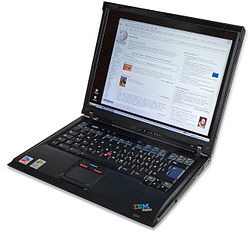 IBM ThinkPad R51
 -
 IBM ThinkPad R32


.jpg)
The R series reintroduced in 2018 (for Chinese market only) with the same hardware as E series models, but with aluminum display cover, discrete GPU, TPM chip and fingerprint reader.
G series (2003–2006)
[edit]The G series consisted of only three models, the G40, G41 and G50 (which was only sold in Japan) manufactured by Acer for IBM. Being large and heavy machines, equipped with powerful desktop processors, this line of ThinkPads consequently served mainly as budget replacements for desktop computers.
The G series was able to be configured with either an entry-level Celeron or a 3 GHz Pentium 4 processor. The G series line of ThinkPads often received criticism for its heft, weighing in at 8.4lbs (3.81kg).[138]
Z series (2005–2007)
[edit]The Z series was released as a high-end multimedia laptop; as a result this was the first ThinkPad to feature a widescreen (16:10 aspect ratio) display.[139][140] The Z series was also unique in that certain models featured an (optional) titanium lid.[141] Integrated WWAN and a webcam were also found on some configurations. The series has only ever included the Z60 (Z60m and Z60t) and Z61 (Z61m, Z61t and Z61p); the latter of which is the first Z series ThinkPad with Intel "Yonah" Dual-Core Technology. The processor supports Intel VT-x; this is disabled in the BIOS but can be turned on with a BIOS update. Running fully virtualised operating systems via Xen or VMware is therefore possible.[142] Despite the Z61 carrying the same number as the T61, the hardware of the Z61 is closer to a T60 (and likewise the Z60 being closer to a T43).
-
 The Z61 featuring a titanium lid (note the duality of colors)
 -
 The ThinkPad Z61t accompanied by a silver ScrollPoint Pro
 -
 The ThinkPad Z61t opened showing the internal keyboard


ThinkPad Reserve Edition (2007)
[edit]The "15-year anniversary" ThinkPad model (based on a X60s laptop). This model was initially known inside of Lenovo as the "Scout". This was the name of the horse ridden by Tonto, the sidekick from the 1950s television series The Lone Ranger. Lenovo envisioned the Scout as a very high-end ThinkPad that would be analogous to a luxury car. Each unit was covered in fine leather embossed with its owners initials. Extensive market research was conducted on how consumers would perceive this form factor. It was determined that they appreciated that it emphasised warmth, nature, and human relations over technology. The Scout was soon renamed the ThinkPad Reserve Edition. It came bundled with premium services including a dedicated 24-hour technical support hotline that would be answered immediately. It was released in 2007 and sold for $5,000 in the United States.[143][144]
SL series (2008–2010)
[edit]_(8225036586).jpg)
The SL series was launched in 2008 as a low-end ThinkPad targeted mainly geared toward small businesses.[145] These lacked several traditional ThinkPad features, such as the ThinkLight, magnesium alloy roll cage, UltraBay, and lid latch, and use a 6-row keyboard with a different layout than the traditional 7-row ThinkPad keyboard; also, SL series models have IdeaPad-based firmware. Models offered included 13.3" (SL300), 14" (SL400 and SL410) and 15.6" (SL500 and SL510).
W series (2008–2015)
[edit]
The W series laptops were introduced by Lenovo as workstation-class laptops with their own letter designation, a descendant of prior ThinkPad T series models suffixed with 'p' (e.g. T61p), and are geared towards CAD users, photographers, power users, and others, who need a high-performance system for demanding tasks. The W series laptops were launched in 2008, at the same time as the Intel Centrino 2, marking an overhaul of Lenovo's product lineup. The first two W series laptops introduced were the W500 and the W700.
Previously available were the W7xx series (17" widescreen model), the W500 (15.4" 16:10 ratio model), the W510 (15.6" 16:9 ratio model), and W520 (15.6" 16:9 ratio model). The W700ds and the W701ds both had two displays: a 17" main LCD and a 10" slide-out secondary LCD. The W7xx series were also available with a Wacom digitizer built into the palm rest. These high-performance workstation models offered more high-end components, such as quad core CPUs and higher-end workstation graphics compared to the T series, and were the most powerful ThinkPad laptops available. Until the W540, they retained the ThinkLight, UltraBay, roll cage, and lid latch found on the T series. The W540 release marked the end of the lid latch, ThinkLight, and hot-swappable UltraBays found in earlier models.
The ThinkPad W series laptops from Lenovo are described by the manufacturer as being "mobile workstations", and suit that description by being physically on the larger side of the laptop spectrum, with screens ranging from 15" to 17" in size. Most W series laptops offer high-end quad-core Intel processors with an integrated GPU as well as an Nvidia Quadro discrete GPU, utilizing Nvidia Optimus to switch between the two GPUs as required. Notable exceptions are the W500, which has ATI FireGL integrated workstation-class graphics, and the W550s, which is an Ultrabook-specification laptop with only a dual-core processor. The W series laptops offer independent software vendor certifications from various vendors such as Adobe Systems and Autodesk for CAD and 3D modeling software.
The ThinkPad W series has been discontinued and replaced by the P series mobile workstations.
Edge series (2010)
[edit]The Edge series was released early in 2010 as small business and consumer-end machines. The design was a radical departure compared to the traditional black boxy ThinkPad design, with glossy surfaces (optional matte finish on later models), rounded corners, and silver trim. They were also offered in red, a first for the traditionally black ThinkPads. Like the SL, this series was targeted towards small businesses and consumers, and lack the roll cage, UltraBay, lid latch, and ThinkLight of traditional ThinkPads (though the 2011 E220s and E420s had ThinkLights).[146] This also introduced an island-style keyboard with a significantly different layout.
Models included 13.3" (Edge 13), 14" (Edge 14), and 15.6" (Edge 15) sizes. An 11.6" (Edge 11) model was offered, but not available in the United States.[147] The latest models of E series can be offered with Edge branding,[148] but this naming is optional and uncommon.
S series (2012–2014)
[edit]The S Series is positioned as a mid-range ThinkPad offering, containing ultrabooks derived from the Edge Series. As of August 2013, the S Series includes S531 and S440 models; their cases are made of aluminum and magnesium alloy, available in silver and gunmetal colors.[149]
ThinkPad Twist (2012)
[edit]The ThinkPad Twist (Edge S230u) is a laptop/tablet computer hybrid aimed at high-end users. The Twist gets its name from its screen's ability to twist in a manner that converts the device into a tablet. The Twist has a 12.5" screen and makes use of Intel's Core i7 processor and SSD technology in lieu of a hard drive.[150]
In a review for Engadget Dana Wollman wrote, "Lately, we feel like all of our reviews of Windows 8 convertibles end the same way. The ThinkPad Twist has plenty going for it: a bright IPS display, a good port selection, an affordable price and an unrivaled typing experience. Like ThinkPads past, it also offers some useful software features for businesses lacking dedicated IT departments. All good things, but what's a road warrior to do when the battery barely lasts four hours? Something tells us the Twist will still appeal to Lenovo loyalists, folks who trust ThinkPad's build quality and wouldn't be caught dead using any other keyboard. If you're more brand-agnostic, though, there are other Windows 8 convertibles with comfortable keyboards – not to mention, sharper screens, faster performance and longer battery life."[151]
ThinkPad Helix (2013–2015)
[edit]
The Helix is a convertible laptop satisfying both tablet and conventional notebook users. It uses a "rip and flip" design that allows the user to detach the display and then replace it facing in a different direction. It sports an 11.6" Full HD (1920 × 1080) display, with support for Windows 8 multi-touch. As all essential processing hardware is contained in the display assembly and it has multitouch capability, the detached monitor can be used as a standalone tablet computer. The Helix's high-end hardware and build quality, including Gorilla Glass, stylus-based input, and Intel vPro hardware-based security features, are designed to appeal to business users.[152]
In a review published in Forbes Jason Evangelho wrote, "The first laptop I owned was a ThinkPad T20, and the next one may very likely be the ThinkPad Helix which Lenovo unveiled at CES 2013. In a sea of touch-inspired Windows 8 hardware, it's the first ultrabook convertible with a form factor that gets everything right. The first batch of Windows 8 ultrabooks get high marks for their inspired designs, but aren't quite flexible enough to truly be BYOD (Bring Your Own Device) solutions. Lenovo's own IdeaPad Yoga came close, but the sensation of feeling the keyboard underneath your fingers when transformed into tablet mode was slightly jarring. Dell's XPS 12 solved that problem with its clever rotating hinge design, but I wanted the ability to remove the tablet display entirely from both of those products."[153]
ThinkPad 11e (2014–2021)
[edit]The ThinkPad 11e was a low-cost laptop computer for schools and students with an 11-inch screen and without trackpoint. 11e Yoga is a convertible version of 11e.
ThinkPad 13 (2016–2018)
[edit]The ThinkPad 13 (also known as the Thinkpad S2 in mainland China) is a "budget" model with a 13-inch screen. Versions running Windows 10 and Google's ChromeOS were options. The most powerful configuration had a 6th generation Core i7 processor and a 512 GB SSD. Connectivity includes HDMI, USB 3.0, OneLink+, USB Type-C, etc. It weighs 1.0 kg (2.3 lb) and is 19.8 mm (0.78 in) thick.[154] In 2017, a second generation Ultrabook model has been released with up to a 7th generation Core i7 processor and a FHD touchscreen available in certain countries. This lineup was merged into the L series in 2018, with the L380 being the successor to the 13 Gen 2.
25th anniversary Retro ThinkPad (2017)
[edit]
Lenovo released the 25th anniversary Retro ThinkPad 25 in October 2017. The model is based on the T470, the difference being it having the 7-Row "Classic" keyboard with the layout found on the −20 Series, and the logo received a splash of colour reminiscent of the IBM era. The last ThinkPad models with the 7-row keyboard were introduced in 2011.[155]
A series (2017–2018)
[edit]In September 2017, Lenovo announced two ThinkPad models featuring AMD's PRO chipset technology – the A275 and A475.[156] This sees the revival of the A Series nameplate not seen since the early 2000s when ThinkPads were under IBM's ownership, however it is likely the "A" moniker emphasised that it uses AMD technology rather than comparative product segment (workstation class) of the previous line.[157]
While this isn't the first time Lenovo had offered an AMD derived ThinkPad, it is the first to be released as an alternative premium offering to the established T series and X series ThinkPads, which use Intel processors instead.
- A275 and A475
- The A275 is a 12.5" ultraportable based on the Intel derived X270 model. Weighing in at 2.9 pounds (1.31 kg) this model features AMD Carrizo or Bristol Ridge APU's, AMD Radeon R7 graphics and AMD DASH (Desktop and mobile Architecture for System Hardware) for enterprise computing.
- The A475 is a 14" mainstream portable computer based on the Intel derived T470 model. Weighing at 3.48 pounds (1.57 kg), like the A275 it features AMD Carrizo or Bristol Ridge APU's, AMD Radeon R7 graphics and AMD DASH (Desktop and mobile Architecture for System Hardware) for enterprise computing.
- A285 and A485
- The A285 is a 12.5" laptop which is an upgraded version of the A275. Weighing in at 2.78 lb (1.26 kg), this model utilizes an AMD Raven Ridge APU with integrated Vega graphics, specifically a Ryzen 5 PRO 2500U or Ryzen 7 PRO 2700. The laptop also contains a discrete Trusted Platform Module (dTPM) for data encryption and password protection, supporting TPM 2.0. Optional security features include a fingerprint scanner and smart card reader. The display's native resolution can be either 1366 × 768 or 1920 × 1080 depending on the configuration.[158]
- The A485 is a 14" laptop which is an upgraded version of the A475. Weighing 3.63 lb (1.65 kg), this model utilizes AMD's Raven Ridge APU's with integrated Vega graphics. This model can use multiple models of Raven Ridge APU's, unlike the A285. The laptop also contains a Discrete Trusted Platform Module (dTPM) for data encryption and password protection, supporting TPM 2.0. Optional security features include a fingerprint scanner and smart card reader. The display's native resolution can be either 1366 × 768 or 1920 × 1080 depending on the configuration.[159]
Accessories
[edit]Lenovo also makes a range of accessories meant to complement and enhance the experience of using a ThinkPad device. These include:
ThinkPad Stack (2015–current)
[edit].jpg)
The ThinkPad Stack line of products includes accessories designed for portability and interoperability. This line includes external hard drives, a wireless router, a power bank,[160][161][162][163][164] and a Bluetooth 4.0 speaker. Each Stack device includes rubber feet, magnets, and pogo-pin power connections that allow the use of a single cable. The combined weight of all the Stack devices is slightly less than two pounds. The Stack series was announced in January 2015 at the International CES.[165] The Stack series of accessories was expanded at the 2016 International CES to include a 720p resolution projector with 150 lumens of brightness and a wireless charging station (However, the wireless charger was never released).[166]
The Stack has a "blocky, black, and rectangular" look with the ThinkPad logo. It shares a common design language with ThinkPad laptop computers.[167]
Docking stations (1993–current)
[edit]

The ThinkPad laptop line has a history of using docking stations to enhance functionality and connectivity. These stations provide additional ports, peripherals, and larger displays, transforming the laptop into a desktop-like setup. There are three types of ThinkPad docking stations: Port Replicators, which replicate the ports found on the laptop, Advanced Docking Stations, which offer more extensive functionality, built-in speakers, microphones, and card readers, and Desktop Docking Stations, which transform the ThinkPad into a desktop setup with a larger monitor, keyboard, and mouse.
Current docking stations (or docks) add much of the functional abilities of a desktop computer, including multiple display outputs, additional USB ports, and occasionally other features. This allows the ThinkPads to be connected and disconnected from various peripherals quickly and easily.
Old docks connected via a proprietary connector located on the underside of the laptops. Current docks connect via Thunderbolt or USB-C.[168]
UltraBay (1995–2014)
[edit]The internal replaceable (hot-swappable) CD-drive bay that supports a list of optional components, such as a CD-/DVD/Blu-ray drives, hard drive caddies, additional batteries, or device cradles.
Slice batteries (2000–2012)
[edit]Some classic models (IBM and early Lenovo T and X series) can support an additional slice battery which mounts to the underside of the machine instead of the UltraBay additional battery.
UltraPort (2000–2002)
[edit]
ThinkPad USB 3.0 Secure Hard Drive
[edit]An external USB 3.0/2.0 hard drive that was designed by Lenovo in 2009. It requires the input of a 4 digit PIN to access data and this can be set by the user. These drives are manufactured for Lenovo by Apricorn, Inc.[169]
ThinkPad keyboards (external)
[edit].jpg)

IBM/Lenovo made several USB/Bluetooth keyboards with integrated UltraNav's and TrackPoints. Notable models include
- SK-8845
- SK-8835
- SK-8855
- ThinkPad Compact USB Keyboard (current model)[170]
- ThinkPad Compact Bluetooth Keyboard (current model)[171]
- ThinkPad TrackPoint Keyboard II (current model)[172]
ThinkPad Mouses
[edit]ThinkPad Mouses come in several different varieties ranging from Bluetooth ones through wired ones, to even ones with a trackpoint built-in and labelled as a scroll point.
ThinkPad stands
[edit]The ThinkPad Stands were a series of laptop stands designed for ThinkPad laptops, primarily sold in Asian markets. They offered various features to enhance user experience and ergonomics. Key features included adjustable height settings, cooling features, ergonomic design, and portability. These stands allowed users to find the most comfortable viewing angle, dissipate heat from the laptop, promote a healthy posture, and provide a convenient solution for improving laptop usage. They were particularly popular among ThinkPad users in Asian markets, particularly those who spent long hours working on their laptops. The ThinkPad Stands were a significant addition to the laptop market.
ThinkPlus charger
[edit]The ThinkPlus charger is a power adapter designed for Lenovo ThinkPad laptops, providing the necessary power to charge the battery and operate the device. Its key features include compatibility with specific ThinkPad models, varying power output (typically measured in watts), and the ability to operate with different input voltages. Built-in safety features protect the charger and laptop from overheating, overvoltage, and short circuits. ThinkPlus chargers are compact and lightweight, making them easy to carry around. There are three types of ThinkPlus chargers: AC Adapters, designed for wall outlets, car chargers for vehicles, and travel chargers, making them ideal for travel.[173]
Timeline
[edit]| Timeline of the IBM Personal Computer |
|---|
 |
| Asterisk (*) denotes a model released in Japan only |
See also
[edit]- ThinkBook
- IBM/Lenovo ThinkCentre and ThinkStation business desktops
- List of IBM products
- HP EliteBook and ProBook
- Dell Latitude and Precision
- Fujitsu Lifebook and Celsius
- Lenovo ThinkPad X220
- Lenovo ThinkPad W700
- Lenovo ThinkPad T410
References
[edit]- ^ "IBM, LG winding down joint venture". CNET. 31 August 2004. Archived from the original on 23 April 2019. Retrieved 25 November 2018.
- ^ "싱크이노베이션 – LG-IBM THINKPAD X40" (in Korean). notegear.com. Archived from the original on 26 February 2019. Retrieved 25 February 2019.
- ^ Bajarin, Tim (5 October 2022). "Celebrating ThinkPad's 30th Anniversary – An Insider's Perspective". Forbes. Archived from the original on 6 October 2022. Retrieved 1 February 2025.
However, the ThinkPad's growth under Lenovo's leadership has been remarkable. Today, Lenovo has sold over 200 million ThinkPads, and the company continues to innovate around the ThinkPad design to improve it.
- ^ "Lenovo Launches Linux-Ready ThinkPad and ThinkStation PCs Preinstalled with Ubuntu" (Press release). Lenovo. 23 September 2020. Archived from the original on 7 December 2020. Retrieved 14 December 2020.
- ^ "Lenovo Marks Decade of Success Since Acquisition of IBM's PC Business – Lenovo StoryHub". News.lenovo.com. 30 April 2015. Archived from the original on 28 November 2021. Retrieved 16 March 2022.
- ^ a b Richard Sapper and Lenovo ThinkPad X300. Lenovo Channel. 26 February 2008. Archived from the original on 7 July 2015. Retrieved 28 November 2016 – via YouTube.
- ^ "ThinkPad | IBM". www.ibm.com. Retrieved 19 November 2024.
- ^ "IBM ThinkPads in space". IBM Archives. IBM. 23 January 2003. Archived from the original on 20 July 2011. Retrieved 1 April 2019.
- ^ "Provision of Laptops and accompanying accessories for UNON" (PDF). United Nations Office at Nairobi. 24 June 2019. Archived (PDF) from the original on 27 September 2021. Retrieved 27 September 2021.
The United Nations has currently standardized its requirement to Lenovo ThinkPad branded laptops that are used by approximately 2,500 staff.
- ^ LaPlante, Alicia; Pane, Patricia J. (28 August 1989). "IBM to Give Laptop Market Another Try". InfoWorld. Vol. 11, no. 35. p. 1. Retrieved 25 April 2025.
- ^ "BUSINESS TECHNOLOGY; I.B.M. Enters U.S. Notebook PC Market". The New York Times. 25 March 1992.
- ^ a b c d Dell, Deborah A.; Purdy, J. Gerry (2000). ThinkPad: a different shade of blue. Indianapolis, Ind.: Sams. ISBN 9780672317569.
- ^ Lohr, Steve (22 February 1994). "Dell's Second Stab at Portables". The New York Times. pp. D1.
- ^ Ohnesorge, Lauren (16 October 2017). "Meet the 'father of the ThinkPad' laptop". Triangle Business Journal. Archived from the original on 3 March 2021. Retrieved 22 November 2020.
- ^ Budmar, Patrick (8 October 2012). "'Father of the ThinkPad', Arimasa Naitoh, on the notebook's past, present and future". arnnet.com.au. Archived from the original on 5 October 2017. Retrieved 4 October 2017.
- ^ Dignan, Larry. "Lenovo's ThinkPad turns 25: Here are 25 facts to know". ZDNET. Archived from the original on 5 October 2017. Retrieved 4 October 2017.
- ^ Naitoh, Arimasa; Holstein, William J. (13 June 2017). How the ThinkPad Changed the World—and Is Shaping the Future. Skyhorse Publishing. ISBN 9781510724990.
- ^ Savov, Vlad (25 November 2009). "Lenovo's ThinkPad doyen Arimasa Naitoh speaks about life, liberty and the T400s". Engadget. Archived from the original on 5 October 2017. Retrieved 4 October 2017.
- ^ "IBM Think Sign". Retrieved 24 August 2024.
- ^ Holwerda, Thom (2 October 2009). "The History of the ThinkPad Name". Archived from the original on 3 November 2011. Retrieved 2 October 2009.
- ^ a b c d e Hamm, Steve (2009). The race for perfect : inside the quest to design the ultimate portable computer. New York: McGraw-Hill. ISBN 9780071606110.
- ^ a b "IBM Highlights, 1990 -1995" (PDF). IBM. December 2001. Archived from the original (PDF) on 16 May 2017. Retrieved 11 May 2008.
- ^ "A Rose by any other Name". Archived from the original on 22 September 2007.
- ^ Rana, Akriti (26 October 2017). "25 Years of the ThinkPad: 10 Facts Not too Many Know". TechPP. Archived from the original on 4 December 2020. Retrieved 1 December 2020.
- ^ @LenovoNews (8 December 2015). "Born in '92, the original #ThinkPad 700T tablet was made of slate and users could write on it w a pen #GoodWeird" (Tweet) – via Twitter.
- ^ a b c d e Sakakibara, K., "IBM ThinkPad 700C Notebook Computer Case", Centre for Design Management – London Business School, 1994.
- ^ a b c d Hardy, Tom (1998). "Design Saves The Brand". Innovation. Academia.edu. Archived from the original on 8 September 2021. Retrieved 1 November 2017.
- ^ "25 Years of PC Magazine: Year Eleven/1992". PC Magazine. 2 May 2007. Archived from the original on 4 June 2021. Retrieved 19 March 2023.
- ^ Schofield, Jack (30 April 1992). "Microfile". The Guardian. p. 31. Archived from the original on 14 May 2022. Retrieved 14 May 2022 – via Newspapers.com.
- ^ "IBM, Compaq, NCR unveil spate of new computers". The Baltimore Sun. Reuters. 6 October 1992. p. 21B. Archived from the original on 14 May 2022. Retrieved 14 May 2022 – via Newspapers.com.
- ^ Lohr, Steve (23 June 1993). "Notebooks May Hold Key to I.B.M.'s Revival". The New York Times.
- ^ "IBM Archives: 1992". IBM. 23 January 2003. Archived from the original on 1 May 2008. Retrieved 12 May 2008.
- ^ Pierce, David (5 October 2012). "ThinkPad turns 20: how IBM's 'black box' defined the laptop industry". The Verge. Archived from the original on 5 October 2017. Retrieved 4 October 2017.
- ^ Lohr, Steve (23 June 1993). "Notebooks May Hold Key to I.B.M.'s Revival". The New York Times. ProQuest 109048053. Archived from the original on 5 October 2017. Retrieved 5 October 2017.
- ^ "IBM and Lenovo". IBM Archives. 8 October 2012. Archived from the original on 30 August 2021. Retrieved 30 August 2021.
- ^ a b c Ranii, David (4 February 2015). "After 100 million sold, Lenovo's ThinkPad laptop still going strong". The News & Observer. Archived from the original on 11 March 2015. Retrieved 10 March 2015.
- ^ Westlake, Adam (6 November 2012). "Lenovo celebrates ThinkPad laptop 20th anniversary by producing special edition in Japan". The Japan Daily Press. Archived from the original on 4 March 2013. Retrieved 14 April 2013.
- ^ Murariu, Constantin (5 July 2012). "Lenovo Moves ThinkPad Production Back to Japan". Softpedia. Archived from the original on 9 July 2012. Retrieved 12 July 2012.
- ^ a b Yin, Dave (13 February 2015). "100 million later: A look back at ThinkPad". Computer Dealer News. Archived from the original on 28 September 2017. Retrieved 15 February 2015.
- ^ Hunt, Cale (16 October 2017). "Lenovo ThinkPad 25 review: An anniversary gift for nostalgic ThinkPad lovers". Windows Central. Retrieved 31 December 2023.
- ^ Ngo, Allen (5 October 2017). "Lenovo ThinkPad 25 Anniversary Edition Laptop Review". Notebookcheck. Retrieved 7 January 2024.
- ^ Daniel Rubino (2 November 2022). "This ThinkPad X1 Carbon '30th Anniversary Edition' is for diehard Lenovo fans". Windows Central. Retrieved 31 December 2023.
- ^ "Lenovo ThinkPad X1 Carbon Gen 12 Review: A True Power Player". BW Businessworld. Retrieved 10 February 2025.
- ^ Avram Piltch (3 January 2025). "Lenovo ThinkPad X1 Carbon (Gen 13) Aura Edition Review: Lightest Carbon Yet". Tom's Hardware. Retrieved 10 February 2025.
- ^ Golden, Peter (1 January 1999). "Big Blue's big adventure". EDN Network. Archived from the original on 3 April 2015. Retrieved 22 July 2013.
- ^ a b c Webb, Michael (2002). Bartolucci, Marisa; Cabra, Raul (eds.). Richard Sapper. San Francisco: Chronicle Books. ISBN 9780811832823.
- ^ Hamm, Steve (10 January 2008). "Richard Sapper: Fifty Years at the Drawing Board". Bloomberg.com. Archived from the original on 6 October 2017. Retrieved 20 March 2023.
- ^ "Richard Sapper Industrial Designer". North Carolina State University. Archived from the original on 17 December 2013. Retrieved 24 July 2013.
- ^ "TCG Vendor ID Registry" (PDF). 23 September 2015. Archived (PDF) from the original on 28 October 2016. Retrieved 27 October 2016.
- ^ Hartmans, Avery (4 January 2018). "Lenovo's new laptops have clever built-in webcam covers so you can finally ditch the piece of tape". Business Insider. Archived from the original on 6 September 2020. Retrieved 3 September 2020.
- ^ "IdeaPad L340 Gaming Laptop".
The IdeaPad L340's HD webcam makes video chats and conference calls a breeze. It also has TrueBlock Privacy Shutter, a switch for you to physically close your webcam and help keep your personal life private.
- ^ "Lenovo ThinkPad Tablet 2, X1 Carbon Debut at MoMA Anniversary Bash – Desktops and Notebooks & Reviews – eWeek.com". Archived from the original on 29 June 2013.
- ^ "MoMA The Collection: Richard Sapper, Sam Lucente, Robert Tennant and IBM Corporation, ThinkPad 701 Portable Computer, 1995". The Museum of Modern Art. 30 September 2010. Archived from the original on 20 September 2013. Retrieved 22 July 2013.
- ^ "IBM ThinkPad 760 Series". MacDat. Retrieved 28 August 2025.
- ^ "IBM ThinkPad T42 Review (pics, specs)". Notebook Review. 31 August 2004. Archived from the original on 19 May 2021. Retrieved 19 May 2021.
- ^ Leitner, J. Simon. "Review Lenovo / IBM Thinkpad T60p UXGA Notebook". Notebookcheck. Archived from the original on 27 July 2021. Retrieved 19 May 2021.
- ^ Hollister, Sean (16 March 2012). "Lenovo laptops will reject third-party batteries, starting with ThinkPad Edge in May?". The Verge. Archived from the original on 7 July 2018. Retrieved 16 September 2017.
- ^ Benchoff, Brian (11 February 2016). "Unlocking Thinkpad Batteries". Archived from the original on 16 October 2022. Retrieved 16 October 2022.
- ^ "ThinkPad 390: YES Bulletin 47948". SUSE. 25 November 1998. Archived from the original on 10 November 2021. Retrieved 10 November 2021.
- ^ "Caldera Announces OpenLinux eDesktop Pre-load On Select IBM ThinkPads" (Press release). Orem, Utah: Caldera Systems, Inc. 20 June 2000. Archived from the original on 23 May 2001. Retrieved 9 November 2021.
- ^ "IBM ThinkPad A Series notebooks" (PDF). IBM. October 2001. Archived (PDF) from the original on 29 November 2021. Retrieved 10 November 2021.
- ^ Ogg, Erica (15 January 2008). "Linux available on ThinkPad T61 and R61". Archived from the original on 10 November 2021. Retrieved 10 November 2021.
- ^ Vaughan-Nichols, Stephen J. (3 September 2020). "Lenovo releases first Fedora Linux ThinkPad laptop". ZDNet. Archived from the original on 10 November 2021. Retrieved 10 November 2021.
- ^ Vaughan-Nichols, Stephen J. (23 September 2020). "Lenovo to roll out Ubuntu Linux 20.04 LTS across nearly 30 ThinkPads, ThinkStations". ZDNet. Archived from the original on 10 November 2021. Retrieved 10 November 2021.
- ^ Evangelho, Jason (3 June 2020). "Lenovo's Massive Ubuntu And Red Hat Announcement Levels Up Linux In 2020". Forbes. Archived from the original on 10 November 2021. Retrieved 10 November 2021.
- ^ a b c "IBM Archives: IBM ThinkPads in space". 23 January 2003. Archived from the original on 23 December 2016. Retrieved 1 January 2017.
- ^ a b "Shuttle-Mir History/Science/ISS Risk Mitigation/Test of Portable Computer System (TPCS) Hardware". Archived from the original on 16 November 2001.
- ^ "IBM Archives: 1993". ibm.com. IBM. 23 January 2003. Archived from the original on 5 June 2011. Retrieved 12 May 2008.
- ^ "NASA – STS-125 Flight Day 11 Gallery". Archived from the original on 22 May 2017. Retrieved 1 January 2017.
- ^ a b "IBM ThinkPads in space". ibm.com. IBM. 2 December 1993. Archived from the original on 20 July 2011. Retrieved 12 May 2008.
- ^ Cowing, Keith (18 September 2000). "2001: A Space Laptop". SpaceRef. Retrieved 20 March 2023.
- ^ a b Bilton, Nick (22 January 2010). "First Tweet From Space". Bits. The New York Times. Archived from the original on 10 July 2011. Retrieved 22 January 2010.
- ^ "2011-06-07 Daily ISS Report". NASA. Archived from the original on 18 May 2015. Retrieved 10 June 2011.
- ^ "REINVENT NEW FRONTIERS". hp.com. Archived from the original on 2 September 2019. Retrieved 2 September 2019.
- ^ Vella, Matt (8 January 2013). "Change the Thinkpad and it will die". Archived from the original on 29 October 2017. Retrieved 28 October 2017.
- ^ Piltch, Avram (26 July 2012). "ThinkPad Type-Off: Is Lenovo's New Island Keyboard Better or Worse?". Archived from the original on 29 October 2017. Retrieved 28 October 2017.
- ^ "Lenovo Thinkpad 25 Retro: not worth it". Rossman Repair Group. 9 October 2017. Archived from the original on 29 October 2017. Retrieved 28 October 2017.
- ^ "ThinkPad". Reddit.com. 25 March 2009. Archived from the original on 16 April 2021. Retrieved 16 March 2022.
- ^ "Used ThinkPad Buyer's Guide". sites.google.com. Archived from the original on 19 November 2020. Retrieved 5 October 2020.
- ^ Heinzman, Andrew (25 February 2024). "The Lenovo ThinkPad Is Returning to Its Upgrade-Friendly Roots". How-To Geek. Retrieved 9 January 2025.
- ^ "coreboot FAQ". coreboot. Retrieved 18 January 2025.
- ^ "Lenovo ThinkPad T440p". coreboot.
- ^ "Introducing 51nb's DIY Motherboard – The Nirvana of Classic ThinkPad". 31 July 2018. Archived from the original on 31 July 2018. Retrieved 1 April 2020.
- ^ "Lenovo Unveils Latest ThinkPad X1 Carbon to Celebrate 100 Millionth ThinkPad" (Press release). Las Vegas: Lenovo. 4 January 2015. Archived from the original on 24 November 2021. Retrieved 24 November 2021.
- ^ Yin, Dave (13 February 2015). "100 million later: A look back at ThinkPad | Channel Daily News". Channel Daily News. Archived from the original on 24 November 2021. Retrieved 24 November 2021.
- ^ Bsales, Jamie (2006). "Lenovo ThinkPad T60: Light business notebook with performance to spare". Laptop Magazine. Archived from the original on 11 October 2008. Retrieved 3 June 2011.
- ^ "Is Tech Support Getting Worse? – Notebooks – Reviews by PC Magazine". PC Magazine. 13 September 2007. Archived from the original on 8 January 2019. Retrieved 22 April 2012.
- ^ "Readers' Choice: Notebooks Survey". PC Magazine. 21 August 2006. Archived from the original on 8 March 2009. Retrieved 22 April 2012.
- ^ "Best of 2004". PC World. 2 June 2004. Archived from the original on 21 May 2008. Retrieved 22 April 2012.
- ^ "Lenovo ThinkPad X60 Tablet review". PC Magazine. Archived from the original on 28 December 2008. Retrieved 28 January 2019.
- ^ Sommer, Dan (2 May 2006). "Lenovo ThinkPad X60s Review". PC World. Archived from the original on 15 April 2008. Retrieved 22 April 2012.
- ^ Stafford, Alan (31 May 2006). "The 100 Best Products of 2006". PC World. Archived from the original on 8 June 2008. Retrieved 22 April 2012.
- ^ Bertolucci, Jeff (1 December 2005). "Reliability and Service: The Best Companies to Buy From". PC World. Archived from the original on 4 June 2008. Retrieved 22 April 2012.
- ^ McLaughlin, Laurianne (1 December 2004). "Reliability and Service: Readers Rate the Manufacturers". PC World. Archived from the original on 24 May 2008. Retrieved 22 April 2012.
- ^ "Chinese company tops Greenpeace 'Green Ranking' of electronics industry". Amsterdam: Greenpeace. 3 April 2007. Archived from the original on 16 April 2010. Retrieved 22 April 2012.
- ^ "How the companies line up". Greenpeace International. Archived from the original on 27 January 2007.
- ^ "Lenovo ThinkPad T60p". PC Magazine. 23 February 2007. Archived from the original on 5 January 2009. Retrieved 22 April 2012.
- ^ Cheng, Cisco (7 February 2007). "Lenovo ThinkPad X60 (Vista)". PC Magazine. Archived from the original on 18 March 2009. Retrieved 22 April 2012.
- ^ "The PC World 100: Best Products of 2009". PC World. 26 October 2009. Archived from the original on 7 May 2012. Retrieved 22 April 2012.
- ^ Ackerman, Dan (5 September 2013). "Hands-on with Lenovo's ThinkPad Yoga". CNET. Archived from the original on 12 September 2013. Retrieved 4 October 2013.
- ^ Volpe, Joseph (29 July 2011). "Lenovo ThinkPad Tablet gets an August 23rd release". Engadget. Archived from the original on 8 November 2011. Retrieved 11 November 2011.
- ^ Merak, Paul (20 July 2011). "Lenovo ThinkPad Tablet overview". Archived from the original on 2 November 2011. Retrieved 11 November 2011.
- ^ Catanzariti, Ross (21 July 2011). "Lenovo ThinkPad Tablet preview: Lenovo brings its corporate-looking design to the tablet market". Archived from the original on 7 November 2011. Retrieved 11 November 2011.
- ^ a b c d Shah, Agam (20 July 2011). "Lenovo Announces ThinkPad Tablet for Businesses". Archived from the original on 20 March 2023. Retrieved 19 March 2023.
- ^ Nguyen, Vincent (19 July 2011). "Lenovo IdeaPad K1 and ThinkPad Tablet hands-on". Archived from the original on 8 November 2011. Retrieved 11 November 2011.
- ^ a b c Stein, Scott (10 August 2012). "Lenovo ThinkPad Tablet 2". Archived from the original on 21 August 2012. Retrieved 21 August 2012.
- ^ a b Cunningham, Andrew (9 August 2012). "Lenovo unveils new Atom-powered ThinkPad Tablet 2 with Windows 8". Ars Technica. Archived from the original on 8 July 2017. Retrieved 15 June 2017.
- ^ Wollman, Dana (5 January 2014). "Lenovo intros the ThinkPad 8, an 8-inch Windows tablet for business users (hands-on)". Engadget. Archived from the original on 7 January 2014. Retrieved 7 January 2014.
- ^ Ackerman, Dan (31 October 2014). "Lenovo ThinkPad 10 review". CNET. Archived from the original on 11 June 2014. Retrieved 11 June 2014.
- ^ "ThinkPad X1 Tablet specs.pdf" (PDF). lenovo.com. Archived from the original (PDF) on 1 June 2016. Retrieved 21 May 2016.
- ^ "Ноутбуки Thinkpad серии Edge" (in Russian). lenovo.com. 28 May 2019. Archived from the original on 28 May 2019. Retrieved 28 May 2019.
- ^ "The 25th-anniversary ThinkPad: Every laptop should add some retro appeal". Ars Technica. 1 April 2018. Archived from the original on 23 November 2021. Retrieved 24 January 2022.
- ^ Dignan, Larry (5 October 2017). "Lenovo's ThinkPad turns 25: Here are 25 facts to mark the anniversary". ZDNet. Archived from the original on 22 November 2021. Retrieved 24 January 2022.
- ^ a b "Hands On: Lenovo's ThinkPad X9 Aura Edition Is a Mighty Swipe at MacBook Air". PCMAG. 7 January 2025. Retrieved 29 March 2025.
- ^ "White Thinkpad X100e unboxed". Cloned in China. 6 January 2010. Archived from the original on 8 October 2011.
- ^ a b "ThinkPad Z SERIES Coming Spring 2022". Archived from the original on 18 January 2022. Retrieved 17 January 2022.
- ^ Chin, Monica (4 January 2022). "Lenovo's ThinkPad Z-Series targets — you guessed it — Gen-Z". The Verge. Retrieved 10 March 2025.
- ^ Chin, Monica (4 January 2022). "Lenovo's ThinkPad Z-Series targets — you guessed it — Gen-Z". The Verge. Archived from the original on 17 January 2022. Retrieved 17 January 2022.
- ^ Woods, Rich (5 January 2022). "Hands on: The Lenovo ThinkPad Z series is what a ThinkPad should be". XDA Developers. Archived from the original on 17 January 2022. Retrieved 17 January 2022.
- ^ Jack (28 November 2020). "IBM ThinkPad 235/Hitachi Flora/Chandra". Archived from the original on 19 March 2023. Retrieved 29 June 2021.
- ^ "ThinkPad series". Archived from the original on 5 November 2015. Retrieved 5 November 2015.
- ^ "Lenovo – The history of ThinkPad". IBM. 3 February 2006. Archived from the original on 29 April 2007. Retrieved 17 December 2011.
- ^ "Pen Computing historic reviews: IBM ThinkPad 360PE (1995)". Archived from the original on 21 January 2016. Retrieved 5 November 2015.
- ^ "IBM ThinkPad 700". Rugged Portable. Archived from the original on 10 January 2021. Retrieved 8 January 2021.
- ^ Medley, Sam (2 May 2019). "THINK: A brief history of ThinkPads, from IBM to Lenovo". Notebookcheck. Archived from the original on 8 October 2021. Retrieved 8 January 2021.
- ^ Goldman, David (8 January 2015). "5 iconic ThinkPad laptops". CNNMoney. Archived from the original on 9 January 2021. Retrieved 8 January 2021.
- ^ "20 Fun Facts About The ThinkPad Laptop". Lenovo Blog. Archived from the original on 19 March 2023. Retrieved 7 August 2019.
- ^ Wagner, Jayce (5 October 2017). "The weirdest, coolest, and most influential ThinkPads of the last 25 years". Digital Trends. Archived from the original on 7 August 2019. Retrieved 7 August 2019.
- ^ Cordes, Trevor E. (24 July 2008). "IBM PowerPC ThinkPad History". tecnopolis.ca. Archived from the original on 31 December 2014. Retrieved 1 June 2014.
- ^ "Windows NT on PowerPC ThinkPad". 8 January 2010. Archived from the original on 15 September 2011. Retrieved 28 September 2013 – via YouTube.
- ^ Tilley, Chris (3 March 2005). "IBM Workpad z50 Review". Archived from the original on 22 October 2020. Retrieved 21 October 2020.
- ^ "ThinkPad i Series 1800(2655-PAJ)の発表" (in Japanese). ibm.com. 19 November 2008. Archived from the original on 27 November 2018. Retrieved 26 November 2018.
- ^ "New ThinkPad i Series Notebook PCs Double as Mobile Entertainment Centers" (Press release). Somers, New York: IBM. 8 June 1999. Archived from the original on 3 March 2016. Retrieved 1 January 2015.
- ^ "Category:I Series". Archived from the original on 25 February 2015. Retrieved 1 January 2015.
- ^ "[Memory] – ThinkPad iSeries S30/S31 – Do You Still Keep This Beast?". ThinkPad FC. Archived from the original on 8 February 2016. Retrieved 1 January 2015.
- ^ "Detailed specifications – ThinkPad R50, R50p, R51". Lenovo. Archived from the original on 12 February 2019. Retrieved 10 February 2019.
- ^ a b "Product Specifications Reference" (PDF). psref.lenovo.com. December 2013. Retrieved 15 August 2024.
- ^ "CNET Thinkpad G-Series Review".
- ^ Thon, Harald (27 March 2006). "Is Lenovo's Widescreen Z60m the First Thinkpad Multimedia Powerhouse?". Tom's Guide. Archived from the original on 25 November 2015. Retrieved 30 April 2015.
- ^ "TFT display". thinkwiki.org. Archived from the original on 28 April 2015. Retrieved 30 April 2015.
- ^ "Lenovo ThinkPad Z60t Review (pics, specs)". NotebookReview.com. 27 January 2022. Archived from the original on 2 May 2015. Retrieved 30 April 2015.
- ^ Hamm, Steve; Hall, Kenji (13 February 2008). "Building the Perfect Laptop". Bloomberg BusinessWeek. Archived from the original on 14 September 2014. Retrieved 27 August 2014.
- ^ Miller, Paul (15 June 2007). "ThinkPad Reserve Edition unveiled". Engadget. Archived from the original on 8 May 2014. Retrieved 7 May 2014.
- ^ Biggs, John (5 September 2007). "ThinkPad Reserve Edition". TechCrunch. Archived from the original on 8 May 2014. Retrieved 7 May 2014.
- ^ "ThinkPad SL Series". Inside the Box lenovo Blog. 25 July 2008. Archived from the original on 2 June 2011. Retrieved 31 May 2011.
- ^ Hobbes, John (3 January 2011). "Lenovo Announces Premium ThinkPad Edge E220s, E420s SMB Notebooks". Thinkpads.com. Archived from the original on 17 July 2011. Retrieved 3 June 2011.
- ^ Stern, Joanna (28 September 2010). "Lenovo ThinkPad Edge 11 announced with Intel and AMD options, denied US citizenship". Engadget. Archived from the original on 4 June 2011. Retrieved 3 June 2011.
- ^ "Lenovo Thinkpad Edge E545 Review". Gaming Laptop. Archived from the original on 22 February 2015. Retrieved 23 February 2015.
- ^ Winkler, Tobias (30 August 2013). "Review Lenovo ThinkPad S440 Touch Ultrabook". notebookcheck.net. Archived from the original on 25 December 2013. Retrieved 24 December 2013.
- ^ Stables, James (21 January 2013). "Lenovo ThinkPad Twist review". TechRadar. Archived from the original on 29 November 2012. Retrieved 27 November 2012.
- ^ Wollman, Dana (21 November 2012). "Lenovo ThinkPad Twist review: an old form factor gets new life with Windows 8". Engadget. AOL. Archived from the original on 15 August 2017. Retrieved 16 September 2017.
- ^ Smith, Matthew (7 January 2013). "Lenovo announces ThinkPad Helix and IdeaPad Yoga 11S convertibles". Digital Trends. Archived from the original on 11 January 2013. Retrieved 8 January 2013.
- ^ Evangelho, Jason (12 January 2013). "Best of CES: Is Lenovo's ThinkPad Helix The Perfect Ultrabook/Tablet Hybrid?". Forbes. Archived from the original on 8 January 2019. Retrieved 16 September 2017.
- ^ Carey, Gabe (3 January 2016). "Lenovo thinks big with massive ThinkPad lineup revealed at CES 2016". Archived from the original on 4 January 2016. Retrieved 11 January 2016.
- ^ Thomson, Iain (5 October 2017). "Lenovo spits out retro ThinkPads for iconic laptop's 25th birthday". The Register. San Francisco. Archived from the original on 28 March 2018. Retrieved 28 March 2018.
- ^ "Lenovo™ Reveals New ThinkPad A series Powered by AMD PRO" (Press release). Lenovo. Archived from the original on 29 October 2017. Retrieved 28 October 2017.
- ^ Herzig, Benjamin (4 August 2017). "Confirmed: Lenovo's AMD ThinkPads A275 and A475 are based on the X270 and T470". Notebookcheck. Archived from the original on 29 October 2017. Retrieved 28 October 2017.
- ^ Bade, Sebastian (6 January 2019). "Lenovo ThinkPad A285 (Ryzen 5 Pro, Vega 8, FHD) Laptop Review". Notebookcheck. Archived from the original on 15 January 2022. Retrieved 15 January 2022.
- ^ Herzig, Benjamin (26 September 2018). "Lenovo ThinkPad A485 (Ryzen 5 Pro) Laptop Review". Notebookcheck. Archived from the original on 16 January 2022. Retrieved 15 January 2022.
- ^ Brant, Tom (20 October 2015). "Lenovo ThinkPad Stack Review". PCMag. Retrieved 2 November 2022.
- ^ Ackerman, Dan. "Lenovo ThinkPad Stack review: Lenovo lines up the ThinkPad Stack for modular PC add-ons". CNET. Retrieved 2 November 2022.
- ^ "Lenovo's new laptop accessories are modular, stackable, weird". Engadget. 5 January 2015. Retrieved 2 November 2022.
- ^ Andrew E. Freedman published (3 February 2016). "Lenovo Thinkpad Stack – Full Review and Benchmarks". LaptopMag. Retrieved 2 November 2022.
- ^ Jacobi, Jon. "Thinkpad Stack review: Lenovo's unique stackable peripherals are made for travel". PCWorld. Retrieved 2 November 2022.
- ^ Sanders, James (13 October 2015). "ThinkPad Stack Professional Kit delivers on interoperability and portability, disappoints on speed". Tech Republic. United States. Archived from the original on 15 November 2015. Retrieved 7 November 2015.
- ^ Gabe Carey (3 January 2016). "These are Lenovo's First 2016 ThinkPads – CES 2016 – Page 2 – Digital Trends". Digital Trends. Archived from the original on 21 April 2017. Retrieved 11 January 2016.
- ^ Freedman, Andrew E. (3 February 2016). "Lenovo Thinkpad Stack Review". Archived from the original on 16 February 2016. Retrieved 20 March 2023.
- ^ "Dock stations finder". Lenovo. Legend Holdings. Archived from the original on 6 March 2019. Retrieved 3 March 2019.
- ^ Eitelbach, David (18 April 2012). "Lenovo ThinkPad USB 3.0 Secure Hard Drive Review". Laptop Magazine. Archived from the original on 22 March 2019. Retrieved 22 March 2019.
- ^ "ThinkPad Compact USB Keyboard with TrackPoint". www.lenovo.com. Archived from the original on 15 January 2022. Retrieved 15 January 2022.
- ^ "ThinkPad Compact Bluetooth Keyboard with TrackPoint – UK English". www.lenovo.com. Archived from the original on 15 January 2022. Retrieved 15 January 2022.
- ^ "ThinkPad TrackPoint Keyboard II (UK English)". www.lenovo.com. Archived from the original on 15 January 2022. Retrieved 15 January 2022.
- ^ Floyd (16 August 2019). "Lenovo Thinkplus PA65 65W USB PD Charger Teardown Review: Engineering Brilliance". Chargerlab. Archived from the original on 24 November 2021. Retrieved 16 March 2022.
Further reading
[edit]- Piltch, Avram (2 August 2025). "Long live the nub: ThinkPad designer David Hill spills secrets, designs that never made it". The Register.
External links
[edit]
- Official website
- ThinkPad models on ThinkWiki
- Withdrawn models Specs Books
- Schofield, Jack (9 May 2014). "Which ThinkPad laptops have the best keyboards?". The Guardian. Retrieved 4 January 2018.
| Servers |
| _2.svg) | |||||||||||
|---|---|---|---|---|---|---|---|---|---|---|---|---|---|
| Workstations | |||||||||||||
| Desktops |
| ||||||||||||
| Laptops |
| ||||||||||||
| Tablets |
| ||||||||||||
| Smartphones and smartbooks |
| ||||||||||||
| Other |
| ||||||||||||
| Acquisitions | |||||||||||||
| Other |
| ||||||||||||

ThinkPad
View on GrokipediaHistory
Origins and early development
The development of the ThinkPad began in 1990 at IBM's Yamato facility in Japan, where a team led by engineer Arimasa Naitoh aimed to create a groundbreaking portable computer for business users. Naitoh, often regarded as the "father of the ThinkPad," drew inspiration from traditional Japanese bento boxes for their efficient, compact organization of components, emphasizing functionality and minimalism. The design also evoked the simple, matte-black aesthetic of a cigar box, resulting in a distinctive rectangular form with a rubberized exterior for enhanced durability and grip. This approach reflected IBM's push toward Japanese-style miniaturization and productivity-focused mobility, building on the company's "THINK" notepads as a nod to innovative problem-solving.[1][4] The first ThinkPad model, the 700C, was unveiled in October 1992 at the COMDEX trade show in Las Vegas, marking IBM's entry into the premium laptop market. Weighing about 5.7 pounds, it featured a pioneering 10.4-inch active-matrix TFT color display—the first of its kind in a notebook—along with the innovative TrackPoint pointing device, a red rubber nub embedded in the keyboard for precise cursor control without removing hands from typing. The chassis utilized a robust magnesium alloy construction for superior strength and portability, paired with a 25 MHz Intel 486SLC processor, up to 16 MB of RAM, and a 120 MB hard drive. Priced at $4,350, the 700C was positioned as a high-end tool for traveling executives, prioritizing reliability in demanding environments over consumer aesthetics.[1][5][6] The ThinkPad 700C quickly garnered acclaim for its superior functionality and design, earning the 1992 Industrial Design Excellence Award shortly after launch. These honors highlighted its blend of innovative engineering and user-centric features, setting a new standard for business laptops. IBM reported over 100,000 units sold within the first two months, establishing the ThinkPad as a symbol of professional reliability and portability that generated $1 billion in sales during its debut year.[7][1]IBM era and innovations
During IBM's stewardship of the ThinkPad line from 1993 to 2004, the brand expanded significantly with new series tailored to diverse user needs, building on the initial 700 series launch. The ThinkPad 300 series debuted as an entry-level option with models like the 360, offering convertible designs for versatility, while the 500 series, introduced in June 1993, marked IBM's first subnotebook with a compact 7.24-inch monochrome STN display for portability. By 1998, the 600 series arrived as a slimmer alternative to heavier models, emphasizing lightweight construction without sacrificing performance. A landmark event came in December 1993 when the ThinkPad 750 flew on NASA's STS-61 mission aboard the Space Shuttle Endeavour, validating its reliability in extreme conditions and paving the way for subsequent space deployments.[8][9] Innovations during this period underscored ThinkPad's focus on user-centric enhancements. In 1995, the UltraBay modular system was introduced with the 750 series, allowing users to swap drives, batteries, or other components in a single bay for customized functionality. That same year, the ThinkPad 701C featured the iconic Butterfly keyboard, which expanded to provide a full-sized typing area when opened, addressing space constraints in portable devices. Advancing multimedia capabilities, the ThinkPad 770 integrated the first DVD-ROM drive in 1997, enabling video playback and larger data storage on the go. By 2000, the A series launched with 15-inch widescreen TFT displays at 1400x1050 resolution, catering to desktop-replacement needs with enhanced visuals for productivity tasks.[1][8] Market growth propelled ThinkPad to dominance, with over 10 million units shipped by March 2000, making it the top-selling notebook brand globally and generating more than $1 billion in first-year revenue. Durability remained a hallmark, with models undergoing rigorous testing in extreme environments, such as NASA's space missions and archaeological expeditions in harsh climates like Egypt, ensuring resilience against shocks, temperatures, and vibrations akin to military standards. However, the 2001 economic downturn strained the PC division, resulting in a $397 million net loss and prompting series consolidations; the T series, introduced in 2000, streamlined the 600 and 770 lines into a unified high-performance platform to simplify offerings amid declining demand.[10][1][11]Lenovo acquisition and transition
In December 2004, Lenovo announced its agreement to acquire IBM's Personal Computing Division, which included the ThinkPad line, for $1.75 billion in cash, stock, and assumed debt; the deal was completed on May 1, 2005.[12][13] As part of the transaction, Lenovo retained the ThinkPad branding and key elements of IBM's design expertise, notably the Yamato Laboratory team in Yokohama, Japan, which had been central to ThinkPad development since the 1990s.[14] This acquisition instantly elevated Lenovo from a regional player to the third-largest PC manufacturer worldwide, combining IBM's established global distribution with Lenovo's strong position in China.[15] The post-acquisition transition presented notable challenges, particularly in integrating the cultures of the two companies. IBM's Yamato designers, rooted in Japanese engineering traditions, had to align with Lenovo's operations centered in Beijing, leading to initial managerial and operational friction as teams navigated differing approaches to innovation and decision-making.[15][16] Additionally, production began shifting to Lenovo's facilities in China, such as those in Shenzhen and Shanghai, to leverage cost efficiencies while maintaining quality standards inherited from IBM.[13] Despite these hurdles, Lenovo prioritized retaining IBM talent, with many Yamato engineers continuing to contribute to ThinkPad design to preserve the brand's reputation for reliability.[15] Early Lenovo ThinkPad models exemplified efforts to uphold IBM's legacy. The 2006 ThinkPad T60 series, one of the first released under full Lenovo control, retained core design features like the roll cage—an internal magnesium alloy chassis for structural integrity—and the TrackPoint pointing device, ensuring continuity in durability and user ergonomics.[17] Lenovo reinforced its commitment to the "ThinkPad DNA"—emblematic of robust build quality and business-focused innovation—through collaborative R&D arrangements that built on the acquisition's technology transfer provisions.[15] Strategically, the acquisition accelerated Lenovo's international growth, with ThinkPad serving as the flagship for enterprise markets and driving market share gains in North America and Europe. By leveraging ThinkPad's premium positioning, Lenovo expanded its global footprint, achieving consolidated revenues of $14.9 billion in fiscal year 2009, a milestone that underscored the deal's role in transforming the company into a major multinational contender.[18][16]Manufacturing and global production
During the IBM era, ThinkPad laptops were primarily manufactured at the company's Yamato facility in Japan, which served as the key development and production site for the product line, and at the Research Triangle Park facility in Raleigh, North Carolina, for assembly and operations targeted at the U.S. market, continuing until the 2005 acquisition by Lenovo.[1][19] Following the acquisition, Lenovo initially utilized the Morrisville, North Carolina facility—near the former IBM site—for U.S.-market production and customization of ThinkPads from 2005 to 2010, before expanding to full-scale manufacturing there in 2013 to support localized assembly of models like the ThinkPad Helix. The Lenovo acquisition enabled global scaling of production, shifting primary manufacturing to cost-efficient sites while maintaining quality standards. Today, ThinkPad production occurs across a network of facilities in China (including Shenzhen for high-volume assembly), Mexico (Monterrey for North American distribution), Hungary (for European markets), India (Pondicherry for regional supply), and other locations such as the United States, Brazil, and Japan, allowing for resilient global supply chain distribution.[19][20][21] ThinkPads undergo rigorous quality control, including testing against 12 methods of the U.S. Department of Defense MIL-STD-810G standard, encompassing procedures such as drop tests from heights up to 30 inches and mechanical shock simulations, alongside features like spill-resistant keyboards designed to withstand up to 12 ounces of liquid without damage. All global manufacturing sites adhere to ISO 14001:2015 environmental management certification, ensuring compliance with ecological standards across design, production, and distribution.[22][23] In the 2020s, Lenovo has emphasized sustainability in ThinkPad production, incorporating post-consumer recycled (PCR) content into components, with 2025 models like the ThinkPad X9 series using PCR plastics (targeting 20% by weight in notebooks) and 50% recycled aluminum in chassis covers, as part of a broader goal for 100% of PC products to include PCR materials by fiscal year 2025/26. The company has committed to achieving net-zero greenhouse gas emissions across its operations by 2050, supported by validated science-based targets for interim reductions.[24][25][26]Design philosophy
Core principles and aesthetics
The ThinkPad design philosophy embodies a "black, boxy, business-like" mantra, heavily influenced by Japanese minimalism, which prioritizes unadorned functionality and user-centric usability over flashy or ornate elements.[1][27] This approach stems from the original development at IBM's Yamato Laboratory in Japan, where engineers focused on creating compact, practical machines suited for professional environments without unnecessary embellishments.[1] The resulting aesthetic—a stark, matte-black exterior reminiscent of a traditional Japanese bento box or black cigar box—has defined the line's visual identity, emphasizing reliability and subtlety to appeal to business users seeking tools that blend into workflows rather than draw attention.[1][7] Material selection reinforces this philosophy of lightweight yet robust construction, with ThinkPads commonly employing magnesium alloy for the chassis and carbon fiber for structural reinforcements to achieve exceptional durability without excess weight.[27][28] For instance, the ThinkPad X1 Carbon utilizes a carbon fiber top lid paired with a magnesium alloy bottom, resulting in a starting weight of approximately 1.1 kg, enabling portability while passing rigorous MIL-STD-810H tests for environmental resilience.[28] These choices reflect a commitment to engineering that balances strength, minimalism, and everyday practicality, avoiding brittle plastics in favor of premium composites that withstand professional demands.[27] Ergonomic considerations are central to the design, featuring a 6-row keyboard layout optimized for extended typing sessions with deep key travel and precise feedback to reduce fatigue.[29][27] Thermal management further enhances usability through systems like Intelligent Cooling, which offers Quiet, Balanced, and Performance modes to dissipate heat efficiently with minimal fan noise, ensuring quiet operation during prolonged use based on analysis of over 300 real-world scenarios.[27] This focus on subtle, effective ergonomics aligns with the overall principle of creating devices that support productivity without intrusive elements. Brand consistency is upheld through hallmark visual cues, including the embossed ThinkPad logo on the lid and the distinctive red rubber cap on the TrackPoint pointing device, which instantly signal the product's heritage and reliability to users.[1][27] While the traditional black palette remains dominant, the Z series represents a brief evolution with accents in arctic grey and bronze, adapting the minimalist ethos to contemporary sustainability-focused materials like recycled aluminum.[30]Iconic hardware elements
ThinkPads are renowned for their robust chassis construction, featuring a magnesium alloy roll-cage design that provides internal structural support to protect critical components during impacts and daily use. This roll-cage is often combined with carbon-fiber reinforced layers and reinforced corners to minimize flex and enhance overall rigidity, a hallmark of the line's durability-focused engineering.[31] Many models undergo MIL-STD-810H certification, testing resilience in extreme conditions such as temperatures from -21°C to 60°C across operation, storage, and cycle tests, along with shocks, vibrations, and humidity.[22] The proprietary ThinkPad docking connector, a side-mounted interface unique to the series, enables seamless attachment to specialized docks for expanded connectivity without relying solely on standard ports.[32] In modern iterations, this is supplemented by multiple high-speed USB-C ports supporting Thunderbolt 4, typically two per model in premium lines like the T14 Gen 4, allowing for daisy-chaining peripherals, fast data transfer up to 40 Gbps, and power delivery.[33] Hinge mechanisms exemplify ThinkPad's emphasis on practical flexibility, with standard models incorporating a 180-degree hinge that permits the screen to lay flat for collaborative viewing or stable positioning on uneven surfaces.[34] In the Yoga sub-line, this evolves into a 360-degree hinge, enabling full rotation to convert the device into tablet mode while maintaining structural integrity.[35] Exemplifying portability benchmarks, the 2020 ThinkPad X1 Nano achieves a sub-1 kg weight of just 907 grams, balancing ultralight construction with the series' signature toughness through optimized materials like carbon fiber and magnesium.[36]Evolution and modern adaptations
In the 2010s, ThinkPad designs began emphasizing thinner profiles to align with the growing demand for ultraportable business laptops, exemplified by the introduction of the X1 Carbon Gen 1 in 2012, which measured just 18.8 mm at its thickest point while retaining the series' durable carbon fiber chassis.[37] This shift marked a departure from bulkier predecessors, prioritizing mobility without sacrificing the iconic black aesthetic rooted in earlier core principles. Simultaneously, the Yoga series debuted in 2013 with convertible 2-in-1 form factors featuring 12.5-inch touchscreens, enabling versatile laptop-tablet usage optimized for Windows touch interfaces.[38] Entering the 2020s, adaptations continued with premium material innovations, such as the 2022 ThinkPad Z13's optional recycled vegan leather lid cover, derived from post-consumer PET bottles, which added a sustainable, tactile alternative to traditional aluminum while preserving the ThinkPad's professional silhouette.[30] For 2025 models like the X1 Carbon Gen 13, integration of Intel Core Ultra processors supports AI workloads through enhanced thermal management, including efficient cooling solutions tailored for neural processing unit (NPU) demands exceeding 40 TOPS.[39] Sustainability efforts have intensified, with select 2025 ThinkPad models, such as the X9 Aura Edition, featuring batteries with 100% recycled cobalt cells and 90% post-consumer recycled (PCC) plastic frames, reducing reliance on virgin mining materials and aligning with broader environmental goals for circular economy practices.[25] Modular designs further promote longevity, as seen in collaborations with iFixit for models like the T14 Gen 5, which achieve a 9/10 repairability score through user-replaceable components such as RAM, storage, and batteries, minimizing e-waste.[40] A key challenge in this evolution has been balancing the shift to USB-C dominance—now standard for charging, data, and display output—with retention of legacy ports like USB-A, allowing compatibility with older peripherals without requiring adapters in enterprise environments.[41]Features and technologies
Input devices and ergonomics
ThinkPad keyboards are renowned for their ergonomic design, featuring a 7-row layout in classic models that separates function keys from the main typing area for intuitive access, while modern variants adopt a 6-row island-style configuration with isolated keys for enhanced precision and reduced typing errors.[42][43] Key travel measures 1.5 mm in recent generations, delivering a responsive feel that balances portability with desktop-like tactility to support extended typing sessions without fatigue.[44][45] These keyboards incorporate spill-resistant construction with internal drainage channels, capable of withstanding up to 250 ml (25 cl) of liquid in controlled tests, protecting internal components from accidental spills.[46] Optional features include white LED backlighting for low-light environments and integrated numeric keypads on larger models like the T series for efficient data entry.[47] Recent models, such as the X1 Carbon Gen 13 Aura Edition, integrate AI-optimized features for predictive text input and gesture enhancements. The TrackPoint pointing device, identifiable by its distinctive red nub centered amid the G, H, and B keys, serves as an alternative to traditional mouse input with three dedicated buttons positioned below the spacebar for left-click, middle-click (scroll), and right-click functions.[48] This pressure-sensitive mechanism translates directional force applied to the nub into cursor movement, with greater pressure accelerating the pointer speed to enable precise control without removing hands from the keyboard.[49][50] Patented by IBM and introduced in 1992 as an isometric joystick integrated into the keyboard, the TrackPoint minimizes wrist strain by allowing navigation from the home row position, promoting sustained productivity during prolonged use. Recent ThinkPad models, such as the X1 Carbon Gen 13, feature a glass-surface touchpad measuring up to 120 mm wide, offering a frictionless glide for multi-touch interactions while integrating haptic feedback to simulate physical clicks anywhere on the surface.[39][51][52] This design supports customizable gestures, including three- and four-finger swipes for app switching, zooming, and virtual desktops, configurable via Windows settings or Lenovo Vantage software for personalized workflow efficiency.[53][54] These input systems align with ThinkPad's design philosophy of prioritizing usability, incorporating ergonomic elements like contoured palm rest areas adjacent to the keyboard to support wrists during typing and the TrackPoint's role in reducing repetitive motions.[55] User studies and ergonomic evaluations indicate that the keyboard's layout and feedback enable high typing speeds and comfort compared to many laptop competitors, attributing this to minimized finger travel and optimized key spacing that lowers error rates and enhances comfort over long sessions.[56][57] The chassis design further aids ergonomics with subtle palm rests and support for adjustable setups, such as external stands, to achieve optimal input angles and reduce upper body strain.Display and build durability
ThinkPad laptops feature a diverse array of display options, ranging from compact 13.3-inch Full HD (1920x1080) IPS panels in models like the legacy ThinkPad 13 to expansive 16-inch 4K (3840x2400) OLED touchscreens in high-end workstations such as the ThinkPad P1 Gen 7.[58][59] These displays support various aspect ratios, including 16:9 and 16:10, to accommodate different productivity needs, with brightness levels up to 400 nits and color gamuts covering 100% sRGB or higher for accurate visuals in professional applications. Anti-glare coatings are standard across most ThinkPad displays, minimizing reflections and glare to ensure readability in bright or outdoor environments, as seen in the WUXGA (1920x1200) panels of the E14 Gen 6 and T14s Gen 4.[60][61] Furthermore, many configurations earn TÜV Rheinland certification for low blue light emissions, either through hardware solutions like specialized filters or software adjustments, reducing potential eye fatigue during prolonged sessions—examples include the X1 Carbon Gen 10's 2.8K OLED and the E16 Gen 2's IPS panel.[62][63] Durability is a hallmark of ThinkPad construction, with select touchscreen models employing Corning Gorilla Glass or equivalent reinforced panels to withstand scratches and minor impacts, as integrated in the ThinkPad Yoga series for enhanced touchscreen resilience.[64] All models undergo rigorous MIL-STD-810H testing, including drop tests from up to 1.2 meters onto plywood surfaces in operational orientations, ensuring structural integrity after simulated real-world accidents. In 2024 and 2025, flagship series such as the X1 Carbon, T series, and P series continue to pass these military-grade tests for drops, vibration, temperature extremes, and dust, highlighting their strong build quality and long-term reliability for business and professional use.[22] In assessments of the most durable laptop brands for 2025 and 2026, Panasonic (Toughbook series), Lenovo (ThinkPad series), and Dell (Latitude Rugged series) are recognized as leaders. These brands emphasize rugged designs with MIL-STD-810H certification, high drop resistance, water and dust protection, and reinforced chassis suited to extreme conditions. Among them, the ThinkPad series frequently ranks highest for general business and everyday durability, supported by its extensive history of successful drop tests and demonstrated long-term reliability in professional environments.[65][22] To support sustained performance in demanding tasks, premium variants like the P1 Gen 6 and X1 Extreme Gen 5 incorporate vapor chamber cooling, which efficiently dissipates heat across a larger surface area compared to traditional heat pipes, preventing thermal throttling during extended CPU and GPU loads.[66][67] Build variants extend this robustness to specialized use cases: the Yoga line includes convertible models with 360-degree hinges tested for over 30,000 cycles, allowing seamless transitions between laptop, tablet, and tent modes without compromising stability. Meanwhile, the P series offers rugged workstation options with reinforced chassis suitable for fieldwork, passing additional MIL-STD tests for vibration, humidity, and dust ingress to maintain reliability in harsh environments.[68] These features contribute to ThinkPads' reputation for longevity, with studies and user reports indicating an average lifespan of over 5 years under typical business usage, far exceeding many consumer laptops due to modular designs and quality components. Military-grade testing and repairable modular designs further contribute to this reputation, often lasting 5-7 years or more in professional environments, supported by high repairability scores such as 9/10 for models like the ThinkPad T14 Gen 5 from iFixit.[69][70] Select 2025 models, such as those in the refreshed X1 Carbon, T, and P series, provide enhanced dust resistance and overall environmental resilience through MIL-STD-810H testing, offering protection against fine particles in industrial or outdoor settings while adhering to broader durability standards.[65]Security and connectivity
ThinkPad laptops incorporate robust hardware-based security features designed for enterprise and business users, emphasizing data protection and physical safeguards. The discrete Trusted Platform Module (dTPM) 2.0 chip provides hardware-level encryption for sensitive data, meeting TCG certification standards and enabling secure key storage for features like BitLocker.[66] Match-on-chip fingerprint readers, often integrated into the power button, encrypt biometric data directly on the sensor to prevent spoofing and support secure one-touch authentication.[71] Optional infrared (IR) cameras enable facial recognition via Windows Hello, offering passwordless login with privacy shutters to block the lens when not in use.[72] Kensington Nano Security Slots allow for physical cable locks to deter theft in shared or mobile environments.[73] Additionally, self-healing BIOS technology automatically detects and repairs firmware corruption from attacks, ensuring system integrity without user intervention.[74] These security elements align with rigorous standards, including FIPS 140-2 certification for the dTPM, which validates cryptographic modules for government and high-security applications.[75] Connectivity options in ThinkPads prioritize high-speed, versatile networking for professional workflows. As of 2025, recent models support Wi-Fi 7 (802.11be) for ultra-fast wireless performance and low latency, paired with Bluetooth 5.3 or 5.4 for peripheral integration.[76] Optional 5G or 4G LTE modules enable reliable mobile broadband, ideal for remote work without Wi-Fi dependence.[77] Select configurations include NFC readers for contactless authentication and data exchange, such as tapping smart cards for secure access.[78] Ports typically feature dual Thunderbolt 4 (USB4 40Gbps) connections, supporting power delivery, high-resolution displays, and rapid data transfer up to 40 Gbps.[79] Enterprise tools enhance manageability and security in corporate settings. Intel vPro technology facilitates remote management, firmware updates, and hardware isolation, allowing IT admins to monitor and repair devices out-of-band.[80] The match-on-chip fingerprint technology complements vPro by storing and processing biometrics locally, reducing exposure to network-based threats.[81]Power systems and batteries
ThinkPad laptops primarily utilize rechargeable lithium-polymer batteries, which offer high energy density and flexibility in form factor to accommodate slim chassis designs. These batteries are available in various capacities, with options for dual-battery configurations in select models, combining an internal unit with an external one to reach up to 94 watt-hours (Wh) total. For instance, the ThinkPad Battery 44++ (9-cell) provides 94 Wh of energy, while models like the P15 Gen 1 integrate a 94 Wh lithium-polymer battery as standard.[82][83] Charging capabilities emphasize efficiency and minimal downtime, featuring Rapid Charge technology that restores up to 80% capacity in one hour when using compatible adapters. This is supported across many models, including those with 52.5 Wh or 80 Wh batteries, ensuring quick recharges for mobile professionals. Hot-swappable batteries are available in certain T-series models, such as the T480 and T460, allowing users to replace the external battery without powering down the device.[84][85][86] Advanced power management integrates lithium-polymer cells with embedded smart chips and firmware for optimization, including charge threshold controls via Lenovo Vantage software to limit maximum charge levels (e.g., 80%) and preserve longevity. Battery life varies by configuration and usage, but recent models achieve extended runtimes; the ThinkPad X1 Carbon Gen 13 Aura Edition, equipped with a 57 Wh battery, delivers up to 19 hours and 49 minutes in standardized tests, supporting a full workday on a single charge under light loads.[87][88] Key features enhance usability, such as the Power Bridge system in compatible T-series laptops, which pairs a small internal battery (e.g., 23.5 Wh) with a larger external one (up to 72 Wh) for seamless swapping and extended operation without interruption. Modern ThinkPads also support USB-C Power Delivery (PD) input up to 140 W, enabling charging via universal adapters while maintaining compatibility with data and display functions.[89][90] Sustainability efforts include extended battery warranties and eco-friendly disposal practices; Lenovo offers sealed battery warranty upgrades up to four years through Premier Support Plus, covering degradation and failure. Batteries are designed for recyclability, with Lenovo's global programs facilitating proper collection and processing to minimize e-waste, in compliance with local regulations and supporting circular economy goals.[91][92]Software and operating systems
Pre-installed options and compatibility
ThinkPad laptops typically ship with Windows 11 Pro as the standard pre-installed operating system, providing robust support for business applications and productivity tools.[93] Many models across the ThinkPad lineup, including the T, L, and P series, are certified for Linux distributions such as Ubuntu and Fedora, ensuring hardware compatibility and driver support for professional users preferring open-source environments. ThinkPads offer excellent out-of-the-box compatibility with Linux distributions including Ubuntu, Fedora, and Pop!_OS, where most hardware components function without additional configuration. Select models are officially certified by Ubuntu. The comfortable keyboards and high build durability further enhance usability for Linux users.[94][95][96] In the E series, particularly education-focused variants, models are certified for ChromeOS Flex, allowing installation of Chrome OS for seamless integration with Google Workspace and cloud-based computing.[97] Pre-installed software on ThinkPads includes Lenovo Vantage, a utility for system updates, performance optimization, and hardware diagnostics.[98] A trial version of McAfee security software is commonly bundled, providing initial antivirus protection that users can extend via subscription.[99] Select 2025 ThinkPad models, such as those in the X1 and T series, incorporate AI tools like Copilot+ PCs, enabling on-device AI features for enhanced productivity and real-time assistance.[100] ThinkPads offer broad compatibility with peripherals through comprehensive driver support, including USB devices, external displays, and docking stations, as detailed in Lenovo's official compatibility matrices.[101] Configurations for 2025 models range from Intel Core Ultra Series 2 processors in high-end variants to AMD Ryzen AI 300 series in AI-optimized lines, supporting diverse workloads from mobile computing to intensive data processing.[76][100]Customization and enterprise support
Lenovo Commercial Vantage serves as a key tool for IT administrators managing ThinkPad fleets, enabling centralized deployment, configuration, and maintenance of Windows 10/11 devices across organizations.[102] It facilitates automated updates, hardware diagnostics, and policy enforcement to streamline fleet operations and ensure compliance. ThinkPad BIOS supports customization through official enterprise tools and community-developed options, allowing modifications such as whitelist removal and enhanced functionality via patched images.[103] Lenovo provides BIOS Windows Management Instrumentation (WMI) interfaces for scripting and configuring settings during deployment, supporting organizational needs like security hardening.[104] For enterprise deployments, ThinkPads enable zero-touch provisioning, where devices are pre-configured with images, automated tasks, and self-install wizards to minimize manual setup.[105] They integrate with Microsoft System Center Configuration Manager (SCCM) through dedicated driver packs and deployment tools, as well as Mobile Device Management (MDM) solutions like Intune for remote policy application and monitoring.[106] Additionally, warranty options extend up to five years with onsite service, providing fixed-cost coverage aligned with device lifecycles.[107] Recent ThinkPad models, such as the 2025 X9 series, incorporate neural processing unit (NPU) acceleration delivering over 100 TOPS in combined CPU, GPU, and NPU performance, enabling efficient AI workloads like local inference and optimization.[108] Community modifications enhance ThinkPad versatility, with eGPU support via Thunderbolt 3 or 4 ports allowing external graphics enclosures for improved rendering and compute tasks on compatible models.[109] In the T and L series, RAM is upgradeable through SODIMM slots supporting up to 64GB DDR4 or DDR5, while SSD storage uses standard M.2 slots for easy expansion.[110]Current model lines
T series (2000–current)
The ThinkPad T series, introduced by IBM in May 2000 with the T20 model, succeeded the 600 series as a flagship line focused on business productivity and reliability. This transition built on the 600X's lightweight design while introducing enhanced magnesium alloy chassis for durability, setting the foundation for the series' enduring emphasis on professional performance. Over the years, the lineup evolved to include the T14, T15, and T16 models, offering balanced portability in 14-inch, 15-inch, and 16-inch form factors to cater to diverse workstation needs.[111] In current iterations as of November 2025, the T series exemplifies high-performance computing for enterprise users, with the ThinkPad T16 Gen 4 featuring AMD Ryzen AI PRO 300 series processors or Intel Core Ultra 200V, support for up to 64 GB of DDR5 RAM, and optional NVIDIA GeForce RTX discrete graphics for demanding tasks.[112] These models start at approximately $1,200, depending on configuration, and include ISV certifications from software vendors like Autodesk for seamless CAD applications, ensuring optimized compatibility and stability.[113] Key to their appeal are user-upgradable components, such as modular RAM and storage slots, which facilitate easy maintenance and longevity in business environments.[112] Recent updates in the T series integrate AI-enhanced 5MP webcams with features like background blur and noise suppression for improved video conferencing, powered by dedicated neural processing units exceeding 45 TOPS.[76] Sustainability efforts include plastic-free, compostable packaging made from renewable materials, aligning with Lenovo's environmental goals without compromising build quality.[100] The series retains the iconic TrackPoint pointing stick for precise navigation, a heritage feature enhancing ergonomic input in professional workflows.[110]X series (2000–current)
The ThinkPad X series, introduced in 2000 by IBM as the company's first ultraportable laptop line, targeted mobile professionals seeking compact, lightweight designs without sacrificing performance or durability.[8] Evolving from early models like the X20 and X30, the series reached a milestone with the X200 in 2008, which refined the ultrabook form factor with magnesium alloy chassis and integrated optical drives, setting the stage for subsequent iterations focused on portability.[111] The X1 sub-line, launched in 2012 with the inaugural X1 Carbon, elevated the series by incorporating carbon fiber reinforcements for reduced weight while maintaining enterprise-grade robustness, distinguishing it from the more size-versatile T series by prioritizing sub-1 kg configurations for on-the-go use.[114] In 2025, the X series continues to emphasize executive travel needs, with the ThinkPad X9 14 Aura Edition representing the pinnacle of lightweight innovation at approximately 0.9 kg, featuring a 14-inch 2.8K OLED display for vibrant visuals and up to 18 hours of battery life on a customer-replaceable unit.[25] Powered by Intel Core Ultra 200V series processors with integrated NPUs exceeding 45 TOPS for AI tasks, this model includes optional privacy shutters on its 1080p IR webcam to enhance data security during travel.[115] Complementing it, the X13 Gen 6 AMD variant offers a sub-1 kg option at 0.95 kg, equipped with AMD Ryzen AI PRO 300 Series processors, a 13.3-inch WUXGA IPS display, and battery life up to 23.6 hours for local video playback, catering to users preferring AMD's efficiency in compact form factors.[116] Key features across recent X series models include carbon fiber or hybrid carbon fiber top covers for structural integrity and reduced weight, contributing to MIL-STD-810H compliance for durability against environmental stresses like drops and vibrations.[117] Some configurations incorporate foldable or 2-in-1 designs, such as elements in the X1 lineup, enabling versatile modes for presentations or multitasking on the move. Pricing starts from around $1,400 for base X13 models, scaling to $1,615 for the X9 14 Aura Edition, positioning the series as a premium choice for executives prioritizing portability and privacy in dynamic work environments.[39]L series (2010–current)
The ThinkPad L series was launched in 2010 as a value-oriented line of business laptops positioned as an affordable alternative to the higher-end T series, targeting cost-conscious professionals with essential features for productivity.[118] The initial models, such as the 14-inch L412 and 15-inch L512, emphasized eco-friendly design elements, including the use of post-consumer recycled plastics equivalent to materials from office water jugs and IT equipment, while offering robust performance for everyday office tasks at starting prices around $700.[118] This series replaced the older R series and quickly gained traction for its balance of durability, upgradability, and lower entry cost compared to premium ThinkPad offerings.[119] As of November 2025, the L series continues to serve mid-range business needs with models like the L14 Gen 6 and L16 Gen 6, featuring AMD Ryzen AI PRO 300 series processors—such as the Ryzen 7 AI variant with integrated NPUs delivering over 45 TOPS for AI-accelerated tasks—and 15.6-inch FHD IPS displays for the L16.[120] These laptops support up to 2TB PCIe SSD storage and up to 64GB DDR5 RAM, with configurations optimized for multitasking in professional environments.[121] Eco-friendly aspects remain a hallmark, incorporating up to 50% post-consumer recycled plastic in key components like the chassis and packaging that is 90% recycled or sustainable, aligning with Lenovo's sustainability goals for reduced environmental impact.[122] Key strengths of the L series include its user-upgradable design, allowing easy expansion of storage and memory via accessible slots, which supports long-term usability for IT-managed fleets.[123] The L16 models notably feature a full numeric keypad, enhancing efficiency for data entry and financial applications, while starting prices around $900 make it accessible for budget-conscious deployments.[124] The series has seen strong adoption among small and medium-sized businesses (SMBs) for its reliable performance-to-price ratio and in educational institutions for durable, customizable setups that withstand daily use by students and educators.[118][125]E series (2011–current)
The ThinkPad E series, originally launched as the Edge series in 2010 and refined in 2011, was designed to provide affordable business laptops for small and medium-sized enterprises (SMBs) and emerging markets, emphasizing cost-effectiveness without sacrificing core productivity features.[126][127] Early models like the E220s and E420s introduced a more consumer-friendly aesthetic to the ThinkPad lineup, targeting users seeking reliable performance at entry-level prices starting around $599.[128] Over the years, the series has evolved to include both Intel and AMD processor options, maintaining its position as Lenovo's budget-oriented ThinkPad line while incorporating modern upgrades like improved displays and connectivity.[129] As of 2025, the E series continues to offer hybrid configurations with Intel Core Ultra and AMD Ryzen processors, with the ThinkPad E14 Gen 7 serving as a representative entry-level model. This 14-inch laptop features an Intel Core Ultra 5 processor, integrated Intel Arc graphics, and a 14" IPS display with options up to 2880x1800 resolution at 120Hz and 400 nits brightness.[130][131] Weighing approximately 1.4 kg (3.09 lbs), it balances durability—certified to MIL-STD-810H standards for environmental resilience—with lightweight portability, starting at around $756.[130][131] Other current offerings include the E16 Gen 3, which provides similar specs in a larger 16-inch form factor for users needing more screen real estate.[129] Key features of the E series include basic security options such as a Kensington Nano Security Slot, optional fingerprint reader, and ThinkShield software suite for endpoint protection and data encryption, suitable for everyday business use without advanced enterprise-level safeguards.[131][129] Battery life is a standout, with models like the E14 Gen 7 delivering up to 12 hours of usage on integrated batteries, supported by rapid charging to 80% in about an hour.[130] Chrome OS variants are available for select configurations, enabling seamless integration with Google Workspace for cloud-focused workflows.[129] Like higher-end ThinkPads, the E series retains the brand's signature keyboard for consistent typing comfort.[129] The E series primarily targets cost-conscious users in education and small offices, such as students and SMB professionals who prioritize value, reliability, and ease of use over premium upgradability or high-end performance.[127][132] Its affordability—often under $800 for base models—makes it ideal for budget-driven environments where basic productivity tasks like document editing, web browsing, and light multitasking predominate.[129]P series (2015–current)
The ThinkPad P series was introduced in 2015 as a successor to the W series, establishing a new line of mobile workstations optimized for high-performance tasks in fields such as engineering, CAD, and 3D modeling.[133] The initial models, the P50 and P70, featured Intel Xeon processors, NVIDIA Quadro professional graphics, and advanced cooling systems to handle intensive workloads while maintaining the signature ThinkPad durability.[133] As of 2025, the P series continues to evolve with AI-enhanced capabilities, exemplified by the P14s Gen 6 in both AMD and Intel configurations. The AMD variant utilizes Ryzen AI PRO 300 Series processors, such as the Ryzen AI 7 PRO 350, paired with integrated AMD Radeon 860M graphics, supporting up to 96 GB of DDR5-5600 RAM and a 14-inch display with options up to 2.8K resolution (2880 x 1800) IPS panel at 500 nits brightness.[134] The Intel version offers Core Ultra 200V series processors and optional discrete NVIDIA RTX Ada Generation GPUs, including the RTX 3000 Ada with up to 115 W TGP, enabling superior rendering and simulation performance.[135] All P series models are ISV-certified for professional software like AutoCAD, ensuring compatibility and optimized performance for design workflows.[136] Power delivery in the P series supports up to 140 W via USB-C Power Delivery 3.1, allowing sustained high-performance operation with efficient thermal management.[137] Pricing starts around $1,600 for base configurations, with fully equipped models exceeding $2,000 depending on GPU and memory options.[138] Innovations include AI rendering acceleration through integrated NPUs in Ryzen AI and Core Ultra processors, as well as NVIDIA's Tensor Cores in discrete GPUs, facilitating faster AI-driven tasks like real-time visualization and automated design optimization.[134] Some models support ECC RAM up to 128 GB for enhanced data integrity in critical applications.[139]Z series (2022–current)
The ThinkPad Z series was reintroduced in 2022 as a premium lineup targeting creators and sustainability-conscious users, featuring the Z13 and Z16 models with AMD Ryzen PRO processors and innovative eco-friendly designs. These laptops marked a departure from traditional ThinkPad aesthetics, incorporating bold colors like Mineral Grey and Luna Grey, along with vegan leather exteriors made from recycled materials. The series emphasized reduced environmental impact through the use of 75% post-consumer recycled aluminum in the chassis and plant-based fabrics, such as a woven flax lid derived from 100% renewable plant fibers, representing a revival of the Z branding originally discontinued in 2005 but now positioned as an eco-premium offering.[30] The Z13, a 13.3-inch ultraportable weighing just 2.6 pounds, and the Z16, a 16-inch performance-oriented model at 3.9 pounds, both utilize AMD Ryzen PRO 6000 and 7000 series mobile processors, including options up to the Ryzen 9 PRO 7940HS with integrated Radeon 780M graphics. Display options include vibrant OLED panels—up to 2.8K resolution on the Z13 and 4K on the Z16—with 100% DCI-P3 color coverage for creative workflows. Sustainability extends to zero-waste packaging made from 100% renewable bamboo fiber, reducing box weight by 30% compared to standard packaging, and the devices are certified for lower carbon footprints through Lenovo's Circularity Reports. Battery life reaches up to 15.4 hours on MobileMark 25 benchmarks for the Z13 and similar endurance for the Z16, supported by 51.5Wh (Z13) or 76Wh batteries with Rapid Charge to 80% in one hour.[140][30][26] As of November 2025, the Z13 and Z16 Gen 2 remain the current iterations, refreshed with AMD Ryzen PRO 7040 series processors for enhanced AI capabilities via integrated Ryzen AI engines delivering up to 10 TOPS. These models retain the series' focus on recycled aluminum construction and optional vegan leather, with starting prices around $1,249 for base configurations equipped with 16GB LPDDR5x RAM, 512GB SSD, and FHD+ IPS displays. The lineup prioritizes consumer appeal through haptic glass touchpads, AI-enhanced audio with noise cancellation, and secure features like ThinkShield, distinguishing it as a modern, colorful evolution in the ThinkPad portfolio.[141][142][143]X1 and Yoga series (2012–current)
The ThinkPad X1 series represents Lenovo's premium ultraportable lineup within the broader X series, emphasizing extreme lightness, durability, and advanced materials since its inception. Introduced in 2012 with the X1 Carbon, this sub-line targeted business professionals seeking high-performance laptops under 1.3 kg, featuring carbon fiber chassis for superior strength-to-weight ratios.[144] The series has evolved to incorporate innovative form factors, including the X1 Nano in 2020, which set a record as the lightest ThinkPad at 0.97 kg with 11th-generation Intel Core processors and a 13-inch 2K display.[145] Similarly, the X1 Fold, announced in 2019 as the world's first commercial foldable PC, utilized a flexible 13.3-inch OLED panel that unfolds to 16.3 inches, enabling multiple modes like laptop, tablet, and tent configurations with an optional detachable keyboard.[146] By November 2025, the X1 Carbon Gen 13 Aura Edition exemplifies the series' focus on AI-enhanced productivity, powered by Intel's Lunar Lake Core Ultra 200V processors delivering over 45 TOPS of neural processing for features like on-device Copilot+ capabilities. This model features a 14-inch 2.8K OLED display with anti-glare coating and starts at 0.98 kg, incorporating advanced thermal solutions such as vapor chambers for sustained performance under load.[39] Premium Aura Editions across the X1 line, including the 2-in-1 variant, integrate titanium elements in vapor chambers to enhance cooling efficiency while maintaining the signature slim profile, starting at approximately $1,500 for base configurations.[88] The ThinkPad Yoga series complements the X1 by introducing 2-in-1 convertibles starting in late 2013 with the original ThinkPad Yoga 14, which pioneered business-oriented 360-degree hinges for seamless transitions between laptop, tablet, tent, and stand modes.[147] Evolving from this foundation, the X1 Yoga sub-line, launched in 2016, refines the concept with garaged stylus support for precise input, such as the Lenovo Pen for annotations and sketching on touch-enabled displays.[148] Recent iterations, like the X1 2-in-1 Gen 10 Aura Edition, offer Intel Core Ultra 200V vPro processors, 16:10 aspect ratio screens up to 2.8K resolution, and robust security features including ThinkShield integration, with pricing beginning around $1,500.[149] The Yoga series extends to innovative dual-screen designs, exemplified by the 2024 update to the Yoga Book 9i, which employs two 13.3-inch OLED panels connected by a hinge for enhanced multitasking, supporting pen input across screens and modes like book-style viewing for content creation. These models prioritize versatility for professionals, with features like Dolby Vision HDR and up to 18 hours of battery life, while maintaining ThinkPad hallmarks such as spill-resistant keyboards and MIL-STD-810H durability testing.[150] Overall, the X1 and Yoga lines underscore Lenovo's commitment to premium, adaptable computing, with Aura Editions in 2025 introducing AI-optimized attention features and seamless connectivity options like Wi-Fi 7.[151]Tablets and convertibles (2013–current)
The ThinkPad tablets and convertibles introduced since 2013 represent Lenovo's efforts to provide versatile, touch-enabled devices for professional and educational use, emphasizing durability, portability, and input flexibility in slate and hybrid form factors. These models prioritize rugged construction to meet MIL-STD-810H standards, supporting stylus interaction and multi-mode usage for tasks ranging from field work to classroom collaboration. Unlike traditional clamshell laptops, they focus on detachable or 360-degree hinge designs to enable tablet-centric workflows. The ThinkPad X1 Tablet series, launched in 2016, marked Lenovo's entry into premium detachable 2-in-1 tablets tailored for business professionals requiring ultraportable computing. The original model featured a 13-inch QHD display, Intel Core m5-6Y54 processor, up to 8GB RAM and 512GB SSD, a detachable keyboard folio, and an integrated kickstand for hands-free use, starting at approximately $950. It included a ThinkPad Pen Pro stylus for precise input and optional modular expansion for ports or batteries, enhancing adaptability for mobile productivity. Subsequent iterations, such as the second generation in 2017, upgraded to 7th-generation Intel Core i5/i7 processors, improved battery life up to 10 hours, and a lighter 1.83-pound slate weight, with pricing from $1,200. The third and final generation, released in 2018, incorporated 8th-generation Intel Core i5-8250U or i7-8650U processors, a 13-inch 3K (3000x2000) IPS touchscreen with 400 nits brightness and Corning Gorilla Glass, up to 16GB LPDDR3 RAM and 1TB PCIe SSD, and Thunderbolt 3 connectivity, maintaining the detachable keyboard and stylus support while adding enhanced security features like dTPM 2.0. Weighing 2.16 pounds with the keyboard attached, it was designed for rugged field applications, passing 12 military-grade tests for durability against drops, vibrations, and extreme temperatures, and started at $1,029. The series emphasized premium build quality with carbon fiber and magnesium alloy chassis, but production ceased after Gen 3, with no further updates as of 2025.[152][153][154] Complementing the premium X1 Tablet, the ThinkPad 10 and 11e series target education environments with affordable, rugged convertibles starting from 2013, evolving into touch-first devices for student interaction. The ThinkPad 10, introduced in 2014, was an 8-inch Windows tablet with Intel Atom processors, up to 4GB RAM and 128GB storage, a detachable keyboard option, and stylus compatibility, priced from $400, but it was phased out by 2016 in favor of larger education-focused models. The 11e series, debuting in 2014 as the Yoga 11e, shifted to 11.6-inch 360-degree hinge convertibles for K-12 use, featuring spill-resistant keyboards, reinforced corners, and drop resistance up to 3 feet. Current offerings include the ThinkPad 11e Gen 5 (2023 refresh), with Intel N-series or 12th-gen Core i3 processors, up to 16GB DDR4 RAM and 256GB SSD, a 10-point multi-touch HD IPS display, and battery life up to 11 hours, starting at $369 for education buyers. The ThinkPad 11e Yoga Gen 6 (2024), enhances this with optional Pencil Touch stylus, AMD Ryzen 3 or Intel Core i3 options, up to 12 hours of battery, and weights around 3 pounds, emphasizing classroom toughness with antimicrobial coatings and prices from $499. These models include integrated kickstands in tent mode and are optimized for collaborative learning apps, without ARM processors but prioritizing cost-effective Intel/AMD efficiency for extended sessions.[155][156][157]Historical models
Early 700 and 300 series (1992–1999)
The IBM ThinkPad 700C, introduced in October 1992, was the first model in the ThinkPad lineup and established many of the design principles that defined the series. It featured a 25 MHz Intel 486SLC processor, 4 MB of RAM (expandable to 16 MB), a 120 MB hard drive, and a groundbreaking 10.4-inch active-matrix TFT color display with 256 colors at 640x480 resolution. Weighing 3.3 kg (7.3 lbs) and offering up to four hours of battery life from its nickel-metal hydride pack, the 700C included innovations like the TrackPoint pointing stick—a red rubber nub between the G, H, and B keys for precise cursor control—and a matte-black, rubberized exterior for durability. Priced at around $4,350, it quickly became a commercial success, generating over $1 billion in sales in its first year and earning design accolades for its portability and functionality.[1][158] Building on this foundation, the ThinkPad 701C, released in March 1995, introduced the iconic "Butterfly" keyboard, a full-sized design that expanded from a compact 24.6 cm width to 29 cm via two interlocking triangular sections, allowing for comfortable typing in a subnotebook form factor. Powered by a 75 MHz Intel 486DX4 processor, with 8-16 MB RAM and options for up to 810 MB storage, it retained the 10.4-inch TFT display and weighed just 1.4 kg (3.1 lbs), making it highly portable. The 701C's keyboard mechanism, developed by IBM engineer John Karidis, was celebrated for solving the space constraints of laptop input without compromising ergonomics, earning it a place in the Museum of Modern Art's permanent collection. It sold approximately 215,000 units, making it the best-selling laptop of 1995, but it remains a hallmark of innovative industrial design.[1][159][160] The ThinkPad 300 and 500 series, launched between 1992 and 1996, targeted budget-conscious and ultra-portable users, broadening the lineup's appeal beyond premium models. The 300 series, starting with the 1992 model 2615, used a 25 MHz Intel 386SX processor, 4 MB RAM, and a 9.5-inch monochrome STN display at 640x480, with 120 MB storage and a weight of 3.2 kg (7 lbs); priced initially at $2,375 but dropping to $1,699 by 1993, it emphasized affordability for entry-level business tasks. The 500 series, introduced in 1993 as model 2603, offered enhanced portability with a 50 MHz Intel 486SLC2 processor, 4-8 MB RAM, 85-170 MB hard drive, and a compact 7.4-inch monochrome STN display, weighing only 1.7 kg (3.8 lbs) and supporting external floppy drives via PCMCIA. These variants prioritized lightweight construction and cost-effectiveness, with the 500 noted for its subnotebook size suitable for mobile professionals, though both series were criticized for limited expandability compared to the 700 line.[161][162] From 1996 to 1999, the ThinkPad 600 and 800 series represented significant performance upgrades, incorporating Pentium-era processors and modular features that enhanced versatility. The 600 series, debuting in 1998, featured Intel Pentium MMX at 233 MHz or Mobile Pentium II up to 300 MHz, 32-64 MB SDRAM, 12.1-inch TFT displays, and the introduction of the swappable UltraBay system for easy exchange of drives like CD-ROMs or secondary batteries, weighing around 2.3 kg (5.1 lbs). This modularity addressed growing needs for multimedia and extended runtime in business applications. Meanwhile, the 800 series (1995-1996), part of IBM's experimental PowerPC initiative, used IBM PowerPC 603e processors at 66-100 MHz, 16-32 MB RAM, 10.4-inch TFT screens, and up to 1.3 GB storage, with some models supporting UltraBay precursors for drive swapping; aimed at RISC computing enthusiasts, it weighed 3.2 kg (7 lbs) but saw limited adoption due to software compatibility issues with x86 standards. These series marked ThinkPad's shift toward higher performance and adaptability.[163][164] The early ThinkPad models left a lasting legacy, notably in extreme environments, with the ThinkPad 750C selected for NASA's STS-61 mission in December 1993 to repair the Hubble Space Telescope, where it successfully tested radiation effects on laptop memory during 11 days in orbit, paving the way for future space-qualified computing. This flight demonstrated the series' ruggedness, influencing subsequent NASA adoptions and solidifying ThinkPad's reputation for reliability in pioneering applications.[165]i and A series (1998–2004)
The i series, introduced by IBM in 1998, marked a shift toward consumer-oriented ThinkPads, targeting home users and small businesses with more affordable and stylish designs compared to the professional lines. These models emphasized multimedia capabilities and personalization, featuring options like snap-on covers in vibrant colors such as silver, metallic green, red, and IBM blue to appeal to individual tastes. Powered primarily by Intel Mobile Pentium II and III processors ranging from 266 MHz to 750 MHz, along with Celeron variants up to 700 MHz, the i series offered entry-level performance suitable for everyday tasks like web browsing and light productivity.[166][167] Key models included the i1400, a slim and lightweight entry-level option released in late 1998, which weighed around 7 pounds and featured a 12.1-inch or 13.3-inch TFT display with resolutions up to 1024x768, 3.2 GB to 4.3 GB hard drives, and battery life of approximately 3 hours. Other notable variants, such as the i1420 (433 MHz Celeron, 13-inch display, 4.8 GB HDD) and i1542 (500 MHz Pentium III, 14.1-inch XGA screen), incorporated features like 24x CD-ROM drives, USB ports, and optional DVD-ROM for multimedia use, with standard memory configurations of 64 MB expandable to 256 MB SDRAM. The series, spanning over 30 models through 2002, prioritized portability and value, with prices starting at $1,499 for base configurations.[166][167] The A series, launched in 2000 as a line of mid-to-high-end desktop replacements, catered to power users in small businesses and home offices seeking robust performance in a portable form. These models utilized Intel Pentium III processors up to 1.2 GHz initially, transitioning to Pentium 4-M variants from 1.6 GHz to 2.0 GHz by 2002, paired with up to 1 GB of DDR-SDRAM and graphics options like ATI Mobility Radeon with 16-64 MB dedicated memory. Displays ranged from 14.1-inch XGA (1024x768) to 15-inch UXGA (1600x1200) TFT panels, providing ample screen real estate for productivity applications, though maintaining a standard 4:3 aspect ratio. Storage options included 20-60 GB HDDs, with UltraBay 2000 slots supporting swappable CD/DVD drives, secondary batteries, or additional storage for enhanced versatility.[168][169] Representative examples include the A30 (1.13 GHz Pentium III-M, 128 MB RAM, 30 GB HDD) and the more powerful A31, equipped with a 1.8 GHz Pentium 4-M processor, 256 MB DDR RAM, and ATI Radeon 7500 graphics, weighing 7-8 pounds with up to 3 hours of battery life on a 6-cell Li-Ion pack. Connectivity featured 802.11b Wi-Fi, Bluetooth on select units, multiple USB 1.1 ports, FireWire, and docking support via port replicators, alongside security features like the Embedded Security Subsystem 2.0. The series, produced until 2004, included variants like the A31p workstation model with enhanced graphics for professional workloads.[168][169][170] As IBM's overall PC sales declined in the early 2000s due to intensifying competition and shrinking margins in the consumer segment, the company transitioned branding for its non-professional products toward the broader "IBM PC" label by 2003, phasing out dedicated ThinkPad sub-lines like the i and A series to streamline marketing efforts ahead of the division's sale. This period highlighted the niche appeal of these series to cost-conscious users outside enterprise environments, before IBM refocused on services and ultimately divested its PC business in 2004.[171]R and G series (2001–2010)
The ThinkPad R series, introduced in 2001 by IBM, targeted budget-conscious users in small and medium-sized businesses, education, and general productivity roles, offering a desktop-like experience in a portable form factor. These models emphasized affordability and essential features over premium mobility, with a two-spindle design incorporating an Ultrabay for modular drives, integrated graphics, and robust connectivity options like USB and IEEE 1394 ports. Key security elements included password protection and the Embedded Security Subsystem, while the UltraNav system combined TrackPoint and touchpad for navigation.[172] Early models such as the R40, released in 2003, featured Intel Celeron or Pentium M processors ranging from 1.3 to 2.4 GHz, 13.3- to 15-inch XGA or SXGA+ displays, and up to 2 GB of DDR SDRAM, weighing around 6 pounds for balanced portability. Subsequent iterations like the R50 (2004) and R51 (2005) upgraded to Pentium M processors up to 1.7 GHz and optional ATI Mobility Radeon graphics for enhanced visual tasks, maintaining the series' focus on value-oriented performance for everyday office and educational applications. The line evolved through the mid-2000s with models like the R61 (2007), incorporating Intel Core 2 Duo processors and improved battery life via the Active Protection System to safeguard against drops.[172][173] The R500, launched in 2008 as one of the final mainstream models, solidified the series' desktop-replacement ethos with Intel Core 2 Duo processors up to 2.93 GHz, up to 4 GB DDR3 RAM, 15.4-inch WXGA or WSXGA+ displays, and storage options from 80 GB to 320 GB HDDs, all at a starting weight of about 5.7 pounds. Production of the R series tapered off by 2010, as Lenovo shifted resources to newer budget lines.[174] The G series, a short-lived graphics-focused complement to the R line, debuted in 2003 as desktop replacements for users needing enhanced visuals for gaming, CAD, and multimedia. The G40 model featured integrated Intel Extreme Graphics, paired with Intel Pentium 4 or Celeron processors up to 3.0 GHz, 14.1- or 15-inch XGA/SXGA+ displays, and up to 2 GB PC2100 DDR-SDRAM for smooth rendering in design software.[175][168] Later G models like the G41 (2004) and G50 (2005-2006) retained the emphasis on ATI Rage or Radeon GPUs for light gaming and professional applications, with options for DVD/CD-RW drives and external monitor support up to 1600x1200 resolution, though the series' bulkier build limited widespread adoption. The G line concluded in 2006, absorbed into broader ThinkPad offerings as graphics needs diversified.[168]Other discontinued lines (2003–2018)
The ThinkPad Z series, launched in 2005, marked a departure from the traditional boxy design of earlier models with its curved edges and titanium-finished chassis, targeting users seeking a more stylish yet durable laptop. The Z60m, introduced that year, featured a 15.4-inch widescreen display, AMD Athlon 64 or Intel processors up to 2GHz, and options for discrete ATI Radeon graphics, emphasizing portability despite weighing around 7 pounds. Successors like the Z61m and Z61t in 2006 added integrated webcams and 16:10 aspect ratio screens, with battery life reaching up to 5 hours in tests, though the series was discontinued by 2007 due to mixed reception on its premium pricing relative to mainstream ThinkPads.[176][177][178] The W series, introduced in 2008 as Lenovo's dedicated mobile workstations before the P series, catered to professionals needing high-performance computing in 15- and 17-inch form factors. Models like the W500 and later W540 combined Intel Core i7 quad-core processors, up to 32GB RAM, and Nvidia Quadro professional graphics cards certified for CAD and engineering software, with features such as dual hard drive bays and ISV certifications for reliability in demanding tasks. The line supported mechanical docking for expanded connectivity and offered up to 8 hours of battery life in configured tests, but its bulkier build—often exceeding 7 pounds—limited mobility, leading to its phase-out by 2015 in favor of slimmer workstation options.[179][180] Aimed at small businesses and entry-level consumers, the Edge and SL series from 2008 to 2010 introduced slimmer, more approachable designs while retaining core ThinkPad durability. The SL400, debuting in 2008, utilized Intel Centrino 2 platform with Core 2 Duo processors up to 2.4GHz, Nvidia GeForce 105M graphics for light multimedia, and 14.1-inch displays, weighing about 4.5 pounds with up to 4.5 hours of battery life. The Edge lineup, evolving in 2009-2010 with models like the 13-inch E420s, featured redesigned chiclet keyboards, matte screens, and Intel Core i3/i5 options, prioritizing affordability starting at $600 without optical drives to reduce weight to under 4 pounds, though performance was adequate only for office tasks rather than intensive workloads.[181][182][183] Pioneering the 2-in-1 category, the Twist and Helix lines from 2012 to 2015 offered versatile convertible and detachable designs for mobile professionals. The ThinkPad Twist S230tw, released in 2012, boasted a 12.5-inch IPS touchscreen with 360-degree hinge, Intel Core i5 processors, up to 8GB RAM, and stylus support, enabling tablet mode while maintaining a spill-resistant keyboard and up to 6 hours of battery life, though its 3.5-pound weight and hybrid storage drew criticism for mediocre endurance. The Helix, starting in 2013 with an 11.6-inch FHD detachable display and Intel Core i5/i7 options, included dual batteries for up to 9 hours total runtime and enterprise security features like fingerprint readers; its 2015 second-generation update with Core M processors reduced thickness to 0.39 inches but sacrificed some power for better portability at 3 pounds.[184][185][186][187] Special editions highlighted ThinkPad's heritage, including the 2007 Reserve Edition, a luxury variant of the X61s limited to 5,000 units, featuring hand-stitched French saddle leather exterior, Intel Core 2 Duo processor, 160GB HDD, and custom embossing options for $5,000, emphasizing exclusivity with a leather travel case and external optical drive. In 2017, the 25th Anniversary Edition revived retro elements on a T470 chassis, such as the classic 7-row keyboard with TrackPoint Delete key, black palm rest, and "PS/2" mouse markings, powered by Intel Core i7-7600U, up to 16GB RAM, and 256GB SSD, limited to around 20,000 units worldwide to celebrate the original 701C's launch.[188][189][190][191][192] For educational use, the 11e and 13 series from 2014 to 2021 focused on rugged, student-proof builds. The ThinkPad 11e, introduced in 2014, featured an 11.6-inch reinforced chassis passing MIL-STD-810G tests for drops up to 6 feet, Intel Celeron processors, up to 8GB RAM, and optional 360-degree hinge for tablet mode, with spill-resistant keyboards and up to 10 hours battery life suited for classroom durability. The related 13-inch variants, like the 2016 Chromebook edition, added FHD IPS displays and magnesium-aluminum construction for similar toughness, targeting K-12 environments with lightweight designs under 3.5 pounds and Chrome OS for easy management.[157][155][193][194]Accessories
Docking and expansion solutions
ThinkPad docking and expansion solutions enable users to extend connectivity and productivity through port replicators and hubs, transforming portable laptops into desktop-like workstations with a single cable connection. These accessories support multiple peripherals, external displays, and power delivery, catering to professional environments where seamless integration is essential. Lenovo has evolved these solutions to align with modern USB-C and Thunderbolt standards, ensuring broad compatibility across recent ThinkPad models.[195] The ThinkPad Universal USB-C Dock, introduced in 2020, serves as a versatile entry-level option for expanding connectivity. It features over 11 ports, including three USB 3.1 Gen 2 Type-A, two USB 2.0 Type-A, one USB-C, Gigabit Ethernet, two DisplayPort, and one HDMI output, allowing a single-cable setup for up to dual 4K@60Hz monitors. This dock delivers up to 100W power charging for connected ThinkPads, with firmware updates managed through the Lenovo Vantage software for optimal performance and security. Priced between $150 and $250, it is compatible with all USB-C enabled ThinkPads from 2016 onward, making it suitable for general office use without requiring Thunderbolt ports.[195][196] For higher-performance needs, the ThinkPad Universal Thunderbolt 4 Dock provides advanced expansion with Thunderbolt 4 technology. Launched around 2021, it supports up to 100W power delivery to the host device and enables connectivity for one 8K@30Hz display or up to four 4K@60Hz displays via its HDMI, DisplayPort, and Thunderbolt ports, alongside multiple USB-A, USB-C, and Ethernet options. Like the USB-C model, it uses a single-cable connection and integrates with Lenovo Vantage for firmware management, ensuring features such as MAC address passthrough and Wake-on-LAN on compatible systems. Compatible with all Thunderbolt 3/4 and USB4-equipped ThinkPads, it is priced from $250 to $300, appealing to users requiring high-bandwidth data transfers at 40Gbps.[197][198] In 2025, Lenovo introduced updates to its docking lineup with the ThinkPad Smart Dock series. These enhancements, powered by next-generation Thunderbolt 5 and USB4 technologies, support up to 120Gbps speeds and improved power delivery up to 180W, while maintaining compatibility with existing USB-C ThinkPads. Priced starting at $300, these docks emphasize prioritization for AI workloads and multi-monitor setups, building on the single-cable philosophy of prior models.[199][41]Input and portability add-ons
Lenovo offers a range of input add-ons that extend the distinctive ThinkPad typing and pointing experience beyond the laptop itself, emphasizing compatibility with the brand's ergonomic standards. External keyboards, such as the ThinkPad TrackPoint Keyboard II, provide compact USB or Bluetooth connectivity while replicating the signature 6-row layout of ThinkPad models, complete with an integrated TrackPoint for mouse-free navigation.[200] This design supports multi-device pairing and offers up to two months of battery life on a single charge, catering to users seeking a portable yet familiar input solution.[200] For pointing devices, the ThinkPad Wireless Mouse features wireless operation via a nano USB receiver or Bluetooth for seamless integration with ThinkPad laptops.[201] Replacement TrackPoint caps, available in sets of various profiles like low-profile or traditional dome shapes, allow customization of the nub's texture and height to suit individual preferences and maintain precision over time.[202] Portability add-ons focus on protective and organizational solutions tailored to ThinkPad dimensions. Sleeves designed for 14-inch models use padded neoprene or similar materials to shield against scratches and impacts during transit.[203] Backpacks, such as the ThinkPad 14" Essential Backpack, include dedicated laptop compartments, multiple pockets—including RFID-blocking ones for secure card storage—and adjustable straps for comfortable carrying. Vertical stands facilitate upright positioning for docked setups, promoting desk space efficiency and improved airflow when the laptop is connected to external peripherals.[204] The current ThinkPlus series emphasizes sustainability, incorporating recycled fabrics equivalent to repurposed plastic bottles in items like eco-friendly sleeves and backpacks, with prices ranging from $20 to $100 to make protective options accessible.[205]Power and storage enhancements
ThinkPad power enhancements include a range of external chargers and battery packs designed to extend runtime without relying on internal components. Lenovo offers 65W and 135W USB-C chargers that support Power Delivery (PD) 3.0 protocol, enabling fast charging for compatible ThinkPad models with adjustable output voltages such as 5V/3A, 9V/3A, 12V/3A, 15V/3A, and 20V up to 6.75A for the higher wattage variant.[206] These chargers feature compact designs suitable for travel, with the 65W model measuring approximately 45mm x 37mm x 28mm and weighing 120g.[207] Slice-style external battery packs, reminiscent of earlier modular designs, provide additional capacity up to 72Wh through attachable lithium-ion units compatible with select ThinkPad series like the T480 and T570. These packs use 6-cell configurations with over-discharge protection to safeguard battery health, allowing users to swap or charge spares independently via dedicated external battery chargers that support simultaneous operation with the system's primary battery.[208][209] Advanced features incorporate Gallium Nitride (GaN) technology for improved efficiency and heat management in fast-charging solutions. Lenovo's ThinkPlus line includes a 100W multi-port GaN charger with four USB-C outputs, capable of delivering up to 100W to a single device or distributing power across multiple ports (e.g., 65W + 20W + 15W), supporting simultaneous charging of ThinkPads, smartphones, and accessories. This charger adheres to PD 3.0 standards and includes safety mechanisms like overvoltage protection.[207] For storage enhancements, ThinkPad users can leverage USB-C SSD enclosures to convert internal M.2 drives into portable external storage. Lenovo's 10Gbps USB-C enclosures support both SATA and NVMe SSDs up to 2TB, offering tool-free installation and transfer speeds reaching 1000MB/s via USB 3.2 Gen 2, with aluminum casings for thermal dissipation.[210] Secure storage options include encrypted external HDDs with hardware-based 256-bit AES encryption, providing password-protected access for sensitive data on ThinkPads. These drives, such as Lenovo's professional-grade models with capacities from 1TB to 5TB, feature rugged designs resistant to shocks up to 1500G and integrate seamlessly via USB-C for enterprise applications requiring compliance with standards like FIPS 140-2.[211][212]Special applications
Use in space exploration
The IBM ThinkPad 750C became the first model of its line to fly in space aboard NASA's Space Shuttle Endeavour during the STS-61 mission in December 1993, marking the initial servicing of the Hubble Space Telescope. Astronauts used the laptop to test the effects of cosmic radiation on computer memory and for general tasks such as data logging and image processing during the 11-day flight. This debut demonstrated the ThinkPad's potential for space applications, with the device undergoing pre-flight radiation simulations to ensure reliability in the orbital environment.[165][213] Subsequent milestones expanded the ThinkPad's presence in space exploration. In 1995, the ThinkPad 755C model flew on multiple shuttle missions, including those supporting the Russian Mir space station, where it facilitated crew operations and scientific experiments during dockings like STS-71. By 1996, ThinkPads, primarily the 750C variant, were transferred to Mir for ongoing use by international crews, enabling email communication, experiment control, and payload management in the station's microgravity environment. The line continued to evolve for space, with the A31p model delivered to the International Space Station (ISS) starting in 2003 via shuttle flights, replacing earlier 760 series units and serving as the primary general-purpose computing platform for over six years. In 2009, during the final Hubble servicing mission (STS-125), ThinkPad laptops supported real-time navigation, procedure documentation, and data analysis for the Atlantis crew.[214][215][216] ThinkPads adapted for space feature modifications to withstand extreme conditions, including rigorous testing for radiation tolerance to mitigate single-event upsets that could corrupt data or cause system failures. Later models incorporate solid-state drives (SSDs) instead of mechanical hard disks, eliminating moving parts to enhance resistance to vibration, shock, and zero-gravity fluid dynamics while reducing power consumption and heat generation. These adaptations have enabled over 100 ThinkPad units to be flown across dozens of shuttle missions, Mir expeditions, and ISS assemblies, with an average of seven laptops per shuttle flight from the mid-1990s onward. NASA continues to rely on Lenovo-manufactured ThinkPads on the ISS for critical functions like commanding robotics, monitoring life support systems, and conducting scientific research, underscoring their proven durability in prolonged orbital operations.[214][217][218]Enterprise and professional adoption
ThinkPads have achieved significant adoption in enterprise environments due to their durability, security features, and reliability, positioning them as a preferred choice for corporate IT deployments worldwide. Lenovo, the manufacturer of ThinkPad, maintained a leading 24.3% share of the global PC market in early 2025, with the ThinkPad line driving much of its business segment performance through robust hardware suited for professional workloads.[219][220] In the finance sector, ThinkPads support secure trading and data-intensive operations, with models like the ThinkPad P Series workstations enabling commodities trading and front-office applications through high-performance computing and compatibility with financial software. Healthcare professionals rely on specialized variants such as the ThinkPad T14 and T490 Healthcare Editions, which feature antimicrobial coatings, FIPS 201-compliant biometrics for secure electronic prescribing, and rugged designs that withstand frequent disinfection and rigorous clinical use.[221][222] In media and creative industries, the ThinkPad X1 series excels for video editing and compositing, powering software like Adobe Premiere Pro and Avid Media Composer with high-resolution displays, ample RAM, and GPU acceleration for professional workflows.[223][224] Notable case studies underscore ThinkPad's institutional trust, including ongoing U.S. Department of Defense contracts facilitated through Lenovo's General Services Administration (GSA) schedule, which has enabled federal agencies to procure millions in ThinkPad laptops for secure, mission-critical operations since at least 2020.[225][226] In 2025, ThinkPads integrated AI capabilities for enterprise data analysis, with models like the ThinkPad P16 leveraging Intel Core i9 processors and NPUs to accelerate machine learning tasks in analytics-heavy sectors, enhancing efficiency for data scientists and IT teams.[227] Post-2020, ThinkPad adoption surged with the rise of hybrid work models, as 83% of employees preferred flexible arrangements and businesses invested in durable devices to support remote productivity; this contributed to Lenovo's overall revenue growth of 20% year-over-year in Q4 2024, fueled by PC demand in distributed work environments.[228][229]Cultural impact
Popularity and community
ThinkPad has cultivated a dedicated cult following among technology enthusiasts, professionals, and collectors, driven by its reputation for reliability and distinctive design. The online community is particularly vibrant on platforms like Reddit's r/thinkpad subreddit, which boasts over 500,000 members as of 2025, serving as a hub for discussions on usage, troubleshooting, and customization. Enthusiasts often organize informal meetups, such as the ThinkPad Fan Meetup hosted through Lenovo's community channels, fostering real-world connections among fans.[230][231] A key aspect of this community is the thriving modding culture, where users upgrade and restore vintage models to extend their lifespan and performance. Projects like the Framework mainboard transplant into the iconic ThinkPad 701C exemplify modular upgrades reminiscent of modern open-source hardware initiatives, allowing integration of contemporary components such as USB-C ports and newer displays while preserving the original butterfly keyboard. Retro restorations are popular, particularly for the 701C, with resources like Project Butterfly providing open-source guides, 3D-printable parts, and fixes for aging hardware, attracting collectors and hobbyists worldwide. Processor upgrades for the 701C, such as reverse-engineered AMD 5x86 modules clocked to 133 MHz, further highlight the community's ingenuity in reviving 1990s-era machines.[232][233][234] The ThinkPad's market perception centers on its "indestructible" durability, a meme amplified by Lenovo's own advertising campaigns that depict the laptops surviving extreme conditions, reinforcing a narrative of ruggedness in professional environments. This reputation contributes to sustained popularity, with Lenovo reporting over 200 million ThinkPad units sold by 2022, marking a significant milestone in the brand's history. In 2025, Lenovo's PC sales, including ThinkPad, rose approximately 11% year-over-year in the first quarter, fueled by demand for AI-enabled models amid the hybrid AI computing trend.[235][3][236]Reviews and industry awards
ThinkPad laptops have garnered widespread acclaim from professional reviewers for their durability, performance, and user-centric features, particularly in business and productivity contexts. In 2024 and 2025, reviews have reinforced the ThinkPad line's reputation for exceptional durability and reliability, with models such as the X1 Carbon, T series, and P series frequently praised for passing MIL-STD-810H military-grade testing for drops, vibration, temperature extremes, and dust, along with strong build quality, excellent keyboards, and long-term suitability for professional use. In a 2025 review, PCMag gave the ThinkPad X1 Carbon Gen 13 Aura Edition a perfect 5.0 out of 5 score, highlighting its record-light weight of 2.17 pounds, exceptional battery life exceeding 15 hours, robust performance driven by Intel Core Ultra processors, and durable construction.[88] Laptop Mag has long praised the ThinkPad's keyboard for its superior tactile feedback and ergonomic design, describing it as the best in the laptop market for extended typing sessions due to its deep key travel and precise actuation.[43] Benchmark tests underscore the series' capability for demanding workloads. The ThinkPad P16s Gen 4 (AMD variant) posted a Cinebench R23 multi-core score of 11,849, reflecting strong multi-threaded performance suitable for content creation and data analysis, while maintaining efficient power usage in a mobile workstation form factor.[237] The ThinkPad line has earned numerous industry awards for design and innovation. At CES 2025, the ThinkPad X1 Carbon Gen 13 Aura Edition received an Innovation Award Honoree designation for its advancements in ultraportable computing and integrated AI capabilities.[238] ThinkPads have also secured Red Dot Design Awards for over 30 models since their 1992 debut, with recent winners including the ThinkPad P1 Gen 7 for its sustainable use of 75% recycled aluminum in the chassis and the ThinkPad T14s Gen 5 for its compact, efficient thermal design.[239][240] Critics occasionally note drawbacks, such as the premium pricing of ThinkPads compared to rivals like the Dell XPS series, where similar specs can cost 10-20% less while offering comparable displays and portability.[241]Development timeline
1990s milestones
The development of the ThinkPad line originated at IBM's Yamato Laboratory in Japan, where the project began in earnest around 1990 under the leadership of engineer Arimasa Naitoh, who was tasked with creating a durable, business-oriented laptop inspired by traditional Japanese bento boxes for efficient design.[1][6] On October 5, 1992, IBM unveiled the first ThinkPad models at the COMDEX trade show, including the flagship 700C, which featured a groundbreaking 10.4-inch color TFT LCD screen, the red TrackPoint pointing device, and a robust magnesium alloy chassis. Priced at $4,350, the 700C quickly garnered acclaim for its innovative design and reliability, winning over 300 awards for excellence in the following years, including the prestigious IF Industrie Forum Design Hannover award in 1993 and PC Computing's Most Valuable Product award for its blend of speed, aesthetics, and practicality.[1][190][242] In December 1993, the ThinkPad achieved a historic milestone by debuting in space aboard NASA's Space Shuttle Endeavour during the STS-61 mission, where the 750C model supported Hubble Space Telescope repairs by running diagnostic software and logging data in the harsh orbital environment, proving its resilience against radiation and microgravity. This flight marked the first operational use of a commercial notebook in space and paved the way for ThinkPads in subsequent NASA missions.[165][214] By 1995, IBM advanced ThinkPad modularity with the introduction of the UltraBay system in models like the 755 series, enabling hot-swappable bays for batteries, hard drives, or optical devices to extend runtime and storage without rebooting. That same year, the ThinkPad 701C launched as a subnotebook innovation, incorporating a patented "butterfly" keyboard that expanded from a compact 8-inch folded state to a full 12-inch layout for comfortable typing, earning praise for balancing portability with productivity and becoming one of the decade's top-selling laptops.[243][244][1] In 1999, ThinkPad production had ramped up to meet surging enterprise demand as IBM's PC division expanded globally, with the line solidifying its reputation through models like the lightweight 240 series that emphasized ultraportability for traveling professionals.[165]2000s expansions
In 2000, IBM expanded the ThinkPad portfolio with the introduction of the A series and T series, marking a shift toward more specialized business-oriented models. The A series debuted in May 2000 as a line of mid-to-high-end desktop replacement laptops designed for productivity, featuring models like the A20m equipped with Pentium III processors and options for Linux pre-installation, positioning them as versatile all-around machines for professional use.[245] Complementing this, the T series launched later that year with the T20 in May, establishing a thin-and-light business laptop category that balanced portability, performance, and durability, powered by Intel Pentium III CPUs and targeted at mobile professionals seeking minimal compromises in functionality.[8] These launches broadened ThinkPad's appeal beyond ultralights and powerhouses, contributing to IBM's growing dominance in the enterprise laptop market during the early 2000s. A pivotal moment in ThinkPad's history occurred in 2005 when Lenovo acquired IBM's Personal Computing Division, including the ThinkPad brand, in a deal valued at approximately $1.75 billion that integrated IBM's design expertise with Lenovo's manufacturing scale. The acquisition, completed on May 1, 2005, allowed Lenovo to retain the ThinkPad engineering team and production in North Carolina initially, while gradually shifting manufacturing to facilities in China to optimize global supply chains and reduce costs. This ownership change fueled market expansion, as Lenovo leveraged ThinkPad's reputation to enter new regions and segments, with PC shipments growing 28.1 percent year-over-year in the ensuing fiscal period.[13] Under Lenovo's stewardship, the ThinkPad lineup continued to diversify with the launch of the W series in 2008, targeting high-performance workstation needs. Introduced on August 12, 2008, with the W700 model, the series featured 17-inch widescreen displays, Intel Core 2 Extreme processors, NVIDIA Quadro graphics, and dual-hard-drive RAID configurations, catering to engineers and creators requiring desktop-level power in a mobile form factor. The W series represented Lenovo's push into professional workstations, building on ThinkPad's legacy of reliability while incorporating advanced ISV certifications for applications like CAD and 3D modeling.[246] By 2009, Lenovo's PC business, anchored by ThinkPad, achieved significant market growth, with consolidated annual sales reaching $16.6 billion for the fiscal year ending March 2010, surpassing prior benchmarks and reflecting a 11.4 percent increase amid economic recovery. This milestone underscored ThinkPad's role in Lenovo's ascent to the third-largest global PC vendor, with the brand driving enterprise adoption and contributing to record PC unit shipments of over 28 percent growth year-over-year.[247]2010s innovations
In 2012, Lenovo introduced the ThinkPad X1 Carbon, marking a significant evolution in ultrabook design with its lightweight carbon fiber chassis weighing just 2.99 pounds and featuring a 14-inch high-resolution display, Intel Core processors, and up to 8 hours of battery life, aimed at business professionals seeking portability without sacrificing durability. This model set a new standard for ThinkPad's premium ultraportable line, incorporating spill-resistant keyboards and MIL-STD-810G certification for ruggedness. Simultaneously, the ThinkPad Twist was launched as an innovative 2-in-1 convertible, featuring a 12.5-inch rotatable touchscreen that could transform from laptop to tablet mode, powered by Intel Ivy Bridge processors and including stylus support for enhanced productivity in mobile environments. The Twist's flexible hinge and 360-degree swivel emphasized ThinkPad's push toward versatile form factors during the early 2010s. By 2015, Lenovo consolidated its workstation offerings with the introduction of the ThinkPad P series, replacing the previous W series to provide high-performance mobile workstations certified for professional applications like CAD and data analysis, equipped with Intel Xeon processors, NVIDIA Quadro graphics, and up to 64GB of RAM. The P series debuted models such as the P50 and P70, which supported dual-GPU configurations and ISV certifications from software leaders like Autodesk and Adobe, catering to engineers and creators requiring desktop-level power in a portable package. That same year, the ThinkPad Helix emerged as a premium 2-in-1 device in the 500 series, combining a detachable tablet with a full keyboard dock, a 12.5-inch QHD display, and Intel Core i5/i7 vPro processors, designed for enterprise users in field service and collaboration scenarios. The Helix's modular design allowed for hot-swappable batteries and optional 4G LTE connectivity, enhancing its appeal for on-the-go professionals. In 2017, to commemorate the 25th anniversary of the ThinkPad line, Lenovo released a limited-edition retro model based on the classic 25 design, featuring a 7-row keyboard, TrackPoint, and magnesium alloy chassis reminiscent of the original 701C "Butterfly," but updated with modern Intel Core i7 processors, 16GB RAM, and Windows 10. Only 25 units were produced, each numbered and including historical memorabilia, underscoring ThinkPad's enduring legacy in business computing. Lenovo announced the ThinkPad X1 Fold in 2020, its first foldable PC, featuring a 13.3-inch OLED display that could unfold into a 16:10 aspect ratio for laptop use or fold for tablet portability, powered by Intel's Lakefield processors and supporting multiple interaction modes with a detachable keyboard. Initially showcased as a prototype at CES, it represented a bold step in ThinkPad's innovation toward flexible displays, targeting future enterprise applications in augmented reality and multi-tasking.[146]2020s AI and sustainability focus
In the 2020s, Lenovo shifted ThinkPad development toward integrating artificial intelligence capabilities and advancing sustainability practices, aligning with broader industry trends in efficient computing and environmental responsibility. This era emphasized AI-enhanced productivity features, such as neural processing units (NPUs) for on-device AI tasks, alongside eco-friendly materials and packaging to reduce the carbon footprint of its premium business laptops. The ThinkPad X1 Nano, launched in 2020, marked a milestone in ultraportable design as the lightest ThinkPad ever produced, weighing just 907 grams while incorporating 11th-generation Intel processors for enhanced performance in a 13-inch form factor. This model prioritized sustainability by using recycled materials in its construction, including post-consumer recycled plastics, reflecting Lenovo's early commitment to circular design principles in the decade.[248][249] In 2022, coinciding with ThinkPad's 30th anniversary, Lenovo relaunched the Z series with the ThinkPad Z13 and Z16, introducing a modern aesthetic and AMD Ryzen PRO processors optimized for hybrid work scenarios. These models advanced sustainability through extensive use of recycled content, such as 50% recycled aluminum in the chassis and 90% recycled magnesium in palm rests, while incorporating energy-efficient components to lower power consumption. The relaunch underscored AI's role in user experience, with features like AMD's Ryzen AI engine for improved video conferencing and noise cancellation.[250][251] ThinkPad models evolved into Copilot+ PCs starting in 2024. In 2025, the introduction of the ThinkPad X9 Aura Edition series exemplified this shift, featuring Intel Core Ultra processors with integrated NPUs delivering up to 48 TOPS of AI performance, alongside adaptive wellness features that monitor user posture and eye strain using AI algorithms. The X9 Aura Edition became available in February 2025, praised for its OLED display and balanced performance in a slim design. Sustainability remained central, with the X9 incorporating low-temperature soldering to minimize energy use in manufacturing and recycled fabrics in keyboard covers.[252][253][254] In 2025, the ThinkPad X1 Carbon Gen 13 Aura Edition integrated Intel's Lunar Lake processors, providing efficient AI acceleration with over 40 TOPS via the NPU, supporting features like intelligent battery optimization and automated workflow enhancements in Windows 11 Pro. Lenovo expanded plastic-free packaging to select models like the Z series, aiming for 90% recycled content in PC plastic packaging and broader reduction of single-use plastics by FY2025/26, using renewable materials like bamboo and sugarcane where applicable. These advancements positioned ThinkPads as leaders in balancing high-performance AI with verifiable environmental impact reduction.[39][255][249][256]References
- https://www.thinkwiki.org/wiki/Power_Bridge
- https://www.thinkwiki.org/wiki/Custom_BIOS
- https://www.thinkwiki.org/wiki/ThinkPad_History